How to upgrade your Galaxy device to Samsung One UI 9
One UI 9 is the latest iteration of Samsung's user interface, designed to elevate the experience on Galaxy phones and tablets. The Galaxy Z Fold8, Z Fold8 Ultra, Z Flip8, and S26 FE are among the first devices to feature One UI 9 out of the box, with additional models expected to receive the update soon. To check if your device is ready for the upgrade, refer to the methods outlined in the previous sections.

How to upgrade your Galaxy device to Samsung One UI 9
Check for software updates
To check if the One UI 9 software upgrade is available on your Samsung Galaxy device, follow these steps
- Swipe down from the top right corner of the screen to open the Quick settings panel.
- Tap the Settings icon.
- Swipe to the bottom of the menu.
- Tap Software Update, and then tap Check for updates.
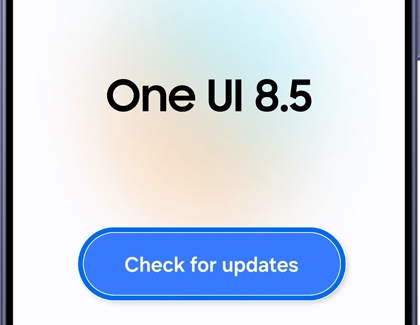
- If an update is available, follow the on-screen instructions to install it.
Read more
Read less
Access the manual
If you have questions about One UI 9, you can find detailed insights into the latest features and enhancements after upgrading your device. This information is available at the end of the Setup Wizard or in the user manual on your device.
To access the manual:
- Swipe down from the top right corner of the screen to open the Quick settings panel.
- Tap the Settings icon.
- Swipe to the bottom of the menu.
- Look for a section named User manual, Tips and user manual, Help, Tips and user guide, or Tips and help.
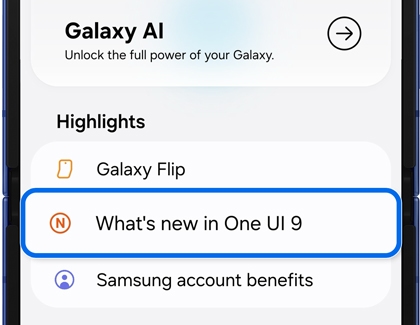
- Once you find the right section, select it, and then tap What's new in One UI 9.
Read more
Read less
Try Galaxy
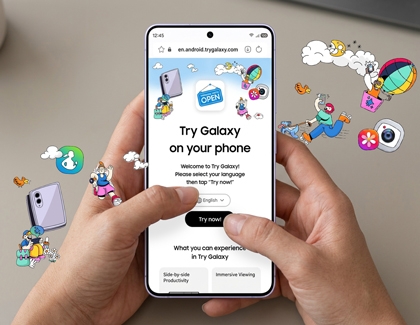
Experience the Galaxy ecosystem with the Try Galaxy app or visit trygalaxy.com to explore One UI, exclusive apps, themes, Galaxy AI, and more. Test-run the Galaxy experience and discover the innovative features that make Samsung devices stand out. Dive into the future of technology today!
Read more
Read less
Recommended Articles
We're here for you
Contact Samsung Support
Contact us online through chat and get support from an expert on your computer, mobile device, or tablet. Support is also available on your mobile device through the Samsung Members App.

