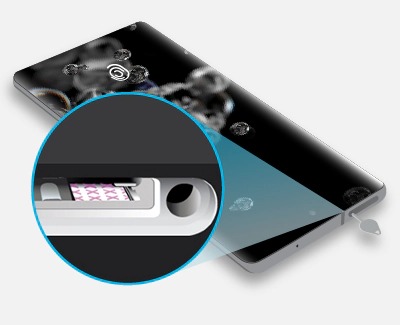
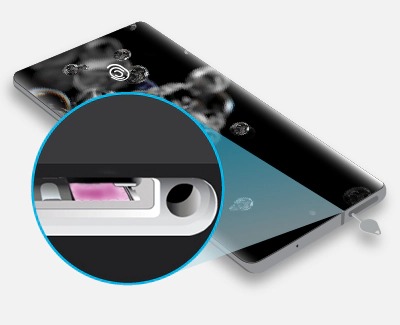
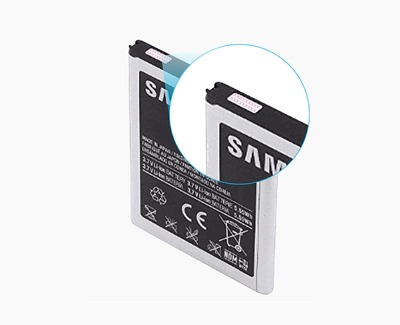
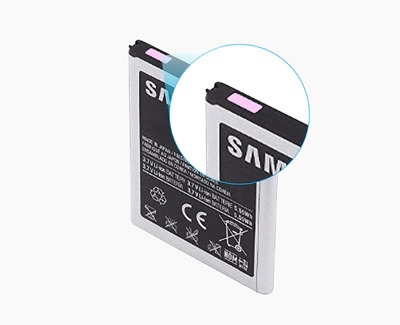
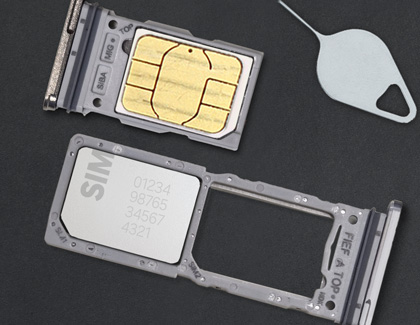
To inspect the device for liquid damage, check the LDI (Liquid Damage Indicator) located either inside the SIM card tray slot for newer devices or on the removable battery for older devices.
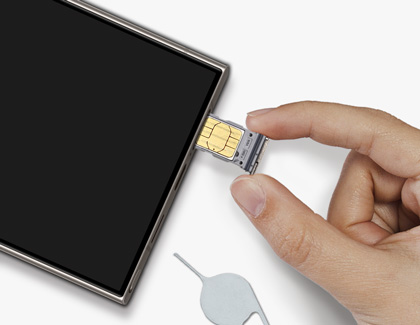
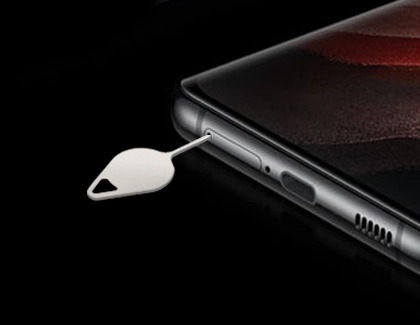
First, power off the device. For newer devices, insert the ejector tool that came with your device into the hole on the SIM card tray, and then push the tool until the tray pops out. For older devices with a removable battery, remove the back cover.
Important: Be careful not to insert the ejector tool into any of the microphone or speaker holes along the edge of your device. Look for the outline of the tray to make sure you're in the right place.
Look inside the slot to access the LDI. If your device has a removable battery, take out the battery and inspect it. LDI indicators should be solid white or white with visible pink or purple X's. If the device has been exposed to moisture, the LDI will be solid pink, purple, or red.