Learning about the control panel, Set Time, Demo mode: ME11A7510** / ME11CB7510**
The control panel is on the front, to the right of the door.
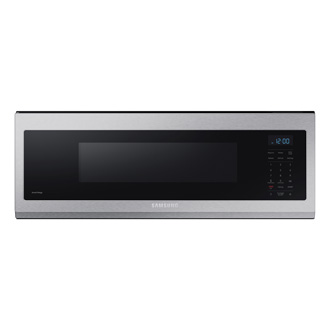
Learning about the control panel, Set Time, Demo mode: ME11A7510** / ME11CB7510**
Control panel


- Popcorn Button
- Potato Button
- Auto Cook Button
- Reheat Button
- Defrost Button
- Settings Button
- Number Pad
- Kitchen Timer/Clock Setting Button
- OK Button
- STOP Eco Button
- +30 sec Button
- START Button
- Light Button (Hi/Low/Off)
- Turntable On/Off Button
- Vent Button (4 Speed & On/Off)
Set Time

- Touch and hold the Clock button for 3 seconds.
- Use the numeric buttons to enter the time and then touch the OK button.
- For 12 hour display mode, touch Clock button to set AM or PM and then touch OK button.
Demo mode
- Touch and hold the Clock button for 3 seconds.
- Press 6.
- Press the OK button.
Recommended Articles
We're here for you
Contact Samsung Support
Contact us online through chat and get support from an expert on your computer, mobile device or tablet. Support is also available on your mobile device through the Samsung Members App.



