The oven control panel, Setting the clock, Demo mode, Temp Adjust, Using the Sabbath feature: NE63*675*S*
The range knobs and oven control panel are behind and above the cooktop.
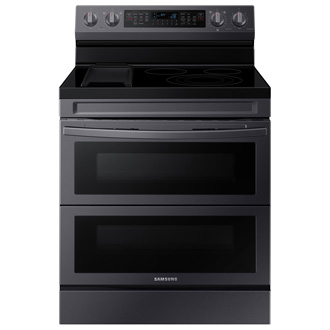
The oven control panel, Setting the clock, Demo mode, Temp Adjust, Using the Sabbath feature: NE63*675*S*
Oven control panel


- (A) Upper or whole oven control (Left side of panel)
- (B) Lower or whole oven control (Right side of panel)
- Display
- Number Pad
- Convection Bake
- Whole or upper
- Whole or lower
- Convection Roast
- Bake
- Whole or lower
- Whole
- Broil
- Keep Warm
- Air fry
- Bread Proof
- Dehydrate
- Steam Clean
- Self Clean
- Smart Control
- Clock
- Oven lock
- Lamp / Setting
- Timer
- Whole or upper
- Whole or lower
- Cook Time
- Whole or upper
- Whole or lower
- Delay Start
- Whole or upper
- Whole or lower
- START / SET
- OFF / CLEAR
Setting the clock
- Press Clock.
- Press Clock to select AM or PM. (Skip this step on 24 hour display setting.)
- Enter the current time in hours and minutes on the number pad, e.g., 1, 3, 0, for 1:30.
- Press Clock or START/SET to save the changes.
Demo mode
- Press Options for 3 seconds, and then press 0 on the number pad.
- Press 1 (On) or 2 (Off) on the number pad.
- Press START/SET to save the changes.
Temp Adjust
The oven temperature can be adjusted ±35 °F (±19 °C ).
- Press Options for 3 seconds, and then press 1 on the number pad.
- Press Clock to select higher or lower than the current temperature.
- Enter the adjustment you want to make using the number pad. (0-35).
- Press START/SET to save the changes.
Sabbath feature
- Press Bake.
The default temperature is 350°F. - Enter the temperature you want, e.g., 375°F, by using the number pad.
- Press START/SET.
The temperature display will start to change once the oven temperature reaches 175°F. - Press Bake and 1 at the same time for 3 seconds.
The display will show SAb.
Once SAb appears in the display, the oven will not beep or display any further changes.
You may change the oven temperature once baking has started. Remember that the oven will not beep or display any further changes once the Sabbath feature is engaged. - You can turn the oven off at any time by pressing OFF/CLEAR. This will turn only the oven off. If you want to deactivate the Sabbath feature, hold down Bake and 1 at the same time for 3 seconds. Sab will disappear from the display.
Recommended Articles
We're here for you
Contact Samsung Support
Contact us online through chat and get support from an expert on your computer, mobile device or tablet. Support is also available on your mobile device through the Samsung Members App.



