Clothes are not clean after washing in Samsung washer
Use the right cycle and settings for your laundry.
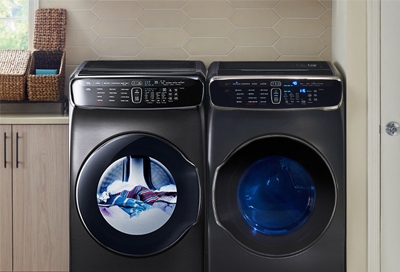
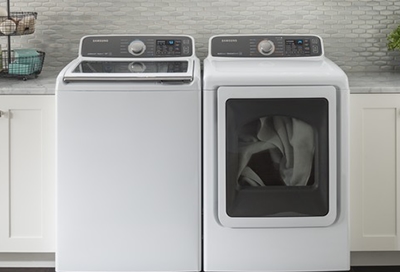
Your washer comes with several different cycles and settings. This is because you have different types of laundry. Washing them all the same way won't get them as clean as they could be.
Consult the manufacturer's label on each item in the load, and refer to the fabric care chart included in your user manual.
After you know what each piece of laundry needs, sort them. If different pieces require different settings, don't wash them together. Using a separate load will significantly improve the lifespan of your clothes.
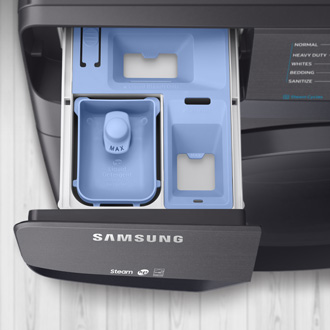
Find the type of HE Detergent you like best, and use only the proper amount.
Never go over the MAX line, and use as little as possible to get the job done. See our detergent guide for more information on how much detergent to use.
Be careful with fabric softener. It can stain clothing that's not designed for it. It can also leave residue on your clothes, and over time can cause towels to not absorb water as well. Read the manufacturer's instructions carefully and compare that to the labels on your clothing.
Do some pre-treating.
Apply a stain remover pre-treatment to tough stains, and pre-soak heavily soiled garments.
When possible, treat stains immediately as they occur. If this is not possible, leave the stained clothing submerged in water with a small amount of detergent added until the stain can be addressed. If stains are allowed to dry, they may become permanent, and the washer may not be able to remove them.
Use proper load sizes.
Do not overload the washer. If the washer is overloaded, detergent may not reach all of the clothes in the load, resulting in lower cleaning performance.
If the washer is underloaded, it is very likely that too much detergent will be used, still resulting in poor cleaning performance (see Step 2).
Check your washer's level.
Calibrate the washer.
The two buttons to press for calibration vary between models, and you can see your user manual for the steps specific to your model. Here is the most common method:
- Remove everything from your washer.
- Simultaneously press and hold Temp. and Delay End for 3 seconds until Cb appears on the display.
- Press Start/Pause. The tub will rotate back and forth for 1-3 minutes, then display En, End, or 0, then turn off. The washer is now calibrated.
On some models, you hold the two buttons while the washer is already on. On other models, you start with the washer off, hold the two buttons, and then touch Power to turn on the washer while holding the buttons.
Check for an error code or other related issues.
Contact Samsung Support