Sound distortion on 2025 Samsung Smart Monitor

If you experience sound distortion, such as muffled or unclear audio, and occasional horizontal or vertical noise on your 2025 Samsung Smart Monitor, this guide provides a solution. Follow these steps to address the issue effectively.
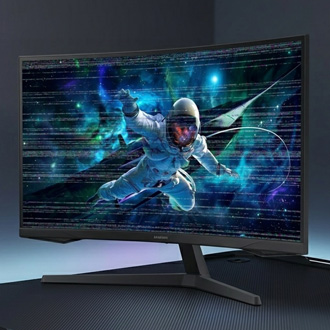
A 2025 Samsung Smart Monitor displaying space themed visuals with green sound wave effects.

Sound distortion on 2025 Samsung Smart Monitor

Note
The available features may vary by model and software version.

Affected models

  • The Movingstyle, M80F Smart Monitors (Pontus-M Platform)
  • M90SF Smart Monitor (Rose-P Platform)
Read more
Read less

Symptoms

  • Sound from the speaker is muffled and unclear.
  • Sound becomes fainter over time.
Read more
Read less

Turn off Adaptive Sound Pro

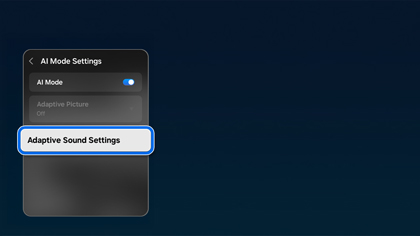
  1. Go to All settings > Advanced Features > Adaptive Sound settings.
    A 2025 Samsung Smart Monitor showing the AI Mode Settings menu with the Adaptive Sound Settings option highlighted in blue.
  2. Turn off Adaptive Sound Pro.
Read more
Read less

Stay updated


Ensure your monitor's software is always up to date.

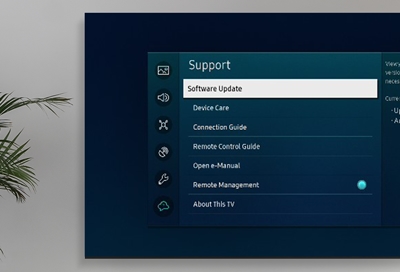
  1. Go to Settings > Support. (or Settings > All Settings > Support, depending on your model).
  2. Then, select Software Update > Update Now.
Read more
Read less
Was this content helpful?
We're here for you

Contact Samsung Support

Contact us online through chat and get support from an expert on your computer, mobile device, or tablet. Support is also available on your mobile device through the Samsung Members App.