




Filters
Filters


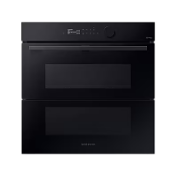
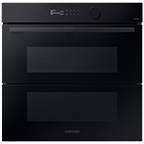
Samsung’s oven range is built to suit different kitchens and cooking styles, ranging from 5-burner gas cookers with triple-flame wok burners to electric ovens featuring convection heat, Dual Cook Flex™ and pyrolytic self-cleaning. Dual Cook Flex™ divides the oven cavity into two independently controlled zones, allowing you to cook two dishes at different temperatures simultaneously.
For effortless maintenance, pyrolytic self-cleaning burns off grease and food residue at high temperatures, leaving an interior that simply wipes clean. Additionally, select models integrate with the SmartThings app, enabling remote temperature monitoring and timer adjustments from anywhere in your home.
Whether you need a freestanding gas cooker or a versatile built-in electric oven, Samsung delivers performance and flexibility. Compare capacity, heating modes and smart features above to find the right oven for your kitchen.
-
How long will a Samsung oven stay on?If your Samsung oven is shutting off after a long period of time, then you most likely have Energy saving mode turned on. As a safety precaution, this mode will shut off the oven after 3 hours when broiling and after 12 hours when baking.
-
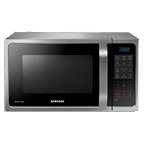
What does the Samsung Smart oven do?Smart oven combines the cooking performance of an oven with a speed and convenience of microwave oven. It is a perfect combination of convection, grill and microwave. Simple snacks to complex cuisine are deliciously prepared with full flavor and textures, at a speed you'd expect from a microwave.
-
Can you set a Samsung oven to turn off automatically?Press and hold for 3 seconds to turn off the timer. Cook Time: Press and then use the number pad to set the amount of time you want your food to cook. The oven will shut off when the cooking time has run out. Delay Start: Press to set the oven to start and stop automatically at a time you set.
-
Do Samsung ovens have WIFI?Yes, Samsung ovens do have Wi-Fi. They come equipped with the Smart Control feature, which allows you to connect your oven to the SmartThings app. This means you can conveniently monitor and control your oven right from your phone—perfect for when you're relaxing on the sofa and don't want to get up, even if your dinner needs attention!
-
Where is the reset button on Samsung oven?Touch and hold Menu (the three horizontal lines) for three seconds. Using the dial knob, select Reset.
* Key feature may different from Key Spec.
* Images are for illustration purposes only and the accessories are sold separately.
* Features and specifications are subject to change without prior notification and may vary per country, please check in store for more details.