
Detergent does not dispense in Samsung dishwasher
AutoRelease door does not open automatically
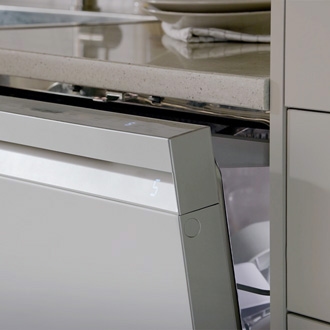
The AutoRelease feature on Samsung dishwashers improves drying performance by automatically opening the door during the last 5-15 minutes of the cycle. If the door does not automatically open on your dishwasher, you can check if the feature has been enabled and confirm if the dishwasher has been leveled.
AutoRelease door does not open automatically
1
Confirm the AutoRelease setting is turned on.
Make sure the AutoRelease setting is turned on. It won't work if it's off.
2
Make sure the dishwasher is level.
If the dishwasher has not been leveled, adjust the leveling legs.
3
Make sure the door is not blocked by a cabinet or other item.
If the door cannot open because it is obstructed by the surrounding cabinet, reinstall the dishwasher to correct this issue. Although the installation instructions can be found in the installation manual provided with your dishwasher, we recommend having the dishwasher professionally installed.
4
Request service.
If the door will still not open automatically at the end of a cycle, visit our Support Center to request service.
Recommended Articles
Dishwasher cycle ends before dishes are clean
The main function of your dishwasher is to wash dishes, so when it fails to do even that, it can be pretty frustrating. Perhaps your cycle stopped before you expected it to, or even if it ran full length, pulling dishes out of a dishwasher just to see that they're still dirty is the worst. Fortunately we have some guidance to help you get the best
Samsung dishwasher is not draining
If your dishwasher isn't draining, you will need to check the sink's drain for clogs and blockage caused by food, debris and waste, and that the drain hose connection to the sink is straight, not pinched shut, kinked, bent or damaged. Depending on your local regulation, the hose may be connected to the sink with an air gap, or have a high loop to p
We're here for you
Contact Samsung Support
Contact us online through chat and get support from an expert on your computer, mobile device or tablet. Support is also available on your mobile device through the Samsung Members App.