Control panel, Run Calibration, and Cycle chart: WF51CG80**A*
The control panel can be found at the top of the washer, in the front.
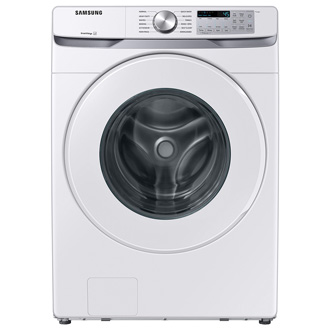
Control panel, Run Calibration, and Cycle chart: WF51CG80**A*


Control Panel
- Cycle Selector
- Display
- Temp.
- Rinse
- Spin
- Soil
- Pre Soak
- Spin Only
- Smart Care
- Delay End
- Sound Off
- Smart Control
- Power
- Start/Pause
Run Calibration
Calibration ensures accurate weight detection by the washer. Make sure the drum is empty before running Calibration.
- Press Power to turn on the washer.
- Press and hold Temp. and Delay End simultaneously for 3 seconds.
- Press and hold Start/Pause (Hold to Start) to start Calibration.
- The door is locked during the operation.
- The drum keeps rotating clockwise and counterclockwise for several minutes.
- When complete, the washer turns off automatically.
Note
If you encounter an error code, please check our error code guide. For more information about cycles and their purposes, see our cycle guide or your user manual.
Cycle Chart
Use this chart to set the best cycle and options for your laundry.


Recommended Articles
We're here for you
Contact Samsung Support
Contact us online through chat and get support from an expert on your computer, mobile device or tablet. Support is also available on your mobile device through the Samsung Members App.



