Galaxy S26: Photos save at 12MP instead of 24MP

When using the Galaxy S26 series, you may notice that photos taken at 24MP resolution are sometimes saved as 12MP images. This occurs because the device automatically adjusts the resolution based on specific conditions, such as zoom levels, shooting modes, and environmental factors. Understanding these adjustments can help you make the most of your camera's capabilities while ensuring smooth functionality.
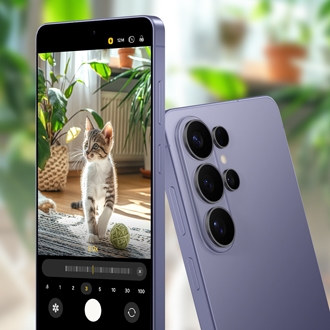
A purple Galaxy S26 Ultra screen showing camera settings with 12M resolution selected.

Galaxy S26: Photos save at 12MP instead of 24MP

Zoom levels for 24MP resolution

A hand holding a Galaxy S26 Ultra using the camera zoom slider to capture a field of cows at 24MP resolution.
 
The 24MP resolution is applied when using specific zoom levels:
  • Galaxy S26 and S26+: 1x - 1.9x zoom
  • Galaxy S26 Ultra: 0.6x - 1.9x, and 5x - 9.9x zoom

Outside these zoom ranges, the resolution will default to 12MP.

Read more
Read less

Scenarios where 12MP resolution is applied

Two Galaxy S26 Ultra showing the camera app capturing a macro shot of a butterfly and a night sky landscape at 12MP resolution.

The device may reduce the resolution to 12MP in the following situations:

  • Close-up shots: Ensures clarity and focus in tight framing.
  • Continuous shooting: From the third shot, when shooting within one second.
  • Burst shots: Maintains performance during rapid captures.
  • Flash mode: Optimizes image quality in low-light conditions.
  • Night mode: Enhances detail and reduces noise in dark environments.
  • Document scan: Improves readability and sharpness for scanned documents.
  • Abnormal operating temperature: Prevents overheating and maintains device stability.
  • Photo enhancer settings: If 'Balanced' or 'Prioritize speed' is selected in Photo enhancer (Camera > Quick controls (four dots) > Camera settings), photos will be saved at 12MP resolution. Only selecting 'Prioritize quality' will save photos at 24MP resolution.

These adjustments are designed to balance high-quality imaging with smooth functionality, ensuring a seamless user experience.

Read more
Read less
Was this content helpful?
We're here for you

Contact Samsung Support

Contact us online through chat and get support from an expert on your computer, mobile device or tablet. Support is also available on your mobile device through the Samsung Members App.
auto-contact_us-pc-2x auto-contact_us-pc-2x