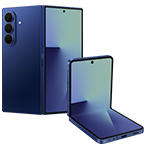
Galaxy Z Flip5
  • *Image simulated for illustrative purposes. Actual UI may be different.

Make your Flex Window your own

A great fit — both in life and your pocket. A brilliant Flex Window you can customize. A camera that captures selfies from edgy angles. Plus, a battery that keeps up.

Galaxy Z Flip5 | Join the flip side

An extreme closeup of a folded Galaxy Z Flip5 seen from the Flex Window and bottom frame. Zooming out, the device opens to stand like a tent.

Flex Window. The largest Cover Screen on a Galaxy Z Flip yet

Galaxy Z Flip5 debuts a 3.4-inch Flex Window built for self expression.1 Compact and eye-catching, this foldable is as versatile as it is portable.

*Image simulated for illustrative purposes. Actual UI may be different.

One size fits all pockets

Our most compact Galaxy Z Flip yet folds down tight to slide as easily into your pocket as it does into your hands.4

*Image simulated for illustrative purposes. Actual UI may be different.

Galaxy Z Flip5 in Flex Mode and seen from the Flex Window with a frame clock style on its display. A woman pulls a folded Galaxy Z Flip5 from her jacket's front pocket. Its display shows a customized frame clock style Flex Window.

Choose from four colours inspired by nature

Find your vibe in a world of futuristic colour schemes inspired by the natural world: Mint, Graphite, Cream, Lavender.5

Mint

Two Galaxy Z Flip5 devices in Mint. One is folded like a tent and seen from the rear panel. The second is folded and partially obscured by the first device. Next, a close up of the Rear Camera. Next, a close up of the Flex Hinge.

Online exclusive colours

Add an extra pop of personality to your device with exclusive colours you can only find on Samsung.com: Grey, Blue, Green and Yellow.5,6

Online Exclusive

Grey
Two Galaxy Z Flip5 devices in Grey. One is folded to a right angle and seen from the rear panel. The second is folded like a tent and seen from the Flex Window.

Camera. The best selfie experience on a Galaxy smartphone yet

A night time selfie taken in a car with a waterfront city skyline in the background. The colour and texture of the subjects clothes are crisp and vibrant and her skin tone is natural, while the details of the background remain clear.

Capture stunning selfies and your best angles with FlexCam. All you have left to do is master the art of the pose.

FlexCam selfies. Even when closed

Launch the camera app with the Flex Window shortcut to capture the moment. Snap photos, tweak the settings and retake, all without ever opening your phone.

*Image simulated for illustrative purposes. Actual UI may be different.

*This photo has been retouched for colour correction.

A selfie is portrayed in the photo preview interface of the Flex Window. Shortcut icons and setting indicators for taking photos and videos are on the screen.

Hands-free selfies. Courtesy of FlexCam

Unfold to Flex Mode and bring your buddies in frame for a wider group selfie.7 Use the Camera Controller on your Galaxy Watch6 and stun the world with zoomed-in selfies.8 It's the ultimate flex.

*Image simulated for illustrative purposes. Actual UI may be different.

A preview of a selfie is displayed on the Flex Window of Galaxy Z Flip5 in Flex Mode. Three friends pose together for the selfie taken at a distance away from the device.

Brighter Nightography9,10

Galaxy Z Flip5's Wide camera brings even more of the scene into frame. Unfolding is optional — just swipe the Camera icon on the Flex Window and start recording with FlexCam. And keep the camera rolling, because with 4K Nightography video at 60 fps, losing sunlight doesn't have to mean losing out on quality.11

*Image simulated for illustrative purposes. Actual UI may be different.

A woman records a selfie video at night with two friends behind her. The wide angle fits them all into frame. Details are crisp, colours are warm and the details of the background are clear.

Front Camera selfies. Lookin' sharp

Unfolding to the Front Camera gives your selfie skills a major upgrade. Super Clear Lens helps to keep photos crisp and even reduces flare from bright lights behind you.

Three Galaxy Z Flip5 devices each feature different colourfully customized Flex Window interfaces.

Meet the 3.4" Flex Window

*Image simulated for illustrative purposes. Actual UI may be different.

  • Reply to messages with a QWERTY keyboard, make calls, check the weather forecast and even pull out your wallet — all from a big, bright Flex Window.1,12,13 Now featuring more clock faces and crisscross gestures you know from across the Galaxy ecosystem.

    *Image simulated for illustrative purposes. Actual UI may be different.

    Cross gestures are used to navigate various apps and widgets on the Flex Window. On the home screen, swiping to the right pulls up Notifications. Pulling down reveals the Quick Panel. Returning to the home screen, a swipe to the left toggles through widgets, like Samsung Health Steps and a Calendar with interactive menu features. Finally, swiping up from the home screen opens Samsung Wallet.

  • Don't get lost in the shuffle with Multi Widget View.

    *Image simulated for illustrative purposes. Actual UI may be different.

    Pinching in diagonally from the home screen opens Multi Widget View, which is a tiled representation of installed widgets. Pinching out returns to the home screen. A swipe left opens the Calendar app. Pinching in diagonally from the app returns to Multi Widget View, which can be scrolled through and used to navigate to another app, like Galaxy Wearable. Finally, a swipe up returns to the home screen.

Customize the Flex Window just the way you like it

Take control of the Flex Window. Customize your device with loads of widgets, video wallpapers, clock faces, styles and more to make your Galaxy Z Flip5 uniquely you.12,14

*Image simulated for illustrative purposes. Actual UI may be different.

The frame clock style features a photo of a smiling woman and digital clock.
The simple clock style shows a multi-coloured modern art design and an analog clock. The shortcut icon goes to the camera.
A customized informative clock style features a photo, clock, date, battery, notification counter and shortcut icon to the camera.
A customized informative clock style features a photo, clock, date, battery, weather and shortcut icon to the camera.
The frame clock style features a still life photo and digital clock.
The character clock style features a whimsical 3D flower character. The shortcut icon goes to the camera.
Media player widget features a media player with playback controls and a progress bar.
Weather widget shows today's weather and the weekly forecast.
Calendar widget shows a monthly preview and events scheduled for today.
Alarm widget shows a list of alarm presets with on and off toggles.
Steps widget shows today's step count and other daily indicators as well as a summary graph of the last week of activity.
Recent Calls list widget shows recent calls with quick call back buttons.
Direct Dial widget shows the telephone keypad and call button.
SmartThings routines widget shows preset scenes for home automation.
Google Finance widget shows stock charts and indexes.

Take total control of the Flex Window. Customize your device with loads of widgets, video wallpapers, clock faces, styles and more to make your Galaxy Z Flip5 uniquely you.12,14

*Image simulated for illustrative purposes. Actual UI may be different.

*The information displayed on Google Finance widget is for illustrative purposes only.

All-day battery life15

Listen up to

57 hrs2

Watch up to

20 hrs2

Backed up by a powerful processor, this 3700mAh (typical) battery stretches out the charge so you can keep binging movies or gaming late into the night.16 Need extra juice? Enable low power mode to keep the fun flowing.

The most powerful processor on Galaxy foldables yet

The new Snapdragon® 8 Gen 2 Mobile Platform for Galaxy takes you to a whole new level of power.17 Experience smoother graphics, faster AI and improved battery performance.

*AP performance improvements shown compared to Galaxy Z Flip4. Actual performance will depend on user environment, conditions and pre-installed software and applications.

Snapdragon® 8 Gen 2 Mobile Platform for Galaxy
25 %↑

GPU

20 %↑

NPU

17 %↑

CPU

*AP performance improvements shown compared to Galaxy Z Flip4. Actual performance will depend on user environment, conditions and pre-installed software and applications.

An all-new flex — Flex Mode Panel3

Level up how you use Flex Mode with more controls at your fingertips.7 Hide or expand the panel with the touch of a button. You can even whip out a touchpad and curser. And an enhanced playback control panel makes navigating through music and media easier and more precise.9

*Image simulated for illustrative purposes. Actual UI may be different.

Video plays on Galaxy Z Flip5 in Flex Mode. The Flex Mode Panel is expanded from a launch button and used to navigate the video with a playback timeline and advanced control buttons, like volume and skip.

Durable to keep you flipping

Galaxy Z Flip5 stays tough. And with the added support of Samsung Care+, get even more protection.

  • This foldable is framed in a tough suit of armor – Armor Aluminum.18

    A close up of the side frame and Flex Hinge.
  • Introducing a new, durable, double rail design for our foldable hinges.

    A close up of the Flex Hinge of a partially opened device seen from the side profile.
  • With Galaxy Z Flip5, a little bit of moisture won’t dampen your day.19

    A close up of a corner of Galaxy Z Flip5 with water droplets on the outside.

Enroll in Samsung Care+ for extra protection20

Watch6. Start your fitness journey

Link Galaxy Z Flip5 up with a Galaxy Watch6 series device to learn more about your workout performance.21,22 Watch yourself improve every day with gym selfies to prove it — no mirrors required when you use Camera Controller.8,23

Better together

Galaxy Watch6 Series21

Galaxy Z Flip5 is in Flex Mode and seen from the Flex Window. On the Flex Window is a photo preview of a woman doing yoga. Next to the device is Galaxy Watch6 with Samsung Health body composition measurements shown on the display.

Switch, upgrade and trade. It's all easy

Elevate your day with stylish accessories

Frequently Asked Questions

  • Galaxy Z Flip5 is available in Mint, Graphite, Cream and Lavender.5 Grey, Blue, Green and Yellow are exclusive colours found only on Samsung.com.5,6

    GO TO COLOURS
  • Galaxy Z Flip5 has a 3.4-inch Flex Window that supports more widgets, more customization and the best selfie experience on a Samsung Galaxy smartphone yet.1,9,10 The Flex Mode experience has improved through an all-new Flex Mode Panel.3,7 It also features a new Flex Hinge with a double rail design.

    COMPARE DEVICES
  • Galaxy Z Flip5 is equipped with a 10MP Front Camera with a wider angle than the Galaxy Z Flip4. On the other side, it features a 12MP Ultra Wide Camera and 12MP Wide Camera. Improved hardware — like the Super Clear Lens — and software — like adaptive VDIS — work together to deliver crisp and colourful photos, selfies and videos.9

    GO TO CAMERA
  • Galaxy Z Flip5 is 71.9 millimeters wide, 165.1 millimeters long and 6.9 millimeters thick when unfolded. Folded, it is 85.1 millimeters long. At 15.1 millimeters thick, the Galaxy Z Flip5 is more compact than the folded Galaxy Z Flip4, which measures 17.1 millimeters thick at the hinge and 15.9 millimeters at the outer edge.

    GO TO PORTABILITY
  • Galaxy Z Flip5's intelligent 3700mAh (typical) battery lets you listen to music for up to 57 hours or watch up to 20 hours of video playback.2,15,16

    GO TO BATTERY
  • Galaxy Z Flip5 is water resistant and comes with an IPX8 rating.19

    GO TO DURABILITY
  • Galaxy Z Flip5 has a new hinge, called the Flex Hinge, which features a more durable, double rail design.

    GO TO DURABILITY
  • Galaxy Z Flip5's 6.7-inch FHD+ Main Screen is an adaptive 120Hz Dynamic AMOLED 2X display.29 The 3.4-inch Super AMOLED Cover Screen reaches a peak brightness of 1600 nits.1 It is the first in the Galaxy Z Flip series with a proximity sensor and first Galaxy Z Flip Cover Screen to support HBM.

  • With One UI, you can customize the Flex Window with widgets, clock faces and more.12

    GO TO FLEX WINDOW

Unfold your world

Check out smart ways to get your Galaxy Z Flip5

Life opens up with Galaxy

  1. Measured diagonally, Galaxy Z Flip5's Cover Screen size is 3.4 inches in the full rectangular form; actual viewable area is approximately 95% of the full rectangular area due to the rounded corners and lower cutout.
  2. Based on Samsung internal lab test conditions with pre-release version of given model connected to earphone via Bluetooth under default settings over LTE. Estimated against battery capacity and measured current over battery power consumption during video playback (video file resolution 720p, saved on device) and audio playback (mp3 file, 192kbps, saved on device with LCD display turned off), respectively. Actual video and audio playback times vary by network connection, settings, file format, screen brightness, battery condition and many other factors.
  3. Flex Mode Panel button must be enabled in device settings in order to be used with installed apps in the apps tray, including third party apps. List of supported apps can be found in the Flex mode panel settings under your device's settings menu.
  4. This device contains magnets. Keep it away from credit cards, implanted medical devices, and other devices that may be affected by magnets. In the case of medical devices, keep your device more than 15cm apart. Stop using your device if you suspect any interference with your medical device and consult your physician or your medical device manufacturer.
  5. Availability of colour may vary by country, region or carrier.
  6. Online exclusive colours need special production. Please allow up to 4 weeks for delivery.
  7. Flex Mode supported at angles between 75°and 115°. Some apps may not be supported in Flex Mode.
  8. Camera Controller is supported on Galaxy Watch4 and later released Galaxy Watch models when paired with Galaxy S9 series and later. Camera Controller zoom feature is available on Samsung Galaxy Watch4 series and later released Galaxy Watch models that are paired with a Galaxy S series, Galaxy Note series and Galaxy Z series smartphone running One UI 5.1 or above with Camera Controller support.
  9. Compared to previous models.
  10. VIULL (Video Ultra Low Light) technology enables the capture of brighter video footage in low light compared to Galaxy Z Flip4
  11. Galaxy Z Flip5 supports 4K video recording. 4K video playback is not supported.
  12. Certain applications may not support Flex Window widgets.
  13. Galaxy Z Flip5’s Cover Screen is the first in the Galaxy Z Flip series with a proximity sensor and first Galaxy Z Flip Cover Screen to support HBM. Galaxy Z Flip5’s Cover Screen HBM has a peak brightness of 1600 nits for a brighter and clearer display.
  14. Availability of features may vary by country or region.
  15. Actual battery life varies by network environment, features and apps used, frequency of calls and messages, the number of times charged, and many other factors. Estimated against the average usage profile compiled by UX Connect Research. Independently assessed by UX Connect research between 2023.06.19-2023.06.29 in US with pre-release versions of SM-F946 and SM-F731 under default setting using LTE and 5G Sub6 networks.
  16. Typical value tested under third-party laboratory conditions. Typical value is the estimated average value considering the deviation in battery capacity among the battery samples tested under IEC 61960 standard. Rated capacity is 4270mAh for Galaxy Z Fold5, and 3591mAh for Galaxy Z Flip5. Actual battery life may vary depending on network environment, usage patterns and other factors.
  17. Snapdragon is a product of Qualcomm Technologies, Inc. and/or its subsidiaries. Snapdragon is a trademark or registered trademark of Qualcomm Incorporated.
  18. Frame does not include volume and side keys or SIM tray.
  19. Based on lab test conditions for submersion in up to 1.5 meters of freshwater for up to 30 minutes. Not advised for beach or pool use. Water resistance of device is not permanent and may diminish over time because of normal wear and tear. IPX8 rating is not dust-resistant.
  20. Samsung Care+ coverage may vary by country and deductibles may apply.
  21. Galaxy Watch6 series devices sold separately.
  22. Product and feature availability may vary by country or region. Galaxy Watch6 must be paired with a Samsung Galaxy Phone with Android 10.0, minimum 1.5GB RAM and Samsung Health app version 6.24 or later. Bioelectrical impedance analysis (BIA) is intended for general wellness and fitness purposes only. Not intended for use in detection, diagnosis or treatment. The measurements are for your personal reference only. Please consult a medical professional for advice.
  23. Availability may vary by market, carrier, model and paired smartphone that supports Camera Controller. The update will initially be available on Bluetooth versions and will be available to LTE versions at a later date, to be determined.
  24. The back glass deco film of the Galaxy Z Fold5 and Z Flip5 contains 80% recycled PET. The sub window and back glass of the Galaxy Z Fold5 and Z Flip5 contains 22% recycled glass. The display connector cap of the Galaxy Z Fold5 and Z Flip5 contains 20% recycled ocean-bound plastic. The above measurements are based on weight.
  25. Wired transfers require at least Android™ 4.3. If you do not have the required USB cable/connector for a wired transfer to Galaxy, you can also use wireless transfer options. iOS 5 or older Android OS must use wireless transfer options. Open Smart Switch Mobile in “Settings” on your new Galaxy phone or download Smart Switch Mobile app from Galaxy Store. Data and content available for transfer may vary by OS. The data of the Galaxy device is backed up and restored to the storage device. Use PC backup through Smart Switch PC or SD card backup function of Smart Switch Mobile.
  26. Terms and conditions apply. Availability may vary by country or region. Check device trade-in eligibility on the Trade-in page.
  27. Storage options and availability may vary by country or region. Actual storage availability may vary depending on pre-installed software.
  28. Six month trial of Microsoft 365 Basic available for consumers with a OneDrive-Gallery Sync capable Samsung phones (phones on the Verizon network in the U.S. not eligible). After the 6 month trial, your subscription will automatically renew into a monthly paid subscription at the current price, subject to Google Play’s terms and conditions. Cancel any time to stop future charges. Offer not available to existing Microsoft 365 or OneDrive premium subscribers (including trials), customers who previously redeemed an Office, OneDrive or other Microsoft storage bonus or free trial offer, customers with a locked OneDrive account, or former Microsoft 365 or OneDrive/Microsoft Storage premium subscribers who cancelled in the last 90 days. One offer per customer and per device. Offer cannot be transferred or combined with other Microsoft offers, and is available between March 15, 2023 and December 31, 2023. Offer must be redeemed during this period on the Google Play Store and participants must sync their gallery with OneDrive to commence the 6 month trial. Offer requires a Samsung and Microsoft account. Refer to https://www.microsoft.com/onedrive-samsung-offer for details.
  29. Measured diagonally, Galaxy Z Flip5's Main Screen size is 6.7" in the full rectangle and 6.6" accounting for the rounded corners; actual viewable area is less due to the rounded corners and camera hole.