
SmartThings Kamera


Gallery popup


{{upgradeResult.displayModelName}}
{{upgradeResult.discountText1}}
{{upgradeResult.description1}}
{{upgradeResult.description2}}
{{offerFinance.title}}
{{offerFinance.learnMoreCta.text}}{{offerFinance.description}}
{{galaxyForeverResult.displayModelName}}
{{galaxyForeverResult.discountText1}}
{{galaxyForeverResult.description1}}
{{galaxyForeverResult.description2}}
Vælg din farve
Udskiftelige rammer sælges separat
Vælg farven på dit case
Tilpasseligt case sælges separat
-
{{item.name}}
Ikke på lager
Modern
-
{{item.name}}
Ikke på lager
Beveled
-
{{item.name}}
Ikke på lager
Farve på case
-
{{item.name}}
Ikke på lager
Ramme

- Modern
The Frames udskiftelige rammer klikker magnetisk på plads. Nu kan du skifte mellem stilarter på ingen tid.
Ramme

- Beveled
Det nye Beveled rammedesign giver en elegant indvendig kant i en 45-graders vinkel.
{{tradeIn.title}}
{{tradeIn.learnMoreCta.text}}{{tradeIn.description}}
Tillykke! Din indbytteenhed er blevet tilføjet.
-
{{tradeInResult.discountPriceTextTile}} {{tradeInResult.discountPriceText}} {{tradeInResult.discountText1}} {{tradeInResult.discountText2}} {{tradeInResult.discountText3}} {{tradeInResult.discountText4}} {{tradeInResult.discountText5}} {{tradeInResult.discountText6}} {{tradeInResult.specialDiscountText}}
{{tradeInResult.displayModelName}}
Rabatten for din bytteenhed er et skøn. Den faktiske værdi refunderes, efter at vi har modtaget og inspiceret den.
Dealer stock quantity
You can check the stock quantity for each region
Please select city
{{assuredBuyBack.title}}
{{newAssuredBuyBack.title}}
{{newAssuredBuyBack.learnMoreCta.text}}{{newAssuredBuyBack.description}}
Please select Samsung Assured Buyback or no coverage
{{care.title}}
{{care.learnMoreCta.text}}{{care.description}}
Angiv hvilken forsikring du vil have, eller vælg "Nej tak", og gå videre
-
{{item.specialText}}
-
{{warrantyResult.displayModelName}}
{{warrantyResult.discountText1}}
{{warrantyResult.description1}}
{{warrantyVdResult.title}}
{{warrantyVdResult.priceDisplay}}
{{delivery.headline}}
{{delivery.errorMessage}}
{{deliveryResult.priorityText}}
{{deliveryResult.mainText}}
{{deliveryResult.subText}}
Standard installation charges may apply.Click here for more details.
{{deliveryResult.decText}}
{{item.disclaimer}}
{{tariffOptionResult.displayModelName}}
{{tariffOptionResult.discountText1}}
{{tariffOptionResult.description1}}
{{tariffOptionResult.description2}}
{{tariffOptionResult.description}}
{{tariffOptionResult.price}}
{{tariffOptionResult.disclaimer}}
{{embedAddon.title}}
{{embedAddon.description}}
-
{{item.name}}
{{item.modelCode}}
{{item.description}}
{{item.finalPrice}}
{{item.originalPrice}}{{item.savePrice}} Ikke på lager
-
{{item.name}}
{{item.modelCode}}
{{item.description}}
- {{item.dotList1}}
- {{item.dotList2}}
- {{item.dotList3}}
{{item.finalPrice}}
{{item.originalPrice}}{{item.savePrice}} Ikke på lager
{{message.item.tcCTAText}}
{{message.item.periodText}}
Førsteklasses funktioner

1080p Video med HDR

Tovejslyd

24 timers gratis skylagring
Funktioner
Få det hele med
Hold øje med hjemmet alle døgnets timer. Kameraet med 1080p Full HD og HDR-modlyskompensering giver skarpe billeder i dagslys. Og når solen går ned, gør Night Vision-funktionen, at du ser godt i mørket – det skaber tryghed.


Udvid perspektivet
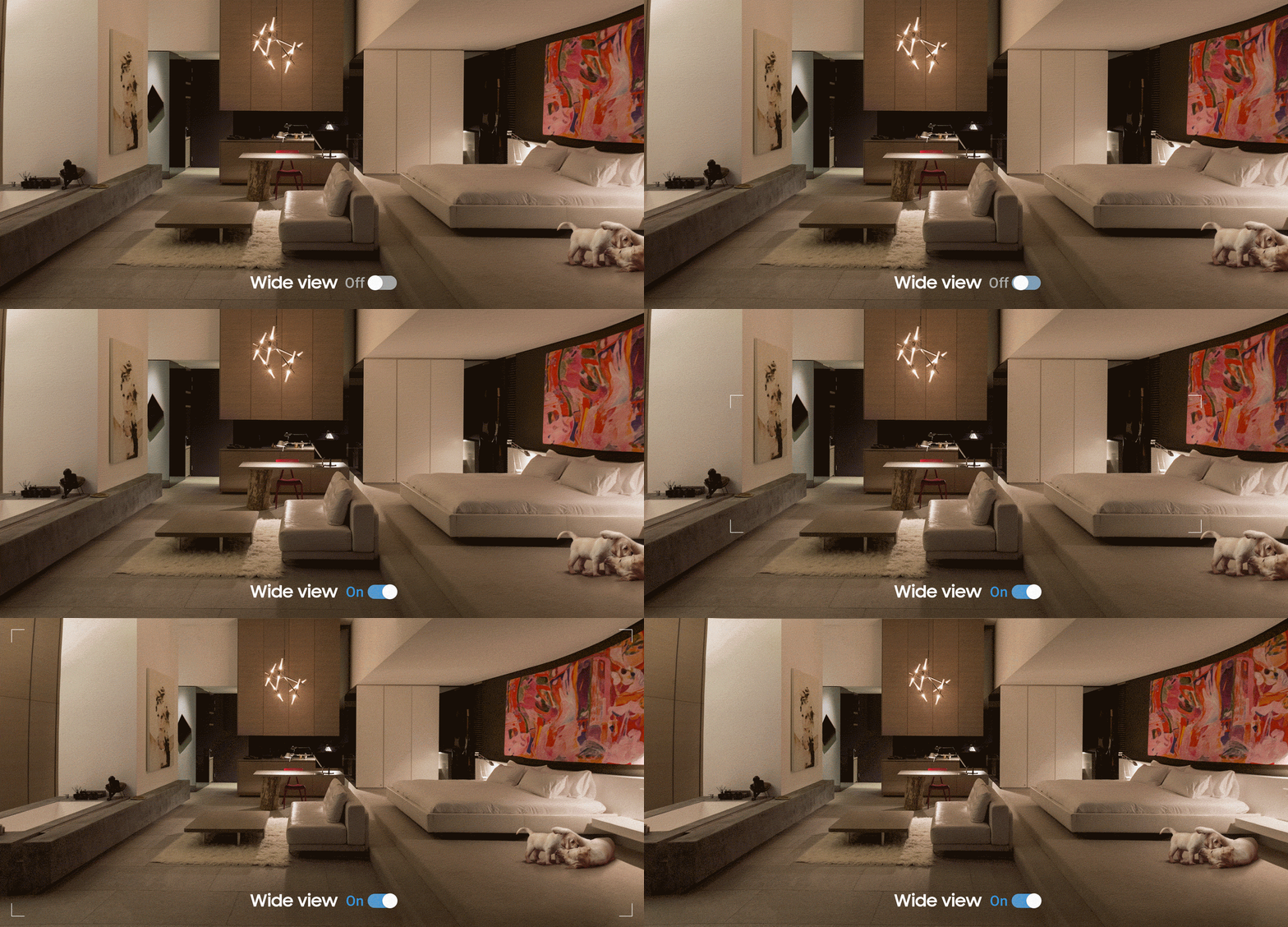
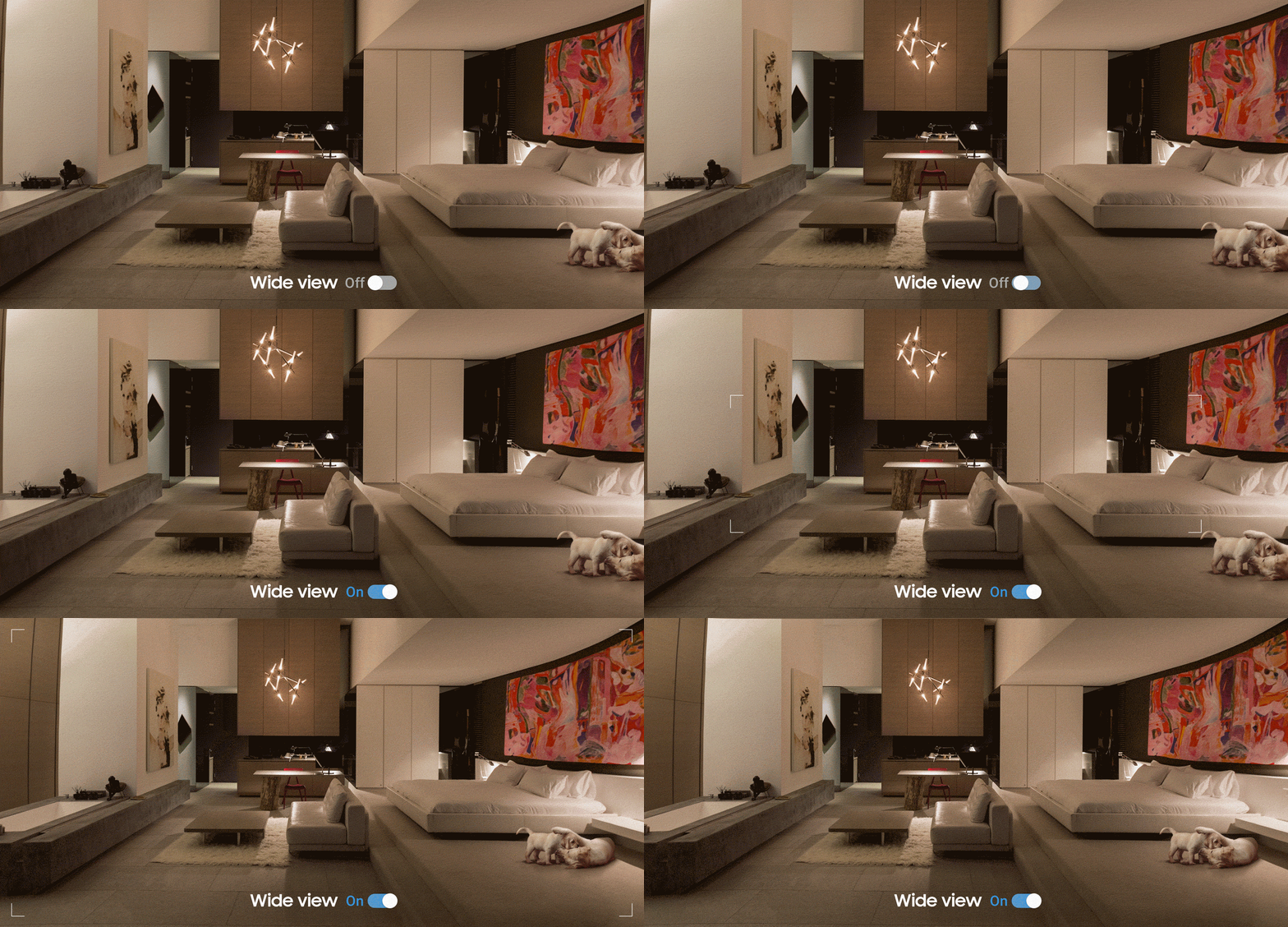
Når det gælder sikkerhed, er det vigtigt at kunne se det, der betyder noget. Takket være en 145 graders diagonal vidvinkel får du en meget god dækning af alt, hvad der sker i dit hjem, når du ikke er hjemme.
Tal, som om du var til stede
Tal med din familie, som om du selv var hjemme. Den indbyggede mikrofon og højttalerne med støjreduktion gør, at I kan kommunikere tydeligt og nemt, uanset hvor du er.


Fang kun det væsentlige
Altid på vagt, så du kan slappe af. SmartThings kamera kan med stor præcision registrere forskellige scenarier, såsom røgudvikling eller indbrud, og fange alle detaljer, så alle genstande gengives tydeligt. Det intuitive beskedsystem sender kun en advarsel, når det virkelig gælder, for at undgå falsk alarm.


*Røgdetektering kræver en separat sensor.
Fri bevægelighed med generøs skylagring
Tag på ferie i tryg forvisning om, at dit hjem er sikret. Med to SmartThings-kameraer og vores 24 timers smarte skytjeneste kan du når som helst tage et tjek. Vælg Premium, og få op til fem kameraer plus 30 dages optagelse i skyen, så kan du holde øje med det hele, uanset hvor du er i verden.


Fuld beskyttelse
Sikkerhed til det hele, fra hardware til husholdning. Med Trusted Platform Module og problemfri SmartThings-integration får du en smidig, fuldt dækkende beskyttelse, der beskytter det, du har kært, mod uønskede blikke. Fra firmware til dataoverførsel, din integritet er fuldt beskyttet.


Hold styr på flere enheder
Hold øje med det hele, også når du ikke er der. Nu kan du se forskellige steder af hjemmet på flere skærme. Hold øje med, hvad der sker, når som helst og hvor som helst – på dit Samsung TV eller på Samsung Family Hub-køleskabet. Problemfrit fra A til Z.


*SmartThings findes på 2018 Samsung TV 7400-serien eller senere. Fjernbetjening kræves, sælges separat.
Specifikationer
-
Mål (BxHxD)
76,6 x 76,6 x 102 mm
-
Vægt
222 g
Anmeldelser
SmartThings Kamera
Filtre
Sortering efter relevans placerer de bedste anmeldelser øverst. Vi tager højde for, hvor mange positive stemmer en anmeldelse har fået, hvor ny den er, billeder og andre faktorer, som brugerne værdsætter, når de læser anmeldelser.
Filtre
2 Anmeldelser
2020-07-30
Kundsupport Samsung
Hej, Det är tråkigt att höra att du upplever problem med din Smartthings kamera. Vi rekommenderar att du kontaktar vår tekniska support så att vi kan försöka hjälpa dig vidare. Du kan nå oss här: https://www.samsung.com/se/info/contactus/
2019-09-12
Alle anmeldelser administreres af Bazaarvoice og lever op til firmaets høje etiske standarder og autenticitetspolitik. Bazaarvoice gennemgår både anmeldelserne vha. digitale filtre og manuelt for at sikre deres ægthed og forhindre falske anmeldelser.
For yderligere information:


