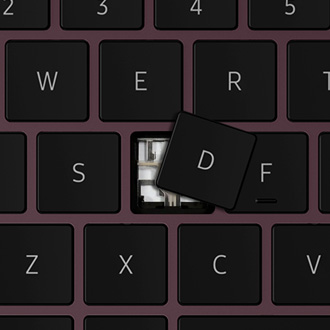
Keycap has come off of Samsung laptop keyboard
If a key has separated from your keyboard, you can easily replace the key yourself without any special tools, as long as all the pieces are available and undamaged.

Navigate to the Search bar on your PC and then type and select Control Panel. Select System and Security, and then select Change what the power buttons do under the Power Options section. Select your desired functions under Power button and lid settings.

If the Power button is still not working properly, please continue to the next steps in this guide.
Use a damp microfiber cloth or a compressed air canister for cleaning around the Power button.
Do not directly apply liquid cleaners to the keyboard or the Power button and do not use household cleaners.
Select CONTINUE to visit HP's website.



