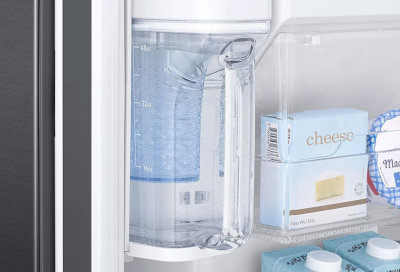
Autofill water pitcher does not fill
There's nothing more refreshing than a glass of nice cool water, and having a pitcher full of it and ready to go is quite handy. But if your pitcher's not filling, the solution could be as simple as turning the setting on.
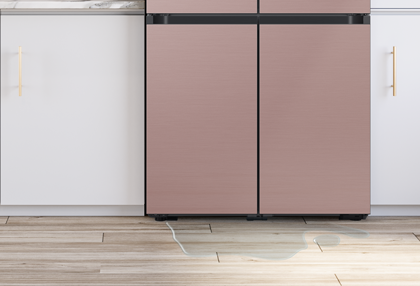
Autofill water pitcher does not fill
Important
If the Auto Water Fill icon is blinking, the function is disabled due to moisture in the compartment. Skip to step 2.
1
Dispense water to confirm the water line is connected.
If water does not dispense, troubleshoot that first.
2
Dry and drain the Autofill compartment, then assemble and reinstall the pitcher.
The refrigerator has a moisture sensor that will disable Autofill when moisture is detected. This is to prevent the constant dispensing of water if a leak is occurring. Some models also contain a drainage system that will collect any water that does leak, to prevent it from flowing into the fridge. This drainage system will need to be emptied before the Autofill function will operate again.
Follow the process in Leaks from the Autofill water pitcher to thoroughly and completely drain and dry the area, and then properly assemble and reinstall the pitcher.
Note
The AutoFill setting defaults to off on new models because the water line may not be connected yet when the refrigerator is first powered on. After confirming the water line is properly connected, turn on the setting to begin using the function.
3
Confirm the Auto Water Fill or Autofill Pitcher setting is turned on.
For steps specific to your model, check your user manual.
- Check the indicator to see if the light is on. Icon indicators, when lit, confirm the setting is on. On Family Hub, this can be found in the Fridge Manager app.
- Unlock the panel by pressing and holding the Lock or Door Alarm button.
- Press the AutoFill Pitcher button to toggle the setting. On some models, this is a secondary function of another button, so you must press and hold the button to use its secondary function.
- On 2022 Bespoke 3-Door models, touch the O button four times to select the AutoFill setting, touch the < button to toggle the setting, and then touch the O button one more time to save your setting.
- On Family Hub models, in the Fridge Manager app, tap Fridge Settings, and then tap Auto Water Fill to toggle the setting.
4
Close the door.
The pitcher will not fill unless the pitcher is correctly assembled and installed (as described in Leaks from the Autofill water pitcher) and the door is closed. Allow a few minutes after closing the door for the filling to begin.
5
Request service.
If your pitcher still does not fill, please visit our Support Center to request service.
Recommended Articles
Autofill water pitcher doesn't fill
There's nothing more refreshing than a glass of nice cool water, and having a pitcher full of it and ready to go is quite handy. But if your pitcher's not filling, the solution could be as simple as turning the setting on.
Water leaks in a Samsung refrigerator
Many times when you see a pool of water (or one that froze into a sheet of ice), it can often be attributed to condensation or a spill you didn't notice. The most common place to see water is at the bottom of the compartment, such as below the vegetable or crisper drawers. Leaks can occur outside of the refrigerator, or you can have an auto fill wa
Automatically fill your water pitcher in your Samsung fridge
Automatically fill your water pitcher in your Samsung fridge Experts say you should drink about 2 liters of water every day. But what if you don't like plain water or just get tired of it after a while? The Auto Water Fill feature on select Samsung fridges lets you add flavor to your water with fruit infusions or even brew cold iced tea in your ref
We're here for you
Contact Samsung Support
Contact us online through chat and get support from an expert on your computer, mobile device or tablet. Support is also available on your mobile device through the Samsung Members App.


