Galaxy A17 charging status issue

The Galaxy A17 LTE may continue to show "Charging" status even after removing the charger, often caused by using an abnormal charging cable or charger. This guide provides a solution and information to address the issue.
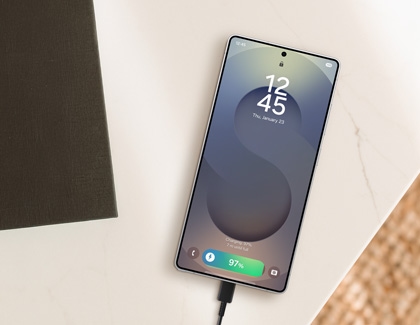
A Galaxy A17 showing a 90 percent charging status on the lock screen next to a wall charger.

Galaxy A17 charging status issue

1

Restart your phone.

Restarting the device can resolve the issue by refreshing the system. 

Swipe down from the top right corner of the screen to open the Quick panel. Tap the Power icon in the upper right corner, and then tap Restart. Tap Restart again to confirm. The device will automatically restart.

A Galaxy A17 screen showing power options with the green Restart button highlighted in a blue circle.

2

Check your charging accessories.

Verify your charging accessories to ensure you're using a standard, compatible Samsung cable and charger. Non-standard or counterfeit accessories may cause incorrect charging status displays and harm your device's battery over time.

Authentic Samsung chargers are recommended and can be identified by the following features:

  • The Samsung logo
    Samsung charger's logo
  • The words "TRAVEL ADAPTER"
    Samsung Travel Adapter words
  • A serial number
    Samsung Travel Adapter's serial number
  • A model code
    Samsung Travel Adapter's model number
Note
Compatible charging accessories, such as wall chargers and cables, can be found on the official Samsung website. USB-C cables are typically 3A or 5A; both charge and transfer data, but 5A cables are thicker and carry more power.
3

Check for software updates.

Ensure your device's software version is always up to date. Swipe down from the top right corner of the screen to open the Quick panel. Tap the Settings icon, and then swipe to and tap Software updates. Follow the on-screen menu to check if an update is available.

A Galaxy A17 settings screen with the Software update option highlighted in a blue box.

Note
A software patch is coming to fix the issue. Keep your device updated. The update rollout schedule and version may vary by region or carrier.
Was this content helpful?
We're here for you

Contact Samsung Support

Contact us online through chat and get support from an expert on your computer, mobile device, or tablet. Support is also available on your mobile device through the Samsung Members App.
auto-contact_us-pc-2x auto-contact_us-pc-2x