Samsung smart watch will not hold charge or power on
If your watch's battery is completely discharged, it will not power on. You'll need to charge it before turning it on. If the watch will not power on, it doesn't seem to charge, or the light on the charger blinks, the problem could be anything from the battery, connection, the charger, or the watch itself.
Samsung smart watch will not hold charge or power on
Recommended Articles
Samsung washing machine buttons won't work
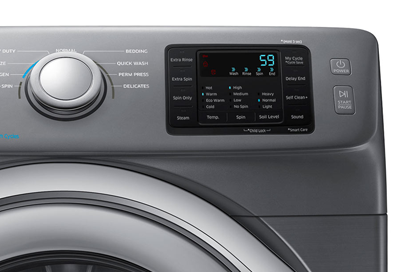
If your washer won't start, the buttons won't work, or the control knob won't select a different cycle, you probably have Child Lock turned on. If your Child Lock icon is lit or flashing, this confirms it. Turning Child Lock off will usually take care of your problem.
Condensation in control panel on Samsung washing machine
You may notice some condensation in your control panel if your washer is located in a cool area of your house. When hot water or steam is in a cool, humid environment, it will tend to condense on what's the coolest, such as your control panel.
Samsung washing machine information and error codes
Error codes play a vital role in making sure your washer stays in good condition, and give you a starting point if there are ever any issues. You can usually resolve error codes (also displayed as blinking lights) with a few simple steps. Here is a list of the most common error codes and the next steps to take.
We're here for you
Contact Samsung Support
Contact us online through chat and get support from an expert on your computer, mobile device or tablet. Support is also available on your mobile device through the Samsung Members App.