27 The Movingstyle LSM7F QHD Touch Interaction Movable Screen (2025)


Gallery popup


Please scan the QR Code with your mobile device and you can virtually see how the device will look in your home.
{{upgradeResult.displayModelName}}
{{upgradeResult.discountText1}}
{{upgradeResult.description1}}
{{upgradeResult.description2}}
{{offerFinance.title}}
{{offerFinance.learnMoreCta.text}}{{offerFinance.description}}
{{galaxyForeverResult.displayModelName}}
{{galaxyForeverResult.discountText1}}
{{galaxyForeverResult.description1}}
{{galaxyForeverResult.description2}}
Choose your colour
Customizable bezels sold separately
Choose your skin colour
Customizable skin sold separately
-
{{item.name}}
Out Of Stock
Modern style
-
{{item.name}}
Out Of Stock
Beveled style
-
{{item.name}}
Out Of Stock
Skin colour
-
{{item.name}}
Out Of Stock
Bezel style

- Modern style
The Frame's custom bezels magnetically click into place. Now, you can switch between styles in a snap.
Bezel style

- Beveled style
The new Beveled style bezel design offers an elegant 45-degree angled inner edge bezel.
{{tradeIn.title}}
{{tradeIn.learnMoreCta.text}}{{tradeIn.description}}
{{tradeInResult.displayModelName}}
{{tradeInResult.discountText1}}
{{tradeInResult.discountText2}}
{{tradeInResult.discountText3}}
{{tradeInResult.discountText4}}
{{tradeInResult.discountText5}}
{{tradeInResult.discountText6}}
{{tradeInResult.specialDiscountText}}
{{tradeInResult.description}}
{{tradeInResult.contentText}}
DeleteDealer stock quantity
You can check the stock quantity for each region
Please select city
{{assuredBuyBack.title}}
{{newAssuredBuyBack.title}}
{{newAssuredBuyBack.learnMoreCta.text}}{{newAssuredBuyBack.description}}
Please select Samsung Assured Buyback or no coverage
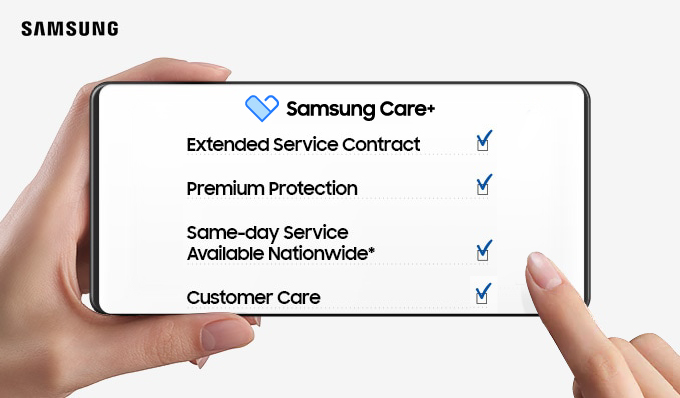
{{care.title}}
{{care.learnMoreCta.text}}{{care.description}}
Please select Samsung Care+ or No to continue
-
{{item.specialText}}
-
{{warranty.title}}
{{warranty.description}}
{{warrantyResult.displayModelName}}
{{warrantyResult.discountText1}}
{{warrantyResult.description1}}
{{warrantyVd.title}}
{{warrantyVd.description}}
{{warrantyVdResult.title}}
{{warrantyVdResult.priceDisplay}}
{{delivery.headline}}
{{delivery.errorMessage}}
{{deliveryResult.priorityText}}
{{deliveryResult.mainText}}
{{deliveryResult.subText}}
Standard installation charges may apply.Click here for more details.
{{deliveryResult.decText}}
{{item.disclaimer}}
{{tariffOptionResult.displayModelName}}
{{tariffOptionResult.discountText1}}
{{tariffOptionResult.description1}}
{{tariffOptionResult.description2}}
{{tariffOptionResult.description}}
{{tariffOptionResult.price}}
{{tariffOptionResult.disclaimer}}
{{embedAddon.title}}
{{embedAddon.description}}
-
{{item.name}}
{{item.modelCode}}
{{item.description}}
{{item.finalPrice}}
{{item.originalPrice}}{{item.savePrice}} Out Of Stock
-
{{item.name}}
{{item.modelCode}}
{{item.description}}
- {{item.dotList1}}
- {{item.dotList2}}
- {{item.dotList3}}
{{item.finalPrice}}
{{item.originalPrice}}{{item.savePrice}} Out Of Stock
{{message.item.tcCTAText}}
{{message.item.periodText}}
Highlights

Detachable & Rollable Style
Free your screen with an ultra-portable experience

Instant Viewing Style
Instantly watch anywhere effortlessly

Versatile Interactive Style
Interact with your screen seamlessly

Personalized Style
Enjoy lifestyle experiences tailored for you
Features
Carry your experience in style


Key features at a glance


Design


Free your screen with an ultra-portable experience
Detachable & Rollable Style
Designed with portability in mind, the Movingstyle offers effortless mobility and complete flexibility. Use it on the rollable floor stand to glide smoothly through your space, or detach it to place it in the spot of your choice. Its adjustable display delivers comfortable viewing, while its sleek design blends seamlessly into modern interiors.


Carry your experience anywhere in style
Detachable ScreenDiscover true flexibility with a detachable screen. The Movingstyle can be removed from its stand with just the slide of a button for instant handheld use. Install it securely or detach it — whichever best suits your workflow and lifestyle.1


Sleek rollable stand for seamless mobility
Rollable Floor StandExperience ultimate convenience with the rollable floor stand. Designed for both stability and smooth mobility, it lets you reposition The Movingstyle effortlessly thanks to hidden wheels. Now you can place the screen exactly where you want it for the ideal viewing experience.2


Slim, minimalistic design that suits your style
Slim-style DesignWith a sleek profile of just 21.9 mm, The Movingstyle naturally complements its surroundings, offering a sophisticated design that blends into your space. Plus, its uniform bezel delivers a refined, minimalist look, whether positioned horizontally or vertically.3


Perfect your viewing angle, your way
Full Motion Support
Enjoy optimal viewing at any angle without compromise. With Full Motion Support, you can easily tilt, swivel, pivot and adjust the height of the display. This flexibility allows you to find the most comfortable position, enhancing your productivity and enjoyment whether you're working, gaming or watching content.4


Usability


Instantly watch anywhere effortlessly
Instant Viewing Style
Take your viewing experience anywhere with ease. The Movingstyle's kickstand and built-in battery deliver seamless portability, offering up to 3 hours of wireless entertainment.5


Take your entertainment anywhere
Built-in BatteryThe Movingstyle's built-in battery lasts up to 3 hours on a single charge, allowing you to bring it around wirelessly. Now you can enjoy movies, games and more in the space of your choice.6


Place it anywhere and just start watching
Integrated Kick-stand
The Movingstyle’s unique integrated kickstand doubles as both a handle and a table stand. No mounting, no hassle – just pull it out and use the screen as a portable, easy-to-set-up display. You can even change the angle for the most comfortable viewing position.


Stay connected anytime, anywhere
Slim-Fit Camera
Experience seamless video calls and smart home monitoring with one device. The Slim-Fit Camera connects wirelessly to The Movingstyle, enabling clear FHD picture quality video calls. It also lets you to monitor your home through the SmartThings app.7


Productivity


Interact with your screen seamlessly
Versatile Interactive Style
Discover the comfort of smooth, intelligent interaction with The Movingstyle. The touch display lets you engage with your content up close for immersive experiences. You can also pair your smartphone and TV for integrated connectivity across multiple devices, or use voice commands for convenient hands-free operation.


Navigate easily with intuitive touch control
Touch Interaction
Control The Movingstyle with your fingertips for friction-free, close-up interactions. Touch Screen lets you seamlessly click, drag and swipe, whether you're on streaming platforms or playing touch-enabled games. You can also pull up the virtual remote for effortless command with just a few taps.8


Instant playback, from phone to screen
Connect Flexibility
Enjoy seamless mobile mirroring with full touch support and plug-and-play convenience with USB-C and HDMI. Plus, Storage Sharing lets you easily stream multimedia content stored on your Galaxy mobile devices.9


Entertainment


Enjoy lifestyle experiences tailored for you
Personalized Style
Enjoy a variety of features designed to enhance your lifestyle with The Movingstyle. Get useful, quick at-a-glance updates even when the screen is off, and access your favourite health, work and lifestyle apps from one convenient place. You can also get details about your favourite content in a few clicks, and transform your space into a gallery with stunning artwork.


Ask your companion anything.
Samsung Vision AI Companion
Getting help from an AI companion has never been more visualized and comprehensive —whether it’s questions about a scene now playing, recommending what to wear for trending clothing styles, or finding the perfect taco spot nearby. Responses come instantly with related video/image options to choose from, making your discovery rich and personalized on the big screen.


Effortless intelligence begins with a chat
Bixby
Just say what’s on your mind. Whether you're curious about an actor, need a new show to watch, or want to dim the lights, your Samsung AI TV understands and responds naturally. Thanks to real-time contextual understanding, your TV responds with relevant, intelligent answers on the big screen—no typing, no menus, just natural conversations.


Personalize your screen experience
One UI Tizen
Enjoy a personalized and enhanced screen experience, powered by Samsung Tizen OS. With One UI Tizen, you can take advantage of the latest and innovative Samsung features. Secured by Samsung Knox, it also protects all your connected SmartThings devices. One UI Tizen supports Tizen OS upgrades for up to the next seven years.10


Get live TV channels and on-demand movies and shows, all for free
Samsung TV Plus
With Samsung TV Plus, you can watch free TV channels across multiple genres, including news, entertainment, sports and more — no additional subscription required. Plus, it comes automatically with your device, so there's no need to download an app or connect to a cable or set-top box.11


Access useful info even when the screen is off
Daily Board
View useful widgets on The Movingstyle when you need. Even when the screen is off, Daily Board can automatically turn on when you're nearby to display the weather, news or memos — whichever fits your daily routine. You can also activate Daily Board by voice command for a hands-free experience. 12


Elevate your day with curated lifestyle experiences
Samsung Daily+
Find apps and services for your health, work and lifestyle needs all in one convenient place. On Samsung Daily+, you can access SmartThings to control your smart home devices, Workout Tracker to keep track of your fitness goals, Karaoke for fun activities and more — making what you need just a touch away. 13


Showcase art from world-famous galleries
Art Store
Discover and display artwork from the world’s leading museums and artists on The Movingstyle. Browse through the 3,500 pieces available in the Art Store to find masterpieces that match your personal style and preferences. You can also explore new art with curated selections for different seasons and holidays. 14


Make your own mood-matching wallpapers with AI
Generative Wallpaper
Choose keywords for the ambiance you want, and let AI work its magic. Your display will generate beautiful, one-of-a-kind images that can change the atmosphere of your home, whether you are hosting a party, enjoying quality time with family or simply relaxing. 15
Picture & Sound


Fast-paced action for smooth gameplay
120Hz Refresh Rate
Dive into your favourite fast-action games. With a 120Hz refresh rate, The Movingstyle helps minimize lag and motion blur to deliver exhilarating gameplay with ultra-smooth action — whether you're casually gaming or engaging in intense sessions. 16


Boost your viewing experience with lifelike visuals
QHD Resolution
Experience images more lifelike than ever. With 1.7 times the pixel density of Full HD, QHD resolution delivers breathtaking detail and pin-sharp clarity. Enjoy a fuller view with more space to take in all the action.


A next level Dolby Atmos experience
Dolby Atmos
Immerse yourself in the action with multidimensional audio that surrounds you. With Dolby Atmos, The Movingstyle delivers an incredible listening experience that makes your entertainment come alive.


Your screen and soundbar orchestrated in perfect harmony
Q-Symphony
Surround yourself with beautifully synchronized sound. With Q-Symphony, The Movingstyle's speakers work in synergy with a connected soundbar, delivering fuller, richer audio without muting any channels. 17


Specifications
-
LED
-
Screen Size
27"
-
Refresh Rate
120Hz
-
Resolution
QHD (2,560 x 1,440)
-
Picture Engine
NQ4 AI Gen2 Processor
-
AI Picture
AI Optimized/AI Customization
-
HDR (High Dynamic Range)
HDR
-
HDR 10+
Yes (ADAPTIVE)
-
Contrast
1000:1
-
Viewing Angle
WideViewing Angle
-
Micro Dimming
Micro Dimming Pro
-
Contrast Enhancer
Real Depth Enhancer
-
Motion Technology
Motion Xcelerator 120Hz
-
Smart Calibration
Basic
-
HDR Brightness Optimizer
Yes
-
Colour Booster
Color Booster Pro
-
AI HDR Remastering
Auto HDR Remastering
-
EyeComfort Mode
Yes
-
Adaptive Sound
Yes (Adaptive Sound Pro)
-
Object Tracking Sound
OTS Lite
-
Q-Symphony
Yes
-
Sound Output (RMS)
10W
-
Speaker Type
2CH
-
Active Voice Amplifier
Yes (Active Voice Amplifier Pro)
-
Dolby Atmos
Yes
-
360 Audio
Yes
-
Operating System
Tizen™ Smart TV
-
Bixby
Yes
-
Far-Field Voice Interaction
Yes
-
Built-in Voice Assistant
Alexa
-
Samsung TV Plus
Yes
-
Web Browser
Yes
-
Works with AI Speaker
Alexa, Google Assistant
-
SmartThings Hub / Matter Hub / IoT-Sensor Functionality / Quick Remote
IoT-Sensor / Quick Remote only
-
Samsung Health
Yes
-
Universal Guide
Yes
-
Multi Device Experience
Mobile to TV, TV initiate mirroring, Sound Mirroring, Wireless TV On
-
Multi-View
upto 2 videos
-
Ambient Mode
Yes
-
Apple AirPlay
Yes
-
Daily+
Yes
-
Storage Share
Yes
-
Generative Wallpaper
Yes
-
Karaoke Mic
Yes
-
Google Cast
Yes
-
Auto Game Mode (ALLM)
Yes
-
Game Motion Plus
Yes
-
Dynamic Black EQ
Yes
-
Surround Sound
Yes
-
Super Ultra Wide Game View
Yes
-
Game Bar
Yes
-
Mini Map Zoom
Yes
-
HGiG
Yes
-
Gaming Hub
Yes
-
HDMI
1
-
USB
2 x USB-C
-
HDMI (High Frame Rate)
QHD 120Hz (for HDMI 1)
-
POGO (SlimFit Cam Only)
1
-
Wi-Fi
Yes (Wi-Fi 5)
-
Bluetooth
Yes (5.3)
-
Anynet+ (HDMI-CEC)
Yes
-
HDMI Audio Return Channel
eARC
-
Design
Detachable Moving Screen
-
Bezel Type
VNB
-
Front Colour
Black
-
Stand
Movable Floor Stand
-
Stand Colour
Stone White
-
Art Store
Yes
-
Motion Detection (Frame)
Yes
-
OSD Language
English, Spanish, French
-
Accessibillity - Voice Guide
Czech (Czech Republic),Danish (Denmark),Dutch (Netherlands),English (US),Finnish (Finland),French (Canada),German (Germany),Greek (Greece),Hungarian (Hungary),Italian (Italy),Korean (Korea),Norwegian (Norway),Polish (Poland).Portuguese (Portugal),Romanian (Romania),Slovak (Slovakia),Spanish (Mexico),Swedish (Sweden)
-
Low Vision Support
Audio Subtitles, Magnification, Audio Description, Zoom Menu and Text, High Contrast, SeeColors, Color Inversion, Grayscale, Auto Picture Off
-
Hearing Impaired Support
Closed Caption (Subtitle), Multi-output Audio, Sign Language Zoom
-
Motor Impaired Support
Slow Button Repeat, Remote Control App. for All
-
Eco Sensor
Yes
-
Power Supply
AC110-120V~ 50/60Hz
-
Power Consumption (Max)
100 W
-
Auto Power Off
Yes
-
Auto Power Saving
Yes
-
Package Size (WxHxD)
1234 x 174 x 525 mm
48.58 × 6.85 × 20.67 inch -
Set Size with Stand (WxHxD)
628.3 x 1272.3 x 409.0 mm
24.73 × 50.09 × 16.10 inch -
Set Size without Stand (WxHxD)
628.3 x 368.2 x 47.4 mm
24.73 × 14.50 × 1.87 inch
-
Package Weight
30.3 kg
-
Set Weight with Stand
25.7 kg
-
Set Weight without Stand
5.2 kg
-
Remote Controller Model
TM2361E
-
User Manual
Yes
-
Power Cable
Yes
-
SlimFit Cam Compatible
Yes
User manual & downloads
- * Content and services may vary by region and are subject to change without notice.
- * Feature available in certain regions and models.* Availability and supported features may vary by region and watching conditions.* Voice commands recognize English, French, Spanish, Portuguese, German, Italian, and Korean, but not all accents, dialects, and expressions are recognized.* This feature provides AI-created content, with accuracy not guaranteed—please check results.* Requires certain Bluetooth remote (TM2560E/TM2360E) (sold separately on some models).* Feature accessible by the AI button, or by the Home button (long press) on the remote control without an AI button. * Screen images are simulated for illustrative purposes. The images were generated with the assistance of AI tools.
- * Feature available in certain regions and models only. Feature available on terrestrial, cable, and Samsung TV Plus. Available sources and channels may vary by region.* Voice commands recognize English, French, Spanish, Portuguese, German, Italian, and Korean, but not all accents, dialects, and expressions are recognized. * Actor details are provided based on the metadata associated with the content you’re watching.* This feature provides AI-created content. Accuracy not guaranteed. Please check results.* Requires certain Bluetooth remote (TM2560E/TM2360E) (sold separately on some models).* To control SmartThings enabled devices with Bixby, first connect the devices to the SmartThings app. For more information, visit the SmartThings website (www.samsung.com/smartthings).* Screen images are simulated for illustrative purposes. The images were generated with the assistance of AI tools.
- 1. * The Movingstyle is designed for easy detachment. Keep out of reach of infants and young children. Go to feature
- 2. * Mobility may vary depending on flooring.* When moving the product while attached to the stand, use caution on carpets, rugs, or uneven surfaces to avoid tipping or damage.* The use of protective pads is recommended for sensitive floors.* Do not use or move the product outdoors while attached to the stand. Go to feature
- 3. * 21.9mm is measured based solely on the display panel, excluding the integrated kick-stand. Go to feature
- 4. * This device supports pivoting (±90°), tilting (±35°), swiveling (±30°) and height adjustment up to 21 cm. Go to feature
- 5. * Available time based on Echo Screen Mode, volume 20, HDMI input, power-saving mode on and IEC62087 standard video play. Battery life may vary depending on usage.* The built-in battery supports USB-C charging, but the USB-C charging adapter is sold separately.* Estimated charging time from full discharge is approximately 3 hours in standby mode and 3.5 hours in active mode (when USB-C charging is not available).* Can be charged using other portable batteries via the USB-C port.* Compatible with PD batteries of 45 watts or higher, and PD adapters of 65 watts or higher.* When used in wireless mode, the device automatically enables power saving mode, which may reduce the refresh rate to optimize power efficiency.* This product does not support water or dust resistance. Go to feature
- 6. * Available time based on Echo Screen Mode, volume 20, HDMI input, power-saving mode on and IEC62087 standard video play. Battery life may vary depending on usage.* The built-in battery supports USB-C charging, but the USB-C charging adapter is sold separately.* Estimated charging time from full discharge is approximately 3 hours in standby mode and 3.5 hours in active mode (when USB-C charging is not available).* Can be charged using other portable batteries via the USB-C port.* Compatible with PD batteries of 45 watts or higher, and PD adapters of 65 watts or higher.* When used in wireless mode, the device automatically enables power saving mode, which may reduce the refresh rate to optimize power efficiency.* This product does not support water or dust resistance. Go to feature
- 7. * Slim-Fit Camera sold separately. SmartThings requires Samsung account and internet connection. Go to feature
- 8. * Touch Interaction support may vary by app. Some apps may not support Touch Interaction.* Some functions may be limited when using Touch Interaction.* Touch experience may differ from the mobile device experience.* Touch functionality for screen sharing is supported exclusively on Samsung Galaxy devices. Go to feature
- 9. * On-screen content simulated for demonstration purposes.* Touch experience may differ from mobile device experience.* Each device must be registered with a single Samsung account with Storage Share settings on, Wi-Fi on, and Bluetooth on. Storage Share is supported in selected Galaxy phones and tablets released in 2023 or later with One UI 7.0 and above.* Mobile connectivity requires Samsung account, SmartThings app, internet connection and a compatible smartphone. AirPlay 2 supports screen sharing only, without touch functionality.* Touch functionality for screen sharing is supported exclusively on Samsung Galaxy devices. Go to feature
- 10. * Content and services may vary by region and are subject to change without notice.* Agreement to Smart Hub Terms and Conditions and Privacy Policy is required before use.* Some content and services require registration and subscription.* Requires Samsung account. Availability, features, content, apps and services are subject to change without notice and may vary by product, model or region.* The upgrade does not cover hardware-related performance, features or durability.* Requires internet connection. Data charges may apply. Go to feature
- 11. * Channels may vary by country and are subject to change without notifications. Supported Samsung devices may vary by country. * Requires Samsung account. UI is subject to change without prior notice. Ads may appear on Samsung TV Plus. Available for free on Samsung Smart TVs since 2016. Go to feature
- 12. * Supported widgets vary by region and are subject to change without notice. Go to feature
- 13. * Samsung is not responsible for any third-party services, and is not liable for any damages or losses caused by any third-party services. Go to feature
- 14. * Paid subscription is required to enjoy all the art from the Art Store. Go to feature
- 15. * The number of generation attempts allowed per day may be limited. Go to feature
- 16. * Refresh rate and response time may vary based on the performance of the input source.* Refresh rate will decrease to 60Hz when the device is in power saving mode. Go to feature
- 17. * Check for Q-Symphony compatibility on soundbar product specifications. Soundbar sold separately. Go to feature