Galaxy Buds4 Pro
For real music lovers
Get the best out of the audio experiences you love.

SAY HI TO HI-FI
The best Buds speakers ever

Experience highs and lows like never before with a tweeter and wider woofer in each earbud.
Rediscover in Hi-Res Audio

Rediscover your favorite music and movies with high-resolution 24-bit / 96 kHz audio.
Crazy-clear calls

Voice-isolating mics and Super Wideband calling keep your voice clear in noisy environments.
Adaptive Active Noise Cancellation

Hear what you want and leave the rest behind with intelligent noise cancelling.
Bold new look

Refined with a luxe metal look and lightweight fit that stays comfortable all-day.
Hear in high-resolution

2-WAY SPEAKERS
Unveil a fuller spectrum of sound
Experience sound as it was intended. Advanced 2-way speakers are paired with dual amps to drive that in-studio experience.


ADAPTIVE EQUALIZER
Find your perfect mix
Customize your bass, treble and tone with the 9-Band Equalizer to match your preference. Galaxy Buds4 Pro also optimizes sound adaptively to your ear shape, ensuring a consistent listening experience.

HD VOICE
Amazing call clarity
Enjoy clear phone calls thanks to six microphones that intelligently isolate your voice from noisy backgrounds. Your Galaxy Buds4 Pro and Galaxy S26 Series then work seamlessly together to deliver crisp, clear conversations with Super Wideband calling.


Two Galaxy smartphones are on each side with a pair of white, Galaxy Buds4 Pro in the middle. Between the earbuds is a phone call icon. The smartphone on the left shows the call screen with the name 'Ava' and the smartphone on the right shows the call screen with the name 'Sam'. In the background are multiple waves showcasing the Super Clear Call feature available on Galaxy Buds4 Pro.
360 AUDIO
Bring the concert hall home
Galaxy Buds4 Pro surround you with spellbinding sound using head tracking and 360 Audio. Feel like you're at a concert or movie theater with an immersive listening experience unlike anything else.


A man sitting on a couch as a collection of instruments appear in a circle around him. The instruments include a mic with a mic stand, a drum set, trumpet, cello, violin, electric guitar and grand piano. The instruments are shown in outline, highlighting the 360 Audio system available on Galaxy Buds4 Pro.
Stay immersed.
Stay connected.


ADAPTIVE NOISE CONTROL
Sound that adapts to what’s around you
Enjoy sound to the fullest anywhere you go. Galaxy Buds4 Pro adjust sound levels based on your environment. Whether you’re at a bustling café or strolling through a park, your Buds will keep the audio you love front and center.

-
VOICE DETECT
Tune into voices
Automatically disable noise cancellation and switch to Ambient mode when you're having a conversation.

-
SIREN DETECT
Stay alert of surroundings
If your Buds detect an emergency siren, they will automatically switch to Ambient mode to keep you alert.


Redesigned in metal.
Ready to rock.

The new blade design of Galaxy Buds4 Pro supercharges your style with a luxe metal look designed for lasting comfort.
DESIGN
Dive into the details
-
Colors White View MoreClose Color information layer
Colors
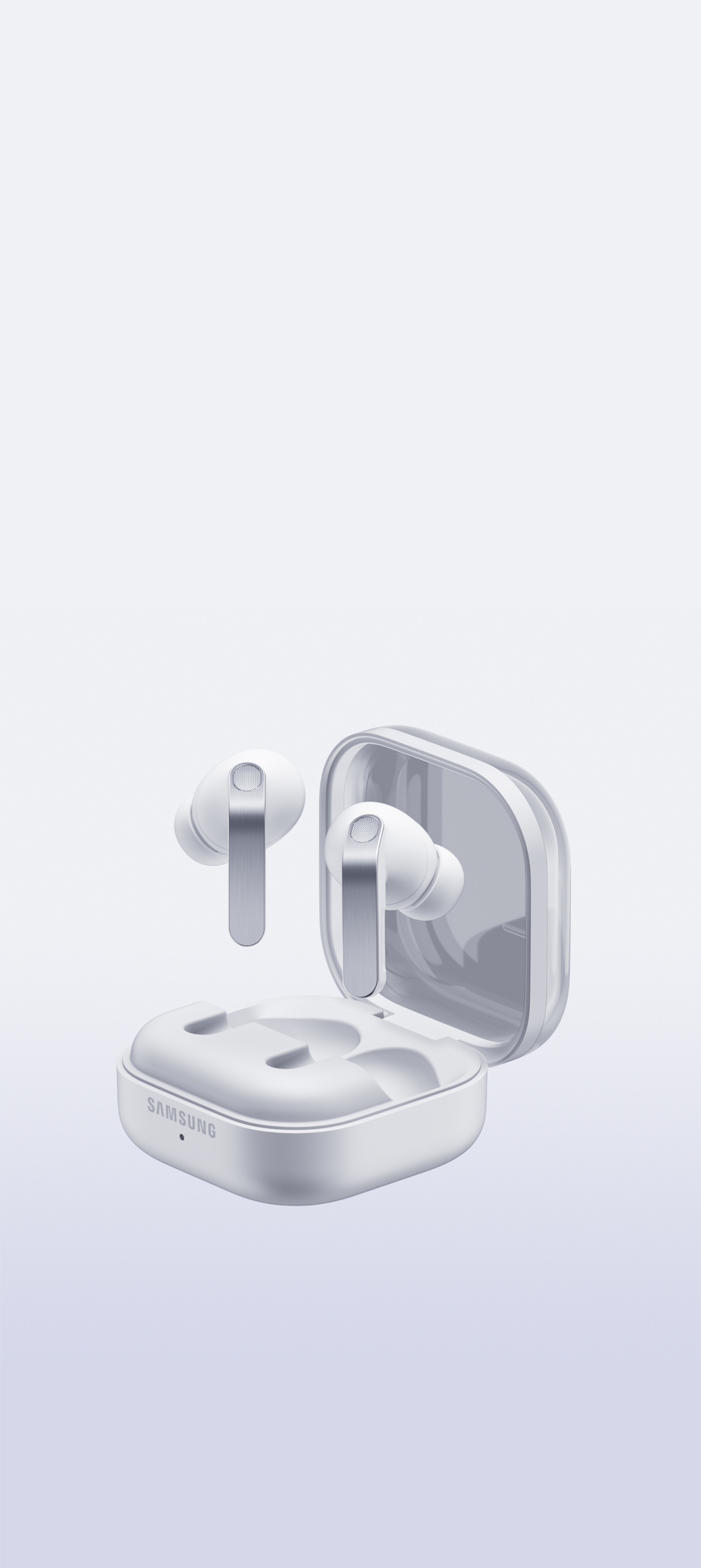
WhiteSamsung.com only
White

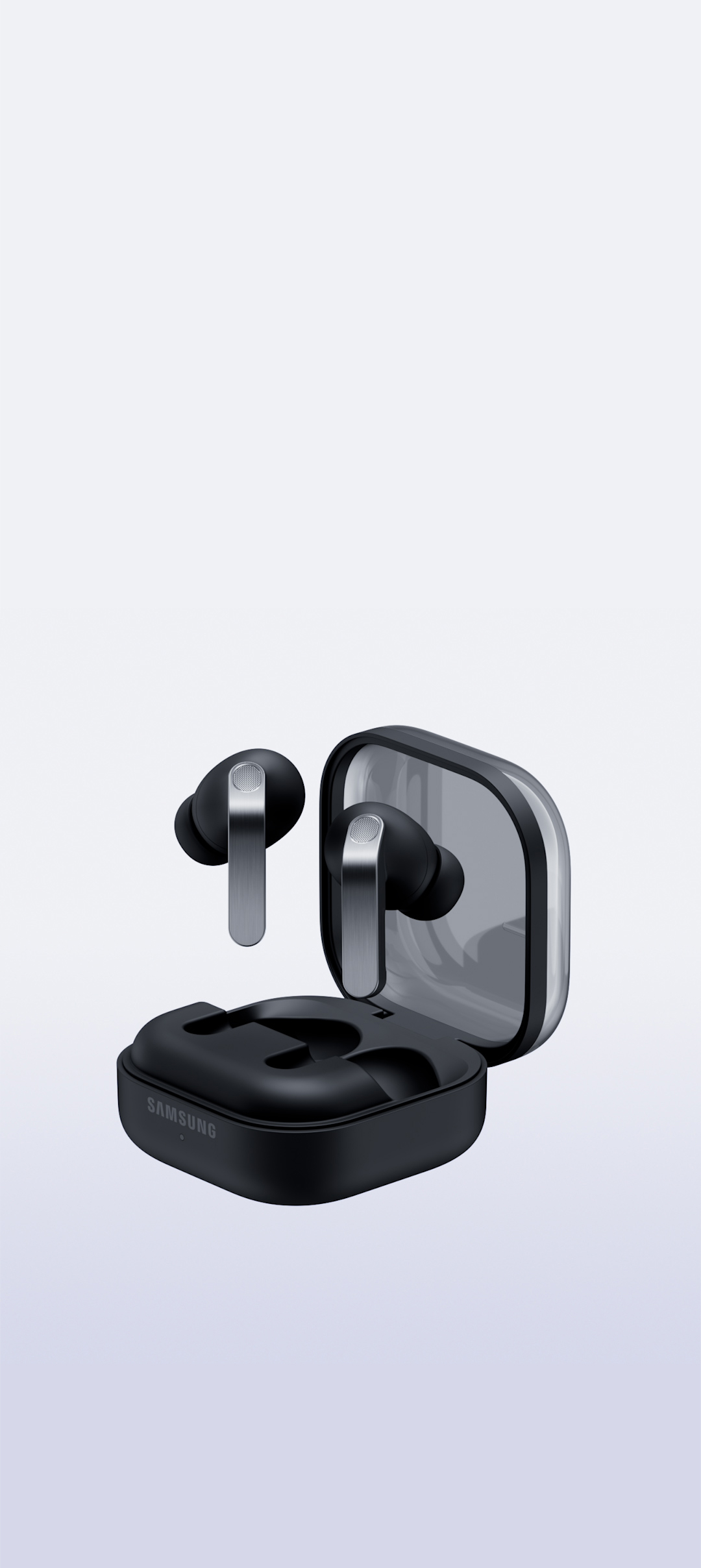
Black

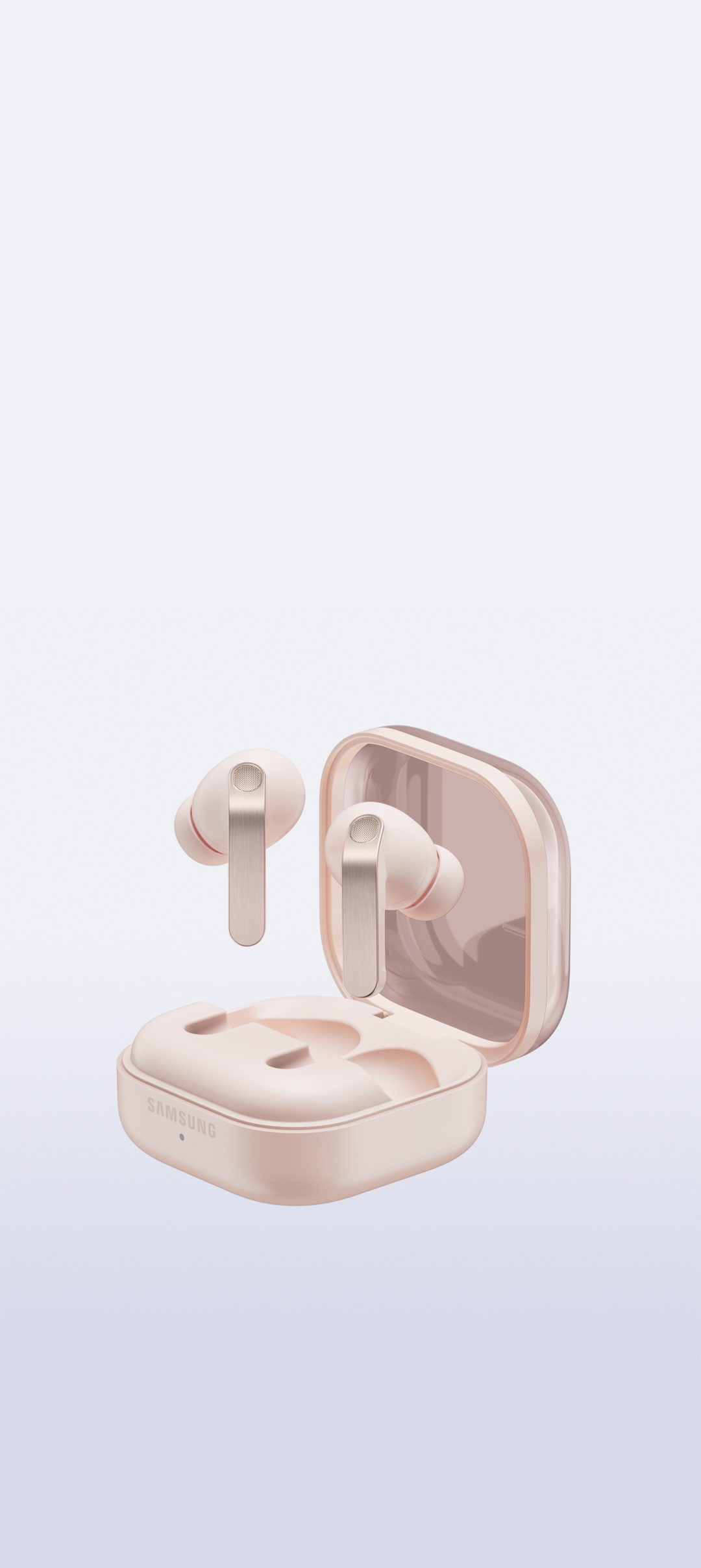
Pink Gold

-
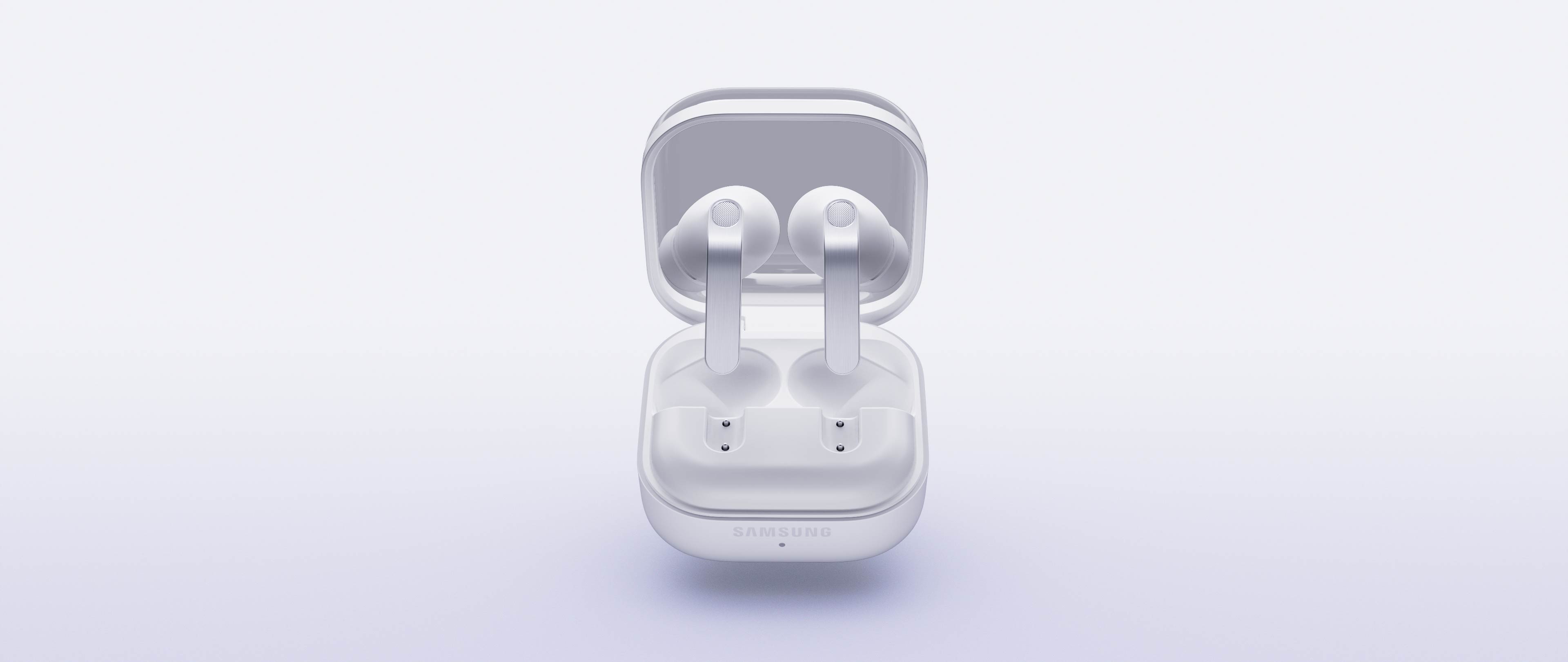
Charging Case View MoreClose Charging Case information layer
Charging Case
Featuring a new fit and a magnetic hold, it’s now easier to dock your Buds in the redesigned charging case.
-
Comfort Fit View MoreClose Comfort Fit information layer
Comfort Fit
We're all ears when it comes to comfort. The new shape of Buds features a lightweight, secure fit.


-
Pinch Control View MoreClose Pinch Control information layer
Pinch Control
Upgraded Pinch Controls let you manage media or control the volume with just your index finger — no need to reach for your phone.


- Single pinch
- Double pinch
- Swipe up or down
- Pinch and hold
- Single pinch
- Double pinch
- Swipe up or down
- Pinch and hold

A showstopping duet


-
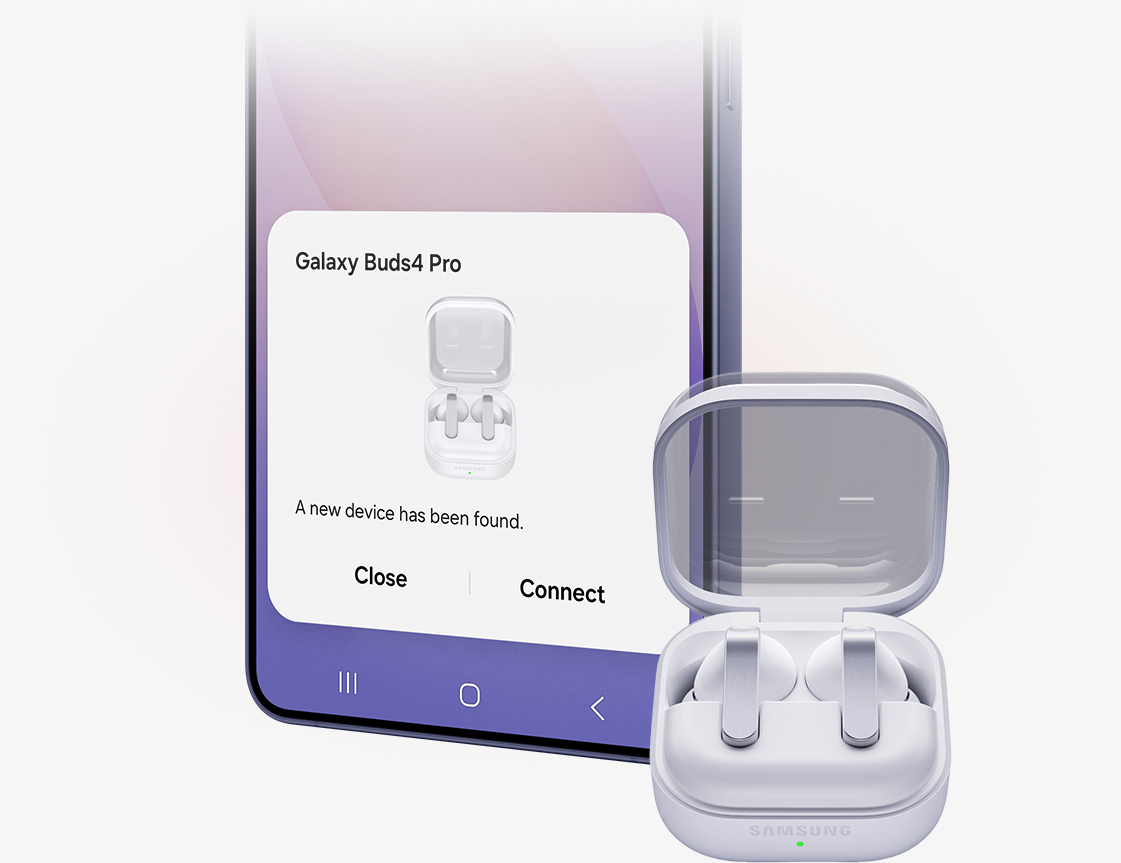
EASY PAIR
Pairing in a snap
Simply snap open the case and you're all set. Galaxy Buds4 Pro easily pair with your Galaxy devices.
-
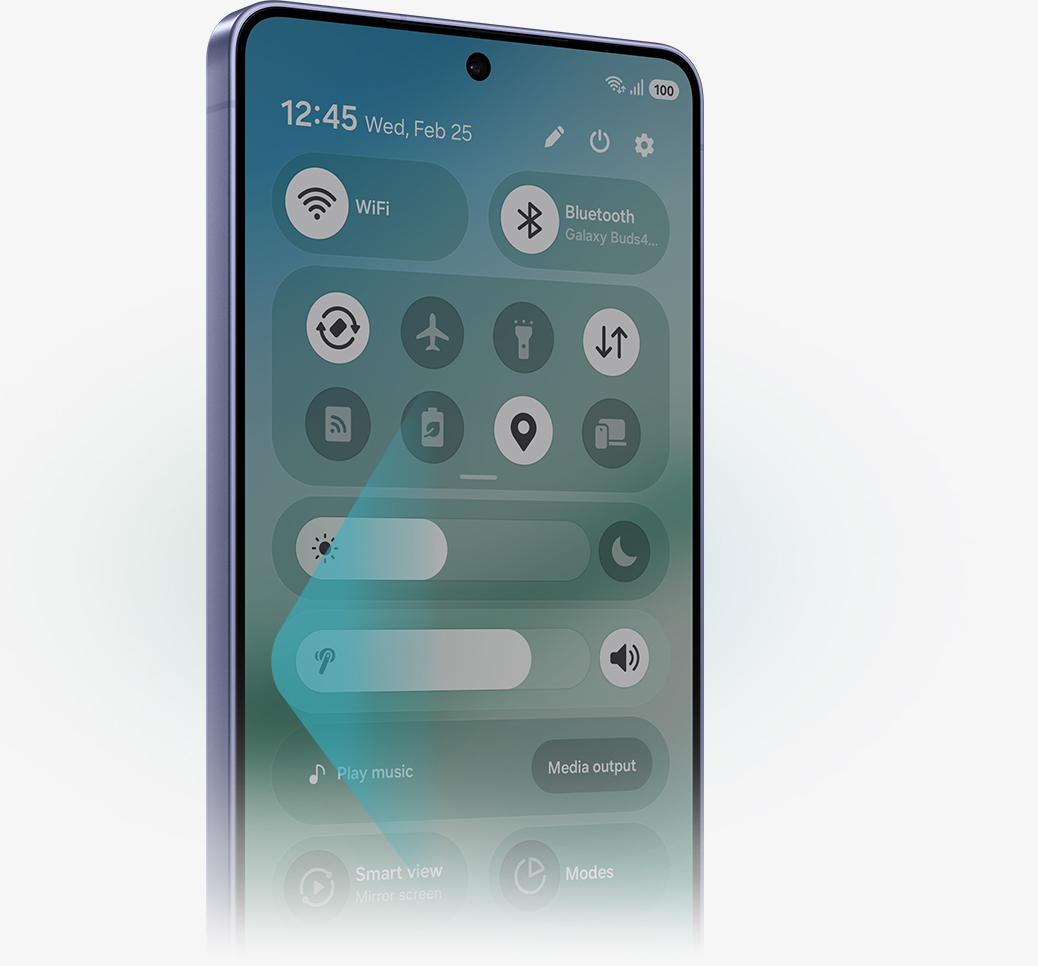
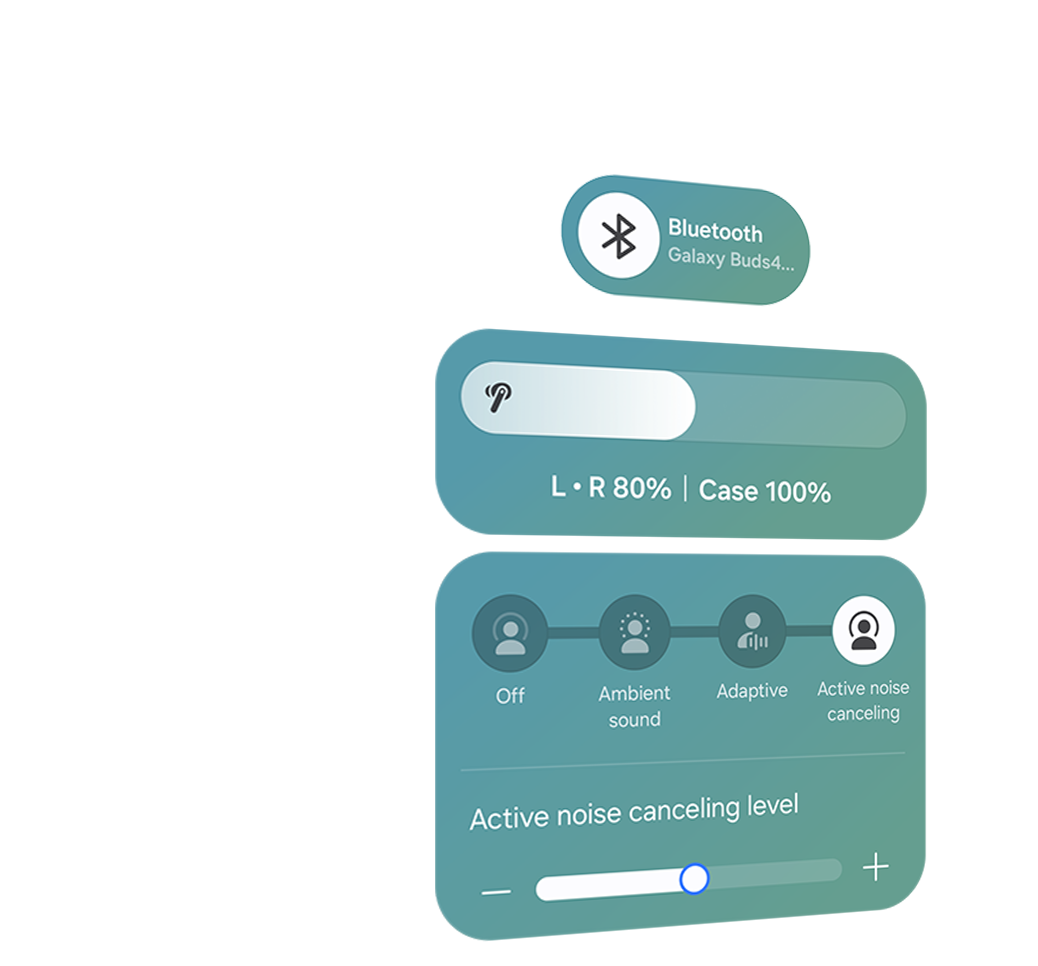
ONE UI 8.5
More intuitive controls
The evolved One UI 8.5 creates an intuitive connection between your Galaxy Buds and Galaxy S26 Series device. Access audio settings, adjust ANC and more.
AUTO SWITCH
Switch instantly between Galaxy devices
Keep the beat across your Galaxy devices. Tune in to a video on your Galaxy Tab, then seamlessly switch to take calls on your Galaxy phone.


INTERPRETER
From phone to ear,
translations you can hear
Galaxy Buds4 Pro and Live Translate help you communicate in 22 languages, just like that. Using the Samsung Phone app on your Galaxy S26 Series, Buds deliver real-time translation right into your ear while on calls. Or, speak face-to-face and your words appear on your phone screen for the other person to read in their language.


AI ASSISTANT
Your AI companion
Asking for help is easy with Galaxy Buds4 Pro and Galaxy S26 Series. Simply speak a command out loud and they work together to knock out your task. From taking notes to setting reminders to finding a recipe, your Buds4 Pro are at the ready whenever you need them.


A rearview shot of a woman using a single, white Galaxy Buds4 Pro. Nearby, a text bubble asking AI, 'What is a moon jar?' Below the text bubble is a separate bubble with the response 'A moon jar is a large, round Korean white porcelain jar from the Joseon dynasty, whose softly swollen, almost spherical body and milky-white glaze evoke the appearance of a full moon.' Below is a list of the key points of a moon jar.

Key takeaways at a glance
Advanced
2-way Speaker

Ultra High Quality
Audio with
24-bit / 96 kHz
Super Clear Calls

Iconic in metal


One UI 8.5

Advanced
2-way Speaker

Ultra High Quality
Audio with
24-bit / 96 kHz

Super Clear Call

Iconic in metal

One UI 8.5


Compare Galaxy Buds
-
Latest Products
More Galaxy
-
Latest Products
More Galaxy
Key Specs
-
Speaker
-
Speaker
-
Speaker
-
Amplifier
-
Amplifier
-
Amplifier
-
Bluetooth Codec
-
Bluetooth Codec
-
Bluetooth Codec
-
Bluetooth Ver.
-
Bluetooth Ver.
-
Bluetooth Ver.
-
MIC
-
MIC
-
MIC
-
HD Voice
-
HD Voice
-
HD Voice
-
360 Audio
-
360 Audio
-
360 Audio
-
Active Noise Cancellation
-
Active Noise Cancellation
-
Active Noise Cancellation
-
Adaptive Noise Control
-
Adaptive Noise Control
-
Adaptive Noise Control
-
Adaptive EQ/Adaptive ANC
-
Adaptive EQ/Adaptive ANC
-
Adaptive EQ/Adaptive ANC
-
Volume EQ
-
Volume EQ
-
Volume EQ
-
Galaxy AI availability
-
Galaxy AI availability
-
Galaxy AI availability
-
LE Audio
-
LE Audio
-
LE Audio
-
Auracast
-
Auracast
-
Auracast
-
Swipe Control
-
Swipe Control
-
Swipe Control
-
Pinch Control
-
Pinch Control
-
Pinch Control
-
Head Gesture
-
Head Gesture
-
Head Gesture
GALAXY CONNECTED EXPERIENCE
Add to your mix
Sync Galaxy Buds seamlessly with your Galaxy devices.
-
Galaxy S26 Ultra
Learn more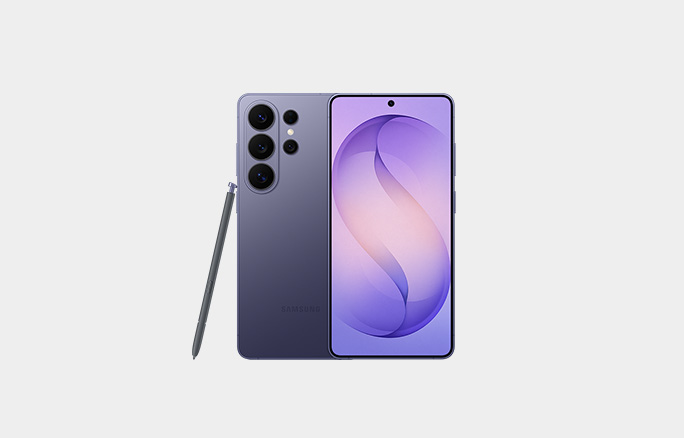
-
Galaxy Watch8 Classic
Learn more
-
Galaxy Tab S11 Ultra
Learn more
-
Galaxy Watch Ultra
Learn more
User manual & Downloads
Galaxy Buds4 Pro Frequently Asked Questions
-
Galaxy Buds4 Pro feature Hi-Res Audio with the Samsung Seamless Codec (SSC) supporting up to 24-bit / 96 Khz. This maintains the integrity of your favorite music and movies over Bluetooth for an experience than sounds closer to the original. Galaxy Buds4 also feature HD Voice phone calls with Super Wideband calling and Deep Neural Network (DNN) noise reduction technology that helps keep calls clear even with loud background noise.
Galaxy Buds4 Pro feature a redesigned luxe metal look with a comfortable fit made for all-day wear. A redesigned clear charging case features new magnetic docking to keep your Buds charged easier than ever.
Improved connectivity with Galaxy devices running One UI 8.0 allows a seamless pairing by just opening the charging case, and easier control from the Quick Panel. -
-
The main differences between Galaxy Buds4 Pro and Galaxy Bud4 are that Galaxy Buds4 Pro have enhanced 2-way Speakers and Dual Amplifiers in each earbud for deeper bass, crisper highs, and a more refined, premium sound.
Galaxy Buds4 Pro also come with 3 sets of silicone ear tips in different sizes, while Galaxy Buds4 feature an open-type design that does not seal the ear, providing more awareness of your surroundings.
Galaxy Buds4 Pro also features Adaptive ANC 2.0 with real-time processing to deliver more effective and precise noise cancellation across any environment, while Buds4 feature Adaptive ANC 1.0 based on pre-trained algorithms for everyday scenarios.
Galaxy Buds4 Pro are IP57 rated for dust and water resistance, allowing immersion in up to 3 feet of fresh water for up to 30 minutes, while Galaxy Buds4 are IP54 rated for protection against dust and water splashes. -
Galaxy Buds4 Pro come with Earbuds, 3 sets of ear tips (S/M/L), Charging Case and the Quick Start Guide. Charger and USB Type-C cable are not included.
-
Yes, Galaxy Buds4 Pro include 3 sets of ear tips in different sizes — small, medium and large. M-sized ear tips are attached to the earbuds by default. You can easily change the ear tips to the size that best fit your ears.
-
Galaxy Buds4 Pro come in two classic colors, White and Black, along with an online-exclusive Pink Gold.
-
Yes, Galaxy Buds4 Pro Charging Case can be charged wirelessly. Wireless charging pad is not included in the box and is sold separately.
-
No. The Charging Case for each Buds is shaped differently, making it incompatible between the two models.
-
You can use Pinch Control on Galaxy Buds4 Pro using your index finger. First, wear the earbuds and try the following actions. Pinch once (Single pinch) to play or pause the track, answer or end a call and stop using features such as Read Notifications Aloud. Pinch twice (Double pinch) to play the next track. Pinch three times (Triple pinch) to play the previous track. Pinch and hold to turn on the preset feature or decline a call. Pinch and hold controls can be customized via phone settings or Wear app, where applicable. Swipe up or down using your index finger to adjust the volume.
-
Hi-Res Audio delivers stunning sound quality by preserving more detail from the original recording than standard audio. When paired with a compatible Galaxy device, the Galaxy Buds4 Series can play Hi-Res Audio by enabling Ultra High Quality Audio (UHQ) in Buds settings. This activates 24-bit resolution at a 96 kHz sampling rate, providing more immersive sound, a wider dynamic range, and greater detail over Bluetooth. UHQ audio can also upscale CDs, MP3s, and audio in videos to 24bit/96kHz, enhacing clarity and bringing the listening experience closer to the original studio recording. UHQ uses the newer Samsung Seamless Codec Ultra High Quality (SSC UHQ).
- Ultra High Quality Audio (UHQ) up to 24-bit/96 kHz is available on Galaxy S26 Series, S25 Series, S24 Series, S23 Series, Z Fold7, Z Flip7, Z Fold6, Z Flip6, Z Fold5, Z Flip5 and Tab S11 Series, Tab S10 Series, Tab S9 Series with One UI 6.1.1 or above. Additional devices may be supported in the future.
- UHQ is off by default and can be configured directly in the phone settings for devices running One UI 8.0 and later. For devices running on earlier versions of One UI, configurations can be found in the Galaxy Wearable app.
-
The Samsung Scalable Codec is Samsung’s proprietary Bluetooth audio codec that keeps the connection stable without dropouts even in crowded wireless environments. It analyzes nearby Wi-Fi interference in real time and dynamically adjusts the bitrate from 88kbps to 512kbps, using higher compression when interference is strong and increasing sound quality when the signal is clear. Available only on Samsung Galaxy devices supporting Android 7.0 and above.
-
The Samsung Seamless Codec UHQ (SSC UHQ) is the updated, higher-resolution successor to the Samsung Scalable Codec (SSC), supporting Hi-Res audio up to 24-bit/96kHz for enhanced sound quality with higher detail and a wider dynamic range.
- Ultra High Quality Audio (UHQ) up to 24-bit/96 kHz is available on Galaxy S26 Series, S25 Series, S24 Series, S23 Series, Z Fold7, Z Flip7, Z Fold6, Z Flip6, Z Fold5, Z Flip5 and Tab S11 Series, Tab S10 Series, Tab S9 Series with One UI 6.1.1 or above. Additional devices may be supported in the future.
- UHQ is off by default and can be configured directly in the phone settings for devices running One UI 8.0 and later. For devices running on earlier versions of One UI, configurations can be found in the Galaxy Wearable app.
-
HD Voice or Super Clear Call is a technology that delivers clearer, richer and more natural voice quality than standard phone calls. Galaxy Buds4 Pro use advanced Deep Neural Network (DNN) technology and a Voice Pick-Up unit (VPU) to isolate your voice from background noise. Calls are delivered using Super Wideband (SWB) audio, which doubles the Bluetooth audio bandwidth to 16kHz. This wider range captures more of the human voice, including important speech sounds as s, f, and th, to improve clarity and make conversations easier to understand.
- SWB is supported by Galaxy Buds4 Series connected to Galaxy S26 series, S25 series, Z Fold7, Z Flip7, Z Fold6, Z Flip6, A56, Tab S11 series and Tab S10 series with One UI 6.1.1 or above. Additional devices may be supported in the future. SWB may not be supported depending on the mobile network between devices. HD Voice or Super Clear Call is available regardless of the call app.
-
A 2-way speaker system means each earbud uses two dedicated drivers working together for more precise sound reproduction. In Galaxy Buds4 Pro, a new wider woofer handles deep bass and rich midtones, while a precision planar tweeter delivers crisp, detailed highs. The result is a fuller, more expansive soundstage with lower distorsion and greater clarity across the entire spectrum.
- The new wider woofer on Galaxy Buds4 Pro has 19.8% larger diaphragm compared to Galaxy Buds3 Pro.
-
A dual amplifier system means Galaxy Buds4 Pro have two dedicated amplifiers - one for the woofer and one for the tweeter - each powering its driver independently for greater precision and control. This design reduces distorsion, enhances dynamic range and delivers cleaner details at both low and high volumes for a more refined, premium sound.
-
Yes, Galaxy Buds4 Pro features ANC, Adaptive ANC 2.0, and Adaptive Noise Control. You can select and adjust ANC modes in the device settings on Galaxy devices running on One UI 8.0 or later, or through the Galaxy Wearable app on Non-Samsung Android smartphones. Or simply use Pinch Control to adjust the noise canceling level.
- Adaptive Noise Control is off by default, and can be configured directly in the phone settings for devices running One UI 8.0 and later. For devices running on earlier versions of One UI, configurations can be found in the Galaxy Wearable app.
-
ANC (Active Noise Cancellation) uses microphones to detect constant background noise and generate an opposite sound wave with the speaker to reduce it. ANC keeps the noise cancelling level the same once enabled. Adaptive ANC automatically adjusts the level of cancellation using advanced, pre-trained algorithms to provide a more effective and comfortable noise reduction than standard ANC. Adaptive ANC 2.0, only available on Buds4 Pro, elevates the performance with real-time processing for even more precise and responsive noise cancellation across any environment.
-
Just open the Charging Case and you’re all set to connect Galaxy Buds4 Pro to your Galaxy device. The earbuds automatically start pairing and a popup screen will appear on the Galaxy device. Tap Connect and the pairing is complete.
-
You can control Galaxy Buds4 Pro based on the version of One UI on your Galaxy device. On Galaxy devices running on One UI 8.0 or later, certain features can be controlled from the Quick Panel or you can manage Galaxy Buds4 Pro in more detail from your phone's device settings without downloading any additional apps. For Galaxy devices running on earlier versions of One UI or other Android devices configurations can be found in the Galaxy Wearable app. For non-Android devices, no separate app is needed. Galaxy Buds4 Pro simply connect over Bluetooth.
-
During phone calls, Live Translate picks up spoken language through your Galaxy Buds and delivers it to your Galaxy device to be interpreted. Then it plays the language back through your Galaxy Buds so you can speak and hear in your language of choice.
-
Yes, Auto Switch switches your Buds audio between devices based on what's happening. So you can take incoming calls on your phone while listening to music on your Tab. Once the call is over, you can go right back to your music seamlessly. For Auto Switch to work, devices need to be logged in into the same Samsung account.
-
Galaxy AI provides real-time interpretation — hear it through Galaxy Buds4 Series and read it on your Galaxy smartphone. Keep your earbuds on, even when you're talking with a person that speaks in another language.
- Interpreter is available on smartphone devices with Galaxy AI features included, running on One UI 6.1.1 or later.
- Galaxy Buds4 Series supports Galaxy AI features such as Interpreter and Live Translate when paired with compatible Samsung Galaxy devices. Availability of Galaxy AI features may vary by device model. Samsung Account login may be required to use certain Samsung AI features. Samsung does not make any promises, assurances or guarantees as to the accuracy, completeness or reliability of the output provided by AI features. Supported languages (Regions) are Arabic, Bahasa Indonesia, Chinese Simplified, Chinese Traditional (Hong Kong, Taiwan), Dutch, English (Australia, India, United Kingdom, United States), French (Canada, France), German, Hindi, Italian, Japanese, Korean, Polish, Portuguese (Brazil, Portugal), Romanian, Russian (Russian Federation), Spanish (Mexico, Spain, United States), Swedish, Thai, Turkish, Vietnamese, Tagalog, and Gujarati. More languages will be added in future updates.
-
No, only earbuds are IP57 rated for water resistance.
-
Yes, you can use Galaxy Buds4 Pro with compatible Android devices through the Galaxy Wearable app. iOS devices connect via Bluetooth only, just like PCs, game consoles, and other Bluetooth-enabled audio devices. Android devices with the Wearable app have access to most features except: HD Voice (Super Clear Call), 24bit/96kHz audio, 360 Audio, 360 Audio Recording, Bixby Voice Wake-Up, Gemini Voice Wake-Up, Interpreter/Live Translate, Head Gestures, and Gaming Mode. PCs and iOS devices connected via Bluetooth have access to 16bit/44kHz audio, standard call quality, ANC, and Ambient Mode.
- Requires initial setup via settings or Samsung Wear app on a compatible Galaxy/Android device. See FAQ section of product page on samsung.com for compatibility requirements by feature.
- Compared to Galaxy Buds3 Pro.
- Sold separately.
- Galaxy AI basic features provided by Samsung are free. Any Samsung enhanced AI features and all third- party AI features are subject to different terms and may be subject to fees.
- Feature supported on compatible Galaxy smartphones, tablets, Galaxy Book PCs 2020 or later and Samsung TVs 2022 or later. Requires initial setup, all devices must be logged into the same Samsung account and have Internet and Bluetooth connection. Requires initial setup via settings or Samsung Wear app on a compatible Galaxy/Android smartphone; see Samsung.com for compatibility.
- Actual battery life may vary and depend on usage conditions such as function settings, playback file type and Bluetooth signal strength. Play time may vary based on settings.
- Head gestures available on Galaxy devices running One UI 8.5 or later.
