See the Highlights
Fits anywhere.
Goes everywhere
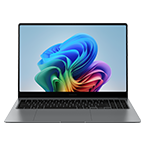
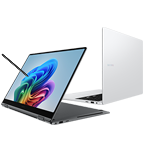
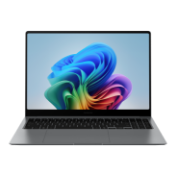
Amazingly slim and lightweight, Galaxy Book4 Edge is your ultra-portable companion on the path to success. Available in two sizes, it is crafted with a minimalist approach to design, so you can pack it effortlessly in your bag and carry to your next meeting or business trip.
* Thickness and weight vary by model, configuration and country.New colour for
an iconic look
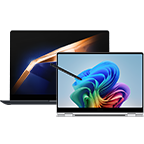
Available in a new Sapphire Blue colour, Galaxy Book4 Edge is bold, refined and one of a kind. The smooth finish gives off a sleek metallic luster, creating a classy look that stands out anywhere.
Innovative performance. AI-accelerated
Fuel your ambitions with blazing-fast PC performance, boosted by AI. Equipped with the latest Snapdragon® X Elite processor and an advanced NPU onboard, Galaxy Book4 Edge delivers transformative AI-powered experiences for work and creativity.
** Snapdragon is a product of Qualcomm Technologies, Inc. and/or its subsidiaries.
*** An international model is shown. Canadian model is a French/English bilingual keyboard.
Find what you need with Recall
With Copilot in Windows, use Recall to seamlessly search your PC's history and quickly find what you're looking for. Check your past activity through snapshots shown onscreen and retrieve the information you need — whether it is from a document, image, email or even your past browsing activity.
Recall will not be available on Galaxy Book4 Edge at launch.
Recall's availability is dependent on Microsoft's release schedule. See https://aka.ms/copilotpluspcs
** Images simulated for illustrative purposes. Sequences shortened. Actual UI may be different.
*** Hardware dependent.
**** Copilot in Windows is available in select global markets and will be rolled out to additional markets over time. Learn more [https://www.microsoft.com/en-us/windows/copilot-ai-features?r=1#faq]. Copilot in Windows functionality is limited and has specific system requirements. See [https://www.microsoft.com/en-us/windows/windows-10-specifications].
***** App plugins require separate installation of corresponding app and be pre-enabled. A maximum of three plugins can be enabled at any given time.
****** Optimized for select languages (English, Chinese (simplified), French, German, Japanese and Spanish.) Content-based and storage limitations apply. See [https://aka.ms/nextgenaipcs].
******* Copilot in Windows has specific system requirements and is available in select global markets, including Canada. Functionality may be limited.
Link your phone. Unleash Galaxy AI on PC
Connect your smartphone to your PC via Phone Link to access recently viewed webpages or launch up to 5 mobile apps right from your laptop. Use smart Galaxy AI features like Circle to Search with Google, Note Assist and Chat Assist from your Galaxy smartphone and get an expanded view on the big screen of Galaxy Book4 Edge.
** Link to Windows is preloaded on select Samsung Galaxy devices. PC (Microsoft Phone Link App) requires Windows 10 or above. Microsoft Phone Link recommends Samsung Galaxy device to be on the same Wi-Fi network as the PC.
*** Some mobile apps may restrict content to be shared on other screens. Some related features and availability Galaxy AI features may vary by device.
**** Samsung account login may be required for certain Samsung AI features.
***** Samsung does not make any promises, assurances or guarantees as to the accuracy, completeness or reliability of the output provided by AI features. Samsung Account login may be required to use certain Samsung AI features.
******* Images simulated for illustrative purposes. Sequences shortened. Actual UI may be different.
******** Galaxy AI features by Samsung will be provided for free until the end of 2025 on supported Samsung Galaxy devices.
Connect your workflow from PC to phone
Copilot in Windows lets you access your phone and manage tasks between devices via quick chat prompts for a seamlessly connected workflow. Plus, get smart communication tools — access contacts and send messages effortlessly from your PC or connected phone with a simple chat command.
** Galaxy S24 Ultra and Galaxy Book4 Edge sold separately.
*** Copilot in Windows feature availability and rollout timing may vary by country and device. Requires Microsoft account to log in.
**** MMS messaging in Copilot in Windows is not supported.
Quick access to AI. A touch of genius
The keyboard on Galaxy Book4 Edge features a brand-new dedicated Copilot AI key. It allows you to instantly access Copilot in Windows and launch intelligent features at the press of a button, so smart assistance is always within easy reach.
* Screen image simulated for illustrative purposes. Actual UX/UI may be different.** Copilot in Windows feature availability and rollout timing may vary by country and device. Requires Microsoft account to log in.
Imagine. Sketch. Cocreator does the rest
Complete your next masterpiece with Cocreator. All it takes is a bright idea, a rough sketch, and an AI prompt then voila — your doodles transform into works of art.
** Image simulated, subject to change. Sequence shortened. Actual UX/UI may differ.
*** Products sold separately. Color availability may vary by country or carrier.
**** Availability of the functions and its supported apps may vary by country, language and device.
***** Co-creator feature is optimized for English text prompts. See [https://aka.ms/nextgenaipcs].
Live Captions. Real-time AI translation
Thanks to Live Captions, now you can get translation in real time while attending online meetings and even playing videos. AI detects the speaker's language and intelligently converts conversation into captions in your chosen language.
** Currently supports translation for video and audio subtitles into English from 40+ languages. See [https://aka.ms/nextgenaipcs].
Get spotlight-ready with Windows Studio Effect
Put your best frame forward on video calls with Windows Studio Effect on Galaxy Book4 Edge. Touch up your appearance with AI features like Auto Framing, eye contact correction, enhanced lighting, background effects and filters, so you can look crisp and sound clear in meetings.
- * Image partially generated with AI from Adobe.
** Screen size is measured diagonally as a full rectangle without accounting for the rounded corners. Actual viewable area is less due to the rounded corners.
*** Blue light emission is reduced compared with our conventional LCD displays.
**** Screen image simulated for illustrative purposes. Actual UX/UI may vary. - * Image partially generated with AI from Adobe.
** Screen size is measured diagonally as a full rectangle without accounting for the rounded corners. Actual viewable area is less due to the rounded corners.
*** Blue light emission is reduced compared with our conventional LCD displays.
**** Screen image simulated for illustrative purposes. Actual UX/UI may vary.
***** An international model is shown. Canadian model is a French/English bilingual keyboard.
Anti-reflective cover glass.
Dazzling views.
Designed with Corning® Gorilla® Glass with DX, Galaxy Book4 Edge's display reduces the amount of light that’s reflected from the screen. This means an improved view from a variety of angles and in different conditions, including brightly lit environments.
** Screen image simulated for illustrative purposes. Actual UX/UI may vary.
*** Corning® Gorilla® Glass with DX, complements the legendary toughness of Corning® Gorilla® Glass to deliver both antireflective optics and improved abrasion resistance. Corning’s glass composite enhances display readability through a 75% improvement in front surface reflection, versus standard cover glass, and increases the display contrast ratio by 50% with the same display brightness.
**** An international model is shown. Canadian model is a French/English bilingual keyboard.
- * Port layout varies by model.
** Actual speed of USB can vary depending on user environment. - * Port layout varies by model.
** Actual speed of USB can vary depending on user environment.
Charge for long-lasting power
Whether you're on the job or on the go, Galaxy Book4 Edge 16" model's battery has the power you need, supporting up to 22 hours of video runtime. To top up, use Super Fast Charging to charge up to 40% in just about 30 minutes with the included charger.
** Based on results from internal lab tests for local video playback time conducted by Samsung. Tested with results from a pre-release version of the device using inbox 65W charger under settings (1080p video playback from video files stored on the device's local storage, player-Windows video players (Media Player, Movies & TV, Films & TV) with full screen, brightness-150nits, wired earphone with default volume, airplane mode on, keyboard backlight off) without connection to Wi-Fi or mobile network, measuring the time until the device is discharged to 2%. Battery life varies significantly depending on settings, network environment, usage patterns and other factors. Actual charging speed may also vary depending on the actual usage, charging conditions and other factors.
*** Battery capacity, video runtime on a full charge and amount of charge that can be charged in 30 minutes vary by model and configuration. Galaxy Book4 Edge 16" model features a 61.8Wh (typical) battery, supports up to 22 hours of video runtime on a full charge and can be charged with up to 40% charge in 30 minutes. Galaxy Book4 Edge 14" model features a 55.9Wh (typical) battery, supports up to 20 hours of video runtime on a full charge and can be charged with up to 45% charge in 30 minutes.
**** The inbox charger and data cable are USB Type-C.
Use your phone as
a connected camera
Upgrade your video calls from standard laptop webcam to stunning clarity using your Samsung Galaxy smartphone as a connected camera. Connect seamlessly to your Galaxy Book4 Edge, switch between front and rear cameras to find your angle, and enjoy a high-quality picture with enhanced video effects in video applications.
** Screen image simulated for illustrative purposes. Actual UX/UI may be different.
*** Galaxy S24 Ultra and Galaxy Book4 Edge sold separately.
**** An international model is shown. Canadian model is a French/English bilingual keyboard.
Buds Auto Switch keeps
you flowin'
Your sound follows you seamlessly from one Galaxy device to another when paired with Galaxy Buds. If you get a call while on Galaxy Book4 Edge, your Buds will switch automatically to your phone without missing a beat. When done, continue enjoying the clear LE Audio back on your laptop.
** Samsung Galaxy Buds2 Pro sold separately.
*** Available on Samsung Galaxy Buds2 Pro updated to the latest firmware version, Samsung Galaxy smartphones and Galaxy Tab devices with One UI 4.1.1 or later versions and Galaxy Book series devices with One UI 6.0 or later versions installed.
**** Buds Auto Switch feature availability and rollout timing may vary by country.
Quick Share. File transfer
at your fingertips
Quick Share feature lets you exchange large files, presentations and final works between Samsung Galaxy devices in a flash via direct wireless pairing. If you need to share something more personal, the private sharing feature can protect your sensitive data by encrypting it with blockchain technology.
** The availability of Private Sharing feature may vary depending on the country or region.
Samsung Knox. Enhanced security.
Samsung Knox helps provide overall protection to keep your system secure. Shielded from the inside out, your device is protected from malicious attacks for your peace of mind.
Specifications
-
Windows 11 Home
-
CPU
Snapdragon® X Elite X1E-80-100 (12 cores up to 3.4 GHz with Dual-Core Boost up to 4.0 GHz)
-
GPU
Qualcomm® Adreno™ GPU
-
GPU Type
Shared
-
NPU
Qualcomm® Hexagon™ NPU
-
Size
14.0"
-
Resolution
2880 x 1800 (WQXGA+)
-
Type
Dynamic AMOLED 2X, Anti-Reflective
-
Touch Screen
Yes
-
Memory Capacity
16 GB
-
Memory Type
LPDDR5X (On Board)
-
Storage Capacity
512 GB
-
Storage Type
eUFS
-
Colour
Sapphire Blue
-
Form Factor
Laptop
-
Speaker
Quad Speakers
-
Smart Amp
Yes
-
Sound Effect
Dolby Atmos®
-
Mic
Dual Array Digital Mic
-
Camera
2.0 MP
-
Wi-Fi
Wi-Fi 7, 802.11 be 2x2
-
Bluetooth Version
Bluetooth v5.3
-
HDMI
1 HDMI 2.1 (Supports 4K@60Hz)
-
USB
2 USB4.0
-
Earjack
1 Headphone out/Mic-in Combo
-
Keyboard
Pro keyboard
-
Touchpad
Clickpad
-
TPM
Yes
-
FingerPrint Reader
Yes
-
Battery Capacity (Wh, Typical)
55.9
-
Adapter
65W USB Type-C Adapter
-
USB PD Support
Yes
-
Power Required for Charging (Min / Max, W)
60 | 65
-
Dimension (WxDxH)
312.3 x 223.8 x 10.9 mm (12.30" x 8.81" x 0.43")
-
Weight
1.16 kg (2.56 lbs)
-
Ambient Light Sensor
-
SmartThings Support
Yes
Reviews
Galaxy Book4 Edge (14.0", X Elite 80, 16G), a Copilot+ PC
- Customers praise the AMOLED display for vivid colors, deep blacks, and smooth 120Hz refresh rate
- Reviewers highlight exceptional battery life, often exceeding 15 hours on a single charge
- Many appreciate seamless ecosystem integration through Quick Share, DeX, and Galaxy AI features
- Most commend the ultra-lightweight design, premium build, comfortable keyboard, and precise trackpad
- A few report ARM-based software compatibility issues, though these concerns remain minimal overall
Reviews with images & videos
Filters
Relevancy sort puts the best reviews at the top. We look at things like helpfulness votes, latest review, pictures and other traits that readers look for in their reviews.
Filters
223 Reviews
2024-07-03
Samsung Support Team
Hey there, thank you for taking time out of your day to share your thoughts with us about your Samsung Galaxy Book4 Edge. We understand your frustration. We will share your feedbacks with team. We appreciate you being a loyal Samsung customer.
2024-09-02
2025-11-06
Albany NY
2025-02-11
R&R Team
Hello Lana, Thank you for making the time to share your Samsung Galaxy Book4 Edge experience with us. We understand how frustrating it can be to experience physical damage to your expensive PC. As you are aware, Samsung provides a 12-month warranty on our products for manufacturing defects in materials and workmanship, linked below. We also offer Samsung Care+ that can be added to eligible devices to provide an additional layer of protection for you and your devices. It offers you that ultimate peace of mind for those unanticipated situations in life like leaving your device behind in a coffee shop, spilling your drink on your keyboard, having your device stolen, or dropping and breaking your screen. With over 700 authorized repair locations available nationwide, getting back to what you love most is our top priority. Samsung Support is also here to assist you when it’s most convenient with your schedule. Our partners at UbreakIfix are also available to assist you with any repair needs you may have. Feel free to reach out to Samsung Support if you would like any further assistance or if you would like to share any other feedback with us. We're always here to assist you in any way that we can. Thanks for being a dedicated Samsung customer. - Debra smsng.us/Samsung-Support smsng.us/Warranty-Info smsng.us/Samsung-Care-Plus https://www.ubreakifix.com/ smsng.us/Facebook-Messenger https://smsng.us/X-Messages smsng.us/Samsung-Community
2024-08-13
2024-08-27
2024-11-14
Social Commerce
Hey there Ilovesamsungproducts, thank you for your feedback on your Samsung Galaxy Book4 Edge. We are so happy to hear you are pleased with the features and overall functionality of your new laptop. We would love to help you with the temperature of your device. We have provided a link to an article to help you with the temperature of your device. We have also provided a link to the Samsung Support Team to offer additional assistance if this experience continues with your device. Thank you for being a Samsung customer. -Elizabeth Keep your Galaxy device at its normal operating temperature https://www.samsung.com/us/support/answer/ANS00076952/ Samsung Support smsng.us/Samsung-Support Samsung Community smsng.us/Samsung-Community Facebook smsng.us/Facebook-Messenger X https://smsng.us/X-Messages
2024-11-25
Illinois
2025-09-23
2025-03-11
2024-06-21
2024-09-03
2025-10-11
2025-02-23
Los Angeles
R&R Team
Howdy Keith, Thanks for taking the available time out of your day to share your thoughts with us about your Samsung Galaxy Book4 Edge. We appreciate your candor as we make every effort to improve the design and functionality of our product line. Samsung provides a 12-month warranty on our products for manufacturing defects in materials and workmanship, linked below. If your Samsung PC's touchpad is not working, it may simply be locked or disabled. There is an easy way to unlock it and get the touchpad working again. If that doesn't do the trick, resetting the driver or installing updates could help. If all else fails, try a factory reset. There are many reasons the screen on your PC could go blank or black, but it's quick to run through all the possible reasons and either rule them out or resolve your issues. Please take a moment to review, "Touchpad is not working on Samsung PC" and "Samsung PC has a blank or black screen" to conduct some troubleshooting steps on your device to help resolve what you have described to be experiencing with your Galaxy Book4 Edge. We would be more than happy to assist you further with what you may be experiencing with your PC, however, we need more details about what may be occurring before we can do so. Please feel free to reach out to Samsung Support at your leisure if you would like further assistance with troubleshooting your device at your leisure. Thank you for being a valued Samsung customer. - Debra Samsung Support smsng.us/Samsung-Support Warranty Info smsng.us/Warranty-Info Facebook Messenger smsng.us/Facebook-Messenger X Messages https://smsng.us/X-Messages Samsung Community smsng.us/Samsung-Community "Touchpad is not working on Samsung PC" https://www.samsung.com/us/support/troubleshoot/TSG10001518/ "Samsung PC has a blank or black screen" https://www.samsung.com/us/support/troubleshoot/TSG10003195/ Galaxy Book4 Edge https://www.samsung.com/us/computing/galaxy-books/galaxy-book4-edge/
2024-11-02
Notre Dame, IN, USA
Social Commerce
Hi Mush_Milan, thank you for sharing your thoughts about your Samsung Galaxy Book4 Edge with us. We are so pleased to hear you are enjoying using your new laptop for a range of daily tasks. We have provided a link to the full device manual to help you with the connection with your other Galaxy devices. We have also provided a link to the Samsung Support Team if this feature is not meeting your expectations. Thank you for being a Samsung customer. -Elizabeth Product Manuals https://www.samsung.com/us/support/downloads/ Samsung Support smsng.us/Samsung-Support Samsung Community smsng.us/Samsung-Community Facebook smsng.us/Facebook-Messenger X https://smsng.us/X-Messages
2025-08-16
California
2025-06-19
R&R Team
Hello there Truthsan, Thank you for finding the available time out of your day to share your sentiments with us about your Samsung Galaxy Book4 Edge. We value your feedback as it allows us the opportunity to improve the functionality and design of our products. We're jumping over the moon after hearing how much you've been enjoying your device and how your Galaxy Book4 Edge has become such an integral part of your daily lifestyle. We'd love to hear more, if you would like to share any other feedback with us. Thank you for being a steadfast Samsung customer. - Debra Samsung Support smsng.us/Samsung-Support Warranty Info smsng.us/Warranty-Info Facebook Messenger smsng.us/Facebook-Messenger X Messages https://smsng.us/X-Messages Samsung Community smsng.us/Samsung-Community GB4 Edge https://www.samsung.com/us/computing/galaxy-books/galaxy-book4-edge/
2024-08-11
Social Commerce
Hello Ayyturbo, thank you for your feedback on your Samsung Galaxy Book4 Edge. We understand how important your documents on your computer are to you for both work and professional needs. We have provided a link to the Samsung Support Team. These experts can work with you directly through chat to troubleshoot this experience with your micro SD card and documents being deleted. Thank you for being a Samsung customer. -Elizabeth Samsung Support smsng.us/Samsung-Support Samsung Community smsng.us/Samsung-Community Facebook smsng.us/Facebook-Messenger X https://smsng.us/X-Messages
2025-08-19
2024-07-29
2024-12-25
R&R Team
Aloha Maurjul, Thank you for finding the opportunity to share your sentiments with us about your Samsung Galaxy Book4 Edge. We value your feedback as we are committed to constant innovation as we strive to improve the design and functionality of our product line. Our goal is for our customers to feel like they are having the most enlightening experiences while using our products. Samsung provides a 12-month warranty on our products for manufacturing defects in materials and workmanship, linked below. While the Galaxy Book4 Edge (15.6") does not offer a backlit keyboard, our other Galaxy Book4's offer this feature minus the Galaxy Book4. Also, we offer touchscreens with the Galaxy Book4 Edge (14"/16") as well as most of our other Galaxy Book4 series. If you would like any further assistance or if you would like to share any other feedback with us regarding your recent purchase, feel free to reach out to Samsung Support at your leisure. Thank you for being a staunch Samsung customer. - Debra smsng.us/Samsung-Support smsng.us/Warranty-Info smsng.us/Facebook-Messenger https://smsng.us/X-Messages smsng.us/Samsung-Community https://www.samsung.com/us/computing/galaxy-books/compare/
2025-09-17
2025-09-16
2024-12-14
New Hampshire
R&R Team
Hi there Cpc3, Thanks for taking the time to review your Samsung Galaxy Book4 Edge. We appreciate your honesty as we strive to provide the very best products with superior functionality on the market to our customers while we remain committed to constant innovation. Samsung provides a 12-month warranty on our products for manufacturing defects in materials and workmanship, linked below. Galaxy Buds are versatile, wireless earbuds that can connect to several devices so you can get your audio your way. Whether you want to connect them to a phone, tablet, PC, TV, or even a smart watch, they have you covered. They can be used for streaming music and podcasts as well as making and managing phone calls. You can also switch the connection between other devices in your home using the Galaxy Wearable app or your device’s Bluetooth settings. Feel free to review, "How to connect your Galaxy Buds" to help resolve what you may be experiencing with your Galaxy Book4 Edge's connectivity. If you have any questions for us after reviewing this resource or if you would like any further assistance, do not hesitate to contact Samsung Support. Thank you for being a loyal Samsung customer. - Debra smsng.us/Samsung-Support smsng.us/Warranty-Info smsng.us/Facebook-Messenger https://smsng.us/X-Messages smsng.us/Samsung-Community https://www.samsung.com/us/support/answer/ANS10001319/
2024-08-12
2024-11-24
Georgia, USA
Social Commerce
Hello Pavel, we appreciate your feedback on your Samsung Galaxy Book4 Edge. We are pleased that you are happy with the hardware appearance of your new laptop. If you are finding the storage capacity to be insufficient you can always use additional SD card or external hard drives to expand the capacity and ensure you can keep all of your important documents and data. We have provided a link to the Samsung Support Team and full device manual to help you with the features and help you if you believ eyour device is not operating as intended. We appreciate you being a Samsung customer. -Elizabeth Product Manuals https://www.samsung.com/us/support/downloads/ Samsung Support smsng.us/Samsung-Support Samsung Community smsng.us/Samsung-Community Facebook smsng.us/Facebook-Messenger X https://smsng.us/X-Messages
2025-04-04
2024-10-12
South Carolina
2025-11-18
2024-07-29
2024-09-19
2024-11-02
Social Commerce
Hi there Book4BleedingEdgeUser, we appreciate your feedback on your Samsung Galaxy Book4 Edge. We are so happy to hear you are enjoying the features and functionality of your device as you continue explore your new device. We would love to help you withthe experience you mention with your internet browser. Without knowing the full details, we have provided a link below to the Samsung Support Team. You can reach this team of experts through chat for assistance with any questions about your device. We have also shared a link to the full device manual to highlight some of the features that can further enhance your experience. Thank you for being a Samsung customer. -Elizabeth Product Manuals https://www.samsung.com/us/support/downloads/ Samsung Support smsng.us/Samsung-Support Samsung Community smsng.us/Samsung-Community Facebook smsng.us/Facebook-Messenger X https://smsng.us/X-Messages
2025-08-19
2024-11-19
TN
Social Commerce
Hey there That guy, we appreciate your feedback on your Samsung Galaxy Book4 Edge. We are so happy to hear you are overall pleased with the usage and features of your laptop. We have provided a link to the full device manual to help you adjust the settings of the display and laptop in general to best align to your preferences. We have also shared a link to the Samsung Support Team if you have any questions about your Samsung products. Thank you for being a Samsung customer. -Elizabeth Product Manuals https://www.samsung.com/us/support/downloads/ Samsung Support smsng.us/Samsung-Support Samsung Community smsng.us/Samsung-Community Facebook smsng.us/Facebook-Messenger X https://smsng.us/X-Messages
2024-11-22
NYC
Social Commerce
Hi there Visibly Shrouded, we appreciate you sharing your thoughts about your Samsung Galaxy Book4 Edge with us. We are so happy to hear you are pleased with the daily usage and battery life of your new device. We have provided links to the full device manual and the Samsung Support Team if you are interested in assistance with the features that are not aligning to your expectations or needs. We appreciate you being a Samsung customer. -Elizabeth Product Manuals https://www.samsung.com/us/support/downloads/ Samsung Support smsng.us/Samsung-Support Samsung Community smsng.us/Samsung-Community Facebook smsng.us/Facebook-Messenger X https://smsng.us/X-Messages
2025-08-04
Panamá
2025-07-24
Colorado
R&R Team
Howdy Anna, Thanks for taking the available time out of your day to share your thoughts with us about your Samsung Galaxy Book4 Edge. We appreciate your candor as we make every effort to improve the design and functionality of our product line. Samsung provides a 12-month warranty on our products for manufacturing defects in materials and workmanship, linked below. Please take a moment to review, "Samsung PC has a blank or black screen" and "Samsung PC runs slowly or freezes" for some simple troubleshooting steps that you can conduct to help resolve what you have been experiencing with your device. Also, check out "Reduced battery life on Samsung PC" to see what factors may be impacting your battery life. Feel free to reach out afterward if you would like any further assistance with troubleshooting your device further. Thank you for being a valued Samsung customer. - Debra Samsung Support smsng.us/Samsung-Support Warranty Information smsng.us/Warranty-Info Facebook Messenger smsng.us/Facebook-Messenger X Messages https://smsng.us/X-Messages Samsung Community smsng.us/Samsung-Community Samsung PC has a blank or black screen https://www.samsung.com/us/support/troubleshooting/TSG01109614/ Reduced battery life on Samsung PC https://www.samsung.com/us/support/troubleshoot/TSG10001517/ Galaxy Book4 Edge https://www.samsung.com/us/computing/galaxy-books/galaxy-book4-edge/ Samsung PC runs slowly or freezes https://www.samsung.com/us/support/troubleshoot/TSG10001517/
2024-07-10
Social Commerce
Hey there, thank you for taking time out of your day to share your thoughts with us about your Samsung Galaxy Book4 Edge. We would love to help you troubleshoot any aspect of your laptop that is not operating as intended or expected. We have shared links to your full device manual and the Samsung Support Team. These resources together can help you restore the original functionality and help you best align your laptop to your needs. Thank you for being a Samsung customer. -Elizabeth Product Manuals https://www.samsung.com/us/support/downloads/ Samsung Support smsng.us/Samsung-Support Samsung Community smsng.us/Samsung-Community Facebook smsng.us/Facebook-Messenger X https://smsng.us/X-Messages
2025-12-05
2025-06-30
2024-07-29
2024-12-06
California
2024-07-13
Baltimore, MD
2024-07-29
2025-02-19
2024-11-22
Social Commerce
Hi Kathy, we appreciate you sharing your experience with your Samsung Galaxy Book4 Edge with us. We completely understand how important specific features and functionality of your laptop are to you every day. We would love to help you maximize your experience. We have provided a link to an article to help you troubleshoot the battery of your laptop, and another to the Samsung Support Team to help you with the different software compatibility and installation. We appreciate you being a Samsung customer. -Elizabeth Reduced battery life on Samsung PC https://www.samsung.com/us/support/troubleshooting/TSG01201702/ Samsung Support smsng.us/Samsung-Support Samsung Community smsng.us/Samsung-Community Facebook smsng.us/Facebook-Messenger X https://smsng.us/X-Messages
2024-11-22
Mobile, AL
2025-06-02
2024-07-29
2025-08-04
2025-06-10
2025-09-16
2024-09-23
Casselberry, FL
2025-11-17
New Haven, CT
2025-10-21
2024-07-30
Atlanta, GA
2024-08-19
2025-08-04
2025-08-01
2025-06-02
2025-09-03
2025-08-02
R&R Team
Good day, Thank you for reaching out to share your experience with using the Samsung Galaxy Book4 Edge. We appreciate your feedback as we improve the functionality and performance of our product line. Samsung offers a 12-month warranty on your device for manufacturing defects in materials and workmanship. If your Windows laptop or tablet PC screen is flickering, displaying dead pixels, or has colored lines, you may need to update your drivers using Windows Update or Samsung Update. You can also try adjusting the screen resolution. Then take a look at, "Samsung PC screen flickers" to help resolve what you have described to be experiencing with your PC. It's normal for the fan to get louder if the PC is working hard, and it should quiet down when your task is complete. Gaming and video rendering are notorious for pushing a computer as well. If the fan is running hard during normal use, there's a few things that can be done. Feel free to reach out to Samsung Support afterward if you have any questions or if you would like any further assistance. Thank you for being a loyal Samsung customer. - Debra Samsung Support smsng.us/Samsung-Support Warranty Information smsng.us/Warranty-Info Facebook Messenger smsng.us/Facebook-Messenger X Messages https://smsng.us/X-Messages Samsung Community smsng.us/Samsung-Community Galaxy Book4 Edge https://www.samsung.com/us/computing/galaxy-books/galaxy-book4-edge/ Samsung PC screen flickers https://www.samsung.com/us/support/troubleshoot/TSG10002787/ Samsung PC cooling fan noise https://www.samsung.com/us/support/troubleshoot/TSG10001430/
2025-01-10
2025-09-06
2024-07-27
2024-06-19
2025-10-01
2025-06-22
2025-02-21
2025-07-15
2025-06-10
2024-10-29
2024-10-30
2024-09-20
Social Commerce
Hi there John, thank you for your feedback on your Samsung Galaxy Book4 Edge. We are happy to hear you are pleased with the display quality of your device and overall functionality. We appreciate you sharing your experience with the keyboard of your device as we strive for the best experience to our customers. Please, don't hesitate to reach out to us again any time with additional feedback or questions about your Samsung products. Thank you for being a Samsung customer. -Elizabeth Samsung Support smsng.us/Samsung-Support Samsung Community smsng.us/Samsung-Community Facebook smsng.us/Facebook-Messenger X https://smsng.us/X-Messages
2024-07-12
Santa Clara, CA
2024-11-14
Austin, TX
Social Commerce
Hi Ponc, thank you for your feedback on your Samsung Galaxy Book4 Edge. We are so happy to hear you are enjoying the usage of your new laptop. We would love to help you troubleshoot the battery life of your device if you believe it is not operating as intended. We have provided a link to the Samsung Support Team. You can reach them through the chat function for one on one assistance with any questions about your Samsung products. Thank you for being a Samsung customer. -Elizabeth Samsung Support smsng.us/Samsung-Support Samsung Community smsng.us/Samsung-Community Facebook smsng.us/Facebook-Messenger X https://smsng.us/X-Messages
2024-08-19
2025-03-09
2024-07-30
2025-02-11
2025-09-12
Centreville, VA
2024-09-04
2025-06-02
2024-07-22
Texas
2025-04-26
R&R Team
Hey BobT, Thank you for finding the time out of your day to share your sentiments with us about your Samsung Galaxy Book4 Edge. Your feedback is invaluable to us as we strive to provide the best products with superior functionality on the market to our customers. Samsung provides a 12-month warranty on our products for manufacturing defects in materials and workmanship, linked below. Software updates are a vital part of keeping your PC running its best. It's important to periodically check for updates since they are released at different intervals. To make things easier, your Samsung PC allows you to quickly check and apply updates. You can even customize the update options, so they'll only happen at times that are convenient for you. Please take a moment to review, "Update software, apps, and drivers on your Samsung PC" and "Secure your Samsung PC with security features" to conduct some simple troubleshooting steps to help resolve what you have described to be experiencing with your PC. Feel free to contact Samsung Support afterward if you have any questions or if you would like any further assistance. Thank you for being a trustworthy Samsung customer. - Debra Samsung Support smsng.us/Samsung-Support Warranty Info smsng.us/Warranty-Info Facebook Messenger smsng.us/Facebook-Messenger X Messages https://smsng.us/X-Messages Samsung Community smsng.us/Samsung-Community Galaxy Book4 Edge https://www.samsung.com/us/computing/galaxy-books/galaxy-book4-edge-15-6-inch/ Update software, apps, and drivers on your Samsung PC https://www.samsung.com/us/support/answer/ANS10001472/ Secure your Samsung PC with security features https://www.samsung.com/us/support/answer/ANS10001428/
2025-12-05
2025-12-05
2025-12-21
San Francisco CA
2025-01-03
Bethesda MD
2024-11-02
2025-10-31
Los Angeles, CA
2025-08-04
2025-09-21
2025-12-04
2024-09-02
2025-06-27
2025-09-18
California
2025-09-15
2025-01-03
South Florida
2024-09-02
These reviews are managed by Bazaarvoice and comply with the Bazaarvoice Authenticity Policy, which is supported by anti-fraud technology and human analysis. Details at
https://www.bazaarvoice.com/trustmark/User manual & downloads
*Image simulated.
Features and Specifications are accurate as of commercial launch but may be subject to change without prior notification. All specifications and descriptions provided herein may be different from the actual specifications and descriptions for the product. Samsung reserves the right to make changes to this web page and the product described herein, at any time, without obligation on Samsung to provide notification of such change. All functionality, features, specifications, GUI and other product information provided in this web page including, but not limited to, the benefits, design, pricing, components, performance, availability, and capabilities of the product are subject to change without notice or obligation. The contents within the screen are simulated images and are for demonstration purposes only. Images are for illustration purposes only and the accessories are sold separately. An international model is shown. Colour availability may vary depending on country.
**User memory is less than the total memory due to storage of the operating system and software used to operate the device features. Actual user memory will vary depending on the operator and may change after software upgrades are performed.
Network : The bandwidths supported by the device may vary depending on the region or service provider.
*Actual speed of USB can vary depending on user environment
*Weights and height vary depending on manufacturing process
*Please contact Samsung Call Center or Samsung Authorized Service Centers before you replace or add storage and memory for compatibility check
*Typical value of battery capacity tested under third-party laboratory condition. Typical value is the estimated average value considering the deviation in battery capacity among the battery samples tested under IEC 61960 standard. Actual battery life may vary depending on network environment, usage patterns and other factors.
*Screen size is measured diagonally as a full rectangle without accounting for the rounded corners. Actual viewable area is less due to the rounded corners.