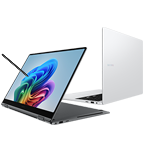
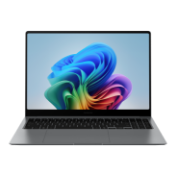
Galaxy Book5 Pro 360 (16.0", Core Ultra 7, 16GB), a Copilot+ PC

{{priceAnchor.priceWrapper.info.noLineOrignal}}

{{priceAnchor.priceWrapper.info.totalPrice}}
{{priceAnchor.priceWrapper.info.totalPriceMonthly}}

{{priceAnchor.priceWrapper.info.ceExchangePrice}}

{{priceAnchor.priceWrapper.info.orignalPriceAddText}}

{{priceAnchor.priceWrapper.info.savingInformation}}

*Image is simulated. Samsung account login may be required to use certain Samsung AI features. Some function availability may vary by device model.
**An international model is shown. Canadian model is a French/English bilingual keyboard.

Meet Galaxy Book5 Pro 360 — our most capable Galaxy AI PC yet. Flex your productivity on the go with the power of the latest Intel® processor, delivering boosted performance for AI-accelerated experiences. Conquer tasks and create like never before while staying charged with an all-day battery1~5.

See the Highlights

Powerful processor


Galaxy AI on PC


All-day battery1~5


360˚ of creative freedom

Galaxy Book5 Pro 360 puts a spin on daily productivity with its 2-in-1 convertible design. Weighing in at 1.69kg with a sleek finish in Grey, it's your versatile companion for hustles on the move.

[Gray] Galaxy Book5 Pro 360 in Gray is folded back with the screen facing slightly left, a black wallpaper shown onscreen and S Pen touching the screen. Galaxy Book5 Pro 360 has 16 inches of screen size, thickness of 12.8mm and weighs 1.69kg. Galaxy Book5 Pro 360 in Gray is open, facing back left with the Samsung logo visible on the laptop cover. Top view of Galaxy Book5 Pro 360 in Gray, open and facing forward with a black wallpaper onscreen, and S Pen placed next to it.  '[Silver] Galaxy Book5 Pro 360 in Silver is folded back with the screen facing slightly left, a black wallpaper shown onscreen and S Pen touching the screen. Galaxy Book5 Pro 360 has 16 inches of screen size, thickness of 12.8mm and weighs 1.69kg. Galaxy Book5 Pro 360 in Silver is open, facing back left with the Samsung logo visible on the laptop cover. Top view of Galaxy Book5 Pro 360 in Silver, open and facing forward with a black wallpaper onscreen, and S Pen placed next to it. [Gray] Galaxy Book5 Pro 360 in Gray is folded back with the screen facing slightly left, a black wallpaper shown onscreen and S Pen touching the screen. Galaxy Book5 Pro 360 has 16 inches of screen size, thickness of 12.8mm and weighs 1.69kg. Galaxy Book5 Pro 360 in Gray is open, facing back left with the Samsung logo visible on the laptop cover. Top view of Galaxy Book5 Pro 360 in Gray, open and facing forward with a black wallpaper onscreen, and S Pen placed next to it.  '[Silver] Galaxy Book5 Pro 360 in Silver is folded back with the screen facing slightly left, a black wallpaper shown onscreen and S Pen touching the screen. Galaxy Book5 Pro 360 has 16 inches of screen size, thickness of 12.8mm and weighs 1.69kg. Galaxy Book5 Pro 360 in Silver is open, facing back left with the Samsung logo visible on the laptop cover. Top view of Galaxy Book5 Pro 360 in Silver, open and facing forward with a black wallpaper onscreen, and S Pen placed next to it.
*Screen image simulated for illustrative purposes.
**Thickness, weight and colour availability may vary by model, configuration and country.
***Screen size is measured diagonally as a full rectangle without accounting for the rounded corners. Actual viewable area is less due to the rounded corners.
****An international model is shown. Canadian model is a French/English bilingual keyboard.
[Gray] Galaxy Book5 Pro 360 in Gray is folded back with the screen facing slightly left, a black wallpaper shown onscreen and S Pen touching the screen. Galaxy Book5 Pro 360 has 16 inches of screen size, thickness of 12.8mm and weighs 1.69kg. Galaxy Book5 Pro 360 in Gray is open, facing back left with the Samsung logo visible on the laptop cover. Top view of Galaxy Book5 Pro 360 in Gray, open and facing forward with a black wallpaper onscreen, and S Pen placed next to it.  '[Silver] Galaxy Book5 Pro 360 in Silver is folded back with the screen facing slightly left, a black wallpaper shown onscreen and S Pen touching the screen. Galaxy Book5 Pro 360 has 16 inches of screen size, thickness of 12.8mm and weighs 1.69kg. Galaxy Book5 Pro 360 in Silver is open, facing back left with the Samsung logo visible on the laptop cover. Top view of Galaxy Book5 Pro 360 in Silver, open and facing forward with a black wallpaper onscreen, and S Pen placed next to it. [Gray] Galaxy Book5 Pro 360 in Gray is folded back with the screen facing slightly left, a black wallpaper shown onscreen and S Pen touching the screen. Galaxy Book5 Pro 360 has 16 inches of screen size, thickness of 12.8mm and weighs 1.69kg. Galaxy Book5 Pro 360 in Gray is open, facing back left with the Samsung logo visible on the laptop cover. Top view of Galaxy Book5 Pro 360 in Gray, open and facing forward with a black wallpaper onscreen, and S Pen placed next to it.  '[Silver] Galaxy Book5 Pro 360 in Silver is folded back with the screen facing slightly left, a black wallpaper shown onscreen and S Pen touching the screen. Galaxy Book5 Pro 360 has 16 inches of screen size, thickness of 12.8mm and weighs 1.69kg. Galaxy Book5 Pro 360 in Silver is open, facing back left with the Samsung logo visible on the laptop cover. Top view of Galaxy Book5 Pro 360 in Silver, open and facing forward with a black wallpaper onscreen, and S Pen placed next to it.
*Screen image simulated for illustrative purposes.
**Thickness, weight and colour availability may vary by model, configuration and country.
***Screen size is measured diagonally as a full rectangle without accounting for the rounded corners. Actual viewable area is less due to the rounded corners.
****An international model is shown. Canadian model is a French/English bilingual keyboard.

Powerful processor driving the Next-Gen AI PC

Experience a new level of transformative AI performance with the super-fast Intel® Core™ Ultra processor (Series 2), upgraded graphics and an advanced NPU capable of up to 47 TOPS. Harness all that power to blaze through heavy workloads, render complex 3D models and easily complete AI-intensive tasks with incredible speed.

*Screen image simulated for illustrative purposes. Actual UX/UI may vary.
**CPU and GPU specifications may vary depending on model, country, or region.
***NPU performance varies by processor. Intel® Core™ Ultra 5 and Intel® Core™ Ultra 7 support 40 TOPS and 47 TOPS respectively.
****The enhanced performance figures of the CPU and GPU are based on a comparison between Galaxy Book5 Pro 360 with Intel® Core™ Ultra 7 (Series 2) 258V processor and Galaxy Book4 Pro 360 with Intel® Core™ Ultra 7 (Series 1) 155H processor. The CPU single-core performance has improved by 18% and GPU by 16%.

Grab S Pen. Swipe or tap to search in a snap

AI Select lets you search intuitively using S Pen, the cursor or your fingertips right on your PC screen. No need to type — simply trace an image, text or even a QR code on the touchscreen and get search results on the fly.

A colorful image of a woman shown onscreen on Galaxy Book5 Pro 360 is traced using AI Select and search results with relevant content appear on the screen. A colorful image of a woman shown onscreen on Galaxy Book5 Pro 360 is traced using AI Select and search results with relevant content appear on the screen.

*Images simulated. Sequences shortened. Results for illustrative purposes only. Actual UI may be different.
**Results may vary depending on visual matches. Accuracy of results is not guaranteed.
***Requires internet connection and Samsung Account login.
****Service availability may vary by country, language, device model. Availability of supported languages may vary. Certain languages may require language pack download.
*****AI Select download and installation may be required when launching the app for the first time.

Revisit, rediscover, re-engage with Recall

Explore your PC's history and quickly find what you need with Recall — like those inspiring designs you saw on the web a while back. Scan through snapshots in the timeline to get relevant results and related docs.

A colorful abstract image is open in Adobe Photoshop app and screenshots of Recall are shown displaying search results of different queries and selection on the timeline. Shown with Adobe Photoshop logo shown. A colorful abstract image is open in Adobe Photoshop app and screenshots of Recall are shown displaying search results of different queries and selection on the timeline. Shown with Adobe Photoshop logo shown.

*Copilot+ PC experiences will not be available on Galaxy Book5 Pro 360 at launch. Expected to be available via future update. Timing may vary by device and region. Availability is dependent on Microsoft's release schedule. See aka.ms/copilotpluspc.
**Image simulated, subject to change. Sequence shortened. Actual UX/UI may differ.
***Requires internet connection.
****Optimized for select languages (English, Chinese (simplified), French, German, Japanese, and Spanish). Content-based and storage limitations apply.
*****Adobe product screenshots reprinted with permission from Adobe.
******Onscreen image generated with Adobe Firefly AI engine.

Refine image resolution with AI

Retouch images and clean up blurry photos with Photo Remaster. The snappy tool uses a smart algorithm that gives all-new life to your snaps and makes every detail shine — just like magic.

An image of a young man in the bright outdoors is open in Samsung Gallery app on Galaxy Book5 Pro 360 before being remastered using the NPU-powered Photo Remaster tool. The image is blurry and low-quality. An image of a young man in the bright outdoors is open in Samsung Gallery app on Galaxy Book5 Pro 360 before being remastered using the NPU-powered Photo Remaster tool. The image is blurry and low-quality.
An image of a young man in the bright outdoors is open in Samsung Gallery app on Galaxy Book5 Pro 360 before being remastered using the NPU-powered Photo Remaster tool. The image is clear and high-quality. An image of a young man in the bright outdoors is open in Samsung Gallery app on Galaxy Book5 Pro 360 before being remastered using the NPU-powered Photo Remaster tool. The image is clear and high-quality.
*Images simulated. Sequences shortened. Results for illustrative purposes only. Actual UI may be different.
**Service availability may vary by country, device model.
***Onscreen image generated with Adobe Firefly AI engine.

Cocreator. Enhance your art with AI

Have a concept in mind for your next masterpiece? Use Cocreator — sketch your idea and watch as AI transforms it into artwork. Edit, regenerate and apply finishing touches using simple prompts.

*Copilot+ PC experiences will not be available on Galaxy Book5 Pro 360 at launch. Expected to be available via future update. Timing may vary by device and region. Availability is dependent on Microsoft's release schedule. See aka.ms/copilotpluspc.
**Image simulated, subject to change. Sequence shortened. Actual UX/UI may differ.
***Availability of the functions and its supported apps may vary by country, language and device.
****Optimized for English text prompts. Requires Microsoft account and internet connection to access cloud services that help ensure the responsible use of AI.

Live captions. Real-time translations

Catch every word in conference calls with Live Captions. AI automatically detects speech in meetings and video streams and converts it into English captions in real time, helping you to stay in the know.

*Copilot+ PC experiences will not be available on Galaxy Book5 Pro 360 at launch. Expected to be available via future update. Timing may vary by device and region. Availability is dependent on Microsoft's release schedule. See aka.ms/copilotpluspc.
**Image simulated, subject to change. Sequence shortened. Actual UX/UI may differ.
***Currently supports translation for video and audio subtitles into English from 40+ languages.

Launch AI with one press

A single press is all it takes to launch Copilot — the dedicated key on the keyboard of Galaxy Book5 Pro 360 puts personalized AI assistance at your fingertips for instant access when you need it.

*Copilot is available in select global markets and will be rolled out to additional markets over time. Copilot functionality is limited and has specific system requirements.
**An international model is shown. Canadian model is a French/English bilingual keyboard.

Dazzling views at any angle

Take in all the details on the anti-reflective screen thanks to Corning® Gorilla® Glass with DX. The surface treated cover glass with less than 2% reflectance decreases the amount of unwanted surface reflection, helping visuals to remain crisp and legible from a variety of angles.

*Screen image simulated for illustrative purposes. Actual UX/UI may vary.
**Corning® Gorilla® Glass with DX complements the legendary toughness of Corning® Gorilla® Glass to deliver both anti-reflective optics and improved abrasion resistance. Corning’s glass composite enhances display readability through a 75% improvement in front surface reflection, versus standard cover glass, and increases the display contrast ratio by 50% with the same display brightness.

Control at your S Pen

Galaxy Book5 Pro 360's touchscreen puts control at your fingertips. Navigate through apps and menus, edit content, fine-tune project details and more using intuitive multi-touch gestures that enhance productivity and creativity at every touch.

*Screen image simulated for illustrative purposes. Actual UX/UI may vary.

Vision Booster. Look on the bright side

See your content clearly even in the bright outdoors with Vision Booster. An intelligent algorithm uses tone mapping to adjust the contrast and colours depending on the light conditions, so your views stay vivid in various environments.

*Screen image simulated for illustrative purposes. Actual UX/UI may vary.
**Vision Booster feature available only when HDR Mode is turned off.
***An international model is shown. Canadian model is a French/English bilingual keyboard.

Stay powered up from morning to night1~5

Charge once, stay productive all day with the long-lasting battery of Galaxy Book5 Pro 360, supporting up to 25 hours of video runtime. To power up, plug in the compact charger to get up to 35% in just about 30 minutes using fast charging.

Big woofers. Deeper sound

Galaxy Book5 Pro 360 now features more than 2x larger than before, the 38mm woofers — so you feel the bass in every beat with rich low-frequency sounds. Plus, the quad speakers are tuned with Dolby Atmos for immersive surround sound.

*The quad-speaker system on Galaxy Book5 Pro 360 features two woofers (5W max each) and two tweeters (3.3W each).
**Galaxy Book5 Pro 360 features 38mm big woofers compared to the 18mm woofers on Galaxy Book4 Pro 360.
*** An international model is shown. Canadian model is a French/English bilingual keyboard.

Brighten up video calls with Staggered HDR

Jump into online workshops confidently with Staggered HDR. Your webcam video stays crisp and vivid with a wide dynamic range, so you are camera-ready for sessions in the studio or on the go.

*Screen image simulated for illustrative purposes. Actual UX/UI may vary.

Smarter touchpad. Dongle-free ports

Navigate easily using the touchpad with adaptive palm rejection — control your taps with precision thanks to palm monitoring on the subdivided palm area, reducing the chance of accidental touches. Plus, connect what you need dongle-free with versatile built-in ports, including HDMI, USB-A, microSD slot and two Thunderbolt 4 ports for rapid data transfers.

*Port layout may vary by model.
**Actual speed of USB may vary depending on user environment.

Wi-Fi 7. Full speed ahead

Go online, stay online — Wi-Fi 7 is up to 4.8x faster than Wi-Fi 6, letting you connect reliably with lightning speed. Join online meetings, share updates and stay in touch easily with smooth real-time interactions and ultra-low latency.

*Wi-Fi 7 network availability may vary by OS version, country, market, network provider and user environment. Requires optimal connection and a Wi-Fi 7 router.
**Wi-Fi 7 (supporting 320 MHz channels and 4096 QAM) is up to 4.8x faster when compared with Wi-Fi 6 and Wi-Fi 6E (supporting 80 MHz channels and 1024 QAM).
Big Wi-Fi 7 letters with the number 4.8X and blurry lines around are shown to highlight the faster speed compared with Wi-Fi 6 and Wi-Fi 6E. Big Wi-Fi 7 letters with the number 4.8X and blurry lines around are shown to highlight the faster speed compared with Wi-Fi 6 and Wi-Fi 6E.

Samsung Knox. Pro security

Safeguard your system with premium security from Samsung Knox. A dedicated security chip in the hardware is designed to shield your device in real time. Protected all around, your laptop's critical system data can stay safe from potential threats and breaches.

*Image simulated for illustrative purposes. Actual UX/UI may be different.
Galaxy Book5 Pro 360 in Gray is open, facing left with a colorful wallpaper shown onscreen. Microsoft Excel app window and two other layers of onscreen windows are shown on top of the device's screen. Samsung Knox logo shown in front. Galaxy Book5 Pro 360 in Gray is open, facing left with a colorful wallpaper shown onscreen. Microsoft Excel app window and two other layers of onscreen windows are shown on top of the device's screen. Samsung Knox logo shown in front.

Quick Share. Swift, safe transfers

Sharing pics, docs and massive files between Samsung Galaxy devices is a breeze with Quick Share. Connect devices via direct wireless pairing for instant transfers, even if it's something sensitive — the private sharing feature encrypts your data with blockchain technology for safekeeping.

*Available on devices with One UI 2.1 or above, with Android Q OS version or higher installed. Bluetooth Low Energy and Wi-Fi connection are both required for Quick Share. Supports Galaxy Books, including Qualcomm-based PCs released in 2020 and later, and Windows PCs with Intel Bluetooth/Wi-Fi from other manufacturers. (OS: Windows 10 2004 version or higher, Bluetooth driver: Intel 22.50.02 or higher, Wi-Fi driver: Intel 22.50.07 or higher). Number of devices Quick Share can share to at the same time may vary depending on the Wi-Fi chip hardware of the sharing device. Actual speed may vary depending on device, network condition and user environment. The transferable type, number, capacity and expiry date of files, as well as the number of simultaneous file shares in Private Share may be limited.

Multiple devices, unified control

With Multi Control, multitask seamlessly across Samsung devices using your PC's keyboard with a mouse. Navigate through menus, access files and data, copy and paste content easily between your laptop and your smartphone, Galaxy Tab, Samsung TV or Smart monitor.

*Each device must be registered with a single Samsung Account and connected to the same Wi-Fi network.
**Multi control requires updated Galaxy phones and tablets with One UI 5.1.1 or above and Galaxy Book series devices released in 2021 or later with Samsung Settings v1.5(Intel) or Samsung Settings v3.3(ARM) and 2024 TVs or 2024 Smart monitors.
***Some functions(such as Copy & Paste or Drag & Drop) may not be available when using certain device models and apps.
****Feature availability may vary by region.
*****Screen image simulated for illustrative purposes. Actual UX/UI may be different.

Bring along your Tab as a Second Screen

Double your workspace by connecting Galaxy Tab as an additional display to your PC. Link the devices with just a click on your laptop, then take advantage of the extra space on Galaxy Tab with Extension, Duplicate and Rotation modes to rearrange your view.

*For a better experience, both devices must be signed in to the same Samsung account.
**Available on select Samsung Galaxy Tab models only, including Galaxy Tab S10+, Tab S10 Ultra, Tab S9, Tab S9+, Tab S9 Ultra, Tab S9 FE, Tab S9 FE+, Tab S8, Tab S8+, Tab S8 Ultra and Tab Active4 Pro with One UI 3.1 or later versions installed.
***Available on Samsung Galaxy Book series devices with Windows 10 2004 OS or later version installed. Some additional functions are supported only on Samsung Galaxy Book series devices.
****Some apps may not support this feature for content protection purposes.

Access your mobile world on PC

Pair your smartphone and PC via Link to Windows to access your favorite mobile apps and features directly on the laptop screen. You can even use Galaxy AI from phone to PC — like Transcript Assist, letting you convert multi-language voice recordings from your phone into text right on your PC.

*Connect your Samsung Galaxy device to Windows PC via Link to Windows app on your phone and Microsoft Phone Link app on your PC. Sign in with the same Microsoft account on both devices and follow the setup prompts.
**Link to Windows is preloaded on select Samsung Galaxy devices. Microsoft Phone Link requires Windows 10 or above. For best performance, connect both devices to the same Wi-Fi.
***Some mobile apps may restrict screen sharing. Galaxy AI features and availability may vary by device.
****Samsung account login may be required for certain Galaxy AI features.
*****Samsung makes no guarantees on the accuracy, completeness or reliability of AI output.
******Images simulated. Sequences shortened. Actual UI may differ.
*******Galaxy AI features are free until the end of 2025 on supported devices. Different terms may apply for AI features provided by third parties.

Explore Galaxy Book5 Series

Galaxy Book5 Pro in Gray is open, facing forward with dark wallpaper onscreen. Galaxy Book5 Pro in Gray is open, facing forward with dark wallpaper onscreen.

Galaxy Book5 Pro

Galaxy Book5 360 is folded back with the screen facing forward with dark wallpaper onscreen and S Pen touching the screen. Galaxy Book5 360 is folded back with the screen facing forward with dark wallpaper onscreen and S Pen touching the screen.

Galaxy Book5 360

1. Typical value of battery capacity tested under third-party laboratory condition. Typical value is the estimated average value considering the deviation in battery capacity among the battery samples tested under IEC 61960 standard. Rated (minimum) capacity is 74.0Wh. 2. Based on results from internal lab tests for local video playback time conducted by Samsung. Tested with results from a pre-release version of the device using inbox 65W charger under settings (1080p video playback from video files stored on the device's local storage, player-Windows video players (Media Player, Movies & TV, Films & TV) with full screen, brightness-150nits, wired earphone with default volume, airplane mode on, keyboard backlight off) without connection to Wi-Fi or mobile network, measuring the time until the device is discharged to 2%. Battery life varies significantly depending on settings, network environment, usage patterns and other factors. Actual charging speed may also vary depending on the actual usage, charging conditions and other factors. 3. Battery capacity and amount of charge after a 30-minute charge vary by configuration. 4. The inbox charger and data cable are USB Type-C. 5. Using the original Samsung data cable and charger is recommended.

Frequently Asked Questions

How are Galaxy Book5 Pro 360 and Galaxy Book5 Pro different? Which model is good for me?

Galaxy Book5 Pro 360 and Galaxy Book5 Pro are high-performance laptops with intelligent Copilot+ PC and Galaxy AI features and powerful Intel® Core™ Ultra processors (Series 2), great for intensive workloads. If you need a high-end laptop for note-taking, design and creativity, the 2-in-1 Galaxy Book5 Pro 360 with S Pen support is ideal for you. Grab the precise S Pen and turn your artistic vision into reality. If you are looking for a premium, portable laptop, Galaxy Book5 Pro is right for you. It comes in 16"" and 14"" sizes. The 14"" model is lightweight and easy to carry on the go.

*Copilot+ PC experiences will not be available on Galaxy Book5 Pro 360 at launch. Expected to be available via future update. Timing may vary by device and region. Availability is dependent on Microsoft's release schedule. See aka.ms/copilotpluspc.
**Thickness, weight and color availability may vary by model, configuration and country.
***Screen size is measured diagonally as a full rectangle without accounting for the rounded corners. Actual viewable area is less due to the rounded corners.

What processor does Galaxy Book5 Pro 360 have?

Galaxy Book5 Pro 360 is a convertible laptop with a powerful processor delivering incredible next-gen AI PC performance for your creative endeavors. Speed through heavy workloads, complex 3D model rendering, AI-intensive tasks and more with ease. Galaxy Book5 Pro 360 is equipped with an Intel® Core™ Ultra processor (Series 2). Galaxy Book5 Pro 360 model features an NPU capable of up to 47 TOPS, a CPU with up to 18% and GPU with up to 16% improved performance when compared with Galaxy Book4 Pro 360 model.

*CPU and GPU specifications may vary depending on model, country, or region.
**NPU performance varies by processor. Intel® Core™ Ultra 5 and Intel® Core™ Ultra 7 support 40 TOPS and 47 TOPS respectively.
***The enhanced performance figures of the CPU and GPU are based on a comparison between Galaxy Book5 Pro 360 with Intel® Core™ Ultra 7 (Series 2) 258V processor and Galaxy Book4 Pro 360 with Intel® Core™ Ultra 7 (Series 1) 155H processor. The CPU single-core performance has improved by 18% and GPU by 16%.

What AI features does Galaxy Book5 Pro 360 have?

Galaxy Book5 Pro 360 supports intelligent Copilot+ PC and Galaxy AI features, enhancing your everyday laptop productivity and creativity. Use Galaxy AI features such as AI Select to instantly get search results for text, images and QR codes using S Pen, the cursor or your fingertips. With Photo Remaster, upscale and retouch your photos with ease. Copilot+ PC features provide personalized AI assistance. Use Recall to look through past task history on your PC, Live Captions to get real-time translation, or Cocreator in Paint to transform your bright ideas into works of art.

*Copilot+ PC experiences will not be available on Galaxy Book5 Pro 360 at launch. Expected to be available via future update. Timing may vary by device and region. Availability is dependent on Microsoft's release schedule. See aka.ms/copilotpluspc.
**AI features require internet connection and Samsung or Microsoft account login.
***AI features service or function availability may vary by country, language or device model. Availability of supported languages may vary. Certain languages may require language pack download.
****Samsung does not make any promises, assurances or guarantees as to the accuracy, completeness or reliability of the output provided by AI features.
*****Please refer to the product page for detailed restrictions of each feature.

Does Galaxy Book5 Pro 360 have a touchscreen?

Galaxy Book5 Pro 360 features a 16" 3K(2880x1800) WQXGA+ high-resolution Dynamic AMOLED 2X touchscreen. The display also supports intuitive multi-touch gestures and up to 120Hz refresh rate for a smooth and fluid user experience. Thanks to the 2-in-1 convertible design, the screen can rotate up to 360° and supports S Pen, so you can sketch your ideas, take detailed notes and create content easily.

*Screen size is measured diagonally as a full rectangle without accounting for the rounded corners. Actual viewable area is less due to the rounded corners.

What is the battery life of Galaxy Book5 Pro 360?

Galaxy Book5 Pro 360 is a laptop supporting long-lasting battery life, so you can stay productive for as long as you need. Galaxy Book5 Pro 360 supports up to 25 hours of video runtime. If you run low on battery, don't worry. Galaxy Book5 Pro 360 supports fast charging — simply plug in and get up to 35% charge in just about 30 minute.

*Based on results from internal lab tests for local video playback time conducted by Samsung. Battery capacity, video runtime, battery life on a full charge and amount of charge that can be charged in 30 minutes vary by model and configuration.
**Please refer to the product page for detailed restrictions of each feature.

Specifications

  • Windows 11 Home

  • CPU

    Intel® Core™ Ultra 7 Processor 256V (P-core Up to 4.8 GHz 12 MB LLC Cache)

  • GPU

    Intel® Arc™ 140V GPU (8GB)

  • GPU Type

    Shared

  • NPU

    Intel® AI Boost

  • Size

    16.0"

  • Resolution

    2880 x 1800 (WQXGA+)

  • Type

    Dynamic AMOLED 2X, Anti-Reflective

  • Touch Screen

    Yes

  • Pen Support

    Yes

  • Memory Capacity

    16 GB

  • Memory Type

    LPDDR5X (On Package)

  • Storage Capacity

    512 GB

  • Storage Type

    NVMe SSD

  • Number of Storage Slots

    1

  • Colour

    Gray

  • Form Factor

    Laptop

  • Speaker

    Quad Speakers

  • Smart Amp

    Yes

  • Sound Effect

    Dolby Atmos®

  • Mic

    Dual Array Digital Mic

  • Camera

    2.0 MP

  • Wi-Fi

    Wi-Fi 7, 802.11 be 2x2

  • Bluetooth Version

    Bluetooth v5.4

  • HDMI

    1 HDMI 2.1 (Supports 8K@60Hz, 5K@120Hz)

  • USB

    2 Thunderbolt™ 4, 1 USB3.2

  • External Storage Support

    MircoSD

  • Earjack

    1 Headphone out/Mic-in Combo

  • Keyboard

    Pro keyboard with Numeric key

  • Keyboard Backlit

    Yes

  • Touchpad

    Clickpad

  • Pen

    S Pen

  • TPM

    Yes

  • FingerPrint Reader

    Yes

  • Battery Capacity (Wh, Typical)

    76.1

  • Adapter

    65 W USB Type-C Adapter

  • Dimension (WxDxH)

    355.4 x 252.2 x 12.8 mm (13.99" x 9.93" x 0.50")

  • Weight

    1.69 kg (3.73 lbs)

  • Ambient Light Sensor, Accelerometer Sensor, Gyro Sensor

  • SmartThings Support

    Yes

Reviews

Galaxy Book5 Pro 360 (16.0", Core Ultra 7, 16GB), a Copilot+ PC

3.4

Recommended by 60% of customers.

Write a review
5 stars 32%
4 stars 23%
3 stars 15%
2 stars 15%
1 stars 15%
Features 4.2
Performance 3.8
Design 3.8
Value 3.3

Filters

Relevancy sort puts the best reviews at the top. We look at things like helpfulness votes, latest review, pictures and other traits that readers look for in their reviews.

Sort

Filters

13 Reviews

Reza Eskandari
1 (9,999)

2024-12-23

Processor : Intel® Core™ Ultra 7 | OS : Windows 11 Home | PC Storage : 1TB | Memory : 16 GB | Colour : Grey
1 (9,999)
As a loyal Samsung fan with a full suite of their products, including the Galaxy S24, Tab S9, Galaxy S19, Pods, Watch, TV, and appliances, I had high expectations when I decided to explore the Galaxy Book 5 after careful research. Unfortunately, my experience has been nothing short of disappointing. First, the camera quality is terrible, especially in ordinary indoor lighting. The images are hazy, unclear, and lack any crispness. It feels like the camera isn’t even 720p, which is shocking for a device of this price and caliber in 2024. For a brand known for its cutting-edge display and imaging technology, this was a huge letdown. Second, the battery life is abysmal. Despite using it strictly for office tasks, the battery lasted only about 3 hours on a full charge. This level of performance is unacceptable for a modern laptop, especially for professionals who need reliable devices for work. The final straw was Samsung’s return policy—or lack thereof. After a frustrating week of trying to address these issues, I decided to request a return, only to be told that Samsung doesn’t allow returns on ANY devices. This policy is not only ridiculous but also unfair and cheerfully dismissive of customer satisfaction. For a brand I’ve trusted for years, this feels like a betrayal. Samsung needs to reconsider its policies and product quality if it wants to retain loyal customers. I’ve invested heavily in the Samsung ecosystem, but this experience has me questioning my future purchases. Buyer beware: think twice before adding the Galaxy Book 5 to your cart.
[D] Alternative Text [D] Alternative Text

Features

2 (9,999)

Performance

2 (9,999)

Design

2 (9,999)

Value

1 (9,999)
Response from Samsung:
2025-01-03

Samsung Support Team

Hello, thank you for sharing your thoughts with us. We’re sorry to hear that you’re disappointed, and we will be sure to share your feedback with our teams so we can continually improve our products, services, and processes. Thanks again.

PK36
2 (9,999)

2025-09-23

Processor : Intel® Core™ Ultra 7 | OS : Windows 11 Home | PC Storage : 512GB | Memory : 16 GB | Colour : Grey
2 (9,999)
This should really be a one, but I’m being generous. I love the laptop itself, but the drivers are outdated. Because of this, it doesn’t connect properly to my dock. I have a laptop that’s three years older and it works just fine, but on this one the Thunderbolt USB ports don’t always connect and when they do, the connection doesn’t work every time. I tried contacting support, but they want me to send the laptop in, which makes no sense because the issue can’t be replicated without the dock.
[D] Alternative Text [D] Alternative Text

Features

4 (9,999)

Performance

2 (9,999)

Design

4 (9,999)

Value

2 (9,999)
Response from Samsung:
2026-03-27

Martin Samsung CS

Hello, We appreciate you sharing your experience with us. We’re sorry to hear that you experienced challenges with your product and will share this feedback to our relevant teams. If you would like to provide additional feedback or discuss this ticket further, our email support will be happy to assist by visiting https://www.samsung.com/ca/support/emailsupport and choosing ‘Email General Support’ Thank you, Samsung Customer Care

Response from Samsung:
2026-03-27

Ivana Samsung CS

Hello, We appreciate you sharing your experience with us. We’re sorry to hear that you experienced challenges with your product and will share this feedback to our relevant teams. If you would like to provide additional feedback or discuss this ticket further, our email support will be happy to assist by visiting https://www.samsung.com/ca/support/emailsupport and choosing ‘Email General Support’ Thank you, Samsung Customer Care

June
2 (9,999)

2024-10-22

Processor : Intel® Core™ Ultra 7 | OS : Windows 11 Home | PC Storage : 1TB | Memory : 16 GB | Colour : Grey
2 (9,999)
No idea that 90% of Canadians don't want bilingual keyboard layout. Screen still to thin and prone to risk of hairline crack across the screen due to temperature change. Copy Lg Gram please.

Features

3 (9,999)

Performance

5 (9,999)

Design

1 (9,999)

Value

3 (9,999)
Response from Samsung:
2024-10-24

Samsung Support Team

Hello, thank you for your review and feedback. We will pass your comments along to our staff. If there is anything we can do to improve your experience, please feel free to let us know by contacting us at 1-800-SAMSUNG or via live chat on our website (http://www.samsung.com/ca/support/). Thanks again.

Wayne Wayne
1 (9,999)

2025-09-15

Processor : Intel® Core™ Ultra 7 | OS : Windows 11 Home | PC Storage : 1TB | Memory : 16 GB | Colour : Grey
1 (9,999)
I’ve been a long-time Samsung laptop user and have owned several models in the past, including: Samsung Pen 9 Pro Samsung Book3 Pro 360 Samsung Book4 Edge AI-Powered PC Samsung Book5 Pro 360 ← Not recommended 1st Warranty Request The Book5 Pro 360 experienced system lockups and random Wi-Fi disconnects. I brought it to a Samsung repair center, where I had to wait four days for a full motherboard replacement. 2nd Warranty Request The screen developed a crack even though the laptop was never dropped, bent, or mishandled. It always remained on my desk and was only opened and closed during normal use. I was initially told by Samsung.ca that if no other physical damage was present, the repair would be covered under warranty. However, the Samsung repair center refused to repair it, saying the crack was “physical damage.” I’ve had no issues with previous Samsung laptops — they were durable and reliable, even through 10 years of frequent travel. Unfortunately, my experience with the Book5 Pro 360 has been very different. I’m sharing this feedback because I expected better durability and consistency from Samsung, based on my past positive experiences. I hope Samsung will take these issues more seriously and provide better support for customers facing similar problems.

Features

5 (9,999)

Performance

1 (9,999)

Design

3 (9,999)

Value

2 (9,999)
Response from Samsung:
2026-03-27

Martin Samsung CS

Hi Wayne, We appreciate you taking time out of your day to provide us product feedback. We will pass this to our relevant teams. For additional product feature feedback or troubleshooting support, please connect with our experts via Live Chat at https://www.samsung.com/ca/support/live-chat-support Thank you, Samsung Customer Care.

Govind
4 (9,999)

2024-10-27

Processor : Intel® Core™ Ultra 7 | OS : Windows 11 Home | PC Storage : 1TB | Memory : 16 GB | Colour : Grey
4 (9,999)
It's a wonderful laptop with power packed features. I don't find the screen wobbling. Display is great. Webcam is mediocre, didn't expect that at this price range. Keyboard is good but could be better.

Features

5 (9,999)

Performance

5 (9,999)

Design

4 (9,999)

Value

4 (9,999)
Navaneeth Kumar
5 (9,999)

2024-09-20

Processor : Intel® Core™ Ultra 7 | OS : Windows 11 Home | PC Storage : 1TB | Memory : 16 GB | Colour : Grey
5 (9,999)
This product is one of the greatest for helping to enhance abilities and business, as well as converting dreams. Best One ,Living One, Dreaming One.

Features

5 (9,999)

Performance

5 (9,999)

Design

5 (9,999)

Value

3 (9,999)
Rinith Roy
3 (9,999)

2025-04-12

Processor : Intel® Core™ Ultra 7 | OS : Windows 11 Home | PC Storage : 512GB | Memory : 16 GB | Colour : Grey
3 (9,999)
An expensive entry level laptop. It does not have a power gpu and to make it worse, the ram is shared. All it is good for productivity work for which any 800 dollar PC will suffice. If u are looking for pen support and a stunning display, just look for another one

Features

4 (9,999)

Performance

3 (9,999)

Design

4 (9,999)

Value

2 (9,999)
Response from Samsung:
2026-03-26

Martin Samsung CS

Hi Rinith, Thank you for taking time out of your day to providing us product feedback. We will pass this to our relevant teams. For additional product feature feedback or troubleshooting support, please connect with our experts via Live Chat at https://www.samsung.com/ca/support/live-chat-support Thank you, Samsung Customer Care.

Ian_6192
4 (9,999)

2026-02-02

Processor : Intel® Core™ Ultra 7 | OS : Windows 11 Home | PC Storage : 1TB | Memory : 16 GB | Colour : Grey
4 (9,999)
I purchased this as an open box to keep the costs down. For the price, I would've liked to have seen a better camera that has facial recognition, and specs that are more competitive (e.g.) 32GB memory. The left shift key is not long enough so it is something I need to get used to. I'm in the Samsung ecosystem so this machine is good enough for my needs, along with the Samsung apps built in.

Features

5 (9,999)

Performance

5 (9,999)

Design

4 (9,999)

Value

4 (9,999)
Ginger26
Incentivised review Rewarded for feedback, but gave honest & objective review.
4 (9,999)

2025-09-28

Processor : Intel® Core™ Ultra 7 | OS : Windows 11 Home | PC Storage : 1TB | Memory : 16 GB | Colour : Grey
4 (9,999)
This was bought during the previous Black Friday sale and it has been amazing for students. I went back to school, and it has been a great device to have. When taking notes with the S-pen, there has been some issues especially when it’s not plugged in. It can lag, and palm rejection could be improved.

Features

4 (9,999)

Performance

4 (9,999)

Design

5 (9,999)

Value

4 (9,999)
7736237lam
3 (9,999)

2026-06-12

Processor : Intel® Core™ Ultra 7 | OS : Windows 11 Home | PC Storage : 1TB | Memory : 16 GB | Colour : Grey
3 (9,999)
Keyboard too sensitive easy to double typed, battery last not long

Features

3 (9,999)

Performance

2 (9,999)

Design

3 (9,999)

Value

3 (9,999)
Response from Samsung:
2026-06-13

Mazin Samsung CS

Hello, We appreciate you sharing your experience with us. We’re sorry to hear that you experienced challenges with your product and will share this feedback to our relevant teams. If you would like to provide additional feedback or discuss this ticket further, our email support will be happy to assist by visiting https://www.samsung.com/ca/support/emailsupport and choosing ‘Email General Support’ and providing the Subject Line: Samsung Review Case – Galaxy Book5 Pro 360(NP960QHA-KG3CA) Thank you, Samsung Customer Care

suk-kyung
5 (9,999)

2025-04-11

Processor : Intel® Core™ Ultra 7 | OS : Windows 11 Home | PC Storage : 512GB | Memory : 16 GB | Colour : Grey
5 (9,999)
I love touch screen Samsung laptop ! Fast and working good 👍

Features

5 (9,999)

Performance

5 (9,999)

Design

5 (9,999)

Value

5 (9,999)
Alejovig
5 (9,999)

2026-04-28

Processor : Intel® Core™ Ultra 7 | OS : Windows 11 Home | PC Storage : 512GB | Memory : 16 GB | Colour : Grey
5 (9,999)
I am enjoying my new laptop. No regrets, just happiness.

Features

5 (9,999)

Performance

5 (9,999)

Design

5 (9,999)

Value

5 (9,999)
Love Forever
5 (9,999)

2025-09-22

Processor : Intel® Core™ Ultra 7 | OS : Windows 11 Home | PC Storage : 512GB | Memory : 16 GB | Colour : Grey
5 (9,999)

Features

5 (9,999)

Performance

5 (9,999)

Design

5 (9,999)

Value

5 (9,999)

User manual & downloads

User Manual(Windows 11)

ver 3.0 | 1.12 MB

Mar 03. 2026

ENGLISH

User Manual(Windows 11)

ver 3.0 | 1.2 MB

Mar 03. 2026

FRENCH

User Manual(Windows 11)

ver 2.0 | 1.22 MB

Jun 04. 2025

FRENCH

Product support

Find answers to the questions you have about the product

Product support

Get the most from Samsung device and services.

*Image simulated.

Features and Specifications are accurate as of commercial launch but may be subject to change without prior notification. All specifications and descriptions provided herein may be different from the actual specifications and descriptions for the product. Samsung reserves the right to make changes to this web page and the product described herein, at any time, without obligation on Samsung to provide notification of such change. All functionality, features, specifications, GUI and other product information provided in this web page including, but not limited to, the benefits, design, pricing, components, performance, availability, and capabilities of the product are subject to change without notice or obligation. The contents within the screen are simulated images and are for demonstration purposes only. Images are for illustration purposes only and the accessories are sold separately. An international model is shown. Colour availability may vary depending on country.

**User memory is less than the total memory due to storage of the operating system and software used to operate the device features. Actual user memory will vary depending on the operator and may change after software upgrades are performed.

Network : The bandwidths supported by the device may vary depending on the region or service provider.

*Actual speed of USB can vary depending on user environment

*Weights and height vary depending on manufacturing process

*Please contact Samsung Call Center or Samsung Authorized Service Centers before you replace or add storage and memory for compatibility check

*Typical value of battery capacity tested under third-party laboratory condition. Typical value is the estimated average value considering the deviation in battery capacity among the battery samples tested under IEC 61960 standard. Actual battery life may vary depending on network environment, usage patterns and other factors.

*Screen size is measured diagonally as a full rectangle without accounting for the rounded corners. Actual viewable area is less due to the rounded corners.