
Galaxy Buds3 Pro


Gallery popup


Please scan the QR Code with your mobile device and you can virtually see how the device will look in your home.
{{upgradeResult.displayModelName}}
{{upgradeResult.discountText1}}
{{upgradeResult.description1}}
{{upgradeResult.description2}}
{{offerFinance.title}}
{{offerFinance.learnMoreCta.text}}{{offerFinance.description}}
{{galaxyForeverResult.displayModelName}}
{{galaxyForeverResult.discountText1}}
{{galaxyForeverResult.description1}}
{{galaxyForeverResult.description2}}
Choose your colour
Customizable bezels sold separately
Choose your skin colour
Customizable skin sold separately
-
{{item.name}}
Out Of Stock
Modern style
-
{{item.name}}
Out Of Stock
Beveled style
-
{{item.name}}
Out Of Stock
Skin colour
-
{{item.name}}
Out Of Stock
Bezel style

- Modern style
The Frame's custom bezels magnetically click into place. Now, you can switch between styles in a snap.
Bezel style

- Beveled style
The new Beveled style bezel design offers an elegant 45-degree angled inner edge bezel.
{{tradeIn.title}}
{{tradeIn.learnMoreCta.text}}{{tradeIn.description}}
{{tradeInResult.displayModelName}}
{{tradeInResult.discountText1}}
{{tradeInResult.discountText2}}
{{tradeInResult.discountText3}}
{{tradeInResult.discountText4}}
{{tradeInResult.discountText5}}
{{tradeInResult.discountText6}}
{{tradeInResult.specialDiscountText}}
{{tradeInResult.description}}
{{tradeInResult.contentText}}
DeleteDealer stock quantity
You can check the stock quantity for each region
Please select city
{{assuredBuyBack.title}}
{{newAssuredBuyBack.title}}
{{newAssuredBuyBack.learnMoreCta.text}}{{newAssuredBuyBack.description}}
Please select Samsung Assured Buyback or no coverage
{{care.title}}
{{care.learnMoreCta.text}}{{care.description}}
Please select Samsung Care+ or No to continue
-
{{item.specialText}}
-
{{warranty.title}}
{{warranty.description}}
{{warrantyResult.displayModelName}}
{{warrantyResult.discountText1}}
{{warrantyResult.description1}}
{{warrantyVd.title}}
{{warrantyVd.description}}
{{warrantyVdResult.title}}
{{warrantyVdResult.priceDisplay}}
{{delivery.headline}}
{{delivery.errorMessage}}
{{deliveryResult.priorityText}}
{{deliveryResult.mainText}}
{{deliveryResult.subText}}
Standard installation charges may apply.Click here for more details.
{{deliveryResult.decText}}
{{item.disclaimer}}
{{tariffOptionResult.displayModelName}}
{{tariffOptionResult.discountText1}}
{{tariffOptionResult.description1}}
{{tariffOptionResult.description2}}
{{tariffOptionResult.description}}
{{tariffOptionResult.price}}
{{tariffOptionResult.disclaimer}}
{{embedAddon.title}}
{{embedAddon.description}}
-
{{item.name}}
{{item.modelCode}}
{{item.description}}
{{item.finalPrice}}
{{item.originalPrice}}{{item.savePrice}} Out Of Stock
-
{{item.name}}
{{item.modelCode}}
{{item.description}}
- {{item.dotList1}}
- {{item.dotList2}}
- {{item.dotList3}}
{{item.finalPrice}}
{{item.originalPrice}}{{item.savePrice}} Out Of Stock
{{message.item.tcCTAText}}
{{message.item.periodText}}
Features



Image simulated. Available colours of Galaxy Buds3 Pro may vary by country or carrier. Galaxy Buds3 Pro supports Galaxy AI features such as interpreter and Live Translate when paired with compatible Samsung Galaxy devices. Availability of Galaxy AI features may vary by device model. See samsung.com for details.
Galaxy AIis here

Galaxy AI is here for your all-new Galaxy Buds3 Pro
Redefine your listening experience — featuring our first-ever planar tweeter and debut of dual amp on Galaxy Buds. Capture a high range of intricate details with enhanced 2-way speaker. Minimize distortion with our powerful dual amp. Hear each note in crystal-clear clarity, with 24-bit CODEC. Take your listening experience to the next level with Galaxy AI-boosted noise control and real-time interpretation. See your Galaxy Buds in a new light. , ,




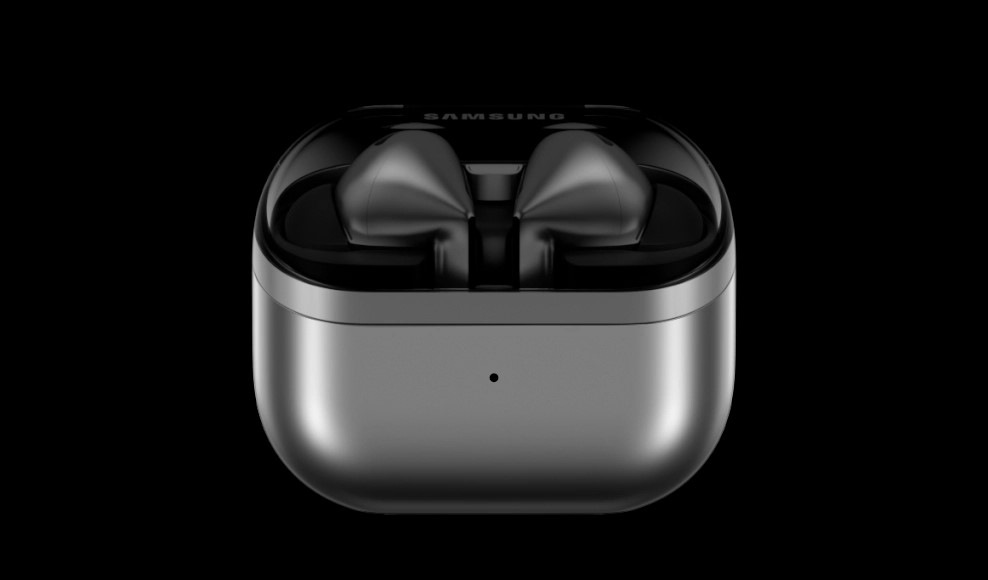
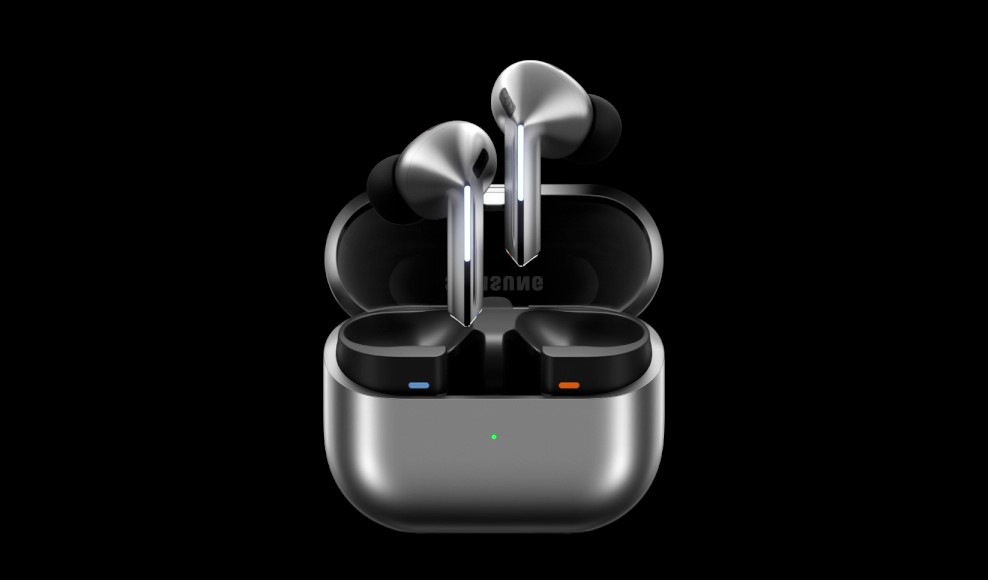

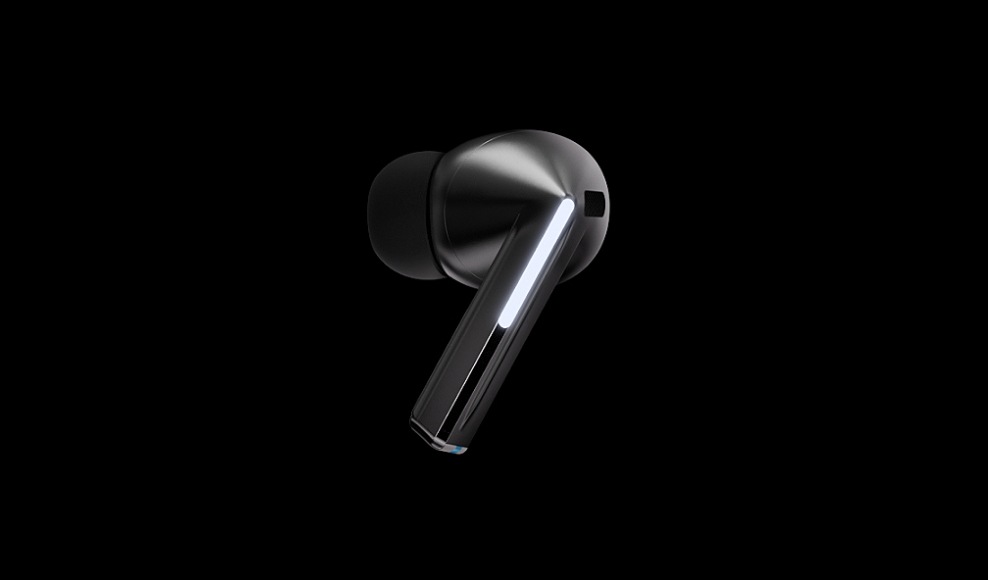
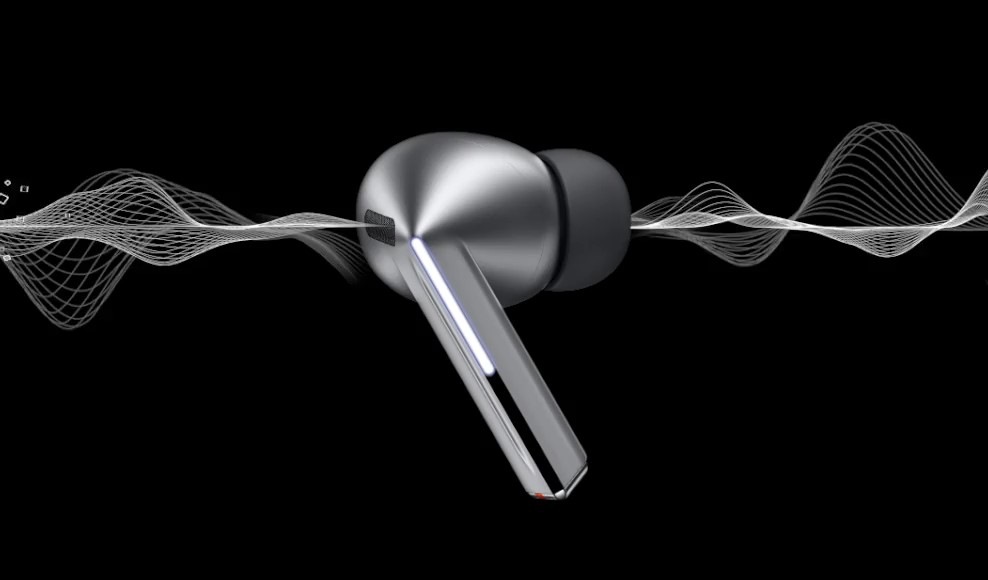




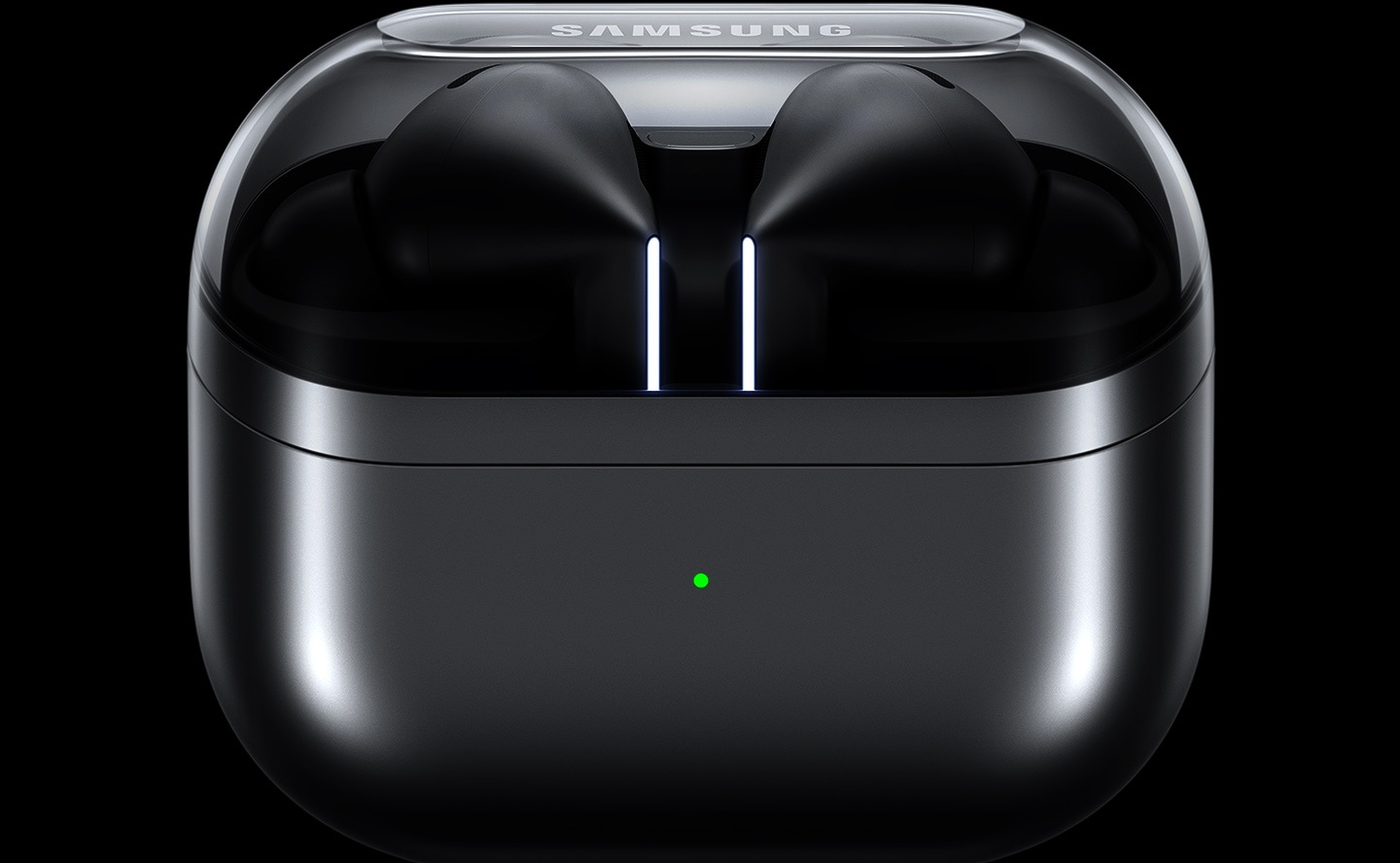
Ergonomically designed for supreme sound
Experience our all-new design engineered for optimal sound. Our re-imagined Galaxy Buds3 Pro feature small, angled heads for a comfortable fit and to streamline your audio experience while accented Blade Lights let you to express yourself. Highlighting the blade design is a sleek case with a transparent cover and delicate curved shape, equipped with USB-C and wireless charging capabilities. , , ,
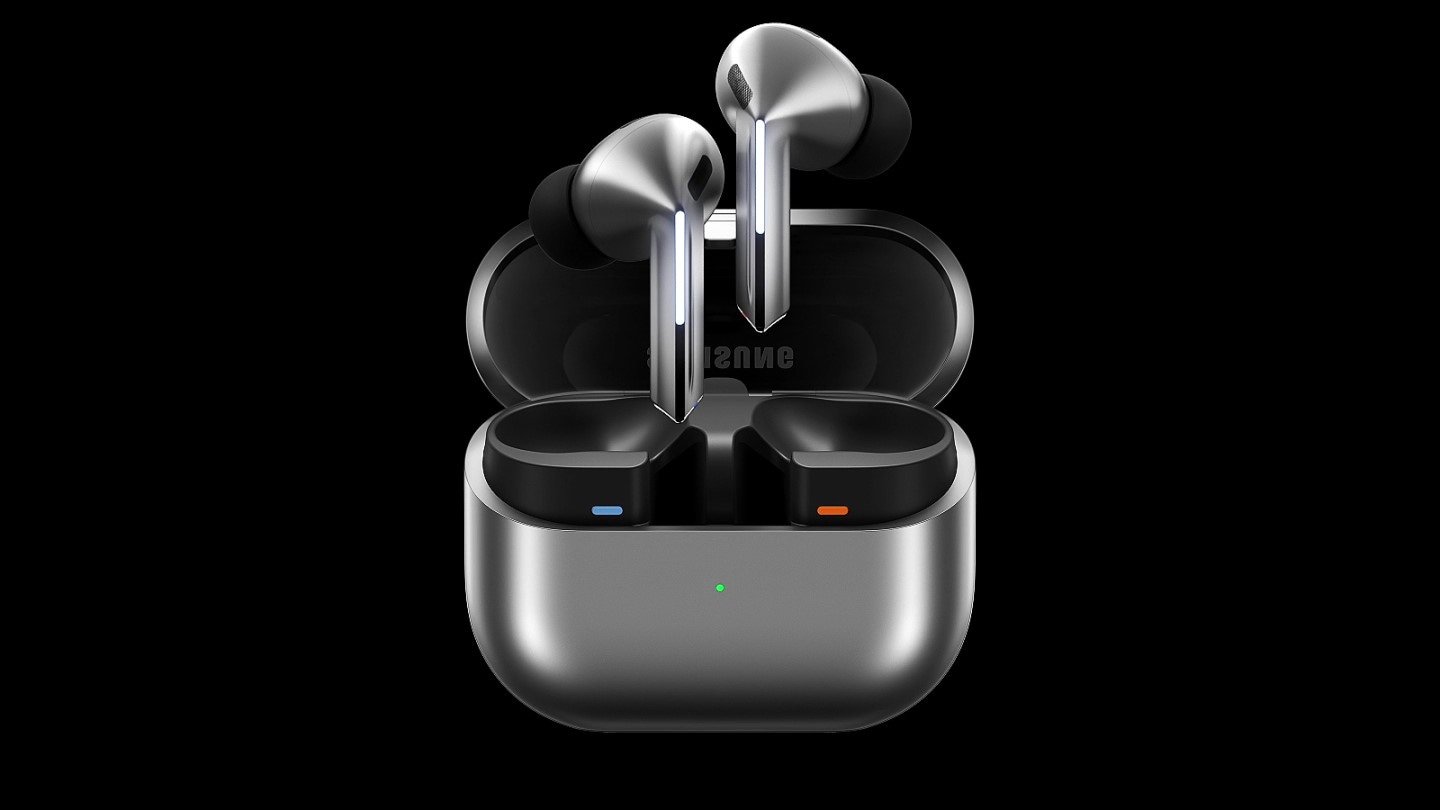
A pair of silver Galaxy Buds3 Pro appear in a closed case which opens up. Once open, the earbuds slide up with the Blade Lights on and hover over the open case.
Colour
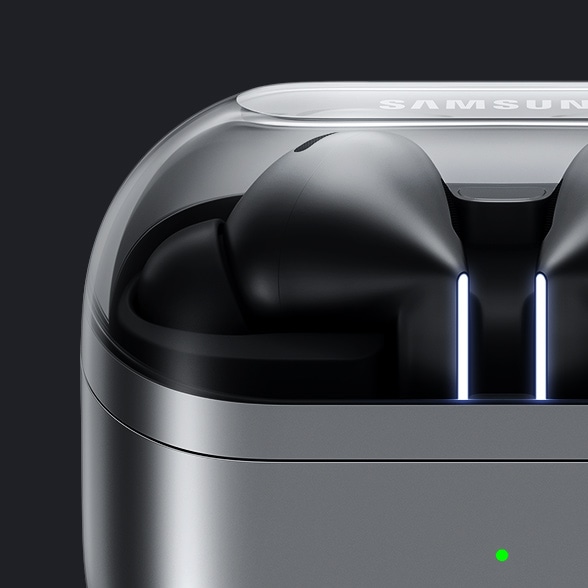


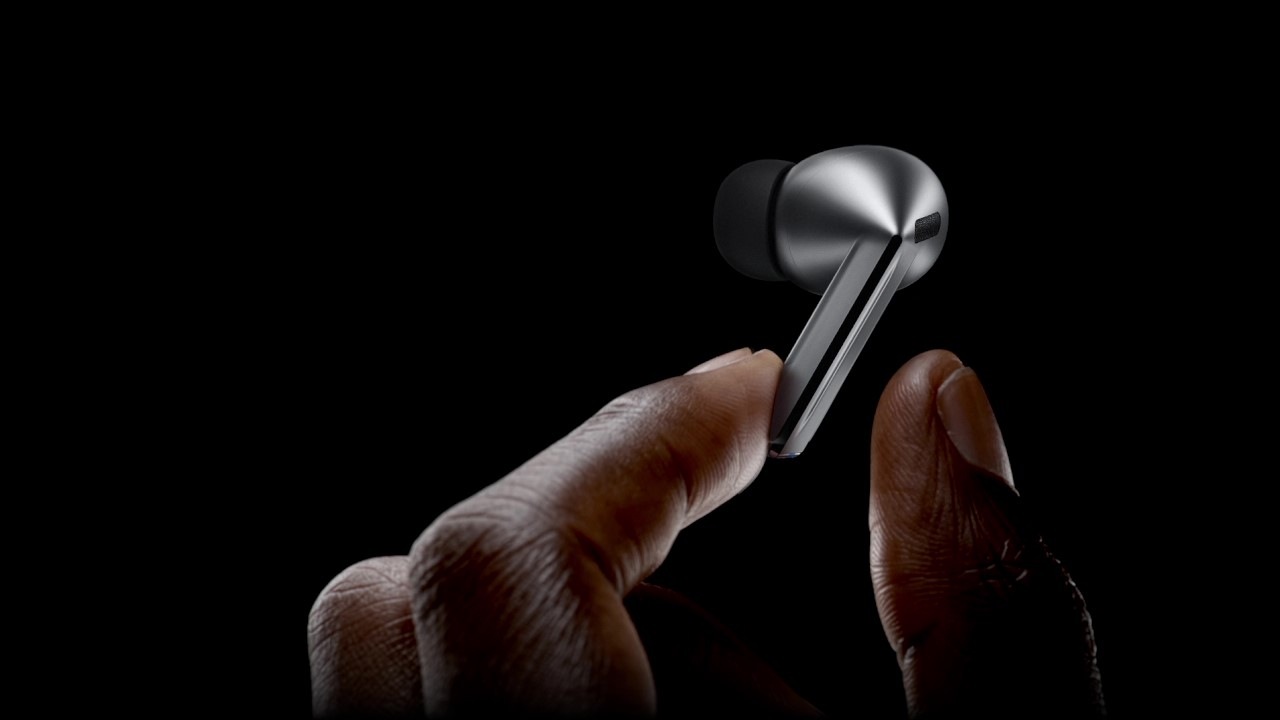
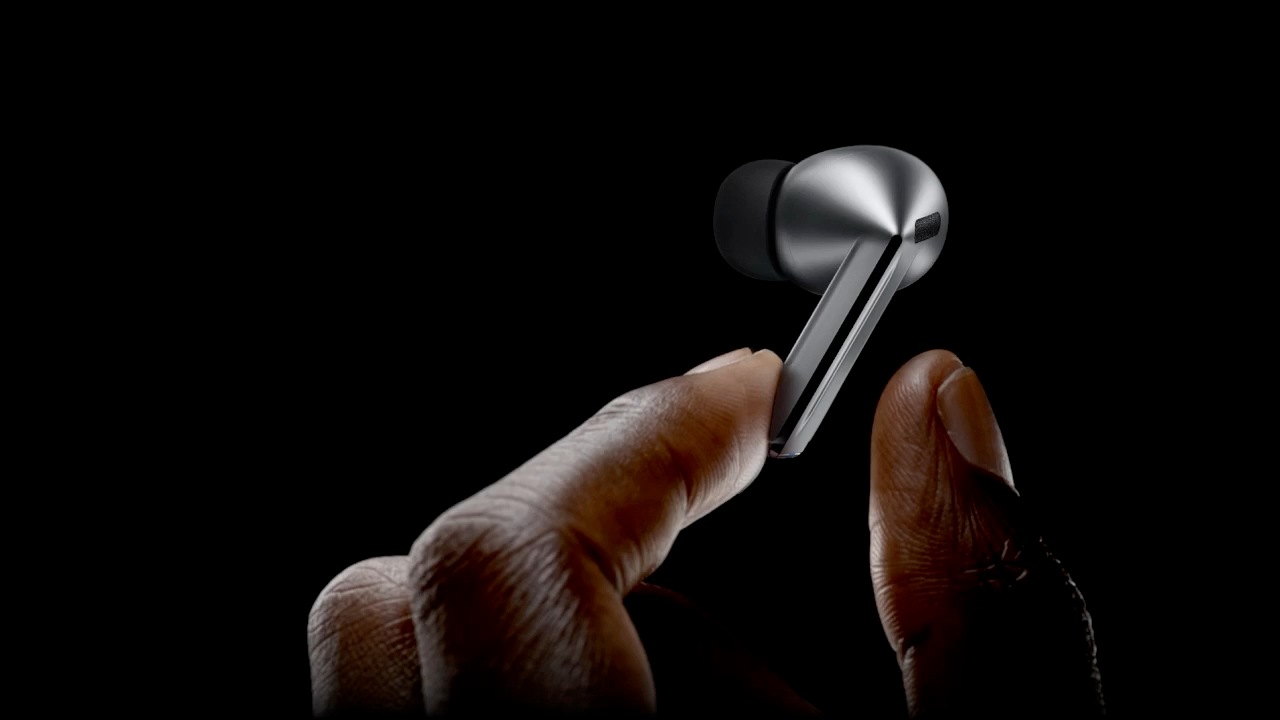
Flawless control at your fingertips
Leave your phone in your pocket and conveniently control your earbuds by using simple gestures. Even with a swift swipe, rest assured your Galaxy Buds3 Pro stay securely in your ears.
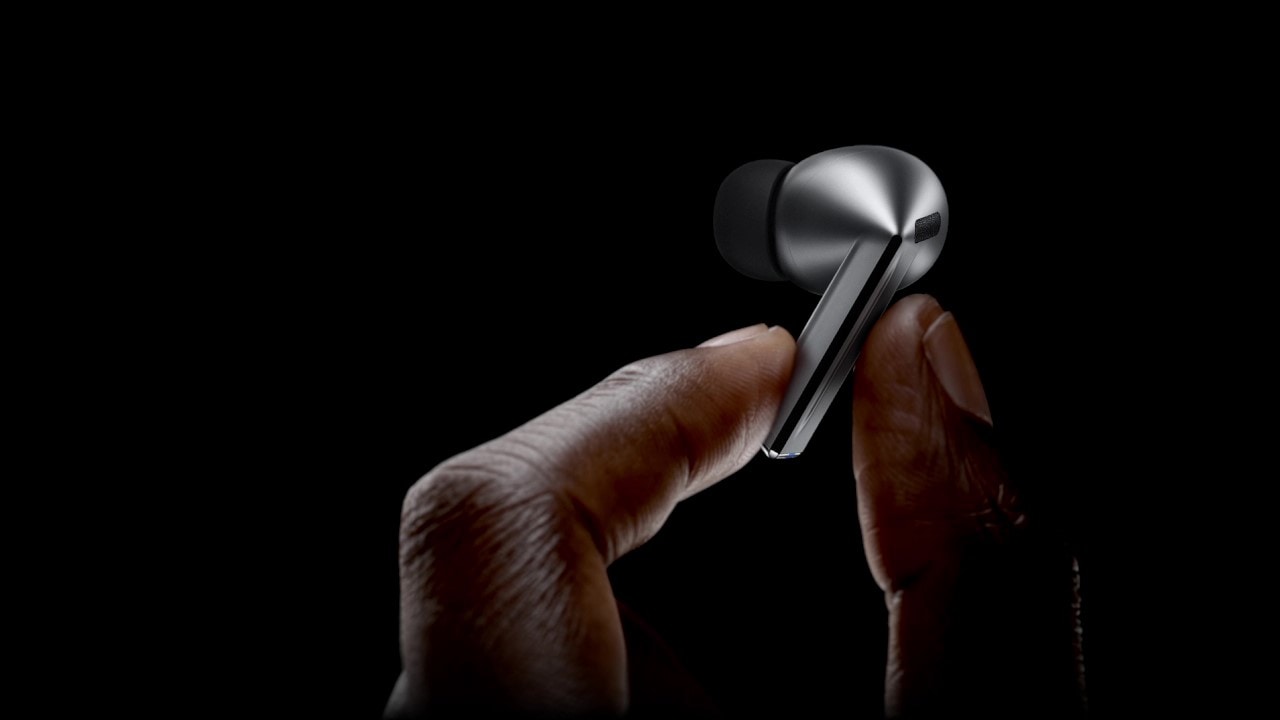
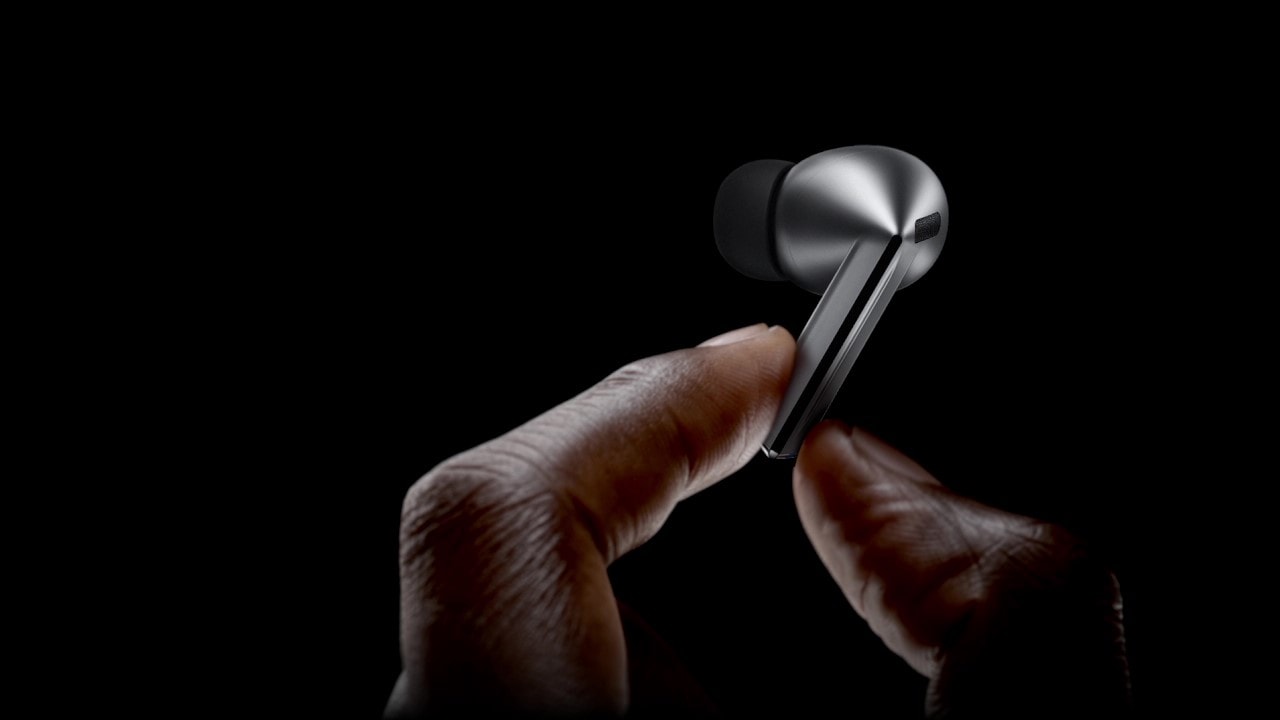
A finger swipes across the blade of a single, Galaxy Buds3 Pro earbud.


Clear-cut sound in each note
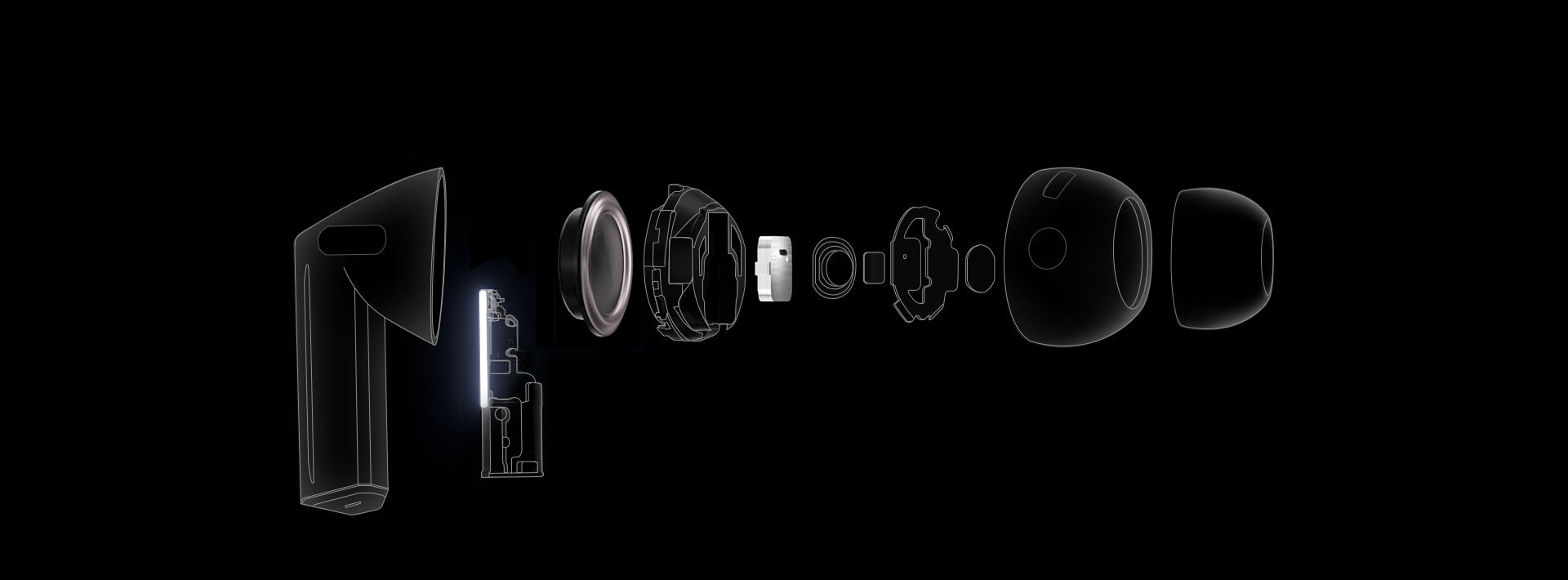
Immerse yourself in the elaborate details — from the deep rumble of the bass to the clear, crisp highs of the trebles — with enhanced 2-way speaker. Hear the vibrato of instruments with minimal distortion through our first-ever dual amp.


- Wind Shield
- Blade Lights
- Swipe
- Pinch Control
-
Dual Amplifier
Powered by our first-ever, independently controlled woofer and tweeter, Galaxy Buds3 Pro diminishes interference between speakers — allowing you to experience a broader spectrum of sound and balance across various frequencies. ,
-
Enhanced 2-Way Speaker
Discover an orchestra of sound — the full-bodied bass of the cello from the woofer to the subtle tremble of strings through a planar tweeter — coming together in harmony to evoke waves of emotion and unveil the minute details that would've gone unnoticed. ,

Stunning,
studio-like sound
Retain ultra high-quality audio from the recording studio to your Galaxy Buds3 Pro. The Samsung Seamless Codec compresses and encodes up to 24bit / 96kHz audio. Then, decodes on the Galaxy Buds3 Pro, maintaining the 24bit / 96kHz, high-fidelity sound so you can hear the intricate details, just as it was intended. ,


Seamless Codec

Galaxy AI adjusts sound to your fit
Delve into your personal soundscape with Galaxy AI-assisted Adaptive EQ/Adaptive ANC. Based on individual ear shape and wearing habits, our AI-boosted algorithm analyzes sound detected through the inner and outer mics in real-time. Then, Galaxy AI optimizes your listening experience by adjusting the sound to conform to your fit with pinpoint precision. ,
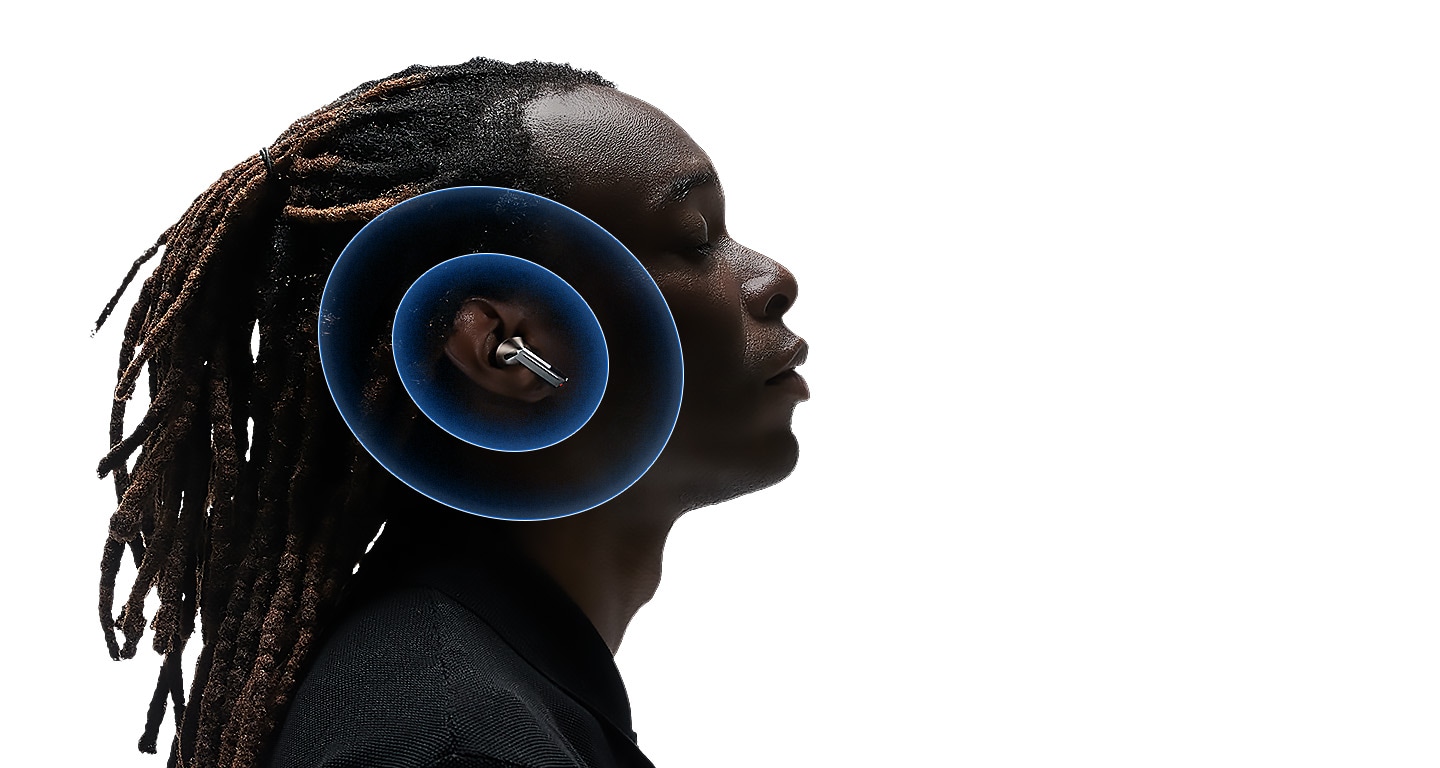
Adaptive Noise Control. Tune into what matters
Keep your Galaxy Buds3 Pro on and continue to engage with the world around you. Using Galaxy AI, Galaxy Buds3 Pro identifies and prevents unnecessary noise intuitively. Then, it optimizes your audio experience by re-adjusting the balance between ANC and Ambient mode to correspond to your surroundings. So you can listen to your favorite tunes, uninterrupted. , , , ,
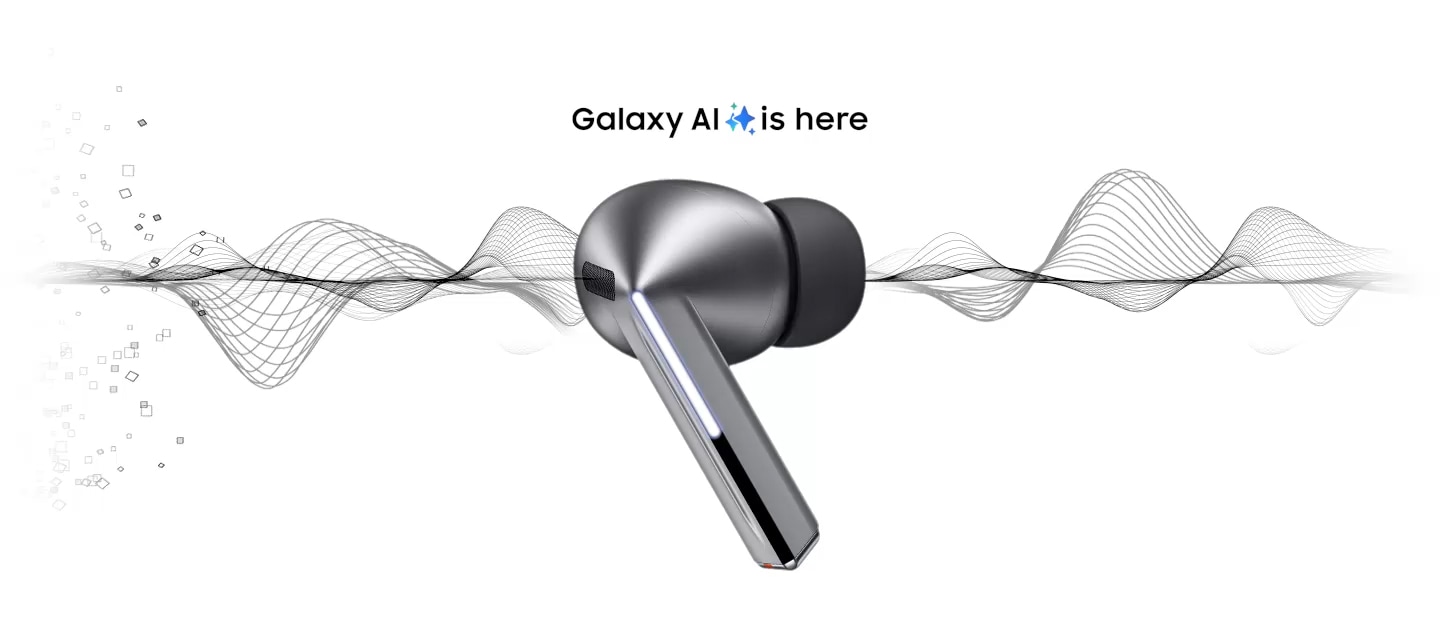

A Galaxy Buds3 Pro earbud in silver with 'Galaxy AI is here' above the earbud. Large particles, representing noise are on one side of the earbud and sans particles on the other. 3 images appear. An image of New York City with several taxis, people having a conversation and an ambulance with the siren on.
-
 Noise Control
 Instead of adjusting ANC manually, Adaptive Noise Control automatically assesses and reduces unwanted external noise — such as traffic — creating the right balance, allowing you to focus on hearing what you want to hear.
- Conversation
Carry on a conversation and Voice Detect will switch the ANC and Ambient modes on/off accordingly — so you can hear loud and clear without needing to take off your Galaxy Buds3 Pro.
- Alarm/Siren
Listen to your playlist in peace with Siren Detect. When an alarm or siren is detected, Galaxy Buds3 Pro automatically switches to Ambient mode, allowing you to hear sirens and stay alert, even while listening to music.


Break language barriers at the blink of an AI
With Galaxy AI, understand the world like never before. See the translation on your Samsung Galaxy smartphone, and simultaneously hear your conversation interpreted in real-time through your Galaxy Buds3 Pro. Discover what it means to be truly free of language barriers. , , , , , ,
 Hola. todos La lección de hoy será sobre la inflación.
 Hello. everyone Today’s lesson will be about inflation.
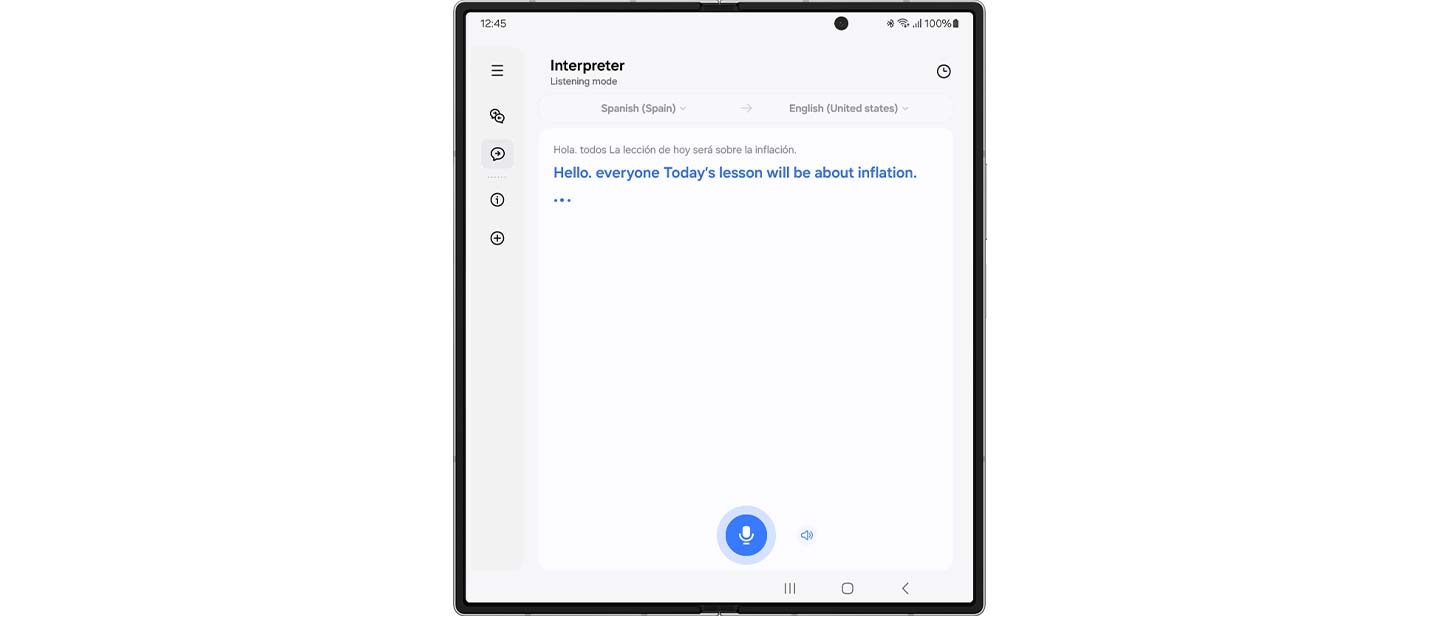
 Gracias pir su propuesta, la he revisado deternidamente
  Thanks for your proposal, I’ve looked it over carefully.
In conversation mode, place the phone mic toward the speaker, short press your Galaxy Buds3 Pro and listen to your conversation translated in real-time.
Once the app is open, the Interpreter feature will start up with the mode last used.
Super Clear Call, as if you are near
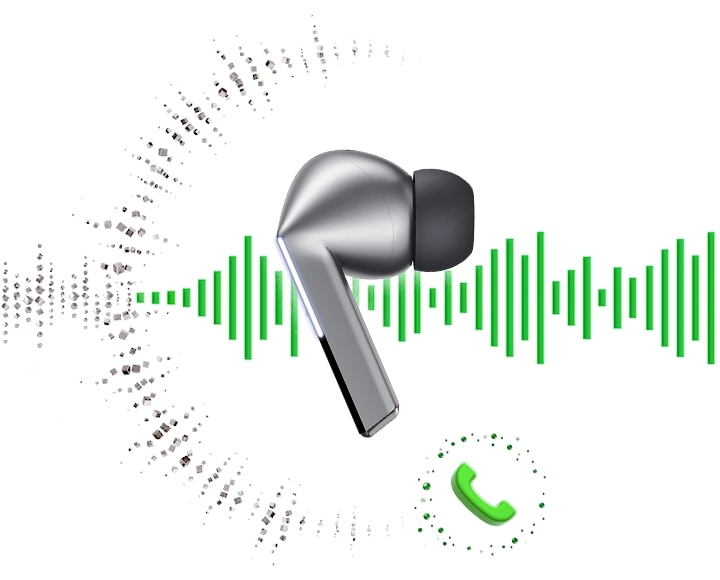
Looking for smooth, reliable, high-quality calls? Galaxy Buds3 Pro offers highly-improved call quality through enhanced machine learning and super wideband technology. The elaborately trained machine learning model analyzes ambient noise and the user’s voice patterns. Then it selectively removes unnecessary noise and improves call quality, ensuring your voice is heard — even in noisy environments. Enhance your conversations with rich, lifelike clarity through super wideband calls — double the voice bandwidth of conventional Bluetooth calls. , ,

PC Auto Switch
keeps the synergy going
PC Auto Switch on Galaxy Buds3 Pro detects audio activity and transfers the connection to your favorite Samsung Galaxy devices, so you can work and play seamlessly. ,
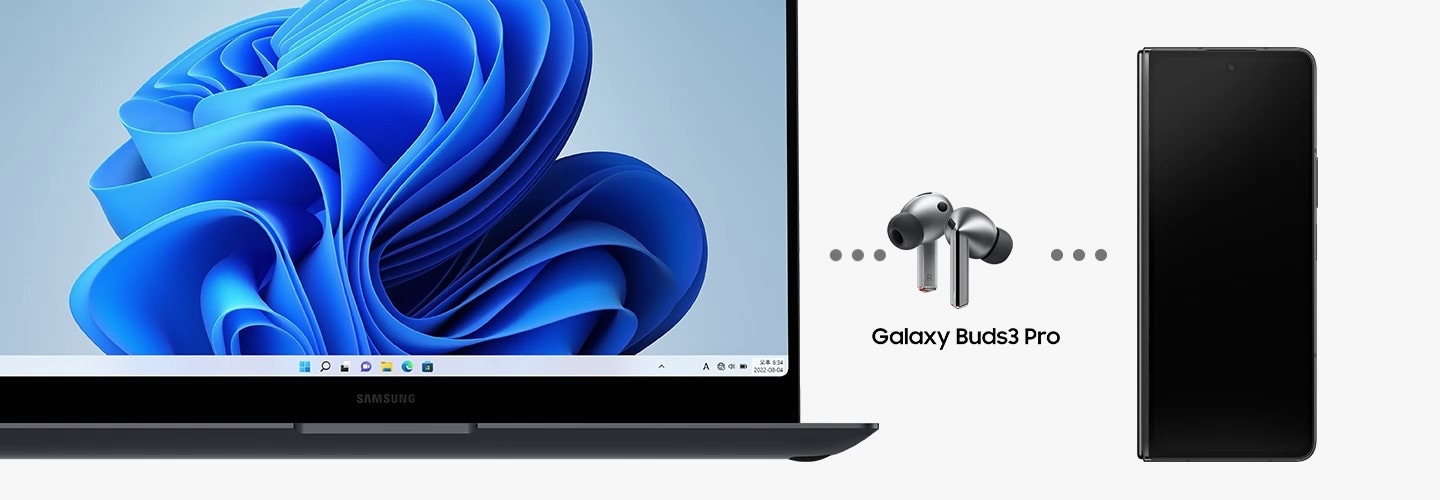
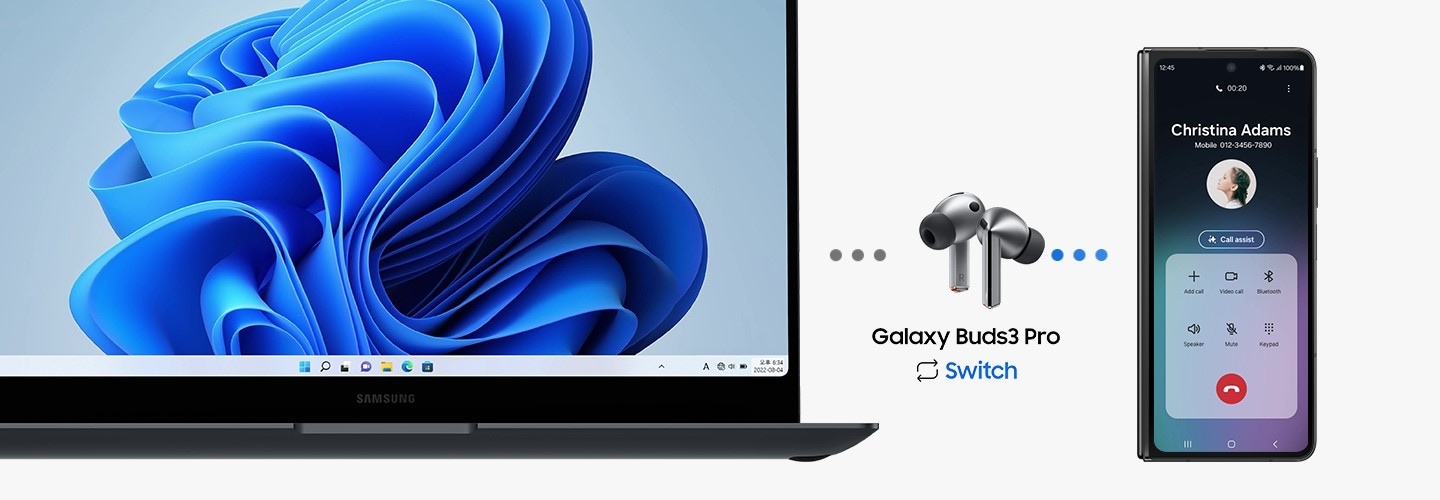
From left to right is a Samsung Galaxy Book laptop, Galaxy Buds3 Pro and Galaxy Z Fold6. A call from the Galaxy Z Fold6 appears on the Samsung Galaxy Book laptop. After answering the call on Galaxy Z Fold6, PC Auto Switch changes the Galaxy Buds3 Pro audio output from the laptop to the smartphone.
Personalize your sound via quick settings panel
Fine-tune your audio straight from the quick settings panel. Just swipe down from the top of the screen, touch and hold the volume slider or Buds icon and adjust noise control and sound settings. Best of all, your preferred sound settings are now saved for each app. Simply adjust them in the quick settings panel while the app is playing media. Whether you enjoy 360 Audio on YouTube or prefer bass boost equalizer on Spotify, your audio is always tuned just the way you like it. 58, 59, 60, 61
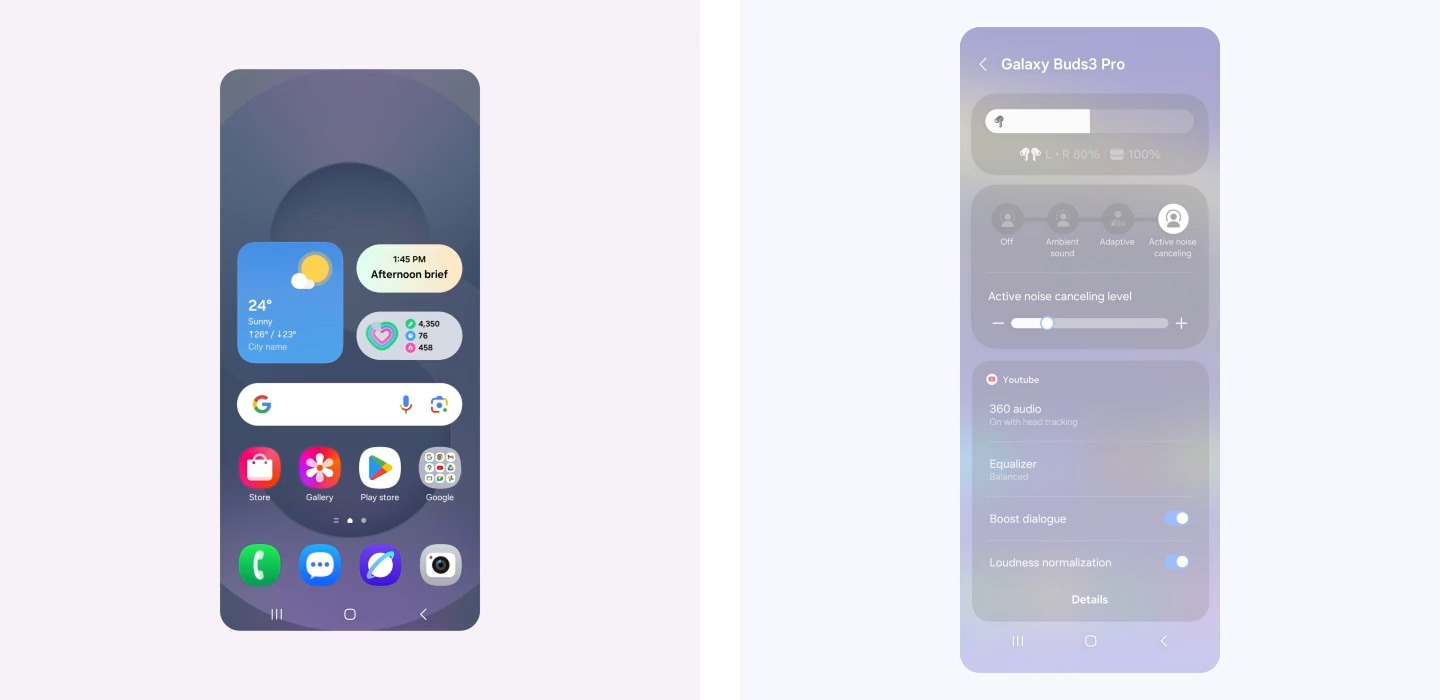
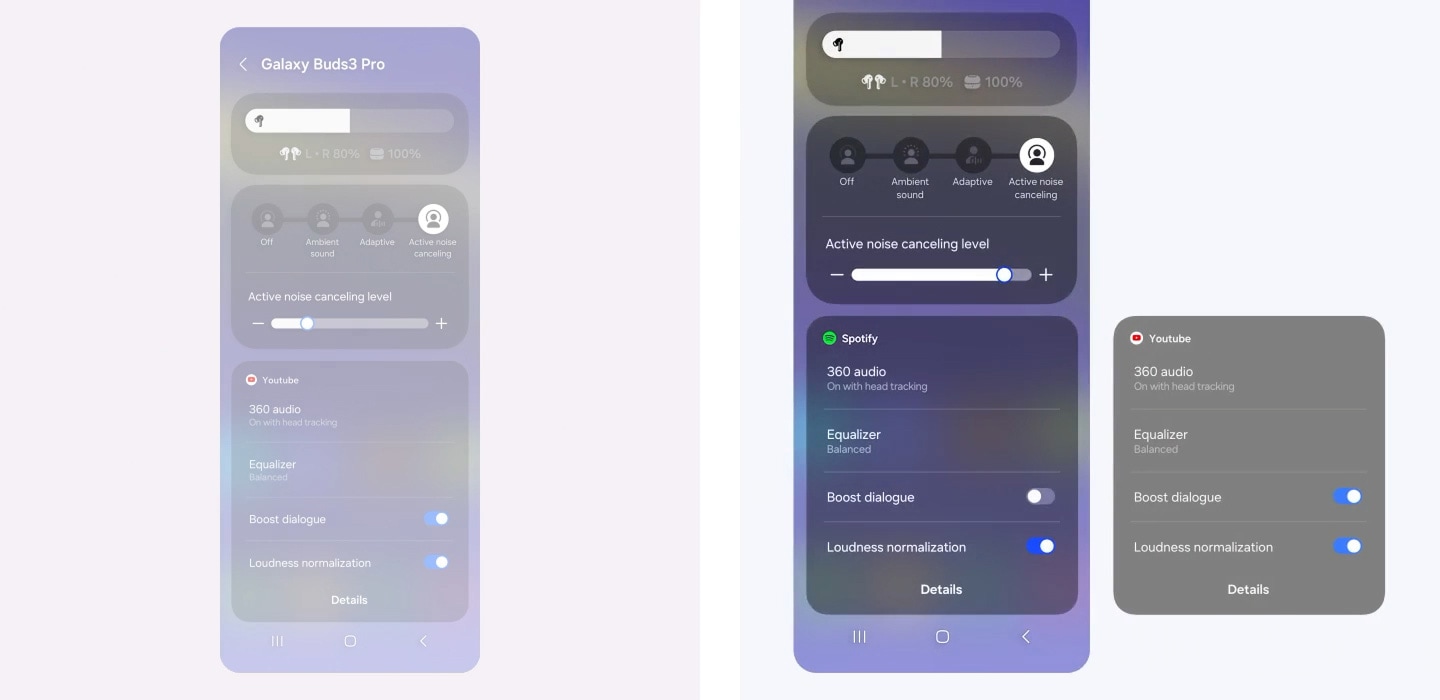
A Galaxy smartphone screen is swiped down, which opens up the quick settings panel. It's zoomed in on the volume slider which is pressed for few seconds to open a widget showing Buds battery level and Active Noise Canceling level. Another screen is zoomed in on Active Noise Canceling level widget where the ANC level slides up from left to right. Below, a widget for YouTube audio displays settings for 360 audio, Equalizer, Boost dialogue and Loudness normalization. It then changes to a widget for Spotify audio, showing a different set of audio configurations. For Spotify, the audio displays settings for 360 audio, Equalizer, Boost dialogue turned off and Loudness normalization turned on. Finally, the view zooms out to show all the settings previously shown.


Your personalized sound sanctuary
Mindfulness comes with daily practice. At the press of a button, teleport to a worry-free world of your own with Samsung Health powered by Calm. Alleviate stress with peaceful melodies from nature, improve your focus with white noise or relax with ASMR content for a happier, healthier you. , , , ,
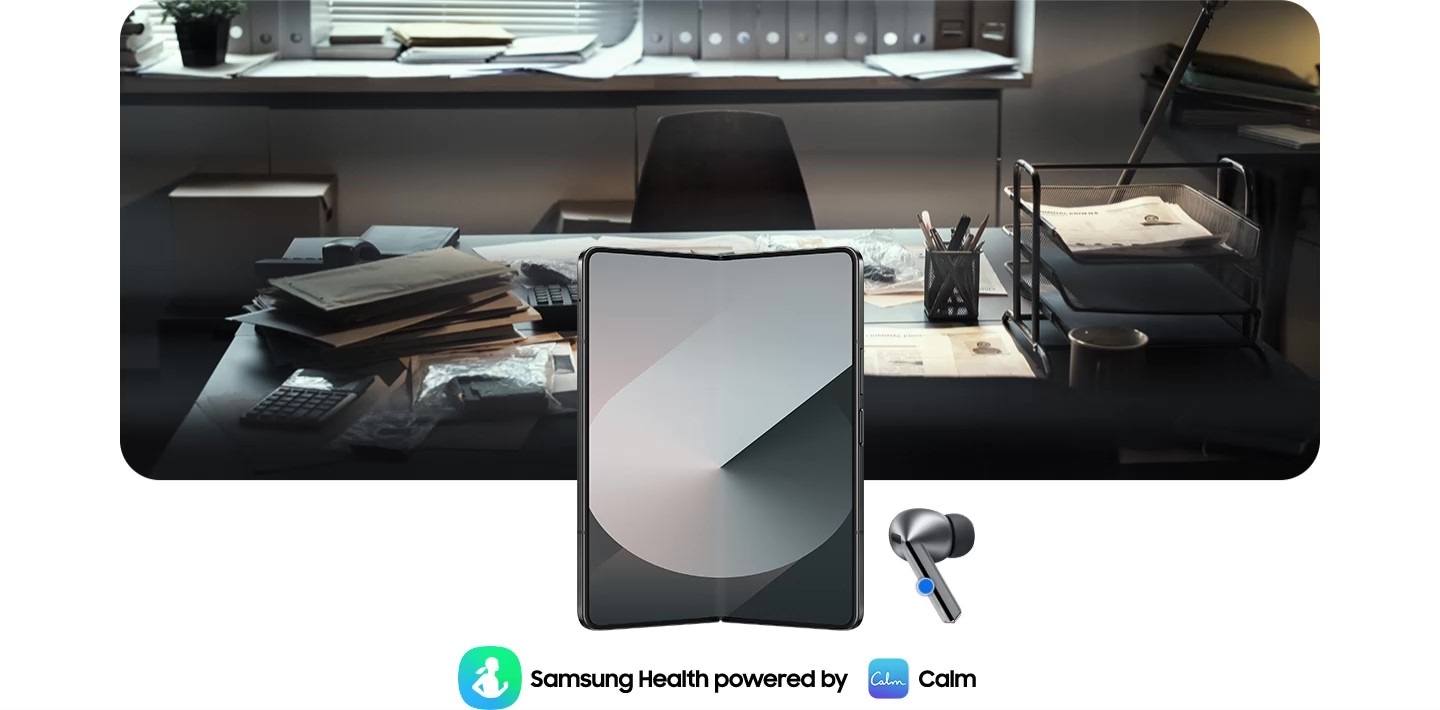
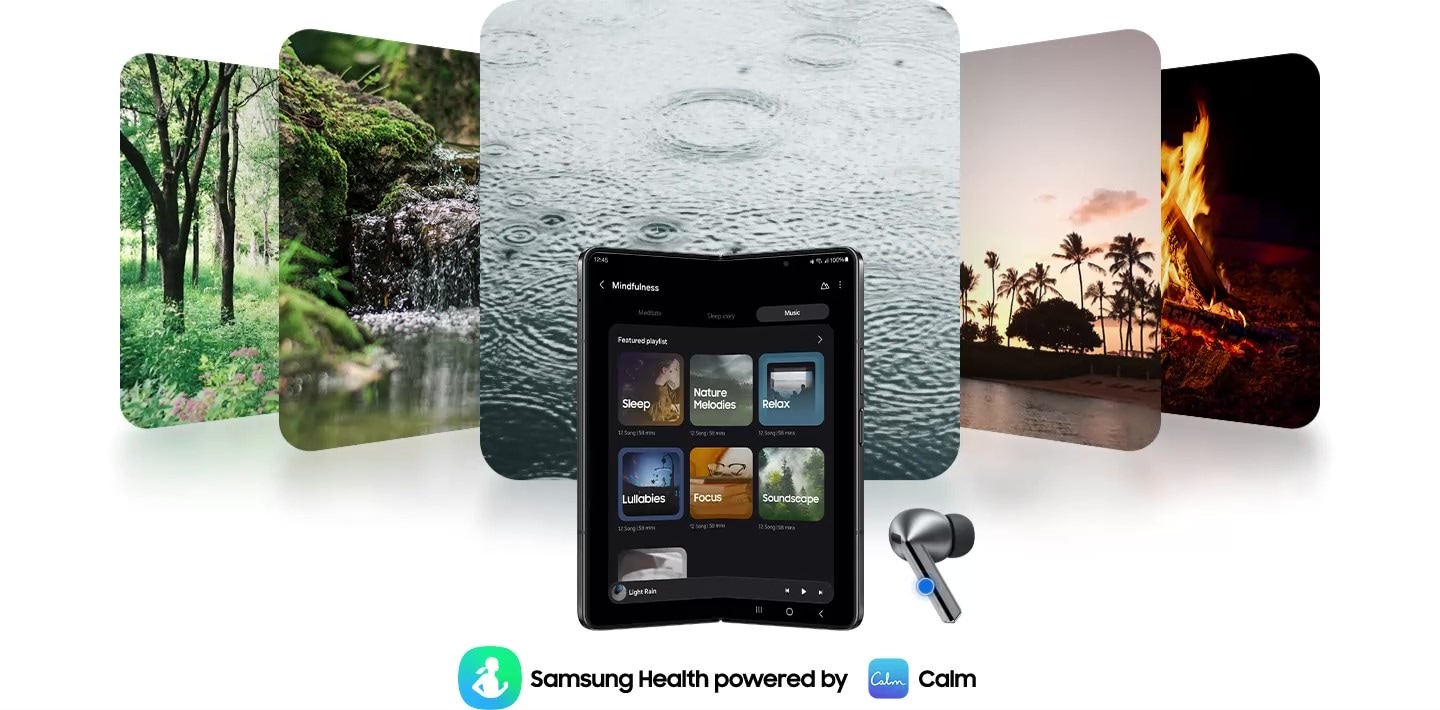
Galaxy Z Fold6 is open with a Galaxy Buds3 Pro earbud on the right and Samsung Health powered by Calm application icons on the bottom. By pressing Galaxy Buds3 Pro, the app activates and at the same time, the office image changes to 5 images of nature. An image of trees, a river, raindrops falling, palm trees and a bonfire.
Enjoy the seamless experience across Android smartphones
Start your Galaxy Wearable experience on your Android smartphone. Pair your Galaxy Watch, Buds or Ring easily with the Android phone you already have. Just download the Galaxy Wearable and Samsung Health apps on Google Play, and you’re good to go. You can even try out different watch faces on the Galaxy Wearable app—mix and match various features to your liking. , , , , , , , , ,





Sound

Sound
Sound
Sound
Sound
Intelligent Personalization
Intelligent Personalization
Intelligent Personalization
Control Interface
Control Interface
Control Interface
Durability
Blade Lights
Play time
(ANC Off)
Up to 6.0/26hr
(ANC On)
(ANC Off)
Up to 6.0/24hr
(ANC On)
(ANC Off)
Up to 6.0/21hr
(ANC On)


- Images simulated for illustrative purposes.
- Interpreter requires Samsung Account login. Certain languages may require language pack download. Service availability may vary by language. Accuracy of results is not guaranteed. Availability and supported features may vary by country, region or carrier. Availability of supported languages may vary.
- Audio interpretation is only available when wearing Galaxy Buds and connected to a Samsung Galaxy smartphone. Interpreter feature is not directly provided by Galaxy Buds themselves. If Galaxy Buds are unavailable, the interpreted content is provided on the screen of your Samsung Galaxy smartphone.
- Blade Lights only available on Samsung Galaxy Buds3 Pro.
- Specific Blade Light modes can be configured under Settings.
- Ultra High-Quality Audio up to 24bit / 96kHz is available on Galaxy S24 series, Galaxy S23 series, Galaxy Z Fold6, Galaxy Z Flip6, Galaxy Z Fold5, Galaxy Z Flip5 and Galaxy Tab S9 series with One UI 6.1.1 or above. Additional devices may be supported in the future.
- Adaptive Noise Control, Voice Detect and Siren Detect are off by default, and can be configured directly in the phone settings for devices running One UI 8.0 and later. For devices running on earlier versions of One UI, configurations can be found in the Galaxy Wearable app.
- The Adaptive Noise Control, Voice Detect and Siren Detect features are only available on Samsung Galaxy Buds3 Pro.
- Images simulated for illustrative purposes. Sequences shortened and simulated. Actual UI may be different.
- Galaxy AI features are supported on Galaxy S24 series, Galaxy S23 series, Galaxy Z Fold5 series, Galaxy Z Flip5 series, Galaxy S23 FE, Galaxy S22 series, Galaxy Z Fold4 series and Galaxy Z Flip4 series as of May 2024.
- Available colours may vary by country or carrier.
- In-box items include the Galaxy Buds3 Pro, a charging case, three sets of ear tips for the left and right ear (S, M(default), L), a USB cable and a quick start guide.
- Galaxy Buds3 Pro is the first Galaxy Buds with 2-Way Speaker featuring a planar tweeter and Dual Amp.
- Samsung Account login may be required to use certain Samsung AI features.
- Samsung does not make any promises, assurances or guarantees as to the accuracy, completeness or reliability of the output provided by AI features.
- Galaxy AI features will be provided for free until the end of 2025 on supported Samsung Galaxy devices. Different terms may apply for AI features provided by third parties.
- ANC (Active Noise Canceling) is on by default.
- 'Default setting' refers to the original setting for the Galaxy Buds3 Pro when it was first released, simply with the power turned on.
- Devices sold separately.
- Samsung Galaxy devices may require the latest software update to properly support Galaxy AI features.
- The default setting of the Pinch and Hold gesture is set to Noise Control. In order to change the Interpreter Mode, the settings must be configured directly in the phone settings for devices running One UI 8.0 and later. For devices running on earlier versions of One UI, configurations can be found in the Galaxy Wearable app.
- 360 Audio is only available on Samsung Galaxy smartphones and Galaxy Tab devices with Android One UI version 3.1 or later, and selected Samsung TV models. Supported Samsung TV models include: Neo QLED 8K (QN900D, QN800D), Neo QLED 4K (QN95D, QN90D, QN87D, QN85D) OLED (S95D, S90D, S85D), QLED (Q80D, Q70D). Support for 360 Audio and head tracking may vary depending on the application and content.
- Direct Multi-channel is available on Samsung Galaxy smartphones and Galaxy Tab devices with Android One UI version 4.1.1 or later.
- Auto Switch feature is only available on Samsung Galaxy Book series with One UI 6.0 or later, Samsung Galaxy smartphones and Galaxy Tab devices with One UI 4.1.1 or later and Galaxy Watch4 series or later. Samsung Galaxy devices must be logged in to Samsung Account to enable the Auto Switch feature. Auto Switch feature for Samsung TV is only available on Samsung TVs launched Feb ’22 or later after getting a firmware update from Jul ’22. Auto Switch with TV is only available for making and receiving phone calls.
- Devices with Auracast Source ability are available only on Samsung Galaxy smartphones, tablets with Android One UI version 6.1 or later, and select TV models. Supported Galaxy smartphone and tablet models include: S24+, S24, S24 Ultra, Galaxy Z Flip6, Galaxy Z Fold6, Galaxy Z Flip5, Galaxy Z Fold5, S23+, S23 (except FE edition), S23 Ultra, Tab S9+, Tab S9+ 5G, Tab S9, Tab S9 Ultra, Tab S9 Ultra 5G, Tab S9 FE+, Tab S9 FE+ 5G, Tab S9 FE, Tab S9 FE 5G and Tab S9 5G. Supported TV models include: 2024 NeoQLED 8K QND800, QND900, 2023 Neo QLED 8K and 2023 MICRO LED models.
- Devices with Auracast Assistant ability are available only on Samsung Galaxy smartphones, tablets with Android One UI version 5.1.1 or later. Supported Galaxy smartphone and tablet models include: S24+, S24, S24 Ultra, S23+, S23, S23 Ultra, Z Fold6, Z Flip6, Z Fold5, Z Flip5, Z Fold4, Z Flip4, A54 5G, A55 5G, M54 5G, Tab S9+, Tab S9+ 5G, Tab S9, Tab S9 Ultra, Tab S9 Ultra 5G, Tab S9 FE+, Tab S9 FE+ 5G, Tab S9 FE, Tab S9 FE 5G, Tab S9 5G and Tab Active 5G.
- Connecting 2 or more devices to Auracast is limited to Samsung Galaxy devices.
- The quality of the Auracast audio stream may vary depending on the application, network connection and other factors.
- The Voice Command menu appears when the language pack matching the system language exists. Voice Command is limited to fixed commands and is only available in Korean, English (India, United Kingdom, United States), Portuguese (Brazil), Chinese, German, Spanish (Mexico, Spain), Italian and Polish at the time of release.
- The initial language for commands follows the system language setting, and can be altered in the phone settings for devices running One UI 8.0 and later. For devices running on earlier versions of One UI, configurations can be found in the Galaxy Wearable app.
- Additional language packs may be supported in the future.
- Some content may incur additional charges. Samsung Account log in is required for Samsung Health.
- With ANC on/off, earbuds and case provide up to 30 hours of play time on a full charge. Based on internal testing. Play time tested by pairing a pre-production Galaxy Buds3 Pro to a recently released Galaxy smartphone with default settings. Actual battery life may vary and depend on usage conditions, settings, number of times charged, Bluetooth signal strength, and other factors. 'Play time' refers to when the Galaxy Buds3 Pro are connected to the phone, streaming music. Actual Play time may vary based on settings.
- IP57 is based on laboratory test conditions for submersion in up to 1 meter of fresh water for up to 30 minutes.
- Not advised for beach or pool use. Charging case is not water resistant. If the earbuds are damaged, they are not guaranteed to be water resistant. If the earbuds or your hands are wet, they must be dried thoroughly prior to handling or placing into the charging case. If placed into the charging case without drying, the earbuds may be damaged.
- Provided charging case is to charge the Galaxy Buds3 Pro.
- The Galaxy Wearable application can only be downloaded on smartphones with Android 10.0 or above and minimum 1.5GB Memory.
- Actual battery life may vary and depend on usage conditions, settings, number of times charged, Bluetooth signal strength, and other factors.
- Actual Play time may vary based on settings.
- Ambient sound turns on automatically when a siren is detected. If the siren is brief or is quieter than the background noise, it may not be detected. While Siren Detect can be helpful in emergency situations, your safety is not guaranteed.
- Feature availability may vary by language, country or region.
- Mindfulness feature settings can be configured directly in the phone settings for devices running One UI 8.0 and later. For devices running on earlier versions of One UI, configurations can be found in the Galaxy Wearable app. The Samsung Health app needs to be downloaded in order to use the Mindfulness feature.
- Service availability may vary by country or region.
- The TV 360 Audio feature is not supported as of July 2024 for Galaxy Buds3 and Galaxy Buds3 Pro models, but is expected to be available in a feature update.
- The typical capacity has been tested under independent laboratory settings using the IEC 61960-3 standard. Typical capacity is the average estimated capacity, accounting for variations across battery samples. The rated capacity is 53mAh for the earbuds and 515mAh for the charging case.
- Galaxy Watch7, Galaxy Watch Ultra and Galaxy Ring must be paired with a smartphone with Android 11.0 or above and minimum 1.5GB Memory.
- Connecting Samsung Galaxy Buds as Bluetooth Audio is available regardless of the OS. For devices running One UI 8.0 and later, settings can be configured directly in the phone settings. For devices running on earlier versions of One UI, configurations can be found in the Galaxy Wearable app. Additionally, to use the Galaxy Wearable app, Samsung Galaxy Buds must be paired with a smartphone running Android 11.0 or above with at least 1.5 GB of memory.
- Advanced settings on the Galaxy Wearable app include Noise Control, Adaptive EQ, Pinch Control and software update. For devices running One UI 8.0 and later, settings can be configured directly in the phone settings. For devices running on earlier versions of One UI, configurations can be found in the Galaxy Wearable app.
- Some features are only available on selected Samsung Galaxy smartphones.
- Galaxy Wearable app is not supported on iOS.
- Samsung Health Monitor app is only available on Samsung Galaxy smartphones.
- Gesture and Find My Ring features are only available on Samsung Galaxy smartphones.
- Suggested Replies feature on Galaxy Watch7 and Galaxy Watch Ultra is only available on Samsung Galaxy smartphones.
- Availability and supported features may vary by country, region or carrier.
- Android is a trademark of Google LCC.
- Super wideband call is available on Galaxy Z Fold6, Galaxy Z Flip6 with One UI 6.1.1 or above. Additional devices may be supported in the future.
- Super Wideband (SWB) is available regardless of the Call App. SWB may not be supported depending on the mobile network between devices.
- Video simulated for illustrative purposes.
- Actual UX, UI may be different.
- Availability of functions may vary by country, language, device model, apps. Some functional widgets may require a network connection and/or Samsung Account login.
- Available on Samsung Galaxy devices with One UI 7.0 or above. Additional devices may be supported in the future.
Specifications
-
Bluetooth Version
Bluetooth v5.4
-
Earbud Weight (g)
5.4
-
Earbud Battery Capacity (mAh, Typical)
53.0
-
Number of MIC
6
-
Speaker
Enhanced 2-way
-
Ambient Sound
Yes
-
Adaptive Noise Control
Yes
-
Active Noise Cancellation
Yes
-
Voice Detect
Yes
-
360 Audio
Yes
-
Siren Detect
Yes
-
Audio Codec
AAC, SBC, SSC(Samsung Seamless Codec), SSC-UHQ
-
Adaptive EQ
Yes
-
Adaptive ANC
Yes
-
Super Wide Band
Yes
-
Bluetooth Version
Bluetooth v5.4
-
Bluetooth Profiles
A2DP, AVRCP, HFP, PBP, TMAP
-
LE Audio
Yes
-
Auto Switch
Yes
-
Accelerometer, Gyro Sensor, Hall Sensor, Pressure Sensor, Proximity Sensor, Touch Sensor, VPU(Voice Pickup Unit)
-
Earbud Dimension (HxWxD, mm)
18.1 x 19.8 x 33.2
-
Earbud Weight (g)
5.4
-
Case Dimension (HxWxD, mm)
48.7 x 58.9 x 24.4
-
Case Weight (g)
46.5
-
Durability
IP57
-
Talk Time (Hours, ANC On)
Up to 4.5
-
Total Talk Time (Hours, ANC On)
Up to 20
-
Music Play Time (Hours, ANC On)
Up to 6
-
Total Music Play Time (Hours, ANC On)
Up to 26
-
Talk Time (Hours, ANC Off)
Up to 5
-
Total Talk Time (Hours, ANC Off)
Up to 22
-
Music Play Time (Hours, ANC Off)
Up to 7
-
Total Music Play Time (Hours, ANC Off)
Up to 30
-
Earbud Battery Capacity (mAh, Typical)
53.0
-
Case Battery Capacity (mAh, Typical)
515
-
Samsung Find
Yes
-
Bixby Voice Wake-up
Yes
-
Neck Stretch Reminder
Yes
-
Voice Command
Yes
Reviews
Galaxy Buds3 Pro
- Customers praise crisp highs, deep bass, and rich mids as outstanding across music, podcasts, and calls
- Most highlight phenomenal noise cancellation that adapts dynamically and blocks ambient noise effectively
- Many love Galaxy AI features including real-time translation, audio enhancement, and seamless voice control
- Several report fit instability, with earbuds falling out during movement or causing discomfort after extended wear
- A few experience charging inconsistencies or variable battery life, though most find performance satisfactory
Reviews with images & videos
Filters
Relevancy sort puts the best reviews at the top. We look at things like helpfulness votes, latest review, pictures and other traits that readers look for in their reviews.
Filters
15,094 Reviews
2025-12-31
![[D] Alternative Text](https://photos-us.bazaarvoice.com/photo/2/cGhvdG86c2Ftc3VuZy1lbl9jYQ/4ec29ae6-2571-5e56-83ed-5db58e724c4a)
![[D] Alternative Text](https://photos-us.bazaarvoice.com/photo/2/cGhvdG86c2Ftc3VuZy1lbl9jYQ/67e7a27d-6287-594e-8700-2872abeb8816)
2024-07-21
![[D] Alternative Text](https://photos-us.bazaarvoice.com/photo/2/cGhvdG86c2Ftc3VuZy1lbl9jYQ/9a845593-7d97-5eb3-ba1c-feaf151be740)
![[D] Alternative Text](https://photos-us.bazaarvoice.com/photo/2/cGhvdG86c2Ftc3VuZy1lbl9jYQ/fb53c6bb-4883-59c9-b88c-8fca6468971a)
Samsung Support Team
Hey there, thank you for taking time out of your day to share your thoughts with us about your Samsung Galaxy Buds3 Pro. We will share your feedbacks with team. Please feel free to contact us at 1-800-SAMSUNG or via live chat on our website (http://www.samsung.com/ca/support/) for further assistance. We appreciate you being a loyal Samsung customer.
2025-12-19
![[D] Alternative Text](https://photos-us.bazaarvoice.com/photo/2/cGhvdG86c2Ftc3VuZy1lbl9jYQ/9934d06b-07c7-5055-bc8d-148214f2fb66)
![[D] Alternative Text](https://photos-us.bazaarvoice.com/photo/2/cGhvdG86c2Ftc3VuZy1lbl9jYQ/fa749f9a-ea3a-56de-8669-575099274668)
2025-04-21
![[D] Alternative Text](https://photos-us.bazaarvoice.com/photo/2/cGhvdG86c2Ftc3VuZy1lbl9jYQ/238d1178-36ee-5dc8-8d7c-ec81fb181411)
![[D] Alternative Text](https://photos-us.bazaarvoice.com/photo/2/cGhvdG86c2Ftc3VuZy1lbl9jYQ/a2a98e1a-3102-5403-bf77-e31948a4db40)
2025-12-10
![[D] Alternative Text](https://photos-us.bazaarvoice.com/photo/2/cGhvdG86c2Ftc3VuZy1lbl9jYQ/158be0de-73dc-50c6-a623-e70df18ca2f7)
![[D] Alternative Text](https://photos-us.bazaarvoice.com/photo/2/cGhvdG86c2Ftc3VuZy1lbl9jYQ/4f10f704-e142-51b2-aa4c-332887b47f03)
SECA CS
Hello Aaaaaaa, We appreciate you sharing your experience with us. We’re sorry to hear that you experienced challenges with your product and will share this feedback to our relevant teams. If you would like to provide additional feedback or discuss this ticket further, our email support will be happy to assist by visiting https://www.samsung.com/ca/support/emailsupport/ and choosing ‘Email General Support’ Thank you, Samsung Customer Care
2025-12-09
![[D] Alternative Text](https://photos-us.bazaarvoice.com/photo/2/cGhvdG86c2Ftc3VuZy1lbl9jYQ/24fbc66a-0029-585d-8b2e-ee4a8ab439c6)
![[D] Alternative Text](https://photos-us.bazaarvoice.com/photo/2/cGhvdG86c2Ftc3VuZy1lbl9jYQ/1ff4c523-4e7a-5ed6-a3ed-41374a0f1b12)
SECA CS
Hello StefanD, Thank you for taking time out of your day to providing us product feedback. We will pass this to our relevant teams. For additional product feature feedback or troubleshooting support, please connect with our experts via Live Chat at www.samsung.com/ca/support/live-chat-support Thank you, Samsung Customer Care.
2026-02-14
SECA CS
Hello snipper8549, We appreciate you sharing your experience with us. We’re sorry to hear that you experienced challenges with your product and will share this feedback to our relevant teams. For product feature feedback or troubleshooting support, please connect with our experts via Live Chat at www.samsung.com/ca/support/live-chat-support Thank you, Samsung Customer Care.
2026-10-27
2026-01-21
![[D] Alternative Text](https://photos-us.bazaarvoice.com/photo/2/cGhvdG86c2Ftc3VuZy1lbl9jYQ/f1105e34-c696-5453-aca7-cc8105af6a2b)
![[D] Alternative Text](https://photos-us.bazaarvoice.com/photo/2/cGhvdG86c2Ftc3VuZy1lbl9jYQ/f83cf614-61d7-5038-91f2-d25a49af59ef)
2026-02-04
2024-08-31
Samsung Support Team
Hello, thank you for sharing your feedback. At Samsung.ca, we always aim to satisfy our valued customers and would love to help. Please feel free to contact us at 1-800-SAMSUNG or via live chat on our website (http://www.samsung.com/ca/support/) for assistance. Thanks!
2024-08-19
Samsung Support Team
Hello, thank you for sharing your feedback. At Samsung.ca, we always aim to satisfy our valued customers and would love to help. Please feel free to contact us at 1-800-SAMSUNG or via live chat on our website (http://www.samsung.com/ca/support/) for assistance. Thanks!
2026-02-18
SECA CS
Hello Alee, Thank you for taking time out of your day to providing us product feedback. We will pass this to our relevant teams. For additional product feature feedback or troubleshooting support, please connect with our experts via Live Chat at www.samsung.com/ca/support/live-chat-support Thank you, Samsung Customer Care.
2025-10-10
WV
R&R
Hi Andrew W, Thank you for sharing your experience with the Galaxy Buds3 Pro. The Bluetooth connection ensures seamless pairing and adaptive switching between devices within the Galaxy ecosystem. If your earbuds connect to your device even when not in use, keeping them in the case should prevent this. However, if the behavior persists, please contact our Samsung Support Team for further assistance. Samsung Care+ https://www.samsung.com/us/support/samsung-care-plus/ Samsung Warranty https://www.samsung.com/us/support/samsung-care/\ -Ty Samsung Support smsng.us/Samsung-Support Samsung Community smsng.us/Samsung-Community Facebook smsng.us/Facebook-Messenger X https://smsng.us/X-Messages
2025-09-16
2026-08-18
2025-12-19
![[D] Alternative Text](https://photos-us.bazaarvoice.com/photo/2/cGhvdG86c2Ftc3VuZy1lbl9jYQ/967ab035-f19e-57cf-ab37-362cfd6d6806)
![[D] Alternative Text](https://photos-us.bazaarvoice.com/photo/2/cGhvdG86c2Ftc3VuZy1lbl9jYQ/f2fb67c4-04d6-57d6-bdc1-27e7727af649)
2025-05-21
![[D] Alternative Text](https://photos-us.bazaarvoice.com/photo/2/cGhvdG86c2Ftc3VuZy1lbl9jYQ/fae29326-621d-5593-bac6-6cb961c4ef59)
![[D] Alternative Text](https://photos-us.bazaarvoice.com/photo/2/cGhvdG86c2Ftc3VuZy1lbl9jYQ/55eb65aa-c096-5427-9741-59ee10518a06)
2024-10-03
![[D] Alternative Text](https://photos-us.bazaarvoice.com/photo/2/cGhvdG86c2Ftc3VuZy1lbl9jYQ/c8385f8f-65c4-5b7e-afdc-0ce2111006a5)
![[D] Alternative Text](https://photos-us.bazaarvoice.com/photo/2/cGhvdG86c2Ftc3VuZy1lbl9jYQ/aa87bf36-b74a-5b23-948f-56153b332a38)
2025-02-18
R&R Team
Thank you so much for sharing your experience with the Galaxy Buds3 Pro! We're excited to see that you made the leap from the Buds2 Pro to the Buds3 Pro! With up to 26 hours of playtime on a single charge and a fully charged case extending that to an incredible 30 hours, they’re designed to keep you immersed in your favorite sounds all day long. We understand battery life is an important factor for many of our users. If you find yourself running low on charge, there are a couple of tips that can help conserve battery. For instance, when you’re not using the earbuds, it’s best to store them in the charging case with the cover closed. This simple step can really help preserve power. Additionally, adjusting your notification settings can make a significant difference. If you’re using the Galaxy Wearable app on your phone, you can easily manage those settings. For iOS users, the Galaxy Buds app provides the same functionality to help you customize your experience. Regarding the fit, we recommend checking out the link attached for steps on how to get the best fit for your buds. We hope this information helps you get the most out of your Galaxy Buds3 Pro! If you have any other questions or comments, please feel free to reach out to us at Samsung Support. Your feedback is invaluable to us! -Kelvin https://www.samsung.com/us/support/answer/ANS10003519/ smsng.us/Samsung-Support smsng.us/Facebook-Messenger smsng.us/X-Messages smsng.us/Samsung-Community smsng.us/Warranty-Info smsng.us/Samsung-Care-Plus
2025-08-04
2024-12-27
Richmond, Ca
2024-08-13
2025-10-05
2024-08-27
2025-09-15
R&R Team
Thank you for sharing your thoughts on the Galaxy Buds3 Pro! We appreciate knowing that you’ve tried out the different ear tips to find the right fit. To get the best performance, check the bottom of the earbuds for the directional marks. You’ll see an “L” for the left ear and an “R” for the right. When inserting them, place the R bud in your right ear with the “R” facing you, and the L bud in your left ear with the “L” facing you. Angle them slightly so that the microphone on the bottom is pointing toward your mouth. You can also rotate the earbuds back and forth to find the most comfortable fit. We recommend running the earbud fit test to ensure they're properly fitted. As for the volume concern with the Galaxy AI app that you are referring to, please check the sound settings for that specific app and look for any updates in the Wearable app. If the volume still seems off, we're here to help, so don’t hesitate to reach out to Samsung Support. Thank you again for your feedback! -Kelvin smsng.us/Samsung-Support smsng.us/Facebook-Messenger smsng.us/X-Messages smsng.us/Samsung-Community smsng.us/Warranty-Info smsng.us/Samsung-Care-Plus
2025-06-30
2024-07-31
2024-07-29
2025-02-15
2024-07-30
2024-08-07
Social Commerce
Hi there WildTea14, thank you for sharing your thoughts with us about your Samsung Galaxy Buds3 Pro. We are happy to hear you are finding the extended battery, enhanced audio quality, and ANC feature to be so enjoyable during your usage. We understand the material of the earbuds is an important factor when placinig in your ears and then back in to the charging case. The pinch feature of your earbuds can take some adjusting as well if you are accustomed to using the tap setting. We have provided a link to the Samsung Support Team if you have questions or would like to explore options for your experience further. Thank you for being a Samsung customer. -Elizabeth Samsung Support smsng.us/Samsung-Support Samsung Community smsng.us/Samsung-Community Facebook smsng.us/Facebook-Messenger X https://smsng.us/X-Messages
2024-10-11
2025-11-11
2025-08-02
2025-07-07
2024-11-17
2025-12-19
![[D] Alternative Text](https://photos-us.bazaarvoice.com/photo/2/cGhvdG86c2Ftc3VuZy1lbl9jYQ/3e3d5241-59f6-5746-82e3-c8d9d4f71832)
![[D] Alternative Text](https://photos-us.bazaarvoice.com/photo/2/cGhvdG86c2Ftc3VuZy1lbl9jYQ/9f4ad40f-7395-5f14-8ab3-394a73f3b820)
2024-09-11
2026-05-25
2025-06-26
2025-03-17
2026-03-30
2025-02-25
2025-02-11
2025-03-01
![[D] Alternative Text](https://photos-us.bazaarvoice.com/photo/2/cGhvdG86c2Ftc3VuZy1lbl9jYQ/1ec29b39-5d91-5404-b78c-93e8c406e03d)
![[D] Alternative Text](https://photos-us.bazaarvoice.com/photo/2/cGhvdG86c2Ftc3VuZy1lbl9jYQ/6353e0b7-002d-52ff-afac-ea3914bcdfbc)
Samsung Support Team
Hi, thank you for taking time out of your day to share your thoughts with us about your Samsung experience. We understand your frustration and we will share your feedback with the team. We appreciate you being a loyal Samsung customer.
2026-10-12
R&R Team
Hi there Djay4tech, thank you for sharing your thoughts about your Samsung Galaxy Buds3 Pro with us. We know it can be disappointing when your device is not meeting your expectations. We have shared a link to the full manual to help you best adjust the audio settings to your preferences. We have also provided a link to the Samsung Support Team to assist you if you believe your device is not operating as intended or you have questions about the hardware. We appreciate you being a Samsung customer. -Elizabeth Product Manuals https://www.samsung.com/us/support/downloads/ Samsung Support smsng.us/Samsung-Support Samsung Community smsng.us/Samsung-Community Facebook smsng.us/Facebook-Messenger X https://smsng.us/X-Messages
2026-09-07
2025-02-22
2024-08-29
2025-03-01
2025-12-05
2025-08-04
R&R Team
Thanks for taking the time to share your experience with the Galaxy Buds3 Pro, Mercury! We understand how frustrating it can be when the fit isn’t quite right. To optimize your experience, please ensure you’re using the correct size ear tips. The Galaxy Buds3 Pro come with multiple sizes, and a snug fit is crucial for preventing sound leaks and ensuring optimal audio. We also recommend running the earbud fit test in the Galaxy Wearable app to check that they fit your ears perfectly. Regarding the live translation feature, please make sure that both your earbuds and phone are updated to the latest software. Keeping everything current helps enhance performance, especially with features like the Interpreter mode. As for battery life, the Galaxy Buds3 Pro offer an impressive up to 26 hours of playtime per charge, and this can be extended to 30 hours with a fully charged case. To conserve battery power, remember to store them in the charging case with the lid closed when you’re not using them. You can also adjust notification settings in the Galaxy Wearable app on your phone, or in the Galaxy Buds app if you’re using iOS, to maximize battery efficiency. We appreciate your feedback and hope these tips help you make your experience with the Buds3 Pro even better. If any of this persists, please be sure to reach out ot us at Samsung Support so that we can further assist you. -Kelvin smsng.us/Samsung-Support. smsng.us/Facebook-Messenger smsng.us/X-Messages smsng.us/Samsung-Community smsng.us/Warranty-Info smsng.us/Samsung-Care-Plus
2024-12-06
Church Hill, MD
2025-10-02
2025-06-30
2025-06-24
2025-02-12
2026-09-28
2025-12-06
2025-09-28
2024-11-09
San Bernardino, CA
Social Commerce
Hi there Andy, we appreciate your feedback on your Samsung Galaxy Buds3 Pro. We are so happy to hear you are enjoying the enhanced audio quality of your new earbuds. We have provided links to the full device manual to help you with the settings, and to the Samsung Support Team if you would like one on one assistance with the settings that detect your earbuds in your ear. We appreciate you being a Samsung customer. -Elizabeth Product Manuals https://www.samsung.com/us/support/downloads/ Samsung Support smsng.us/Samsung-Support Samsung Community smsng.us/Samsung-Community Facebook smsng.us/Facebook-Messenger X https://smsng.us/X-Messages
2026-08-28
2024-10-03
2024-09-18
2024-07-30
2025-12-05
2025-07-28
2026-04-14
2026-03-18
2025-11-25
2025-06-08
R&R Team
Thank you for your wonderful review of the Galaxy Buds3 Pro, Kai! We're proud to see that you appreciate the impressive AI-assisted noise-cancellation feature. This feature is designed to enhance your calling experience, and it's great to know it’s making such a difference. The swipe volume control a game changer, and we’re glad that it works so well for you. It’s reassuring to see how much you value the customization through the Samsung Wearable app. Being able to tailor notifications to your needs really helps in a busy work environment. We are so glad to have you as part of the Samsung family, Kai! If you ever have any questions or concerns, please reach out to us at Samsung Support. -Kelvin smsng.us/Samsung-Support smsng.us/Facebook-Messenger smsng.us/X-Messages smsng.us/Samsung-Community smsng.us/Warranty-Info smsng.us/Samsung-Care-Plus
2026-09-07
2025-07-29
2025-07-25
2025-03-18
2026-05-21
2025-06-01
2025-03-11
2025-02-14
2025-02-15
2024-08-03
TX
2026-09-28
2025-08-04
2024-08-29
Sauk Centre, MN
Social Commerce
Hi there Npfosse, thank you for sharing your thoughts with us about your Samsung Galaxy Buds3 Pro. We understand how important your phone calls are to you and wanting to ensure the crystal clear quality and hands free experience. We would be more than happy to help you troubleshoot this experience and recommend the following steps: Make sure that the microphone or headset is connected correctly to your computer. Make sure that the microphone is positioned correctly. Increase the volume of your microphone. Here's how to do this in Windows 11: Select Start > Settings > System > Sound. In Input, select a microphone to see its properties. In Input volume, make sure the blue bar adjusts as you speak into the microphone. If it doesn't, go to Test your microphone and Start test. This will help you troubleshoot any issues with your microphone. If this does not help you resolve this experience with your earbuds, we also recommend reaching out to the software company you are using for your VOIP calls. Thank you for being a Samsung customer. -Elizabeth Samsung Support smsng.us/Samsung-Support Samsung Community smsng.us/Samsung-Community Facebook smsng.us/Facebook-Messenger X https://smsng.us/X-Messages
2026-10-03
2025-07-10
2024-08-04
Pennsylvania
2025-02-11
2025-10-10
R&R
Hello Djdutchlife, Thank you for letting us know how it is going with your Galaxy Buds3 Pro. We appreciate your patience and your collaboration with our Samsung Support Team in getting your earbuds repaired. Your feedback is not lost on us, and it’s feedback like yours that keeps us striving. We hope from here on out you have a smooth ride with your Galaxy Buds3 Pro with the microphone repairs. Your review is highly valued and has been instrumental in shaping the areas where we can enhance our products. We thank you for providing your insight. We value you as a part of the Samsung team. -Ty Samsung Support smsng.us/Samsung-Support Samsung Community smsng.us/Samsung-Community Facebook smsng.us/Facebook-Messenger X https://smsng.us/X-Messages
2026-03-19
2025-11-06
2024-08-02
Allen, TX
2025-08-14
2025-02-25
2024-10-30
2024-07-26
Mobile Alabama
2026-09-28
2026-09-07
2025-12-05
These reviews are managed by Bazaarvoice and comply with the Bazaarvoice Authenticity Policy, which is supported by anti-fraud technology and human analysis. Details at
https://www.bazaarvoice.com/trustmark/User manual & downloads
*Features and Specifications are accurate as of commercial launch but may be subject to change without prior notification. All specifications and descriptions provided herein may be different from the actual specifications and descriptions for the product. Samsung reserves the right to make changes to this web page and the product described herein, at anytime, without obligation on Samsung to provide notification of such change. All functionality, features, specifications, GUI and other product information provided in this web page including, but not limited to, the benefits, design, pricing, components, performance, availability, and capabilities of the product are subject to change without notice or obligation. The contents within the screen are simulated images and are for demonstration purposes only. Images are for illustration purposes only and the accessories are sold separately.
*Smartphones, Tablets and other mobile devices sold separately.
*Image of Galaxy Buds Pro earbuds simulated for illustration purposes.
*Compatibility : Galaxy S21|S21+|S21 Ultra 5G, Galaxy S20|S20+|S20 Ultra, Galaxy Note20|20+, Galaxy Fold, Galaxy Z Fold2 5G, Galaxy Z Flip, Galaxy S20 FE, Galaxy S10e|S10|S10+, Galaxy Note10|10+, Galaxy Tab S7|S7+, Galaxy Tab S6, Galaxy Tab S6 Lite with OneUI 3.1 or higher


