Samsung Wallet

A smart wallet is already in your Galaxy
Get quick, safe access to your essentials with Samsung Wallet. Store credit cards, ID cards, keys,
boarding passes and more in one app.1,2,3,4


No more headaches.
Everything you have all in one screen
Say goodbye to bulky wallets. Securely store and access your debit and credit cards, loyalty and membership accounts, boarding passes and more right from your phone.1,4 Download the Samsung Wallet app to learn more.


Open your wallet with a swipe or a tap
Samsung Wallet provides you with quick access to your essentials. Just swipe up on your screen to open Wallet.2


Open your wallet with a swipe or a tap
Samsung Wallet provides you with quick access to your essentials. Just tap the app icon on your screen to open Wallet.2


Zip through registration
Add your card1 to Samsung Wallet in just a few simple steps. Capture your card's information either with the camera or by tapping it to the back of the phone, then follow the steps to authenticate with your bank. Now, it’s ready to use whenever you make a purchase.


Tap. Pay. Go
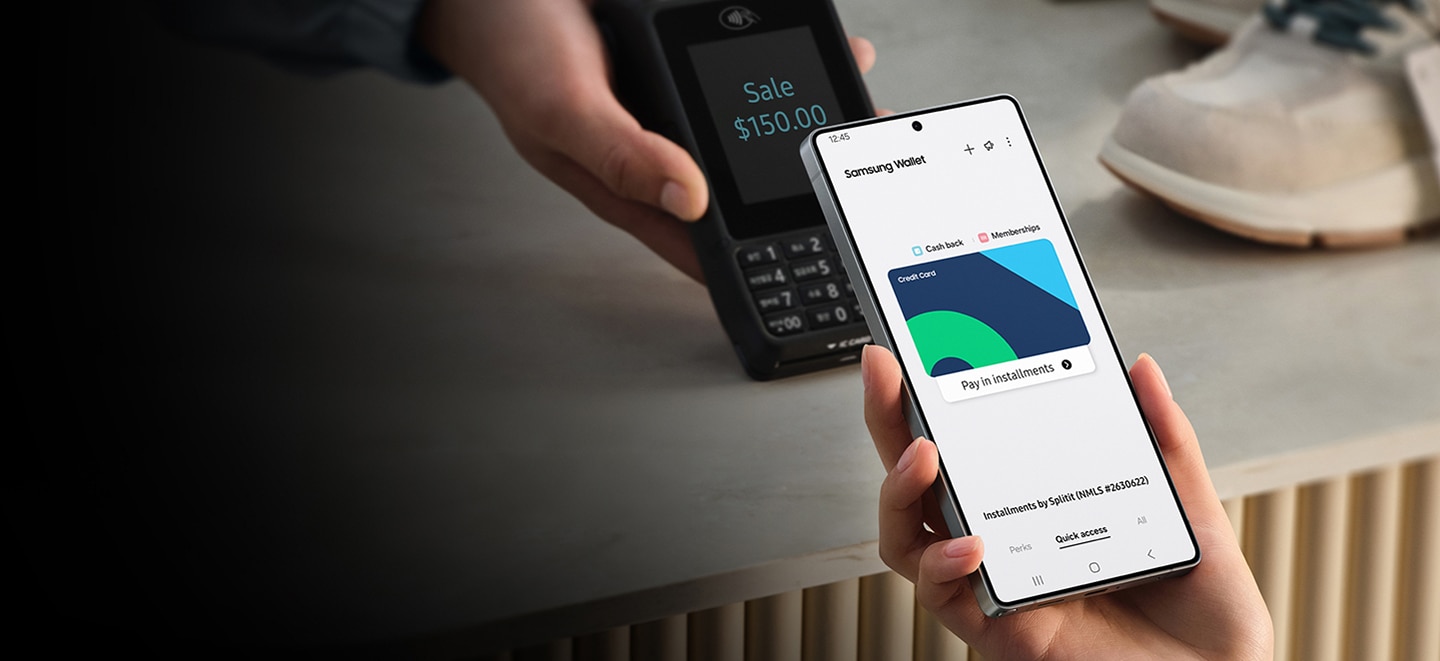
Just tap and go. Samsung Pay1 is the quick, secure and easy way to pay. Just swipe up on your phone or Galaxy Watch5, verify and tap.


You are your password
Save your passwords, usernames, and login details to the Samsung Wallet app with Samsung Pass.10 Access it all and log into your apps and services with your fingerprint or PIN.


Your ID in your phone
With Digital ID in Samsung Wallet, you can keep your Student ID, Driver’s License, or Company ID conveniently and securely in your phone2.


*Phone case sold separately, lanyard not included.
Open doors with your phone
Add your digital keys3 to Samsung Wallet — for your home or car — and you'll be able to lock and unlock doors with just a touch. You can also link a key through SmartThings. All it takes is a simple tap.


Open doors with your phone
Add your digital keys3 to Samsung Wallet — for your home or car — and you'll be able to lock and unlock doors with just a touch. You can also link a key through SmartThings. All it takes is a simple tap.


Unlock your car just by walking up to it
Samsung Wallet supports most major car brands. From your car's app, follow the steps to add a digital key to your Samsung Wallet. You'll be able to unlock, start your car and more from your phone.


Unlock your car with an easy tap
Samsung Wallet supports most major car brands. From your car's app, follow the steps to add a digital key to your Samsung Wallet. You'll be able to unlock, start your car and more from your phone.


*Phone case sold separately.
Swipe. Scan. Board.
Store your boarding passes4 easily in your Samsung Wallet. Just open your airline's app and tap Add to Samsung Wallet. It will be kept up to date with the latest flight details including gate information, seat assignment and boarding time. You can also get push notifications when a change is made, right from your Samsung phone or Watch.5


All your memberships, on your phone
Don’t miss out on discounts and credits at your favorite stores. Add membership cards to Samsung Wallet and store in the Quick Access view to use on the go. Samsung Wallet even lets you add photos of local membership cards, like your library card, so you have everything in one place.


Your wallet on your watch
Whether it's your credit cards or memberships ID cards, register them on Samsung Wallet and you'll be able to use them on Galaxy Watch6 or higher, too.5


Securely pay with peace of mind
Have peace of mind knowing your purchases are verified with your fingerprint or PIN. Wallet is protected by Samsung Knox, adding an extra layer or security with on-device data storage and encryption of your debit or credit cards.10,1


Galaxy Smartphone


Apps & Services


1Requires a compatible NFC card from a participating bank. See Samsung.com Wallet FAQ for more information.
2Digital ID only for select corporate, government and educational institution partners. Student ID only for select education institution partner. Mobile Driver's License only for TSA ID purposes, only for Arizona and Iowa residents at select Arizona and Iowa airports and TSA checkpoints; Mobile Driver's License for TSA ID only and does not replace physical license. Visit the Samsung Wallet FAQ for more information.
3Digital keys are available for select SmartThings-compatible smart door locks and automobiles. Exact feature availability may vary by model and is subject to change.
4Boarding Pass must be added using the Add to Samsung Wallet button through the Airlines website or App. See Samsung.com Wallet FAQ for more information.
Samsung pass
5Only available on Galaxy Watch6 devices or higher with select features. See Samsung.com Wallet page for more information.
6Installment service provided by Splitit (NMLS# 2630622). Samsung is a technology provider and is not providing lending services. Service subject to eligibility check and only available in certain states. Minimum purchase $50. For licenses and disclosures, see splitit.com/legals/licensing
7Only compatible with select Visa and Mastercard credit cards from participating banks. Credit Cards issued by JPMorgan Chase Bank, N.A. among others are not currently supported for Installment Payments. Requires first payment and installment plan selection within 24 hours. Credit card eligibility subject to change. Your credit card terms and fees apply.
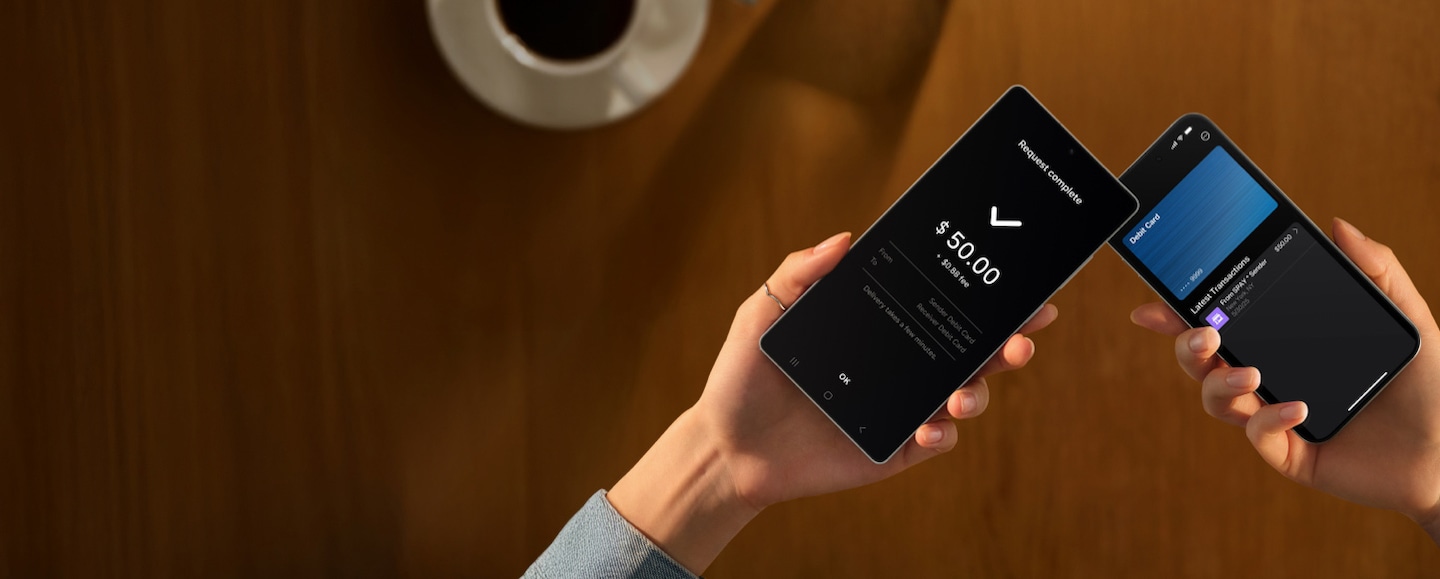
8Requires a contactless enabled Mastercard debit card from a participating U.S. bank. Fees and limits apply.
9Actual funds availability varies depending on receiving financial institutions.
Message and data rates may apply. Please check with your mobile service provider. Additional transaction fees may apply. Please confirm with your financial institution. Tap to Transfer is only available within the U.S. See Samsung.com Wallet page for details.
Service provided by Green Dot® ©2025 Green Dot Corporation. All rights reserved. Green Dot Corporation NMLS #914924; Green Dot Bank NMLS #908739.
Visa® is a registered trademark of Visa International Service Association.
Mastercard® is a registered trademark of Mastercard International, Inc.
Apple Wallet® is a registered trademark of Apple, Inc.
Google Wallet>™ is a registered trademark of Google, LLC.
10The functions, features, and compatible applications available with Samsung Pass may vary according to the partner’s policy. The data stored inside the Samsung Pass app is safeguarded by Samsung Knox to prevent any leakage of valuable information. See Samsung.com Wallet FAQ for more information.
