Finding a Forgotten ID or Password for my Samsung Account
 Please Note: The information on this page is for Australian products only. Models, sequences, error codes or settings will vary depending on location and/or where the product had been purchased. To be redirected to your local support page please click here.
A Samsung Account helps you utilise specific apps and services, such as Samsung Pass and Samsung Find, as well as backing up data to Samsung Cloud. In the case that you cannot remember your account credentials, you can recover your Samsung account ID or reset the password to regain access to your account.
Forgot your Samsung Account ID
Your Samsung account ID can be obtained through your phone number or Email ID hint.
Step 1
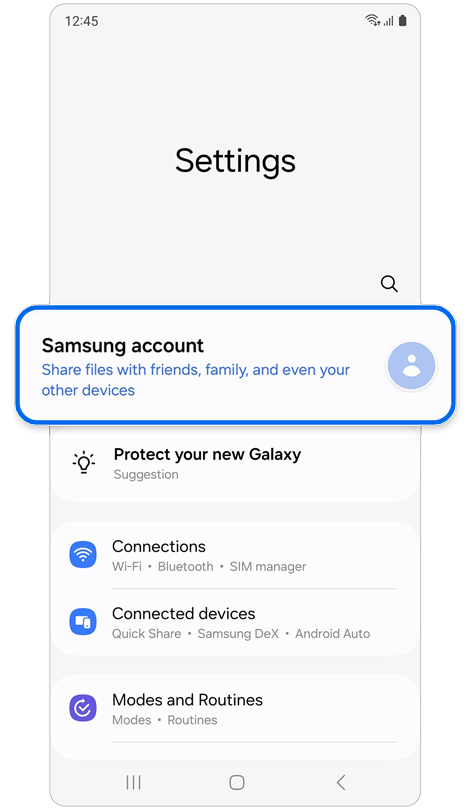
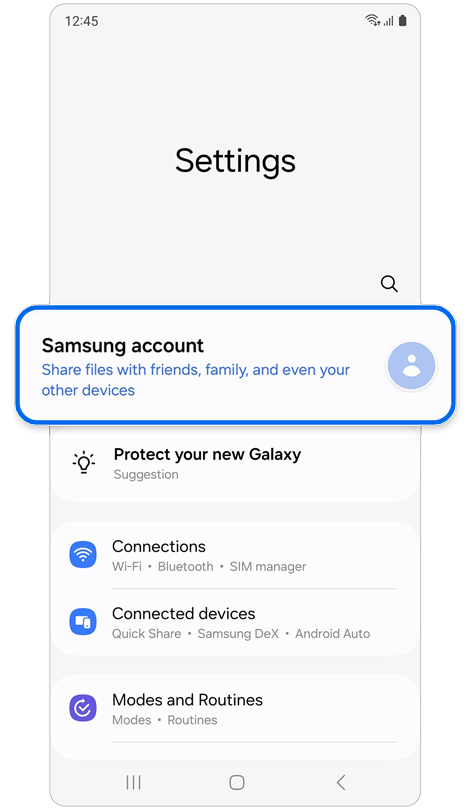
Open Settings > Select Samsung account.
Step 2
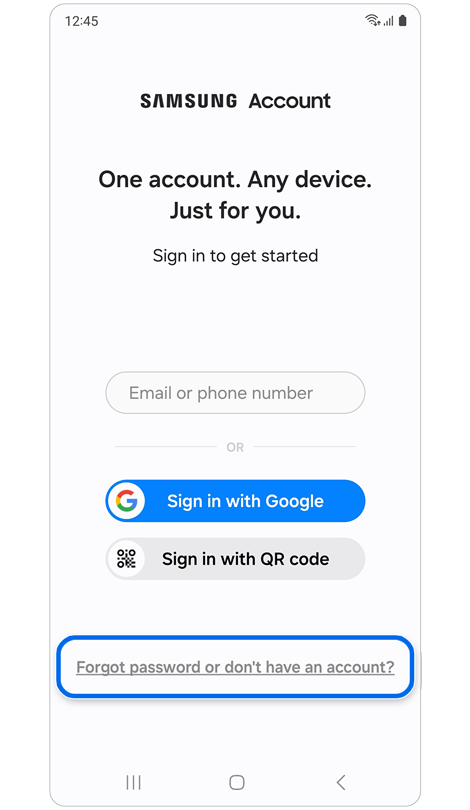
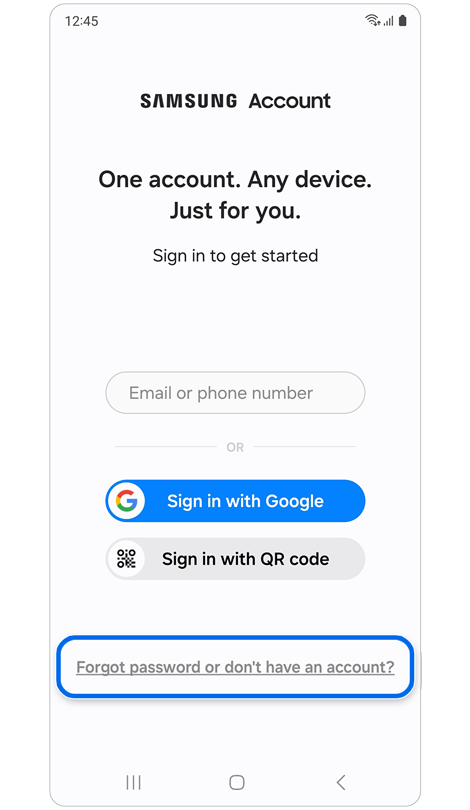
Select Forgot password or don’t have an account?
Step 3
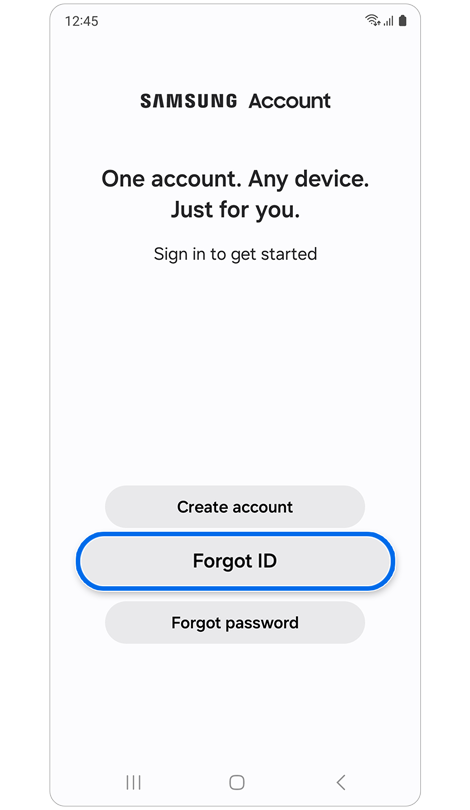
Select Forgot ID.
Recovery by Email ID Hint
Step 1


Tap Trouble getting your account ID?
Step 2
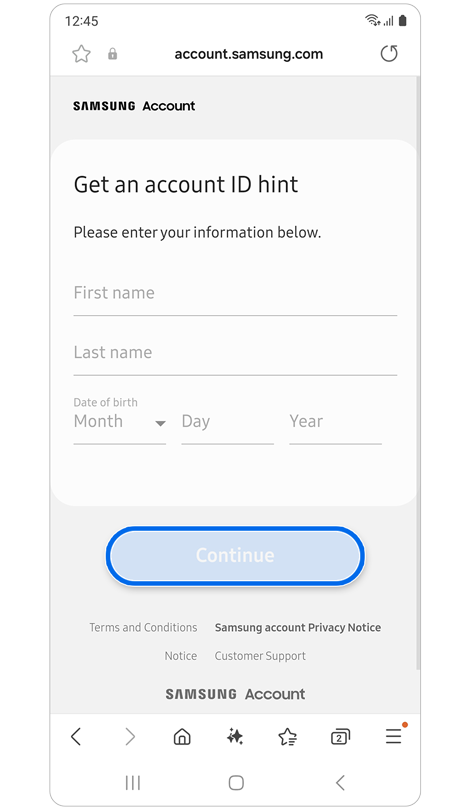
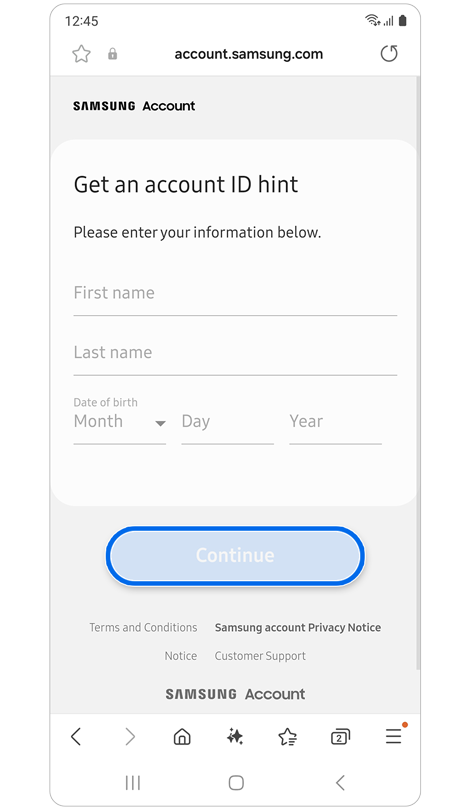
Enter the requested information > Tap Continue.
Step 3
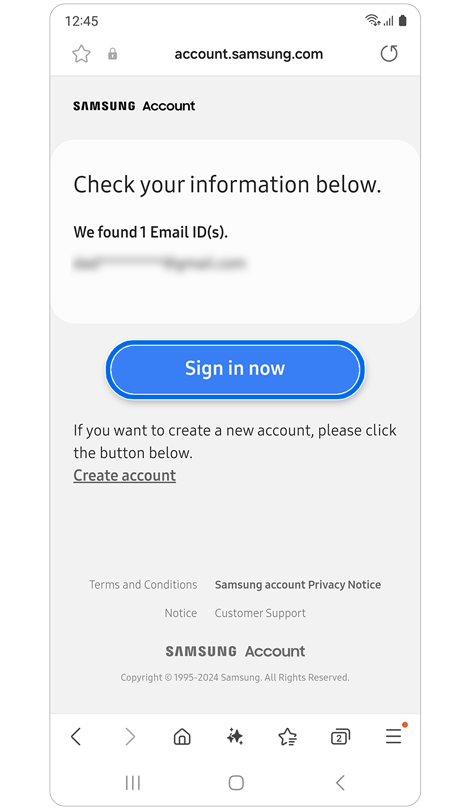
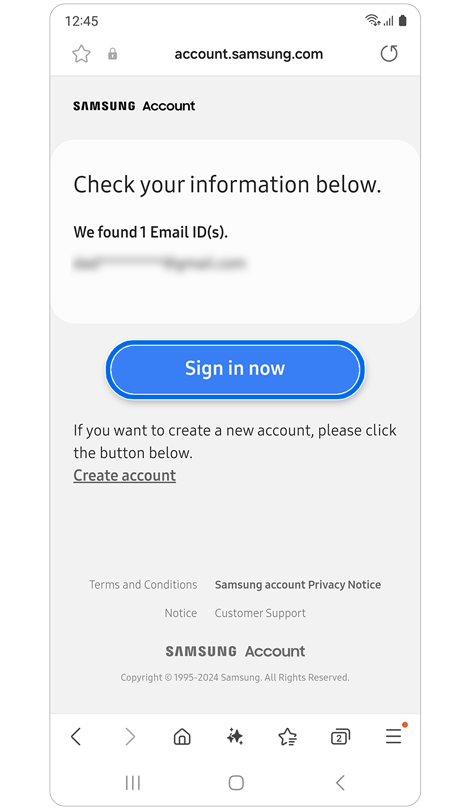
Review the Email IDs listed > Tap Sign in now > Sign into your account.
Recovery by Secondary Phone Number or Email Address
Step 1
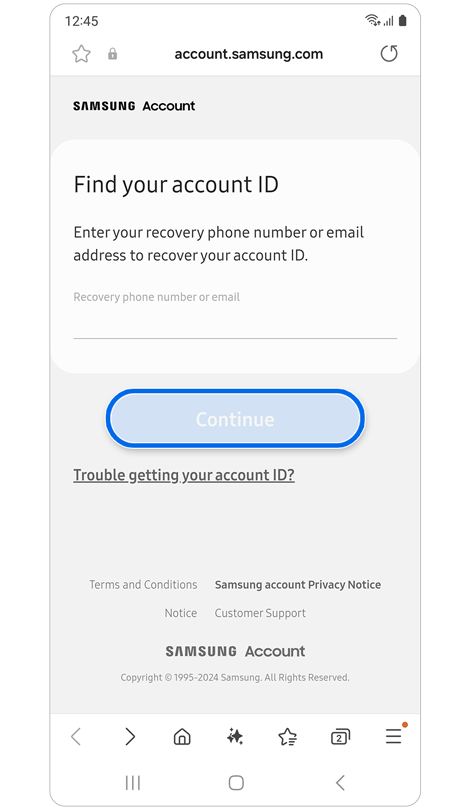
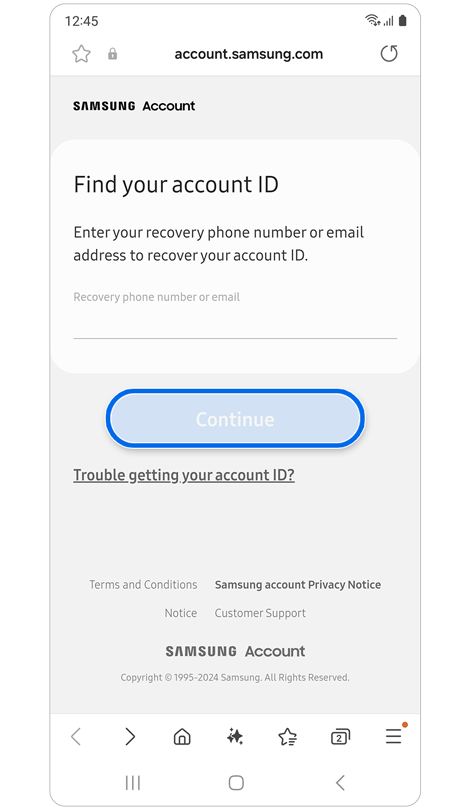
Enter your recovery (secondary) phone number or recovery (secondary) email > Tap Continue.
Step 2
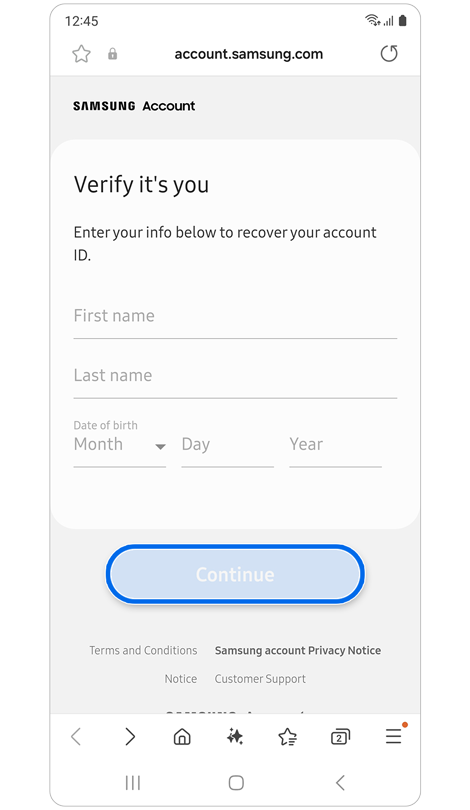
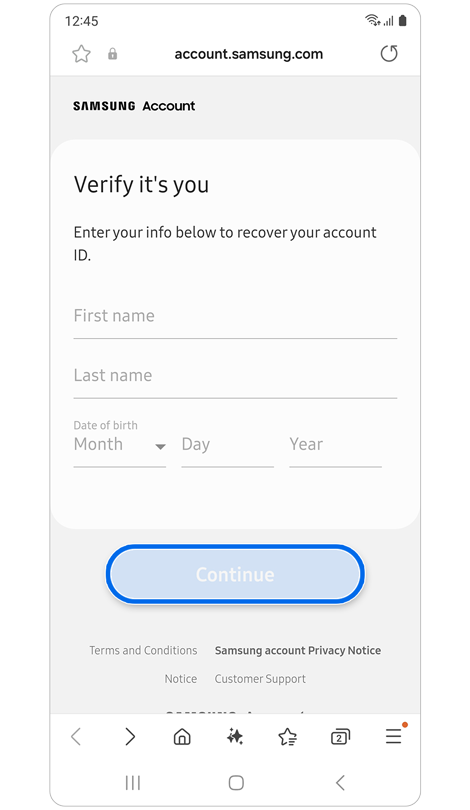
Enter the requested information > Tap Continue.
Step 3
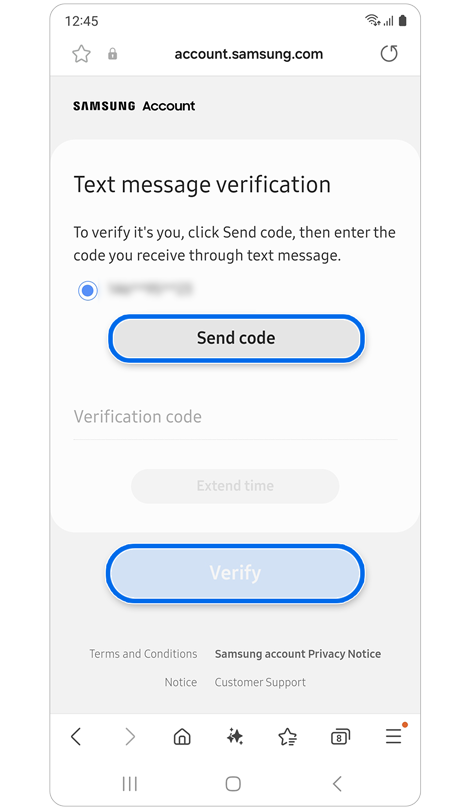
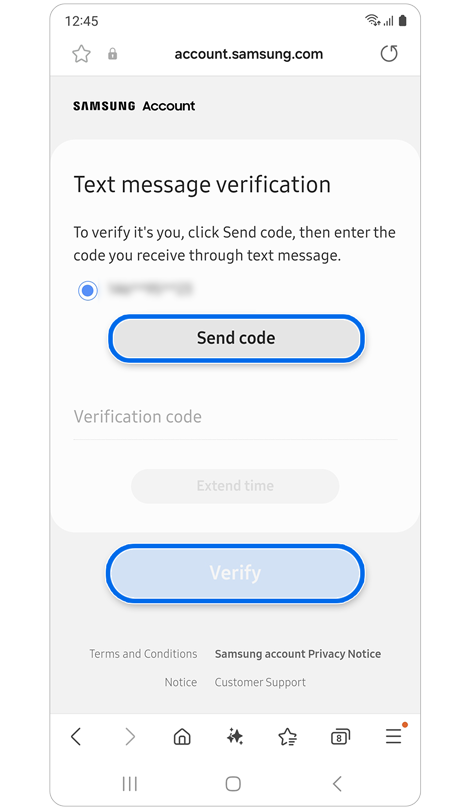
Verify that the phone number or email displayed is yours > Tap Send code > Enter the verification code or PIN number > Tap Verify.
Step 4
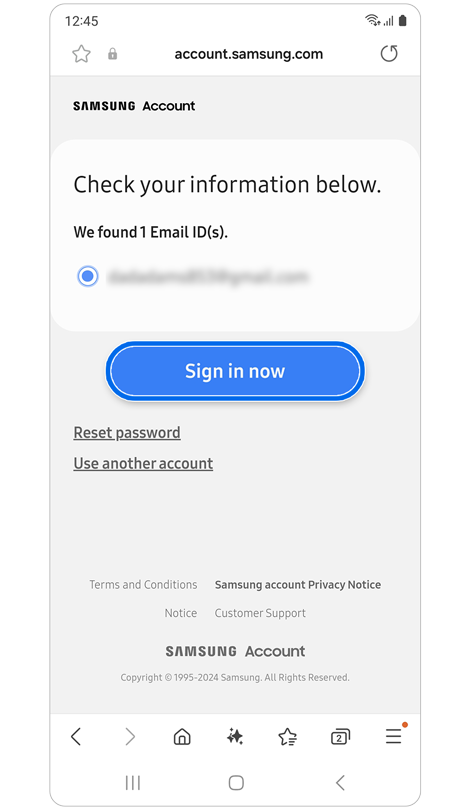
Select an email ID > Tap Sign in now > Sign into your account.
Forgot your Samsung Account Password
Follow the steps below first, then choose one of the four methods in the next section to reset the password.
Step 1


Open Settings > Select Samsung account.
Step 2
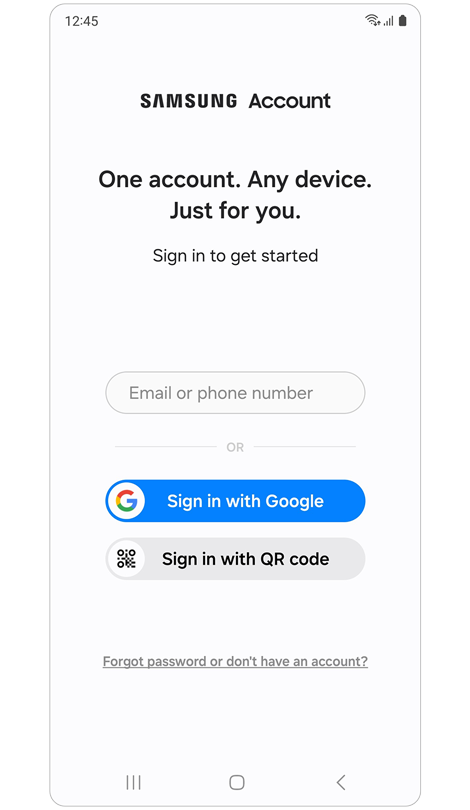
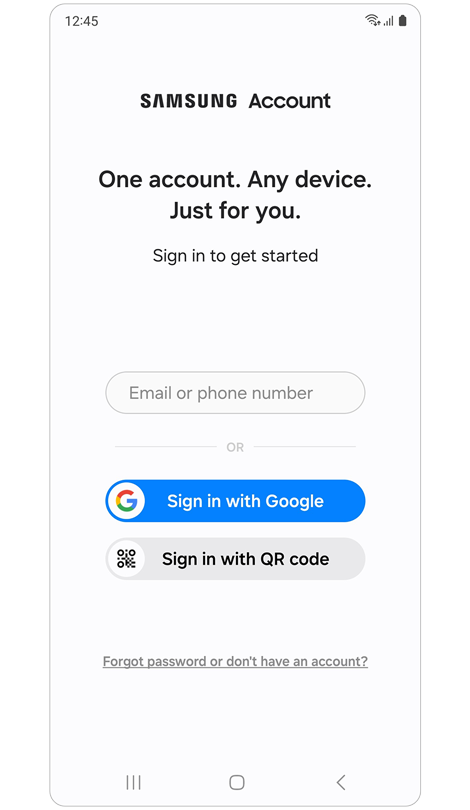
Enter your account ID > Tap Next.
Step 3


Select Forgot password?
Step 4
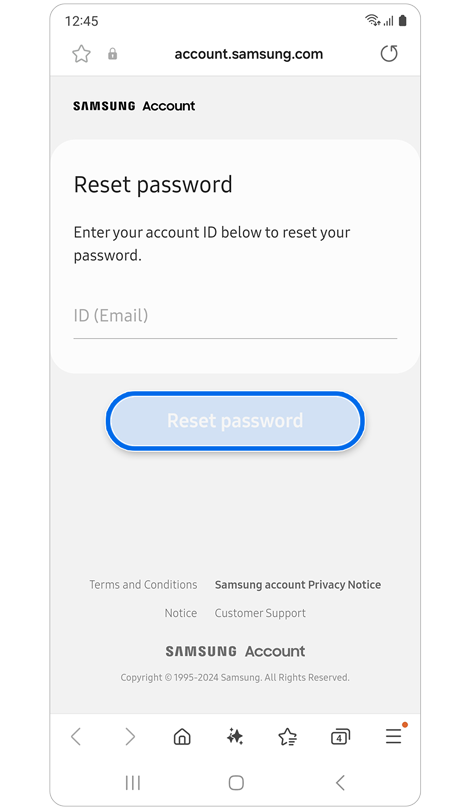
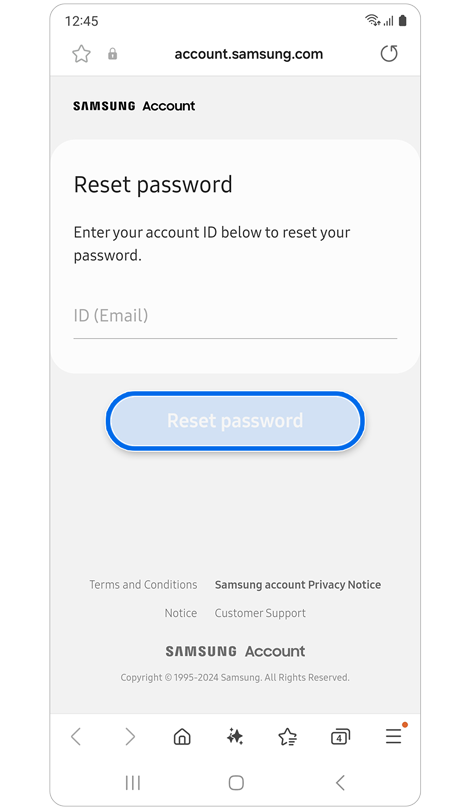
Enter your Email ID > Tap Reset password.
Step 5


Enter your account phone number > Tap Continue.
Step 1
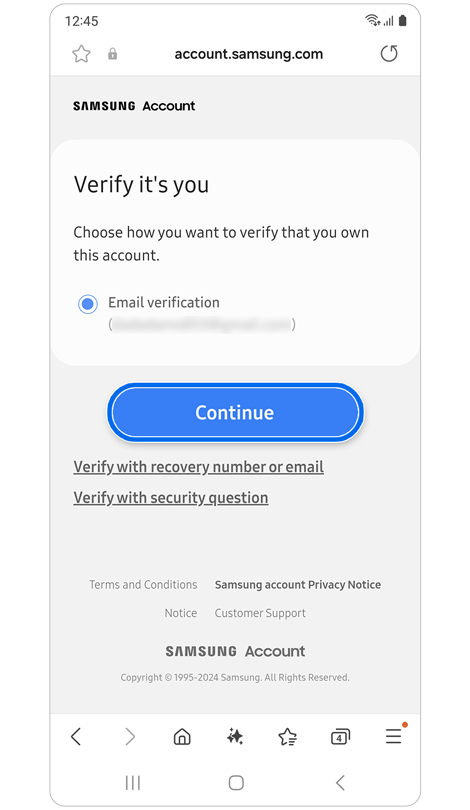
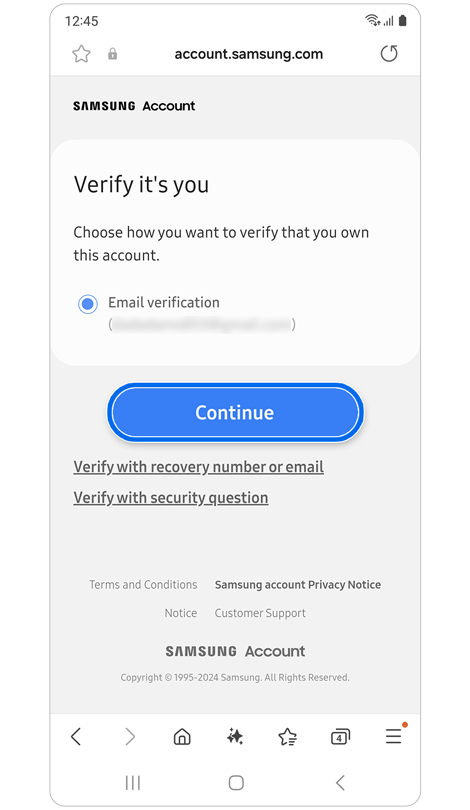
Select Email verification > Tap Continue.
Step 2
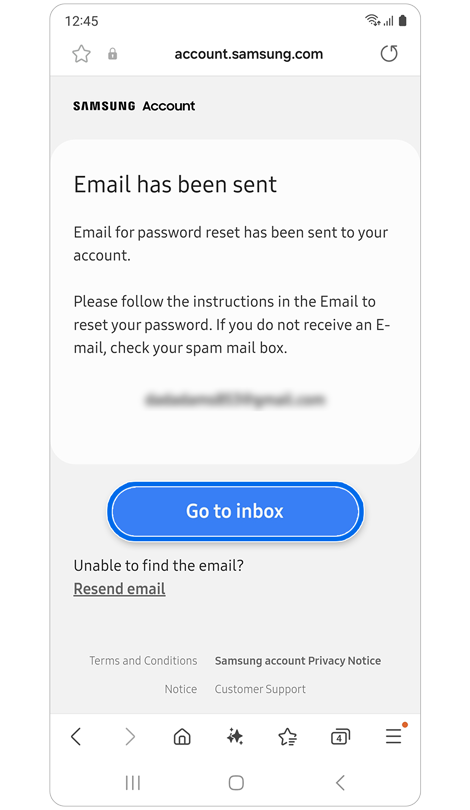
Tap Go to inbox > Follow the instructions in the email.
*If you do not see the Go to inbox button on your phone, please check your email inbox directly.
Step 3

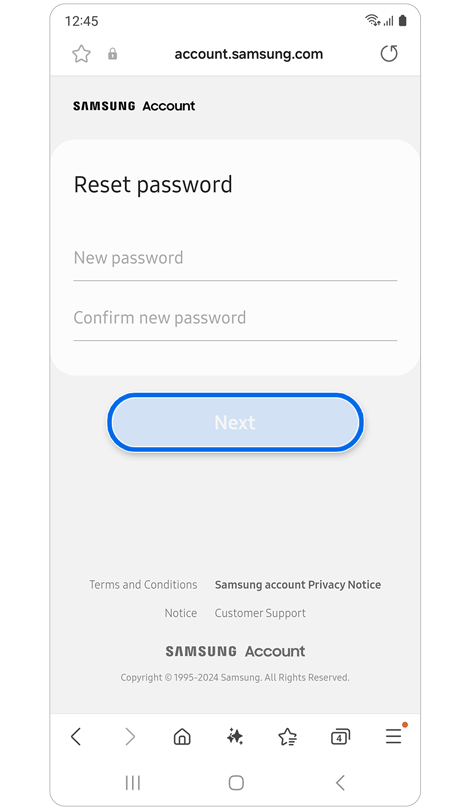
Enter a new password > Tap Next.
*You can choose to sign out or stay signed into your Samsung account on other devices that have active login sessions.
* In some countries where you can sign up with a mobile phone ID, you can also reset your password through phone number verification.
Reset Password via Security Question
Step 1
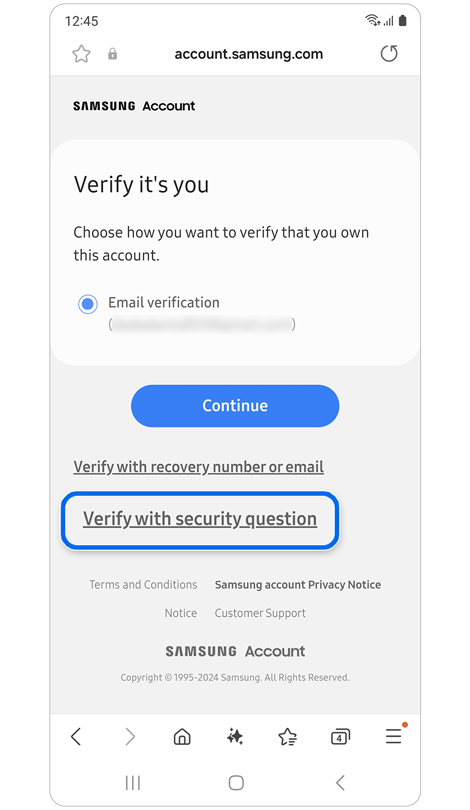
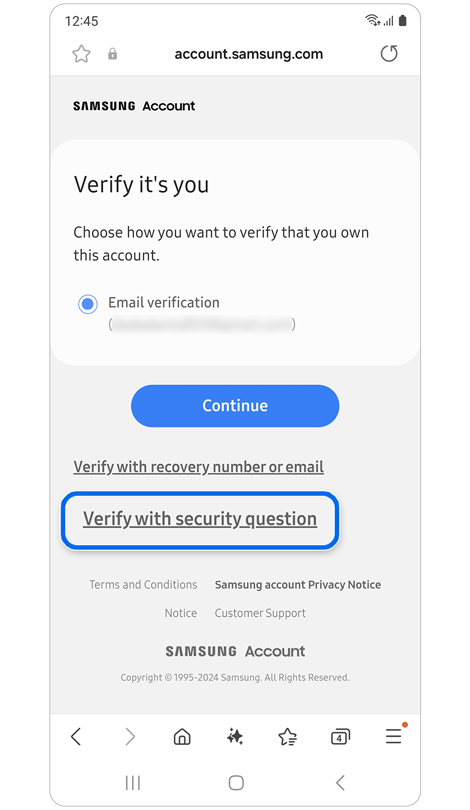
Select Verify with security question.
Step 2
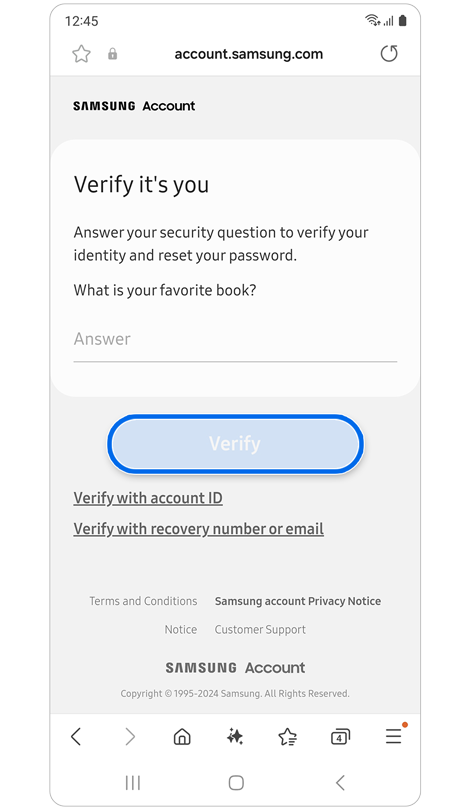
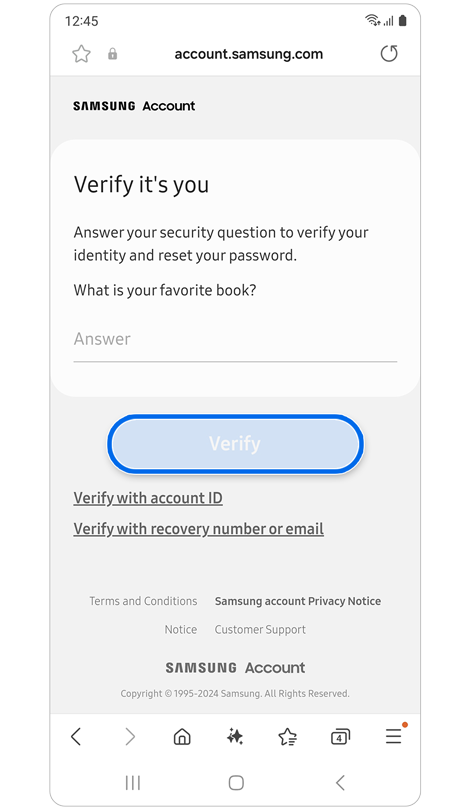
Answer your security question > Tap Verify.
Step 3
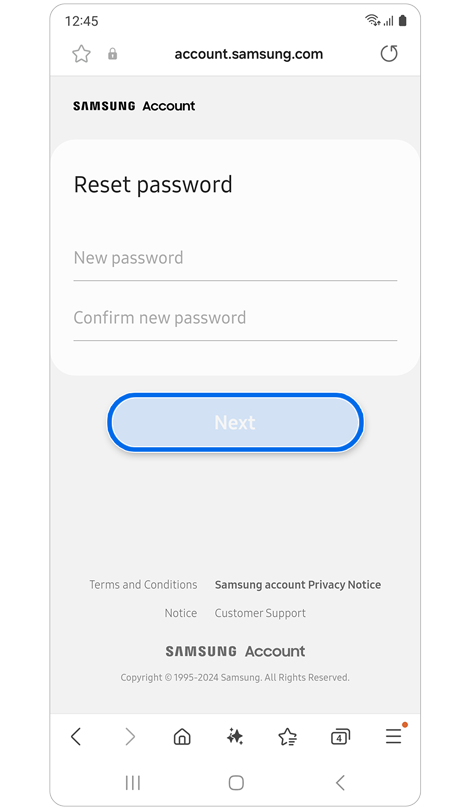
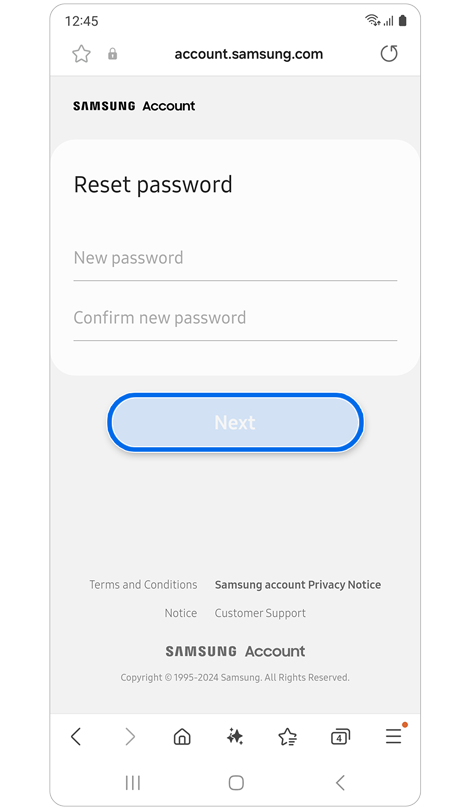
Enter a new password > Tap Next.
*You can choose to sign out or stay signed into your Samsung account on other devices that have active login sessions.
* To reset your password with a security question, you must have already registered a security question in your Samsung account settings.
Reset Password via Recovery Email
Step 1
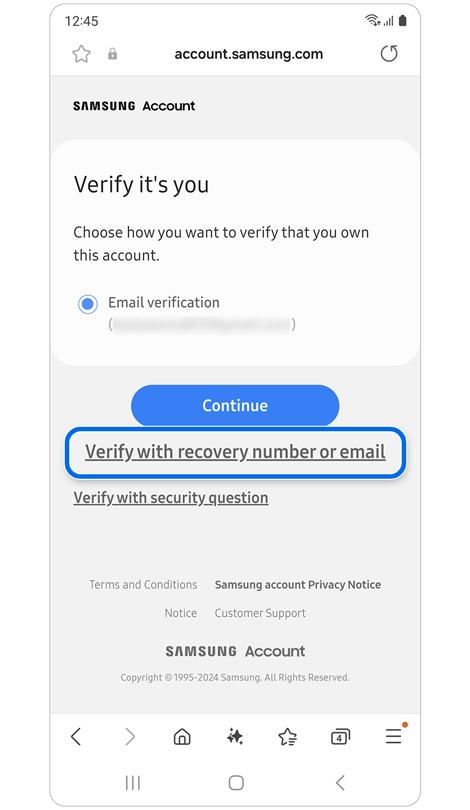
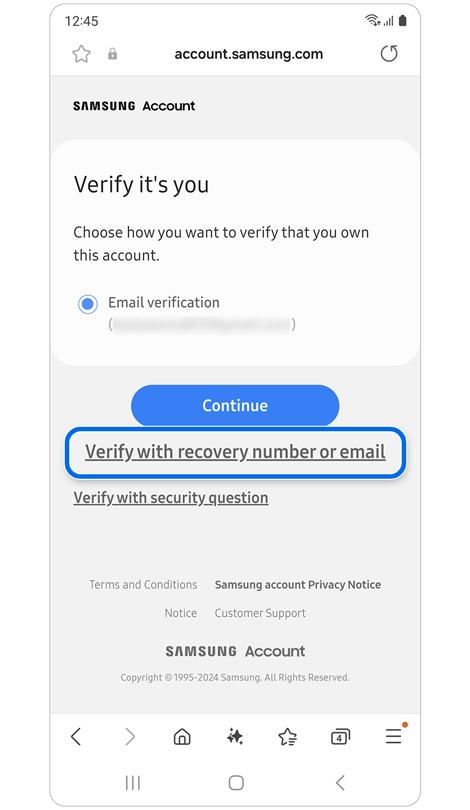
Select Verify with recovery number or email.
Step 2


Select Recovery email > Tap Continue > Tap Go to inbox
Follow the instructions in the email.
Step 3
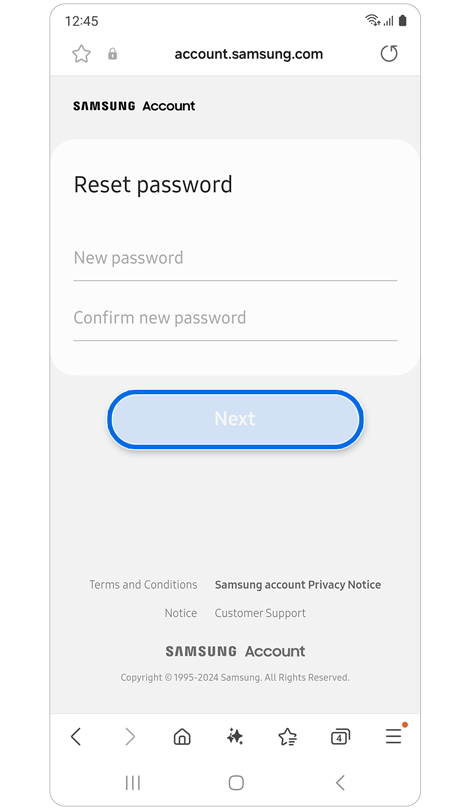
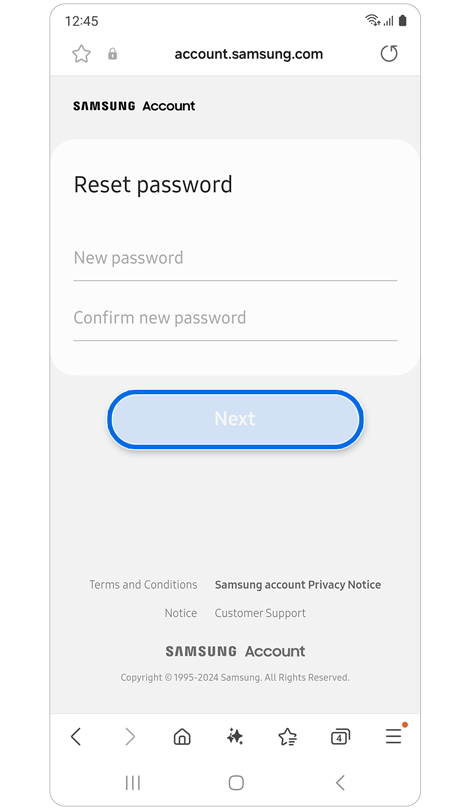
Enter a new password > Tap Next.
*You can choose to sign out or stay signed into your Samsung account on other devices that have active login sessions.
* To reset your password with a recovery email, you must have already registered a recovery email in your Samsung account settings.
Reset Password via Recovery Phone Number
Step 1
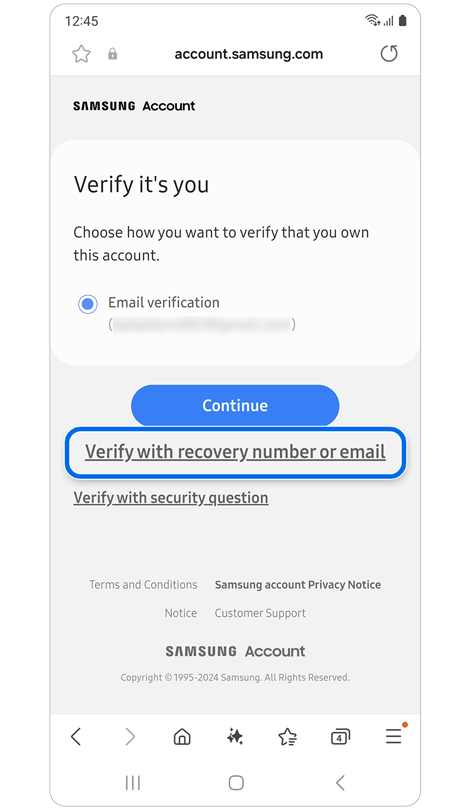
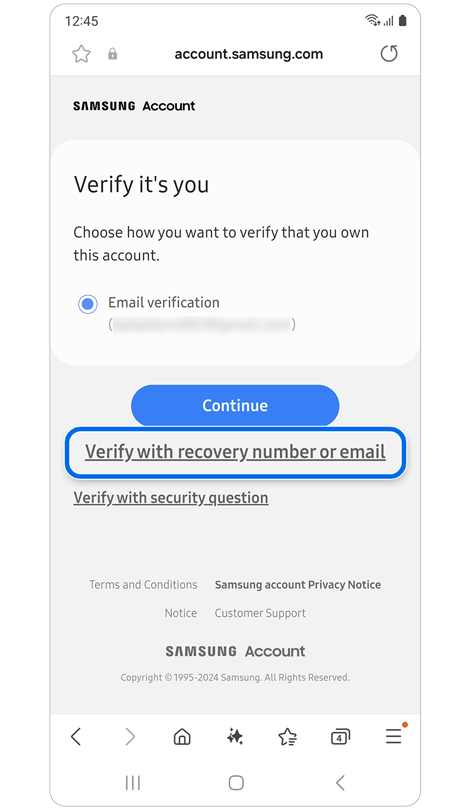
Select Verify with recovery number or email.
Step 2
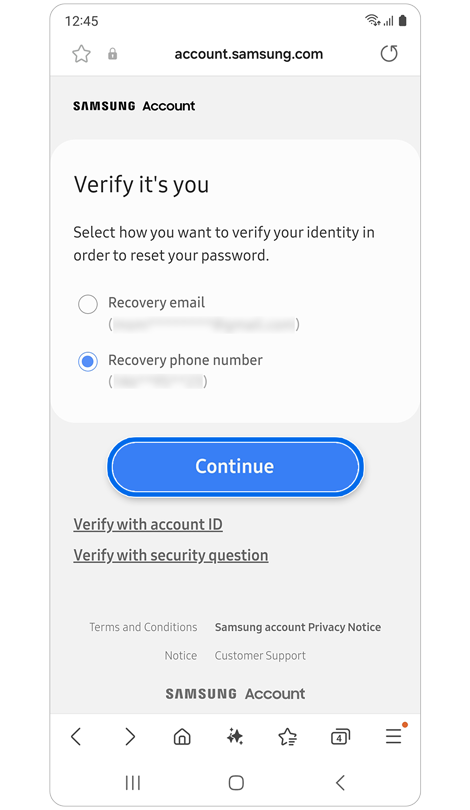
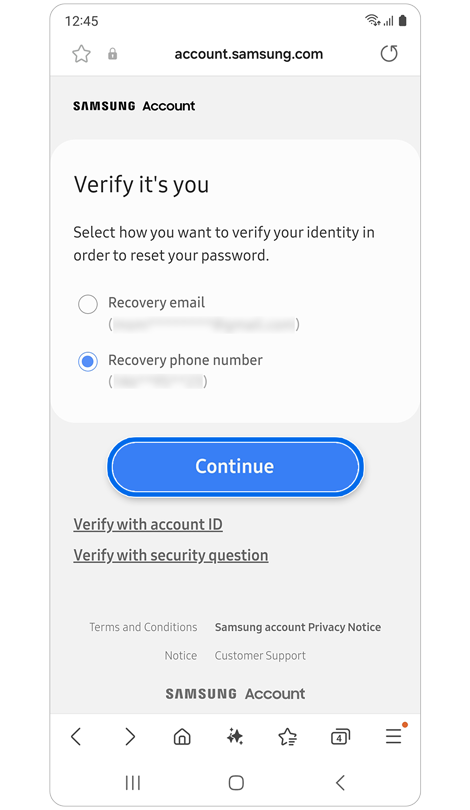
Select Recovery phone number > Tap Continue.
Step 3
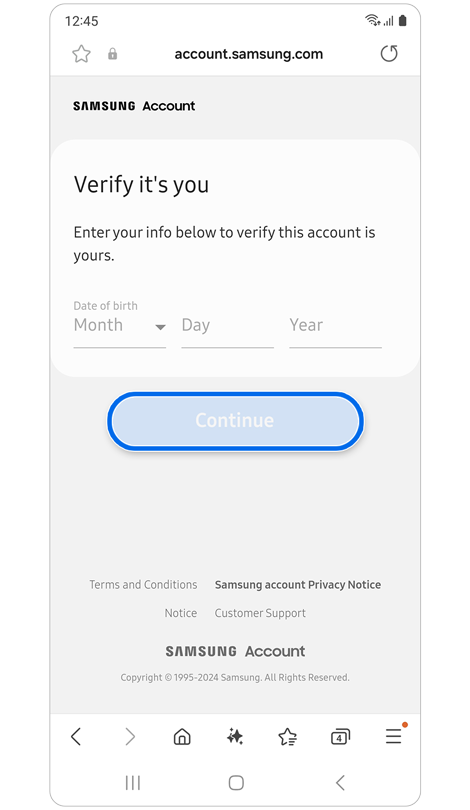
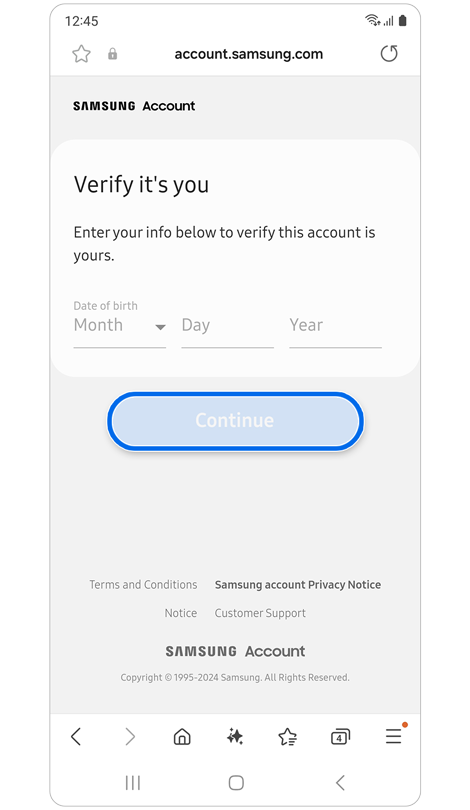
Enter your birthdate > Tap Continue.
Step 4
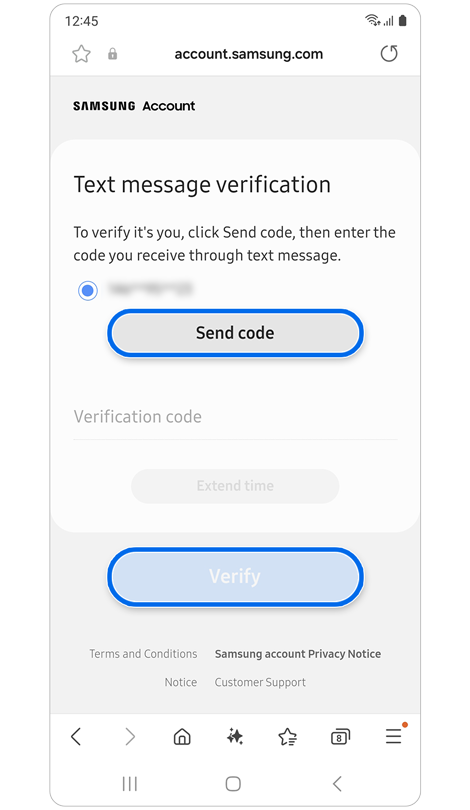
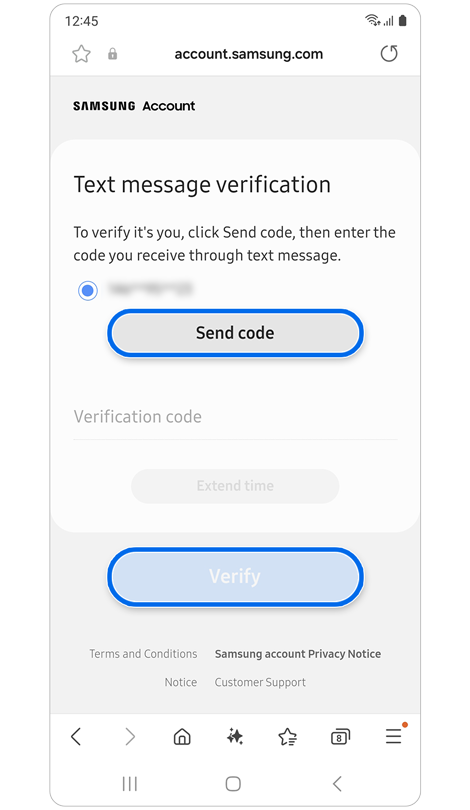
Verify the phone number displayed is yours > Tap Send Code > Enter Verification Code > Tap Verify
Step 5
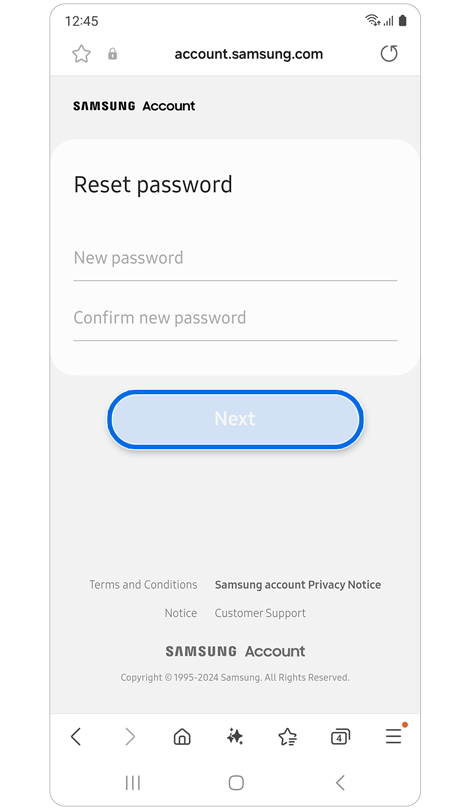
Enter a new Password > Tap Next.
*You can choose to sign out or stay signed into your Samsung account on other devices that have active login sessions.
* To reset your password with a recovery phone number, you must have already registered a recovery phone number in your Samsung account settings.
For further assistance, please contact our Chat Support. To find your Samsung product's User Manual, head to Manuals & Downloads.

Contact Info
Contact us
For support buying a product, help with an order or technical product support
WhatsApp
![]()
![]()


It's now even easier to get in contact with Samsung Customer Care, now on WhatsApp.
Troubleshoot and book a repair
Support for your mobile devices, home appliances, TV and computing products
