Adjusting Screen Timeout on my Galaxy Device
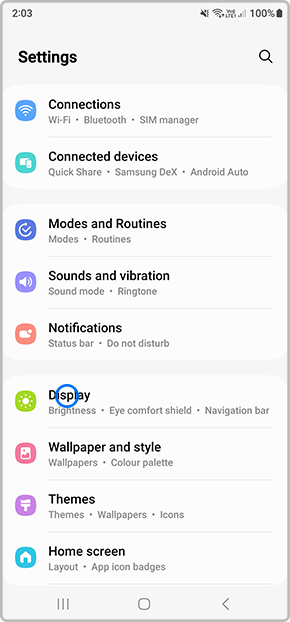
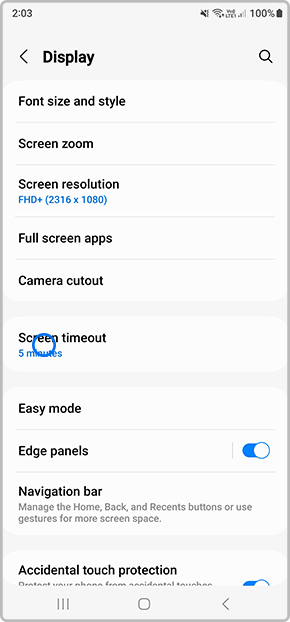
Screen Timeout is an option on Samsung devices that will turn the screen off to save battery life. Out of the box the default is 30 seconds. See the steps to change the Screen Timeout option to keep your phone or tablets screen on for longer. The maximum Screen Timeout time is 10 minutes, but you can also look at turning on the Smart Stay option to let the screen stay on for as long as you're looking at it.
Please Note: This guide is designed for Australian variant Galaxy devices, if you have an international device and require further support click here to reach out to your Samsung Subsidiary.
Please be advised that you are NOT able to set your screen timeout to none, and that you CANNOT adjust the lockscreen timeout.


Thank you for your feedback!
Please answer all questions.
Contact Info
Contact us
WhatsApp
![]()
![]()

