Capturing High Resolution Photos on my Samsung Phone
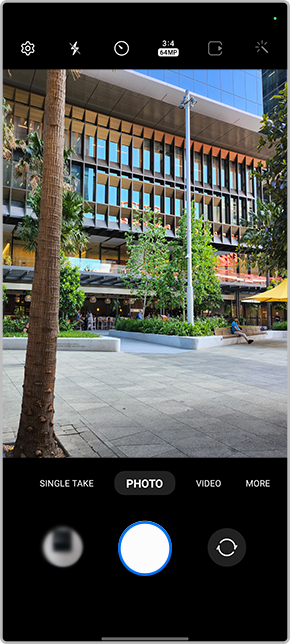
Want to take High-Resolution photos directly on your Samsung Phone but not sure how? Simply change the Camera Ratio to 3:4 64MP within the Camera settings then you're just a tap away from capturing 64MP High-Resolution shots. Follow the below steps for more information.
Please Note: This guide is designed for Australian variant Galaxy devices, if you have an international device and require further support click here to get int touch with your Samsung subsidiary. Prior to following the below guide, it is important to understand that some camera settings and modes may not be available on your Galaxy device, as this will depend on your camera specifications and software version - click here to search for your Galaxy device camera specifications.
 Camera app

 Camera Ratio

 3:4 (64MP High Resolution)


Thank you for your feedback!
Please answer all questions.
Contact Info
Contact us
WhatsApp
![]()
![]()

