Customise Samsung Keyboard Background
Last Update date : Dec 31. 2025
Want to customise your Keyboard layout but not too sure how? Simply follow the below guide for step-by-step instructions.
Please Note: This guide is designed for Australian variant Galaxy devices, if you have an international device and require further support click here to get in touch with your Samsung subsidiary.
Prior to following the below guide ensure you have installed Keys Cafe & Theme Park from the Galaxy Store.
1
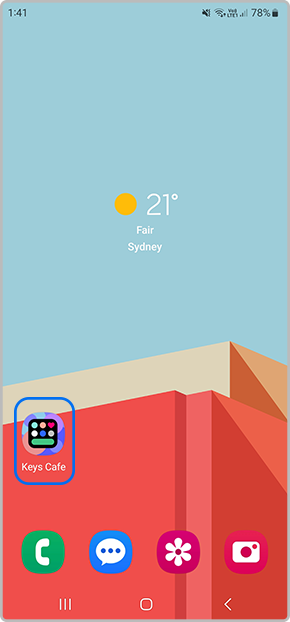
Launch the  Key Cafe app
![Launch Keys cafe app]()
 Key Cafe app
2
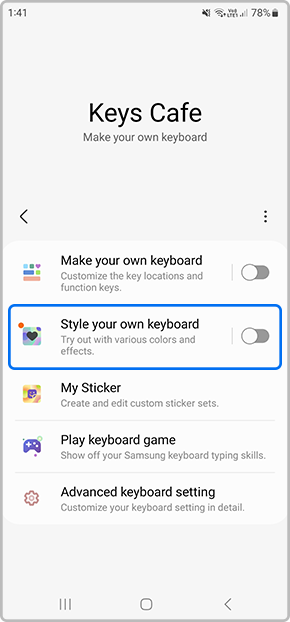
Select Style your own keyboard
![Tap on style your own keyboard]()
3
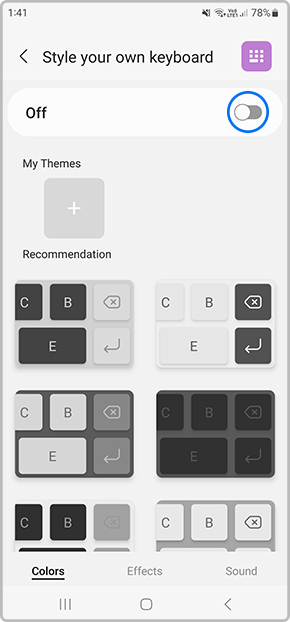
Then toggle this setting on
![Toggle on setting]()
4
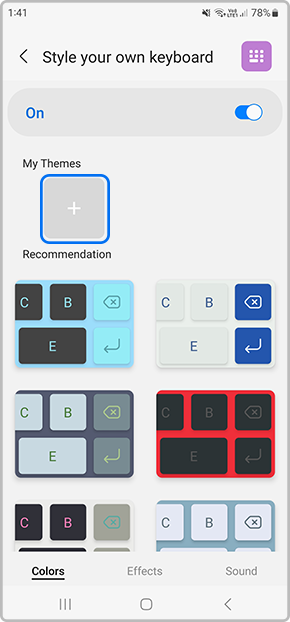
Tap on  to create your own Theme
![Tap on plus icon to create your own theme]()
 to create your own Theme
5
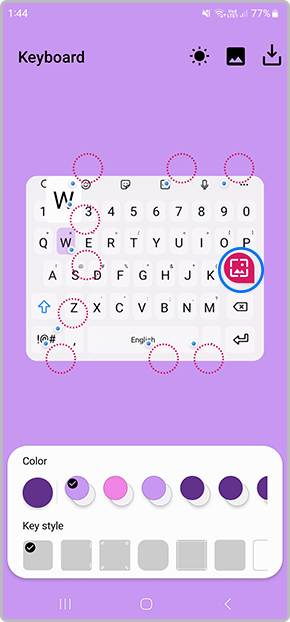
Select  to add an image saved in your Gallery
![Tap on Gallery icon]()
 to add an image saved in your Gallery
6
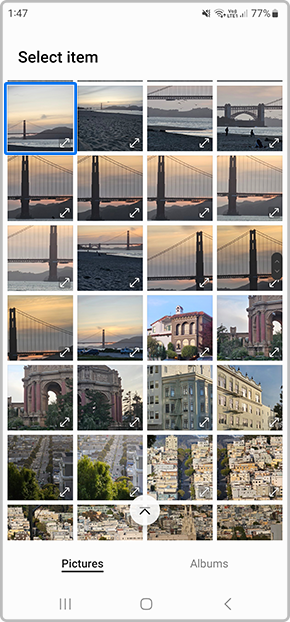
Choose a picture from your Gallery to add to your Keyboard background
![Choose picture from Gallery]()
7
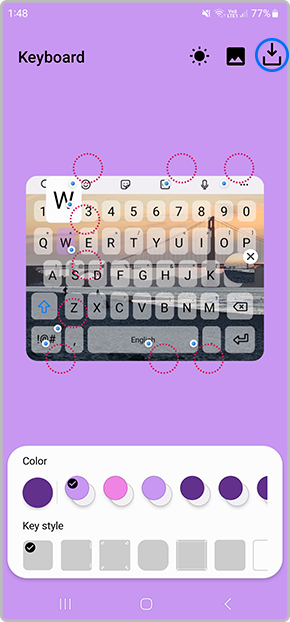
Once you have finished customising your keyboard tap on  to Download
![Tap on Download icon]()
 to Download
8
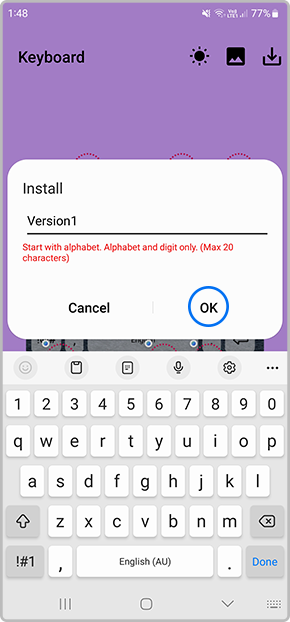
Type in the Keyboard name the tap on OK
![Tap on OK]()
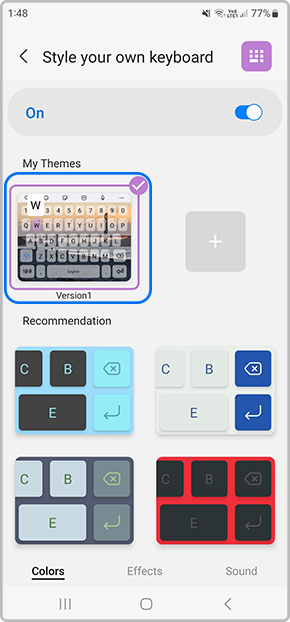
9
To Apply the new Keyboard tap on the new theme
![Select keyboard to apply]()
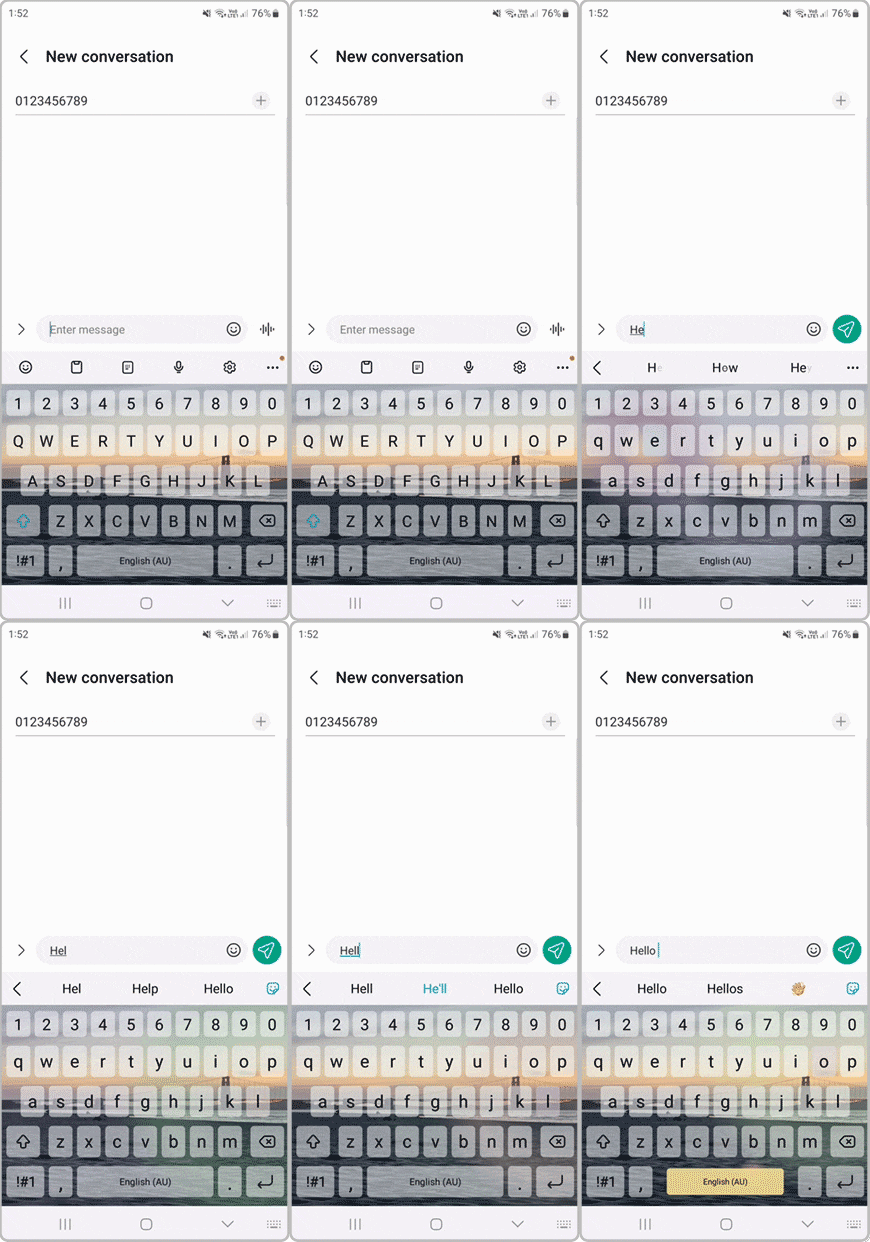
10
You can then launch an application to activate and use your new keyboard
![Using Keyboard]()

Thank you for your feedback!
Please answer all questions.
Contact Info
Contact us
For support buying a product, help with an order or technical product support
WhatsApp
![]()
![]()


It's now even easier to get in contact with Samsung Customer Care, now on WhatsApp.
Troubleshoot and book a repair
Support for your mobile devices, home appliances, TV and computing products