Enable Mobile Data on a Samsung Device
Out and about you may not be able to access Wi-Fi networks on your Samsung phone or tablet. Fortunately, most telco providers allow you to access the internet using Mobile Network connections.
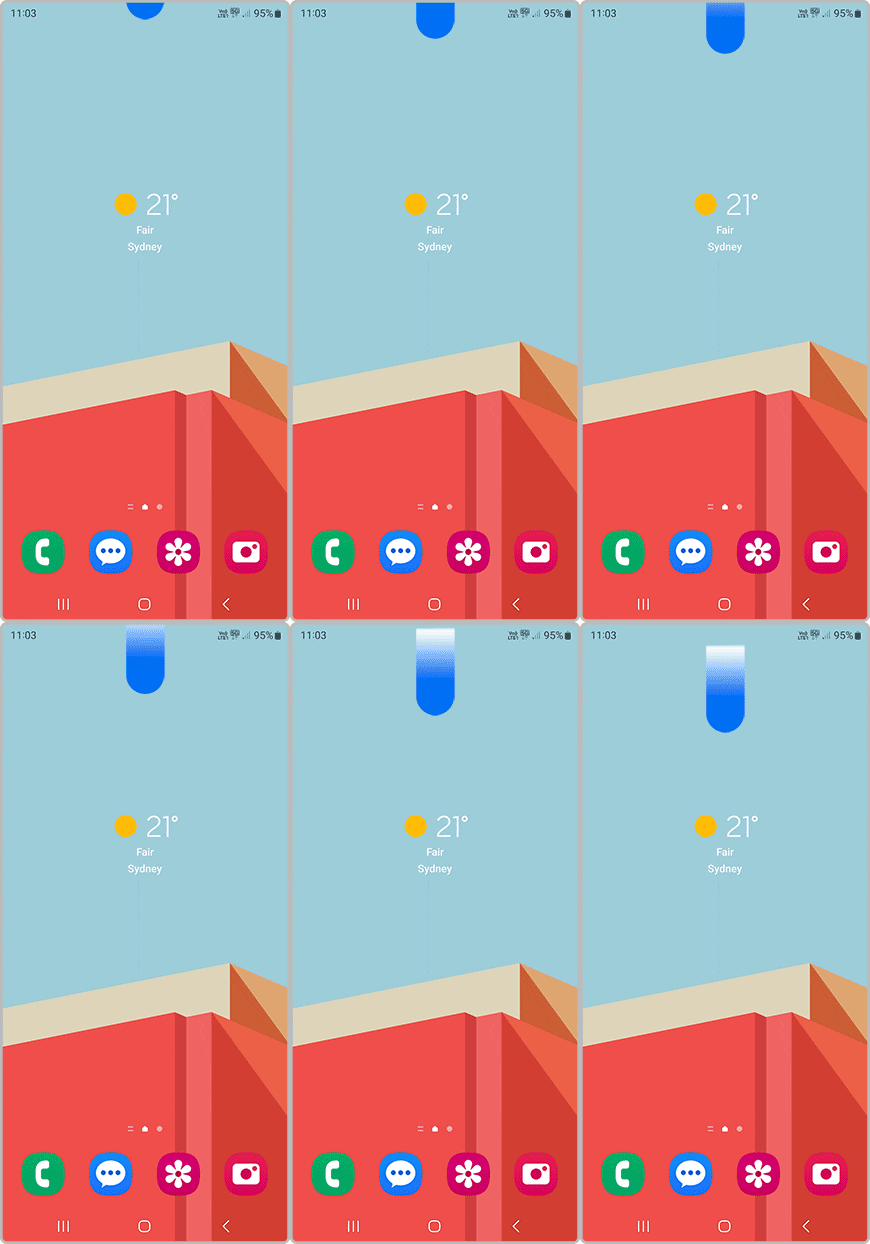
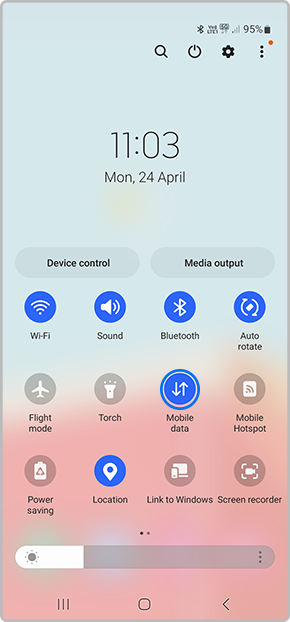
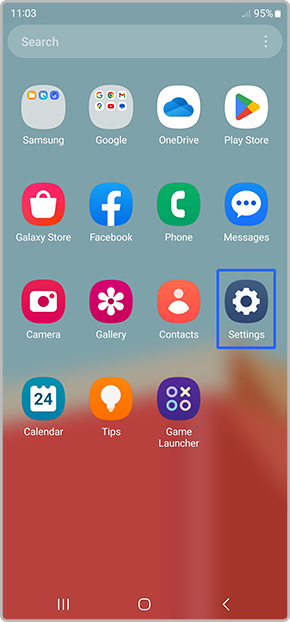
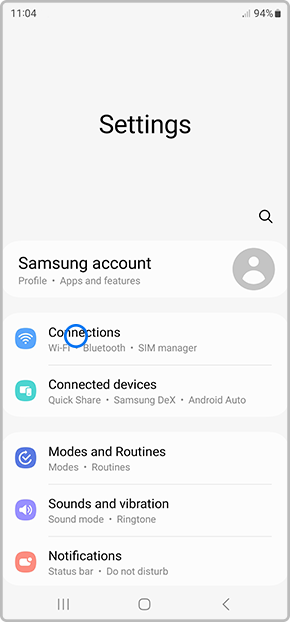
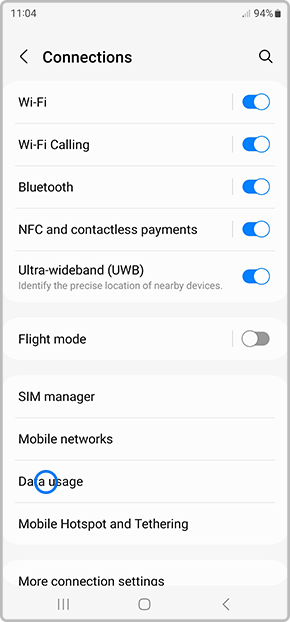
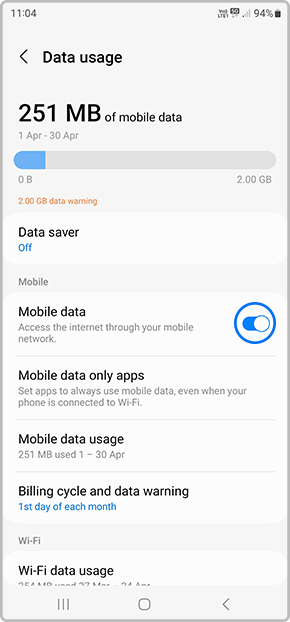
You're best to speak to your telco provider directly about using Mobile Networks for internet connectivity, but this page will help you figure out how to use and activate Mobile Data on your Samsung device. There are two ways to activate the Mobile Data; select from one of the dropdowns below to get started.
Please Note: This guide is designed for Australian variant devices, if you have an international device and require further support click here to get in touch with your Samsung subsidiary.
If the Mobile Data option is greyed out, and you're sure the account attached to the SIM is fine, you may need to reset your APN settings. Please also ensure you haven't activated the Flight Mode setting on your Galaxy device.
Note: Your mobile device can connect to the Internet via a valid Wi-Fi connection or using Mobile data. Mobile data services may incur additional charges. It is recommended to contact your network service provider to ensure how much data usage is available.

Thank you for your feedback!
Please answer all questions.
Contact Info
Contact us
WhatsApp
![]()
![]()

