


Meet the new Galaxy Z Fold8 Ultra — eight generations of foldable innovation packaged in an exceptionally slim 4.1 mm design, built to handle complex tasks with ease.
See what people are saying
See what Galaxy customers think
MEET YOUR ULTRA FOLD
-
An impossible slimness. Made possible
Unfolded Galaxy Z Fold8 Ultra is shown from the side, highlighting its 4.1 mm thickness. It folds shut and the cover screen glows, followed by the text 215 g floating out from the device.
-
Main screen of Galaxy Z Fold8 Ultra is seen. A text conversation is seen discussing details for an upcoming plan. A friend has asked if the user is free on July 22. A Now Nudge prompt is seen above the device suggesting the user to View Calendar. When the split view icon in the nudge is pressed, the Calendar app opens alongside the messaging app in a multi-window view.
-
Galaxy Z Fold8 Ultra's chip is seen on a chipboard with NPU, GPU, CPU. The chip then transforms to say AI. Then, the chip enters the back of a folded Galaxy Z Fold8 Ultra. Powered by Snapdragon 8 Elite Gen 5 for Galaxy.
-
The inside of a Galaxy Z Fold8 Ultra device is seen with its battery on top. The capacity goes from 4400 milliampere to 5000.
-
Parts of one of Galaxy Z Fold8 Ultra's rear camera lenses are seen collapsing into the device. It then rotates to show the cover screen. A video of a group of people enjoying dinner outdoors in the evening can be seen on the screen. Even in low light, ProVisual Engine helps keep the scene bright and details clear.
Experience more of Galaxy on a bigger screen. At just 4.1 mm thin and 215 g light, Galaxy Z Fold8 Ultra is slim enough to carry all day comfortably, with the refined craftsmanship of our eighth-generation foldable. Innovation isn’t just about folding a screen. It’s about making the experience feel effortless. Eight generations of refinement have gone into Galaxy Z Fold8 Ultra, delivering a massive screen built for effortless all-day portability.
DESIGN SWITCHING FROM iOS
Split the view.
Max the flow
An article is being viewed on the cover screen of a folded Galaxy Z Fold8 Ultra. The device unfolds to show a split view of the article and a text message conversation.
-
-
Galaxy Z Fold8
All-new design crafted for content viewing.
-
Galaxy Z Flip8
Our handiest AI phone in your pocket.
-
-
Galaxy Z Fold8
Stay immersed in a variety of content with long-lasting performance.
-
Galaxy Z Flip8
A battery that keeps up, so you don't have to slow down.
-
-
Galaxy Z Fold8
A camera that lets you catch every moment as you live it.
-
50 MP
Wide camera
-
Up to 10x
Digital zoom
-
-
Switch. Easier
Seamlessly move your data from iOS or Android to your new Galaxy.
8 generations of innovation. The story keeps unfolding
The first Galaxy Z Fold is seen folded from the side. Each of the next generations is shown one by one, and then the device transforms into the Galaxy Z Fold8 Ultra. The first Fold's thickness when folded starts at 17.1 millimeters, then changes to 16.8, 16, 15.8, 13.4, 12.1 and 8.9 millimeters over the generations. The first Fold's weight starts at 276 grams, then changes to 282, 271, 263, 253, 239 and 215 grams over the generations.

-
Galaxy Z Fold8 Ultra
-
Compare with
Upgrade to a slim and sleek design, and boost your productivity with Ultra performance from a long-lasting battery, side-by-side multi-windows and an Ultra camera. Switching to a new phone should feel simple and seamless. Bring all your data over without the hassle, and continue to easily share files with friends, including iOS users. Do it all on a sleek foldable that enables side-by-side productivity, powered by Ultra performance.
PERFORMANCE
Ultra speed, powered by Snapdragon—customized for Galaxy
For those who love to tackle multiple projects at once, the last thing you want is an interruption in your workflow. Galaxy Z Fold8 Ultra is powered by Snapdragon® 8 Elite Gen 5 for Galaxy — bringing together a next‑generation CPU, GPU and NPU to stay effortlessly ahead of tasks. This custom-built platform drives elite performance, delivering ultra-smooth graphics and faster on-device AI for advanced problem-solving.,
Galaxy Z Fold8 Ultra's chip is seen on a chipboard with NPU, GPU, CPU. The chip then transforms to say AI. Then, the chip enters the back of a folded Galaxy Z Fold8 Ultra. Powered by Snapdragon 8 Elite Gen 5 for Galaxy.
- NPU 21 % faster AI performance
- GPU 15 % improved graphics performance
- CPU 16 % faster processing
than Galaxy Z Fold7
Ultra battery.
Max the power
Galaxy Z Fold8 Ultra's 5000 mAh battery has been engineered into a slim and light Fold for more power without compromising size. Enjoy up to 27 hours of video content before a quick refuel session with super-fast charging.,,
Battery capacity
5000mAh
Video playback
Up to
27 hrs
-
Bigger, brighter, better
-
Up to 1 TB for what matters
CAMERA
Nights. Camera. Action
Nightography.
If you're a keen camper whose weekends are defined by getaways with friends in the great outdoors, you need a camera system that respects the dark. Master every shot with camera sensors that capture exceptional detail, while ProVisual Engine elevates it further by handling noise reduction in real time.
Built into the advanced AP, it intelligently analyzes sensor-specific noise patterns to handle more extreme contrasts, even in low light. It keeps shadows in the background as they should be, while capturing the crisp, flickering details of the fire — perfectly documenting the camp setup you curated.,
Parts of one of Galaxy Z Fold8 Ultra's rear camera lenses are seen collapsing into the device. It then rotates to show the cover screen. A video of a group of people enjoying dinner outdoors in the evening can be seen on the screen. Even in low light, ProVisual Engine helps keep the scene bright and details clear.
-
High Resolution.
The 200 MP Wide camera and upgraded 50 MP Ultra Wide camera allow you to take even the most scenic shots in high-resolution detail. Plus, wider apertures on the Ultra Wide sensor provide up to 34% improved brightness compared with Galaxy Z Fold7.
Main screen and cover screen selfies also get an upgrade with the newly integrated AI image signal processor (ISP) for more natural selfies that are true to your natural skin tone and hair texture.,,Evolution in resolution
An artistic photo. A close-up shows clear and vivid details.
-
8K Video Recording.
Your video footage should be usable from the moment you capture it. Both Galaxy Z Fold8 Ultra's Wide and Ultra Wide cameras support 8K video, giving you flexibility to move from Wide to Ultra Wide without sacrificing detail. With four times the resolution, create cinematic masterpieces with shots that feel more immersive and lifelike.
Whether you're conquering uneven hiking trails or working on sprinting drills with friends, capture consistently smooth, shake-free footage every time. Super Steady's Horizontal Lock automatically detects the horizon to keep your frame level, even if your camera rotates a full 360°.,Super sharp 8K clarity
A scenic view is about to be shot at 30 FPS in 8K. The video zooms out to 0.6 times zoom and the record button is pressed.
Behind the Ultra shot
See the difference in camera experience
-
Galaxy Z Fold8 Ultra
-
50 MP
Ultra Wide
-
200 MP
Wide
-
-
Compare with
-
12 MP
Ultra Wide
-
50 MP
Wide
-
12 MP
Ultra Wide
-
50 MP
Wide
-
12 MP
Ultra Wide
-
50 MP
Wide
-
12 MP
Ultra Wide
-
200 MP
Wide
-
50 MP
Ultra Wide
-
200 MP
Wide
-
50 MP
Ultra Wide
-
200 MP
Wide
-
12 MP
Ultra Wide
-
200 MP
Wide
-
Galaxy AI.
NOW NUDGE
Nudges what's next.
Takes you there right away
If your schedule is packed tight with commitments, you don't have the bandwidth to think about next moves. Running enthusiasts no longer need to manually open their Calendar app to crosscheck the date for the next event. Instead, Now Nudge keeps things moving without pulling you out of the moment.
Helpful prompts are ready to take you to your next action, allowing you to work seamlessly from the cover screen to the main screen. Unfold and press the prompt to move to a split view that gives you the space to do more in one place. Seamlessly jump between tasks without losing track of what you were doing. View Calendar, add schedules and save locations on maps, all without a single manual app switch.
Main screen of Galaxy Z Fold8 Ultra is seen. A text conversation is seen discussing details for an upcoming plan. A friend has asked if the user is free on July 22. A Now Nudge prompt is seen above the device suggesting the user to View Calendar. When the split view icon in the nudge is pressed, the Calendar app opens alongside the messaging app in a multi-window view.
MY FANCAM
Film it all.
Frame perfectly later
Get everyone in the shot when playing sports or spending time with friends and then put the spotlight on one person later with Galaxy AI. On Galaxy Z Fold8 Ultra's massive main screen, change wide-angle shots into subject-centered tracking shots cropped to your choice of aspect ratio for easier, more precise edits right from your Gallery.
A video of people running on a track has been shot. When editing, the My FanCam button can be pressed after selecting the AI icon. Galaxy AI detects people in the video. The user then taps on someone to track them. A 9 by 16 ratio is selected from the cropping options and the Follow button is pressed. Galaxy AI creates a new video with the selected person as the main subject.
PHOTO ASSIST
Studio-level edits, built in
Get effortless AI photo editing with just a few words. Naturally describe the edits you want to make, and Galaxy AI will enhance the image for you. Watch it come to life in minutes, then easily compare the original and edited image side by side on the large main screen.
A photo is seen in Photo Assist. The user describes what they want to change and the Generate button is pressed. Galaxy AI edits the photo. The show previous button is pressed. The original and the edited version can be viewed side by side on the main screen of Galaxy Z Fold8 Ultra.
ONE UI 9
One UI fits all
Optimized especially for Galaxy Z Fold8 Ultra, One UI 9 helps everything flow more smoothly with a customizable home screen and multi-window views. On the expansive main screen, run multiple apps side by side for a boost in productivity. The supporting two-way and three-way split view allows you to freely shift between windows with just a tap.
Unfolded Galaxy Z Fold8 Ultra is seen from the main screen. Three apps are active around the device. They all get dragged onto the screen one by one and end up in a three-way split view.
GEMINI NOTEBOOK
Your sources. Your insights
Meet your research and thinking partner, Gemini Notebook. Bring together photos, documents and more to create tailored content like Infographics, Audio Overviews and more. Easily drag and drop new materials in split view to keep your notebook up to date and add your relevant insights whenever inspiration strikes.
Gemini Notebook app is shown and tapped on the screen. Several sources are shown being dragged and dropped from the Gallery into a notebook. Infographic bar is highlighted. Several sources are shown gathering into the Infographic bar. Gemini Intelligence activates. An infographic related to the sources is generated and shown on the main screen of an unfolded Galaxy Z Fold8 Ultra.
WHY SWITCH TO GALAXY
Switch. Easier
Why choose first-gen when you can easily switch to a foldable refined over eight generations? Easily transfer your data and content, then enjoy what you love on one of our powerful Galaxy devices.
Learn more- Switching Experience
With an upgraded switching experience, you can easily transfer data from your old phone to your new Galaxy wirelessly by simply scanning a QR code. Learn more
- Quick Share
Sending to another Galaxy or other phone, easily move files between devices with Quick Share., Learn more
- Try Galaxy
Use the Try Galaxy app or trygalaxy.com to give Galaxy a test run before you commit. Learn more
KNOX PRIVACY
Privacy by default. Protected by Knox
-
On-device Protection
-
Tailored Controls
You get to decide how Galaxy AI interacts with your personal data. Choose whether your information gets processed on-device or in the cloud.
Compare your device
Compare with
with
-
-
-
Flex Titanium
for a lasting display
-
Customized Processor
with powerful NPU, GPU and CPU
-
Join Galaxy.
Reap the benefits
- Trade-In
Receive an instant discount when you trade in your old device. Learn more
- Samsung Care+
Peace of mind today, lasting value tomorrow. Learn more
- Software Support
The connected power of Galaxy
-
Galaxy Watch Ultra2
Do more than just track your daily goals. Syncing Galaxy Z Fold8 Ultra with Galaxy Watch Ultra2 connects you to a broader Galaxy ecosystem designed to move with you.
Learn more -
Samsung Health
Build healthier everyday habits with personalized coaching from Samsung Health.
Go to Samsung Health
FREQUENTLY ASKED QUESTIONS
Got questions? Here is what you're looking for
-
Galaxy Z Fold8 Ultra brings Galaxy Ultra performance to an expansive foldable — combining side-by-side productivity, a remarkably slim and light design and powerful camera and performance experiences.
- Ultra slim and light. At 4.1 mm when unfolded and just 215 grams, it delivers big-screen capability in a remarkably portable design.
- Built for side-by-side productivity. A 6.5-inch cover screen opens to an expansive 8-inch main screen, giving you room to work across apps and see more at once.
- Ultra-level camera capability. A 200 MP Wide camera, 50 MP Ultra Wide camera and 8K video help you capture high quality photos and videos across more perspectives.
- Power for demanding tasks. Snapdragon® 8 Elite Gen 5 for Galaxy delivers advanced NPU, GPU and CPU performance for smoother graphics, AI and multitasking.,,,
-
Galaxy Z Fold8 Ultra builds on Galaxy Z Fold7 with Galaxy Ultra heritage, delivering ultra performance in a slimmer, more immersive design.
- Slim in your hand, expansive when unfolded. At just 4.1 mm thin when unfolded — slimmer than many traditional smartphones — and weighing 215 grams, Galaxy Z Fold8 Ultra delivers all-day portability while opening up to an expansive 8-inch main screen when you want more space.
- More detail in every shot. The upgraded 50 MP Ultra Wide camera, up from 12 MP, captures greater detail and enables stunning 8K video.
- Brighter ultra-wide shots. The F1.9 aperture delivers up to 34% improved brightness for clearer, more vivid shots.
- Slimmer, smoother hinge. The refined Armor FlexHinge is thinner and narrower, with reduced friction for smooth opening and closing.
- More immersive viewing. The redesigned hinge helps the fold area appear noticeably flatter for a more seamless main screen experience.
- Clearer in bright conditions. An anti-reflective coating helps minimize glare and reflections for easier viewing.,,,
-
As our Z Fold lineup evolves, the original Z Fold experience advances into Galaxy Z Fold8 Ultra, bringing Galaxy Ultra performance to an expansive big-screen experience. Galaxy Z Fold8 takes a new direction with an all-new shape designed for content in a lighter, more compact form.
- Productivity or content — choose what fits you. Galaxy Z Fold8 Ultra pairs a 6.5-inch cover screen with an expansive 8-inch main screen for maximum productivity. Galaxy Z Fold8 features a 5.5-inch cover screen and 7.6-inch main screen, with an all-new shape optimized for everything from quick scrolling to immersive content.
- Ultra camera versatility or everyday flexibility. Both feature a 50 MP Ultra Wide camera, while Galaxy Z Fold8 Ultra adds a 200 MP Wide camera and 10 MP Telephoto camera with 3x optical zoom for greater shooting versatility. Galaxy Z Fold8 pairs 50 MP Wide and Ultra Wide cameras for seamless everyday shooting in a lighter design.
- Exceptionally thin, remarkably light. Both deliver a slim foldable experience, with Galaxy Z Fold8 weighing just 201 grams and Galaxy Z Fold8 Ultra weighing 215 grams.
- Power built for each experience. Galaxy Z Fold8 Ultra features a 5000 mAh battery, while Galaxy Z Fold8 comes with a 4800 mAh battery to keep you powered throughout the day.,,,,
-
Galaxy Z Fold8 Ultra comes in a set of premium colour options for you to choose from, depending on your taste.
- Standard colors. These include Violet Shadow, Graphite and Cream.
- Exclusive color. We also offer a Samsung.com only color in Green Shadow, which is exclusively for customers who purchase on our site.,
-
Galaxy Z Fold8 Ultra is fortified with materials that strengthen the device for lasting durability.
- Armor Aluminum frame. The frame provides enhanced protection for the device's internal components and exterior edges without adding excessive bulk.
- Chemically strengthened glass formula. Corning® Gorilla® Glass Ceramic 3 and Corning® Gorilla® Glass Victus® 2 have been applied to the front and back of the device, respectively, for impact protection without compromising visual clarity.
- Durable Armor FlexHinge. The hinge is designed to be thin but very rigid, thanks to a highly durable material.
- IP48-rated for water resistance. This helps protect your device against accidental spills and everyday mishaps.,,
-
No, Galaxy Z Fold8 Ultra does not support S Pen.
-
For the ideal blend of everyday protection, premium design, and smart functionality, official Samsung accessories are tailored to fit your Galaxy Z Fold8 series perfectly. Choose the best case to match your style and daily routine:
- Carbon Magnet Case. Crafted from durable, scratch-resistant Aramid fiber for an ultra-slim profile, featuring built-in magnets for fast wireless charging and effortless accessory attachment.
- Carbon Standing Case. Features a built-in free-stop kickstand that locks securely at any angle in either portrait or landscape mode, perfect for hands-free video calls, streaming, and multitasking.
- Silicone Magnet Case. Combines a soft-touch, semi-transparent silicone exterior with a secure, comfortable grip and built-in magnetic capabilities for seamless daily convenience.
-
Yes, Galaxy Z Fold8 Ultra supports FlexMode, giving you more ways to enjoy hands-free experiences.
- Go hands-free with ease. FlexMode lets Galaxy Z Fold8 Ultra stand on its own on flat surfaces, making video calls, timed photos and content viewing easy without a separate stand.
- Stable when partially folded. Armor FlexHinge provides reliable free-stop positioning for a stable hands-free experience, while helping the fold area appear flatter when unfolded.
-
Yes. Galaxy Z Fold8 Ultra combines an expansive 8-inch main screen with a remarkably slim and light design.
- Slim in your hand, expansive when unfolded. Its 4.1-mm profile and 215-gram design bring all-day portability to a large-screen foldable.
- More space when you need it. Unfold to the 8-inch main screen for side-by-side productivity, content and more.
- Lightweight without compromising durability. Armor Aluminum and dual Flex Titanium layers help combine portability with strength.
- Smooth with every fold. The slim design and Armor FlexHinge work together for smooth, effortless opening and closing.,,,
-
Galaxy Z Fold8 Ultra is powered by Snapdragon® 8 Elite Gen 5 for Galaxy, delivering performance that makes the most of its expansive screen, advanced camera and Galaxy AI tools.
- Work faster across apps. Advanced CPU and GPU performance keeps multitasking and graphics smooth on the large screen.
- Get more from Galaxy AI. A 21% boost to the NPU enables faster, smarter AI experiences.
- Power without wasting power. The efficient chipset works with mDNIe technology to deliver vibrant visuals while optimizing power consumption.
- Game with greater realism. Improved GPU and Vulkan integration enables real-time ray tracing for more realistic lighting and shadows.,
-
Galaxy Z Fold8 Ultra’s battery is optimized to provide a long battery life for lasting use.
- 5000 mAh battery. A typical battery capacity of 5000 mAh allows you to comfortably work, play and browse throughout the day without needing to recharge.
- Substantial video playback endurance. Watch your favorites for up to 27 hours.,
-
Galaxy Z Fold8 Ultra has three storage options available: 1 TB, 512 GB and 256 GB.
Go to Storage -
Galaxy Z Fold8 Ultra is designed for versatile shooting across everyday scenes and demanding conditions.
- High resolution, no matter the distance. A 200 MP Wide camera captures high-resolution detail, while the 10 MP Telephoto camera adds 3x optical zoom.
- See more detail in ultra-wide. Up from 12 MP, the upgraded 50 MP Ultra Wide camera opens to F1.9 and delivers up to 34% improved brightness for clearer low-light shots.
- Shoot from wide to ultra-wide in 8K. Both Wide and Ultra Wide cameras support 8K video, giving you greater flexibility without sacrificing detail.
- Look more natural on either screen. Upgraded AI image signal processing helps the main and cover screen cameras render skin tones and hair textures more naturally.,,
-
Galaxy Z Fold8 Ultra is the best camera phone in the Z Series, complete with the following:
- 200 MP Wide with 2x optical quality zoom. Perfect for ultra-high-resolution photos and advanced detail.
- 10 MP Telephoto with 3x optical zoom. Delivers clear shots even when zoomed in.
- 50 MP Ultra Wide. Good for capturing expansive landscapes and group photos.
- 10 MP cover screen camera. Allows you to take sharp, natural-looking selfies.
- 10 MP main screen camera. The 100-degree field of view allows you to get more people in the shot when taking group selfies.
-
Yes. Galaxy Z Fold8 Ultra combines powerful camera hardware with intelligent processing to capture brighter, clearer and steadier videos — even at night.
- Capture more after dark. The upgraded 50 MP Ultra Wide camera opens to F1.9, delivering up to 34% improved brightness for clearer, more detailed ultra-wide videos in low light.
- Nightography does the work for you. ProVisual Engine automatically reduces noise and enhances color and detail in low-light videos — no special settings required.
- Keep every shot level, day or night. Super Steady with Horizontal Lock automatically corrects camera tilt while recording for smooth, level footage on the move.,,
-
Galaxy Z Fold8 Ultra comes with a set of intelligent AI features that are easy to use.
- Get creative with Photo Assist. You can enjoy fast photo editing with your own personalized prompts in Photo Assist. Simply describe the edit you want to make, and Galaxy AI will enhance it.
- Stay one step ahead with Now Nudge. Now Nudge is a new feature that intelligently understands what's on your screen and will provide suggestions, such as viewing your Calendar to add an event. If a suggestion from Now Nudge appears on the main screen, you will be taken to the next action in split view once pressed.,
-
As of July 2026, Galaxy AI's Now Nudge supports 16 languages and Photo Assist supports 41 languages. Full list of languages is below.
- Now Nudge supported languages: Korean, English, French, Spanish, Italian, German, Polish, Portuguese, Japanese, Chinese (Simplified), Thai, Vietnamese, Hindi, Arabic, Indonesian and Russian.
- Photo Assist supported languages: Korean, Arabic, Bengali, Bulgarian, Simplified Chinese, Traditional Chinese, Croatian, Czech, Danish, Dutch, English, Estonian, Finnish, French, German, Greek, Hebrew, Hindi, Hungarian, Indonesian, Italian, Japanese, Latvian, Lithuanian, Norwegian, Polish, Portuguese, Romanian, Russian, Serbian, Slovak, Slovenian, Spanish, Swahili, Swedish, Thai, Turkish, Ukrainian, Vietnamese, Filipino and Gujarati.
-
Using AI on Galaxy Z Fold8 Ultra is designed to be safe for privacy-minded users with privacy built in, from how data is processed to how it’s stored and controlled.
- On-device protection. Galaxy AI processes data on your device through the Personal Data Engine and is then encrypted and saved on your device with KEEP and Knox Vault. With on-device processing selected, personal information stays on your phone instead of being sent to external servers.
- Tailored controls. With clear, AI-secure privacy settings in Controls, you have the power to choose which AI features can access personal data. You can decide where it gets processed, either on your device or on the cloud. ,
-
Galaxy Z Fold8 Ultra is built for power users who want to move faster during a busy day, with an expansive screen designed for side-by-side productivity.
- See and do more at once. A multi-window view gives you the space of two full smartphone screens side by side, so you can work across apps without constantly switching between them.
- Keep your flow going. Split view lets you reference information and take action at the same time, helping you stay focused on the task.
- Let Galaxy AI handle the next step. Now Nudge provides context-aware recommendations, while Photo Assist and My FanCam help streamline creative tasks.,,
-
Galaxy Z Fold8 Ultra is the premium evolution of the original Fold experience.
- New form factor. The original name finds new life in the new content-focused shape that is Galaxy Z Fold8.
- Compare your current device. If you want to compare your current Z Fold device with the newest model, use the compare sections to see how Galaxy Z Fold8 Ultra differs.
-
Galaxy Z Fold8 Ultra turns its expansive main screen into a productive workspace, helping you move seamlessly from quick tasks to side-by-side work.
- Pick up right where you left off. Move from the 6.5-inch cover screen to the 8-inch main screen without losing your place, data or layout.
- Do more side by side. Use up to three apps at once on the main screen to compare information, reference documents and manage conversations.
- Power that handles demanding tasks. The powerful processor helps keep demanding multitasking workflows responsive.
-
Galaxy Z Fold8 Ultra combines Galaxy AI with powerful camera hardware to help turn everyday footage into more personal content.
- Photo Assist with Galaxy AI. Photo Assist helps you edit photos more intuitively with AI-powered tools. This saves you time and effort, letting you focus on creative choices.
- Easy video cropping with My FanCam. This can be used in the Gallery video editing feature after you have recorded a video. The feature automatically centers the video on a specific person and then offers a choice of aspect ratios for cropping before creating a subject-focused clip. This makes it easier to share without having to manually crop or adjust the frame.,
-
Now Nudge is a tool powered by Galaxy AI that helps provide proactive task completion.
- Helpful daily guidance. Throughout the day, Now Nudge will be there to guide you with any assistance you may need.
- Seamless transitions from the cover screen to the main screen. Simply unfold and press the prompt to continue working in multi-window mode. Perform several actions, such as setting a reminder, saving or viewing locations to a map and viewing or adding calendar events.
- Actionable nudges that appear contextually. While you use apps such as messaging apps, nudges will appear, allowing you to perform the next action in a split view. This helps you manage tasks and access information without switching windows.
-
Yes, Galaxy Z Fold8 Ultra has been specifically redesigned for easy opening.
- Reduced flat surfaces. A beveled slope was added to the inner bezel and the edge of the phone.
- Comfort at your fingertips. This new design plays a role in ensuring there's enough of a gap for more comfort when unfolding the device.
- Hinge and magnetic power optimization. Further design updates make opening more effortless.
-
Yes, you can use Photo Assist on Galaxy Z Fold8 Ultra, which uses Galaxy AI to power intuitive photo editing.
- Effortless photo touch-ups. In Photo Assist, you can move, resize or remove objects or fill in backgrounds.
- Edit in your own words. You can now also use written prompts in the Create section for personalized editing.
- Side-by-side editing. View the original and edited photo side by side to easily see the changes you made.
-
Galaxy Z Fold8 Ultra has three storage options available and 12 GB or 16 GB of memory, depending on how you use your phone.
- 1 TB with 16 GB of memory. This is best for power users who record high-resolution videos, play graphics-heavy games or download large apps.
- 512 GB with 12 GB of memory. This gives you more space for regular photo taking, file downloads and using multiple apps.
- 256 GB with 12 GB of memory. This is ideal if you mostly stream content and occasionally take photos or videos.
-
Not at all. Switching to Galaxy is designed to be simple, even when moving from a different operating system like iOS.
- Start your switch in just a few steps. Simply scan the QR code displayed on your Galaxy device with your iPhone camera to get started — no Smart Switch app installation needed on your current phone.
- Bring your content with you, wirelessly. Enjoy the convenience of cable-free transfer with the same supported data as a wired connection.
- Spend less time setting up. You can focus on getting started with Galaxy.,
-
Switching from iPhone to Galaxy is now easier with the upgraded Smart Switch experience on Galaxy Z Fold8 Ultra, Galaxy Z Fold8 and Galaxy Z Flip8.
- No extra app needed on your iPhone. Smart Switch lets you start transferring your data wirelessly without having to install the Smart Switch app on your iPhone, making the move to Galaxy even simpler.
- Bring more of your digital life with you. The types of data you can migrate include: Accessibility Settings, Alarms, Apps, Calendar, Call History, Contacts, Files and Folders, Home Screen, Music, Notes, Message, Passwords and Passkeys, Photos, Videos, Voice Memo, Wallpaper and Wi-Fi.
- Spend less time rebuilding your setup. Smart Switch also helps reduce setup time by identifying compatible apps and guiding you to install Android versions of your existing iPhone apps, minimizing the need for manual searching.,
- Now Nudge feature requires a Samsung Account login. Available functions and features may vary by country, region and language. Text message prompts available with certain third party messaging apps including Google Messages and Google Chat. Split view supported apps may vary. Share photos in Now Nudge works by analyzing available image content. Accuracy of results is not guaranteed.
- Snapdragon branded products are products of Qualcomm Technologies, Inc. and/or its subsidiaries. Snapdragon is a trademark or registered trademark of Qualcomm Incorporated.
- Typical value tested under third-party laboratory condition. Typical value is the estimated average value considering the deviation in battery capacity among the battery samples tested under IEC 61960 standard. Rated capacity is 4854 mAh for Galaxy Z Fold8 Ultra.
- Results may vary depending on light condition and/or shooting conditions including multiple subjects, being out of focus or moving subjects.
- Content shown is simulated for illustrative purposes only and is not captured with Galaxy Z Fold8 Ultra.
- Colour availability may vary depending on country or carrier.
- Exclusively available on Samsung.com.
- Compared to previous models.
- Armor Aluminum frame does not include volume and side keys, SIM tray or camera lens barrel.
- Corning® Gorilla® Glass Ceramic 3 is applied to the front of the device and Corning® Gorilla® Glass Victus® 2 is applied to the rear.
- Measured diagonally, Galaxy Z Fold8 Ultra's Cover Screen size is 6.5” in the full rectangle and 6.5” accounting for the rounded corners. The Main Screen size is 8.0” in the full rectangle and 8.0” accounting for the rounded corners; actual viewable area is smaller due to the rounded corners and camera hole.
- Weight may vary by country or region.
- Measured diagonally, Galaxy Z Fold8's Cover Screen size is 5.5” in the full rectangle and 5.4” accounting for the rounded corners. The Main Screen size is 7.6” in the full rectangle and 7.6” accounting for the rounded corners; actual viewable area is smaller due to the rounded corners and camera hole.
- Measured diagonally, Galaxy Z Flip8's Cover Screen size is 4.1” in the full rectangle and 4.0” accounting for the rounded corners. The Main Screen size is 6.9” in the full rectangle and 6.8” accounting for the rounded corners; actual viewable area is smaller due to the rounded corners and camera hole.
- Terms and conditions apply. Samsung Care+ coverage, service type and promotion details may vary by country/region and a deductible (service fee) may apply. To be eligible for Samsung Care+ , registration may be required. For detailed Samsung Care+ information, please visit https://www.samsung.com/ca/offer/samsung-care-plus/. Care at home & abroad: When in need of Samsung Care+ services during your travel, contact the visiting country/region's local customer services center in advance for Samsung Care+ availability.
- AP performance improvements shown compared to Galaxy Z Fold7. Actual performance will depend on user environment, conditions and pre-installed software and applications.
- Based on Samsung internal lab test conditions with pre-release version of given model connected to earphone via Bluetooth under default settings over LTE. Estimated against battery capacity and measured current over battery power consumption during video playback (video file resolution 720 p, saved on device) on the main screen. Actual video playback time may vary by network connection, settings, video file format, screen brightness, battery condition and many other factors.
- Storage options and availability may vary by carrier, country or region. Actual storage availability may vary depending on pre-installed software.
- Typical value tested under third-party laboratory condition. Typical value is the estimated average value considering the deviation in battery capacity among the battery samples tested under IEC 61960 standard. Rated capacity is 4660 mAh for Galaxy Z Fold8.
- Typical value tested under third-party laboratory condition. Typical value is the estimated average value considering the deviation in battery capacity among the battery samples tested under IEC 61960 standard. Rated capacity is 4174 mAh for Galaxy Z Flip8.
- Brightness improvements shown compared to Galaxy Z Fold7.
- Super Steady results may vary depending on editing method and/or shooting conditions.
- Optical quality zoom is enabled by the Adaptive Pixel sensor. 3x distance is optical zoom. 2x distance is optical quality zoom.
- To be eligible for trade-in, your qualifying device must meet all Trade-In Program eligibility requirements. For detailed information, please refer to https://www.samsung.com/ca/trade-in/.
- My FanCam feature requires a Samsung Account login. Availability may vary by video. Not supported if there is no subject to track. Accuracy of results is not guaranteed.
- Photo Assist may require a network connection and Samsung Account login. Service availability may vary by country, language or device model. Photo Assist may result in a resized photo. A visible watermark is overlaid on the image output upon saving in order to indicate that the image is generated by AI. The accuracy and reliability of the generated output is not guaranteed.
- Gemini is a trademark of Google LLC. Sequences shortened and simulated. Check responses for accuracy. Features and availability vary by region and age.
- Gemini is a trademark of Google LLC. Terms apply. By subscribing, you agree to terms for Google One, YouTube and offers. Offer ends Aug 1, 2027 at 11:59pm PT. Unless canceled earlier, Google One will charge CAD 26,99/mo after the trial ends. Cancel anytime. Return of purchased device may result in cancellation of subscription. See full terms at https://one.google.com/offer/terms-and-conditions/SamsungAIPro.
- Data transfer from iOS to Galaxy through the upgraded method is available when the Galaxy device runs Android™ 17 or later and One UI 9 or later, and the iOS device runs iOS 26.6 or later. Check technical requirements for Smart Switch at https://www.samsung.com/ca/apps/smart-switch/.
- Quick Share feature between Galaxy devices available with the following OS: smartphones and tablets with Android OS version 10.0 (Q) and One UI 2.1 or above, Galaxy Books released in 2020 or later. Requires Samsung Account and Wi-Fi and Bluetooth connection. To share with Apple devices, a Galaxy device with Quick Share app version 13.8.51.27 or later and Google Play services version 26.11.xx or later is required. As of July 2026, “Share with Apple devices” is supported on Galaxy S26 series, Galaxy Z Fold8 Ultra, Galaxy Z Fold8 and Galaxy Z Flip8 and will be expanded to select flagship models in the future. “Share with Apple devices” on Galaxy S26 series requires a software update.
- Your phone may temporarily disconnect from Wi-Fi networks when searching for or sharing with Apple devices.
- The Personal Data Engine functions under the condition that the Personal Data Intelligence menu is on. Analyzed data will be deleted once the Personal Data Intelligence menu is turned off. Personal Data Engine recognizes select languages and certain accents/dialects, including but not limited to Arabic, (Simplified) Chinese, Dutch, English, French, German, Hindi, Indonesian, Italian, Japanese, Korean, Polish, Portuguese, Romanian, Russian, Spanish, Swedish, Thai, Turkish, and Vietnamese. Personal Data Engine currently analyzes Samsung native applications and supported app notifications.
- KEEP is available on Galaxy smartphones and tablets with One UI 8 or later.
- Availability and timing of Android OS upgrades and security updates may vary by market, network provider and/or model.
- Galaxy devices each sold separately.
- Based on lab test conditions for submersion in up to 1.5 meters of freshwater for up to 30 minutes. Water resistance of device is not permanent and may diminish over time because of normal wear and tear.
- Availability of eSIM transfer may vary by carrier. A detailed list of available carriers can be found at https://samsung.com/esim-support.

See the impression that's being made *Paid Quote
-
Winner of EISA In-Ear Headphones
2026-2027 Award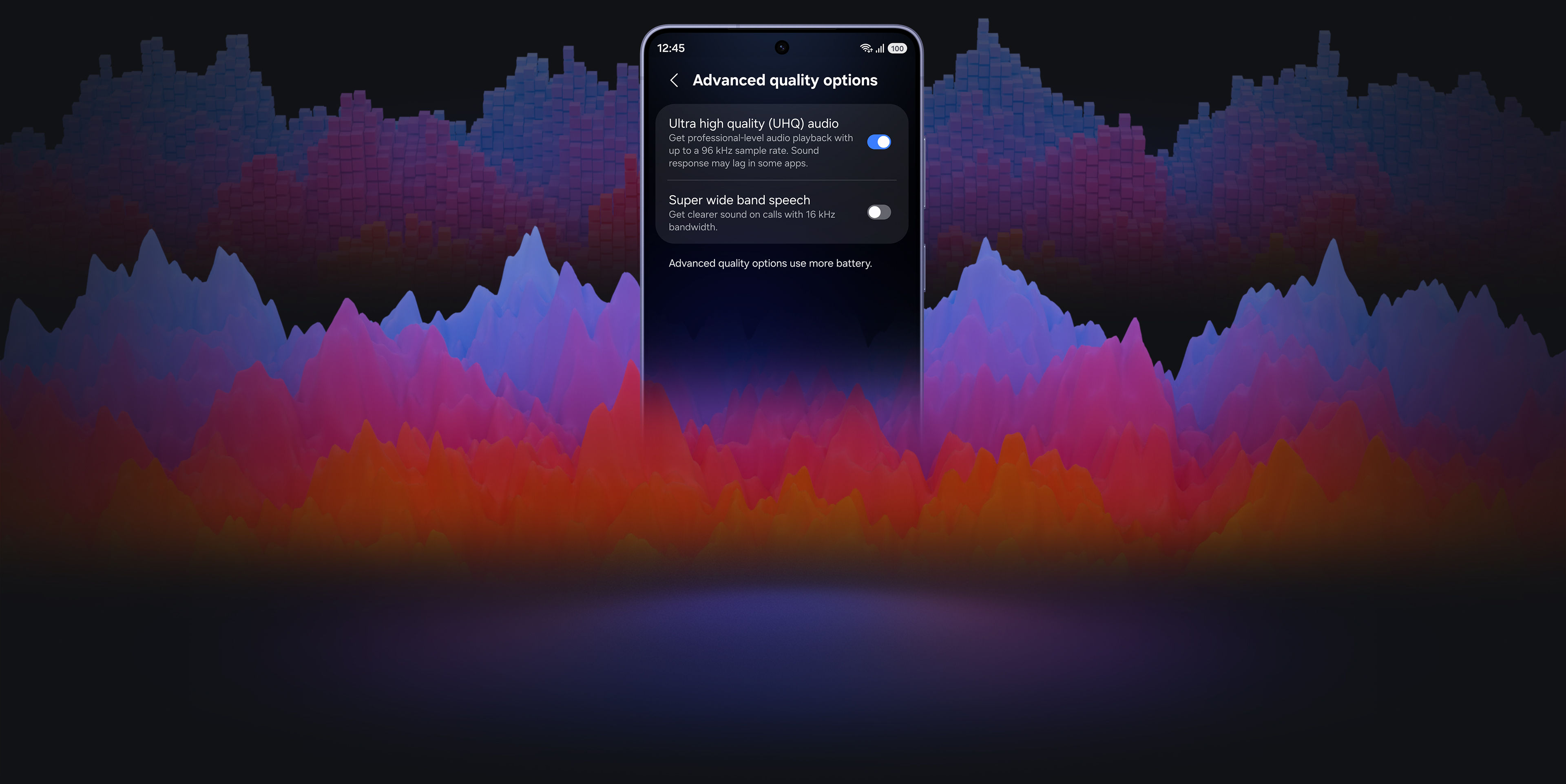
Introducing Galaxy Buds4 Pro — the all-new definition of Hi-Fi audio. Crafted with a new metal blade design and all-day ergonomic comfort, Galaxy Buds4 Pro delivers sound true to the original through an advanced 2-way Speaker that's powered by a wider woofer, Dual Amplifier and seamless 24-bit / 96 kHz codec. Enhanced Active Noise Cancellation instantly immerses you in your music, while Super Clear Call ensures crystal-clear conversations with advanced DNN technology. The upgraded One UI streamlines connections across your Galaxy devices, keeping the entire Galaxy ecosystem in sync. Just ask AI agents like Bixby when you need help. Hear every detail in every note with Galaxy Buds4 Pro.23, 24
MEET THE TRUE HI-FI GALAXY BUDS
Advanced 2-way Speaker

From deeper, richer lows powered by a wider woofer to clear highs, the advanced 2-way Speaker delivers a complete, balanced sound.
Design

Iconic in metal, shaped for all-day comfort. The real metal blade defines both design and control. Ergonomic contours create a secure, natural fit that stays comfortable from morning to night.
Ultra High Quality Audio

Ultra High Quality Audio with 24-bit / 96 kHz reveals every layer, making the world feel richer and more alive.
Super Clear Call

Your voice is captured clearly by advanced machine-learned DNN, even in noisy moments, and delivered pure and effortless through Super Wideband.
Charging Case

From clean, sculptural form to smooth magnetic docking, the Charging Case turns everyday use into a refined experience.

Iconic metal design.
Built for all-day
comfort


The real metal blade defines both design and control. Finely sculpted from aluminum and perfected to create an impeccable hairline, Galaxy Buds4 Pro shines elegantly, turning heads. Finished in timeless colors, it presents a classic look that feels sophisticated yet versatile. Shaped for lasting comfort and stability, the surface that touches your ears feel naturally comfortable to provide a secure fit. From docking and charging to control, every interaction flows seamlessly through an ergonomic design.
-
Colors White View MoreClose Color information layer
Colors
WhiteSamsung.com only
White


Black


Pink Gold


-

-


-
Pinch Control View MoreClose Pinch Control information layer
Pinch Control
Now with the upgraded Pinch Control, you can manage your media or control the volume with just your index finger — no need to reach for your phone.


- Single pinch
- Double pinch
- Swipe up or down
- Pinch and hold
- Single pinch
- Double pinch
- Swipe up or down
- Pinch and hold

Unveil the artistry of
full-spectrum Hi-Fi sound

ADVANCED 2-WAY SPEAKER
Hi-Fi sound.
Hear the full range
Meet the true Hi-Fi Galaxy Buds. The advanced 2-way Speaker paired with dedicated Dual Amp is meticulously tuned to achieve high-fidelity sound across the full spectrum. Bring the studio-scale listening system to your ears, wherever you are.


ADVANCED WIRELESS AUDIO
Hear every layer come alive
Hear every layer come alive with extended bit depth and high sampling rates. Samsung Seamless Codec (SSC) supports 24-bit / 96 kHz audio to preserve the original sound with vast amount of information, while optimized data transmission control enables a stable listening experience with reduced audible artifacts or dropouts. Turn on the Ultra High Quality Audio (UHQ) option on your Galaxy smartphone and rediscover your favorite songs in full detail., ,

24-bit / 96 kHz Samsung Seamless Codec - UHQ


ADAPTIVE EQUALIZER
Tailor Hi-Fi sound your way
Take a step closer to the ultimate in audio. Customize bass, treble and tone with the 9-Band Equalizer to match your preference, creating a sound signature tailored just for you. Galaxy Buds4 Pro also optimizes sound adaptively to your ear shape and wearing style, ensuring a consistent listening experience as your ears perceive it — even when you adjust the volume.

SUPER CLEAR CALL
Super Clear Call, even in noise
Even your calls are clear like Hi-Fi audio. Your voice is clearly captured by 6 microphones positioned around your head, intelligently isolating it from the background sound with advanced Deep Neural Network (DNN). The exceptionally clean voice signal is transmitted with pure effortlessness through Super Wideband (SWB) up to 16 kHz between your Galaxy Buds4 Pro and Galaxy smartphone. Hear and be heard, loud and clear — even in noisy moments., ,


Two Galaxy smartphones are on each side with a pair of white, Galaxy Buds4 Pro in the middle. Between the earbuds is a phone call icon. The smartphone on the left shows the call screen with the name 'Ava' and the smartphone on the right shows the call screen with the name 'Sam'. In the background are multiple waves to indicate that high-quality phone calls are available on Galaxy Buds4 Pro with the Super Clear Call feature.
360 AUDIO
Surround yourself in sound
Expand your soundstage from stereo into a grand orchestral hall or a large arena, placing you at the center of a live performance with a single touch. Feel every instrument and vocals in three dimensions, surrounding you with natural depth and spacious clarity. You don't just hear the music — you're enveloped by the atmosphere all around you.


A man sitting on a couch as a collection of instruments appear in a circle around him. The instruments include a mic with a mic stand, a drum set, trumpet, cello, violin, electric guitar and grand piano. The instruments are shown in outline, highlighting the 360 Audio system available on Galaxy Buds4 Pro.
Deeper immersion that adapts with you


ENHANCED ANC
Let Hi-Fi sound stay vivid
With its top-notch high-fidelity sound system, Galaxy Buds4 Pro achieves precise noise control. Distractions fade in real-time as the Active Noise Canceling (ANC) algorithm instantly processes and adapts to your ear shape and fit. Listen to vivid, layered and deeply engaging Hi-Fi sound wherever you are.

ADAPTIVE NOISE CONTROL
Stay immersed, stay connected
Manage your listening experience your way. Galaxy Buds4 Pro adjusts the levels of ANC and ambient sounds in real-time, adapting to your environment — whether you're sensitive to noise or prefer more blending. Stay more immersed in the music while remaining connected to the world around you.


-
ONE UI 8.5
Now, everything flows as one in One UI
The evolved One UI 8.5 creates a deep connection between your Galaxy Buds and Galaxy smartphone, almost like a duet. Control has never been more intuitive — manage features from the device settings, without downloading a separate app. From the Quick Panel, you can easily access features and also set and save sound preferences for each app., ,


INTERPRETER
Personal AI Translator in your ear
Break language barriers with a personal AI translator in your ear. Fully engage in the moment with Galaxy AI-powered Interpreter — hear it through Galaxy Buds4 Pro and read it on your Galaxy smartphone. Galaxy AI steps in to ensure clear communication across different languages.,,


VOICE-READY AI AGENT
Just talk to wake your AI agents
Ask for assistance with just your voice — no phone-pulling required. Simply speak to AI agents such as Bixby to get answers to questions or manage tasks instantly without slowing you down., ,


A rearview shot of a woman using a single, white Galaxy Buds4 Pro. The woman is looking at moon jars that are on display. Nearby, a text bubble asking AI, 'What is a moon jar?' Below the text bubble is a separate bubble with the response 'A moon jar is a large, round Korean white porcelain jar from the Joseon dynasty, whose softly swollen, almost spherical body and milky-white glaze evoke the appearance of a full moon.' Below is a list of the key points of a moon jar. It can be inferred that the woman used voice command to ask Bixby what a moon jar is.

AUTO SWITCH
Switch instantly between Galaxy devices
Auto Switch shifts your audio to the most pressing task at hand. Take a call on your Galaxy smartphone while focusing on your creative project on your Galaxy Tab or Galaxy Book. Jump right back to where you left off, the instant you hang up. The experience is seamless across your Galaxy devices.,

Key takeaways at a glance
Advanced
2-way Speaker

Ultra High Quality
Audio with
24-bit / 96 kHz
Super Clear Call

Iconic in metal


One UI 8.5

Advanced
2-way Speaker

Ultra High Quality
Audio with
24-bit / 96 kHz

Super Clear Call

Iconic in metal

One UI 8.5


GALAXY ECOSYSTEM
Pair up with our all-new AI phone
Add Galaxy S26 Ultra and Galaxy Watch Ultra to your everyday life to spark excitement — from listening to Hi-Fi audio with an improved codec and stable Bluetooth 6.1 connection, to paying more attention to your sleep quality and cardio health.
-
Galaxy S26 Ultra
Learn more
-
Galaxy Watch Ultra
Learn more
Galaxy Buds4 Pro Frequently Asked Questions
-
Galaxy Buds4 Pro delivers Hi-Fi audio with premium upgrades across sound, design, and device integration.
- Sound: The 2-way Speaker and Dual Amp work together to keep your music sounding exactly the way the artist intended like the difference between a live concert and a recording. Samsung Seamless Codec (SSC) supports at 24-bit / 96 kHz, so every note comes through clear and uninterrupted. Adjust to Fit adapts to your ear shape and wearing style so the sound always feels tailored to you. And on noisy commutes or busy streets, Super Clear Call makes sure your voice comes through loud and clear.
- Design: The ergonomic shape and silicone ear tips mean you can wear them from your morning coffee to your evening run without any discomfort. A sleek metal blade finish gives it a premium look, and the compact translucent Charging Case slips right into your pocket.
- One UI: If you're on a Samsung device running One UI 8.5, setup is effortless. Manage sound settings, features and more straight from your Quick Panel or device settings. No extra app, no extra steps.
-
Both deliver great sound, but they're built for different kinds of listeners.
- Galaxy Buds4 Pro is for the dedicated listener. The 2-way Speaker and Dual Amplifier are tuned to reproduce Hi-Fi sound just as it was recorded. Three sizes of silicone ear tips help you find the fit that delivers clear sound with less distortion. It also includes Voice Detect and Siren Detect, so if someone calls your name or an ambulance passes by, Galaxy Buds4 Pro lets that through.
- Galaxy Buds4 is built for everyday life. Reliable, balanced sound keeps up with your day, whether you're at your desk, on a walk or running errands.
-
Galaxy Buds4 Pro comes with earbuds, ear tips (3 sets: S/M/L), Charging Case and the Quick Start Guide. USB Type-C cable is not included.
-
No need to worry. Galaxy Buds4 Pro comes with three sizes of silicone ear tips (small, medium and large) so you can find the fit that feels right for you. M-sized ear tips come attached to the earbuds by default, but if they feel too loose or too tight, swapping to a different size takes just a few seconds and can make a big difference in both comfort and sound quality.
-
-
Both Galaxy Buds4 Pro and Galaxy Buds4 come with long-lasting batteries, so you can enjoy your favorite content or take long phone calls on a single charge.
- Galaxy Buds4 Pro: Up to 6 hours of play time and 4.5 hours of talk time with ANC on — and with the case, that extends to 26 hours of play time and 20 hours of talk time.,
- Galaxy Buds4: Up to 5 hours of play time and 3.5 hours of talk time with ANC on — and with the case, up to 24 hours of play time and 18 hours of talk time.,
-
Yes, the Galaxy Buds4 Pro Charging Case supports wireless charging. Just note that a wireless charging pad is not included in the box and is sold separately.
-
No, each model comes with its own Charging Case, and they're not interchangeable due to differences in shape.
-
You can use Pinch Control on Galaxy Buds4 Pro using your index finger. First, wear the earbuds and try the following actions:
- Single pinch: Play or pause the track, answer or end a call and stop using features such as Read notifications aloud, Voice Detect and Siren Detect.
- Double pinch: Skip to the next track.
- Triple pinch: Go back to the previous track.
- Pinch and hold: Activate your preset feature or decline a call.
- Swipe: Swipe up or down to adjust the volume.
-
Start by gently placing the earbuds in your ears, then wiggle them slightly left and right until they feel snug and secure. If you have Galaxy Buds4 Pro, you can also run the built-in Earbud Fit Test, a quick sound check that confirms you're getting the most out of every listen.
-
-
Compared to single-amplifier earbuds, Galaxy Buds4 Pro has two dedicated amplifiers for each speaker driver in the advanced 2-way Speaker for intricate control, minimizing interference. This separate operation makes meticulous tuning possible to produce high-quality sound.
-
-
Turn on Super wide band speech on your Galaxy Buds4 Series to use Super Clear Call, even in noisy environments — whether you're near a big crowd of people or when it's windy outside.
-
-
Adaptive Noise Control automatically adjusts your listening experience based on your surroundings. Simply wear both earbuds and enable Adaptive Noise Control in your settings.
- In noisy environments, Adaptive Noise Control increases Active Noise Canceling for better focus.
- In quieter settings, Adaptive Noise Control lets more ambient sound in so you can stay aware of what's around you.
You can also stay aware of your surroundings while wearing your Galaxy Buds4 Pro with Voice Detect and Siren Detect.
-
Yes, you can easily adjust the noise control level on your Galaxy Buds4 Pro to suit your environment.
- You can manage the Active Noise Canceling intensity from level 1 to 5.
- Increase the Active Noise Canceling intensity in louder settings — like when you're near heavy traffic — for a more immersive listening experience.
-
To connect Galaxy Buds4 Pro to your Galaxy device, you can pair the two devices simply by opening Galaxy Buds4 Pro's Charging Case.
- The earbuds automatically start pairing and a popup screen will appear on the Galaxy device.,
- Tap Connect and the pairing is complete.,
Once the devices are connected, you can easily control Galaxy Buds4 Pro to customize sound just the way you like it.
- On Galaxy devices running on One UI 8.0 or later, certain features can be controlled from the Quick Panel or you can manage Galaxy Buds4 Pro in more detail from your phone's device settings without downloading any additional apps., ,
- For Galaxy devices running on earlier versions of One UI, configurations can be found in the Galaxy Wearable app., ,
-
Using Galaxy Buds4 Pro with your Galaxy smartphone pays off when you use the Interpreter feature during your travels. When you need to ask for directions or order a menu at a local restaurant, keep your earbuds on.,
- The mic picks up your speech and sends it to your Galaxy smartphone for interpretation. Then, the speakers play the translation.
- The other person's speech is sent to your Galaxy smartphone for interpretation and then played through Galaxy Buds4 Pro.
-
Yes, with Galaxy Buds4 Series, you can open the Bixby app or Google digital assistant app using your voice — no need to take out your phone.
- Bixby: Say "Hi Bixby" to get started. Or Press and hold (pinch and hold) your earbud, then tell Bixby what you need. Make sure the pinch-and-hold gesture is set to launch Bixby.
- Google digital assistant: Use your voice to open Google digital assistant and give commands, even when your phone isn't in use.
-
-
-
If you misplace your Galaxy Buds4 Pro or Galaxy Buds4, you can locate it easily using Samsung Find.
- Samsung Find app shows the last known location of your Galaxy Buds4 Pro or Galaxy Buds4 on a map, making it easier to track it down.
- You can play a loud ringing sound from the earbuds to help you find them nearby.
- For added peace of mind, enable alerts in the app to receive a notification if your Galaxy Buds4 Pro or Galaxy Buds4 is left behind.
-
-
The Expert Imaging and Sound Association (EISA) Awards is one of the most authoritative annual recognitions of audio quality in the global consumer electronics industry. Galaxy Buds4 Pro won the EISA In-Ear Headphones 2026-2027 Award. This marks the first time a Galaxy Buds product has earned this recognition from EISA, underscoring Samsung’s continued commitment to audio innovation, superior sound quality, intelligent adaptive listening technologies, and user-focused design.
Compare Galaxy Buds
-
Latest Products
More Galaxy
-
Latest Products
More Galaxy
Key Specs , , ,
-
Speaker
-
Speaker
-
Speaker
-
Amplifier
-
Amplifier
-
Amplifier
-
Bluetooth Codec
-
Bluetooth Codec
-
Bluetooth Codec
-
Bluetooth Ver.
-
Bluetooth Ver.
-
Bluetooth Ver.
-
MIC
-
MIC
-
MIC
-
Super Clear Call
-
Super Clear Call
-
Super Clear Call
-
360 Audio
-
360 Audio
-
360 Audio
-
Active Noise Cancellation
-
Active Noise Cancellation
-
Active Noise Cancellation
-
Adaptive Noise Control
-
Adaptive Noise Control
-
Adaptive Noise Control
-
Adaptive EQ/Adaptive ANC
-
Adaptive EQ/Adaptive ANC
-
Adaptive EQ/Adaptive ANC
-
Volume EQ
-
Volume EQ
-
Volume EQ
-
Galaxy AI availability
-
Galaxy AI availability
-
Galaxy AI availability
-
LE Audio
-
LE Audio
-
LE Audio
-
Auracast
-
Auracast
-
Auracast
-
Swipe Control
-
Swipe Control
-
Swipe Control
-
Pinch Control
-
Pinch Control
-
Pinch Control
-
Head Gesture
-
Head Gesture
-
Head Gesture
-
Play time
-
Play time
-
Play time
- Devices sold separately.
- Availability of colors may vary by country or carrier. Pink Gold color sold exclusively online at Samsung.com.
- Wireless charger and cable sold separately.
- Based on global ear data research conducted by Samsung Design Innovation Center.
- The new wider woofer on Galaxy Buds4 Pro has 19.8% larger diaphragm compared to Galaxy Buds3 Pro.
- Ultra High Quality Audio (UHQ) up to 24-bit / 96 kHz is available on Galaxy S26 Series, S25 Series, S24 Series, S23 Series, Z Fold7, Z Flip7, Z Fold6, Z Flip6, Z Fold5, Z Flip5 and Tab S11 Series, Tab S10 Series, Tab S9 Series with One UI 6.1.1 or above. Additional devices may be supported in the future.
- UHQ is off by default and can be configured directly in the phone settings for devices running One UI 8.0 and later. For devices running on earlier versions of One UI, configurations can be found in the Galaxy Wearable app.
- 360 Audio is only available on Samsung Galaxy smartphones and Galaxy Tab devices with Android One UI version 3.1 or later, and selected Samsung TV models. Supported Samsung TV models include: Neo QLED 8K (QN900D, QN800D), Neo QLED 4K (QN95D, QN90D, QN87D, QN85D), OLED (S95D, S90D, S85D), QLED (Q80D, Q70D). Support for 360 Audio and head tracking may vary depending on the application and content.
- Super wideband (SWB) call is available on Galaxy S26 series, S25 series, Z Fold7, Z Flip7, Z Fold6, Z Flip6, A56, Tab S11 series and Tab S10 series with One UI 6.1.1 or above. Additional devices may be supported in the future. Super wideband call is available regardless of the call app. SWB may not be supported depending on the mobile network between devices.
- Each earbud contains three microphones (six in total across the device). The advanced DNN technology processes audio independently on each earbud, with no interaction between them.
- Adaptive Noise Control, Voice Detect and Siren Detect are off by default, and can be configured directly in the phone settings for devices running One UI 8.0 and later. For devices running on earlier versions of One UI, configurations can be found in the Galaxy Wearable app.
- Bluetooth must be turned on to pair Galaxy Buds4 Pro with Galaxy smartphone and Galaxy Tab.
- Additional plug-in may need to be downloaded based on the version of One UI. For devices running on One UI versions below 8.0, Galaxy Wearable app needs to be downloaded.
- Connecting Samsung Galaxy Buds4 Pro as Bluetooth Audio is available regardless of OS but to configure advanced settings on the Galaxy Wearable app, Samsung Galaxy Buds4 Pro must be paired with a smartphone with Android 12.0 or above and minimum 1.5 GB Memory.
- Samsung Account login is required to activate and change Galaxy Buds4 Pro settings on the Galaxy Wearable app.
- Samsung Account login is required to activate and change Galaxy Buds4 Pro settings. For devices running on One UI 8.0 or later, settings can be configured directly in the phone settings. For devices running on earlier versions, configurations can be found in the Galaxy Wearable app. Additionally, to use the Galaxy Wearable app, Samsung Galaxy Buds4 Pro must be paired with a smartphone running Android 12.0 or above with at least 1.5 GB of memory. Galaxy Wearable app is not supported on iOS.
- Connecting Samsung Galaxy Buds4 Pro as Bluetooth Audio is available regardless of the OS.
- Interpreter is available on smartphone devices with Galaxy AI features included, running on One UI 6.1.1 or later.
- Galaxy Buds4 Pro supports Galaxy AI features such as Interpreter and Live Translate when paired with compatible Samsung Galaxy devices. Availability of Galaxy AI features may vary by device model. Samsung Account login may be required to use certain Samsung AI features. Samsung does not make any promises, assurances or guarantees as to the accuracy, completeness or reliability of the output provided by AI features. Supported languages (Regions) are Arabic, Bahasa Indonesia, Chinese Simplified, Chinese Traditional (Hong Kong, Taiwan), Dutch, English (Australia, India, United Kingdom, United States), French (Canada, France), German, Hindi, Italian, Japanese, Korean, Polish, Portuguese (Brazil, Portugal), Romanian, Russian (Russian Federation), Spanish (Mexico, Spain, United States), Swedish, Thai, Turkish, Vietnamese, Tagalog, Gujarati. More languages will be added in future updates.
- Voice wake-up is off by default, and can be configured directly in the phone settings for devices running One UI 8.0 and later. For devices running on earlier versions of One UI, configurations can be found in the Galaxy Wearable app.
- Bixby is supported on most Samsung Galaxy smartphones and Galaxy Tab devices. Bixby provides real-time answers on devices running on One UI 8.5 or later. Service availability may vary by country, service provider, device model and OS version.
- Bixby supports 9 languages: Korean, English, German, French, Italian, Spanish, Portuguese, Chinese (Simplified) and Japanese.
- Head Gesture is off by default, and can be configured directly in the phone settings for paired devices running One UI 8.5 and later.
- Supported apps may vary by country. Gestures can be set by the user.
- Auto Switch feature is only available on Samsung Galaxy Book series with One UI 6.0 Book or later, Samsung Galaxy smartphones and Galaxy Tab devices with One UI 4.1.1 or later and Galaxy Watch4 series or later. Samsung Galaxy devices must be logged in to Samsung Account to enable the Auto Switch feature. Auto Switch feature for Samsung TV is only available on Samsung TVs launched Feb ’22 or later after getting a firmware update from Jul ’22. Auto Switch with TV is only available for making and receiving phone calls.
- Galaxy Buds4 Pro can be connected to iOS devices but cannot be controlled through the device as Galaxy Wearable app is not supported.
- Actual battery life may vary and depend on usage conditions, settings, number of times charged, Bluetooth signal strength, and other factors.
- Actual Play time may vary based on settings.
- Galaxy Buds use LC3 Codec when audio is transmitted over LE Audio. The availability of LE Audio may vary depending on the paired device and the audio features used. For LE Audio to function, the paired device must support it.
- Auracast™ is a trademark of Bluetooth SIG, Inc.
- IP57 is based on laboratory test conditions for submersion in up to 1 meter of fresh water for up to 30 minutes.
- Not advised for beach or pool use. Charging Case is not water resistant. If the earbuds are damaged, they are not guaranteed to be water resistant. If the earbuds or your hands are wet, they must be dried thoroughly prior to handling or placing into the Charging Case. If placed into the Charging Case without drying, the earbuds may be damaged.
- Based on Samsung internal lab test conditions with pre-release version of given models connected to phone via Bluetooth under default settings. Estimated against battery capacity and measured current over battery power consumption during music playback (MP3 file saved on device), for each tested model.
- Available options may vary depending on the connected Galaxy device.
- Voice commands is supported on Galaxy Buds4 Pro only.
- Voice commands is limited to fixed commands and is only available in Korean, English (US, UK, India, Australia), Portuguese (Brazil), Chinese, German, Spanish (Mexico, Spain), Italian, Polish, French (France, Canada), Arabic (MSA), Turkish, Dutch. Additional languages may be supported in the future.
- Voice commands is off by default, and can be configured directly in the Galaxy smartphone settings for devices running One UI 8.0 and later. For devices running on earlier versions of One UI, configurations can be found in the Galaxy Wearable app. Samsung account login is required to activate and change the Galaxy Buds4 and Buds4 Pro settings on the Galaxy Wearable app.
Specifications
-
Weight (g)
215
-
CPU Speed
4.74GHz, 3.6GHz
-
CPU Speed
4.74GHz, 3.6GHz
-
CPU Type
Octa-Core
-
Screen Size (Main Display)
203.1mm (8.0")
-
Resolution (Main Display)
2504 x 2256 (QXGA+)
-
Technology (Main Display)
Dynamic AMOLED 2X
-
Colour Depth (Main Display)
16M
-
Max Refresh Rate (Main Display)
120 Hz
-
Size (Sub Display)
164.8mm (6.5")
-
Resolution (Sub Display)
2520 x 1080 (FHD+)
-
Technology (Sub Display)
Dynamic AMOLED 2X
-
Colour Depth (Sub Display)
16M
-
Rear Camera - Resolution (Multiple)
200.0 MP + 50.0 MP + 10.0 MP
-
Rear Camera - F Number (Multiple)
F1.7 , F1.9 , F2.4
-
Rear Camera - Auto Focus
Yes
-
Rear Camera - OIS
Yes
-
Rear Camera - Zoom
Optical Zoom 3x, Optical quality Zoom 2x (Enabled by Adaptive Pixel sensor) , Digital Zoom up to 30x
-
Front Camera - Resolution
10.0 MP
-
Front Camera - F Number
F2.2
-
Front Camera - Auto Focus
No
-
Rear Camera - Flash
Yes
-
Cover Camera - Resolution
10.0 MP
-
Cover Camera - F Number
F2.2
-
Cover Camera - Auto Focus
No
-
Video Recording Resolution
UHD 8K (7680 x 4320)@30fps
-
Slow Motion
240fps @FHD, 120fps @FHD, 120fps @UHD
-
Memory_(GB)
12
-
Storage (GB)
256
-
Available Storage (GB)
224.3
-
SIM size
Nano-SIM (4FF), Embedded-SIM
-
2G GSM
GSM850, GSM900, DCS1800, PCS1900
-
3G UMTS
B1(2100), B2(1900), B4(AWS), B5(850), B8(900)
-
4G FDD LTE
B1(2100), B2(1900), B3(1800), B4(AWS), B5(850), B7(2600), B8(900), B12(700), B13(700), B14(700), B18(800), B19(800), B20(800), B25(1900), B26(850), B29(700), B30(2300), B66(AWS-3), B71(600)
-
4G TDD LTE
B38(2600), B39(1900), B40(2300), B41(2500), B48(3600)
-
5G FDD Sub6
N1(2100), N2(1900), N3(1800), N5(850), N7(2600), N8(900), N12(700), N20(800), N25(1900), N66(AWS-3), N71(600)
-
5G TDD Sub6
N38(2600), N41(2500), N77(3700), N78(3500)
-
USB Interface
USB Type-C
-
USB Version
USB 3.2 Gen 1
-
Location Technology
GPS, Glonass, Beidou, Galileo
-
Earjack
USB Type-C
-
MHL
No
-
Wi-Fi
802.11a/b/g/n/ac/ax/be 2.4GHz+5GHz+6GHz, EHT320, MIMO, 4096-QAM
-
Wi-Fi Direct
Yes
-
Bluetooth Version
Bluetooth v6.0
-
NFC
Yes
-
UWB (Ultra Wideband)
Yes
-
PC Sync.
Smart Switch (PC version)
-
Android
-
Form Factor
Folder
-
Accelerometer, Barometer, Fingerprint Sensor, Gyro Sensor, Geomagnetic Sensor, Hall Sensor, Light Sensor, Proximity Sensor
-
Dimensions (HxWxD, mm)
158.4 x 143.2 x 4.1
-
Dimensions when folded (HxWxD, mm)
158.4 x 72.8 x 8.9
-
Weight (g)
215
-
Video Playback Time (Hours, Wireless)
Up to 27
-
Battery Capacity (mAh, Typical)
5000
-
Removable
No
-
Battery Chemistry
Lithium-Ion
-
Stereo Support
Yes
-
Video Playing Format
MP4, M4V, 3GP, 3G2, AVI, FLV, MKV, WEBM
-
Video Playing Resolution
UHD 8K (7680 x 4320) @60fps
-
Audio Playing Format
MP3, M4A, 3GA, AAC, OGG, OGA, WAV, AMR, AWB, FLAC, MID, MIDI, XMF, MXMF, IMY, RTTTL, RTX, OTA, DFF, DSF, APE
-
Gear Support
Galaxy Ring, Galaxy Buds Core, Galaxy Buds4 Pro, Galaxy Buds3 Pro, Galaxy Buds2 Pro, Galaxy Buds Pro, Galaxy Buds Live, Galaxy Buds+, Galaxy Buds4, Galaxy Buds3, Galaxy Buds2, Galaxy Buds, Galaxy Buds3 FE, Galaxy Buds FE, Galaxy Fit3, Galaxy Fit2, Galaxy Watch FE, Galaxy Watch Ultra2, Galaxy Watch Ultra, Galaxy Watch9, Galaxy Watch8, Galaxy Watch7, Galaxy Watch6, Galaxy Watch5, Galaxy Watch4, Galaxy Watch3, Galaxy Watch, Galaxy Watch Active2, Galaxy Watch Active
-
Samsung DeX Support
Yes
-
Bluetooth® Hearing Aid Support
Android Audio Streaming for Hearing Aid(ASHA)
-
SmartThings Support
Yes
-
Mobile TV
No
-
Security Update Period (Valid until)
31 July 2033
-
Earbud Weight (g)
5.1
-
Bluetooth Version
Bluetooth v6.1
-
Sensors
Accelerometer, Gyro Sensor, Hall Sensor, Pressure Sensor, Proximity Sensor, Touch Sensor, VPU(Voice Pickup Unit)
-
Number of MIC
6
-
Speaker
Enhanced 2-way
-
Ambient Sound
Yes
-
Adaptive Noise Control
Yes
-
Active Noise Cancellation
Yes
-
Voice Detect
Yes
-
360 Audio
Yes
-
Siren Detect
Yes
-
Audio Codec
AAC, SBC, SSC(Samsung Seamless Codec), SSC-UHQ, LC3
-
Adaptive EQ
Yes
-
Adaptive ANC
Yes
-
Super Wide Band
Yes
-
Bluetooth Version
Bluetooth v6.1
-
Bluetooth Profiles
A2DP, AVRCP, HFP, PBP, TMAP
-
LE Audio
Yes
-
Auto Switch
Yes
-
Accelerometer, Gyro Sensor, Hall Sensor, Pressure Sensor, Proximity Sensor, Touch Sensor, VPU(Voice Pickup Unit)
-
Earbud Dimension (HxWxD, mm)
30.9 x 18.1 x 19.6
-
Earbud Weight (g)
5.1
-
Case Dimension (HxWxD, mm)
51 x 28.3 x 51
-
Case Weight (g)
44.3
-
Durability
IP57
-
Talk Time (Hours, ANC On)
Up to 4.5
-
Total Talk Time (Hours, ANC On)
Up to 20
-
Music Play Time (Hours, ANC On)
Up to 6
-
Total Music Play Time (Hours, ANC On)
Up to 26
-
Talk Time (Hours, ANC Off)
Up to 5
-
Total Talk Time (Hours, ANC Off)
Up to 22
-
Music Play Time (Hours, ANC Off)
Up to 7
-
Total Music Play Time (Hours, ANC Off)
Up to 30
-
Power Required for Charging (Min ~ Max, W)
2.5 ~ 4.5
-
Earbud Battery Capacity (mAh, Typical)
61
-
Case Battery Capacity (mAh, Typical)
530
-
Samsung Find
Yes
-
Bixby Voice Wake-up
Yes
-
Neck Stretch Reminder
Yes
-
Voice Command
Yes
Reviews
Galaxy Fold8 Ultra + Buds4 Pro Bundle
- Customers praise the expansive display for seamless multitasking and productivity, calling it transformative for daily use
- Reviewers celebrate the nearly invisible crease as a major upgrade, with vibrant and sharp display quality
- Many highlight exceptional performance, smooth hinge design, and lightweight build as premium improvements
- Customers note significant battery life gains and strong camera performance compared to previous models
- A few mention missing stylus support, though this barely affects overall overwhelming satisfaction
Reviews with images & videos
Filters
Relevancy sort puts the best reviews at the top. We look at things like helpfulness votes, latest review, pictures and other traits that readers look for in their reviews.
Filters
5,319 Reviews
2026-10-09
Cape Town, South Africa


2026-10-09
Cape Town


2026-08-20


2026-08-16


2026-08-21


2026-08-26


2026-09-01


2026-08-24


2026-09-22
South Africa


2026-09-19
Cape Town, South Africa


2026-09-19
Capetown South Africa


2026-08-20


2026-08-08


2026-09-16


2026-09-15


2026-08-26


2026-08-25


2026-08-24


2026-08-18


2026-08-13


2026-10-09
Cape Town


2026-08-21


2026-08-18


2026-08-07


2026-08-11


2026-08-24


2026-09-01


2026-09-10


2026-08-24


2026-08-17


2026-08-18


2026-09-26


2026-08-11


2026-09-13


2026-08-27


2026-08-14


2026-08-17


Samsung Customer Care
Thank you for your feedback regarding the display dimensions, video scaling and photo processing of your Galaxy Z Fold8 Ultra. Because foldable displays feature unique aspect ratios, you can customize how media and individual applications display: • App Aspect Ratio Customization: Navigate to Settings > Display > Full screen apps, and choose specific apps to switch between Default, 16:9, 4:3, or Full screen. • Video Playback Scaling: When streaming in media apps, tap the pinch-to-zoom or fit-to-screen icon to adjust the picture size to fill the screen. • Camera Optimization: To adjust sharpening and post-processing, go to Camera > Settings > Intelligent optimization, and select Maximum, Medium, or Minimum optimization. Your detailed impressions are invaluable to us. If you would like further help adjusting your display and camera settings, please reach out via 24/7 Live Chat at https://www.samsung.com/ca/support/live-chat-support.
2026-08-17


2026-09-29


2026-08-21


2026-08-17


2026-08-11


2026-08-24


2026-08-11


2026-08-21


2026-08-05

CS
Dear Customer, Thank you for sharing your detailed feedback and continued support for the Galaxy Z Fold series. We're delighted to hear you appreciate the Galaxy Z Fold8 Ultra's sleek design, engineering, durability, and premium foldable experience. We truly appreciate your loyalty as a long-time Fold series user and are grateful for your enthusiasm and support for Samsung innovation. Best regards, Samsung Gulf Electronics Customer Support (SGE CS)
2026-08-11


2026-08-21


2026-09-24


2026-10-09


2026-08-24


2026-08-22


2026-08-21


2026-08-21
Chepstow, South Wales
Samsung
Fantastic to read about how much you are enjoying the Z Fold8 Ultra! The inner screen of this model is perfect for immersing yourself in your favourite content, while the folding design ensures that it remains convenient to carry. It’s a total game changer!
^LB at Samsung Support
2026-08-08
2026-08-21
Samsung AU
Thank you for such an enthusiastic review! We’re thrilled to hear that you’re enjoying the large display, multitasking capabilities and overall performance. It’s wonderful to know that the experience is giving you the flexibility of a tablet while remaining pocketable. We hope you continue discovering even more ways to make the most of your device!
2026-08-10
Birmingham
Samsung
We love to hear that the expansive 8-inch inner display of the Galaxy Z Fold8 Ultra has been your favourite part of the device and that you're finding it particularly useful for watching videos, working and multitasking!
It's also great to know that its impressive 3,000-nit peak brightness helps keep content clear and vibrant.
We're delighted that you've been impressed by the smooth performance and fast app loading too. Powered by the latest high-performance Snapdragon platform and up to 16GB of RAM, the Galaxy Z Fold8 Ultra is built to handle demanding apps and multitasking with ease.
It's great to hear that the hinge feels solid and that the overall build quality has given you confidence. With its Armor FlexHinge, Flex Titanium construction and strengthened display materials, the Galaxy Z Fold8 Ultra is designed to combine the versatility of a large foldable display with the durability expected from an Ultra device.
We're pleased that you're enjoying the battery performance too, particularly for work and everyday multitasking.
Our latest flagship device is designed to make the investment worthwhile, delivering powerful and smart performance in a premium package, both inside and out!
^CL at Samsung Support
2026-08-17
2026-08-08
2026-08-07
2026-08-21


2026-08-23
Samsung AU
Thank you for sharing your experience. We’re delighted to hear that you’re finding the device easy to navigate and that the smart features are helping you troubleshoot and get things done. We understand that delayed messages can be frustrating, though, and appreciate you bringing this to our attention.
2026-08-11
Samsung AU
Thank you for such a detailed and positive review! We’re delighted to hear that you’re enjoying the premium design, performance and large display. It’s great to know that the experience is making multitasking, watching content, reading and getting work done more enjoyable. We truly appreciate your support and are glad to hear you’re having such a great experience.
2026-08-05
2026-08-26


2026-09-10


2026-09-05
Samsung AU
Thank you for sharing such thoughtful feedback! We’re pleased to hear that the improvements in the form factor, lighter design, hinge and crease have made the upgrade worthwhile, and that you’ve noticed an improvement in camera performance. We also appreciate your feedback regarding S Pen capability. Customer feedback like yours is valuable as we continue to understand what features are most important to our customers. We hope you continue enjoying your device!
2026-09-08
2026-09-21
Cape Town south africa


2026-08-17


2026-10-09
Cape Town,South africa


2026-08-11
Samsung AU
Thanks for sharing! It’s great to hear you’re enjoying the multitasking experience and finding the cover display comfortable to use. We’re especially pleased that the larger inner screen is helping you get more done. We hope you continue discovering new ways to make the most of it!
2026-10-11
2026-09-08
2026-08-07
2026-08-17


2026-09-24
Western Cape


2026-08-31


2026-08-14


2026-08-18


2026-08-18


2026-08-10
2026-10-11
2026-08-11
2026-08-11


2026-08-11


2026-08-17


2026-08-20


2026-08-19


2026-08-20


2026-09-24
Somerset west


2026-08-11
Samsung AU
We’re delighted to hear how impressed you are with the speed, smooth performance and multitasking experience. It’s fantastic that the camera and overall experience are making such a positive impression too. Thank you for sharing your enthusiasm with us!
2026-08-07
2026-08-06
2026-10-14
2026-08-28
2026-08-07
2026-09-19
Cape Town South Africa


2026-08-18
2026-08-28
These reviews are managed by Bazaarvoice and comply with the Bazaarvoice Authenticity Policy, which is supported by anti-fraud technology and human analysis. Details at
https://www.bazaarvoice.com/trustmark/User manual & downloads
*Based on average battery life under typical usage conditions. Average expected performance based on typical usage. Actual battery life depends on factors such as network, features selected, frequency of calls, and voice, data, and other application-usage patterns. Results may vary.
*Features and Specifications are accurate as of commercial launch but may be subject to change without prior notification. All specifications and descriptions provided herein may be different from the actual specifications and descriptions for the product. Samsung reserves the right to make changes to this web page and the product described herein, at anytime, without obligation on Samsung to provide notification of such change. All functionality, features, specifications, GUI and other product information provided in this web page including, but not limited to, the benefits, design, pricing, components, performance, availability, and capabilities of the product are subject to change without notice or obligation. The contents within the screen are simulated images and are for demonstration purposes only. Images are for illustration purposes only and the accessories are sold separately.
*Smartphones, Tablets and other mobile devices sold separately.
*Image of Galaxy Buds Pro earbuds simulated for illustration purposes.
*Compatibility : Galaxy S21|S21+|S21 Ultra 5G, Galaxy S20|S20+|S20 Ultra, Galaxy Note20|20+, Galaxy Fold, Galaxy Z Fold2 5G, Galaxy Z Flip, Galaxy S20 FE, Galaxy S10e|S10|S10+, Galaxy Note10|10+, Galaxy Tab S7|S7+, Galaxy Tab S6, Galaxy Tab S6 Lite with OneUI 3.1 or higher
*Typical value tested under third-party laboratory condition. Typical value is the estimated average value considering the deviation in battery capacity among the battery samples tested under IEC 61960 standard. Rated capacity is 4854 mAh for Galaxy Z Fold8 Ultra.
*Measured diagonally, Galaxy Z Fold8 Ultra's Cover Screen size is 6.5” in the full rectangle and 6.5” accounting for the rounded corners. The Main Screen size is 8.0” in the full rectangle and 8.0” accounting for the rounded corners; actual viewable area is smaller due to the rounded corners and camera hole.
*Wi‑Fi 7 (802.11be) network availability may vary by market, network provider and user environment. Requires optimal connection. Will require a Wi-Fi 7 router.