
Galaxy Buds3 Pro


Gallery popup


Por favor escanea el código QR con tu Smartphone y pon la imagen del producto en la posición deseada.
{{upgradeResult.displayModelName}}
{{upgradeResult.discountText1}}
{{upgradeResult.description1}}
{{upgradeResult.description2}}
{{offerFinance.title}}
{{offerFinance.learnMoreCta.text}}{{offerFinance.description}}
{{galaxyForeverResult.displayModelName}}
{{galaxyForeverResult.discountText1}}
{{galaxyForeverResult.description1}}
{{galaxyForeverResult.description2}}
Elige tu marco
Marcos intercambiables se venden por separado
Elige el color de la cubierta para The Freestyle
Cubiertas intercambiables se venden por separado
-
{{item.name}}
Sin stock
Tipo moderno
-
{{item.name}}
Sin stock
Tipo biselado
-
{{item.name}}
Sin stock
Colores adicionales
-
{{item.name}}
Sin stock
Tipo de marco

- Tipo moderno
Los marcos intercabiables de The Frame se ajustan magnéticamente en su lugar. Ahora, puedes cambiar entre estilos en un instante.
Tipo de marco

- Tipo biselado
El nuevo marco de tipo biselado ofrece un elegante diseño con borde interior en ángulo de 45 grados.
{{tradeIn.title}}
{{tradeIn.learnMoreCta.text}}{{tradeIn.description}}
Felicitaciones, Bonificación estimada Galaxy Canje aplicada
-
Descuento total {{tradeInResult.discountPriceText}} Bonificacion {{tradeInResult.discountText1}} Descuento directo {{tradeInResult.discountText2}}
{{tradeInResult.displayModelName}}
** El valor de la bonificación podrá variar de acuerdo a la revisión técnica de tu dispositivo actual por parte de nuestros especialistas
Dealer stock quantity
You can check the stock quantity for each region
Please select city
{{assuredBuyBack.title}}
{{newAssuredBuyBack.title}}
{{newAssuredBuyBack.learnMoreCta.text}}{{newAssuredBuyBack.description}}
Please select Samsung Assured Buyback or no coverage
{{care.title}}
{{care.learnMoreCta.text}}{{care.description}}
Selecciona Samsung Care+ o No para continuar
-
-
{{item.specialText}}
{{warrantyResult.displayModelName}}
{{warrantyResult.discountText1}}
{{warrantyResult.description1}}
{{warrantyVdResult.title}}
{{warrantyVdResult.priceDisplay}}
{{delivery.headline}}
{{delivery.errorMessage}}
{{deliveryResult.priorityText}}
{{deliveryResult.mainText}}
{{deliveryResult.subText}}
Standard installation charges may apply.Click here for more details.
{{deliveryResult.decText}}
{{item.disclaimer}}
{{tariffOptionResult.displayModelName}}
{{tariffOptionResult.discountText1}}
{{tariffOptionResult.description1}}
{{tariffOptionResult.description2}}
{{tariffOptionResult.description}}
{{tariffOptionResult.price}}
{{tariffOptionResult.disclaimer}}
{{embedAddon.title}}
{{embedAddon.description}}
-
{{item.name}}
{{item.modelCode}}
{{item.description}}
{{item.finalPrice}}
{{item.originalPrice}}{{item.savePrice}} Sin stock
-
{{item.name}}
{{item.modelCode}}
{{item.description}}
- {{item.dotList1}}
- {{item.dotList2}}
- {{item.dotList3}}
{{item.finalPrice}}
{{item.originalPrice}}{{item.savePrice}} Sin stock
{{message.item.tcCTAText}}
{{message.item.periodText}}
Funciones



Imagen utilizada con fines ilustrativos. Los colores disponibles de los Galaxy Buds3 Pro pueden variar según el operador. Los Galaxy Buds3 Pro son compatibles con funciones de Galaxy AI, como Interpreter y Live Translate, cuando se vinculan con dispositivos Samsung Galaxy compatibles. La disponibilidad de las funciones de Galaxy AI puede variar según el modelo del dispositivo. Consulta samsung.com/mx para obtener más detalles.
Galaxy AIha llegado

'Galaxy AI llegó para tus nuevo Galaxy Buds3 Pro
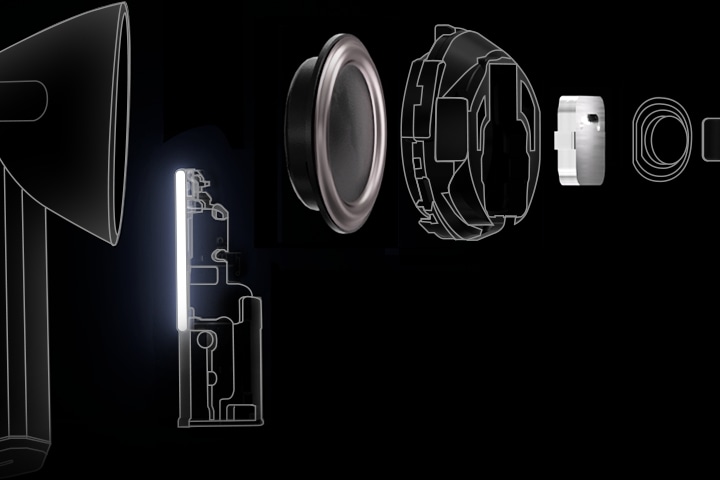
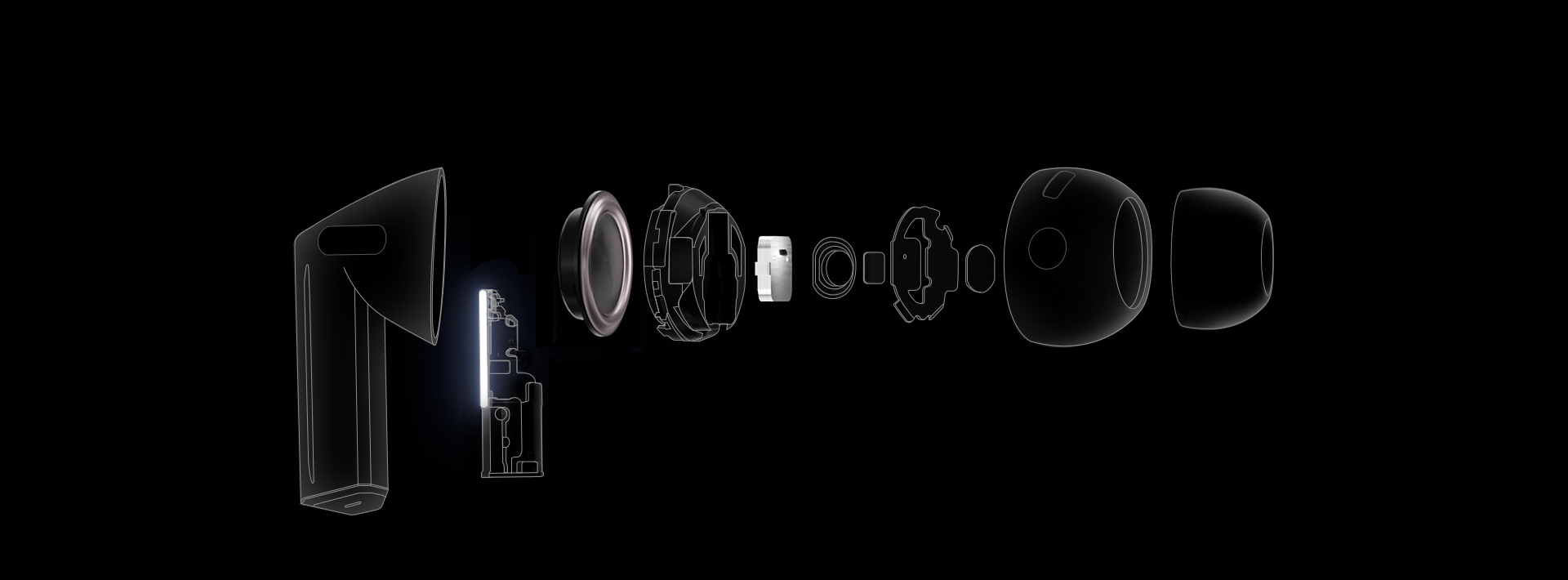
Redefine tu experiencia auditiva con nuestro primer tweeter planar y el debut del amplificador doble en los Galaxy Buds. Captura una gran variedad de detalles complejos con los altavoces bidireccionales mejorados. Minimiza la distorsión con nuestro potente amplificador doble. Escuche cada nota con claridad nítida, gracias al códec de 24-bit. Lleva tu experiencia auditiva al siguiente nivel con el control de sonido impulsado por Galaxy AI y la interpretación en tiempo real. Mira tus Galaxy Buds bajo una nueva luz. , ,



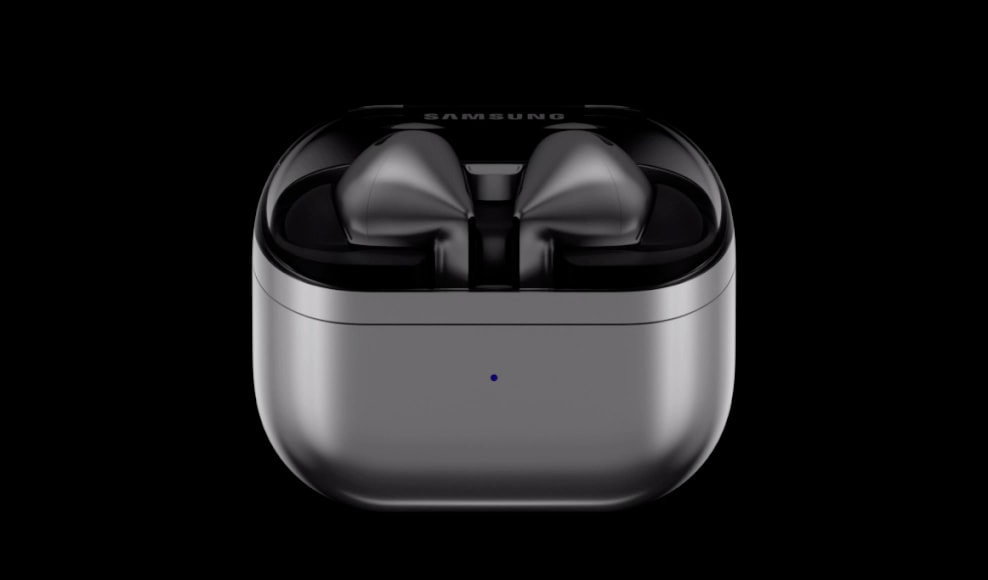





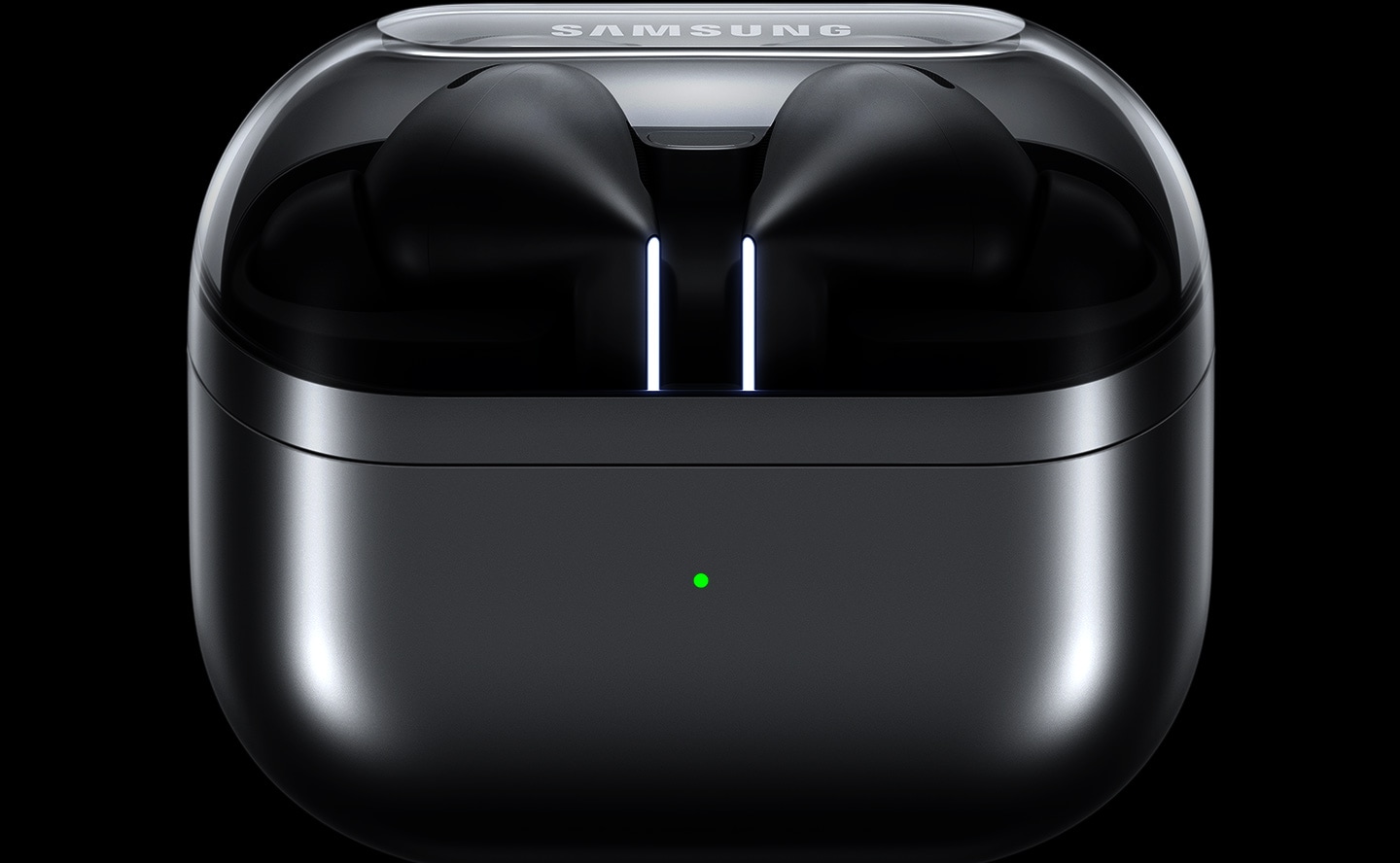
Diseño ergonómico para un sonido supremo
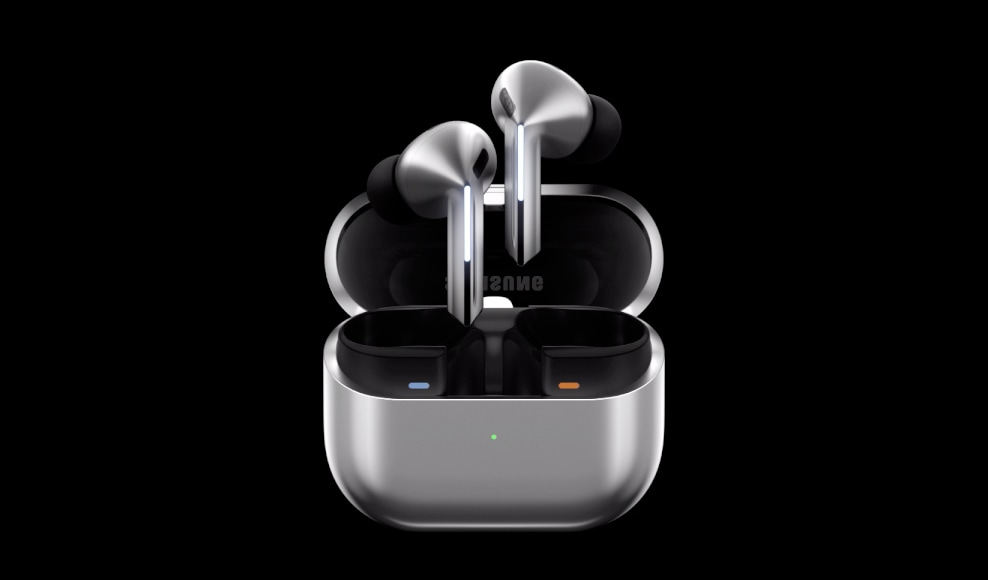
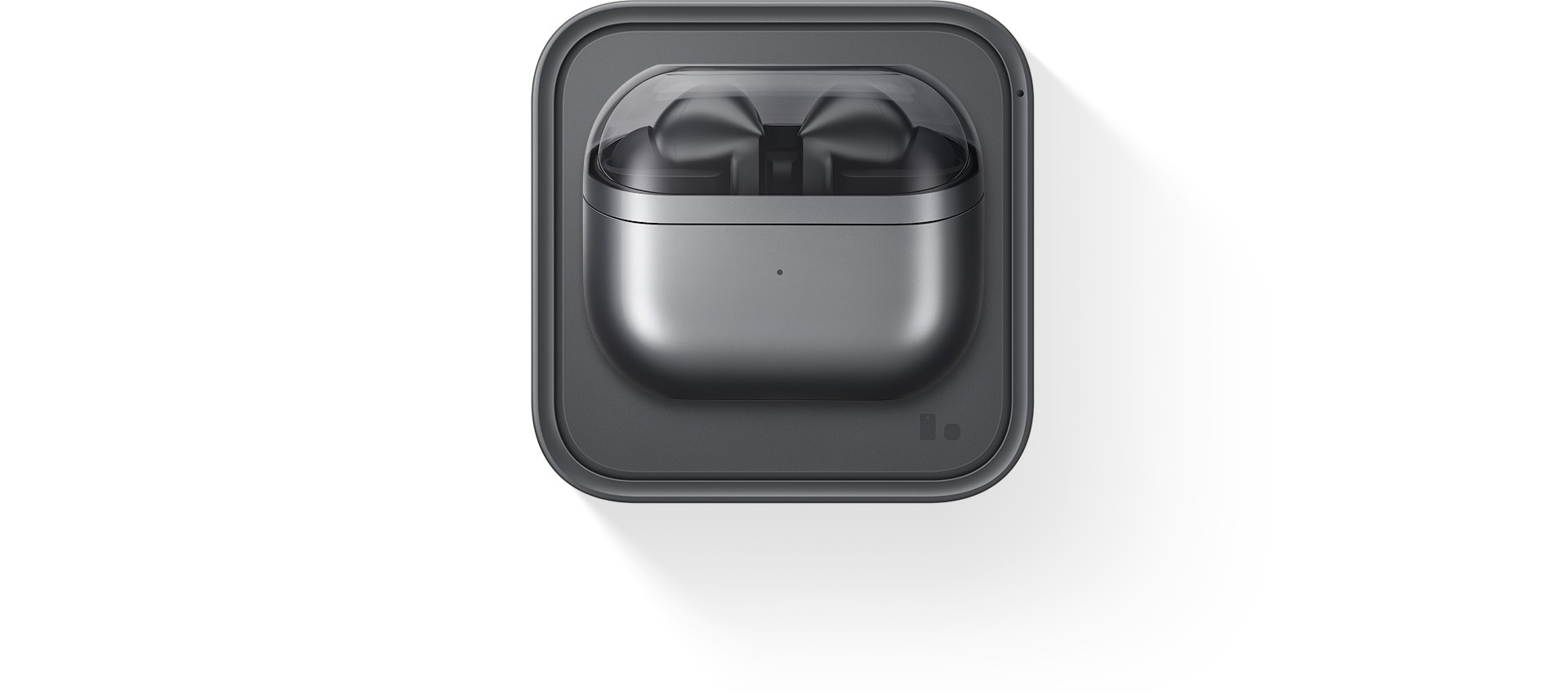
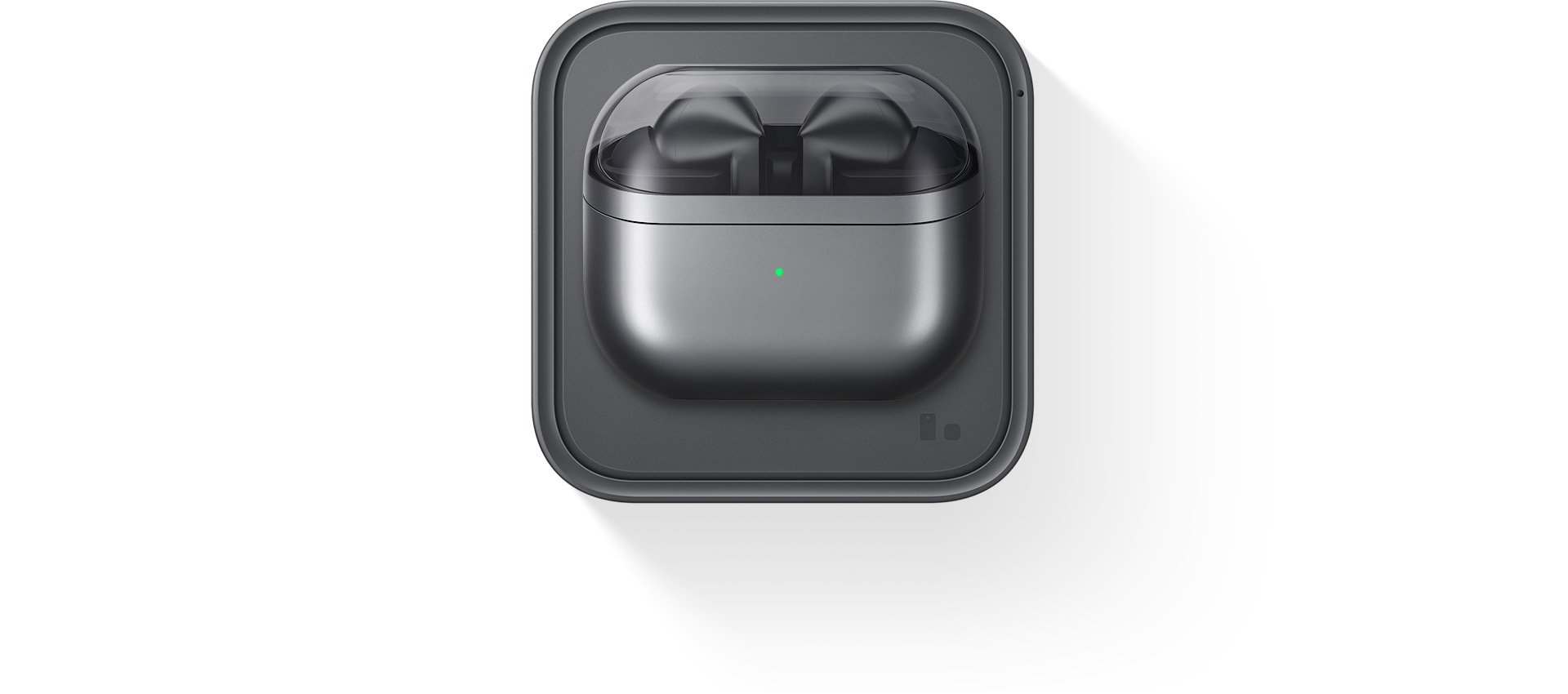
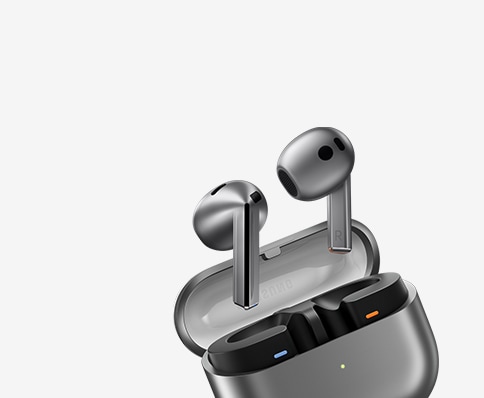
Experimenta nuestro diseño completamente nuevo, creado para un sonido óptimo. Nuestros Galaxy Buds3 Pro renovados cuentan con cabezas pequeñas en ángulo para un ajuste cómodo y para optimizar tu experiencia de audio, mientras que las Blade Lights con detalles te permiten expresarte. El diseño de la hoja resalta una elegante caja con una cubierta transparente y una delicada forma curva, equipada con USB-C y capacidades de carga inalámbrica. , , ,
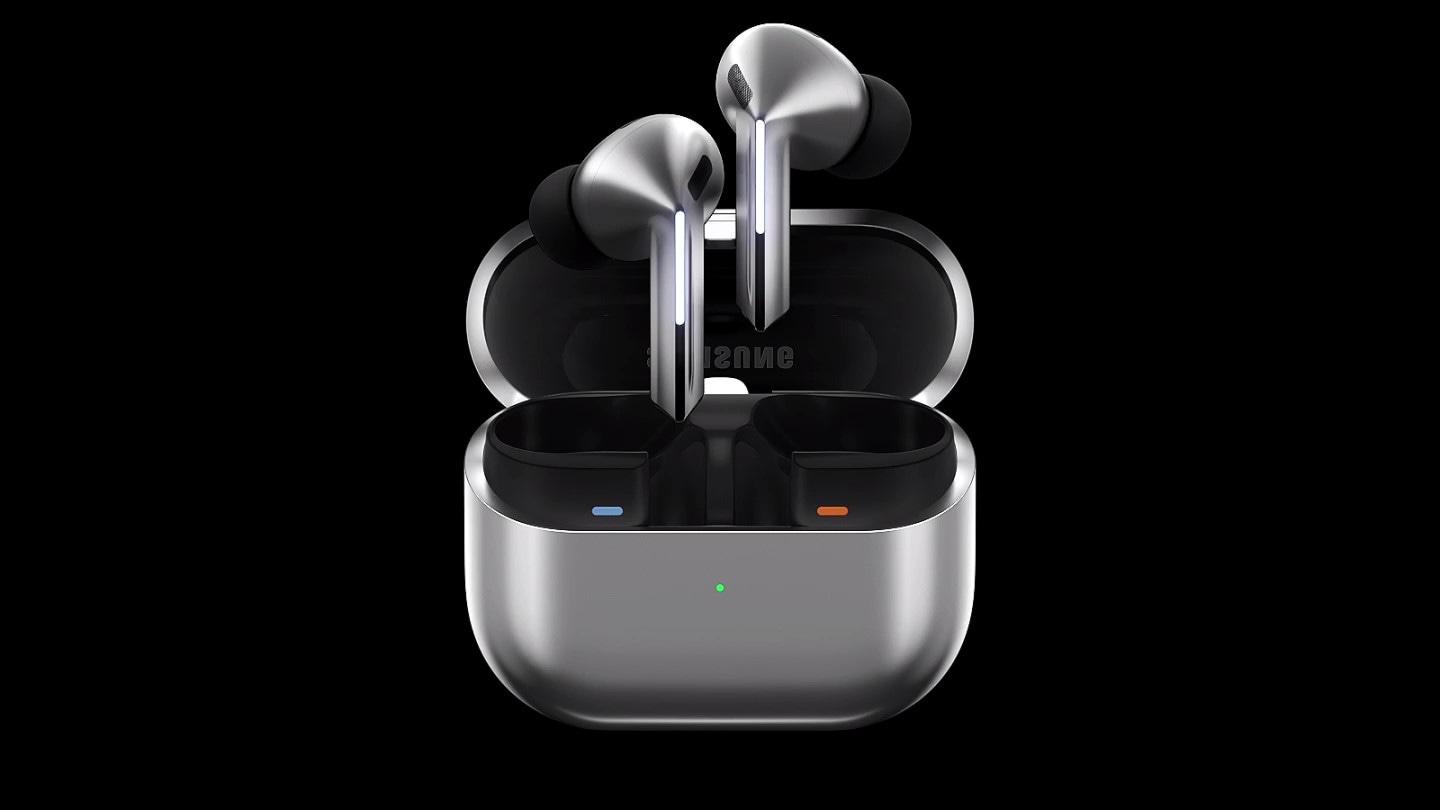
Un par de Galaxy Buds3 Pro plateados aparecen en un estuche cerrado que se abre. Una vez abierto, los audífonos se deslizan hacia arriba con las Blade Lights encendidas y flotan sobre el estuche abierto.
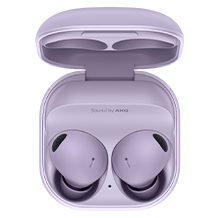
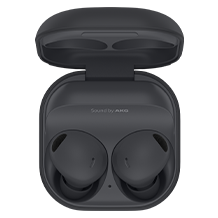
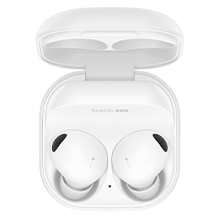
Color
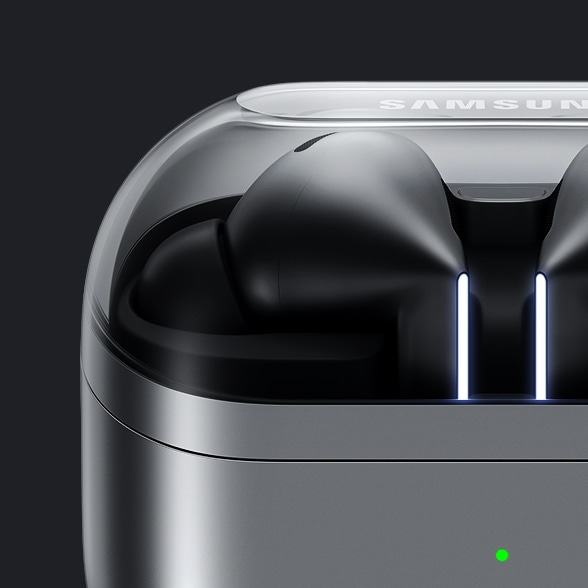
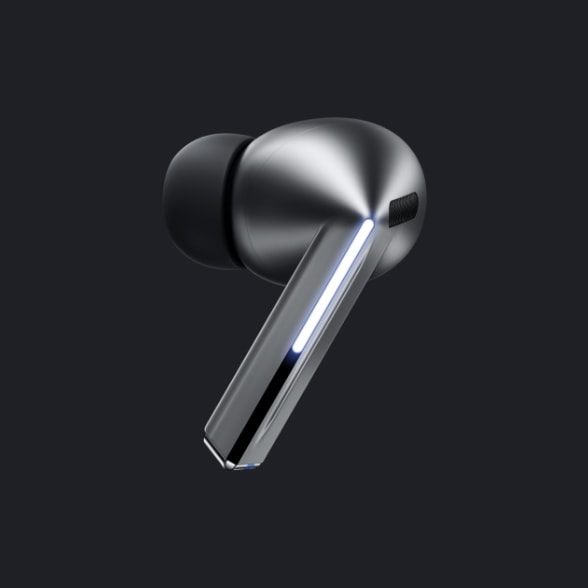
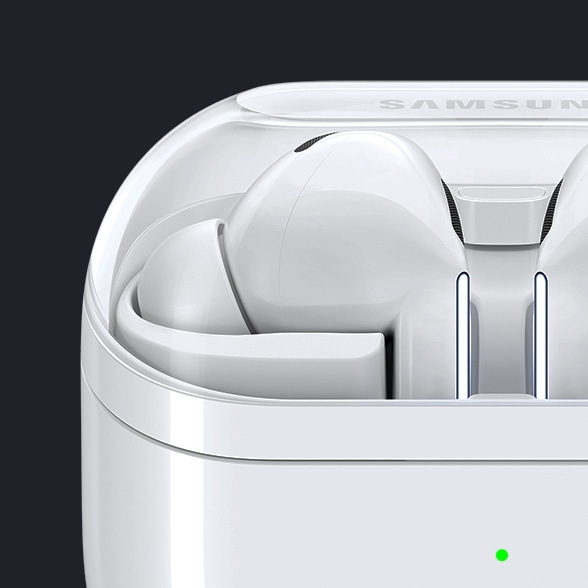
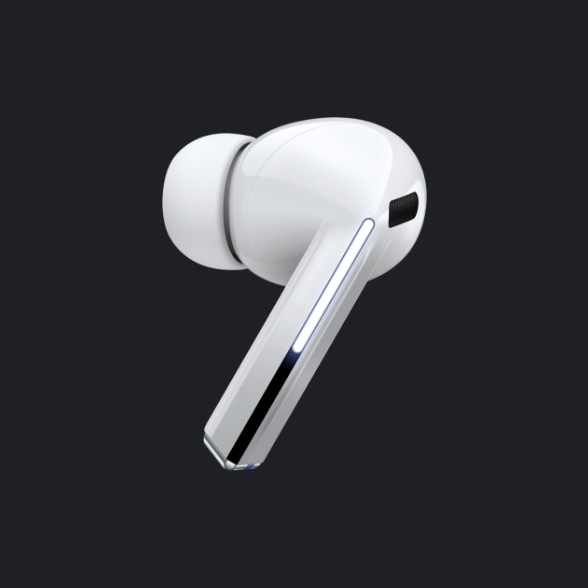
Control perfecto al alcance de la mano
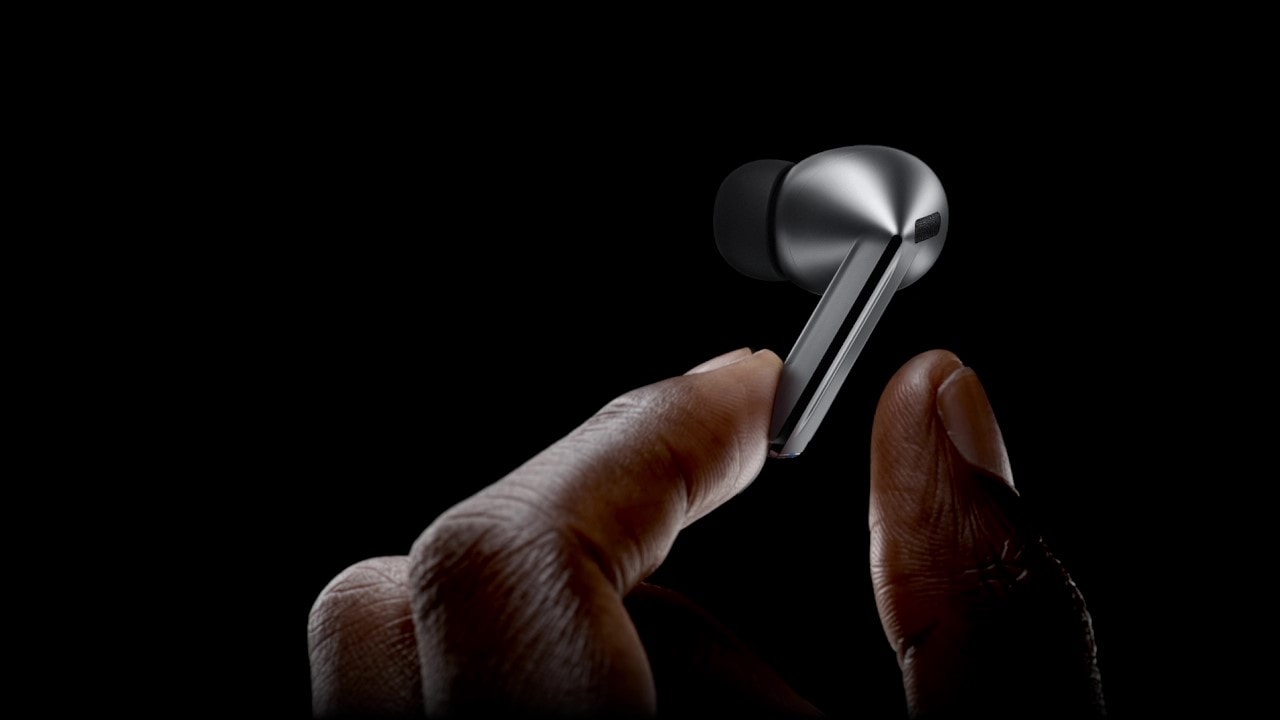
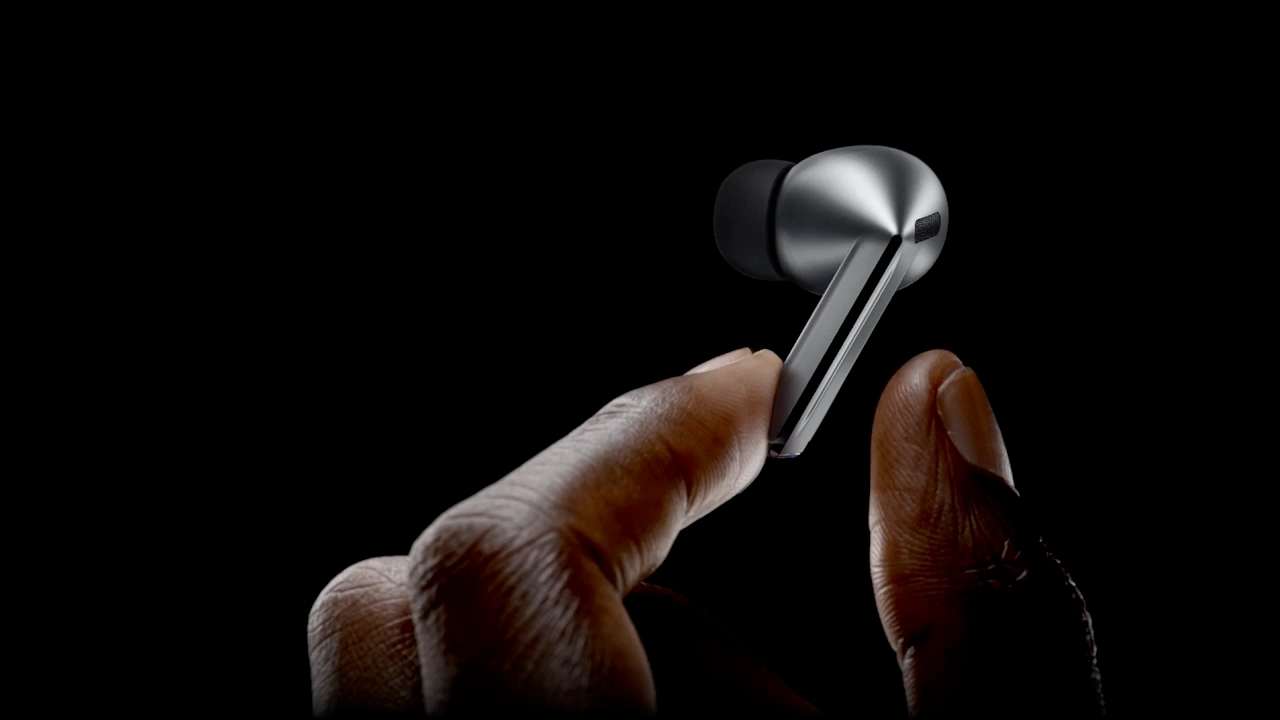
Deja tu smartphone en el bolsillo y controla cómodamente tus auriculares con gestos sencillos. Incluso si deslizas rápidamente, tendrás la tranquilidad de que tus Galaxy Buds3 Pro permanecerán seguros en tus oídos.
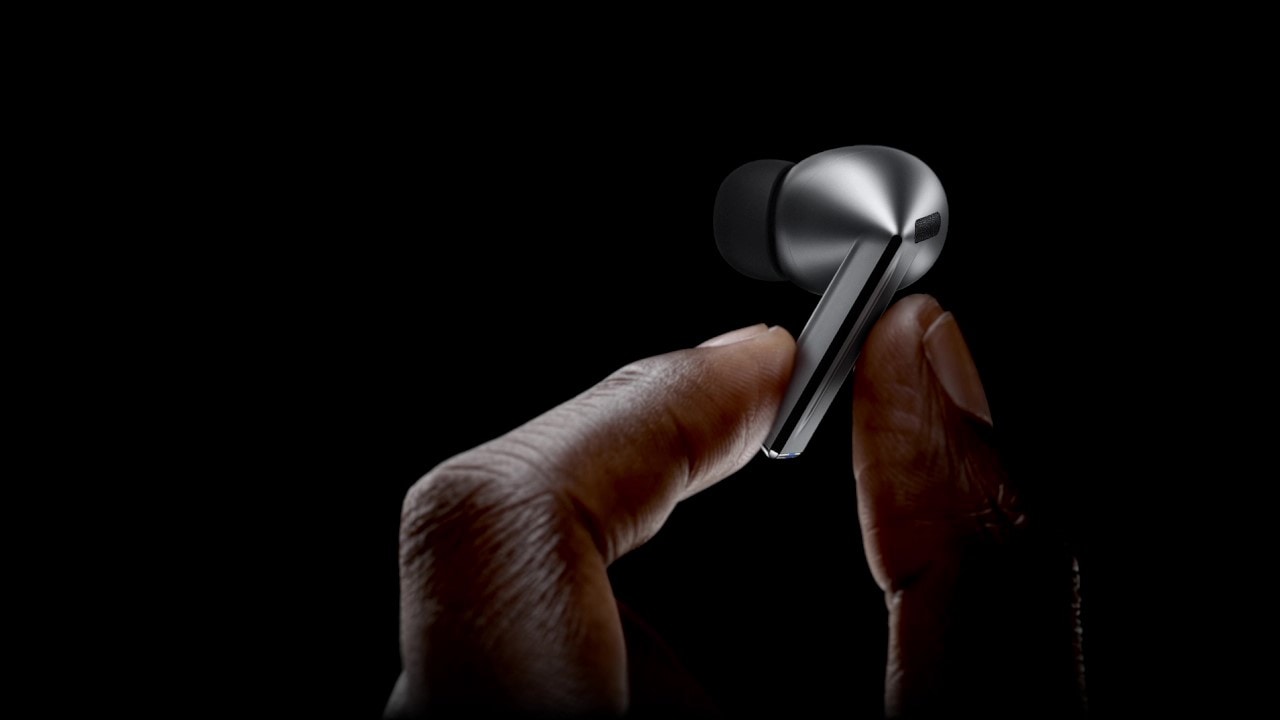
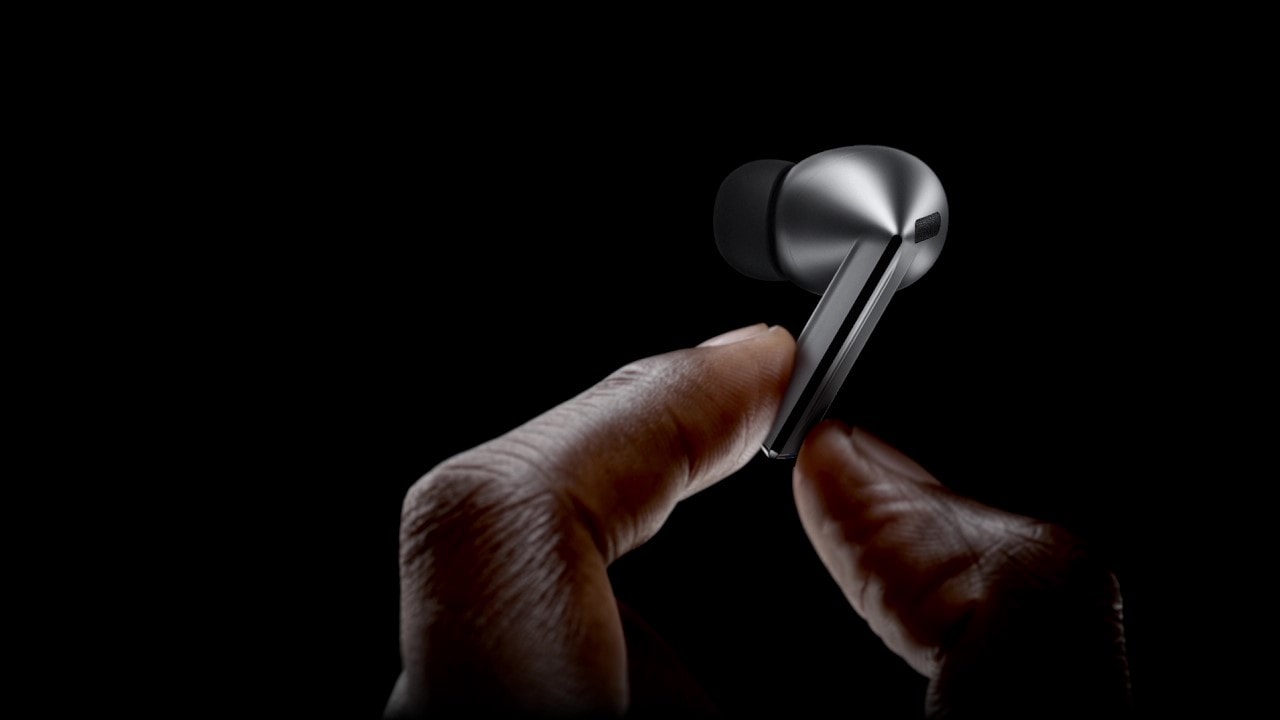
A finger swipes across the blade of a single, Galaxy Buds3 Pro earbud.


Sonido nítido en cada nota
Disfruta de los detalles más minuciosos, desde el profundo estruendo de los graves hasta los agudos más claros y nítidos, con el altavoz bidireccional mejorado. Escucha el vibrato de los instrumentos con una distorsión mínima a través de nuestro primer amplificador dual.
- Wind Shield
- Blade Lights
- Desliza
- Control por pellizco


-
Amplificador dual
Gracias a nuestro primer woofer y tweeter controlados de forma independiente, los Galaxy Buds3 Pro reducen las interferencias entre las bocinas, lo que te permite disfrutar de un espectro de sonido más amplio y de un mayor equilibrio entre las distintas frecuencias. ,
-
Bocina bidireccional mejorada
Descubre una orquesta de sonido, desde los graves opulentos del violonchelo que emite el woofer hasta el sutil temblor de las cuerdas a través de un tweeter planar, que se unen en armonía para evocar oleadas de emoción y revela detalles minúsculos que de otro modo habrían pasado desapercibidos. ,
Sonido impresionante,
digno de un estudio
Conserva Ultra High-Quality Audio del estudio de grabación en tus Galaxy Buds3 Pro. El Samsung Seamless Codec comprime y codifica audio de hasta 24bit / 96kHz. A continuación, se decodifica en los Galaxy Buds3 Pro, manteniendo el sonido de alta fidelidad de 24bit / 96kHz para que puedas oír los detalles complejos, como debe ser. ,


Seamless Codec

Galaxy AI ajusta el sonido a tu medida
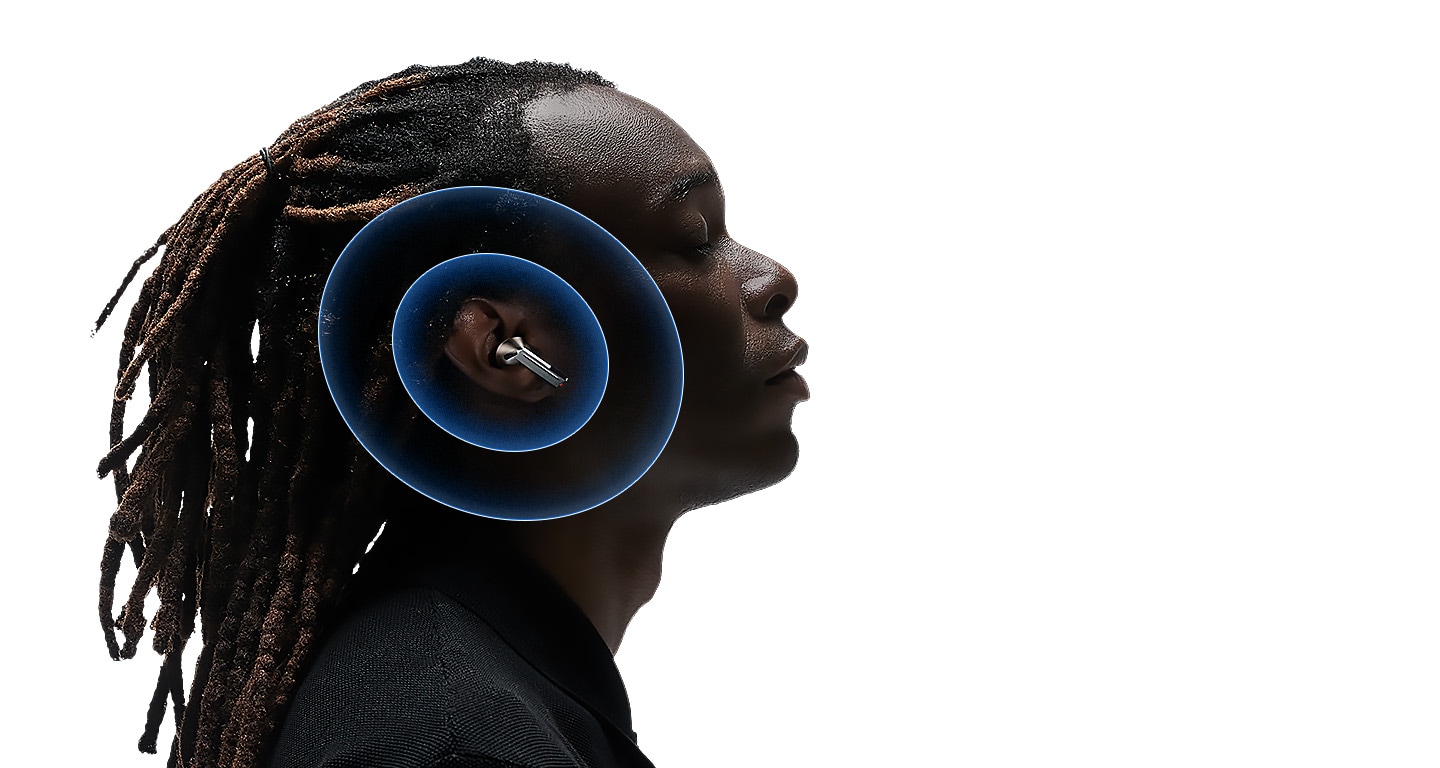
Explora tu paisaje sonoro personal con la tecnología Adaptive EQ/Adaptive ANC con Galaxy AI. En función de la forma de cada oreja y de los hábitos de uso, nuestro algoritmo optimizado con AI analiza el sonido que detectan los micrófonos internos y externos en tiempo real. Después, Galaxy AI optimiza tu experiencia auditiva ajustando el sonido a tu medida con una precisión milimétrica. ,
Adaptive Noise Control. Concéntrate en lo más importante
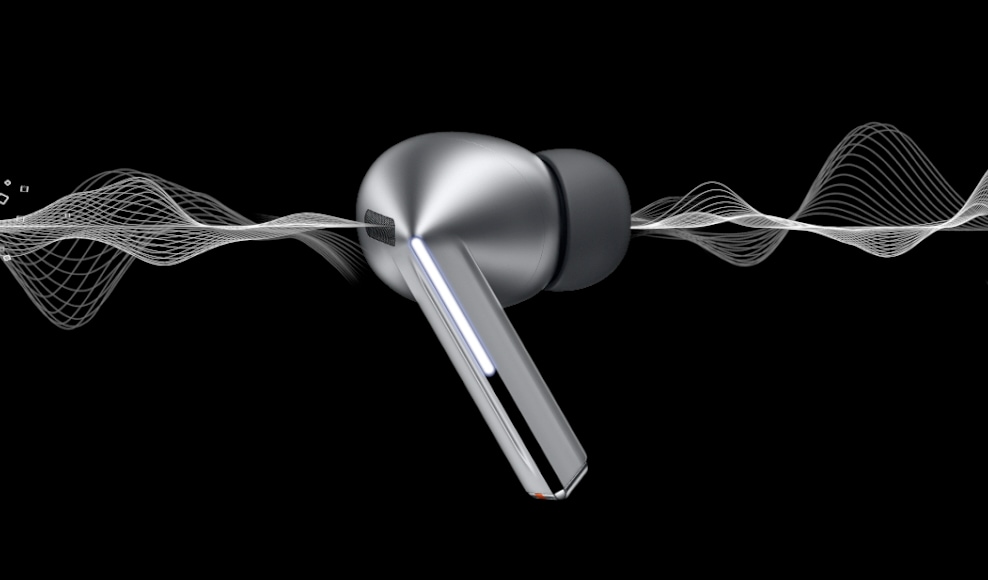
Mantén tus Galaxy Buds3 Pro encendidos y continúa interactuando con el mundo que te rodea. Con Galaxy AI, los Galaxy Buds3 Pro identifican y evitan el ruido innecesario de manera automática. Luego, optimizan tu experiencia de audio al reajustar el equilibrio entre el modo ANC y el modo Ambiente para que corresponda a su entorno. Para que puedas escuchar tus canciones favoritas, sin interrupciones. , , , ,
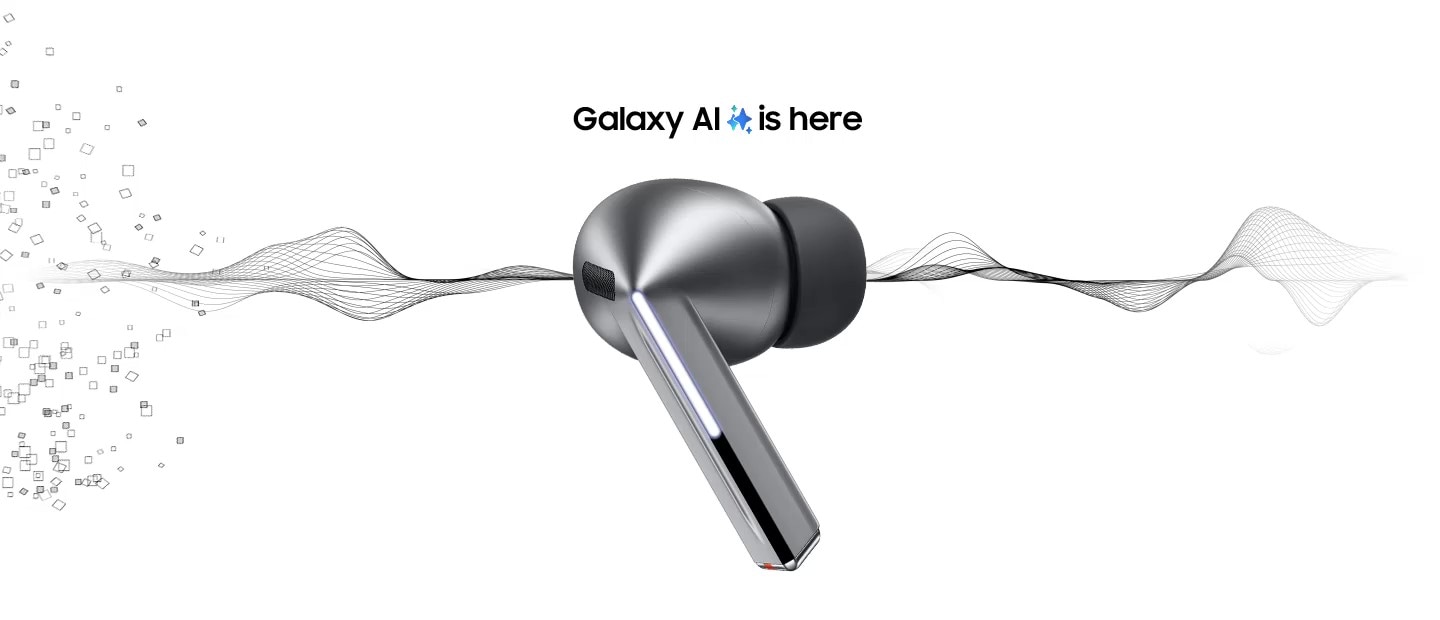

Un audífono Galaxy Buds3 Pro plateado aparece en medio de la página con partículas grandes que se mueven en forma de espiral hacia el audífono. Sigue apareciendo a la derecha del audífono sin partículas. Las partículas y la espiral desaparecen, y muestran un solo audífono Galaxy Buds3 Pro con 2 imágenes en cada lado.
-
 Noise Control:
 En lugar de ajustar el ANC manualmente, el Adaptive Noise Control evalúa y reduce automáticamente el ruido externo no deseado, como el tráfico, lo que crea el equilibrio adecuado, lo que le permite concentrarse en escuchar lo que desea escuchar.
- Conversación:
Conversa sin problemas y Voice Detect encenderá/apagará los modos ANC y Ambiente según corresponda, para que puedas escuchar alto y claro sin necesidad de quitarte los Galaxy Buds3 Pro.
- Alarmas/Sirenas:
Escucha tu lista de reproducción en paz gracias a Siren Detect. Cuando se detecta una alarma o sirena, los Galaxy Buds3 Pro cambian automáticamente al modo Ambiente, lo quete permite escuchar sirenas y permanecer alerta, incluso mientras escuchas música.


Rompe las barreras lingüísticas en un santiamén
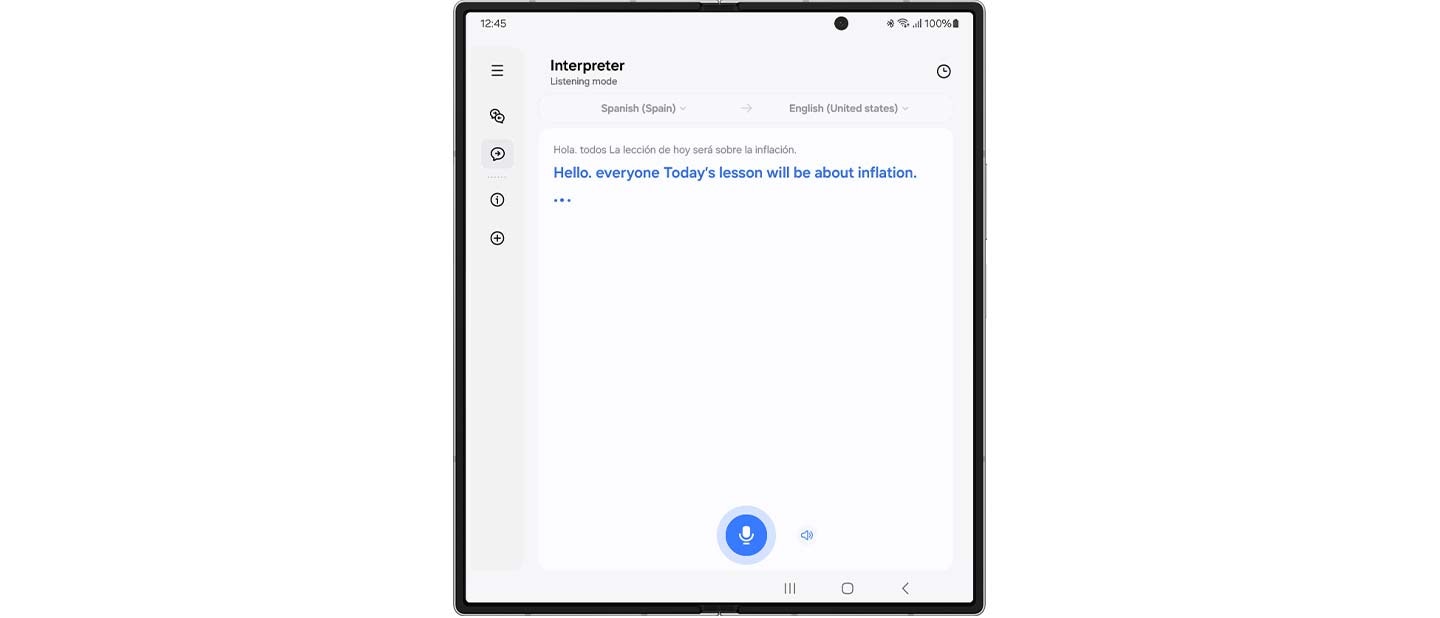
Con Galaxy AI, comprende el mundo como nunca antes. Ve la traducción en tu Smartphone Samsung Galaxy y escucha simultáneamente tu conversación interpretada en tiempo real a través de tus Galaxy Buds3 Pro. Descubre lo que significa vivir sin barreras lingüísticas. , , , , , ,
 Hola. todos La lección de hoy será sobre la inflación.
 Hello. everyone Today’s lesson will be about inflation.
 Gracias pir su propuesta, la he revisado deternidamente
  Thanks for your proposal, I’ve looked it over carefully.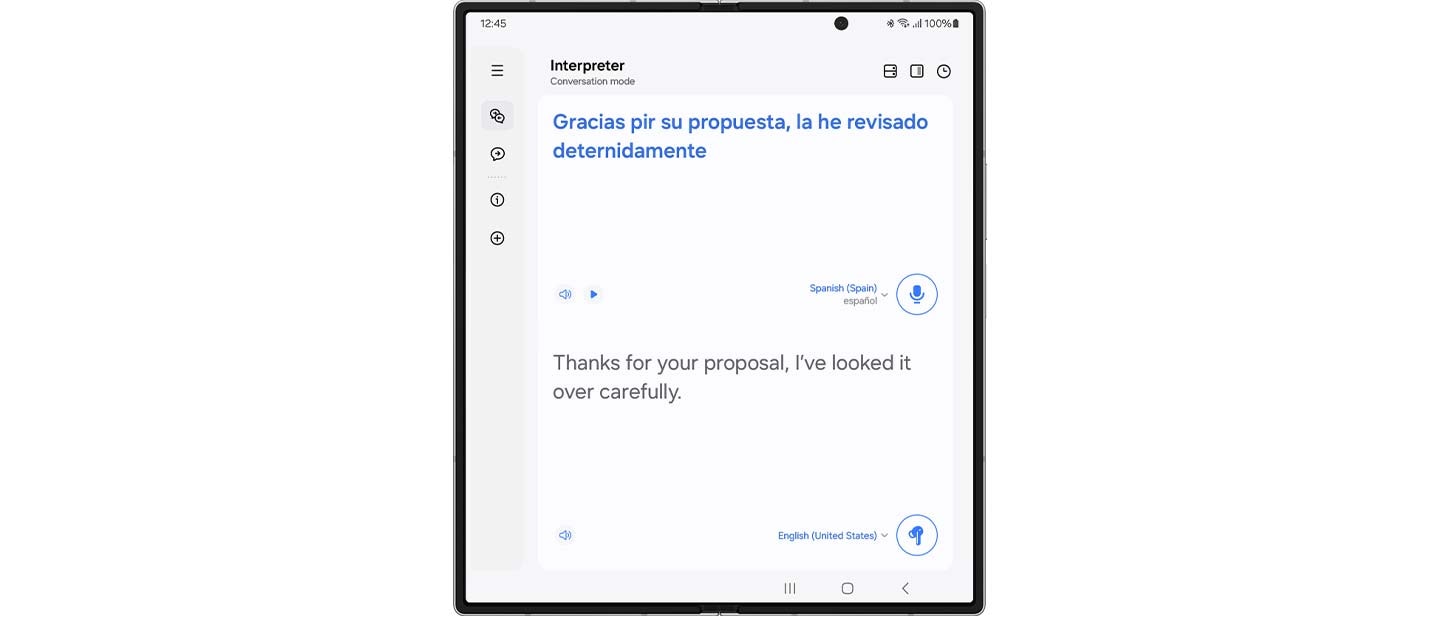
Galaxy Buds3 Pro seguirán interpretando mientras la otra persona habla.
En Conversation Mode, coloca el micrófono del smartphone hacia el altavoz, pulsa brevemente tus Galaxy Buds3 Pro y escucha tu conversación traducida en tiempo real.
Una vez abierta la aplicación, la función Interpreter se iniciará con el último modo utilizado.
Llamada súper clara, como si estuvieras cerca
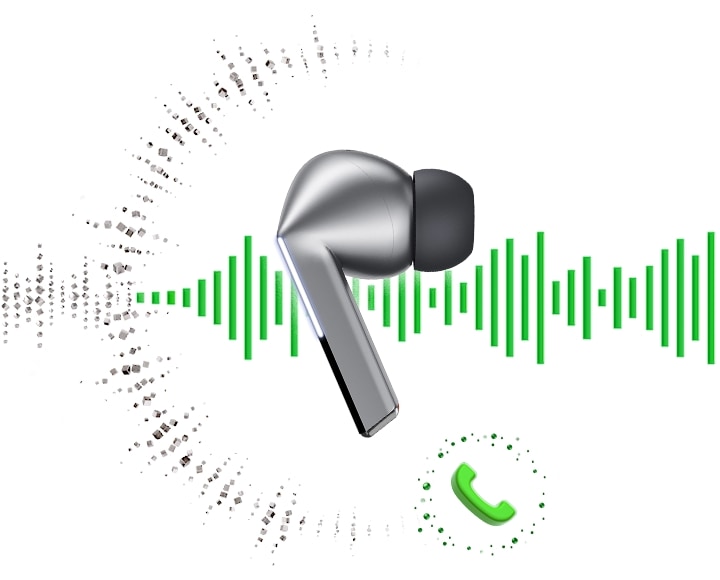
¿Buscas llamadas fluidas, fiables y de alta calidad? Galaxy Buds3 Pro ofrece una calidad de llamada muy mejorada gracias al aprendizaje automático mejorado y a la tecnología de banda superancha. El modelo de aprendizaje automático cuidadosamente entrenado analiza el ruido ambiental y los patrones de voz del usuario. A continuación, elimina de forma selectiva el ruido innecesario y mejora la calidad de la llamada, garantizando que su voz se oiga, incluso en entornos ruidosos. Mejore sus conversaciones con una claridad rica y realista gracias a las llamadas de banda superancha: el doble de ancho de banda de voz que las llamadas Bluetooth convencionales. , ,

PC Auto Switch
mantiene la sinergia
PC Auto Switch en los Galaxy Buds3 Pro detecta la actividad de audio y transfiere la conexión a tus dispositivos Samsung Galaxy favoritos, para que puedas trabajar y jugar sin problemas. ,
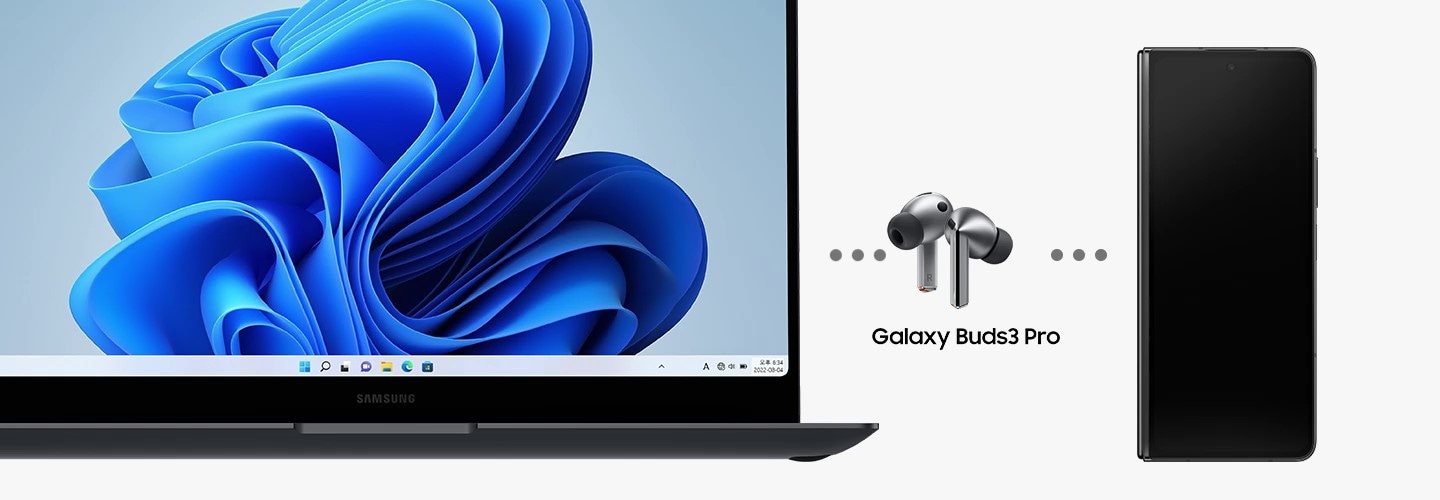
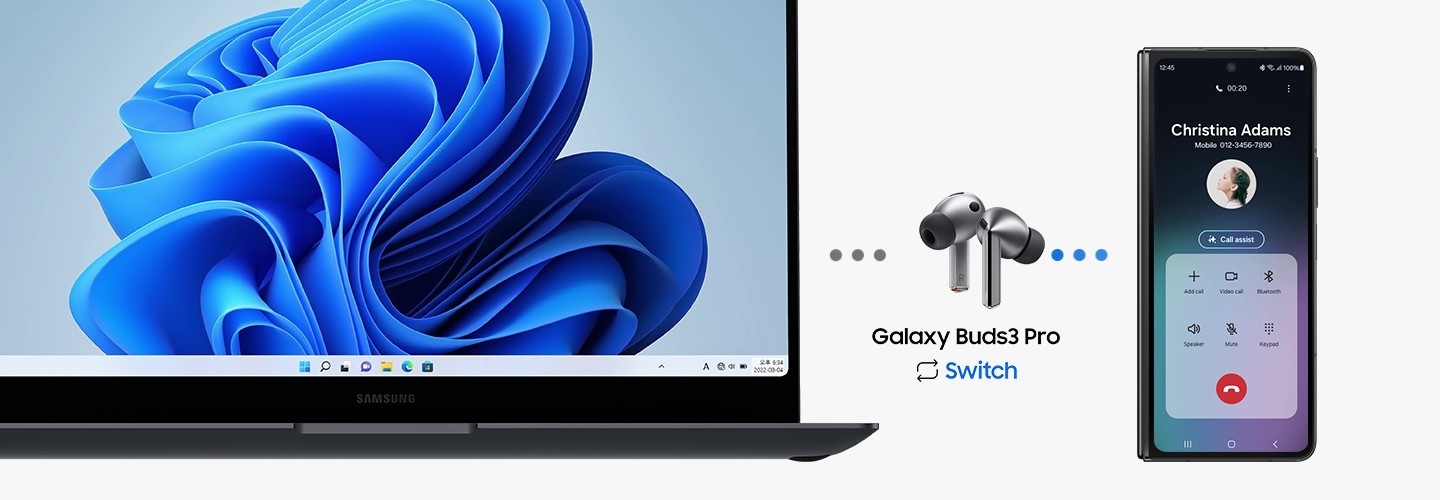
De izquierda a derecha hay una computadora portátil Samsung Galaxy Book, Galaxy Buds3 Pro y Galaxy Z Fold6. Aparece una llamada desde el Galaxy Z Fold6 en la computadora portátil Samsung Galaxy Book. Después de responder a la llamada en el Galaxy Z Fold6, la función PC Auto Switch cambia la salida de audio del Galaxy Buds3 Pro de la computadora portátil al teléfono inteligente.
Personaliza tu sonido a través del panel de configuración rápida
Ajusta el audio directamente desde el panel de configuración rápida. Simplemente desliza hacia abajo desde la parte superior de la pantalla, mantén presionado el control deslizante de volumen o el icono Buds y ajusta el control de ruido y la configuración de sonido. Lo mejor de todo es que ahora tu configuración de sonido preferida se guarda para cada aplicación. Simplemente ajústalos en el panel de configuración rápida mientras la aplicación reproduce medios. Ya sea que disfrutes de 360 Audio en YouTube o prefieras el ecualizador de refuerzo de graves en Spotify, tu audio siempre estará ajustado como a ti te gusta. 58, 59, 60, 61


Se desliza hacia abajo en la pantalla de un teléfono inteligente Galaxy para abrir el panel de configuración rápida. Se acerca el zoom al control deslizante de volumen, que se pulsa durante unos segundos para abrir un widget que muestra el nivel de batería de los Buds y el nivel de Active Noise Canceling. Otra pantalla se acerca al widget de nivel de Active Noise Canceling, que muestra el nivel de ANC deslizándose de izquierda a derecha. Debajo, un widget de audio de YouTube muestra los ajustes de 360 Audio, ecualizador, amplificación de diálogo y normalización de volumen. Luego cambia a un widget para el audio de Spotify, que muestra un conjunto diferente de configuraciones de audio. Para Spotify, el audio muestra la configuración de 360 Audio, ecualizador, amplificación de diálogo desactivada y normalización de volumen activada. Finalmente, la vista se aleja para mostrar todos los ajustes que se mostraron anteriormente.
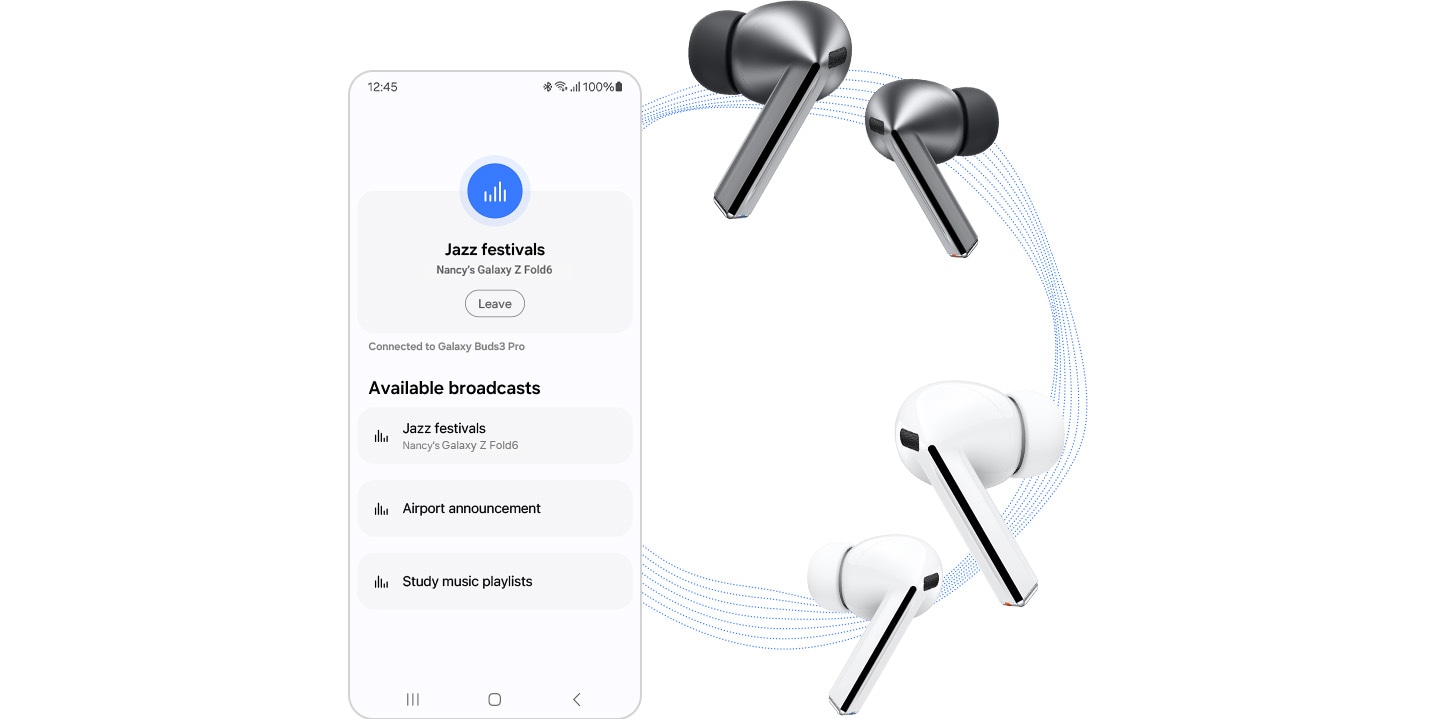
Comparte tu sonido con los que te rodean a través de Auracast
Con la tecnología de difusión Auracast, comparte tu transmisión de audio con un número ilimitado de dispositivos. Transforma fácilmente tu Samsung TV,Smartphone Samsung Galaxy o Tablet en una fuente de radio para empezar a interactuar con los demás. , , , ,
Tu santuario de sonido personalizado
La atención plena se consigue con la práctica diaria. Con solo pulsar un botón, teletranspórtate a tu propio mundo sin preocupaciones con Samsung Health de Calm. Alivia el estrés con tranquilas melodías de la naturaleza, mejora tu concentración con ruido blanco o relájate con ASMR para sentirte más feliz y sano. , , , ,
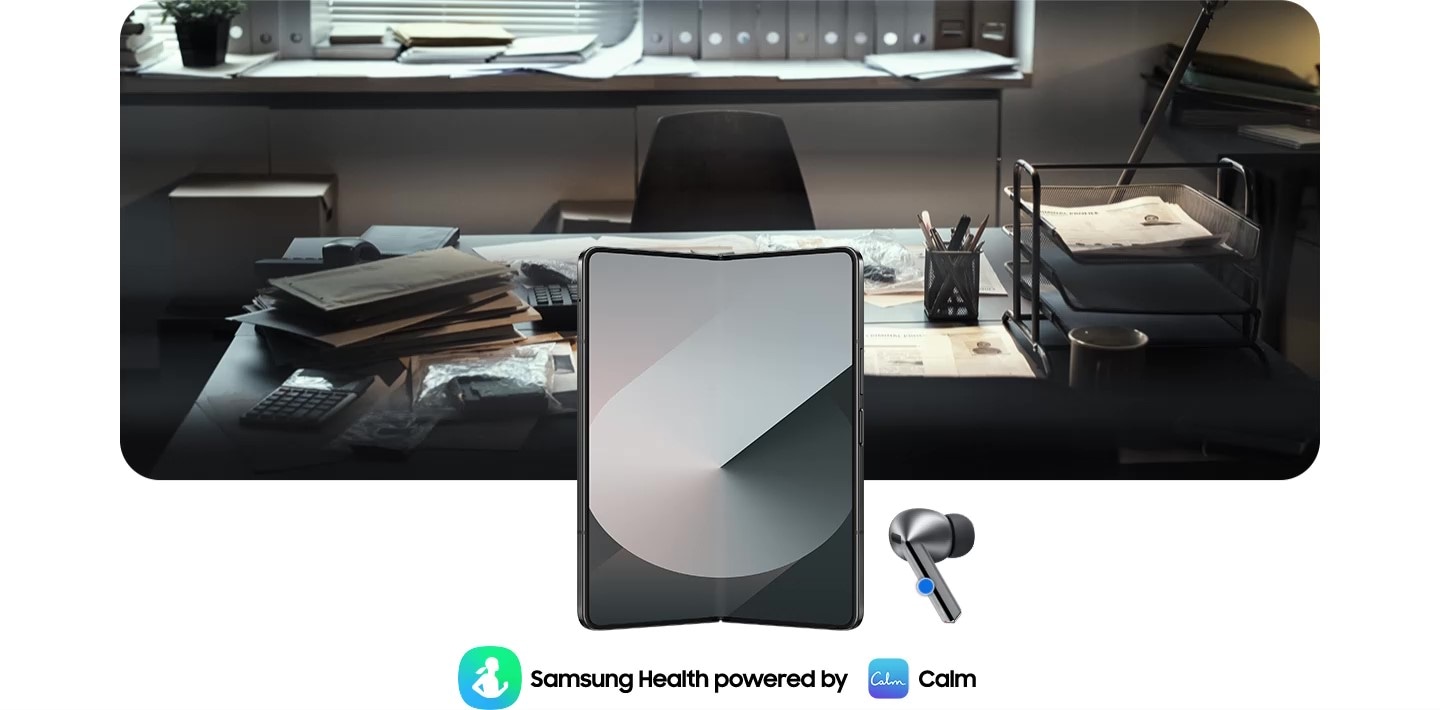
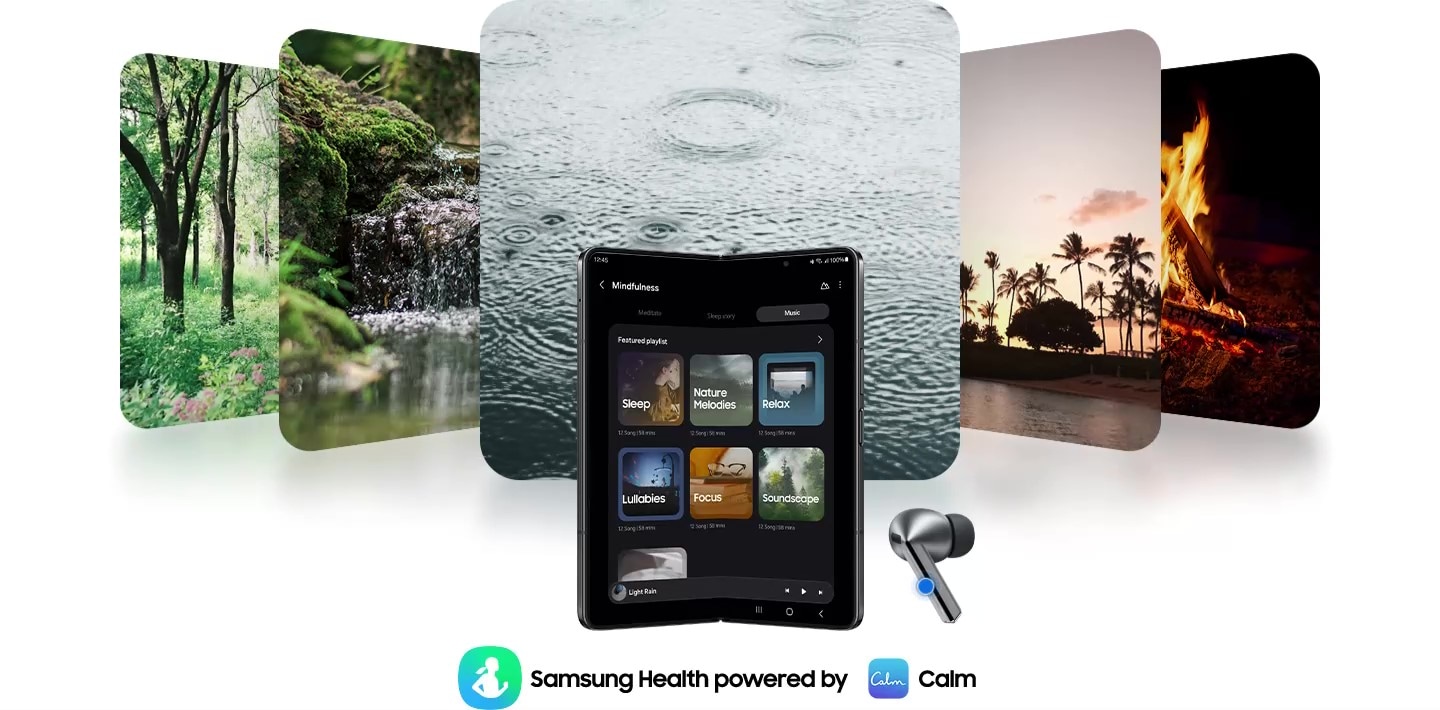
El Galaxy Z Fold6 está abierto con un auricular Galaxy Buds3 Pro a la derecha e iconos de la aplicación Samsung Health con tecnología Calm en la parte inferior. Al presionar los Galaxy Buds3 Pro, la aplicación se activa y, al mismo tiempo, la imagen de la oficina cambia a 5 imágenes de la naturaleza. Imagen de árboles, un río, gotas de lluvia cayendo, palmeras y una fogata.
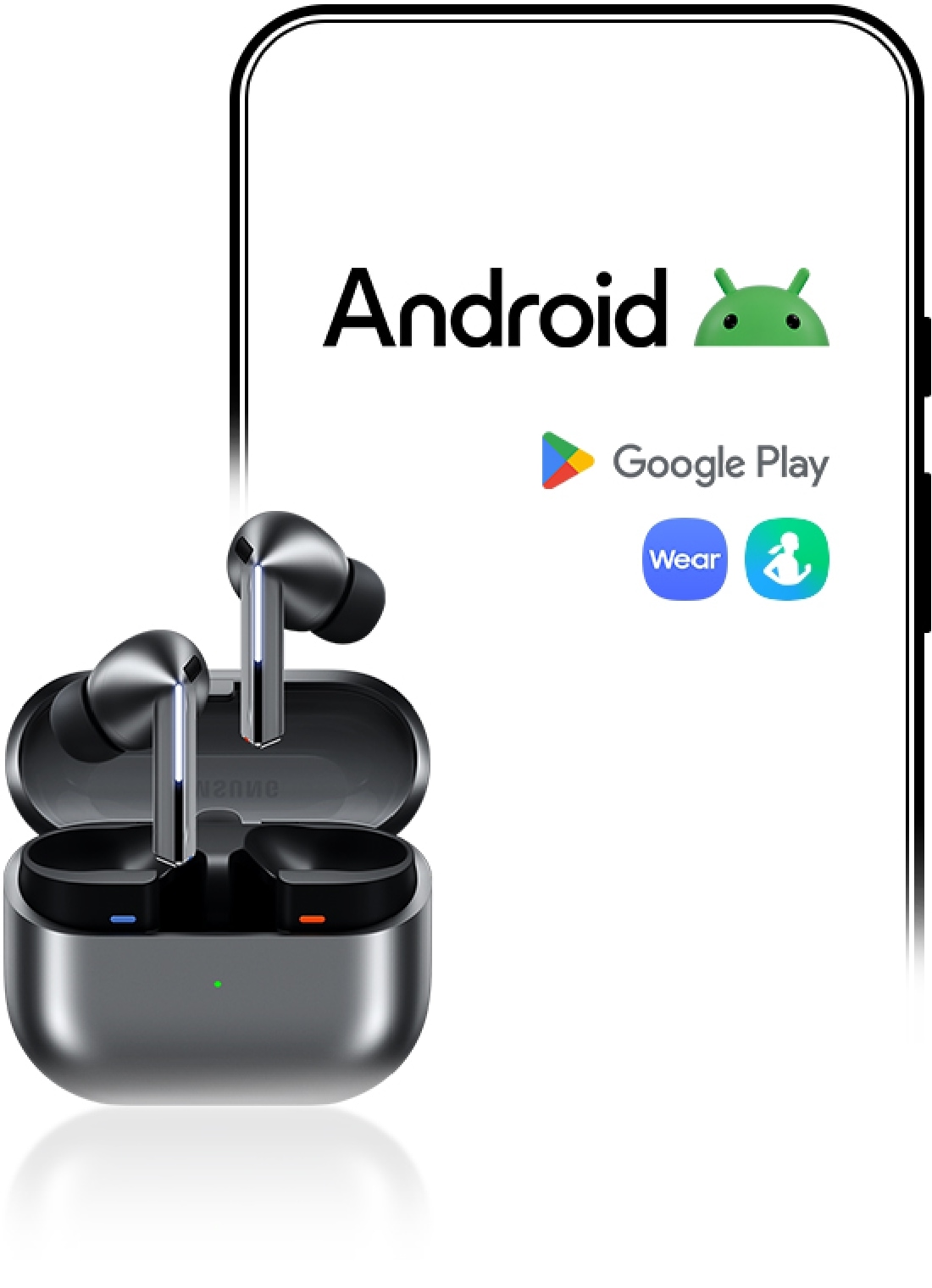
Disfruta de la experiencia perfecta en todos los teléfonos inteligentes Android
Comienza tu experiencia con Galaxy Wearable en tu teléfono inteligente Android. Empareja tu Galaxy Watch , Buds o Ring fácilmente con el teléfono Android que ya tienes. Solo tienes que descargar las aplicaciones Galaxy Wearable y Samsung Health en Google Play y listo. Incluso puedes probar diferentes esferas de reloj en la aplicación Galaxy Wearable: mezcla y combina distintas funciones a tu gusto. , , , , , , , , ,

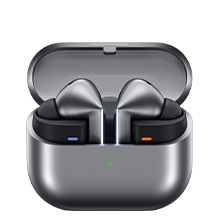
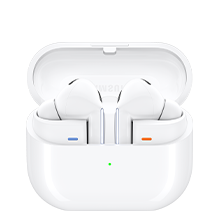

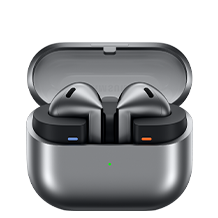
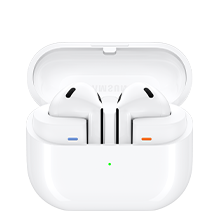


Sonido
Sonido
Sonido
Sonido
Sonido
Personalización inteligente
Personalización inteligente
Personalización inteligente
Interfaz de control
Interfaz de control
Interfaz de control
Durabilidad
Blade Lights
Tiempo de reproducción
(ANC desactivada)
Hasta 6.0/26hr
(ANC On)
(ANC desactivada)
Hasta 6.0/24hr
(ANC On)
(ANC On)
(ANC desactivada)
Hasta 6.0/21hr
(ANC On)

- Images simuladas solo con fines ilustrativos.
- Interpreter requiere iniciar sesión en una Samsung Account. Algunos idiomas pueden requerir la descarga del paquete de idiomas. La disponibilidad del servicio puede variar según el idioma.
No se garantiza la precisión de los resultados. La disponibilidad y las funciones compatibles pueden variar según el país, la región o el operador.
La disponibilidad de los idiomas compatibles puede variar. - La interpretación de audio solo está disponible cuando se llevan Galaxy Buds y se conectan a un teléfono inteligente Samsung Galaxy. La función Interpreter no la proporcionan directamente los propios Galaxy Buds.
Si los Galaxy Buds no están disponibles, el contenido interpretado se proporciona en la pantalla de tu teléfono inteligente Samsung Galaxy. - Blade Lights solo están disponibles en Samsung Galaxy Buds3 Pro.
- Los modos específicos de Blade Light se pueden configurar en los Ajustes.
- Ultra High-Quality Audio de hasta 24bit / 96kHz disponible en las series Galaxy S24, Galaxy S23, Galaxy Z Fold6, Galaxy Z Flip6, Galaxy Z Fold5, Galaxy Z Flip5 y Galaxy Tab S9 con One UI 6.1.1 o superior.
Es posible que en el futuro más dispositivos sean compatibles. - Adaptive Noise Control, Voice Detect y Siren Detect están desactivados de manera predeterminada y se pueden ajustar directamente en la configuración del teléfono para los dispositivos que operan con One UI 8.0 y posteriores. Para los dispositivos que operan con versiones anteriores de One UI, las configuraciones se pueden encontrar en la aplicación The Galaxy Wearable.
- Las funciones de Adaptive Noise Control, Voice Detect y Siren Detect solo están disponibles en Samsung Galaxy Buds3 Pro.
- Images simuladas solo con fines ilustrativos. Secuencias acortadas y simuladas. La interfaz de usuario real puede diferir
- Las funciones de Galaxy AI son compatibles con las series Galaxy S24, Galaxy S23, Galaxy Z Fold5, Galaxy Z Flip5, Galaxy S23 FE, Galaxy S22 Series, Galaxy Z Fold4 y Galaxy Z Flip4 a partir de mayo de 2024.
- Los colores disponibles pueden variar según el proveedor.
- La caja incluye los Galaxy Buds3 Pro, un estuche de carga, tres juegos de almohadillas para el oído izquierdo y derecho (P, M (predeterminado), G), un cable USB y una guía de inicio rápido.
- Los Galaxy Buds3 Pro son los primeros Galaxy Buds con bocina bidireccional con un tweeter planar y amplificador dual.
- El audio de ultra alta calidad de hasta 24bit/96kHz está disponible en las series Galaxy S24, S23, Z Fold6, Z Flip6, Z Fold5, Z Flip5 y Tab S9 con One UI 6.1.1 o superior.
Es posible que sea compatibles dispositivos adicionales en el futuro. - Es posible que se requiera iniciar sesión en una Samsung Account para usar ciertas funciones de AI de Samsung.
- Samsung no promete, asegura ni garantiza la exactitud, integridad o confiabilidad de los resultados que proporcionan las funciones de AI.
- Las funciones de Galaxy AI son gratis hasta el final de 2025 en dispositivos Samsung Galaxy compatibles. Las funciones de AI provistas por terceros pueden tener diferentes términos.
- La “configuración predeterminada” se refiere a la configuración original de los Galaxy Buds3 Pro cuando se lanzaron por primera vez, simplemente con la energía activada.
- Los dispositivos se venden por separado.
- Es posible que los dispositivos Samsung Galaxy requieran la última actualización de software para admitir correctamente las funciones de Galaxy AI.
- La configuración predeterminada del gesto de pellizcar y mantener presionado está configurada a modo de control de ruido. Para poder cambiar el modo Interpreter, la configuración se puede ajustar directamente en la configuración del teléfono para los dispositivos que operan One UI 8.0 y posteriores. Para los dispositivos que operan con versiones anteriores de One UI, las configuraciones se pueden encontrar en la aplicación The Galaxy Wearable.
- La configuración predeterminada del gesto de pellizcar y mantener presionado está configurada a modo de control de ruido. Para cambiar el intérprete al modo de escucha, se debe configurar en la aplicación Galaxy Wearable.
- 360 Audio solo está disponible en teléfonos inteligentes Samsung Galaxy y dispositivos Galaxy Tab con Android One UI versión 3.1 o posterior, y en modelos de Samsung TV seleccionados. Los modelos de Samsung TV compatibles incluyen: Neo QLED 8K (QN900D, QN800D), Neo QLED 4K (QN95D, QN90D, QN87D, QN85D) OLED (S95D, S90D, S85D), QLED (Q80D, Q70D). La compatibilidad con 360 Audio y el seguimiento de la cabeza pueden variar según la aplicación y el contenido.
- La función Auto Switch solo está disponible en la serie Samsung Galaxy Book con One UI 6.0 o posterior, teléfonos inteligentes Samsung Galaxy y dispositivos Galaxy Tab con One UI 4.1.1 o posterior y en la serie Galaxy Watch4 o posterior. Los dispositivos Samsung Galaxy deben iniciar sesión en Samsung Account para activar la función Auto Switch. La función Auto Switch para Samsung TV solo está disponible en los Samsung TV lanzados en febrero de 2022 o después, tras recibir una actualización de firmware de julio de 2022. Auto Switch con televisor solo está disponible para realizar y recibir llamadas telefónicas.
- Los dispositivos con capacidad Auracast Source solo están disponibles en teléfonos inteligentes Samsung Galaxy, tabletas con Android One UI versión 6.1 o posterior y determinados modelos de TV. Los modelos de teléfono inteligente y tableta Galaxy compatibles incluyen: S24+, S24, S24 Ultra, Galaxy Z Flip6, Galaxy Z Fold6,Galaxy Z Flip5, Galaxy Z Fold5, S23+, S23 (excepto la edición FE), S23 Ultra, Tab S9+, Tab S9+ 5G , Tab S9, Tab S9 Ultra, Tab S9 Ultra 5G , Tab S9 FE+, Tab S9 FE+ 5G , Tab S9 FE, Tab S9 FE 5G y Tab S9 5G. Los modelos de TV compatibles incluyen: modelos 2024 NeoQLED 8K QND800, QND900, 2023 Neo QLED 8K y 2023 MICRO LED.
- Los dispositivos con capacidad de Auracast Assistant solo están disponibles en teléfonos inteligentes Samsung Galaxy, tabletas con Android One UI versión 5.1.1 o posterior. Los modelos de teléfono inteligente y tableta Galaxy compatibles incluyen: S24+, S24, S24 Ultra, S23+, S23, S23 Ultra, Z Fold6, Z Flip6,Z Fold5, Z Flip5, Z Fold4, Z Flip4, A54 5G, A55 5G, M54 5G, Tab S9+, Tab S9+ 5G, Tab S9, Tab S9 Ultra, Tab S9 Ultra 5G, Tab S9 FE+, Tab S9 FE+ 5G, Tab S9 FE, Tab S9 FE 5G, Tab S9 5G y Tab Active 5G.
- La conexión de 2 o más dispositivos a Auracast está limitada a dispositivos Samsung Galaxy.
- La calidad de la transmisión de audio Auracast puede variar según la aplicación, la conexión de red y otros factores.
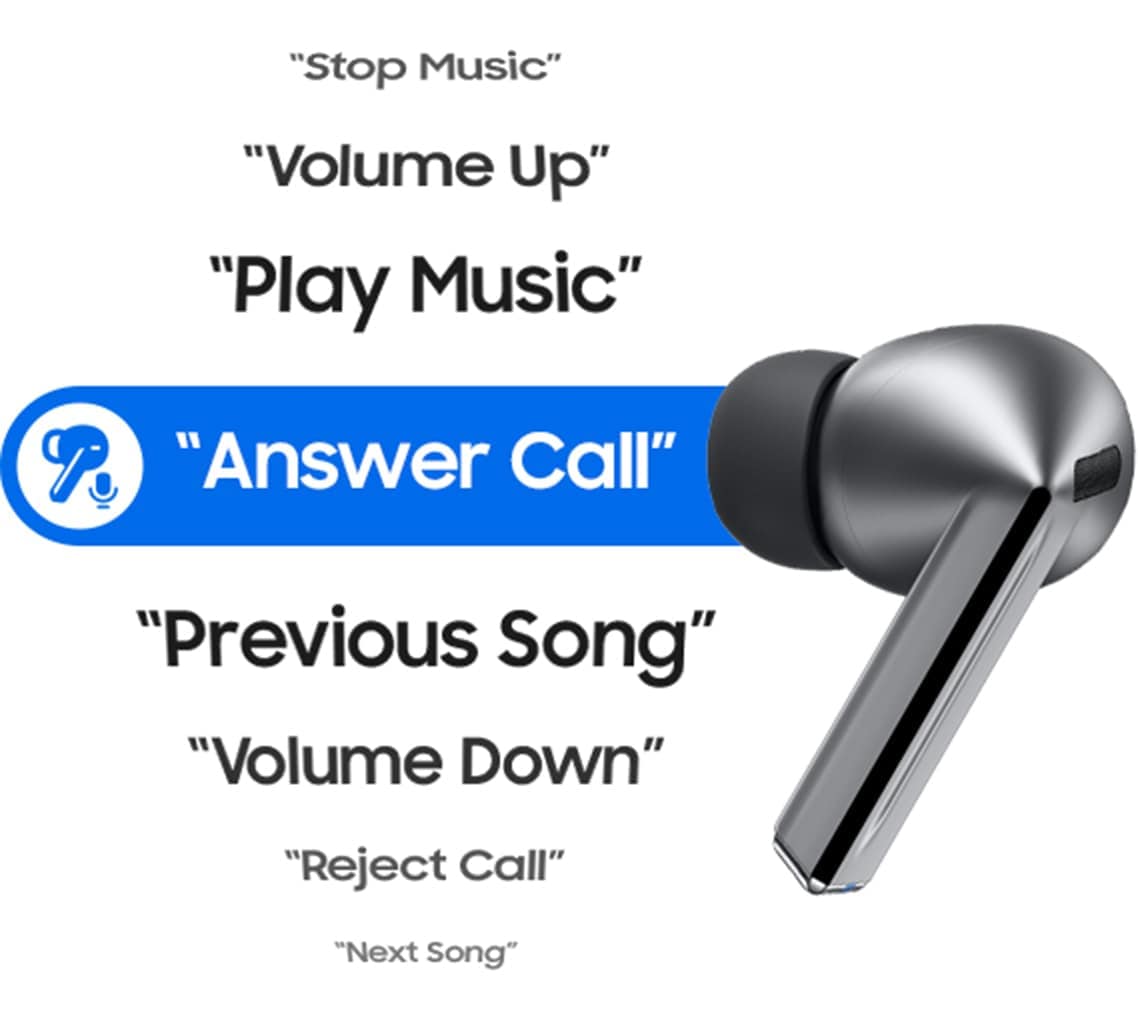
- El menú Comando de voz aparece cuando existe un paquete de idiomas que coincide con el idioma del sistema. El comando de voz se limita a comandos fijos y solo está disponible en coreano, inglés (India, Reino Unido, Estados Unidos), portugués (Brasil), chino, alemán, español (México, España), italiano y polaco al momento del lanzamiento.
- El idioma inicial para los comandos sigue la configuración de idioma del sistema y se puede modificar en la configuración del teléfono para los dispositivos con One UI 8.0 y posteriores. Para los dispositivos que operan con versiones anteriores de One UI, las configuraciones se pueden encontrar en la aplicación The Galaxy Wearable.
- Es posible que en el futuro más paquetes de idioma sean compatibles.
- Algunos contenidos pueden incurrir en cargos adicionales. Para Samsung Health se requiere iniciar sesión en Samsung Account.
- Algunos contenidos pueden acarrear cargos adicionales. Se requiere iniciar sesión en una Samsung Account para usar Samsung Health.
- Con ANC encendido/apagado, los audífonos y la funda proporcionan hasta 30 horas de tiempo de reproducción con una carga completa. Basado en pruebas internas. El tiempo de reproducción se probó emparejando unos Galaxy Buds3 Pro de preproducción a un smartphones Galaxy lanzado recientemente con la configuración predeterminada. La duración real de la batería puede variar y depender de las condiciones de uso, la configuración, la cantidad de veces que se cargó, la intensidad de la señal Bluetooth y otros factores. “Tiempo de reproducción” se refiere a cuando los Galaxy Buds3 Pro están conectados al teléfono y reproducen música. El tiempo de reproducción real puede variar de acuerdo con la configuración.
- La clasificación IP57 se basa en condiciones de prueba de laboratorio de inmersión en agua dulce con una profundidad máxima de 1 metro por un máximo de 30 minutos.
- No se recomienda su uso en las albercas. El estuche de carga no es resistente al agua. Si los audífonos están dañados, no se garantiza que sean resistentes al agua. Si los audífonos o las manos están mojados, deben secarse bien antes de manipularlos o colocarlos en el estuche de carga. Si se colocan en el estuche de carga sin secarse, los audífonos pueden dañarse.
- El estuche de carga proporcionado es para cargar los Galaxy Buds3 Pro.
- La aplicación Galaxy Wearable solo se puede descargar en teléfonos inteligentes con Android 10.0 o superior y con una memoria mínima de 1.5GB.
- La duración real de la batería puede variar y depender de las condiciones de uso, la configuración, la cantidad de veces que se cargó, la intensidad de la señal Bluetooth® y otros factores.
- El sonido ambiental se enciende automáticamente cuando se detecta una sirena. Si la sirena es breve o más silenciosa que el ruido de fondo, es posible que no se detecte. Si bien Siren Detect puede ser útil en situaciones de emergencia, tu seguridad no está garantizada.
- La disponibilidad de la función puede variar según el idioma, el país o la región.
- La configuración de la función Atención plena se puede ajustar directamente en la configuración del teléfono para los dispositivos que operan One UI 8.0 y posteriores. Para los dispositivos que operan con versiones anteriores de One UI, las configuraciones se pueden encontrar en la aplicación The Galaxy Wearable. Es necesario descargar la aplicación Samsung Health para usar la función Atención plena.
- La disponibilidad del servicio puede variar según el país o la región.
- The TV 360 Audio feature is not supported as of July 2024 for Galaxy Buds3 and Galaxy Buds3 Pro models, but is expected to be available in a feature update
- The typical capacity has been tested under independent laboratory settings using the IEC 61960-3 standard. Typical capacity is the average estimated capacity, accounting for variations across battery samples. The rated capacity is 53mAh for the earbuds and 515mAh for the charging case.
- El Galaxy Watch7, el Galaxy Watch Ultra y el Galaxy Ring deben estar emparejados con un teléfono inteligente con Android 11.0 o superior y una memoria mínima de 1.5GB.
- La conexión de Samsung Galaxy Buds como audio Bluetooth está disponible independientemente del sistema operativo. Para los dispositivos que operan One UI 8.0 y posteriores, los ajustes se pueden configurar directamente en los ajustes del teléfono. Para los dispositivos que operan con versiones anteriores de One UI, las configuraciones se pueden encontrar en la aplicación The Galaxy Wearable. Además, para usar la aplicación The Galaxy Wearable, Samsung Galaxy Buds deben estar sincronizados con un teléfono inteligente con Android 11.0 o superior con al menos 1.5 GB de memoria.
- Los ajustes avanzados de la aplicación The Galaxy Wearable incluyen control de ruido, Adaptive EQ, control por pellizco y actualización de software. Para los dispositivos que operan One UI 8.0 y posteriores, los ajustes se pueden configurar directamente en los ajustes del teléfono. Para los dispositivos que operan con versiones anteriores de One UI, las configuraciones se pueden encontrar en la aplicación The Galaxy Wearable.
- Algunas funciones solo están disponibles en determinados teléfonos inteligentes Samsung Galaxy.
- La aplicación Galaxy Wearable no es compatible con iOS.
- La aplicación Samsung Health Monitor solo está disponible en teléfonos inteligentes Samsung Galaxy.
- Las funciones Gesto y Encontrar mi anillo solo están disponibles en los teléfonos inteligentes Samsung Galaxy.
- La función Suggested Replies en el Galaxy Watch7 y el Galaxy Watch Ultra solo está disponible en los teléfonos inteligentes Samsung Galaxy.
- La disponibilidad y las funciones pueden variar según el país, la región o el operador.
- Android es una marca comercial de Google LCC.
- La llamada de banda superancha está disponible en Galaxy Z Fold6, Galaxy Z Flip6 con One UI 6.1.1 o superior. Es posible que se admitan dispositivos adicionales en el futuro.
- Super Wideband (SWB) está disponible independientemente de la App de llamada. SWB puede no ser compatible dependiendo de la red móvil entre dispositivos.
- El video simulado se usa con fines ilustrativos.
- La UX/UI real puede ser diferente.
- La disponibilidad de las funciones puede variar en función del país, el idioma, el modelo o las aplicaciones del dispositivo. Algunos widgets funcionales pueden requerir una conexión de red y/o inicio de sesión en una Samsung Account.
- Disponible en dispositivos Samsung Galaxy con One UI 7.0 o superior. Es posible que sea compatibles dispositivos adicionales en el futuro.
Especificaciones
-
Peso de auriculares (g)
5.4
-
Versión de Bluetooth
Bluetooth v5.4
-
Sensores
Acelerómetro, Giroscopio, Sensor Hall, Sensor de presión, Sensor de proximidad, Sensor táctil, VPU (Voice Pickup Unit)
-
Número de micrófonos
6
-
Bocina
Bidireccional mejorado
-
Sonido ambiental
Yes
-
Adaptive Noise Control
Si
-
Cancelación de ruido activa
Yes
-
Reconocimiento de Voz
Si
-
Audio 360
Si
-
Reconocimiento de Alarma
Si
-
Audio Codec
AAC, SBC, SSC(Samsung Seamless Codec), SSC-UHQ
-
EQ Adaptativo
Si
-
ANC Adaptativo
Si
-
Super Wide Band
Si
-
Versión de Bluetooth
Bluetooth v5.4
-
Perfiles Bluetooth
A2DP, AVRCP, HFP, PBP, TMAP
-
LE Audio
Si
-
Auto Switch
Si
-
Acelerómetro, Giroscopio, Sensor Hall, Sensor de presión, Sensor de proximidad, Sensor táctil, VPU (Voice Pickup Unit)
-
Dimensiones de los auriculares (HxWxD, mm)
18.1 x 19.8 x 33.2
-
Peso de auriculares (g)
5.4
-
Dimensiones del estuche (HxWxD, mm)
48.7 x 58.9 x 24.4
-
Peso del estuche (g)
46.5
-
Durabilidad
IP57
-
Tiempo de conversación (Horas, ANC On)
Hasta 4.5
-
Tiempo total de conversación (Horas, ANC On)
Hasta 20
-
Tiempo de reproducción de música (Horas, ANC On)
Hasta 6
-
Tiempo total de reproducción de música (Horas, ANC On)
Hasta 26
-
Tiempo de conversación (Horas, ANC Off)
Hasta 5
-
Tiempo total de conversación (Horas, ANC Off)
Hasta 22
-
Tiempo de reproducción de música (Horas, ANC Off)
Hasta 7
-
Tiempo total de reproducción de música (Horas, ANC Off)
Hasta 30
-
Capacidad de la batería del auricular (mAh, Typical)
53.0
-
Capacidad de la batería del estuche de carga (mAh, Typical)
515
-
Samsung Find
Si
-
Bixby Voice Despertador
Si
-
Recordatorios estirar cuello
Si
-
Comando de Voz
Si
Reseñas
Galaxy Buds3 Pro
- Los clientes elogian la calidad de sonido fenomenal con graves profundos, agudos nítidos y claridad inmersiva en música y llamadas.
- Muchos celebran la cancelación de ruido activa excepcional y las funciones Galaxy AI como traducción en tiempo real y ajuste adaptativo.
- La mayoría reporta comodidad y ajuste seguro durante actividades diarias, aunque algunos experimentan caídas frecuentes de los auriculares.
- Varios mencionan problemas ocasionales de carga del estuche o duración de batería ligeramente decepcionante.
- En general, los clientes consideran estos auriculares superiores a modelos anteriores y recomiendan la experiencia de audio mejorada.
Reseñas con imágenes y videos
Filtros
El orden por relevancia coloca las mejores reseñas en la parte superior. Consideramos los votos importantes, la reseña más reciente, imágenes y otras características que los lectores buscan en sus reseñas.
Filtros
16,796 Reseñas
2024-11-10
MEXICO
![[D] Alternative Text](https://photos-us.bazaarvoice.com/photo/2/cGhvdG86c2Ftc3VuZy1lc19teA/15471340-26b5-5ae5-947a-0e5aa8841980)
![[D] Alternative Text](https://photos-us.bazaarvoice.com/photo/2/cGhvdG86c2Ftc3VuZy1lc19teA/1903bef6-f07d-5023-b408-478007d1e11e)
2024-07-26
Mobile Alabama
![[D] Alternative Text](https://photos-us.bazaarvoice.com/photo/2/cGhvdG86c2Ftc3VuZw/5cfc5d92-b2ff-536a-bb5a-1d8878eabc79)
![[D] Alternative Text](https://photos-us.bazaarvoice.com/photo/2/cGhvdG86c2Ftc3VuZw/d9d053d1-49c6-5b87-95c5-de4abb7902c3)
2024-07-24
ND
![[D] Alternative Text](https://photos-us.bazaarvoice.com/photo/2/cGhvdG86c2Ftc3VuZw/1873f85c-44f3-5c16-9090-872ac04850bb)
![[D] Alternative Text](https://photos-us.bazaarvoice.com/photo/2/cGhvdG86c2Ftc3VuZw/40fc0175-6f25-5f0c-a484-0023198dba55)
2024-10-15
Las Vegas, NV
![[D] Alternative Text](https://photos-us.bazaarvoice.com/photo/2/cGhvdG86c2Ftc3VuZw/ed04694c-3c68-5582-9e08-fd4323d30acc)
![[D] Alternative Text](https://photos-us.bazaarvoice.com/photo/2/cGhvdG86c2Ftc3VuZw/2f1b9da3-d7e4-5aec-bed0-f42ee2c20bfe)
Social Commerce
Hey there A T Q, we appreciate your feedback on your Samsung Galaxy Buds3 Pro. We understand how important your earbuds are to you and our goal is to help our customers resolve any frustrations and maximize their experience with their chosen device. We have provided links to articles to help you with the fit and ANC settings. We also recommend using the Samsung Wearables App and sliding scale with the updated ANC feature to turn up the intensity to your preference. We have also provided a link to the full device manual to help with this feature, and to the Samsung Support Team if you would like one on one assistance. Thank you for being a Samsung customer. -Elizabeth How to wear your Samsung Galaxy Buds3 and 3 Pro https://www.samsung.com/us/support/answer/ANS10003519/ Use Active noise canceling on your Samsung earbuds https://www.samsung.com/us/support/answer/ANS00087243/ Product Manuals https://www.samsung.com/us/support/downloads/ Samsung Support smsng.us/Samsung-Support Samsung Community smsng.us/Samsung-Community Facebook smsng.us/Facebook-Messenger X https://smsng.us/X-Messages
2025-03-12
if am not in Miami am in Grenada, W.I
![[D] Alternative Text](https://photos-us.bazaarvoice.com/photo/2/cGhvdG86c2Ftc3VuZw/cb0664f9-91a9-5ec3-b8b3-c22a1ef94860)
![[D] Alternative Text](https://photos-us.bazaarvoice.com/photo/2/cGhvdG86c2Ftc3VuZw/736d59a2-28c0-58bd-970d-1ee95ae74f11)
2024-08-05
Aventura, Florida
![[D] Alternative Text](https://photos-us.bazaarvoice.com/photo/2/cGhvdG86c2Ftc3VuZw/1df2f0b4-11bb-5a39-8b2f-e87867409735)
![[D] Alternative Text](https://photos-us.bazaarvoice.com/photo/2/cGhvdG86c2Ftc3VuZw/779c9424-9b85-5f25-a541-7b56a8ed5c05)
2024-12-13
Saint Cloud, Fl
![[D] Alternative Text](https://photos-us.bazaarvoice.com/photo/2/cGhvdG86c2Ftc3VuZw/87206664-45da-513e-84fe-25672c8d3c79)
![[D] Alternative Text](https://photos-us.bazaarvoice.com/photo/2/cGhvdG86c2Ftc3VuZw/7328b760-7b56-5cf4-888d-879f82c4d94a)
2025-05-01
Bartow,Fl
![[D] Alternative Text](https://photos-us.bazaarvoice.com/photo/2/cGhvdG86c2Ftc3VuZw/dbf69792-eb0f-5a0f-800f-918e80ccd3b3)
![[D] Alternative Text](https://photos-us.bazaarvoice.com/photo/2/cGhvdG86c2Ftc3VuZw/1e3c4113-1885-5876-8626-d4e1e2d2629d)
R&R Team
Thanks for sharing your experience with the Galaxy Buds3 Pro! We hate to see that one of your ear tips ripped during the replacement process. We understand how important it is to achieve the right fit, especially when you’re active outdoors. To help with that, check out the link attached for guidance on how to replace your ear tips more effectively. We want you to enjoy the best possible experience with your earbuds! If you need assistance in getting additional ear tips or have any other questions, feel free to reach out to us at Samsung Support. We’re here to help you maximize your Galaxy Buds3 Pro experience! -Kelvin https://www.samsung.com/us/support/answer/ANS10003496/ smsng.us/Samsung-Support smsng.us/Facebook-Messenger smsng.us/X-Messages smsng.us/Samsung-Community smsng.us/Warranty-Info smsng.us/Samsung-Care-Plus
2024-07-21
Monterrey Mexico
![[D] Alternative Text](https://photos-us.bazaarvoice.com/photo/2/cGhvdG86c2Ftc3VuZy1lc19teA/aac28934-f837-5b3c-bd20-08f20b479485)
![[D] Alternative Text](https://photos-us.bazaarvoice.com/photo/2/cGhvdG86c2Ftc3VuZy1lc19teA/860a5c32-ab09-5486-9fbd-4867fd1841c6)
Samsung
Muchas gracias por tu atención. Tus comentarios son muy importantes para nosotros. ¡Aprovecha al máximo tu nuevo equipo Samsung! Consulta tips de uso para tus productos o contáctanos para conocer más sobre tus nuevos productos en [https://www.samsung.com/mx/support/]
2025-08-18
Oklahoma broken arrow
![[D] Alternative Text](https://photos-us.bazaarvoice.com/photo/2/cGhvdG86c2Ftc3VuZw/64cca0a5-2b36-5f45-ae53-b1d62956b560)
![[D] Alternative Text](https://photos-us.bazaarvoice.com/photo/2/cGhvdG86c2Ftc3VuZw/1d74d93b-ba02-530b-a311-518dff45ff2c)
2024-10-11
Indianapolis, IN
![[D] Alternative Text](https://photos-us.bazaarvoice.com/photo/2/cGhvdG86c2Ftc3VuZw/2db78d67-bd7b-57dc-ab00-2e8e177608b5)
![[D] Alternative Text](https://photos-us.bazaarvoice.com/photo/2/cGhvdG86c2Ftc3VuZw/3906cf6b-5733-54ff-b2ac-fffb14abed8e)
2024-07-26
South carolina
![[D] Alternative Text](https://photos-us.bazaarvoice.com/photo/2/cGhvdG86c2Ftc3VuZw/b233db0c-b9a5-55ab-b720-0c2986e4f0c6)
![[D] Alternative Text](https://photos-us.bazaarvoice.com/photo/2/cGhvdG86c2Ftc3VuZw/425a7ca5-07a7-5b19-a07b-2b8b0d99274a)
2024-11-09
Houston Texas
![[D] Alternative Text](https://photos-us.bazaarvoice.com/photo/2/cGhvdG86c2Ftc3VuZw/fc606b4f-c6f7-56c9-88a2-fc1b0cb510ee)
![[D] Alternative Text](https://photos-us.bazaarvoice.com/photo/2/cGhvdG86c2Ftc3VuZw/b02952e7-9962-5dac-abe5-d953f2735da1)
2025-05-27
Philadelphia Pa
![[D] Alternative Text](https://photos-us.bazaarvoice.com/photo/2/cGhvdG86c2Ftc3VuZw/ff578db1-a74c-5ff8-b627-07d3b7184050)
![[D] Alternative Text](https://photos-us.bazaarvoice.com/photo/2/cGhvdG86c2Ftc3VuZw/4bbf5856-fad0-5455-8ba8-c69e048b815a)
R&R Team
Thank you for sharing your thoughts about the Galaxy Buds3 Pro! It’s great to see that you’re enjoying the impressive sound quality and active noise-cancellation features. If you have any questions or need assistance while getting accustomed to your Galaxy Buds3 Pro, don't hesitate to reach out to us at Samsung Support. We’re here to help you make the most of your listening experience! -Kelvin smsng.us/Samsung-Support smsng.us/Facebook-Messenger smsng.us/X-Messages smsng.us/Samsung-Community smsng.us/Warranty-Info smsng.us/Samsung-Care-Plus
2025-12-19
![[D] Alternative Text](https://photos-us.bazaarvoice.com/photo/2/cGhvdG86c2Ftc3VuZy1lbl9jYQ/9934d06b-07c7-5055-bc8d-148214f2fb66)
![[D] Alternative Text](https://photos-us.bazaarvoice.com/photo/2/cGhvdG86c2Ftc3VuZy1lbl9jYQ/fa749f9a-ea3a-56de-8669-575099274668)
2025-12-31
![[D] Alternative Text](https://photos-us.bazaarvoice.com/photo/2/cGhvdG86c2Ftc3VuZy1lbl9jYQ/4ec29ae6-2571-5e56-83ed-5db58e724c4a)
![[D] Alternative Text](https://photos-us.bazaarvoice.com/photo/2/cGhvdG86c2Ftc3VuZy1lbl9jYQ/67e7a27d-6287-594e-8700-2872abeb8816)
2025-04-13
MIAMI FL
![[D] Alternative Text](https://photos-us.bazaarvoice.com/photo/2/cGhvdG86c2Ftc3VuZw/c2273758-1c4f-5e63-8a4c-6c5f0e09d600)
![[D] Alternative Text](https://photos-us.bazaarvoice.com/photo/2/cGhvdG86c2Ftc3VuZw/c4505491-9bdf-5090-a44a-d22b4e38547f)
2024-12-05
Las vegas NV
![[D] Alternative Text](https://photos-us.bazaarvoice.com/photo/2/cGhvdG86c2Ftc3VuZw/7d9244dd-7297-5a42-983e-53df9b38b174)
![[D] Alternative Text](https://photos-us.bazaarvoice.com/photo/2/cGhvdG86c2Ftc3VuZw/ad9c2f75-f36b-5283-b487-87053ad63fc5)
Social Commerce
We understand you had some difficulty keeping your earbuds secure while moving quickly. We recommend trying the additional tips that came with your buds and ensuring that you are wearing them correctly. The Galaxy Buds3 Pro come with various sizes of ear tips, so finding the right fit is essential to prevent sound leaks and ensure optimal audio quality. If you need guidance on changing the tips, please refer to our guide. Once you have the correct tips, make sure to check the directional marks on the earbuds for “L” and “R,” insert them into the corresponding ears with the labels facing you, and angle them so the microphones point toward your mouth. You can adjust the fit by rotating them until they feel comfortable, and running an earbud fit test in the Galaxy Wearable app can further ensure a proper fit. Open the app on your connected phone, go to the Buds3 Pro screen, and tap on "Sound quality and effects." From there, select "Earbud fit test." This will show either "In ear" or "Not in ear." Ensure both earbuds are in your ears, then tap "Start." The earbuds will chime for a few seconds, and the app will display your results as either "Poor fit" or "Good fit." If the fit is poor, make small adjustments and tap "Try again." Continue this process until you achieve a good fit result for both earbuds. We hope that this helps! If you have any further concerns or questions, please be sure to reach out to us at Samsung Support. -Kelvin smsng.us/Samsung-Support smsng.us/Facebook-Messenger smsng.us/X-Messages smsng.us/Samsung-Community smsng.us/Warranty-Info smsng.us/Samsung-Care-Plus
2026-01-26
La libertad
![[D] Alternative Text](https://photos-us.bazaarvoice.com/photo/2/cGhvdG86c2Ftc3VuZy1lc19wZQ/4f48cfa3-c077-5cb7-b5b9-bc2beaae4da7)
![[D] Alternative Text](https://photos-us.bazaarvoice.com/photo/2/cGhvdG86c2Ftc3VuZy1lc19wZQ/36086978-1038-5e5f-8a99-353d5a71bea9)
Lima
Muchas gracias por tu atención. Tus comentarios son muy importantes para nosotros. ¡Esperamos que tengas una experiencia maravillosa con tus nuevos Galaxy Buds! ¡Estamos a tu disposición!
2024-11-03
Hartford, CT
![[D] Alternative Text](https://photos-us.bazaarvoice.com/photo/2/cGhvdG86c2Ftc3VuZw/329aefe8-47e1-540e-b429-c8d5ebf83967)
![[D] Alternative Text](https://photos-us.bazaarvoice.com/photo/2/cGhvdG86c2Ftc3VuZw/22b5fce1-6faf-5115-b874-715c9a258bb3)
2025-03-20
London
![[D] Alternative Text](https://photos-us.bazaarvoice.com/photo/2/cGhvdG86c2Ftc3VuZy1lbl9nYg/7b3cf2de-49f1-524e-ab54-da9855789f8f)
![[D] Alternative Text](https://photos-us.bazaarvoice.com/photo/2/cGhvdG86c2Ftc3VuZy1lbl9nYg/7e80c8ef-62a7-57f9-8b50-19352c069d0d)
Samsung
Thank you for taking the time to share with us this in-depth review about your Galaxy Buds3 Pro! We are pleased to read that you decided to upgrade to these amazing earbuds, and that you are particularly impressed by their superb sound quality, which deliver the ultimate Hi-Fi experience. Additionally, it is also great that you are making the most of the incredibly useful Galaxy AI features, as well as their impressive functions, including ANC (Active Noise Canceling). It is also fantastic that you are satisfied with their long-lasting and powerful battery and that you find their ergonomic and innovative angled design top-quality and comfortable. We are also glad that you find their connectivity and compatibility with your other Samsung products flawless. Still, we also appreciate that you don't always find the Pinch function as useful and straightforward as expected, although you love the Swipe control greatly. Additionally, we appreciate that you don't find putting the earbuds back in the case convenient. From our end, we will certainly make sure to pass this feedback along, so we can improve our future earbuds even further for an even smarter and more premium experience. In the meantime, we are confident that the Galaxy Buds3 Pro will make a positive difference every day. ^CL at Samsung Support
2025-09-03
Ciudad de México
![[D] Alternative Text](https://photos-us.bazaarvoice.com/photo/2/cGhvdG86c2Ftc3VuZy1lc19teA/4f0415c0-d1e9-56d5-b218-d4fef7f4f841)
![[D] Alternative Text](https://photos-us.bazaarvoice.com/photo/2/cGhvdG86c2Ftc3VuZy1lc19teA/1850d363-42db-51f7-b450-ea7382859d0f)
Performance Team
Muchas gracias por tu atención. Tus comentarios son muy importantes para nosotros. ¡Aprovecha al máximo tu nuevo equipo Samsung! Consulta tips de uso para tus productos o contáctanos para conocer más sobre tus nuevos productos en [https://www.samsung.com/mx/support/]
2024-09-07
México
![[D] Alternative Text](https://photos-us.bazaarvoice.com/photo/2/cGhvdG86c2Ftc3VuZy1lc19teA/34e707c0-3c95-5ee2-8e51-c4e00cdb3e1e)
![[D] Alternative Text](https://photos-us.bazaarvoice.com/photo/2/cGhvdG86c2Ftc3VuZy1lc19teA/7869e4bf-6d58-55c4-b27d-dfe413133580)
2024-09-26
México
![[D] Alternative Text](https://photos-us.bazaarvoice.com/photo/2/cGhvdG86c2Ftc3VuZy1lc19teA/02610cd9-0051-5b4a-bd12-7b8ae6d78693)
![[D] Alternative Text](https://photos-us.bazaarvoice.com/photo/2/cGhvdG86c2Ftc3VuZy1lc19teA/6c0a6eff-3341-52b7-900e-883c6ec9207d)
2024-07-21
![[D] Alternative Text](https://photos-us.bazaarvoice.com/photo/2/cGhvdG86c2Ftc3VuZy1lbl9jYQ/9a845593-7d97-5eb3-ba1c-feaf151be740)
![[D] Alternative Text](https://photos-us.bazaarvoice.com/photo/2/cGhvdG86c2Ftc3VuZy1lbl9jYQ/fb53c6bb-4883-59c9-b88c-8fca6468971a)
Samsung Support Team
Hey there, thank you for taking time out of your day to share your thoughts with us about your Samsung Galaxy Buds3 Pro. We will share your feedbacks with team. Please feel free to contact us at 1-800-SAMSUNG or via live chat on our website (http://www.samsung.com/ca/support/) for further assistance. We appreciate you being a loyal Samsung customer.
2024-10-02
![[D] Alternative Text](https://photos-us.bazaarvoice.com/photo/2/cGhvdG86c2Ftc3VuZw/ffeb067b-1594-573f-a484-9be8c6c2105b)
![[D] Alternative Text](https://photos-us.bazaarvoice.com/photo/2/cGhvdG86c2Ftc3VuZw/cea17d33-316c-566c-be0e-3a91092c999c)
2024-07-26
Maple grove mn
![[D] Alternative Text](https://photos-us.bazaarvoice.com/photo/2/cGhvdG86c2Ftc3VuZw/0db63fc1-c3e7-571b-9e24-9a188132ed9d)
![[D] Alternative Text](https://photos-us.bazaarvoice.com/photo/2/cGhvdG86c2Ftc3VuZw/8841cda0-9e98-5da7-a3a6-a61477a6d522)
2024-08-22
![[D] Alternative Text](https://photos-us.bazaarvoice.com/photo/2/cGhvdG86c2Ftc3VuZy1lc19teA/4eaebb7c-fcd3-519b-9d75-7a647a4e2ee3)
![[D] Alternative Text](https://photos-us.bazaarvoice.com/photo/2/cGhvdG86c2Ftc3VuZy1lc19teA/4e7030fa-b853-5345-8403-e0cc3948b016)
Samsung
Hola, Lamentamos que el producto no haya cumplido con tus expectativas. Trabajamos continuamente para mejorar nuestros productos y servicios, y tus comentarios son muy importantes para nosotros. Si necesitas ayuda con alguna situación, por favor comunícate con nosotros a través de los canales de atención disponibles en el siguiente enlace: [https://www.samsung.com/mx/support/#contact]. Estamos aquí para asistirte y resolver cualquier inconveniente.
2024-09-11
Richmond, CA
![[D] Alternative Text](https://photos-us.bazaarvoice.com/photo/2/cGhvdG86c2Ftc3VuZw/07b403c0-15f6-52f3-93c1-1b228d14d205)
![[D] Alternative Text](https://photos-us.bazaarvoice.com/photo/2/cGhvdG86c2Ftc3VuZw/0f5422b4-5d22-52e2-a3e9-91532832b889)
2026-06-03
Jalisco
![[D] Alternative Text](https://photos-us.bazaarvoice.com/photo/2/cGhvdG86c2Ftc3VuZy1lc19teA/7d669d26-596e-5873-af11-c0a340e2dc9a)
![[D] Alternative Text](https://photos-us.bazaarvoice.com/photo/2/cGhvdG86c2Ftc3VuZy1lc19teA/5aefb050-1b3a-5c85-b356-0979bfe018c2)
2024-09-13
Pennsylvania
![[D] Alternative Text](https://photos-us.bazaarvoice.com/photo/2/cGhvdG86c2Ftc3VuZw/04bb9cf5-9549-5dfa-9f24-0b3e69143d85)
![[D] Alternative Text](https://photos-us.bazaarvoice.com/photo/2/cGhvdG86c2Ftc3VuZw/8c7c46f6-d41e-5fc6-809b-76ab8577848d)
2025-03-02
![[D] Alternative Text](https://photos-us.bazaarvoice.com/photo/2/cGhvdG86c2Ftc3VuZy1mcl9mcg/7b82c23e-0e27-5f82-ab5c-3486753276b4)
![[D] Alternative Text](https://photos-us.bazaarvoice.com/photo/2/cGhvdG86c2Ftc3VuZy1mcl9mcg/4c912f58-dfa1-5686-909a-ac9392acccc3)
Service clients Samsung
Bonjour COSTAditPilou, Vos commentaires positifs nous encouragent à maintenir notre engagement envers l'excellence, merci ! N'hésitez pas à faire un tour sur notre site pour profiter de nos dernières offres et compléter votre écosystème Samsung : https://www.samsung.com/fr/ Cordialement Charlie, Service clients Samsung
2025-04-26
Camarillo, California
![[D] Alternative Text](https://photos-us.bazaarvoice.com/photo/2/cGhvdG86c2Ftc3VuZw/3955d00e-a1fa-5198-bf9c-1e5c87322a12)
![[D] Alternative Text](https://photos-us.bazaarvoice.com/photo/2/cGhvdG86c2Ftc3VuZw/1485f33a-f48e-5fa7-ab34-23004f723ead)
R&R Team
We appreciate you sharing your detailed feedback about the Galaxy Buds3 Pro, Eman. It's great to see that the earbuds initially exceeded your expectations, especially with their crystal-clear call quality and impressive features. The high-pitched sound you described could occur if the sub-microphone, located on the top outer edge of the earbuds, is accidentally covered while adjusting or wearing them. To avoid this, ensure that the sub-microphone remains unobstructed, especially when Active Noise Canceling, Adaptive, or Ambient Sound modes are enabled. For the charging concerns, it's important to check that the charging contacts on both the earbuds and the case are clean and free from debris. Proper alignment of the earbuds in the case is also crucial to ensure they charge correctly. Products sold by Samsung are warranted against manufacturing defects in material and workmanship for the limited 12-month warranty period specified for each product. We also provide the option to add additional coverage with Samsung Care+ on eligible devices, which offers extended protection and additional support. All eligible mobile devices can be enrolled on Samsung.com at the time of device purchase, or within 60 days of device purchase at samsungcareplus.com. If this persists, please be sure to reach out to us at Samsung Support so that we can further assist you. -Kelvin smsng.us/Samsung-Support smsng.us/Facebook-Messenger smsng.us/X-Messages smsng.us/Samsung-Community smsng.us/Warranty-Info smsng.us/Samsung-Care-Plus
2024-12-04
![[D] Alternative Text](https://photos-us.bazaarvoice.com/photo/2/cGhvdG86c2Ftc3VuZy1lbl9nYg/b9212ca6-1b82-50da-b6f0-759ba0555cb5)
![[D] Alternative Text](https://photos-us.bazaarvoice.com/photo/2/cGhvdG86c2Ftc3VuZy1lbl9nYg/4327288b-6101-5342-8a5f-efc52426c643)
CX
We're delighted to read such a lovely review of the Galaxy Buds3 Pro! It's great to know that you are having such a glowing experience with these impeccable Buds, which we put a lot of research effort into to find the optimal shape that gives our users the most comfortable wear possible. It also allows for the innovative new pinch and swipe controls, easily letting you change tracks or the volume without having to get your flawlessly connected device out. The sound is truly breathtaking, with 360 Audio, Ambient Sound, Active Noise Control, and so much more working together to give you crystal clear listening. Thank you for sharing your five-star feedback, it's magnificent to see that these Buds have earned your top spot! ^SK at Samsung Support
2025-12-13
Sidney, Ohio
![[D] Alternative Text](https://photos-us.bazaarvoice.com/photo/2/cGhvdG86c2Ftc3VuZw/39750851-1eb6-5c08-a975-d1cd7c961ea0)
![[D] Alternative Text](https://photos-us.bazaarvoice.com/photo/2/cGhvdG86c2Ftc3VuZw/dd8a1484-8734-55b6-9422-334da4d036dd)
R&R
Hello Charles, Thank you for sharing your insights on the Galaxy Buds3 Pro. These earbuds are built for premium sound, extended battery life, and seamless Galaxy connectivity. Your detailed feedback on comfort and connection stability helps guide future improvements. We appreciate your thoughtful review and ongoing loyalty to Samsung. -Ty Samsung Support smsng.us/Samsung-Support Samsung Community smsng.us/Samsung-Community Facebook smsng.us/Facebook-Messenger X https://smsng.us/X-Messages
2024-12-07
Derby, CT
![[D] Alternative Text](https://photos-us.bazaarvoice.com/photo/2/cGhvdG86c2Ftc3VuZw/09b63eb9-77a2-5ff2-bac9-e4f1c8852220)
![[D] Alternative Text](https://photos-us.bazaarvoice.com/photo/2/cGhvdG86c2Ftc3VuZw/1e25e97a-f0e8-599a-ad9e-7e91e21ff83f)
2025-04-28
El salvador
![[D] Alternative Text](https://photos-us.bazaarvoice.com/photo/2/cGhvdG86c2Ftc3VuZy1lc19wYQ/0a662ec9-85a4-5cfe-969d-45add12c9d5a)
![[D] Alternative Text](https://photos-us.bazaarvoice.com/photo/2/cGhvdG86c2Ftc3VuZy1lc19wYQ/7518e74d-abe8-5c51-be3c-2585578bb03a)
2024-09-17
Telford
![[D] Alternative Text](https://photos-us.bazaarvoice.com/photo/2/cGhvdG86c2Ftc3VuZy1lbl9nYg/84454705-56dd-50b3-8e0a-7f53195487f7)
![[D] Alternative Text](https://photos-us.bazaarvoice.com/photo/2/cGhvdG86c2Ftc3VuZy1lbl9nYg/5697499f-da7f-539a-b518-3c0dfaf8d85e)
2025-08-19
Georgia, GA
![[D] Alternative Text](https://photos-us.bazaarvoice.com/photo/2/cGhvdG86c2Ftc3VuZw/2309da89-3f7e-543f-a8c3-9d75b5ce9de0)
![[D] Alternative Text](https://photos-us.bazaarvoice.com/photo/2/cGhvdG86c2Ftc3VuZw/368794c8-f2b1-5d90-a783-365b8005df4c)
2024-09-06
Glasgow
![[D] Alternative Text](https://photos-us.bazaarvoice.com/photo/2/cGhvdG86c2Ftc3VuZy1lbl9nYg/e2ab8f4d-5090-5c15-9e41-6c00cbdfdbd1)
![[D] Alternative Text](https://photos-us.bazaarvoice.com/photo/2/cGhvdG86c2Ftc3VuZy1lbl9nYg/786d281f-16d3-51fb-8a87-bde0d333a17c)
CX
We've always produced excellence with our Buds range, but we've reimagined a huge amount of your Buds3 Pro to make them truly stand out, and stand apart. Their new design instantly says "premium" and this is not just an aesthetic feature as they perform every bit as well as they look. The speakers have been professionally tuned to deliver concert levels of sound, and the Active Noise Control will keep any unwanted distractions out of your ears, wherever you are, so you can lose yourself in your own personal soundtrack as you go about your day. As soon as you take them out of their stylish looking case you'll be able to connect them to any compatible device quickly, making it even easier to stay entertained wherever you are. The new blades have plenty of functionality, and will make how you use the Buds more effective. Thanks to how they keep you updated on the Buds battery life you'll be able to prepare ahead for a long day of enjoying them, thanks also to the quick way that the case will recharge them. We've also been able to add gesture controls to the normal touch controls so that you can navigate through your playlists or control the volume without even having to alter your stride. It's great to see that you're loving them, so we appreciate your feedback. ^DB at Samsung Support
2025-02-08
![[D] Alternative Text](https://photos-us.bazaarvoice.com/photo/2/cGhvdG86c2Ftc3VuZw/466b8df9-0532-5ec9-92ac-900f9991e348)
![[D] Alternative Text](https://photos-us.bazaarvoice.com/photo/2/cGhvdG86c2Ftc3VuZw/d1c0b58b-5d53-5111-b53b-1746cde56127)
2024-09-13
![[D] Alternative Text](https://photos-us.bazaarvoice.com/photo/2/cGhvdG86c2Ftc3VuZy1mcl9mcg/b2feb466-24c5-5ef1-b3b4-d1c266652cb3)
![[D] Alternative Text](https://photos-us.bazaarvoice.com/photo/2/cGhvdG86c2Ftc3VuZy1mcl9mcg/0ee5a064-d8eb-5a61-b487-b6cd660c1927)
2025-03-20
new york
![[D] Alternative Text](https://photos-us.bazaarvoice.com/photo/2/cGhvdG86c2Ftc3VuZw/a255c18a-446c-50ad-9d9a-64de9ead6446)
![[D] Alternative Text](https://photos-us.bazaarvoice.com/photo/2/cGhvdG86c2Ftc3VuZw/2cbbba71-35aa-5493-835a-da4c80193788)
2025-05-31
College Place, WA
![[D] Alternative Text](https://photos-us.bazaarvoice.com/photo/2/cGhvdG86c2Ftc3VuZw/ec06bf27-0cda-5992-acd7-bc9c94c64f66)
![[D] Alternative Text](https://photos-us.bazaarvoice.com/photo/2/cGhvdG86c2Ftc3VuZw/94d1acd1-5287-55eb-8400-5ddecf1bdd51)
2025-02-26
Mexico
![[D] Alternative Text](https://photos-us.bazaarvoice.com/photo/2/cGhvdG86c2Ftc3VuZy1lc19teA/5c281cdb-5b18-54c4-b558-77a77eaac443)
![[D] Alternative Text](https://photos-us.bazaarvoice.com/photo/2/cGhvdG86c2Ftc3VuZy1lc19teA/7e10874a-fffc-59e1-b782-f96e6a5caf6f)
Samsung
Hola, lamentamos que el producto no haya cumplido tus expectativas. Estamos trabajando continuamente para mejorar nuestros productos y servicios. Tus comentarios son muy importantes para nosotros. Si necesitas ayuda con alguna situación, puedes comunicarte con nosotros a través de los canales de atención disponibles en este enlace: https://www.samsung.com/pe/support/
2024-07-24
Cdmx
![[D] Alternative Text](https://photos-us.bazaarvoice.com/photo/2/cGhvdG86c2Ftc3VuZy1lc19teA/34f0f8ef-9a8e-5148-a7eb-0f20e1f5211b)
![[D] Alternative Text](https://photos-us.bazaarvoice.com/photo/2/cGhvdG86c2Ftc3VuZy1lc19teA/400f2a16-d628-522e-8a76-ab4649f7f72e)
Samsung
Hola, Juan. Gracias por compartir tu opinión. Queremos asegurarnos de que recibas la asistencia que necesitas. Por favor, ingresa al siguiente enlace: [https://www.samsung.com/mx/support/#contact](https://www.samsung.com/mx/support/#contact) y selecciona el canal de tu preferencia. De esta manera, podremos entender mejor tu situación y ofrecerte la mejor solución posible. Estamos aquí para apoyarte y resolver todas tus dudas. ¡Esperamos tu contacto!"
2025-02-16
Tampa FL
![[D] Alternative Text](https://photos-us.bazaarvoice.com/photo/2/cGhvdG86c2Ftc3VuZw/dc09395c-f92a-5947-8744-4ab8c682a99c)
![[D] Alternative Text](https://photos-us.bazaarvoice.com/photo/2/cGhvdG86c2Ftc3VuZw/8adb4c3c-9fe1-599a-bf28-5b3abf236f58)
2024-09-11
New York
![[D] Alternative Text](https://photos-us.bazaarvoice.com/photo/2/cGhvdG86c2Ftc3VuZw/db796034-5bde-529e-a1fd-d5efe4587ed2)
![[D] Alternative Text](https://photos-us.bazaarvoice.com/photo/2/cGhvdG86c2Ftc3VuZw/47fa5d00-04ef-5b5c-a072-1f03fcb0ceac)
Social Commerce
Hi there Evgeny, we appreciate you sharing your thoughts with us about your Samsung Galaxy Buds3 Pro. We understand how valuable your earbuds are to you every day and we would be happy to help you troubleshoot any frustration and have the best experience possible. We have provided a link to an article to help you with the fit of your earbuds and another to a video to help you change the tips for additional comfort. We also recommend doing a fit test while wearing your earbuds and connected to the Samsung Wearables App. We have lastly shared a link to the Samsung Support Team if this experience continues or you would like assistance with any features of your Samsung products. Thank you for being a Samsung customer. -Elizabeth How to wear your Samsung Galaxy Buds3 and 3 Pro https://www.samsung.com/us/support/answer/ANS10003519/ Replacing the ear tips on your Galaxy Buds3 Pro for a perfect fit https://www.youtube.com/watch?v=i3SBh9ySfgA Samsung Support smsng.us/Samsung-Support Samsung Community smsng.us/Samsung-Community Facebook smsng.us/Facebook-Messenger X https://smsng.us/X-Messages
2024-09-30
![[D] Alternative Text](https://photos-us.bazaarvoice.com/photo/2/cGhvdG86c2Ftc3VuZw/d2f7f5c4-e378-5e11-9c8b-c722be202570)
![[D] Alternative Text](https://photos-us.bazaarvoice.com/photo/2/cGhvdG86c2Ftc3VuZw/69f5cbec-722f-501c-9acd-670c54b48392)
2025-06-22
![[D] Alternative Text](https://photos-us.bazaarvoice.com/photo/2/cGhvdG86c2Ftc3VuZy1mcl9mcg/2f3ae23b-8ae1-5a5d-a4d5-2b850200f01b)
![[D] Alternative Text](https://photos-us.bazaarvoice.com/photo/2/cGhvdG86c2Ftc3VuZy1mcl9mcg/5ee5a561-b8dd-54cb-969f-8b02325d7b82)
Service clients Samsung
Bonjour Neokyo, Merci d'avoir choisi Samsung et d'être un client fidèle. Nous sommes honorés de vous compter parmi notre communauté de passionnés. Nous tenons à vous assurer que vos commentaires ont été pris en compte dans notre démarche d'amélioration continue. Si vous avez d'autres suggestions spécifiques pour améliorer votre expérience, nous vous encourageons à les partager sur notre communauté : https://www.samsung.com/fr/apps/samsung-members/ Nous sommes déterminés à nous améliorer et espérons avoir l'opportunité de vous fournir une expérience plus positive à l'avenir. Découvrez les nouveautés de l'année sur notre site Samsung : https://www.samsung.com/fr/ Cordialement Alex, Service clients Samsung
2025-02-25
Las Vegas, NV
![[D] Alternative Text](https://photos-us.bazaarvoice.com/photo/2/cGhvdG86c2Ftc3VuZw/9ec3bee0-60b7-5679-bba0-e5fe92cbbacd)
![[D] Alternative Text](https://photos-us.bazaarvoice.com/photo/2/cGhvdG86c2Ftc3VuZw/b116a972-bdca-54e3-a899-b738307c13a2)
2024-10-17
Texas
![[D] Alternative Text](https://photos-us.bazaarvoice.com/photo/2/cGhvdG86c2Ftc3VuZw/12b2c418-8f83-5a3b-be7d-277049456286)
![[D] Alternative Text](https://photos-us.bazaarvoice.com/photo/2/cGhvdG86c2Ftc3VuZw/f19d5264-5da5-5b16-9585-beafd76542e7)
2024-10-24
![[D] Alternative Text](https://photos-us.bazaarvoice.com/photo/2/cGhvdG86c2Ftc3VuZy1lbl9nYg/08eb239a-a13c-5083-8767-e5b1847f4bf1)
![[D] Alternative Text](https://photos-us.bazaarvoice.com/photo/2/cGhvdG86c2Ftc3VuZy1lbl9nYg/99b9b42b-0193-5427-b1a3-e79412f88688)
CX
Thank you for this review of your Buds3 Pro. These awesome Buds have the spectacular enhanced 2-way speaker and powered by AKG, you will be immensely impressed with the sound! We would recommend contacting our Technical Support Team who will be on hand to help with this. You can find their contact details and opening hours here: https://spr.ly/6424q4AZn ^LB at Samsung Support
2024-11-09
Yuba City, CA
![[D] Alternative Text](https://photos-us.bazaarvoice.com/photo/2/cGhvdG86c2Ftc3VuZw/581e1c1e-5cad-50b5-b897-0a06fe806105)
![[D] Alternative Text](https://photos-us.bazaarvoice.com/photo/2/cGhvdG86c2Ftc3VuZw/cac13266-640c-56c7-b799-af232fc00ef2)
2025-07-21
Richmond Virginia
![[D] Alternative Text](https://photos-us.bazaarvoice.com/photo/2/cGhvdG86c2Ftc3VuZw/669e8f9f-9329-57e9-bb2c-465a9f602f0e)
![[D] Alternative Text](https://photos-us.bazaarvoice.com/photo/2/cGhvdG86c2Ftc3VuZw/68b1206a-c55d-5dd7-aa18-9fbc15396fe1)
R&R Team
Thank you so much for your glowing review, Lisa! We’re more than happy to see how much you love your Galaxy Buds3 Pro! It's amazing that they stay in your ears securely while you're busy cooking and moving around! Sound quality shouldn't compromise your everyday activities. We’re also happy that you chose to gift a pair to your husband for Father’s Day! It's wonderful to know they’re bringing joy to both of you. If you have any questions or need assistance, please don’t hesitate to reach out to us at Samsung Support. -Kelvin smsng.us/Samsung-Support smsng.us/Facebook-Messenger smsng.us/X-Messages smsng.us/Samsung-Community smsng.us/Warranty-Info smsng.us/Samsung-Care-Plus
2024-10-22
![[D] Alternative Text](https://photos-us.bazaarvoice.com/photo/2/cGhvdG86c2Ftc3VuZw/2a421cff-4d61-5341-95e9-605f037d4aaa)
![[D] Alternative Text](https://photos-us.bazaarvoice.com/photo/2/cGhvdG86c2Ftc3VuZw/cbc7a822-081f-5206-9183-08dcb80a4fe6)
2025-02-20
Oklahoma
![[D] Alternative Text](https://photos-us.bazaarvoice.com/photo/2/cGhvdG86c2Ftc3VuZw/d2bb4153-f329-50e8-af70-cd2f3afd9afb)
![[D] Alternative Text](https://photos-us.bazaarvoice.com/photo/2/cGhvdG86c2Ftc3VuZw/e2fcbd89-783f-5ec6-a77d-46ce6066675c)
2025-12-21
![[D] Alternative Text](https://photos-us.bazaarvoice.com/photo/2/cGhvdG86c2Ftc3VuZy1mcl9mcg/7cd04a94-0d17-549d-bb8e-0a8eb17d928c)
![[D] Alternative Text](https://photos-us.bazaarvoice.com/photo/2/cGhvdG86c2Ftc3VuZy1mcl9mcg/04784375-1185-5ca4-bbf4-28f731c5bacc)
Service clients Samsung
Bonjour Floskar, Merci beaucoup d'avoir choisi un produit Samsung ! Pour une qualité sonore parfaite et un fonctionnement optimal, il est très important de placer correctement vos écouteurs dans vos oreilles. Si ce n’est pas le cas, le fonctionnement de ces derniers peut en être affecté. Voici nos conseils pour porter vos Galaxy Buds3 Pro sans les faire tomber: https://www.samsung.com/fr/support/mobile-devices/how-to-wear-and-use-the-galaxy-buds3-and-buds3-pro/ Afin que vos écouteurs ne tombent plus, nous vous recommandons de veiller à ce que la mini-oreillette gauche (lettre L) soit insérée dans votre oreille gauche et que la droite (lettre R) le soit dans votre oreille droite. Ajustez vos écouteurs en les “vissant” jusqu’à ce qu’ils soient correctement placés. Les capteurs tactiles détectent automatiquement s’ils sont insérés correctement. Afin de faire correspondre au maximum les écouteurs à votre morphologie, vous pouvez tester les différents embouts fournis dans la boîte. Il y a 3 différentes tailles, S/M/L pour permettre un maximum de confort en fonction de votre taille. Nous espérons avoir pu vous aider et que vous pourrez profiter pleinement de vos écouteurs. Découvrez également les conseils de notre communauté Samsung sur le fonctionnement de votre produit sur: https://www.samsung.com/fr/apps/samsung-members/ Cordialement Alex, Service clients Samsung
2025-02-27
New York NY
![[D] Alternative Text](https://photos-us.bazaarvoice.com/photo/2/cGhvdG86c2Ftc3VuZw/6b7d2100-d56e-5640-b953-af0054866126)
![[D] Alternative Text](https://photos-us.bazaarvoice.com/photo/2/cGhvdG86c2Ftc3VuZw/9798c0ac-5641-570c-ab52-6c02ad1dcc20)
2024-08-30
![[D] Alternative Text](https://photos-us.bazaarvoice.com/photo/2/cGhvdG86c2Ftc3VuZw/024d4681-9f4c-59c0-9eb2-53ce70f745e0)
![[D] Alternative Text](https://photos-us.bazaarvoice.com/photo/2/cGhvdG86c2Ftc3VuZw/6abb26a4-db1e-5a0d-8529-cf79c89ed2ce)
2024-10-08
Peckham, London
![[D] Alternative Text](https://photos-us.bazaarvoice.com/photo/2/cGhvdG86c2Ftc3VuZy1lbl9nYg/0aced89d-9f92-5d98-a361-132ad32f7691)
![[D] Alternative Text](https://photos-us.bazaarvoice.com/photo/2/cGhvdG86c2Ftc3VuZy1lbl9nYg/44df171f-4b68-5315-ae42-151159132ac3)
CX
It is a joy to read how impressed you are with your new Buds3 Pro, Ashake! With AI capabilities, user-friendly Pinch Controls, incredible sound quality and seamless connectivity to your devices, it's no wonder you're so pleased! Enjoy! ^CR at Samsung Support
2024-08-29
Lichfield
![[D] Alternative Text](https://photos-us.bazaarvoice.com/photo/2/cGhvdG86c2Ftc3VuZy1lbl9nYg/c0c49ccf-934e-5ebe-951a-0a44c2a62e90)
![[D] Alternative Text](https://photos-us.bazaarvoice.com/photo/2/cGhvdG86c2Ftc3VuZy1lbl9nYg/5b31f26f-fded-525a-b000-b5299b27a2b0)
2024-09-05
Hampshire
![[D] Alternative Text](https://photos-us.bazaarvoice.com/photo/2/cGhvdG86c2Ftc3VuZy1lbl9nYg/b50bace9-5f18-5cda-96a1-0b91be4d3412)
![[D] Alternative Text](https://photos-us.bazaarvoice.com/photo/2/cGhvdG86c2Ftc3VuZy1lbl9nYg/43d85f73-e538-526e-b028-2296573ec7ba)
CX
What an amazing endorsement for the Galaxy Buds3 Pro. It really sounds like you're getting the most out of Galaxy AI, you're experiencing first hand our all-new design engineered for optimal and supreme sound. ^EA at Samsung Support
2025-04-25
United States
![[D] Alternative Text](https://photos-us.bazaarvoice.com/photo/2/cGhvdG86c2Ftc3VuZw/0f3291f8-4a1a-5b6e-923e-226de6df747b)
![[D] Alternative Text](https://photos-us.bazaarvoice.com/photo/2/cGhvdG86c2Ftc3VuZw/4465e4c5-74a8-54ce-9135-fb7756313080)
R&R Team
Thank you for sharing your feedback about the Galaxy Buds3 Pro, Momo. We want to make sure to enjoy all the great features these buds have to offer, such as Active noise cancellation and the improved bass and sound quality. To achieve a secure and comfortable fit, it's important to use the included ear tips properly. Begin by selecting the ear tip size that best matches your ears. Make sure the ear tips are firmly attached to the earbuds and positioned securely in your ears. Adjusting the earbuds' angle can also help improve their stability and prevent them from falling out. Additionally, you c an use the Earbud Fit Test available in the Galaxy Wearable app to ensure the best fit. Simply open the app, navigate to Earbuds settings, and select Earbud Fit Test. The earbuds will emit a sound, and the app will analyze the fit. If the results indicate a poor fit, try adjusting the earbuds or switching to a different ear tip size, and then retest until you achieve a good fit. For any further concerns or questions, please be sure to reach out to us at Samsung Support. -Kelvin smsng.us/Samsung-Support smsng.us/Facebook-Messenger smsng.us/X-Messages smsng.us/Samsung-Community smsng.us/Warranty-Info smsng.us/Samsung-Care-Plus
2025-10-01
Brazil
![[D] Alternative Text](https://photos-us.bazaarvoice.com/photo/2/cGhvdG86c2Ftc3VuZw/124fb458-2e88-5465-9cfe-526a8b6e659c)
![[D] Alternative Text](https://photos-us.bazaarvoice.com/photo/2/cGhvdG86c2Ftc3VuZw/8e6a217b-f306-53c2-bc65-8023ceecea5c)
2024-09-13
México
![[D] Alternative Text](https://photos-us.bazaarvoice.com/photo/2/cGhvdG86c2Ftc3VuZy1lc19teA/557dd743-e236-5db6-93ce-5634f44d2b86)
![[D] Alternative Text](https://photos-us.bazaarvoice.com/photo/2/cGhvdG86c2Ftc3VuZy1lc19teA/3a9cf2c8-e05e-519a-8696-ef20dad9fd65)
2024-09-08
ciudad de México
![[D] Alternative Text](https://photos-us.bazaarvoice.com/photo/2/cGhvdG86c2Ftc3VuZy1lc19teA/34511413-c578-5d93-98cc-41165ff5dccc)
![[D] Alternative Text](https://photos-us.bazaarvoice.com/photo/2/cGhvdG86c2Ftc3VuZy1lc19teA/a3395b52-a5ae-5532-bb76-f1fb59a93058)
2024-11-23
Kansas city, Kansas
![[D] Alternative Text](https://photos-us.bazaarvoice.com/photo/2/cGhvdG86c2Ftc3VuZw/73cd7b71-2bff-5f99-95ba-71b6fee75bbc)
![[D] Alternative Text](https://photos-us.bazaarvoice.com/photo/2/cGhvdG86c2Ftc3VuZw/9fc6d1d9-47e3-57af-a77f-1d4afab11bd8)
2024-10-20
Miami,Oklahoma
![[D] Alternative Text](https://photos-us.bazaarvoice.com/photo/2/cGhvdG86c2Ftc3VuZw/4237fda4-8f4d-5717-99f4-21b3a4ef7663)
![[D] Alternative Text](https://photos-us.bazaarvoice.com/photo/2/cGhvdG86c2Ftc3VuZw/76ca2d4e-ec64-5960-94c6-90d6f217c4c9)
2024-12-26
Pendergrass, GA
![[D] Alternative Text](https://photos-us.bazaarvoice.com/photo/2/cGhvdG86c2Ftc3VuZw/00678552-0507-52c7-8cd0-a90a1021eb9f)
![[D] Alternative Text](https://photos-us.bazaarvoice.com/photo/2/cGhvdG86c2Ftc3VuZw/46ad5820-4ec1-54da-b6a0-49c295f36295)
2025-03-27
Buenos aires
![[D] Alternative Text](https://photos-us.bazaarvoice.com/photo/2/cGhvdG86c2Ftc3VuZy1lc19hcg/3b3fb656-3251-5dc9-9431-1f0fdf5e300e)
![[D] Alternative Text](https://photos-us.bazaarvoice.com/photo/2/cGhvdG86c2Ftc3VuZy1lc19hcg/ca6f0082-f4f8-5d1d-8dc7-dfe6a03287fa)
2025-04-21
![[D] Alternative Text](https://photos-us.bazaarvoice.com/photo/2/cGhvdG86c2Ftc3VuZy1lbl9jYQ/238d1178-36ee-5dc8-8d7c-ec81fb181411)
![[D] Alternative Text](https://photos-us.bazaarvoice.com/photo/2/cGhvdG86c2Ftc3VuZy1lbl9jYQ/a2a98e1a-3102-5403-bf77-e31948a4db40)
2024-09-23
![[D] Alternative Text](https://photos-us.bazaarvoice.com/photo/2/cGhvdG86c2Ftc3VuZw/0d8158bd-f5b9-5253-82f6-b116880c535a)
![[D] Alternative Text](https://photos-us.bazaarvoice.com/photo/2/cGhvdG86c2Ftc3VuZw/5a281d79-ff9f-58e5-b3c9-bfd6c9d16a8e)
2024-09-24
Dallas, TX
![[D] Alternative Text](https://photos-us.bazaarvoice.com/photo/2/cGhvdG86c2Ftc3VuZw/47307903-a812-5f77-b833-3c21250213c9)
![[D] Alternative Text](https://photos-us.bazaarvoice.com/photo/2/cGhvdG86c2Ftc3VuZw/4ac81c8c-29a3-520d-b666-675ee9c640d0)
2025-09-04
South Texas
![[D] Alternative Text](https://photos-us.bazaarvoice.com/photo/2/cGhvdG86c2Ftc3VuZw/54bafef9-c928-5bee-9014-6c5eea8e3dcf)
![[D] Alternative Text](https://photos-us.bazaarvoice.com/photo/2/cGhvdG86c2Ftc3VuZw/0a7f51a9-f8e2-5984-8633-797c469aaaaa)
R&R Team
Thanks for sharing your review of the Galaxy Buds3 Pro with us, Amanda! We're glad to see that the buds fit perfectly and that you're able to adjust the settings to your liking. Your feedback is important to us, and we appreciate you sharing your experience. With the Galaxy Buds3 Pro, you can truly customize your sound settings for different apps. If you swipe down, you can quickly adjust your EQ and noise control right from the Quick Settings panel. It’s great to know that your custom settings can be saved for each app, allowing you to enjoy 360 Audio on YouTube or a bass boost on Spotify just the way you like it. If you have any questions or need assistance, please don’t hesitate to reach out to us at Samsung Support. -Kelvin smsng.us/Samsung-Support smsng.us/Facebook-Messenger smsng.us/X-Messages smsng.us/Samsung-Community smsng.us/Warranty-Info smsng.us/Samsung-Care-Plus
2026-02-27
La libertad
![[D] Alternative Text](https://photos-us.bazaarvoice.com/photo/2/cGhvdG86c2Ftc3VuZy1lc19wZQ/a274567d-7f60-5cc8-b39a-c1989420eacf)
![[D] Alternative Text](https://photos-us.bazaarvoice.com/photo/2/cGhvdG86c2Ftc3VuZy1lc19wZQ/8fd844e6-3d58-544d-bd28-d32d5fc51810)
Lima
Muchas gracias por tu atención. Tus comentarios son muy importantes para nosotros. ¡Esperamos que tengas una experiencia maravillosa con tus nuevos Galaxy Buds! ¡Estamos a tu disposición!
2024-09-13
London
![[D] Alternative Text](https://photos-us.bazaarvoice.com/photo/2/cGhvdG86c2Ftc3VuZy1lbl9nYg/52bae3ec-55b0-5f14-a87b-829912a24a4e)
![[D] Alternative Text](https://photos-us.bazaarvoice.com/photo/2/cGhvdG86c2Ftc3VuZy1lbl9nYg/90126059-8f5c-57d2-9233-6b1fc6a09ca0)
CX
Thank you, Saadia, for sharing your feedback on the Buds3 Pro with us! The crisp audio with additional features such as Active Noise Cancellation and Ambient Mode are guaranteed to enhance your listening pleasure. Thanks to the simple touch controls, the user-friendly Galaxy Wearables app and seamless connectivity to your smartphone you can control every feature with ease, including controlling content, answering calls and adjusting the Blade Lights. Although we are sorry to see that you are not 100% satisfied with the shape of the buds, the unique design and interchangeable ear tips ensure a comfortable and secure fit, even during vigorous exercise! ^CR at Samsung Support
2024-11-09
San Bernardino, CA
![[D] Alternative Text](https://photos-us.bazaarvoice.com/photo/2/cGhvdG86c2Ftc3VuZw/aeb6b55b-f3d9-5643-8f37-3d9aad1b5217)
![[D] Alternative Text](https://photos-us.bazaarvoice.com/photo/2/cGhvdG86c2Ftc3VuZw/37f6366d-0df9-5686-bb34-53601801fc4b)
Social Commerce
Hi there Andy, we appreciate your feedback on your Samsung Galaxy Buds3 Pro. We are so happy to hear you are enjoying the enhanced audio quality of your new earbuds. We have provided links to the full device manual to help you with the settings, and to the Samsung Support Team if you would like one on one assistance with the settings that detect your earbuds in your ear. We appreciate you being a Samsung customer. -Elizabeth Product Manuals https://www.samsung.com/us/support/downloads/ Samsung Support smsng.us/Samsung-Support Samsung Community smsng.us/Samsung-Community Facebook smsng.us/Facebook-Messenger X https://smsng.us/X-Messages
2026-02-19
GA
![[D] Alternative Text](https://photos-us.bazaarvoice.com/photo/2/cGhvdG86c2Ftc3VuZw/88244336-ff5c-54d2-8456-69cea9a38518)
![[D] Alternative Text](https://photos-us.bazaarvoice.com/photo/2/cGhvdG86c2Ftc3VuZw/9f2386f9-f656-5378-8363-a8fb25e44ea6)
R&R
Hey there Mikki R, Thank you for your wonderful feedback on the Galaxy Buds3 Pro. We are delighted to hear that you enjoy the sound quality, lightweight design, and sleek appearance. Designed to combine style with exceptional performance, the Buds3 Pro provide a standout experience every day. We appreciate you being a Samsung customer. -Ty Samsung Support smsng.us/Samsung-Support Samsung Community smsng.us/Samsung-Community Facebook smsng.us/Facebook-Messenger X https://smsng.us/X-Messages
2025-01-15
![[D] Alternative Text](https://photos-us.bazaarvoice.com/photo/2/cGhvdG86c2Ftc3VuZw/3ba3378a-8fd6-53dc-946c-ef8c56dc1db1)
![[D] Alternative Text](https://photos-us.bazaarvoice.com/photo/2/cGhvdG86c2Ftc3VuZw/dbe5ee66-4c27-5d3c-b8cd-fe0b0858eae7)
R&R Team
Thank you for sharing your experience with the Galaxy Buds3 Pro. We genuinely appreciate your feedback, and I’m sorry to see you had trouble with charging after your workout. The Galaxy Buds3 Pro is designed with an IP68 rating, meaning they’re resistant to water and can handle some moisture. However, as you mentioned, even any amount of water can sometimes interfere with the charging process. We understand that this can be, especially after you've been using them actively. For optimal performance, we recommend ensuring that the charging case and buds are completely dry before placing them back together. Air drying them, as you did, is a good approach. Since you've already performed the necessary troubleshooting steps, we recommend reaching out to us at Samsung Support so that we can look into what could be causing this to occur. We look forward to hearing from you. -Kelvin smsng.us/Samsung-Support smsng.us/Facebook-Messenger smsng.us/X-Messages smsng.us/Samsung-Community smsng.us/Warranty-Info smsng.us/Samsung-Care-Plus
2024-08-31
Oregon
![[D] Alternative Text](https://photos-us.bazaarvoice.com/photo/2/cGhvdG86c2Ftc3VuZw/854d9cb3-7c6a-5fec-9399-f90232e16a21)
![[D] Alternative Text](https://photos-us.bazaarvoice.com/photo/2/cGhvdG86c2Ftc3VuZw/17fdfe38-2565-52d5-bb26-5d7c5cf3266e)
Social Commerce
Hi Patrick, thank you for your feedback on your Samsung Galaxy Buds3 Pro. We completely understand how valuable the fit of your earbuds is to you every day. We would be thrilled to help you with this and have provided a link to an article to help you with the placement. We have also shared another with a video to help you change the ear tips. For the audio and software functionality, we have provided a link to the full device manual to help you adjust any settings to align to your listening preferences. Lastly, we have shared a link to the Samsung Support Team if you continue to experience any frustrations or would like assistance with any of your Samsung products. Thank you for being a Samsung customer. -Elizabeth How to wear your Samsung Galaxy Buds3 and 3 Pro https://www.samsung.com/us/support/answer/ANS10003519/ Replacing the ear tips on your Galaxy Buds3 Pro for a perfect fit https://www.youtube.com/watch?v=i3SBh9ySfgA Product Manuals https://www.samsung.com/us/support/downloads/ Samsung Support smsng.us/Samsung-Support Samsung Community smsng.us/Samsung-Community Facebook smsng.us/Facebook-Messenger X https://smsng.us/X-Messages
2024-07-13
Mexico
![[D] Alternative Text](https://photos-us.bazaarvoice.com/photo/2/cGhvdG86c2Ftc3VuZy1lc19teA/6d89c117-48ea-57fa-a980-829526308f2b)
![[D] Alternative Text](https://photos-us.bazaarvoice.com/photo/2/cGhvdG86c2Ftc3VuZy1lc19teA/3138afc7-21dd-5b2e-8f41-e84dd447d938)
Samsung
Muchas gracias por tu atención. Tus comentarios son muy importantes para nosotros. ¡Aprovecha al máximo tu nuevo equipo Samsung! Consulta tips de uso para tus productos o contáctanos para conocer más sobre tus nuevos productos en [https://www.samsung.com/mx/support/]
2025-12-28
Perú
![[D] Alternative Text](https://photos-us.bazaarvoice.com/photo/2/cGhvdG86c2Ftc3VuZy1lc19wZQ/da2ff2fe-75ff-5d28-b7d4-8e1760f974a5)
![[D] Alternative Text](https://photos-us.bazaarvoice.com/photo/2/cGhvdG86c2Ftc3VuZy1lc19wZQ/136c6e73-6a9f-5162-a1c4-3f4d12e86016)
Lima
Hola Gracias por compartir tu opinión. Queremos asegurarnos de que recibas la asistencia que necesitas. Por favor, ingresa al siguiente enlace https://www.samsung.com/pe/support/#contact y selecciona el canal de tu preferencia. De esta manera, podremos entender mejor tu situación y ofrecerte la mejor solución posible. Estamos aquí para apoyarte y resolver todas tus dudas. ¡Esperamos tu contacto!
2025-02-25
Simsbury, CT
![[D] Alternative Text](https://photos-us.bazaarvoice.com/photo/2/cGhvdG86c2Ftc3VuZw/b9fddb85-98db-5bee-b864-8c03ebfc6800)
![[D] Alternative Text](https://photos-us.bazaarvoice.com/photo/2/cGhvdG86c2Ftc3VuZw/1eec7fae-32f3-51d0-8791-ec785d016d6f)
R&R Team
It's great to hear from you, Iuliana! We appreciate you taking the time to share your thoughts on the Galaxy Buds3 Pro! We appreciate your loyalty to Samsung devices! Regarding your experience with the fit, we recommend ensuring that you’re using the right ear tips. The Buds3 Pro come with different sizes, so trying each one can help optimize comfort and stability. About the squeaking noise, it might happen if the sub-microphone is accidentally covered while you’re adjusting your earbuds. When Active Noise Cancelling, Adaptive, or Ambient sound modes are enabled, the sub-microphone adjusts the sound accordingly. To prevent the beeping or howling noise, please make sure that you aren’t covering the area around the sub-microphone while putting on or adjusting your earbuds. It's important to us that you enjoy your experience, and we hope these tips help enhance your time with the Galaxy Buds3 Pro! If you have any more feedback or questions, feel free to reach out to us at Samsung Support. -Kelvin smsng.us/Samsung-Support smsng.us/Facebook-Messenger smsng.us/X-Messages smsng.us/Samsung-Community smsng.us/Warranty-Info smsng.us/Samsung-Care-Plus
2024-08-29
Uxbridge
![[D] Alternative Text](https://photos-us.bazaarvoice.com/photo/2/cGhvdG86c2Ftc3VuZy1lbl9nYg/f1da7253-6c89-51b6-a502-2a606543338f)
![[D] Alternative Text](https://photos-us.bazaarvoice.com/photo/2/cGhvdG86c2Ftc3VuZy1lbl9nYg/007c4ffe-2d51-5f4a-8527-ae1ae395c67a)
2024-10-18
![[D] Alternative Text](https://photos-us.bazaarvoice.com/photo/2/cGhvdG86c2Ftc3VuZy1lc19jbw/39f8a91a-8751-546a-99d2-9819ab7ccf95)
![[D] Alternative Text](https://photos-us.bazaarvoice.com/photo/2/cGhvdG86c2Ftc3VuZy1lc19jbw/35d23a0b-3a42-5e37-9241-a5d3a42feb24)
Social Media.
Hola, Devinson.👋 Esperamos que disfrutes al máximo tus Galaxy Buds3 Pro.🎧💙
2024-09-18
Ilford
![[D] Alternative Text](https://photos-us.bazaarvoice.com/photo/2/cGhvdG86c2Ftc3VuZy1lbl9nYg/b17661d0-5452-5b21-b652-7b7c03a6d5a3)
![[D] Alternative Text](https://photos-us.bazaarvoice.com/photo/2/cGhvdG86c2Ftc3VuZy1lbl9nYg/2c6b02e0-4005-58e8-82ab-84b848993066)
CX
Thank you for your amazing feedback! We are over the moon to see that although you had trouble at first changing the eartips, are disappointed that certain features are only accessible on our new OneUI, that you are loving your new Galaxy Buds3 Pro! The spectacular audio quality, lightweight and beautiful design and advanced features such and Active Noise Cancellation are sure to impress for many years to come! ^CR at Samsung Support
2024-07-27
New Haven , CT
![[D] Alternative Text](https://photos-us.bazaarvoice.com/photo/2/cGhvdG86c2Ftc3VuZw/53a83975-d359-5587-bda5-a31d413f79cb)
![[D] Alternative Text](https://photos-us.bazaarvoice.com/photo/2/cGhvdG86c2Ftc3VuZw/d37f643b-c173-523d-b608-24a17ae957b9)
2024-08-29
Brighouse
![[D] Alternative Text](https://photos-us.bazaarvoice.com/photo/2/cGhvdG86c2Ftc3VuZy1lbl9nYg/745ba0f8-d5ad-5329-b586-add4becfbd7f)
![[D] Alternative Text](https://photos-us.bazaarvoice.com/photo/2/cGhvdG86c2Ftc3VuZy1lbl9nYg/be562157-6978-5b25-94f2-5959c5383697)
2025-01-03
Orlando, Florida
![[D] Alternative Text](https://photos-us.bazaarvoice.com/photo/2/cGhvdG86c2Ftc3VuZw/fa09cb03-60d7-51f7-bb3c-b4dac8664c64)
![[D] Alternative Text](https://photos-us.bazaarvoice.com/photo/2/cGhvdG86c2Ftc3VuZw/483453fd-018d-5da5-bf6a-6b279de5e9a1)
2024-10-14
![[D] Alternative Text](https://photos-us.bazaarvoice.com/photo/2/cGhvdG86c2Ftc3VuZw/c4e2b7d2-06a6-578c-ae31-9cc34e3e3017)
![[D] Alternative Text](https://photos-us.bazaarvoice.com/photo/2/cGhvdG86c2Ftc3VuZw/bd1117fc-c17e-55c1-ac2b-688a9c205536)
Social Commerce
Hey there Theo, thank you for your feedback on your Samsung Galaxy Buds3 Pro. We understand how important your earbuds are to you every day. We would love to help you resolve any frustration that you are experiencing and help you have the best experience possible with your earbuds. We have provided links to articles to help you with the fit and connection of your earbuds. We have also provided a link to the Samsung Support Team if you would like assistance with any features of your Samsung products. Thank you for being a Samsung customer. -Elizabeth How to wear your Samsung Galaxy Buds3 and 3 Pro https://www.samsung.com/us/support/answer/ANS10003519/ Connection issues with Samsung earbuds https://www.samsung.com/us/support/troubleshooting/TSG01111318/ Samsung Support smsng.us/Samsung-Support Samsung Community smsng.us/Samsung-Community Facebook smsng.us/Facebook-Messenger X https://smsng.us/X-Messages
2024-09-30
Nashville, TN
![[D] Alternative Text](https://photos-us.bazaarvoice.com/photo/2/cGhvdG86c2Ftc3VuZw/0c19b605-2e61-5f60-8f81-6fcb60ee2386)
![[D] Alternative Text](https://photos-us.bazaarvoice.com/photo/2/cGhvdG86c2Ftc3VuZw/ea356225-6ed5-5953-9819-5fdf76533f71)
2024-08-04
Phoenix
![[D] Alternative Text](https://photos-us.bazaarvoice.com/photo/2/cGhvdG86c2Ftc3VuZw/12a66e03-460a-5d9b-83c9-0f0e0620b68a)
![[D] Alternative Text](https://photos-us.bazaarvoice.com/photo/2/cGhvdG86c2Ftc3VuZw/996d3c54-719e-5dd9-87c0-3e4303687a09)
Social Commerce
Hi there JackofAll, we appreciate you sharing your thoughts about your Samsung Galaxy Buds3 Pro with us. We would be thrilled to help you maximize your experience with your earbuds and troubleshoot any aspect of the functionality that is causing you frustration. With regards to the eartips, we have provided a link to a video we have that will walk you through the steps and help you do so with ease. We have also provided a link to the full device manual to help you with the paired settings between your devices. We have also shared a link to the Samsung Support Team to offer assistance on the charging of your device, and any other aspects with which you would like one on one assistance. Thank you for being a Samsung customer. –Elizabeth Replacing the ear tips on your Galaxy Buds3 Pro for a perfect fit https://www.youtube.com/watch?v=i3SBh9ySfgA Product Manuals https://www.samsung.com/us/support/downloads/ Samsung Support smsng.us/Samsung-Support Samsung Community smsng.us/Samsung-Community Facebook smsng.us/Facebook-Messenger X https://smsng.us/X-Messages
2026-05-22
Buenos Aires
![[D] Alternative Text](https://photos-us.bazaarvoice.com/photo/2/cGhvdG86c2Ftc3VuZy1lc19hcg/a9a30a0b-f060-5a9a-89d1-a8f8cb79d447)
![[D] Alternative Text](https://photos-us.bazaarvoice.com/photo/2/cGhvdG86c2Ftc3VuZy1lc19hcg/ee84a577-e923-5eeb-8777-dc4d3216401c)
2024-08-27
Port ellen
![[D] Alternative Text](https://photos-us.bazaarvoice.com/photo/2/cGhvdG86c2Ftc3VuZy1lbl9nYg/a1025021-5408-5ab9-b0fe-027bdd191da6)
![[D] Alternative Text](https://photos-us.bazaarvoice.com/photo/2/cGhvdG86c2Ftc3VuZy1lbl9nYg/897ce16d-cae1-5320-ab4e-bd7ab214f666)
CX
Your new Buds3 Pro are as efficient as they are stylish and will allow you to hear all your favourites exactly as their creators intended. The new design makes them even more comfortable to wear, and even makes it easy to place them in your ear correctly, so there's less risk of them falling out while you're active. It will connect in an instant to a wide-range of external devices, making it easy to get access to your playlists. The Active Noise Cancellation will keep any unwanted sounds out, removing any distractions from your enjoyment. ^DB at Samsung Support
2024-09-03
Reading
![[D] Alternative Text](https://photos-us.bazaarvoice.com/photo/2/cGhvdG86c2Ftc3VuZy1lbl9nYg/07bfa8e2-ada5-539b-bab0-81bb970290cf)
![[D] Alternative Text](https://photos-us.bazaarvoice.com/photo/2/cGhvdG86c2Ftc3VuZy1lbl9nYg/37137e0b-5db2-5812-bc15-32f6582db1ee)
CX
Your Buds3 Pro take everything you know and love about our range and boosts it all to amazing new heights. This evident right from the moment you play hit play on a playlist, as it delivers every sound exactly as it was intended, and puts you in the middle of a while new dimension of quality. No matter where you are the Active Noise Control will ensure that your day is interrupted without any unwanted distractions. You'll be able to effortlessly connect them to a wide-range of external devices, so it's great to see that you've been able to introduce them to your own personal ecosystem. The natural feeling fit makes them extremely comfortable to wear, and will keep them secure in your ear even when you're being active. ^DB at Samsung Support
2024-09-03
Witham St. Hughs, Lincoln
![[D] Alternative Text](https://photos-us.bazaarvoice.com/photo/2/cGhvdG86c2Ftc3VuZy1lbl9nYg/1af3ff6a-be2c-59bf-b8a9-34280ba32bd3)
![[D] Alternative Text](https://photos-us.bazaarvoice.com/photo/2/cGhvdG86c2Ftc3VuZy1lbl9nYg/defd8dc3-c347-50d0-8fab-eaa2200402e9)
CX
Everything about your Galaxy Buds 3 Pro are gorgeous, from the Buds themselves to the stylish case, but there's way more to them than just their looks! The compact case keeps the Buds secure while on the go, and will keep them charged when you're out and about for an even lengthier lifespan. The Active Noise Control functions superbly for keeping out unwanted distractions, or keeping you in a conversation while you relax to a playlist. We're happy to take on board your comment regarding your piercing, so that we can keep on providing the best quality for as wide a range of our customers as possible, and we're sure that other customers will find this feedback useful. ^DB at Samsung Support
2024-09-02
Hastings
![[D] Alternative Text](https://photos-us.bazaarvoice.com/photo/2/cGhvdG86c2Ftc3VuZy1lbl9nYg/ce809a8e-7d67-52d3-b8e4-81a895e9ff7c)
![[D] Alternative Text](https://photos-us.bazaarvoice.com/photo/2/cGhvdG86c2Ftc3VuZy1lbl9nYg/15f59a59-c8f6-5bca-9a23-5c6eddfcc193)
CX
It is a pleasure to read why you love your new Buds3 Pro so much, Rafalko! With their magnificent sound quality, comfortable design, incredible features such as Active Noise Cancellation, a long-lasting battery and stylish, convenient charging case, what's not to love! ^CR at Samsung Support
2025-12-30
![[D] Alternative Text](https://photos-us.bazaarvoice.com/photo/2/cGhvdG86c2Ftc3VuZy1mcl9mcg/892227d0-656d-547f-9b15-0b7bacb35fdd)
![[D] Alternative Text](https://photos-us.bazaarvoice.com/photo/2/cGhvdG86c2Ftc3VuZy1mcl9mcg/462cab3b-6f3e-57d5-9408-89b2ad33ce43)
Service clients Samsung
Bonjour taowill, Merci beaucoup d'avoir choisi un produit Samsung ! Nous sommes ravis que vous appréciiez nos Galaxy Buds3 Pro! Nous tenons à vous assurer que vos commentaires ont été pris en compte dans notre démarche d'amélioration continue. Visitez notre site pour découvrir les dernières nouveautés et complétez votre écosystème Samsung: https://www.samsung.com/fr/ Nous espérons vous revoir très prochainement ! Cordialement Charlie, Service clients Samsung
2024-12-26
![[D] Alternative Text](https://photos-us.bazaarvoice.com/photo/2/cGhvdG86c2Ftc3VuZw/c7d4f521-a715-55fb-a802-9aed32fdd26b)
![[D] Alternative Text](https://photos-us.bazaarvoice.com/photo/2/cGhvdG86c2Ftc3VuZw/a9c2ef25-725e-55c7-aca7-5273f2a58b01)
Estas reseñas son gestionadas por Bazaarvoice y cumplen la Política de autenticidad de Bazaarvoice, que está respaldada por análisis humano y tecnología contra el fraude.
Más información en
Soluciones y consejos
Soporte de producto
Encuentra respuestas a las preguntas que tienes sobre el producto.
Chat en vivo
Ve cómo funcionan los productos y recibe recomendaciones de los modelos que se adaptan a tus necesidades.
* La disponibilidad de colores puede variar. Las características y especificaciones del equipo están sujetas a cambios sin previo aviso.
* Imágenes utilizadas con fines ilustrativos.
* Compatibilidad: Galaxy S21|S21+|S21 Ultra 5G, Galaxy S20|S20+|S20 Ultra, Galaxy Note20|20+, Galaxy Fold, Galaxy Z Fold2 5G, Galaxy Z Flip, Galaxy S20 FE, Galaxy S10e|S10|S10+, Galaxy Note10|10+, Galaxy Tab S7|S7+, Galaxy Tab S6, Galaxy Tab S6 Lite con OneUI 3.1 o superior


