Voice Guide Announces What I do on my Samsung TV
Voice Guide describes menu options aloud to aid the visually impaired. If Voice Guide is enabled, the TV provides voice guides for actions such as changing the channel or adjusting the volume and reads out information regarding current and upcoming programs, viewing schedules and various content on the Internet, Search and other TV functions.
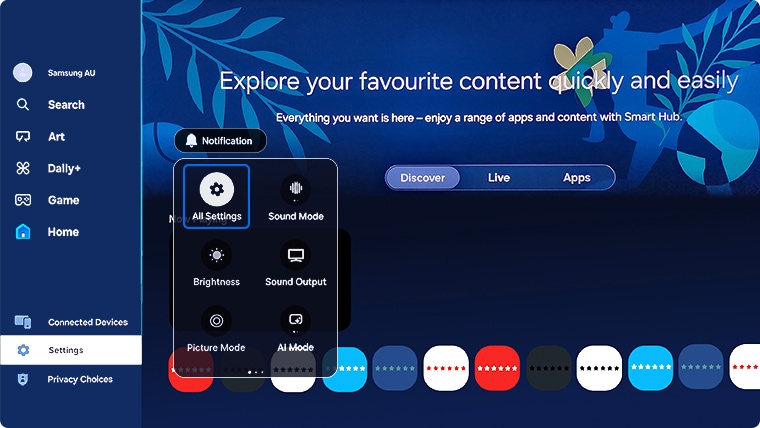
If you have accidentally switched Voice Guide on, follow the steps below on how to switch this feature off.
 Please Note: The information on this page is for Australian products only. Models, sequences or settings will vary depending on location and/or where the product had been purchased. To be redirected to your local support page please click here.
 Settings and then All Settings
Note: Images were taken from a 2025 model TV. Depending on the model of your TV, sequences and steps may vary.



For further assistance, please contact our Chat Support. To find your Samsung product's User Manual, head to Manuals & Downloads.
 This product should be mounted to a wall or other suitable surface to avoid serious injury. Find out more here.
Thank you for your feedback!
Please answer all questions.
Contact Info
Contact us
WhatsApp
![]()
![]()

