Remove accounts from your Samsung Galaxy

If you no longer use an account on your Samsung Galaxy, you can remove it. Removing an account can help keep your information organized, prepare your Samsung Galaxy for a new user, or resolve account-related issues. Before removing an account, make sure you understand how it may affect access to your emails, contacts, photos, files, and other synced data.
Note: Information provided applies to Samsung Galaxy devices sold in Canada. Available screens and settings may vary for devices sold in other countries.
If you no longer want to use a Samsung account on your Samsung Galaxy, you can remove it from your device. For security purposes, you will need to enter your Samsung account password before the account can be removed.
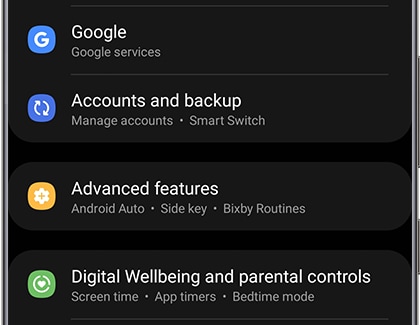
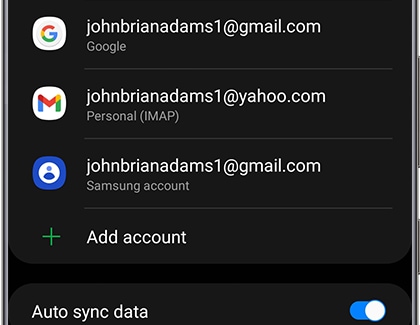
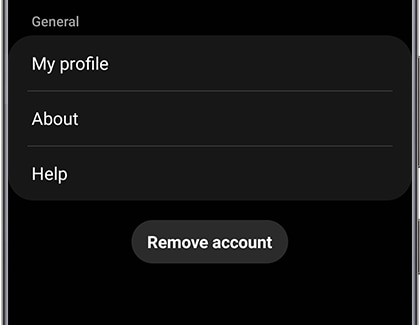

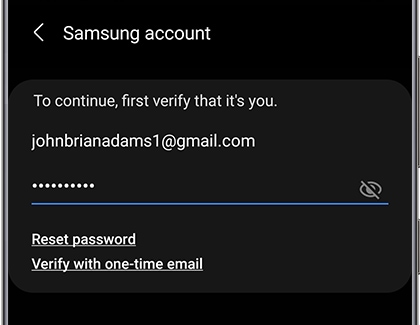
Note: Removing a Samsung account is different from permanently deleting your account. When you remove a Samsung account, it is temporary and you can always add it back later.
Just like with a Samsung account, you can remove your Google account as well. The steps are similar, and the process is just as easy.
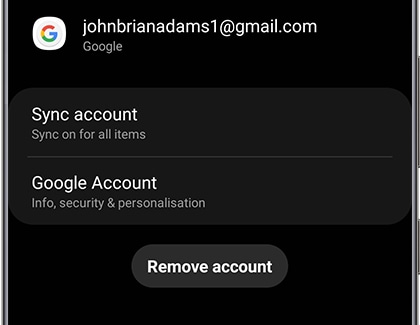
Note: Removing a Google account is different from permanently deleting your account. When you remove a Google account, it is temporary and you can always add it back later.
You can remove email accounts you no longer use from your Samsung Galaxy. The process is quick and only takes a few steps.
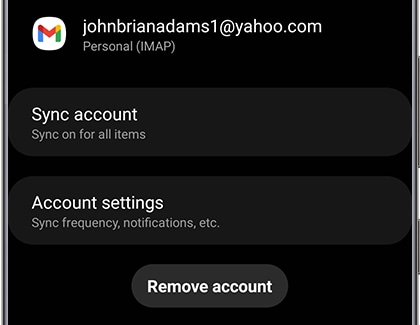
Note: Removing an email account is different from permanently deleting your account. When you remove an email account, it is temporary and you can always add it back later.

Thank you for your feedback!
Please answer all questions.
RC01_Static Content : Hide call number function