Cleaning the Brush of your Jet™ Stick
 Please Note: The information on this page is for Australian products only. Models, sequences, error codes or settings will vary depending on location and/or where the product had been purchased. To be redirected to your local support page please click here.
When using your Jet™ Stick, there ares time when foreign matter can get stuck in the brush.
Watch the video below to see how you can detach the brush, and then follow the steps for more details on how to safely remove foreign matter from the brush of your Jet™ Stick.
*For a guide on cleaning BESPOKE Jet™ brushes, please click here.
Note: For instructions on how to clean the dustbin and filters of your Jet™ Stick, please click here.
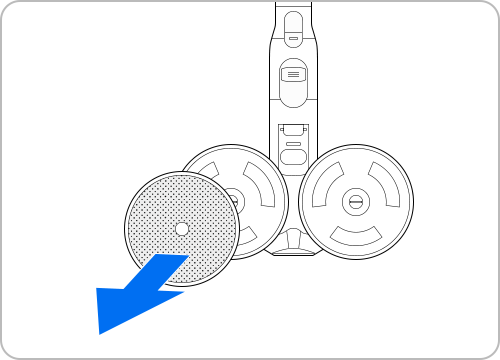
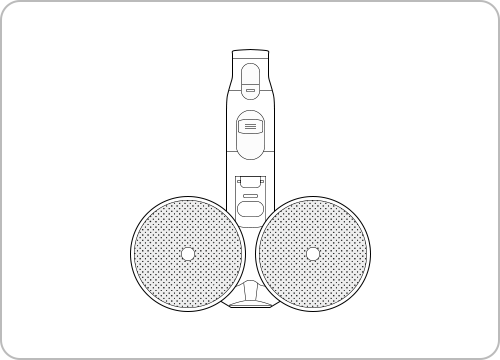
When foreign matter remains on a Soft Action brush, remove with wet tissue or dry cloth.
Note:
- Do not clean the spinning brush and suction part with water.
- Do not use the Soft Action brush to remove moisture, such as liquid and pet waste.
- When cleaning the brush, be careful not to catch your fingers in the fold of the brush.
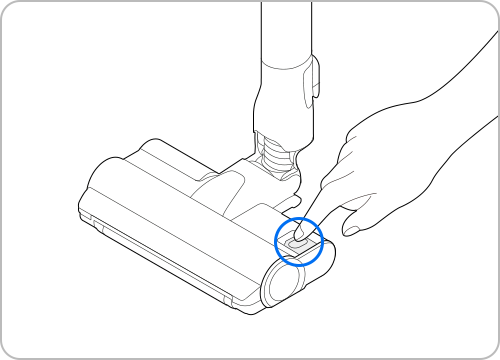
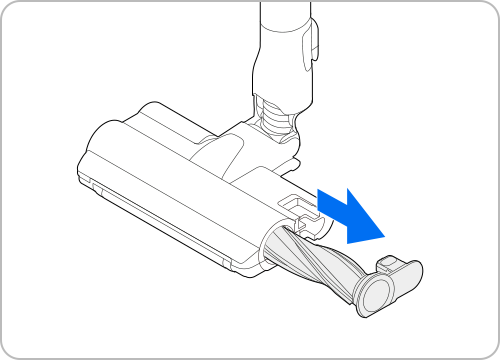
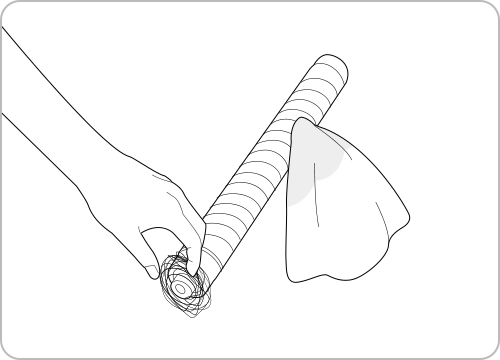
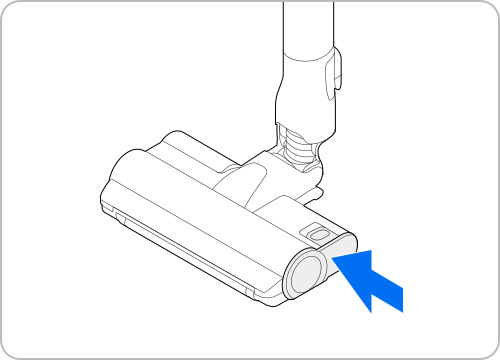
When a spinning brush is disassembled, the Turbo Action Brush's EZ Clean function automatically removes most tangled foreign matter or hair.
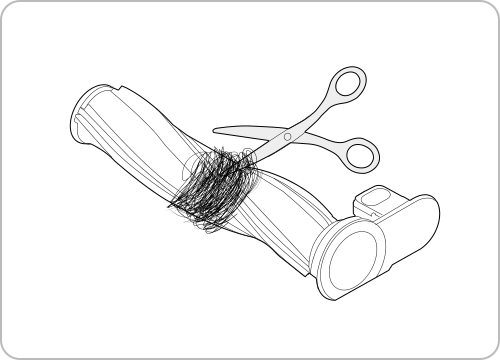
If there is still foreign matter, use scissors to remove it. Please be careful NOT to cut the spinning brush.
Note:
- If the spinning brush does not work after cleaning the Soft Action Brush and Wet Brush, the overheating prevention device of the brush motor might be in operation. Wait 30 minutes or more to cool the motor and operate again.
- If a cloth or other foreign matter is vacuumed up and tangled with the spinning brush (drum), the spinning brush will stop working to protect the brush motor.
- After cleaning the brush, or, if a brush does not work after cleaning, turn the power off and then on again.
- If a brush does not work after cleaning, turn the power off and then on again.



For further assistance, please contact our Chat Support. To find your Samsung product's User Manual, head to Manuals & Downloads.


Contact Info
Contact us
WhatsApp
![]()
![]()


Troubleshoot and book a repair
Product Registration
Quick and easy product registration..
Receive up-to-date personalized services and tips.
Enter your Serial Number/IMEI
Quick and easy product registration.

Product registration is almost complete!!
Now, select the model of your product.
Galaxy Book3 Ultra
SM-G996BZKGEUA
Serial Number: R3CR508WNAH
Cannot access the camera
Try enabling the camera, or using a different device.