
65" Crystal UHD U8000F 4K Smart TV


Gallery popup


Please scan the QR Code with your mobile device, and place the product image in desired place.
Choose size

{{upgradeResult.displayModelName}}
{{upgradeResult.discountText1}}
{{upgradeResult.description1}}
{{upgradeResult.description2}}
{{offerFinance.title}}
{{offerFinance.learnMoreCta.text}}{{offerFinance.description}}
{{galaxyForeverResult.displayModelName}}
{{galaxyForeverResult.discountText1}}
{{galaxyForeverResult.description1}}
{{galaxyForeverResult.description2}}
Choose your colour
Customisable frames sold separately
Choose your skin colour
Customisable skin sold separately
-
{{item.name}}
Out Of Stock
Modern type
-
{{item.name}}
Out Of Stock
Bevelled type
-
{{item.name}}
Out Of Stock
Skin colour
-
{{item.name}}
Out Of Stock
Customisable frames type

- Modern type
The Frame's customisable frames magnetically click into place. Now, you can switch between styles in a snap.
Customisable frames type

- Bevelled type
The new Bevelled type customisable frame design offers an elegant 45-degree angled inner edge frame.
{{tradeIn.title}}
{{tradeIn.learnMoreCta.text}}{{tradeIn.description}}
{{tradeInResult.displayModelName}}
{{tradeInResult.discountText1}}
{{tradeInResult.discountText2}}
{{tradeInResult.discountText3}}
{{tradeInResult.discountText4}}
{{tradeInResult.discountText5}}
{{tradeInResult.discountText6}}
{{tradeInResult.specialDiscountText}}
{{tradeInResult.description}}
{{tradeInResult.contentText}}
DeleteDealer stock quantity
You can check the stock quantity for each region
Please select city
{{assuredBuyBack.title}}
{{newAssuredBuyBack.title}}
{{newAssuredBuyBack.learnMoreCta.text}}{{newAssuredBuyBack.description}}
Please select Samsung Assured Buyback or no coverage
{{care.title}}
{{care.learnMoreCta.text}}{{care.description}}
Please select Samsung Care+ or No to continue
-
{{item.specialText}}
-
{{warrantyResult.displayModelName}}
{{warrantyResult.discountText1}}
{{warrantyResult.description1}}
{{warrantyVd.title}}
{{warrantyVd.description}}
{{warrantyVdResult.title}}
{{warrantyVdResult.priceDisplay}}
{{delivery.headline}}
{{delivery.errorMessage}}
{{deliveryResult.priorityText}}
{{deliveryResult.mainText}}
{{deliveryResult.subText}}
Standard installation charges may apply.Click here for more details.
{{deliveryResult.decText}}
{{item.disclaimer}}
{{tariffOptionResult.displayModelName}}
{{tariffOptionResult.discountText1}}
{{tariffOptionResult.description}}
{{tariffOptionResult.price}}
{{tariffOptionResult.disclaimer}}
{{embedAddon.title}}
{{embedAddon.description}}
-
{{item.name}}
{{item.modelCode}}
{{item.description}}
{{item.finalPrice}}
{{item.originalPrice}}{{item.savePrice}} Out Of Stock
-
{{item.name}}
{{item.modelCode}}
{{item.description}}
- {{item.dotList1}}
- {{item.dotList2}}
- {{item.dotList3}}
{{item.finalPrice}}
{{item.originalPrice}}{{item.savePrice}} Out Of Stock
{{message.item.tcCTAText}}
{{message.item.periodText}}
Highlights

Crystal Processor 4K
Feel virtually every shade of colour as intended in powerful 4K

MetalStream Design
An elegant metal design that upgrades your space

Endless Free Content
Access 300+ free channels* including Samsung TV Plus^ channels

Samsung Knox Security
Your privacy. Secured. On Samsung TVs.

19 Years Global No. 1 TV Brand*
* Source – Omdia, Feb 2025. Based on overall TV market share by manufacturer on an annual unit & revenue basis.

2019-2025 Roy Morgan Most Trusted Brand
“Samsung has top-tier products across many categories and are always striving for excellence.”

2025 Finder Award
Highly commended in the Recommended Brand, Love Brand & Trust Brand categories
Features
The Best-in-class, crystal clear choice


Key features at a glance


Picture Quality


Feel virtually every shade of colour
as intended in powerful 4K
Crystal Processor 4K
Feel virtually every shade of colour as intended. Powerful 4K upscaling ensures you get up to 4K resolution for the content you love.*


* Viewing experience may vary according to types of content and format. Upscaling may not apply to PC connection and Game Mode.
Feel the reality of the world on screen
4K ResolutionMake out the small details in virtually every scene. 4K UHD resolution has 4x more pixels than regular FHD resolution — creating sharp, ultra-realistic images.*


"4x more pixels" refers to a comparison between 4K UHD (3840 x 2160) and Full HD (1920 x 1080) resolutions.
More about
Picture Quality


Enhanced contrast with rich darkness and brilliant light
HDR
High Dynamic Range helps increase the ratio between the lightest and darkest areas on screen. This brings out a wide spectrum of colours and brilliant contrast for all the visual details.


Watch your favourite content in up to 4K
4K Upscaling
Powerful 4K upscaling ensures you get up to 4K resolutionto help it look its best.*
* Picture quality of upscaled content will vary depending on the quality and resolution of source content and may not apply to PC connection and Game Mode.

Fine-tuned colours for a vibrant, lifelike picture
PurColour
Experience rich images that come to life with a huge range of colours. From vivid documentaries to vibrant animated worlds, your viewing experience will be anything but dull.


See images come to life
Contrast Enhancer
Contrast Enhancer can help bring flat images to life by adjusting the contrast, offering outstanding pictures with amazing depth.
Design


An elegant metal design that upgrades your space
MetalStream DesignInspired by aircraft design, the MetalStream Design features a luxurious metal body. With no additional bezel required, a single sheet of metal is used to create a slim bezel, enabling a truly immersive experience.


One UI Tizen


Personalise your screen experience
One UI TizenExplore endless entertainment with your favourite apps in one place. With automated content curation you can spend less time searching and more time streaming the movies, games and shows you love.* Your experience is also secured by Samsung Knox across SmartThings devices. Plus, One UI Tizen will support Tizen OS upgrades for the next 7 years.*


* Internet connection and Samsung Account required. Data and subscription charges may apply. Apps and UI may be subject to change without notice. Agreement of the Smart Hub Terms and Conditions and Privacy Policy is required before use. Kayo & BINGE not available for use in Very Remote regions of Australia.
*Tizen OS upgrades will be provided for 7 years, starting from release year 2025.
Enjoy 7 years of
new TV experiences
for free


* Content and services may vary by region and are subject to change without notice.
* Agreement to Smart Hub Terms and Conditions and Privacy Policy is required before use.
* Some content and services require registration and subscription.
* Requires Samsung account.
* Tizen OS upgrades will be supported for 7 years starting from 2025, for products released in the year 2025.
* Please note that the upgrade does not cover hardware-related performance, features or durability.
Access 300+ free channels* including
Samsung TV Plus^ channels
Endless Free Content
Enjoy news, sports, movies, entertainment, music, kids’ shows and more. With new content continuously added, there’s always more to explore!


* Channel number including channels provided by Samsung TV Plus and third-party apps counts are current as of May, 2024 for each country. Channels vary by country and are subject to change without notifications.
^Samsung TV Plus is a free-ad supported Smart TV video service. Internet connection required and data usage fees may apply. Requires Samsung account. Downloading apps, signing up, and logging in may be required to access channels provided by third-parties.
Free TV channels, with 100+ additional channels
Samsung TV Plus
No need to pay for another subscription, enjoy free live streaming TV with Samsung TV Plus.* Choose from a variety of channels offering news, sports, entertainment and more. All you need is an Internet connection.


* Ad-supported streaming service with content subject to change without notice.
Your privacy. Secured. On Samsung TVs.
Samsung Knox SecurityFeel at ease with a multi-layered security solution which helps to shield your data. Even compatible Home IoT devices connected to your Samsung TV are secured. Regular updates further fortify your TV, helping to protect it from future threats .*


* Samsung Knox applies to Samsung TVs powered by Tizen, launched since 2015. Security software update is guaranteed for at least three years from TV product launch. Latest TV software update is required. Evaluated by IT Security and Certification Center, Republic of Korea (Feb 2023, 2024) using the Common Methodology for IT Security Evaluation, Version 3.1 R5 for conformance to the common criteria. Certification No: KECS-CISS-1291-2024.
Gaming Experience


Easily discover and access your games from one screen
Gaming Hub
Save time and speed up the game selection process.* Stream over 100 blockbuster games with Xbox Game Pass or access other cloud gaming services – no downloads and console required.** Plus, find your console gaming and standalone apps like YouTube, Spotify, Twitch & Discord all in one place.*


* A controller may be required depending on the specific game being played on the Gaming Hub.
Internet connection, additional gaming service subscriptions and third party apps (depending on game or service) may be required. Content services are subject to change without notice. Requires Samsung Account.
** Xbox Game Pass Ultimate subscription and compatible controller required. Fees apply.
Experience picture clarity with smooth motions
Motion Xcelerator
Experience clear picture as Motion Xcelerator automatically estimates the motion information between frames and then uses it to predict the subsequent frames in a manner that improves the smoothness of motion.*
* Compared to Samsung TV without Motion Xcelerator. Requires compatible gaming PC supporting 4K resolution, 50Hz motion rate and Variable Refresh Rate. Picture quality will vary depending on quality and resolution of source content.


* Compared to Samsung TV without Motion Xcelerator. Requires compatible gaming PC supporting 4K resolution, 50Hz motion rate and Variable Refresh Rate. Picture quality will vary depending on quality and resolution of source content.
Smart Experience


Connect and manage your smart home devices,
all from your TV
SmartThings
Control your compatible Samsung and third-party devices through your Samsung smart TV. Monitor your electricity usage, control your lighting, be notified when your washing is finished, or view your home cameras from your couch. Designed to make your life easier, more secure, and more connected.*


* Requires Samsung Account, internet connection and SmartThings enabled devices. Please visit www.samsung.com/au/apps/smartthings/ for a list of current compatible devices.
More about
SmartThings


Daily management for your favourite activities
Samsung Daily+
Easily manage your daily activities from your TV. Access apps and services such as Workspace where you can work from the big screen by connecting your compatible PC, mobile or laptop and the Workout Tracker where you can get fit with your real-time exercise data on screen during your home workout.*
* Content, services and app availability may vary by region and are subject to change without notice.* Workspace HQ is compatible with certain PC and mobile devices. Easy Connection app requires Windows 10 OS. Samsung DeX is supported on selected Galaxy, Note, and Tab devices running Android 6.0 ↑. Requires a compatible keyboard, mouse and Samsung account. Workout Tracker available from March 2024 on Galaxy Watch 4 ↑ Requires Samsung account.


Control your TV from your mobile phone
Quick Remote
Through your SmartThings mobile app you can access key Samsung Tizen TV features such as media, features, ambient mode and menu. Quick Remote can also act as your TV remote allowing you to change channels, adjust the volume, and much more right from your phone.*
* Push notifications for mobile remotes for TVs are available on (Mobile) Android OS 10.0 and higher versions with (TV) 2020 Samsung TVs and later models, and operates when the mobile device is near the TV.* Samsung Smart TV feature access is available on (TV) 2024 Samsung TVs and later models with (Mobile) Android OS 10.0 and higher versions or iOS 15.0 and higher versions.


Easily multitask across screens
Multi Control
Use your mouse to move content across screens, or a single keyboard to type on multiple devices. Your TV can connect with smart monitors and Galaxy devices into a unified experience — controlled by the same mouse, touchpad or keyboard. Thanks to Samsung's seamless ecosystem, you can easily stay connected and redefine your everyday life.*
* Each device must be registered with a single Samsung account and be connected to the same Wi-Fi network.* Multi Control requires updated Galaxy phones and tablets with One UI 5.1.1 or above, and Galaxy Book series devices released in 2021 or later with Samsung Settings v1.5 (Intel) or Samsung Settings v3.3 (ARM), and TVs and smart monitors from 2024 or later.
* Some functions (such as Copy & Paste or Drag & Drop) may not be available when using certain device models and apps.


Gesture to control with your watch
Universal Gesture
Easily control your TV with your smartwatch. Just wear your Galaxy Watch* and use hand gestures, like pinching to select an option, or moving your wrist back and forth for pause and play.
* Universal Gesture supports Galaxy Watch 4 and higher / Wear OS 5 and higher.

Take your home workout sessions to another level
Workout Tracker
Track real-time exercise data while watching your favorite shows. Your TV can display feedback from your exercise devices and play content on a single screen during your home workout sessions.*
* Supported devices are Galaxy Watch 4 ↑with Galaxy Mobile (One UI 4.1.1 and above) with latest software version. Devices must be logged into the same Samsung account.
Sound


Synchronised sound from your TV and Soundbar*
Q-Symphony
Immerse yourself in sound from both your Samsung TV and Soundbar* orchestrated in harmony. Q-Symphony allows the speakers in your TV and compatible Samsung Soundbar to work simultaneously for a true surround sound effect without muting the TV speakers.


* Q-Symphony is available only with compatible 2022 Q-Series and S-Series Soundbars and onwards. Soundbar sold separately. Audio effects may vary based on source content, installation and environmental characteristics.
Virtual sound that tracks the action
Object Tracking Sound Lite
Create a surround sound experience with virtual top-channel audio that follows the action so that you can be immersed in the audio.*
* The quality of sound effects may vary depending on the source content, installation and environmental characteristics.

Sound that adjusts to your surroundings & content
Adaptive Sound
Adaptive Sound ensures you rarely miss a word by adjusting the volume of dialogue based on real time scene analysis by content type.*
* Performance may vary depending on installation environment and surroundings.

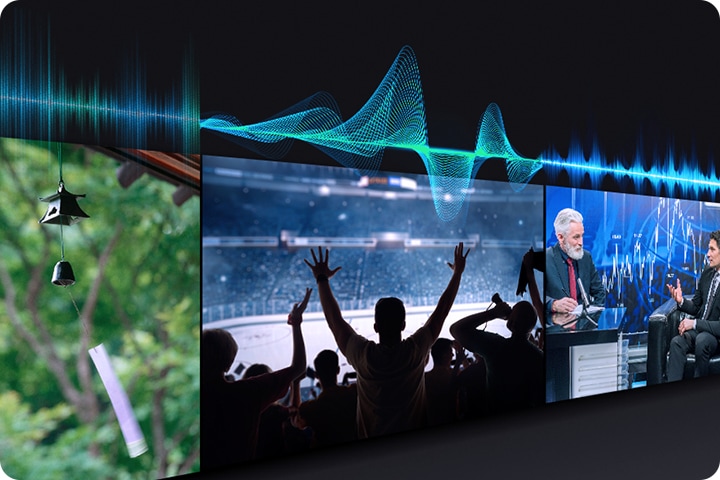
* Performance may vary depending on installation environment and surroundings.
Sustainability


Monitor energy consumption
AI Energy Mode
Easily monitor your power consumption by activating AI Energy Mode. This feature automatically detects and analyses surrounding light levels and usage behaviours to adjust the brightness if required.


* The SmartThings app is required to utilise AI Energy Mode. Energy consumption rate may vary according to regions, models, sizes, viewing conditions or types of content. Products shipped in Eco Mode have some AI Energy Mode functions enabled by default, so energy consumption level by turning on AI Energy Mode may appear lower than actual. AI Energy Mode does not support Game Mode, Intelligent Mode, Art Mode, Screen Mirroring, Ambient Mode or Retail Mode. Energy consumption may vary depending on content being displayed and surrounding brightness levels.
Live & On Demand TV for free
Freeview
Watch, Search & Discover 30+ Channels of Live & On Demand TV. All in the one place. All for FREE! No charges, fees or contracts. Access free Movies, Drama, Sport, Family entertainment & more from Australian free-to-air channels ABC, SBS, 7, 9 & 10 using your Samsung TV remote.* Freeview.com.au↗


* Freeview uses HbbTV technology which combines broadcast and broadband. Internet connection is required. Data usage charges and conditions apply. Available programs are subject to change without notice.
Specifications
-
Resolution
4K (3,840 x 2,160)
-
HDMI
3
-
USB
1 x USB-A
-
LED
-
Screen Size
65"
-
Native Refresh Rate
50Hz
-
Resolution
4K (3,840 x 2,160)
-
Picture Engine
Crystal Processor 4K
-
HDR (High Dynamic Range)
HDR
-
HDR 10+
Support
-
Contrast
Mega Contrast
-
Micro Dimming
UHD Dimming
-
Contrast Enhancer
Yes
-
Picture Upscale
4K Upscaling
-
Colour Booster
Yes
-
Filmmaker Mode
Yes
-
Object Tracking Sound
OTS Lite
-
Q-Symphony
Yes
-
Sound Output (RMS)
20W
-
Speaker Type
2CH
-
Adaptive Sound
Yes
-
Operating System
Tizen™ Smart TV
-
Bixby
Yes (Voice Ready)
-
Works with AI Speaker
Alexa, Google Assistant
-
Samsung TV Plus
Yes
-
Web Browser
Yes
-
SmartThings Hub / Matter Hub / IoT-Sensor Functionality / Quick Remote
Yes
-
Multi Device Experience
Mobile to TV, Sound Mirroring, Wireless TV On (requires Android 6.0↑ with Screen Cast capabilities or iPhone iOS 11.4↑ with AirPlay 2 support)
-
Apple AirPlay 2
Yes
-
Storage Share
Yes
-
Auto Game Mode (ALLM)
Yes
-
VRR
Yes
-
HGiG
Yes
-
Gaming Hub
Yes (KR, US, CA, BR, GB, FR, DE, IT, ES, MX, AU)
-
Digital Broadcasting
DVB-T(T2 Ready)
-
Analog Tuner
Yes
-
Wi-Fi
Yes (Wi-Fi 5)
-
Bluetooth
Yes(5.3)
-
HDMI
3
-
HDMI Maximum Input Rate
4K 60Hz (for HDMI 1/2/3)
-
HDMI Audio Return Channel
eARC/ARC
-
Anynet+ (HDMI-CEC)
Yes
-
USB
1 x USB-A
-
Ethernet (LAN)
1
-
RF In (Terrestrial / Cable input / Satellite input)
1/1(Common Use for Terrestrial)/0
-
Design
Metal Stream
-
Bezel Type
3 Bezel-less
-
Front Colour
BLACK
-
Stand Type
BASIC FEET
-
Stand Colour
BLACK
-
Embeded POP
Yes
-
EPG
Yes
-
IP Control
Yes
-
OSD Language
Local Languages
-
Voice Guide
Chinese (China),English (Australia),French (France),German (Germany),Italian (Italy),Korean (Korea),Malay (Malaysia),Spanish (Spain)
-
Low Vision Support
Audio Description, Zoom Menu and Text, High Contrast, SeeColors, Colour Inversion, Grayscale, Auto Picture Off
-
Hearing Impaired Support
Closed Caption (Subtitle), Multi-output Audio, Sign Language Zoom
-
Motor Impaired Support
Slow Button Repeat, Remote Control App. for All
-
Power Supply
AC220-240V~ 50/60Hz
-
Power Consumption (Max)
170 W
-
Power Consumption (Stand-by)
0.5 W
-
Eco Sensor
Yes
-
Power Consumption (Typical)
113.0 W
-
Yearly Power Consumption (EU standard)
416 kWh
-
Auto Power Off
Yes
-
Auto Power Saving
Yes
-
Energy Efficiency Class
5.5
-
Package Size (WxHxD)
1578 x 930 x 142 mm
-
Set Size with Stand (WxHxD)
1444.1 x 882.2 x 222 mm
-
Set Size without Stand (WxHxD)
1444.1 x 831.2 x 76.8 mm
-
Stand (Basic) (WxD)
1004.6 x 222 mm
-
VESA Spec
200 x 200 mm
-
Package Weight
21 kg
-
Set Weight with Stand
14.5 kg
-
Set Weight without Stand
14.2 kg
-
Remote Controller Model
TM2240A
-
Full Motion Slim Wall Mount Support
Yes
-
SlimFit Cam Support
Yes
-
Zigbee / Thread Module
Dongle Support
-
User Manual
Yes
-
Power Cable
Yes
-
Security Update Period (At least 5 years from launch of product)⊕
31 Dec 2030
Reviews
65" Crystal UHD U8000F 4K Smart TV
- Customers praise the exceptional picture quality, vibrant colors, brilliant brightness, and sharp 4K resolution as cinematic and stunning
- Many commend the intuitive interface, easy setup, quick app loading, and seamless streaming service integration
- Reviewers highlight crisp, excellent audio that complements the visual experience and enhances overall enjoyment
- Several appreciate the sleek modern design and free channel offerings as valuable additions
- A few report remote control frustrations and occasional software glitches, though these remain isolated concerns
Reviews with images & videos
Filters
Relevancy sort puts the best reviews at the top. We look at things like helpfulness votes, latest review, pictures and other traits that readers look for in their reviews.
Filters
5,615 Reviews
2026-07-20
Los Angeles, CA
2026-08-05
2026-04-25
2026-02-20
2026-08-21
2025-04-29
Spring
2025-12-29
San Luis Obispo,ca
Samsung Advisor
Hi Dnslink, We appreciate you sharing your experience connecting Bluetooth audio devices to your U8000f TV. To pair a Bluetooth device, go to: Settings > All Settings > Sound > Sound Output > Bluetooth Speaker List – If your device isn’t found, move it closer to the TV and select Scan. – Once paired, your TV will automatically detect the device when it’s powered on and prompt you to connect. You can also refer to the Connection Guide for help: Home > left directional key > Connected Devices > Connection Guide > Audio Device > Bluetooth Please also make sure both your TV and the Bluetooth device are running the latest firmware: Settings > Support > Software Update For more help, please contact Samsung Support at 1-800-SAMSUNG, 8AM – 12AM EST, 7 days a week. LiveChat agents are also available on our website under ‘Support’. ~Samsung Advisor
2026-10-12
2026-07-05
Albuquerque, NM
2026-06-22
2026-04-05
TN
2026-08-20
California
2026-07-30
2026-02-26
2025-11-04
Washington state
Samsung Advisor
Hi Cass, Thank you for your feedback. For optimal performance, please ensure your U8000F TV is running the latest firmware. You can check this by going to: Home > left directional key > Settings > Support > Software Update. To further optimize performance, try running Device Care, which checks memory, clears unused cached data, and closes background apps: Home > left directional key > Settings > Support > Device Care > Start Device Care. If you continue to have issues, please give us a call so we can further assist you. You can reach Samsung Support at 1-800-SAMSUNG (ask for TVs), 8 AM – 12 AM EST, 7 days a week. ~Samsung Advisor
2025-06-10
2026-06-22
2026-03-17
Samsung Advisor
Hi Disappointed, We appreciate your feedback on the U8000F user interface, startup, and remote. While Samsung remotes are designed for ease and versatility, universal remotes can also be used to control your TV. If you're using a third-party remote, please refer to its manufacturer guide for the correct Samsung code and setup process. If you run into any trouble or have compatibility questions, Samsung Support is happy to help. You can reach us at 1-800-SAMSUNG, 8AM – 12AM EST, 7 days a week. LiveChat agents are also available at the ‘Support’ link on our website. ~ Samsung Advisor
2025-07-18
Crete
2025-06-11
Chicago, illinois
Samsung Advisor
Hi Steph, Thank you for your detailed feedback. It's unfortunate that you are not satisfied with your purchase. I have a few tips that may improve your experience. First, please know the Philo app is available on the Samsung U8000F TV. To search for and download apps via the built-in app store, go to Home> Left Cursor over to the Search Bar> Type in Philo> Download app. Regarding the remote control, Samsung remotes are designed to offer convenient control; however, we understand if you prefer to use a universal remote. We hope these tips are helpful. If you need any further assistance, please don’t hesitate to call us at 1-800-SAMSUNG, available from 8AM - 12AM EST, seven days a week. You can also chat with one of our agents by clicking the ‘Support’ link on our website. ~ Samsung Advisor
2025-10-14
2026-05-12
Samsung Advisor
Hi Mahoot, Thank you for your review. While your U8000F TV may currently default to Samsung TV Plus when powered on, you can customize what your TV does at startup by adjusting the Start Screen Options. To do this, navigate to: Settings > All Settings > Advanced Features > Start Screen Option and choose from the following: 1. Start with Smart Hub Home – Automatically launches Smart Hub when the TV is turned on. You can enable or disable this option based on your preference. 2. Autorun Multi View Casting – If you cast YouTube content from your mobile device, the TV will automatically display the content using Multi View. 3. Autorun Multi View Mirroring – When you screen mirror your mobile device, Multi View will automatically open to show your device’s screen. If you need help adjusting these settings or have any other questions, please contact Samsung Support at 1-800-SAMSUNG, 8AM – 9PM EST Mon – Fri, 8AM – 6PM Sat – Sun LiveChat agents are also available by clicking on the ‘Support’ link on our website. ~Samsung Advisor
2026-06-26
2025-04-21
Pennsylvania
Samsung Advisor
We’re sorry to hear you’re not fully satisfied with the picture quality on your Samsung U8000F TV. If the image appears too dark, we suggest disabling certain energy-saving features, which can automatically adjust brightness and affect how the screen looks. Go to: Settings > All Settings > General & Privacy > Power and Energy Saving, then turn off Brightness Optimization, Energy Saving Solution, Motion Lighting, and/or Contrast Enhancer. You can also adjust the Picture Mode to better suit your environment: Settings > All Settings > Picture > Picture Mode. • Standard – Default mode for general viewing • Dynamic – Brighter and clearer, ideal for well-lit rooms • Movie – Best for dark room viewing • Eco – Energy-saving mode • Filmmaker Mode – Preserves content as intended by creators To fine-tune brightness, go to: Home > left directional key > Settings > All Settings > Picture > Expert Settings, then adjust the Brightness level (0–50) to your preference. Lastly, please make sure your TV is running the latest firmware: Home > Home > left directional key > Settings > Support > Software Update > Update Now We hope these tips help improve your viewing experience. If you need further support, feel free to contact us at 1-800-SAMSUNG, 8AM – 12AM EST, 7 days a week. LiveChat is also available via the ‘Support’ link on our website. ~ Samsung Advisor
2026-03-23
2026-09-18
2026-04-27
London
Samsung
We're thrilled to see how much you love our TVs thanks to their reliability and compatibility with other services, and that the U8000F is impressing you so much! The stunning UHD 4K display is a real feat of technology, with customisable brightness and contrast settings allowing you to set the right tone to truly immerse yourself in your favourite content. This model brings premium features to our users at a great price point, and we couldn't be happier with the result. Thank you for sharing your feedback regarding your enthusiasm for an included DVD player. At the moment, we are prioritising the sleek design of our TVs, but we will certainly take this feedback onboard. Keep enjoying your epic new model! ^SK at Samsung Support
2026-05-21
Samsung Advisor
Hi GNH1897, Thanks for your feedback on the U8000F TV. Please know we are here to help. First, please ensure you are running the latest Firmware Update. Go to Settings> Support> Software Update. In regards to your remote control, we apologize for any confusion, however the U8000F does not come with a built-in voice assistant or microphone. It is however compatible with external Alexa devices. If you need additional support, Samsung is here to help. Please call us at 1-800-SAMSUNG, available 8AM – 9PM EST Mon – Fri, 8AM – 6PM Sat – Sun. You can also chat with a LiveChat agent by clicking the ‘Support’ link on our website. ~ Samsung Advisor
2025-05-21
2026-02-20
2025-06-05
2025-06-26
2025-05-07
Nebraska
Samsung Advisor
Hi JenB, Thank you for your feedback. I have a few recommendations that may resolve some of the issues you are experiencing. First, let's ensure your Firmware is up to date. Go to Settings> Support> Software Update. Next, the black out issue may likely be caused by either the type of HDMI cables and/or the source being used. Please check the following, as it may help resolve this: 1. Check the external device. Make sure your console is running the latest firmware version. If possible, we also recommend connected another external device to check for similar issues. 2. Check the HDMI cable. Make sure to use a High Speed Certified HDMI Cable. If you’re still having screen blackouts after performing the above, please give Samsung Support a call to further diagnose the issue. You can reach us at 1-800-SAMSUNG, 8AM - 12AM EST, 7 days a week. LiveChat with an agent as well as manuals, software, and warranty info can be found at the ‘Support’ link on our Samsung website. ~ Samsung Advisor
2026-05-11
CONWAY SC
2025-10-14
2025-09-05
2026-03-23
Blue Springs, MO
2026-10-05
Rome City, Indiana
2025-09-13
2026-07-05
Atlanta, GA
2026-09-21
Conway, AR
2026-05-18
Ankeny, IA
2025-08-06
Brooklyn
2026-08-20
Henderson, Nevada
2026-01-21
North Central Texas. Also known as Texoma.
2026-07-08
Maryland Manchester
2026-09-05
Booneville, Mississippi
2026-07-05
2026-08-29
South Africa
2026-09-21
2025-10-29
2026-06-22
2026-04-20
2026-02-20
2026-02-04
Anchorage alaska
2026-05-22
2026-09-07
Augusta, Ga
2026-05-11
Peoria, IL
2026-02-17
Judsonia, AR
2026-04-01
2026-10-13
2025-06-01
2026-06-06
2026-06-01
2025-05-31
2026-02-18
Huntington Beach California
2025-06-26
2025-06-26
2026-03-23
Harrisburg pa
2026-05-13
San Diego, CA
2025-11-05
2026-02-17
Dallas,Georgia
2025-07-30
Samsung Advisor
Hi JayLeigh, Thank you for your feedback. To ensure your picture is on the correct setting, go to go to Home > Menu > Settings > All Settings > Picture > Picture Size Settings and choose from Picture Size (16:9 Standard, Custom, or 4:3. If this does not resolve your issue, I recommend resetting your Smart Hub.To do so, go to Home > Menu > Settings > Support > Device Care > Self Diagnosis> Reset Smart Hub. If you need more help, please call us at 1-800-SAMSUNG, available from 8AM - 12AM EST, seven days a week. You can also connect with a LiveChat agent by clicking the ‘Support’ link on our website. ~Samsung Advisor
2026-03-03
Bremerton, Washington
2026-06-25
Samsung Advisor
Hi RicoSuave, We appreciate your feedback and are sorry to hear the U8000F TV is not meeting your expectations. If there’s anything we can assist with, please don’t hesitate to call us at 1-800-SAMSUNG (8AM – 9PM EST Mon – Fri, 8AM – 6PM Sat – Sun), or reach us via text anytime. You can also visit ‘Support’ on our website for: • Live Chat • Manuals, Software, & Warranty Info ~ Samsung Advisor
2026-05-24
2026-04-05
2026-03-01
Clarion, pa
2026-05-26
2026-09-05
Connecticut
2026-06-05
Wi
2026-08-20
2026-08-20
San Antonio
2025-05-17
2026-07-27
TX
2026-06-05
Samsung Advisor
Hi BobW, Thank you for sharing your experience. Samsung remotes are designed to offer convenient control, but we understand if you’d prefer to use a universal remote. Many third-party remotes work well with Samsung TVs, though setup steps may vary by brand and model. To get started, we recommend checking the manufacturer’s instructions for programming codes and pairing methods. If you run into any trouble or have compatibility questions, Samsung Support is happy to help. You can reach us at 1-800-SAMSUNG (8AM – 9PM EST Mon – Fri, 8AM – 6PM Sat – Sun). LiveChat agents are also available at the ‘Support’ link on our website. ~ Samsung Advisor
2025-09-06
2026-09-04
2026-07-20
Northern plains USA
2026-05-22
2026-08-06
ALABAMA
2026-08-05
Las Vegas
2026-03-24
2026-02-02
Los Angeles County, CA.
2025-12-05
2025-05-15
2026-02-24
NY
2026-06-13
Lancaster, Ohio
2026-10-05
2026-05-22
These reviews are managed by Bazaarvoice and comply with the Bazaarvoice Authenticity Policy, which is supported by anti-fraud technology and human analysis. Details at
https://www.bazaarvoice.com/trustmark/User manual & downloads
Solutions & Tips
** Delivery available in select areas within Australia. Free delivery in Australia is available for mobile, tablet, wearable, and memory products only. Delivery charges apply to all other products (TV, Soundbar, Home Appliances, and Monitor) for all areas within Australia. Terms & Conditions apply. Visit Samsung.com for further information.
⊕ Certain Samsung products with Wi-Fi or Bluetooth connectivity have been manufactured in compliance with the requirements of Part 1 of Schedule 1 of the Cyber Security (Security Standards for Smart Devices) Rules 2025. For more information, please click here to find out how you can report potential security vulnerabilities found in Samsung products and services.
* Samsung Care Premium will not be available on purchases from 1st of January 2024. Purchases made on or before 31st of December 2023 are still eligible for Samsung Care Premium offerings. Learn more
* Key features may differ from key specifications.
Latitude Finance: Approved customers only. Minimum spend applies. Equal monthly payments required. T&Cs, fees and charges apply. Exclusions may apply. Available on participating Latitude credit cards only. If there is an outstanding balance after the interest free period ends, interest will be charged at the Expired Promotional Purchase Rate currently 29.99% p.a. (subject to change). Account service fee per month applies (subject to change). Interest may also apply to other credit card transactions or if you do not comply with the T&C’s. Conditions of use set out the T&C’s of the Latitude Gem Visa credit card. Credit is provided by Latitude Finance Australia ABN 42 008 583 588 Australian Credit Licence number 392145. Learn more
Afterpay allows you to pay for your purchase over 4 installments due every 2 weeks. For purchases up to $3,000 only. Advertised amount subject to approval by Afterpay. Learn more
PayPal Pay in 4 offers no interest and no late fees. You can divide your eligible purchases between $30 - $2,000 into 4 interest-free instalments. The first payment at checkout, then three repayments, one every two weeks. Learn more
1. Viewing experience may vary according to types of content and format. Upscaling may not apply to PC connection and Game Mode.
2. Samsung Knox applies to Samsung TVs powered by Tizen, launched since 2015. Security software update is guaranteed for at least three years from TV product launch. Latest TV software update is required. Evaluated by IT Security and Certification Center, Republic of Korea (Feb 2023, 2024) using the Common Methodology for IT Security Evaluation, Version 3.1 R5 for conformance to the common criteria. Certification No: KECS-CISS-1291-2024.
3. Internet connection and Samsung Account required. Data and subscription charges may apply. Apps and UI may be subject to change without notice. Agreement of the Smart Hub Terms and Conditions and Privacy Policy is required before use. Kayo & BINGE not available for use in Very Remote regions of Australia.
5. Tizen OS upgrades will be supported for 7 years starting from 2025 for products released in 2025. OS Upgrade does not cover hardware-related performance, features or durability.


