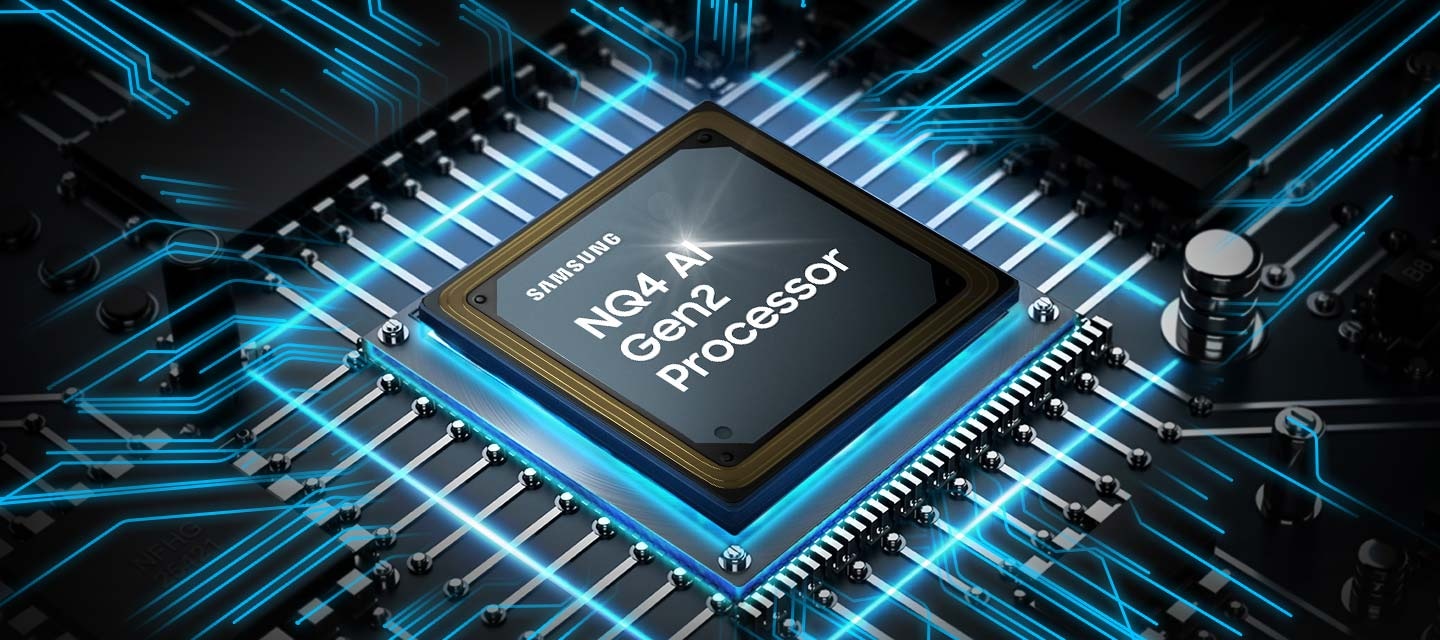
Samsung's AI-powered 4K processor creates one of our best 4K experiences. Our 4K AI Upscaling technology powered by 20 AI AI neural networks transforms content into near-4K picture quality. Our NQ4 AI Gen2 Processor optimizes both picture and sound to deliver a near-4K experience whether you are streaming movies, playing your favourite video games, or watching live sports. With unique technologies such as perceptional colour mapping and OLED brightness booster, NQ4 AI Gen2 Processor presents incredible brightness, colour, contrast and detail.
* Viewing experience may vary according to types of content and format. Upscaling may not apply to PC connection and Game Mode.
Performance compared to 2024 QLED Q70D
* Viewing experience may vary according to types of content and format.
** Upscaling may not apply to PC connection and Game Mode.
OLED
Deep blacks, clean whites and lively colours
Samsung’s unique OLED provides deep blacks, clean whites and full shades of lively colours. With cutting edge self illuminating pixels, you can enjoy an accurate, pure and bright picture.
Contour Design
Elegant design that blends into your home
The sleek and flowing unibody design is reminiscent of a smoothly flowing wave.
* Only available in 65/55"
* Certain regions and inches only. (North America (65/55"), Mexico (65/55"), Europe). Other regions and inches feature the LaserSlim Design.
Samsung Tizen OS
Upscale your entertainment with Samsung Tizen OS
Samsung Tizen OS upscales your entertainment with the latest apps and services including Samsung TV Plus with 200+ free live TV channels and Gaming Hub with cloud gaming services (no console required), Daily+ where you can easily manage your daily activities, and SmartThings where you can control your smart devices from your TV. Samsung Tizen OS secures your privacy and personal information via Samsung Knox Security.
* Content and services may vary by region and are subject to change without notice. Agreement to Smart Hub Terms and Conditions and Privacy Policy is required before use. Some content and services require registration and subscription.
** Requires Samsung account.
*** You will need a Samsung Account to access the full range of Samsung Tizen OS features. If you choose not to login in, you will only be able to connect to terrestrial TV(applicable to devices with tuners only) and external devices, e.g. via HDMI. You may need a separate device (e.g., PC or mobile) to create a Samsung Account.
EXTENSIVE FREE CONTENT
Access 800+ free channels including Samsung TV Plus premium channels
Enjoy news, sports, movies, entertainment, music, kids’ shows and more. With new content continuously added, there’s always more to explore!
* Channel number including channels provided by Samsung TV Plus and third-party apps counts are current as of May, 2024 for each country.
** Channels vary by country and are subject to change without notifications.
*** Requires Samsung account.
**** Downloading apps, signing up, and logging in may be required to access channels provided by third-parties.
Picture Quality
Samsung NQ4 AI Gen2 Processor works behind layered screens. When the processor powers on, the effect ripples through the layered screens to optimize the picture at the forefront. The details of a mountain side, rocks in a creek and shoes of a runner in a scene are upscaled to great clarity.
4K AI Upscaling
Upscale content into a near-4K experience
Our 4K AI Upscaling technology powered by 20 AI neural networks transforms content into near-4K resolution.
* Viewing experience may vary according to types of content and format.
** Upscaling may not apply to PC connection and Game Mode.
OLED HDR
Full scale of brightness and contrast enabled in every pixel
Our NQ4 AI Gen2 processor analyzes the content scene by scene to provide maximized brightness and improved contrast. Enabled by self-illuminating pixels, OLED HDR allows you to appreciate even the hidden details.
* The range of HDR luminance is based on internal testing standards and subject to change according to viewing conditions or specifications.
PANTONE Validated
Enjoy authentic colour validated by PANTONE, only on Samsung screens
Now meet fully authentic, accurate colour validated by PANTONE. As a trusted symbol of colour fidelity by industry experts, ‘PANTONE Validated’ provides validation on accurate expression of 2,030 PANTONE colours and newly added 110 skin tone shades. This is the world’s first TV product to receive PANTONE validation. Now you can enjoy an accurate, comfortable watching experience.
* Received certification from Pantone in December 29, 2021
Depth Enhancer
Three-dimensional Real Depth enabled by powerful neural networks
Depth Enhancer now mirrors how human eyes process depth by increasing foreground contrast. So, when you are watching a nature documentary, Depth Enhancer enhances an elephant’s wrinkles while leaving the background as is – just as a person’s eyes would.
The TV screen during daylight is bright. The screen is adjusted to be softer on the eyes as day changes into night. VDE 02\/2024 Tested Eye Care www.VDEinfo.com ID.40058040 Tested by VDE Germany. VDE 02\/2024 Tested CRD Circadian Rhythm Display www.VDEinfo.com ID.40058036 Tested by VDE Germany.
EyeComfort Mode
Intelligent picture optimized for your eyes
With Samsung unique EyeComfort Mode, the local sunset and sunrise times are preloaded into your screen, so it can automatically adjust your display accordingly. Also, it lowers brightness and colours after sunset, so your screen is softer on your eyes - making it easy to unwind and rest.
* Automatic preload services are subject to change and may vary by region.
Gaming Experience
Gaming Hub
Where gaming comes together
Gaming Hub now acts as a convenient conduit to your favourite cloud gaming platforms, console games and standalone apps. It displays recommendations for other games across platforms, saving you time so you can speed-run the game selection process.
* Gaming Hub is available in limited countries, with app availability differing by country.
** Accessing Gaming Hub is free of charge. Subscription may be required to access content offered by game-stream providers on the Gaming Hub platform.
*** A separate controller may be required depending on the specific game in Gaming Hub.
**** You will need a Samsung Account to access our network-based smart services. If you choose not to log in, you will only get connection to terrestrial TV (applicable to devices with tuners only) and external devices, e.g. via HDMI.
Motion Xcelerator 120Hz
Boost your motion clarity for the content you love up to 4K 120Hz
Conquer your enemy, even at soaring speeds. With incredible motion enhancements at 4K 120Hz, you can enjoy gameplay including ultra-smooth action, with reduced lag and motion blur. Samsung’s unique dynamic refresh technology Motion Xcelerator 120Hz provides differentiated motion performance to support VRR games up to 4K 120 Hz.
Scattered scenes from games with one main scene front and center. \"RPG\" is detected as its genre, as it is then scanned into optimal settings by Samsung's AI technology. Then the screen changes and \"Racing\" is detected as the genre of \"Kart Rider Drift\" as it is also scanned into optimal settings.
AI Auto Game Mode
Experience seamless gaming with AI-driven automatic setting optimization
Let your TV automatically detect your game settings, delivering a unique setting for each game type.
An action game is playing onscreen, with the Game bar onscreen at the bottom. The player selects Game Genre, Virtual Aim Point, Screen Ratio, then Minimap Zoom. The First Descendant game logo is on the top.
Game Bar
Optimized gaming experience
Check and control game settings quickly. Now you can easily view the status of your settings - FPS (Frames Per Second), HDR (High Dynamic Range) and VRR (Variable Refresh Rate). Optimize response time or screen ratio, as well as the game picture mode, without having to leave your goal.
* Super Ultrawide GameView (21:9, 32:9) is available for certain PC and console games supporting ultrawide screens. Some game titles may not support this feature. Game Bar's Zoom-in mode is not supported in some refresh rates. Game Bar UI is subject to change without prior notice.
Hue Sync
Enjoy immersive lighting that syncs with your viewing and gaming experiences
Immerse yourself in dynamically tailored environments created by smart lights that automatically sync with any of your onscreen content.
* Smart light sold separately. ** Certain regions only. *** Samsung account required. Additional installation of the Philips Hue Sync app and paid subscription are required.
Sound
A Samsung TV plays a scene of a band performing, with a focus on the drummer. The TV emanates rings of sound in various sizes, which pulse energetically and travel in all directions to fill the space, indicating use of the Dolby Atmos feature.
Dolby Atmos®
A next-level Dolby Atmos experience
Enjoy a next-level Dolby Atmos experience that will immerse you inside the action with multidimensional sound. Neo QLED delivers an incredible audio experience.
Only sound from the Soundbar was activated when Q-Symphony was off, but sound from both the TV and Soundbar turned on when Q-Symphony turned on.
Q-Symphony
TV and soundbar orchestrated in perfect harmony
Surround yourself with sound from TV and soundbar orchestrated in harmony. Q-Symphony uniquely allows TV and soundbar speakers to operate simultaneously for an amazing surround effect, without muting TV speakers.
* Check for Q-Symphony compatibility on soundbar product specifications.
A person on a motorcycle is zipping past from one side to another. Built-in speakers follow the sound of the motorcycle as it moves.
OTS Lite
Be fully immersed in the content with virtual sound that tracks the action
3D surround sound with our virtual top channel audio lets you fully immerse in the experience.
Active Voice Amplifier Pro
AI-powered voice enhancement allows an incredible audio experience
AI-powered voice enhancement technology analyzes background sounds, voice clarity and ambient noise to isolate voices. Enjoy an incredible audio experience, even where there is background noise.
Soundwaves beneath the TV change in shape as the TV sound adapts to the dialogue, orchestra and soccer game being displayed.
Adaptive Sound Pro
Experience amazing sound with remastering and intelligent processing
Adaptive Sound Pro optimizes sound by considering characteristics of both the room and its audio content. Experience improved voice clarity and vivid yet balanced sound just as the creators intended, thanks to the unique audio remastering technology that uses neural processing to extract and process sound objects.
SmartThings
Using SmartThings, an icon of the built-in hub on Samsung TV connects to other icons of various connected home devices in a living room, such as the AC, lights, oven, robot vacuum and air purifier.
Built-in SmartThings Hub
Seamlessly connect your smart devices with your TV
With a built-in SmartThings hub in your TV, you can seamlessly connect and control smart devices compatible with Matter and HCA standards, without needing any additional device. You can even get notifications about the status of your smart devices straight from the TV screen.
360 Audio Mode
Incredible three-dimensional listening experience with Galaxy Buds
When paired with Galaxy Buds, 360 Audio Mode makes your TV sound even more realistic than with traditional headphones. Spatial sound and enhanced head tracking deliver an incredible three-dimensional listening experience.
* Galaxy Buds 360 audio (Galaxy Buds2 Pro / 2 / Pro / Live)
3D Map View
Your TV as a control centre of your home and IoT devices
Better manage your home by intuitively monitoring and controlling your home appliances and IoT devices from a 3D map of your house. Easily view and get notifications on the status of your smart devices on your TV screen.
* Available technology, functions and features may vary by country, service provider, network environment or product, and are subject to change without notice. Requires a Wi-Fi, Bluetooth or other wireless network connection and login to Samsung account. Connected devices are sold separately. Use of calm technology requires agreement to both SmartThings' and the auto-registered device's privacy notices. UI is subject to change without prior notice.
Multi View
Watch up to 4 pieces of content simultaneously on one screen
Watch what's on your TV and your mobile on the same screen at the same time. Whether it's live stats for sports or tutorial videos for games, simply connect your phone and multi-screen. You can also enjoy multiple shows from multiple sources simultaneously on a layout of your choice.
* Supports Android OS (4.2 and higher) and iOS-based smartphone in Q70D↑ models. Supports Android OS (4.2 and higher)-based smartphone only in Q60D and DU8000. Number of available views and supported apps/sources depend on the models and can be updated without notice. Requires Samsung account.
Samsung Daily+
Samsung Daily+
More easily manage your daily activities and lifestyle through Samsung Tizen OS
Through Samsung Tizen OS’s open app ecosystem, Daily+ enables you to easily manage your daily activities and lifestyle from the comfort of your TV. Samsung Daily+ includes apps and services such as SmartThings, Samsung Health, Workout Tracker, Workspace and much more.
* Samsung is not responsible for any third-party services, and is not liable for any damages or losses caused by any third-party services.
SmartThings
Your home butler
Let SmartThings detect, connect and display all the devices present around your screen. With built-in hub, now you can fully enjoy enhanced connectivity without additional devices. Also, intuitively see and simply control devices at a glance with Samsung unique 3D Map View UI. In addition to this, utilize your screen as an IoT sensor to care for your loved ones and expand your TV’s role to managing your home.
* Available technology, functions and features may vary by country, service provider, network environment or product, and are subject to change without notice. Requires a Wi Fi, Bluetooth or other wireless network connection and login to Samsung account. Connected devices are sold separately. Use of calm technology requires agreement to both the SmartThings privacy notice and an auto-registered device.
Samsung Health
Easily access health and wellness content with Samsung Health on your TV
Master your exercise with camera-powered coaching, keep track of your daily stats synced from the Samsung Health application, and access content from leading fitness and mindfulness industry partners in one place.
* Service is available in US, CA, KR, UK and IE.
** Trainer support devices may vary by country. Partners and content may vary by region.
*** Requires Samsung account.
**** You will need a Samsung Account to access our network-based smart services. If you choose not to log in, you will only get connection to terrestrial TV (applicable to devices with tuners only) and external devices, e.g. via HDMI.
ScreenVitals
Easily monitor your vital signs at home with your TV
ScreenVitals is a new feature that can help you support your self-care. It enables you to measure your vital signs just by looking into the camera connected to your TV for one minute. It's simple, so you can easily check your stats without needing a smart watch or other devices.
* Requires Samsung account. Additional compatible Samsung SlimFit cam or compatible Logitech webcam required. Sold separately.
** The measurements are for your personal reference only. Please consult a medical professional for advice.
*** Intended for general wellness and fitness purposes only. Not intended for use in detection, diagnosis, treatment of any medical condition or disease.
Security & Sustainability
Samsung Knox Security
Your Privacy. Secured. On Samsung TVs
Feel at ease with a multi-layered security solution shielding your data, such as pin codes and passwords. Even Home IoT devices connected to your TV are secured. Regular updates further protect your TV from harmful attacks.
* UI is subject to change without prior notice.
** Samsung Knox applies to Samsung TVs powered by Tizen, launched since 2015.
*** Security software update is guranteed for at least three years from TV product laucnh.
**** Latest TV software update is required.
When AI Energy Mode is off, the surroundings around the TV appear bright. A smartphone screen displaying AI Energy Mode pops up, and it switches from Off to On. With adaptive brightness and AI Energy Mode activated, the energy level decreases significantly, and the scale shifts from day to night.
AI Energy Mode
Energy saving with AI Energy mode and SmartThings
With AI Energy Mode, you can conserve power. Surrounding light levels are automatically detected and analyzed to adjust the brightness, reducing overall power consumption.
Energy saving rate may vary according to regions, models, sizes, viewing conditions or types of content. Products shipped in Eco Mode have some AI Energy Mode functions enabled by default, so energy saving level by turning on AI Energy Mode may appear lower than actual. AI Energy Mode does not work with Game Mode. Energy savings are based on internal test results and may vary depending on content being displayed and surrounding brightness levels.
SolarCell Remote
Remote controller charged with sunlight and indoor lighting
Now you don't need to use disposable batteries. The SolarCell remote has a solar panel on its back that uses both indoor and outdoor light for charging.
* To charge the remote with solar energy, set the TV remote down with the solar panel facing up.
** Place it in your living room while your lights are turned on, or you can place it near a window where it will soak in natural sunlight.
*** The design and button layout of the SolarCell remote may vary by regions.
**** If the remote's battery is drained, it would need to be charged with a USB-C cable.
***** Please refer to the TV Menu (Settings - General Settings - Power & Energy Saving - Available Remote Battery) to check the remaining battery level of the remote control.
TV to Mobile, Mobile to TV, TV initiate mirroring, Sound Mirroring, Wireless TV On, Tap View
Multi-View
up to 2 videos
Virtual Communication
Yes (US Only)
ScreenVitals
Yes
Buds Auto Switch
Yes
Multi Control
Yes
Auto Game Mode (ALLM)
Yes
Game Motion Plus
Yes
Dynamic Black EQ
Yes
Surround Sound
Yes
Super Ultra Wide Game View
Yes
Mini Map Zoom
Yes
FreeSync
FreeSync Premium
HGiG
Yes
Gaming Hub
Yes (US, CA, KR, BR, UK, FR, DE, IT, ES, MX, AU)
Digital Broadcasting
ATSC/ClearQAM
Analog Tuner
Yes
HDMI
4
HDMI (High Frame Rate)
4K 120Hz (for HDMI 1/2/3/4)
USB
2 x USB-A
Ethernet (LAN)
1
Digital Audio Out (Optical)
1
RF In (Terrestrial / Cable input / Satellite input)
1/1(Common Use for Terrestrial)/0
Ex-Link ( RS-232C )
1
HDMI Audio Return Channel
eARC
Wi-Fi
Yes (Wi-Fi 5)
Bluetooth
Yes (BT5.2)
Design
Contour Design
Bezel Type
4 Bezel-less
Front Colour
GRAPHITE BLACK
Stand
SIMPLE LINEAR
Stand Colour
BLACK
ConnectShare™
Yes
Accessibillity - Voice Guide
US English, Mexico Spanish, Canada French, Finnish, German, Greek, Hungarian, Italian, Norwegian, Polish, Portugal Portuguese, Romanian, Slovak, Swedish, Czech, Danish, Dutch, Korean
Low Vision Support
Audio Subtitles (AU,KR,UK,US Only), Magnification, Audio Description, Zoom Menu and Text, High Contrast, SeeColors, Color Inversion, Grayscale, Picture Off
Hearing Impaired Support
Closed Caption (Subtitle), Multi-output Audio, Caption Position, Sign Language Zoom, Separate Closed Caption, Sign Language Guide, Auto Caption Position
The OLED TV offers exceptional picture quality with vibrant colors, deep blacks, and sharp details.
Many users praise the slim and elegant design that complements their living spaces.
The smart features, including the operating system and voice control, are also well-received.
However, some customers have reported issues with the audio, remote control, and occasional self-activation.
While a few users encountered more serious problems, the majority are highly satisfied with the TV's outstanding picture quality, modern design, and user-friendly smart features.
AI-generated from customer ratings & reviews, and may include incentivized reviews.
Reviews with images & videos
Filters
Relevancy sort puts the best reviews at the top. We look at things like helpfulness votes, latest review, pictures and other traits that readers look for in their reviews.
Filters
406 Reviews
Christel1937
Product Ratings : 5
(Number of Ratings :9,999)
2025-09-13
Product Ratings : 5(Number of Ratings :9,999)
Bought it 6 month ago…the only thing that bothers me is that the sound gets louder then back to normal in a split second. Mostly at sport shows.
I bought this a year ago. Very pleased with purchase. Both display and sound are good quality. Easy to use as well.
I recommended this product.
Helpful?
Features
Product Ratings : 4(Number of Ratings :9,999)
Performance
Product Ratings : 5(Number of Ratings :9,999)
Design
Product Ratings : 4(Number of Ratings :9,999)
Value
Product Ratings : 4(Number of Ratings :9,999)
Pierre C
Product Ratings : 5
(Number of Ratings :9,999)
2025-05-16
Product Ratings : 5(Number of Ratings :9,999)
I plugged in this TV 4 months ago ( X-mas specials) and we could not be more pleased with is 65 inch Qled TV. THe design is slick, the frame is slimmer than my previous 4D tv. The image is as sharp as we can imagine ( please note that we paid the extra for the hi-performance faster processor so I have not tested the regular image at home) and I can test it as I watch a lot of tennis on TV and this is how you can test your TV speed . The sound was OK but we still added a sound bar for an ultimate TV experience. Any issue I have with this TV is due to my signal provider and not to SAMSUNG. There are so many channels on Samsung TV that I do not go there in case I get lost in cyber space (LOL) .
Excellent picture and darks. Only problem with it and many other oleds is that it could be brighter. But in a dark room this thing is great. I like the interface, all the apps you need and more. This model can also stream games,
I have tried it and it does work, but sometimes glitches out
At times the apps take forever to actually use them. When I click the following apps, Netflix, Prime I get a black screen as if the TV is off. I try again about 6x and then it they open. Go through the motions and black screen again. I do turn off the tv several times to try and refresh it and after several and multiple attempts it works or I end up just watching regular TV. The issue is not all the time but most times and it gets annoying. I’ll be contacting warranty and see if this issue can be resolved.
*Picture is amazing, easy set up and use my old sound bar and works amazing. I will still buy this product but I probably got a wonky TV.
LuvSamsung,
We appreciate your feedback, and for optimal performance, we ask that you please ensure you've got the latest firmware version installed on your TV. You can check this by going to: Home > Menu > Settings > Support > Software Update.
You may also want to further optimize performance with the self-diagnostic tool, which checks memory, frees up unused cached memory, and closes background apps. Go to: Home > Menu > Settings > Support > Device Care > Start Device Care
I hope these tips help.
You can always contact us for further help at 1-800-SAMSUNG, 8AM - 12AM EST, 7 days a week. Our LiveChat agents are also available by clicking on the ‘Support’ link on our website.
~ Samsung Specialist
SamsungOLED
Product Ratings : 4
(Number of Ratings :9,999)
2025-06-05
size : 55"
Product Ratings : 4(Number of Ratings :9,999)
[This review was collected as part of a promotion.] I use the TV daily for general local channel watching and streaming movies. The only issue I have is that the sound sometimes goes louder by itself. I have adjusted the settings as suggested, but it still does it at times. Otherwise, the color is fantastic. I can now watch the TV without closing all of the blinds due to window glare. I live in Arizona so bright light and glare can be tough. Now, with this TV, I can watch it without closing the window blinds.
The black color is really black and needed to be adjusted so it looked realistic. The size is great for what I needed. Other than the sound issue, I am really satisfied with the TV.
[This review was collected as part of a promotion.] Our prior TV was a Samsung "big screen" that served us flawlessly for over 16 years. It was still working like new when we traded it in on our new unit a few months ago. We were actually skeptical that a new Samsung could be that much better than our old one.
Wow! What a huge improvement our new 85" OLED has turned out to be over our former TV. This new Samsung is simply a breeze to operate with its intuitive controls for every aspect of its use. And the quality of the video and audio experience that it provides is nothing short of superb.
Thanks to our new Samsung OLED, our media room is once again truly a home theater!
Value
Product Ratings : 5(Number of Ratings :9,999)
Pankaj soni
Product Ratings : 5
(Number of Ratings :9,999)
2024-12-14
size : 55"
Product Ratings : 5(Number of Ratings :9,999)
I bought this tv a week ago and the experience since i ordered till I received the product have been amazing.Delivery was made on time.Product quality is fantastic the colour's, the sound and the design is so sleek.i would highly recommend this tv.
play video
I recommended this product.
Helpful?
Features
Product Ratings : 5(Number of Ratings :9,999)
Performance
Product Ratings : 5(Number of Ratings :9,999)
Design
Product Ratings : 5(Number of Ratings :9,999)
Value
Product Ratings : 5(Number of Ratings :9,999)
aidus
Product Ratings : 4
(Number of Ratings :9,999)
2024-08-27
Grevenbrocich
size : 55"
Product Ratings : 4(Number of Ratings :9,999)
[Diese Bewertung wurde im Rahmen einer Werbeaktion gesammelt.] Der Fernseher war schnell aufgebaut und angeschlossen. Da nur eine Fernbedienung mit wenigen Tasten dabei ist hatten wir bereits eine Universal dazu gekauft. Mit dieser funktioniert der Fernseher wie gewohnt. Da wir recht viele Sender einspeichern möchten war dies recht zeitaufwendig. Ansonsten funktionieren alle Apps einfach und wie gewohnt. Das Bild ist mit sattem Schwarz, die anderen Farben haben wir etwas heruntergeregelt. Das war etwas zu grell. Das Bild ist scharf und der Ton gut. Ein gutes Gerät und sehr flach. Ob einem der Fernseher den Preis wert ist muss jeder für sich entscheiden. Es gibt gute preiswertere Geräte. Dieses ist hochwertig aber auch recht teuer.
Hallo, das lesen wir mit Freude! Wir wünschen dir viel Vergnügen mit deinem neuen Gerät.
Adrian
Product Ratings : 5
(Number of Ratings :9,999)
2024-10-03
size : 55"
Product Ratings : 5(Number of Ratings :9,999)
[This review was collected as part of a promotion.] Movies look amazing in a dark room thanks to its near-infinite contrast ratio, with deep uniform blacks and bright highlights, with no distracting blooming. HDR content looks incredibly vibrant and lifelike thanks to its wide color gamut and high peak brightness in HDR. It's also excellent for watching shows in the day thanks to its high SDR peak brightness and superb reflection handling, and sports look fantastic thanks to its excellent uniformity and fast response time. It's a fantastic TV for gaming, with low input lag and a nearly instantaneous response time. It also has an impressive array of gaming features, including HDMI 2.1 bandwidth and variable refresh rate support.
[This review was collected as part of a promotion.] The Samsung 55” Class S85D OLED 4K Smart TV is amazing! I love the design of this Samsung TV. The picture quality from the Real Depth Enhancer is out of this world, crystal clear and shows every tiny detail of what you are watching. Combine this with the epic sound quality from the Dolby AtmosDo and Object Tracking Sound Lite and you feel like you have been placed into the movie/show/game you are experiencing. The apps are wonderful and easy to use. The NQ4 AI Gen2 Processor and Samsung Tizen OS make this TV operate at lightning speeds. The TV was easy to install and set up. I highly recommend this product!
I recommended this product.
TVLover
Product Ratings : 3
(Number of Ratings :9,999)
2025-05-05
size : 55"
Product Ratings : 3(Number of Ratings :9,999)
[This review was collected as part of a promotion.] I watch a lot of TV. Maybe too much. For most programs - movies, drama shows, and sitcoms I have closed captioning turned on. No closed captioning for sports, panel discussions, or quiz shows.
The volume of the audio varies all by itself. Sometimes too loud, sometimes too soft, but varying between these extremes in an annoying fashion. This happens less on sports shows and quiz shows. It has happened that forty minutes into a drama, after consistent volume, suddenly the volume gets much louder for a minute or so before returning to normal.
If this is a feature, I have not figured out how to turn it off.
TVlover,
Thank you for sharing your experience with volume fluctuations. Please try the following which may help resolve this:
1. Turn off the Sound Sensor switch by using the button at the bottom of the TV, beneath the Samsung logo. With the TV on, you can push the button to the left to turn the sound sensor on or to the right to turn it off.
2. Try disabling some of the TV's intelligent functions, as these will automatically analyze and adjust your sound which may cause your volume to fluctuate. Go to Settings > All Settings > General & Privacy > Intelligent Mode Settings and select Intelligent Mode to turn off all the functions or select each option to turn it off.
3. Please also make sure your TV’s firmware is updated. You can check this by going to: Menu > Settings > Support > Software Update.
I hope these tips help. If you need further assistance, please reach out to Samsung Support at 1-800-SAMSUNG, 8AM - 12AM EST, 7 days a week. Or visit us on the Samsung website and click on the ‘Support’ link for:
• LiveChat
• Manuals, Software, & Warranty Info
~ Samsung Specialist
Rebelchan
Product Ratings : 2
(Number of Ratings :9,999)
2025-07-22
size : 55"
Product Ratings : 2(Number of Ratings :9,999)
[This review was collected as part of a promotion.] At first it was great but now it has Bugs in it. Such as- not always does the volume work we have to hard reset the TV several times a day to get the volume to work. Sometimes the screen will randomly freeze and we have to reset the Tv. Using a TV remote app for it can be a pain it doesnt always reconize the device. I hate how some apps are not able to be utilize such as HBO Max is not available to get. My Vizio Smart 4k Tv is alot better and doesnt give me any problems then I expierance with my Samsung TV which I think is rediculous. The thing I do like is the gaming section in the TV where I am able to stream my games or play my games with out having to be connected to my console.
[This review was collected as part of a promotion.] The Samsung 55" Class S85D OLED 4K Smart TV is not just a TV, it's a gaming powerhouse. From the moment you turn it on using the slim SolarCell remote powered by light, you're greeted with a fantastic picture quality that's perfect for streaming your favorite movie or TV show with the embedded Samsung Tizen OS. But it's when you switch to gaming mode that the TV truly shines. With its 120hz refresh rate, VRR, and FreeSync, it's an amazing gaming monitor that eliminates screen tearing during gameplay, taking your gaming experience to a whole new level. I cannot stress how great this TV is. Get it now!
I recommended this product.
Randy
Product Ratings : 5
(Number of Ratings :9,999)
2025-02-02
Missouri
size : 55"
Product Ratings : 5(Number of Ratings :9,999)
I bought this TV in December 2024. After months of researching Oled TV's, I decided on this tv! It gave me the most bang for my money. The tv has a fantastic picture! What I wasn't expecting was the AI involved in setting up the product! There was an option to use AI for optimizing the picture of whatever the content you're watching. Guess what?! After almost two months of watching, I am still using that function! The picture is so colorful and sharp! I love the Samsung operating system menu! To make a long review not so long, you will not be disappointed if you buy this TV! I certainly am not!
I recommended this product.
Features
Product Ratings : 5(Number of Ratings :9,999)
Performance
Product Ratings : 5(Number of Ratings :9,999)
Design
Product Ratings : 5(Number of Ratings :9,999)
Value
Product Ratings : 5(Number of Ratings :9,999)
Gunslinger456111
Product Ratings : 5
(Number of Ratings :9,999)
2024-06-27
Bauxite
size : 55"
Product Ratings : 5(Number of Ratings :9,999)
[This review was collected as part of a promotion.] The Samsung 55” Class S85D OLED 4K Smart TV is a great product. The TV is easy to mount and install. The wifi was easy to connect and set up to utilize the huge library of apps that come installed and can be installed. There's no shortage of entertainment on this amazing TV. I love that I no longer have to use devices to plug in to my TV to utilize different apps. No more extra cords! I also love that I can use casting from my phone to play videos I've recorded or show pictures to friends and family. The sound quality is crystal clear and the picture quality is out of this world. It looks like you are right there due to the quality of the picture. It's amazing! I would highly recommend this TV.
I recommended this product.
AviationGuy
Product Ratings : 4
(Number of Ratings :9,999)
2025-08-19
size : 55"
Product Ratings : 4(Number of Ratings :9,999)
[This review was collected as part of a promotion.] We have three Samsung Smart TV's: 55", 65" and 75". They are all within a few years old of each other. We love the beautiful clear picture on all of these sets. However, the viewing experience is different among each TV. When you first turn on the sets you get a "different" interface with the Apps and channels! Is there a way to make the viewing interface the same across all the TV's. As it is now it is very confusing on how to find the various shows through the various differing initial screens when you first turn on each TV. Would appreciate any guidance you can offer. Thank You,
I purchased this tv to replace a previously owned Samsung 55 inch. It served us well being on in our home for about 15 hours a day. The model I chose is everything I thought it would be and more. So easy to set up and accessing its new features was simple. Highly recommend this product
play video
I recommended this product.
Helpful?
Features
Product Ratings : 5(Number of Ratings :9,999)
Performance
Product Ratings : 5(Number of Ratings :9,999)
Design
Product Ratings : 5(Number of Ratings :9,999)
Value
Product Ratings : 5(Number of Ratings :9,999)
Boots4Hire
Product Ratings : 1
(Number of Ratings :9,999)
2025-08-22
size : 55"
Product Ratings : 1(Number of Ratings :9,999)
[This review was collected as part of a promotion.] Samsung usually makes great products at a premium price, this TV is no exception. I use it daily for watching cable tv and streaming services as well as for gaming on pc and I wasn't impressed with any of the options. Sure it's got a decent picture quality but the same could have been achieved with my TV for half the price from another leading brand. I swear the display tvs they have in retail stores are always better models than what you wind up taking home. Overall I'm not impressed and think I will be returning this TV and getting someone else, like another Samsung model better.
[This review was collected as part of a promotion.] I love the clarity, sharpness, depth of blacks and vivid colors. So much better than my previous TV. I can’t say enough about the quality, color and general view of this tv.
I didn’t give it 5 stars due to a couple of things which may not even be the issue with the tv itself.
I have not been able to get the sleep timer to be set to 60 minutes. I can only get 30 minutes to respond. Yes, it does have 60 minutes time available - at one point it was 60 minutes. But, I cannot get it back to 60 minutes.
Often, the sound is not in sync with the picture. I believe this is an issue with the transmission of picture and sound and not the tv.
Samsung has always been a great product and this TV is a great choice.
[This review was collected as part of a promotion.] We use the TV for basic viewing. No games or multiple subscriptions. The picture is great and the colors true. No problems with the controller. Only problem is with the volume. While I believe it has a feature that raises the volume automatically as the ambient noise in the room increases, it also seems to happen when the sound on the program being watched increases. This is quite distracting and requires manually reducing the volume temporarily, only to have to readjust it again a few minutes later. This doesn't happen every time, but I can't figure out a solution
Value
Product Ratings : 4(Number of Ratings :9,999)
LucMichaud
Product Ratings : 1
(Number of Ratings :9,999)
2025-05-17
size : 55"
Product Ratings : 1(Number of Ratings :9,999)
I bought two Samsung TV. I never figured that Samsung blocked F1TV, did not support Vhromecast and bugged on TouTv. So I returned both and got LGs. You want to push your closed system, but you will fail, like so many arrogant companies before.
play video
Helpful?
Features
Product Ratings : 1(Number of Ratings :9,999)
Performance
Product Ratings : 1(Number of Ratings :9,999)
Design
Product Ratings : 1(Number of Ratings :9,999)
Value
Product Ratings : 1(Number of Ratings :9,999)
Response from Samsung:
2025-06-04
Samsung Support Team
Hello, thank you for sharing your thoughts with us. We’re sorry to hear that you’re disappointed, and we will be sure to share your feedback with our teams so we can continually improve our products, services, and processes. Thanks again.
Davenstein
Product Ratings : 5
(Number of Ratings :9,999)
2025-04-20
size : 55"
Product Ratings : 5(Number of Ratings :9,999)
[This review was collected as part of a promotion.] The Samsung S85D is a fantastic tv for our household. The colors are extremely vibrant with smooth motion on most every type of format. The slim design make for a nice look but does pose a slight challenge while mounting due to the weight distribution. Tizen OS is simple and easy to use. The 83 inch version is large but maintains the color spectrum well. The remote control is compact and simple to use. Solar charging is a nice feature in case you don’t have a usb-c charger laying around. So far no issues or complaints. This is a very nice tv with features that compliment.
Value
Product Ratings : 5(Number of Ratings :9,999)
Marni
Product Ratings : 5
(Number of Ratings :9,999)
2025-05-17
size : 55"
Product Ratings : 5(Number of Ratings :9,999)
First tv in 14 years and first smart tv. I love it. Also first wall mounted one too. It’s fantastic I feel fancy. The picture is so clear and the slim aesthetic is perfect in my new home.
play video
I recommended this product.
Helpful?
Features
Product Ratings : 5(Number of Ratings :9,999)
Performance
Product Ratings : 5(Number of Ratings :9,999)
Design
Product Ratings : 5(Number of Ratings :9,999)
Value
Product Ratings : 5(Number of Ratings :9,999)
SdqD
Product Ratings : 5
(Number of Ratings :9,999)
2025-03-06
Hudson valley NY
size : 55"
Product Ratings : 5(Number of Ratings :9,999)
Great TV, picture color sharpness are all stunning. Can be a little bit confusing to use a lot of apps to figure out a lot of settings that don't tell you how to change. Most annoying. Was it automatically would switch to Tubi channel on the Roku device but I didn't have that downloaded so I had to back out of a lot of screens before I could actually use the TV every time I turned it on. Once I turned off the autoplay last channel setting it stopped doing that. Other issue has been every time I turn on the PlayStation it switches into game mode and tries to get me to play games on the TV itself instead of taking me to my PlayStation that I turned on. Nevertheless, quality wise Samsung still makes a top-tier product.
I spent 3 days trying to connect my NAS including contacting Samsung who was totally worthless
The prime thing I needed to know was how to install DS Video on the TV
Instructions for installing other Apps are non existent
As far as setting up the NAS to talk to DS Video Synology was very helpful
Funny my 2 other Samsung TVs worked just fine without DS Video (that was the primary reason I bought this TV)
But back to the TV - the picture is GREAT
Most of the included apps I can do without but thanks for forcing them on me - now I just need to DELETE most of them
GFxRocket,
We appreciate you taking the time to let us know about your experience with your S85D TV. So that we can better troubleshoot this issue and provide steps towards a solution, please contact Samsung Support at 1-800-SAMSUNG, 8AM - 12AM EST, 7 days a week. Or visit us on the Samsung website and click on the ‘Support’ link for:
• LiveChat
• Manuals, Software, & Warranty Info
~ Samsung Specialist
Wowik77
Product Ratings : 5
(Number of Ratings :9,999)
2025-06-25
NRW Detmold
size : 55"
Product Ratings : 5(Number of Ratings :9,999)
Vor fast 3 Monaten gekauft und keine Sekunde bereut,
[This review was collected as part of a promotion.] I’m not usually someone who buys Samsung first, but this TV is amazing. I absolutely love it. Samsung's TV lineup includes VEVO and Pluto movies, and there's a link for music where you can get an entire artist's album included. The internet shows videos like regular TV. My infant loves the kids' channel—it has everything kids could want. You can also use apps to watch other streaming services. The remote is super simple, with quick buttons for Netflix, Prime Video, Disney, and Samsung TV. The picture quality is excellent, and setup was a breeze. I just scanned a QR code and was logged in within minutes. The sound is okay, but I’d recommend getting a soundbar because the loudest setting isn’t very loud. This TV has a ton of features.
I recommended this product.
ianYoe
Product Ratings : 3
(Number of Ratings :9,999)
2025-07-31
size : 55"
Product Ratings : 3(Number of Ratings :9,999)
[This review was collected as part of a promotion.] This is my second Samsung TV. My previous one was just a 32" Full HD which is super responsive(still working well right now!) for the past 12 years. My other TV was a 55" Google TV which obviously has a better OS compared to Tizen. S85D OLED 4K TV (2024) has perfect OLED panel, correct brightness, magnificent colors and average Audio. The problem is the Tizen OS. It's so sluggish, sometimes it's not responding when we just turn on the TV. I mainly use this TV for Streamings and Blu-ray watching. Not for gaming. This might be my first and last Tizen TV
[This review was collected as part of a promotion.] The Samsung 55" Smart TV offers a vibrant 4K display with HDR support, bringing movies and shows to life with vivid colors and sharp details. Its user-friendly Tizen operating system provides access to popular streaming apps and smart features. The TV boasts a sleek design with slim bezels, making it an attractive addition to any room. While the sound quality is decent, a soundbar may enhance the audio experience for enthusiasts. Overall, this Samsung 55" Smart TV delivers a compelling combination of picture quality, features, and value.
[This review was collected as part of a promotion.] Loving my Samsung Class OLED S85D so far! The picture quality is incredible — deep blacks, vibrant colors, and super sharp detail. Movies and sports look amazing, especially in 4K.
The smart interface is fast and easy to use. All the apps load quickly and feel well integrated. Navigating between streaming services is simple, and the home screen is clean and customizable.
Overall, this TV delivers excellent performance without the crazy price. Highly recommend if you want great OLED picture and a smooth, user-friendly experience.
Ich fange mal mit dem Panel an, ist einfach top, wie man es von einem Samsung OLED kennt. Verarbeitung: Rahmen aus Alu, Rückseite aus Plastik, Füße auch aus Plastik, aber stabil. Die Füße kann man in der Mitte oder außen befestigen. Die Lautsprecher sind nicht so der Hit, deswegen nur 4 Sterne. Ich hab mir nach 5 Tagen ne Soundbar geholt. Tizen läuft flüssig, nicht so wie bei den "günstigen Samsung LCDs". Es gibt viele Apps und Funktionen, das Bild kann man gut einstellen. Insgesamt ein Top-Fernseher. Kaufempfehlung von mir!
Hallo, wir danken dir für dein positives Feedback zum 55" OLED 4K S85D Tizen OS™ Smart TV.
Boricua00926
Product Ratings : 5
(Number of Ratings :9,999)
2025-10-15
size : 55"
Product Ratings : 5(Number of Ratings :9,999)
[This review was collected as part of a promotion.] Purchased my Samsung OLED after reviewing and viewing the television at my local electronics store. I was impressed by the performance of the television at the store but was even more impressed by it in my home. The range and depth of colors and performance just are amazing! My last television was the Samsung 65” Curve from years ago and I didn’t think anything could win my heart after that Samsung. But my new Samsung OLED S85D has taken my heart and not disappointed. Yeah Samsung perhaps a Samsung OLED Curve for me?!?
[This review was collected as part of a promotion.] The Samsung S85D OLED 4K TV (2024) strikes a great balance between performance and value, offering a sleek design, vibrant picture quality, and modern features at an entry-level OLED price point. With its traditional WOLED panel, the TV delivers deep blacks, rich colors, and wide viewing angles, excelling in dark-room environments. Its support for HDMI 2.1, 4K at 120Hz, and Variable Refresh Rate makes it an excellent choice for gamers, though HDR brightness and Game Mode dimness are slight drawbacks. Powered by the 2024 Tizen OS, it provides a smooth smart TV experience with easy access to streaming apps, though the remote could be more intuitive. Overall, the S85D is an appealing option for anyone seeking a high-quality OLED TV without splurging on premium models.
[This review was collected as part of a promotion.] This TV is used in the family. I am retired an watch a of shows movies,and sports.There some things I don't like,the TV starts on the app page,to get to regular TV on HDMI 1you have to wait or press buttons on the TV remote not the cable remote.One problem that really bothers me is the auto TV shut off. This model has 30,60,120,180,minutes.But it does not have As my other high end samsung had.They should know that 90 minutes is used more then all the other.Hope they can correct some problems with updates.
Bought the S85D to replace our Sony Bravia with dead pixels shortly after warranty went off. The S85D has a great picture with great contrast, dark blacks and true colors. Viewing is great from all angles. The rechargeable remote leaves something to be desired. It is very small and difficult to use if you have large fingers. There is an optional remote control app that works well as an alternative. We bought this TV on Cyber Monday and got it for a great price. So far very happy with our purchase.
[This review was collected as part of a promotion.] Decided to go with OLED technology over others however it wasn't the technology which won me over but the vast options and features Samsung has to offer that made the difference. Navigating and customization of set up was extremely easy in regard to what streaming platforms you view. Another little Easter Egg was control via TV of major appliances and lighting in apartment. Samsung has not only set the bar it has climbed over it and is the premier manufacturer in the LCD universe!
[This review was collected as part of a promotion.] I use the TV for streaming movies and TV programs and series though the TV's Smart features and connectivity with my cable provider. It also supports my Blue-ray player and a ROKU device I plugged into the set to see if the set would support it, and it immediately recognized it and added it as another input option. Sound is outstanding as I added a Q-990C 11.1.4 ch Wirelss Dolby Atmos Q-990C soundbar to provide wirless surround sound. Configuration flexibilty is nearly limitless.
[This review was collected as part of a promotion.] I really like the S85D OLED 4K TV (2024) — it’s a beautiful display with stunning picture quality. The colors are vibrant, the blacks are deep, and overall it delivers an amazing viewing experience. I gave it four stars because there’s one issue that bothers me: when I cast YouTube using Chromecast, the TV automatically switches into split screen mode, which I find unnecessary and annoying. I wish there were a setting to disable that feature. Other than that, it’s a fantastic TV.
[This review was collected as part of a promotion.] I love all my Samsung TVs in my house but this one is my very favorite the picture is amazing ,ease of use being a loyal brand owner for many years now I've seen the changes over the years from TV bezels to smart phones and now remotes of the TVs - I love the interoperability of my Samsung appliances range , Refrigerator,dishwasher ,TV's and smartphones everything syncs and works as one and I can check the health and operate some of the device on the smart things app .
Value
Product Ratings : 5(Number of Ratings :9,999)
Jane81173
Incentivised review
Rewarded for feedback, but gave honest & objective review.
Product Ratings : 4
(Number of Ratings :9,999)
2024-11-17
size : 55"
Product Ratings : 4(Number of Ratings :9,999)
Great our family loves how big and good quality is the television
Highly recommend for big families especially who loves movie night
I recommended this product.
Helpful?
Features
Product Ratings : 4(Number of Ratings :9,999)
Performance
Product Ratings : 4(Number of Ratings :9,999)
Design
Product Ratings : 4(Number of Ratings :9,999)
Value
Product Ratings : 4(Number of Ratings :9,999)
JimG
Product Ratings : 3
(Number of Ratings :9,999)
2024-12-15
size : 55"
Product Ratings : 3(Number of Ratings :9,999)
I chose this model because of the picture, and that did not disappoint. The remote is awful. You can't press the number of the channel you want to show. You have to scroll to choose a channel or fiddle with a clunky on-screen interface. The remote is small and doesn't fit my hand. The number of channels is fewer than my friend's new TCL. I had to buy a special cable to connect my Amazon Firestick. The digital video out does not work with the device I connected the set to.
JimG,
Thank you for sharing your user experience. To select channels directly by channel number, press the “123” button on the remote to display the virtual numeric keypad. Use the left and right directional buttons to move along the row, and then press the Select button to choose the number. When you have finished selecting all the numbers you need (for example, 123), press the up directional button to move to the Done option, and then press the Select button to finish.
To assist you in learning the various features, functions, and settings of your TV and remote, you can download the S85D TV's User Manual, e-Manual, Remote Control Leaflet, and Quick Setup Guide on Samsung's website under ‘Support’ (top right corner) > Manuals & Software > TVs & Home Theater. From there, you can search for and select your TV to download the guides you would like.
The e-Manual and Remote Guide are both also embedded into your TV itself under Menu > Settings > Support
If you need more help, Samsung is here for you. Please call us at 1-800-SAMSUNG, 8AM - 12AM EST, 7 days a week. Our LiveChat agents are also available by clicking on the ‘Support’ link on our website.
~ Samsung Specialist
dholstein9
Product Ratings : 5
(Number of Ratings :9,999)
2025-01-01
size : 55"
Product Ratings : 5(Number of Ratings :9,999)
[This review was collected as part of a promotion.] Bought this tv as a early Christmas gift for myself. I love this TV. I watch a lot of sports and movies and this TV excels in color, viewing angles and with menus that are easy to figure out. I hooked the TV to a soundbar and I'm very happy with the purchase. The TV has bluetooth so headphones can easy be connected for anyone who is hard of hearing or for people who don't want to disturb anyone close by. I consider the tv a great deal for anyone looking for a new TV.
[This review was collected as part of a promotion.] Pretty disappointed with the TV. The volume isn’t that loud even if I turn it on max volume. The interface is also incredibly slow - If I click to open an app, it takes way longer than necessary to open. It often lags or freezes, so I have to shut the TV off and back on (it is not my internet, as my last TV was plugged into the same internet and ran much smoother despite being over ten years old).
Would not recommend, and will not buy another Samsung in the future.
Had the tv for a couple of weeks and the picture is excellent
I recommended this product.
Helpful?
Features
Product Ratings : 4(Number of Ratings :9,999)
Performance
Product Ratings : 4(Number of Ratings :9,999)
Design
Product Ratings : 3(Number of Ratings :9,999)
Value
Product Ratings : 4(Number of Ratings :9,999)
Flagship
Product Ratings : 5
(Number of Ratings :9,999)
2024-12-28
size : 55"
Product Ratings : 5(Number of Ratings :9,999)
[This review was collected as part of a promotion.] The TV's nearly infinite contrast ratio makes it look amazing in a dark room, but its impressive reflection handling and good SDR brightness also make it suitable for use in a bright room. Its wide viewing angle makes it an excellent option for group viewing as well. Because of the TV's almost instantaneous response time, there is no discernible blur behind fast motion, and its sophisticated gaming features make it compatible with all current gaming consoles.
[This review was collected as part of a promotion.] We bought this TV to replace a previous Samsung Smart TV that was a little smaller. This TV is lightweight, easy to set up...manually and online. Picture and sound quality are great. On my previous Samsung, I had to make a few adjustments to color, brightness, etc when I first got it. I did not have to make any adjustments on this TV. Very happy with it!! (For New Englanders,
note that (as of early 2025) the NESN 360 app cannot be installed on a Samsung TV!)
Das von Ihnen gelieferte Gerät hat leider nur wenige Tage gehalten.
Es ist nach der Montage an der Zimmerwand runtergefallen und ist nun zerstört.
Mein Eindruck war grundsätzlich gut.
Die Bildqualität überzeugt, die Menüführung ebenso wie Funktion der Fernbedienung.
Lediglich die Sortierung der Sender(Sat-Betrieb)
ist verbesserungswürdig.
Dies ist unser 5.TV Gerät der Fa. Samsung.
Auch im Handy wie im Tablet Bereich sind wir seit Jahren der Marke treu.
Hallo Thosch 43, es freut uns sehr, dass du Samsung schon so lange treu bist. Wir danken dir sehr für die positive Review. Wir bedauern natürlich sehr zu lesen, dass dein Fernseher von der Wand gestürzt ist. Hattest du dich bereits bei unserem Support gemeldet, um zu besprechen, ob eine Reparatur möglich ist? Melde dich gerne bei unseren Kolleg*innen vom Chat-Support. Sie helfen dir gerne weiter unter: http://spr.ly/Samsung_Live_Chat
Alfa75133
Product Ratings : 5
(Number of Ratings :9,999)
2025-05-10
size : 55"
Product Ratings : 5(Number of Ratings :9,999)
[This review was collected as part of a promotion.] I like technology and OLED is the best for its economy, autonomy and above all the image that this TV projects. This model's size, screen refresh, resolution, and sound make it a product worth every dollar paid. In my opinion it is one of the best TVs I have had among the brands that I have been able to have during my years as a viewer. Samsung OLED is far superior to most brands. Excellent work, hoping that soon the prices will be more affordable.
I might have given this TV a 5-star rating but I have not had it long enough to make that judgement accurately.
The picture is very good. The unit has an Energy Star rating and uses only 0.5 watts on standby. The energy use is somewhat misleading but it is based on an average daily usage which is probably and EPA standard. Check the specs and do the math for your area.
The ergonomics have been improved since our former Samsung TV that we bought 6 years ago. I like the feature that the sound does not come on until a couple of seconds have passed giving the viewer a chance to mute the sound thus avoiding disturbing others in your household.
There is a nice optional audio enhancement that allows the internal speakers to be used along with a sound bar giving even better sound.
I think we will continue to like this TV as time goes by.
Perfektes Produkt!
Das Bild ist der Wahnsinn!
Bei mir hängt der an der super an der Wand.
Wenn ich mir was wünschen dürfte, dann wäre es bei Wandmontage ein Griff zum Bewegen des TVs. Füße weg, eine Querverbindung mit Griff mittig rein.
Ansonsten vermisse ich wirklich nichts.
Einrichtung ist Kinderleicht.
Alexa funktioniert einwandfrei.
Geschwindigkeit und Stabilität ist der Wahnsinn..
Tja und das Bild hat sogar für mich einen kleinen 3D Effekt.
Hallo, wir bedanken uns, dass du dich für unser Produkt entschieden hast und uns dein tolles Feedback schickst. Es freut uns immer wieder zu lesen, wenn unsere Kunden so zufrieden sind.
Edwin
Product Ratings : 1
(Number of Ratings :9,999)
2024-12-29
size : 55"
Product Ratings : 1(Number of Ratings :9,999)
It has physical set up instructions, but that's all. I figured I'd plug it it (to what?) and see what it did. After 2 days I got logged in to netflix, not without frustration at every stip. It says it has instructions, but I can't find them. I tried to put no stars, but it says stars are required. so I put one, possibly, when I clicked the right star it said I had selected 5. Apparently the survey was designed by the same people that did the TV.
Hi Edwin,
We appreciate your review of Samsung’s S85D TV. So we can understand the issues you’re experiencing and provide you with troubleshooting assistance specific to this, please reach out to Samsung Customer Support at 1-800-SAMSUNG, 8AM - 12AM EST, 7 days a week. Or visit us on the Samsung website and click on the ‘Support’ link for:
• LiveChat
• Manuals, Software, & Warranty Info
~ Samsung Specialist
Lilcrusio
Product Ratings : 4
(Number of Ratings :9,999)
2024-12-15
size : 55"
Product Ratings : 4(Number of Ratings :9,999)
[This review was collected as part of a promotion.] For gamers, the S85D offers features like HDMI 2.1 bandwidth, 4K at 120Hz support, Variable Refresh Rate (VRR), and an exceptionally low input lag, resulting in a responsive gaming experience. However, it's noteworthy that the TV's HDR brightness diminishes when 'Game Mode' is activated, potentially affecting the visual impact of HDR gaming content. I recommend to place the TV where there is NO direct sunlight if you plan to use it for gaming.
The picture and software on this TV is truly above and beyond an other Smart TV we have purchased in the past. The apps and functionality are vast and highly intuitived. It linked to my Google Home and Smart things flawlessly and with the greatest of east. My only concern is that the TV froze multiple times once I completed installing my streaming apps. It sat for minutes then would work, then at times froze and I had to unplug the set.
[Diese Bewertung wurde im Rahmen einer Werbeaktion gesammelt.] Wir haben kürzlich den Samsung GQ55S85DAEXZG ausgiebig testen können.
Der Aufbau war ein klacks, wenn man die Größe und entsprechend einhergehende Unhandlichkeit außer Acht lässt.
Einrichtung hat keine 5 Minuten gedauert und los ging das Erlebnis:
Der sehr schmale, fast schon nicht vorhandene Rahmen hat mir auf anhieb super gefallen, auch das der TV so dünn ist, gefällt mir sehr gut, wobei das fast schon zerbrechlich wirkt.
Das Bild ist für einen Einstiegs-OLED echt super und auch der Schwarzwert überzeugt.
Bauartbedingt, fehlt es beim Ton natürlich etwas an Kraft aber da hilft eine passende (Samsung)Soundbar :-)
Da wir einen externen Zuspieler nutzen, kann ich nicht so viel zum Smart Hub bzw. der internen Software sagen.
Mir ist aber erstmal nichts negatives diesbezüglich aufgefallen.
Alles in allem ein super Gerät und Top zufrieden!
Hallo, vielen Dank für dein positives Feedback. Wir freuen uns sehr zu lesen, dass du mit unserem Produkt so zufrieden bist und wünschen dir weiterhin viel Freude damit.
StevieD123
Product Ratings : 5
(Number of Ratings :9,999)
2025-04-07
Maryland
size : 55"
Product Ratings : 5(Number of Ratings :9,999)
Just got a few days ago, this is my first OLED, and i finally understand what everyone was talking about. its a noticeable difference when watching almost anything and everything. i also dont think ive ever properly experienced HDR and it is just mindblowing. this tv is a solid 5 out of 5 UNLESS you have a very bright room, in which you might wanna opt for the next model up but ONLY if you have a very bright room. its very worth the money.
Purchased 2 weeks ago after my previous tv backlight leds failed(not a Samsung). I have an oled monitor for my pc which helped in my decision to purchase this model. The picture quality is fantastic and the free tv channels are great. Setup is very easy. Navigating with the remote isn’t always very intuitive but it’s not terrible. The built in speakers are not great but I have a sound bar so not an issue. Overall very happy with it so far.
Picture is excellent. I set the new TV up beside my four year old Samsung 4K UHD TV and the picture on the new TV is noticeably clearer, brighter, and more vivid. It’s a great TV set a reasonable price.
The only negative is that it occasionally turns itself on. I’m assuming that Alexa hears something and thinks we’re telling “her” to turn the TV on.
I also haven’t figured out how to get the on-air guide like I had on the prior TV.
I recommended this product.
Features
Product Ratings : 5(Number of Ratings :9,999)
Performance
Product Ratings : 5(Number of Ratings :9,999)
Design
Product Ratings : 5(Number of Ratings :9,999)
Value
Product Ratings : 5(Number of Ratings :9,999)
Happywithmysamsung
Product Ratings : 5
(Number of Ratings :9,999)
2025-10-16
size : 55"
Product Ratings : 5(Number of Ratings :9,999)
[This review was collected as part of a promotion.] We use this unit every day for watching local news and streaming movies and events. The picture is flawless. The thickness is ultra thin allowing it to fit our space perfectly. The remote control is compact and easy to use and also works well with our cable receiver. The ability to let the remote charge wit its built in solar panel is a neat touch too. There is really no comparison with our older Samsung tv that this one replaced.
[This review was collected as part of a promotion.] I thought the main thing I was going to be upgrading from my old TV was the picture quality. Instead, I also got a big upgrade to the quality of my software experience as well. I now use the native software on the TV for most of my media usage. The picture does look really good though. I stopped using the voice control pretty quickly, though. That wasn't as useful as I thought. But that is often the case with voice controls.
[This review was collected as part of a promotion.] My previous television is a Samsung. This is my first time with OLED television. The colors are so vivid. The screen is so bright and colorful. The actual tv is very lightweight. and sleek. The setup is super easy. There are so many things to watch on Samsung tv that there is no need for cable or streaming. You can watch live tv, movies, or listen to music. The remote is easy to figure out. It's a beauty to watch.
I recommended this product.
Alanizhousehold
Product Ratings : 5
(Number of Ratings :9,999)
2024-10-04
size : 55"
Product Ratings : 5(Number of Ratings :9,999)
[This review was collected as part of a promotion.] Was looking for a bigger TV to accommodate our viewing area which this TV did just that. We were looking for something that all seats in the living room would have a good view of the TV and upon reading the differences of OLED vs. QLED we opted for the OLED. No backlight display and 180 degree viewing angles made it an easy decision to do. This is the 3rd Samsung TV in this home and we have another 3 in our Dallas home.
[This review was collected as part of a promotion.] Or Willie d is beautiful in this TV is no exception. If I had one wish I'd just wish it could be bigger!! Absolutely amazing picture.
The mini system can be a little slow and Samsung tizen does not do a good job at closing apps so the ram is always full and the TV always comes with too little hard drive space as well. After putting on just a couple of apps you maxed out on hard drive space which slows everything down.
Value
Product Ratings : 5(Number of Ratings :9,999)
AvidTVWatcher
Product Ratings : 4
(Number of Ratings :9,999)
2025-10-14
size : 55"
Product Ratings : 4(Number of Ratings :9,999)
[This review was collected as part of a promotion.] I use my TV to watch movies, sports (both live and recorded), and regular programming. I am not a gamer. While I’m relatively happy with the TV as a whole, I do have annoying issues with the size of the picture enlarging (zooming in) with no interaction on my part, thus requiring me to manually change the picture size back to the correct setting. If not for the picture issue, I would have given this TV a 5 star rating.
One might think that over time, software developers would learn to make their software increasingly intuitive. You would be wrong. While this TV has a beautiful display, the WebOS software is confusing and unintuitive. I should not have to read a manual to figure out how to add an app, but here I am looking for the manual on the site, so I thought I'd stop by and write a review about my experience. Roku forever!
Hi,
Thank you for sharing your user experience. To assist in learning the various functions, please know you can download your TV's User Manual, e-Manual, Remote Control Leaflet, and Quick Setup Guide on Samsung's website under Support > Manuals & Software > TVs & Home Theater. You can search for and select the S85D TV to download the guides you would like.
The e-Manual and Remote Guide are both also embedded into your TV itself under Menu > Settings > Support > Open e-Manual.
If we can help with anything else, please call us at 1-800-SAMSUNG, 8AM - 12AM EST, 7 days a week. LiveChat with an agent as well as manuals, software, and warranty info can be found at the ‘Support’ link on our Samsung website.
~ Samsung Specialist
JVRP30
Product Ratings : 5
(Number of Ratings :9,999)
2025-08-19
size : 55"
Product Ratings : 5(Number of Ratings :9,999)
[This review was collected as part of a promotion.] The Samsung OLED S85D absolutely blew me away. The picture quality is unreal, the contrast is so deep, and the colors pop like nothing I’ve seen before. Watching movies feels truly cinematic, especially in a dark room where the blacks are pitch black and the bright scenes glow. (GoT,LotR,etc)
What impressed me most is the motion handling. Whether I’m gaming or watching sports, everything looks buttery smooth with virtually no blur. I also love how sleek and minimalist the design is — it looks premium even when it’s off.
The built-in smart platform is fast and intuitive, and the sound is surprisingly immersive for such a slim TV. I paired it with a Samsung soundbar, and the experience is next level.
This TV made me fall in love with OLED all over again. If you want stunning visuals, next-gen gaming support, and that wow factor, the S85D is the one to beat. Highly recommend!
[This review was collected as part of a promotion.] We use the TV in the family room, so it’s the main TV viewed by everyone at home.
Everything else is fine, but the low light scenes are impossible to watch on this TV. Black color is one a dark hole … everything disappears in it and you can barely see anything.
The daylight scenes (which are shown in the TV stores) are brilliant and that made us buy it. But the blacks are toooo dark and disappointing
AshTan,
We appreciate your input on the picture quality of Samsung's S85D TV. If the image you’re seeing doesn't meet your expectations, there are several adjustments you can make to the picture settings.
Go to Home > Menu > Settings > All Settings > Picture > Picture Mode
...and select the mode that best fits your usage:
1. Standard: Is the default mode suitable for general viewing environments
2. Dynamic: Makes the picture brighter and clearer in bright viewing environments
3. Eco: Provided to save energy
4. Movie: Suitable for watching TV or movies in a dark room
5. Filmmaker Mode: Provides source content just as the creators intended. If the image is defined as Filmmaker Mode, it’ll automatically switch to Filmmaker Mode while watching.
Intelligent Mode enables the TV to recognize and analyze the surroundings, noise, content, and your usage patterns to provide the best viewing experience. You can enable Intelligent Mode by going to Menu > Settings > All Settings > General & Privacy > Intelligent Mode Settings > Intelligent Mode.
If adjusting image settings does not improve your picture, please contact Samsung Customer Support at 1-800-SAMSUNG, 8AM - 12AM EST, 7 days a week. Or visit us on the Samsung website and click on the ‘Support’ link for:
• LiveChat
• Manuals, Software, & Warranty Info
~ Samsung Specialist
DrNNcoralSpringsflorida
Product Ratings : 5
(Number of Ratings :9,999)
2025-04-19
size : 55"
Product Ratings : 5(Number of Ratings :9,999)
[This review was collected as part of a promotion.] The Samsung Tv is great for streaming very easily set up with your internet and other devices like iPhones iPads etc . The quality of picture is amazing. The other features timer for automatic shut off is really great to use especially if you have the Tv in your bedroom. Very easy to mount it on the wall. The remote control is integrated with Alexa which works really well. I love this Tv.
[This review was collected as part of a promotion.] I love my TV. It is great to have such clarity and picture quality. This is my 1st OLED Tv and it was well worth the wait. It was very easy to set up. It works well with my phone and all my devices can be easily found on the TV. It truly is smart and when you turn on your gaming systems it will switch to that particular device. It is a great device and happy I made this purchase.
I bought this a few weeks ago and I am extremely frustrated because the voice over features do not work properly.
I cannot get the actual voiceover to stop talking. So now I’m hearing the actors’ lines AND the V.O.simultaneously.
And believe me, the AI voice cannot keep up the pace with the dialogue.I’m providing levity here, but in all seriousness, I’m unhappy with this purchase.
Linda,
If your TV is announcing everything you do, Voice Guide is turned on. Voice Guide is an accessibility function to assist users who are visually impaired. It’s possible you’ve accidentally turned it on by holding down the volume button on your TV remote.
To turn off Voice Guide, navigate to: Home > Menu > Settings > All Settings > General & Privacy > Accessibility > Voice Guide Settings > Voice Guide.
If you need more help, Samsung is here for you. Please call us at 1-800-SAMSUNG, 8AM - 12AM EST, 7 days a week. Our LiveChat agents are also available by clicking on the ‘Support’ link on our website.
~ Samsung Specialist
Ninarella
Product Ratings : 5
(Number of Ratings :9,999)
2024-07-03
Harsewinkel
size : 55"
Product Ratings : 5(Number of Ratings :9,999)
[Diese Bewertung wurde im Rahmen einer Werbeaktion gesammelt.] Der Samsung TV GQ55S85DAEXZG ist ein beeindruckendes Gerät mit einer hervorragenden Bildqualität. Die 4K-Auflösung sorgt für gestochen scharfe Bilder und die Quantum Dot-Technologie liefert lebendige Farben. Mit einer Bildwiederholrate von 120 Hz ist die Bewegungsdarstellung flüssig und realistisch. Die Benutzeroberfläche ist intuitiv und benutzerfreundlich, was die Navigation durch Menüs und Apps erleichtert. Ich persönlich finde, dass der Samsung TV GQ55S85DAEXZG nicht nur technisch überzeugt, sondern auch optisch ein echter Hingucker ist. Das schlanke Design und der schmale Rahmen lassen den Fernseher in jedem Wohnzimmer gut aussehen. Die Soundqualität ist zufriedenstellend, in Kombination mit einem externen Soundsystem kann man absolutes Heim-Kino genießen. Insgesamt bin ich sehr zufrieden mit dem Samsung TV GQ55S85DAEXZG und kann ihn jedem empfehlen, der auf der Suche nach einem hochwertigen Fernseher ist.
Hallo, vielen Dank, dass du dich für unser Samsung Produkt entschieden hast. Wir freuen uns sehr über das positive Feedback und wünschen dir weiterhin viel Freude mit dem Gerät.
steveo007
Product Ratings : 5
(Number of Ratings :9,999)
2025-09-25
size : 55"
Product Ratings : 5(Number of Ratings :9,999)
[This review was collected as part of a promotion.] In the store some of the qled tv's look a bit brighter but in a dimmer room which is where I have my tv OLED cannot be beat. I know the next model up has qd-oled tech making it a bit brighter but I can tell you coming from a ten year old 4k this is night and day. They could offer the metal stand that they have on the other models but other then that I am more then satisfied
Bought this 65 inch Samsung 2 weeks ago, had it delivered, mounted and programmed. The OLED TVs are so sharp and vibrant, it looks like you are watching it live! We are very impressed! Plus, it is thinner and lighter weight. The remote is solar so no batteries needed, just lay it upside down and it charges. Tons of free apps to watch, don’t need cable! Great buy, get one!
[This review was collected as part of a promotion.] Experiencing the Vibrant Colors and Quality Picture has truly made watching television a happier experience in our home. Sports, which is what we view most, is even more captivating, as are the movies we view are just more fun when the colors are bright and rich and the colors are just so beautiful. The speaker in the TV has a good sound too. We've had no problems with clarity or volume. However, our home came with surround sound speakers in the ceiling so we will be getting those connected at some point for hopefully an even better listening experience. We bought this TV after moving into our new home and after researching many products. We are so happy with our choice. I have to say it has not disappointed us. The sound, the picture, everything about it is so nice. The only thing is I wish we had purchased a larger size. Other than that, no regrets. Thanks Samsung for making an outstanding and quality product.
[This review was collected as part of a promotion.] As a college student balancing studies, entertainment, and gaming, the Samsung S85D OLED 4K (2024) has been a game-changer. The stunning 4K OLED display delivers jaw-dropping visuals with vibrant colors and deep blacks, making everything from streaming shows to late-night study sessions a joy. The 120Hz refresh rate and super-low latency provide a smooth, responsive experience, perfect for entertainment after a long day of classes.
Its 55" size is ideal—not too big for a student desk but large enough to fully immerse yourself in whatever you're doing. I also love its versatile connectivity options, allowing me to switch between my laptop for coursework and my console for gaming seamlessly. Plus, TV's slim, modern design adds a touch of sophistication to my room setup.
Overall, if you’re a student looking to upgrade to a premium TV that’s perfect for both productivity and entertainment, the Samsung S85D OLED is worth every penny.
We loved the in depth picture on this tv. It is the main reason we purchased it. Unfortunately four months into owning the tv we noticed a vertical line of one solid color dividing the screen into two halves. We are in the process of seeing how the warranty works and what steps we need to take to get it repaired. Hopefully this will be a good experience.
MamaHeel,
We appreciate you sharing the details of your screen issue and for your patience while waiting for your service appointment. Should you need further assistance after your service is complete, please contact Samsung Customer Support at 1-800-SAMSUNG, 8AM - 12AM EST, 7 days a week. Our LiveChat agents are also available by clicking on the ‘Support’ link on our website.
~ Samsung Specialist
Salty50
Product Ratings : 4
(Number of Ratings :9,999)
2024-12-27
size : 55"
Product Ratings : 4(Number of Ratings :9,999)
[This review was collected as part of a promotion.] Love most features on this model. We did switch to Roku stick from using the smart features but that was a personal choice for remote use. The only downside I've noticed is that when watching the same show in multiple tvs, this TV lags behind. No idea why but it's annoying when watching football. Other than that, great purchase and would buy again.
Value
Product Ratings : 4(Number of Ratings :9,999)
WilL
Product Ratings : 5
(Number of Ratings :9,999)
2025-02-16
Smalltown, Illinois
size : 55"
Product Ratings : 5(Number of Ratings :9,999)
I bought this tv as an upgrade to my Samsung QLED tv and am more than satisfied with it. Colors are bright, the images are crisp (got to get used to more facial pores in close-ups), but, better still, blacks are black, not muddy or grayish. The picture adjusts to different light levels, which is important since i hace six large window in my living room.
[This review was collected as part of a promotion.] We've owned this 50" TV for 6 months and have been very satisfied with it. Great picture quality, very lightweight. We're currently using the legs that came with it but will be hanging it on the wall when we move to a new home in a few months. Don't anticipate any problems getting it put on the wall with a little help from our friends!
[This review was collected as part of a promotion.] I recently purchased the Samsung S85D, and I couldn’t be more impressed. From the moment I turned it on, the picture quality blew me away. The OLED display delivers deep blacks, vibrant colors, and incredible contrast that make movies and shows feel truly cinematic. Whether I'm watching sports, playing games, or streaming 4K content, everything looks smooth and lifelike.
The sleek, modern design fits perfectly in my living room, and the ultra-thin bezels give it a premium look. The built-in Tizen OS is fast and user-friendly, offering access to all the major streaming platforms without needing extra devices. I also love the SolarCell remote—no more worrying about batteries!
Sound quality is surprisingly good for such a thin TV, but I paired it with a Samsung soundbar for an even more immersive experience.
If you’re looking for a top-tier OLED TV with smart features and gorgeous visuals, the S85D is a fantastic choice. Absolutely 5 stars from me!
This television has brought so much LIFE
To our living room ..lol the picture is so vivid and sharp we had no idea what we were missing. The unit we had before was the touch front that came out in 2009. So it was way past time to update an so glad we did, we will stay a full Samsung home. Thank you for the exceptional tech you provide
[This review was collected as part of a promotion.] I use this TV for movies and video games. Amazing graphics throughout. It never lags behind or shudders with games. Movies look really good almost like at a movie theater. The audio quality is also really good for having base speakers. I will definitely be buying more Samsung TVs. I highly recommend them for any and every household!
[This review was collected as part of a promotion.] I purchased this TV for Christmas. I saw this TV on display at the store I purchased from. The quality of the picture blew me away! I know this is the one I wanted. After getting it home and set up, my Samsung OLED TV has far surpassed my expectations! The crispness of the picture is top notch! Definitely one of my best purchases.
[This review was collected as part of a promotion.] This TV offers a stunning viewing experience. The picture quality is incredibly sharp and vibrant. I was particularly impressed by the depth of the blacks and the overall clarity of the images. The sound quality is equally impressive, creating an immersive audio experience. Overall, this is a fantastic TV that I highly recommend.
[This review was collected as part of a promotion.] Had to replace our outdated tv that didn’t easily accommodate technology/products. I’m not a very technical-savvy person and it is somewhat of a big learning curve but the features are impressive. I’ll have to look for a YouTube vid on using all the remote control bells and whistles.
The picture clarity and color is excellent.
Had it for about 2 weeks. Instructions are very burdensome. 270 pages are downloaded in 1, so if you want to print, it is 136 pages front and back. Needs instructions that are simple, limited photos of menus the TV shows and describe how to move about through the menus. DON'T USE GRAY PRINT ON BLACK PLASTIC. HARDER TO READ IF NOT ALL THE LIGHTS IN THE ROOM ARE ON. Point out how to get to the screens to add APPS. Notably, the ESPN+ APP is not readily available to be uploaded. Don't know why it isn't installed on the TV already, I only need to sign in. Trying to figure out without help. Instructions are not friendly. 4 pages of topics. WAY TOO MANY TOPICS. SIMPLIFY (or put instructions on screen) RATING IS DUE TO DIFFICULTY IN FIGURING OUT WHAT DIFFERENT SYMBOLS DO. And a dense handbook. If you are planning on buying to use for a special occasion, buy it at least 2 weeks in advance and sit down and learn to negotiate through the screens.
Hi Flustered,
Thank you for sharing your user experience with Samsung's S85D TV. In addition to the downloadable manual, you may want to take advantage of the built-in e-Manual: Menu > Settings > Support
If you need more help in learning various features and functions of your TV, we're here for you. Give us a call at 1-800-SAMSUNG, 8AM - 12AM EST, 7 days a week. Our LiveChat agents are also available by clicking on the ‘Support’ link on our website.
~ Samsung Specialist
dantcook
Product Ratings : 3
(Number of Ratings :9,999)
2025-02-15
size : 55"
Product Ratings : 3(Number of Ratings :9,999)
I got this Samsung Oled as a replacement for an LG oled it is not as good as the Lg oled the picture setting's are awful color is not accurate and the processing is laughable,The os or interface is very laggy and is awful way to go Samsung poor quality processor lol but it was a warranty replacement from square trade.
dantcook,
We appreciate your feedback on the image and response time, and for optimal performance, we ask that you please ensure you've got the latest firmware version installed on your TV. You can check this by going to: Home > Menu > Settings > Support > Software Update.
You may also want to further optimize performance with the self-diagnostic tool, which checks memory, frees up unused cached memory, and closes background apps. Go to: Home > Menu > Settings > Support > Device Care > Start Device Care
If the picture you’re seeing is still not to your liking after updating firmware, there are several picture settings you may want to try adjusting.
Go to Home > left direction button > Settings > All Settings > Picture > Picture Mode
...and select the mode that best fits your usage:
1. Standard: Is the default mode suitable for general viewing environments
2. Dynamic: Makes the picture brighter and clearer in bright viewing environments
3. Eco: Provided to save energy
4. Movie: Suitable for watching TV or movies in a dark room
5. Filmmaker Mode: Provides source content just as the creators intended. If the image is defined as Filmmaker Mode, it’ll automatically switch to Filmmaker Mode while watching.
You can also fine-tune your picture with expert settings such as brightness, contrast, sharpness and more (All Settings > Picture > Expert Settings).
I hope these tips help you enjoy your product.
You can always contact us for further help at 1-800-SAMSUNG, 8AM - 12AM EST, 7 days a week. Our LiveChat agents are also available by clicking on the ‘Support’ link on our website.
~ Samsung Specialist
TattedMissie
Product Ratings : 2
(Number of Ratings :9,999)
2024-10-14
size : 55"
Product Ratings : 2(Number of Ratings :9,999)
[This review was collected as part of a promotion.] I had high expectations for this. But it actually disappointed me. Want all what I thought it was going to be. My cousin has a better OLED one and mine costed more. the sound threw me off. Just sounded really weird. I think I'm just going to leave it in my living room for the kids. I'll get another one for my bedroom.
TattedMissie,
Thank you for purchasing Samsung's 2024 S85D TV and for your feedback on the sound. To ensure you’ve got the latest sound quality updates, please confirm that your TV is up to date with the latest firmware version. You can check by going to: Home > Menu > Settings > Support > Software Update.
If the sound is still not to your liking after updating firmware, there are several sound settings you can adjust to suit your personal preferences.
• Sound Modes may better meet your personal preferences. Go to: Menu > Settings > All Settings > Sound > Sound Mode, or Expert Settings to fine-tune and customize your sound.
• Adaptive Sound will also further optimize sound quality by analyzing the viewing space and the acoustic components of the content. Go to: Menu > Settings > All Settings > General & Privacy > Intelligent Mode Settings.
Should you choose to add a Samsung Soundbar to your TV, please know that our Q- and S-Series Soundbars (such as the HW-S800D) feature Q-Symphony which will synchronize with the speakers of your TV for an immersive 3D sound experience.
To assist you with possible sound settings adjustments for a better audio experience or choosing a Samsung Soundbar to complement your viewing enjoyment, please reach out to us at 1-800-SAMSUNG, 8 AM - 12 AM EST, seven days a week.
~ Samsung Specialist
isaactonalways
Product Ratings : 5
(Number of Ratings :9,999)
2025-09-06
size : 55"
Product Ratings : 5(Number of Ratings :9,999)
[This review was collected as part of a promotion.] The Samsung S85D OLED has excellent picture quality with deep blacks and rich colors, making movies and shows look amazing. Gaming performance is smooth with low lag and full HDMI 2.1 support. The screen does struggle a bit in bright rooms and doesn’t have Dolby Vision, but in the right setup it’s a fantastic TV.
[This review was collected as part of a promotion.] I just started streaming not that long ago and I get uniform tone on all my channels, the sound never goes from low to high to low again, I think that's a huge plus in my opinion, besides the great sound, the picture is clear and clean too. Awesome pic, I would expect nothing less from one of the Best, Thanks.
[Diese Bewertung wurde im Rahmen einer Werbeaktion gesammelt.] Die Bose Smart Ultra Soundbar bietet guten Klang und modernes Design. Mit kraftvollem Bass und klaren Höhen sorgt sie für ein überzeugendes Audioerlebnis. Die Sprachsteuerung und App-Steuerung sind praktisch, und die Verarbeitung ist solide. Insgesamt eine empfehlenswerte Soundbar für anspruchsvolle Nutzer.
Hallo, das lesen wir mit Freude! Wir wünschen dir viel Vergnügen mit deinem Gerät.
TVWatchers
Product Ratings : 4
(Number of Ratings :9,999)
2025-02-20
size : 55"
Product Ratings : 4(Number of Ratings :9,999)
Bought this 55" OLED TV two weeks ago and the picture is excellent! One thing we have noticed is a loud bass sound which is very noticeable especially during commercials. Tried to adjust the bass and treble but it says not aailable. Can not figue out what is causing this but other then that the TV is ok...
[This review was collected as part of a promotion.] I love this TV me my friend got one.The Samsung TV is such a reliable and easy TV to own. The picture is sharp and the sound is excellent. I like this brand so much that I have 3 of them in different rooms and sizes. The Smart TV features are great and I like that I can tap into the internet with them.
[This review was collected as part of a promotion.] I switched Samsung products many years ago by accident, and I have never looked at any others since then. The quality of the products are simply beyond reproach. Maybe a little pricier than some lesser quality products, but well worth it. Samsung is always my first choice for quality and performance.
Bought a new 55" OLED Samsung to replace an older 42" Vizio, where its volume control stopped working and, subsequently, I could no longer hear a program if I tried to munch on potato chips while watching TV!! Love everything about my new Samsung--picture, sound (especially) and its many features!
[This review was collected as part of a promotion.] I love the upgrade from LED to OLED. The colors are vibrant, and that blue tint from LED screens is gone. Video games look crisp, with details that really pop thanks to the HDR, which greatly improves contrast. All my favorite apps are available, and I enjoy being able to use my phone as a remote.
Love the picture and pricing. I have begun to have issues with the tv powering off immediately after turning on. I've also had issues with sound going away and the only way to fix it is to disconnect power to reset the TV. After doing some research these seem to be non-repairable hardware issues.
These reviews are managed by Bazaarvoice and comply with the Bazaarvoice Authenticity Policy, which is supported by anti-fraud technology and human analysis. Details at
Now you get innovative smartphone with right tariff plan.
Der Anschlusspreis und monatlicher Tarifpreis werden vom jeweiligen Netzanbieter eingezogen. Du zahlst jetzt nur den einmaligen Gerätepreis.
Check the availabbility
1 of 3
Wrong address
Unfortunately, we cannot make you a DSL offer for the address you have checked.The address you have given is not unique, please choose from the address suggestions.
Empfohlene Adresse
Please provide a valid postcode
Please enter correct information again.
Please provide a valid street
Please enter correct information again.
Please provide a valid house number
Please enter correct information again.
Additional information placeholder
Please enter correct information again.
Please provide a valid city
Please enter correct information again.
*Required fields
Informationen zur Verarbeitung Deiner personenbezogenen Daten findest Du in unserer Datenschutzerklärung.
Pay monthly phone contracts
Buy your phone along with an inclusive monthly network plan and pay monthly*
Choose your network
Choose from a range of networks and inclusive monthly plans to get started with your new Galaxy phone straight away.
Pay Monthly
Pay for your phone and an inclusive bundle of calls, texts and data in one easy-to-manage monthly fee.
Next steps
You will be redirected to our trusted partner, A1 Comms Ltd (trading as Mobileshop), to purchase your phone and setup your monthly plan.
Select your new Samsung Galaxy device and the eligible device you want to trade in.
02
Determine value
Answer a few simple questions to determine the estimated trade-in value of your eligible device. The estimated trade-in value will be applied to the purchase price of your new Samsung Galaxy device at time of checkout.
03
Ship your eligible trade-in device
Once your new Samsung Galaxy device has shipped, you’ll receive an email with shipping instructions and a pre-paid shipping label for your trade-in device. Carefully follow the instructions and use the pre-paid shipping label to ship your trade-in device. Your trade-in device shipment will take approximately 2 to 3 business days and you will receive a confirmation email once the device is received.
04
Confirmation of condition of trade-in device
Once we have received your trade-in device and the condition has been verified, the final trade-in value will be determined. If the final trade-in value differs from the estimated trade-in value, at our sole discretion, you may be offered an adjusted trade-in value by email which will also describe the next steps in the process. The device condition assessment will take approximately 5-10 business days and you will receive a confirmation email once completed.
Enter your IMEI (if you have a Bluetooth device, enter the serial number)
Find your IMEI or serial number
To quickly locate the IMEI, enter * # 06 # on your LTE device. Otherwise, go to your device settings, check the device itself or device packaging to locate the IMEI or serial number.
Enter your IMEI or serial number (Note: to trade-in a phone, you must enter a valid 15-digit IMEI)
Incorrect
Correct
We were unable to confirm your IMEI or serial number. Please try one of the following options:
*Actual trade-in value may differ from estimated trade-in value for various reasons. Not all international devices are eligible for the trade-in program. See trade-in program FAQs for accepted international devices. International trade-in devices are subject to a reduction in estimated trade-in value.
Help us to further validate your trade-in device
How would you like to validate your trade-in device?
trade-in apply validation-check input title
Please enter a valid IMEI or Serial number
Correct
How do I find my IMEI number?
To quickly locate the IMEI, enter * # 06 # on your LTE device. Otherwise, go to your device settings or check the device packaging to locate the IMEI
How do I find my serial number?
Go to your device settings, check the device itself or device packaging to locate the serial number. Please enter the Serial Number without any spaces or special characters (e.g. / , -, #, :, @, ~, ^).
Action required
Find my iPhone is enabled on your device. This feature must be disabled and your device must be factory reset before your trade-in device is mailed in. If Find My iPhone is not disabled, your will not be eligible for trade-in
To apply the estimated trade-in value to your purchase, read and accept the terms and conditions of the program included below.
Get the latest TV every 3 years. Purchase a new qualifying TV through the Upgrade Program and sell the old TV back to us for a guaranteed residual value. {1}
Upgrade after 3 years and let us purchase the old TV back from you to a guaranteed resisdual value
Sell your TV to a Samsung partner without buying a new TV and ending the program
Keep the TV and end the program
Description Disclaimer
Pick renewal period
How long would you like before deciding whether to renew or upgrade your product?
For a purchase price of 23,000 kr and 44 installments of 557 kr over 44 months, the fixed effective interest rate is 13.9%. The total amount to be paid is 24,508 kr.
Borrowing costs money!
If you cannot repay the debt on time, you risk a payment default. This may lead to difficulties in renting housing, signing contracts, and obtaining new loans. For support, contact budget and debt counseling in your municipality. Contact details are available at konsumentverket.se.
Terms and Conditions
* Required field
Return & Cancel
Warranty
Here’s what’s covered
Hardware repairs
Get fast, convenient repairs using genuine Samsung parts, from our authorized technicians.
Mechanical malfunction or defects
If your device is experiencing a mechanical malfunction or defect, including battery failure, we'll repair it. There are no limits for service requests due to mechanical malfunction or defects, provided they are not protected by the manufacturer's warranty. A service fee applies to all service requests.
Up to 2 service requests for physical & liquid damage
Make up to two service requests for physical or liquid damage within two years. A service fee applies to all service requests.
Get fast, convenient repairs using genuine Samsung parts, from our authorized technicians.
Mechanical malfunction or defects
If your device is experiencing a mechanical malfunction or defect, including battery failure, we'll repair it. There are no limits for service requests due to mechanical malfunction or defects, provided they are not protected by the manufacturer's warranty. A service fee applies to all service requests.
Up to 2 service requests for physical & liquid damage
Make up to two service requests for physical or liquid damage within two years. A service fee applies to all service requests.