

Our all-new Tablet starts here


Talk to Google Gemini about what you see


Ultra thin. Ultra powerful


Samsung DeX for more display
Slimmer and lighter than ever
Packing powerful AI features in a super slim, lightweight design, Galaxy Tab S11 Ultra is a productivity powerhouse everywhere you go. Its massive display and charge-less, hexagon-shaped pen make Galaxy Tab S11 Ultra the ultimate creative companion when you need it. And its lightweight, slim, design make it effortlessly portable when you're on the move.


Ultra sleek design. Equipped with a next-gen S Pen
Every detail of Galaxy Tab S11 Ultra is streamlined to give you powerful performance into a beautifully sleek form. From improved camera design, to the removed wireless charging slot and enhanced slim bezel, every angle is thoughtfully engineered to seamlessly merge superior function with elegant design. Choose from Grey and Silver, two stylish colours that look as premium as they feel.


Talk to Google Gemini about anything you see
Use screen sharing on your Galaxy Tab S11 Ultra to get information in real time with Gemini Live. Just long press the side button to get started and share your screen with Google Gemini to ask for advice. It may even ask you questions, prompting a free-flowing conversation that can help you get the answers you're looking for.


From idea to AI-sketch to notes, instantly
Just sketch it, and let AI take it from there. With Drawing Assist, your rough drawing is transformed into a polished AI-generated image in seconds. Once it's ready, drop it into Notes to keep your ideas going. Quick, simple, and seamless.


*Drawing Assist feature requires a network connection and Samsung Account login. *A visible watermark is overlaid on the image output upon saving in order to indicate that the image is generated by AI. *The accuracy and reliability of the generated output is not guaranteed.
Smarter writing, made simple
Writing Assist helps you refine and transform your text in seconds. Effortlessly draft, craft and revise any piece of writing to match your intended meaning and turn thoughts into polished, ready-to-use content. Adjust the style and tone with a few taps, to convey your message just the way you want it. Then easily drag and drop the enhanced version into one of many supported apps in your workspace.


*Writing Assist requires a network connection and Samsung Account login. *Must meet length requirements to activate feature. Service availability may vary by language. *Accuracy of results is not guaranteed.
Immersive viewing. Inside and out
From its super slim bezel to its upgraded brightness, Galaxy Tab S11 Ultra’s 14.6" Dynamic AMOLED 2X displays deliver incredibly immersive visuals, even in bright outdoor light, with improved brightness over Galaxy Tab S10 Ultra. From streaming to gaming, the superior display lets you experience your favourite entertainment like never before—at home and on the go.


*Model availability may vary depending on country, region or carrier.*Measured diagonally, Galaxy Tab S11 Ultra's screen size is 14.6" in the full rectangle and 14.5" accounting for the rounded corners. Actual viewable area is less due to the rounded corners and the camera hole.*Galaxy Tab S11 Ultra have maximum brightness of 1600 nits and outdoor brightness of 1000 nits in High Brightness Mode.


Slim. Thin. Optimised
At just 5.1 mm, Galaxy Tab S11 Ultra is one of our slimmest and lightest tablets yet. Its ultra sleek profile is designed to fit easily in your hand or bag, so you can work and create anywhere with ease.


Upgraded for more angles
Enjoy a more immersive view from every angle with Galaxy Tab S11 Ultra's thinner bezel design and upgraded brightness. Fully immerse yourself in massive displays that deliver stunning visuals, even in bright, sunlit outdoor environments.
Extreme AI power. Heavyweight performance
Fuel every moment with ultra-fast performance, now enhanced for AI. Galaxy Tab S11 Ultra’s upgraded processor works to deliver stunning graphics, smooth multitasking and next-level speed. Improved NPU, CPU and GPU let you experience silky smooth scrolling and ultra low lag as you seamlessly switch between all your favourite features, apps and content in the blink of an eye.


*The enhanced performance figures are based on a comparison of Galaxy Tab S11 Ultra to Tab S10 Ultra.*Actual performance will depend on user environment, conditions and pre-installed software and applications.


Lasts from dawn to dusk
Stay powered through your busiest days with lightning fast charging, longer-lasting battery that delivers up to 23 hours of video playback.


Safe from drops and dust
Wrapped in enhanced Armor Aluminum and IP68 Galaxy Tab S11 Ultra is built to withstand whatever the day throws it's way.
Productivity powerhouse with Samsung DeX
Samsung DeX lets you extend your Galaxy Tab S11 Ultra’s display to create a seamless multitasking environment of up to 4 workspaces. Move apps freely and easily between screens to keep your workflow smooth and efficient. Increase your productivity with a multi-screen experience as you drag and drop windows between screen, or enjoy content saved to your Galaxy Tab S11 Ultra in a home-theater setting by mirroring it to your monitor.


Quick access to Quick tools
Instantly access Quick tools menu right from S Pen. Update settings like thickness, colour, favourites, Note Assist, and more in a flash.


Quick thoughts. Big impact
Easily attach Sticky note to Samsung Notes files using the S Pen. Keep important details in sight where you need them, every time.
Your Apps. Your way
Galaxy Tab S11 Ultra comes preloaded with apps like Goodnotes, LumaFusion, Clip Studio Paint, and Notion. Making it easy to take notes, edit, draw and stay organised from the start. You’ll also have access to optimised apps like Noteshelf 3, ArcSite, Sketchbook, and Picsart, all designed to run smoothly and enhance your creative experience.


Compare Galaxy tablets


Frequently Asked Questions
Galaxy Tab S11 Ultra is available in two confident colours: Grey and Silver
*Colour availability may vary depending on country or carrier.
Galaxy Tab S11 Ultra is slimmer and lighter at just 5.1 mm thin, yet more powerful than before. The bezels are thinner for a more immersive 14.6" display, and the wireless charging slot for S Pen has been removed for a sleeker look. It also comes with a new, hexagon-shaped S Pen that is easier to grip and carry—making the tablet even more portable and creative-friendly.
Galaxy Tab S11 Ultra features a 14.6" Dynamic AMOLED 2X display that takes visual clarity and brightness to the next level. One of the biggest upgrades is the improved peak brightness—now reaching up to 1,600 nits, with High Brightness Mode (HBM) delivering 1,000 nits, making it easier to see even in bright outdoor light.The display also supports a smooth 120 Hz refresh rate for fluid scrolling, responsive touch, and an immersive viewing experience.
*Model availability may vary depending on country, region or carrier.*Measured diagonally, Galaxy Tab S11 Ultra's screen size is 14.6" in the full rectangle and 14.5" accounting for the rounded corners. Actual viewable area is less due to the rounded corners and the camera hole.*Galaxy Tab S11 Ultra have maximum brightness of 1600 nits and outdoor brightness of 1000 nits in High Brightness Mode.
Galaxy Tab S11 Ultra introduces a powerful suite of AI features designed to streamline your day and enhance creativity. Instantly understand what's on your screen, summarise complex content, interpret visuals, or take smart actions across apps. Whether you're writing, sketching, or multitasking, AI intelligently refines your text, turns rough drawing into a polished image, and helps you stay organised.
*Gemini is a trademark of Google LLC. Results for illustrative purposes. Gemini Live feature requires internet connection and Google Account login. Service availability may vary by country, language, device model. Features may differ depending on subscription and results may vary. Compatible with certain features and certain accounts. Currently, you can use a personal Google Account that you manage on your own, or a work or school account for which your administrator has enabled access to Gemini. You must be 13 (or the applicable age in your country) or over to use Gemini with a personal or school Google Account and 18 or over to use Gemini with a work account.*Drawing Assist and Writing Assist features require a network connection and Samsung Account login. *A visible watermark is overlaid on the image output upon saving in order to indicate that the image is generated by AI.
As of July 11, 2025, Galaxy AI's Call Assist (e.g. Live Translate), Note Assist, Browsing Assist, Interpreter, and Transcript Assist currently support 20 languages and Writing Assist supports 39 languages as listed below.Call Assist (e.g. Live Translate), Note Assist, Browsing Assist, Interpreter and Transcript Assist supported languages: Korean, English, Spanish, French, German, Italian, Portuguese, Chinese, Japanese, Polish, Hindi, Thai, Vietnamese, Arabic, Indonesian, Russian, Turkish, Dutch, Swedish and Romanian.
Writing Assist supports 39 languages as listed below. Writing Assist supported languages: English, Portuguese, Spanish, French, Korean, German, Italian, Chinese (Simplified, Traditional), Japanese, Hindi, Polish, Thai, Vietnamese, Arabic, Russian, Indonesian, Turkish, Dutch, Swedish, Romanian, Czech, Danish, Finnish, Hungarian, Ukrainian, Hebrew, Greek, Serbian, Bulgarian, Croatian, Norwegian, Slovak, Lithuanian, Slovenian, Latvian, Estonian, Bengali and Swahili.
*Writing Assist requires a network connection and Samsung Account login. *Must meet length requirements to activate feature. Service availability may vary by language. *Accuracy of results is not guaranteed.
Yes, Galaxy Tab S11 Ultra is a versatile tablet designed to handle work, study, and entertainment. It comes with an S Pen to take notes, sketch, or solve math problems easily. Its large 14.6-inch display offers a comfortable view for reading, attending online classes, or streaming content. It's lightweight and portable, measuring 326.3 × 208.5 × 5.1 mm and weighing around 692 g (Wi-Fi), 695 g (5G), making it easy to carry anywhere. With long battery life and smooth performance, it's a great choice for everyday tasks and relaxation.
Yes, Galaxy Tab S11 Ultra supports both S Pen and Book Cover Keyboard Slim. S Pen is included in the box and allows for precise writing, sketching, and note-taking. Pair your Galaxy Tab with Book Cover Keyboard Slim that turns it into a work-ready setup. For added versatility and protection, you can use Book Cover which offers flexible viewing angles, and Anti-Reflecting Screen Protector which helps reduce glare.
*Accessories sold separately.*Availability and sales of accessories may vary by country or region.*Features and keyboard layout may vary by model or type of language.
Galaxy Tab S11 Ultra is built with enhanced Armor Aluminum for improved durability and is rated IP68 for water and dust resistance. The included S Pen is also IP68-rated, making it resilient for everyday use whether you're indoors or on the go.
*Galaxy Tab S11, Tab S11 Ultra and the included S Pen are rated IP68 under IEC standard 60529. Based on lab test conditions submersion in up to 1.5 meters of freshwater for up to 30 minutes (IP68). Not advised for beach or pool use. Water and dust resistance of device is not permanent and may diminish over time because of normal wear and tear.*Dust resistance rating is tested under lab conditions by a third party: 2 kg of talc powder (max. diameter of 0.05 mm) per cubic meter was blown into a test chamber housing the device (air pressure within device kept below surrounding air) for 2 hours. Rated IP6X. Dust resistance may vary by actual usage conditions.
Yes, you can quickly and easily transfer your iOS data to Galaxy Tab S11 Ultra using Smart Switch.Smart Switch is a tool that simplifies transferring data from one device to another by allowing you to seamlessly move contacts, photos, videos, notes, calendar events and more. You can connect your new Galaxy Tab S11 Ultra to your old device using a cable or wirelessly using the Smart Switch app.
*Wired transfers from iOS require the receiving device to have Android™ 5.0 or later and the sending device to have iOS 5 or later. Transfers can be completed without a cable through a wireless connection or iCloud. For wireless connections, the receiving device must have Android™ 5.0 or later and the sending device must have iOS 12 or later. iCloud transfers require the receiving device to have Android™ 5.0 or later and the sending device to have iOS 5 or later. Open Smart Switch Mobile in “Settings” on the receiving Galaxy device or download the Smart Switch Mobile app from the Galaxy Store. For wireless transfers, download Smart Switch for iOS from the App Store on your iPhone or iPad. Data, content and apps available for transfer may vary by transmission method. Contacts, gallery, videos, calendars and reminders can be transferred wirelessly from an iOS device.
Galaxy Tab S11 Ultra offers two memory options: 16 GB memory + 1 TB storage or 12 GB memory + 512 GB storage or 12 GB memory + 256 GB storage.Yes, if you need more space, you can easily expand the storage up to 2 TB with a microSD card (sold separately). This gives you plenty of room for apps, class notes, videos, and creative projects without worrying about running out of space.
*Storage options and availability may vary by country, region or carrier.*Actual storage availability may vary depending on pre-installed software.*MicroSD card sold separately. All models support microSD cards with up to 2 TB storage. External memory can be used to store media (photos, video and music files). Availability may vary by country and manufacturer.
If you want Galaxy's most powerful tablet experience with AI built for real productivity, Galaxy Tab S11 Ultra is the one to choose. Its ultra-slim design packs next-level performance and a massive display that's still easy to carry. Galaxy AI supports your day with multi-modal intelligence, helping you understand content, stay organised, and create faster across apps. Plus, the newly enhanced Samsung DeX offers a more intuitive experience for multitasking, so you can work smarter anytime, anywhere.
When you buy from Samsung.com, you get access to exclusive benefits including Trade In and Samsung Care+.If you purchase your Galaxy Tab S11 Ultra from us, you can receive discounts towards your new smartphone when you trade in almost any device including smartphones, wearables and tablets.Samsung Care+ is coverage for your new device that extends beyond the standard warranty, offering protection against accidental damage and providing more peace of mind to our customers.
*To be eligible for trade in, your qualifying device must meet all trade in Program eligibility requirements. For detailed information, please refer to www.samsung.com/[countrycode]/trade in/.*Terms and conditions apply. Samsung Care+ coverage, service type and promotion details may vary by country/region and deductible (service fee) may apply. To be eligible for Samsung Care+ promotion benefit, registration may be required. For detailed Samsung Care+ information, please visit https://www.samsung.com/samsung-care-plus/.
This S Pen is exclusively designed for Galaxy Tab S11 Series and is compatible with Galaxy Tab S11 and Galaxy Tab S11 Ultra models.
A sleek fit for a slim tablet
Book Cover Keyboard Slim is designed to move with your day—light, thin, and easy to carry. It complements the slim form of your tablet without adding bulk. The magnetic hold keeps your setup clean, simple, and steady.


*Image simulated for illustrative purposes.
Your shortcut to smarter work


*Image simulated for illustrative purposes. Actual UX may be different.*Book Cover Keyboard Slim sold separately and is only compatible with Galaxy Tab S11 Series on One UI 6.1.1 or later.*Book Cover Keyboard Slim layout may vary by model or type of language. A network connection and Samsung/Google Account required to use Bixby or Gemini.*Gemini mobile application availability varies across devices, languages, and countries. Ensure responses for accuracy. Gemini is a registered trademark of Google LLC.*Pressing Alt + AI key provides the option to switch the AI assistant to Bixby or Gemini. To launch Gemini by using Galaxy AI Key, Google Assistant needs to be updated to Gemini. App shortcuts by Galaxy AI Key can be assigned for select apps only.
With Book Cover Keyboard Slim, working on your Galaxy Tab feels natural and easy. The LED indicator lights up when Caps Lock or Fn is on, so you know your settings at a glance. Use AI Key to get AI assistance in a tap, and switch into DeX mode for a familiar desktop experience.


Premium finish, inside and out
Book Cover Keyboard Slim features a metal accent around the camera for a premium touch. Its black exterior pairs with a soft grey interior, creating a refined two-tone finish that gives a polished, high-end look.
*Image simulated for illustrative purposes.

Frequently Asked Questions
Book Cover Keyboard Slim offers more than just protection — it includes an integrated keyboard, so you can type comfortably anytime. Its slim and lightweight design keeps your tablet looking sleek while helping you stay productive on the go.
Yes, once Book Cover Keyboard Slim is attached to your Galaxy Tab, you can use the embedded keyboard right away. You can also charge your tablet with a charger and use S Pen while the cover is on.
Yes, Book Cover Keyboard Slim supports the Auto Screen On/Off feature, so the screen on your Galaxy Tab turns off when you close the cover and wakes up when you open it.



Image simulated. Available colours of Galaxy Buds3 Pro may vary by country or carrier. Galaxy Buds3 Pro supports Galaxy AI features such as interpreter and Live Translate when paired with compatible Samsung Galaxy devices. Availability of Galaxy AI features may vary by device model. See samsung.com for details.
Galaxy AIis here

Galaxy AI is here for your all-new Galaxy Buds3 Pro
Redefine your listening experience. Hear each note in crystal-clear clarity, with 24-bit CODEC. Minimise distortion with our first-ever, dual amp on Galaxy Buds. Capture a high range of intricate details with enhanced 2-way speaker — featuring a planar tweeter, a first on Galaxy Buds. Take your listening experience to the next level with Galaxy AI-boosted Noise Control and real-time interpretation. See your Buds in a new light. , ,


Ergonomically designed for supreme sound
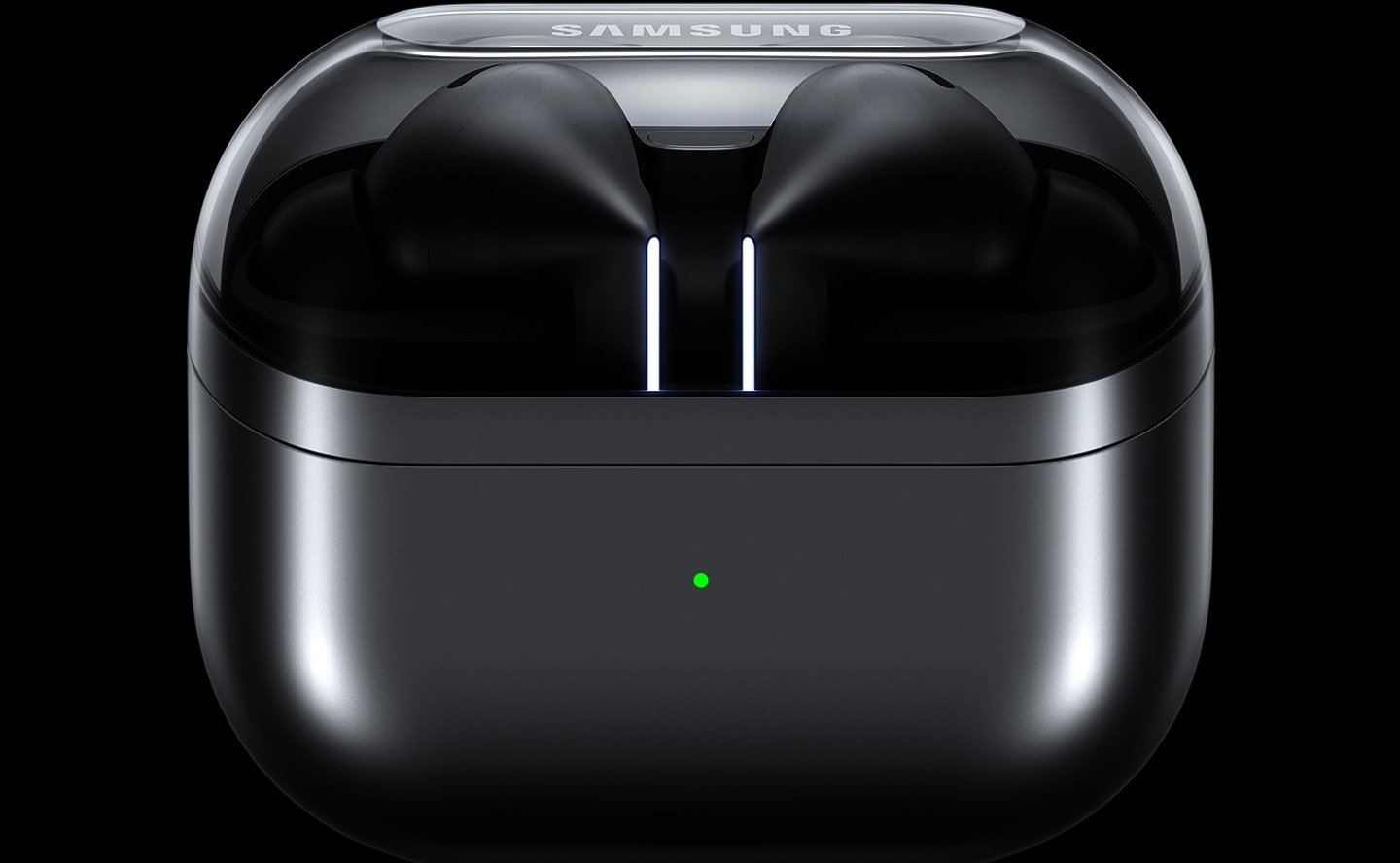
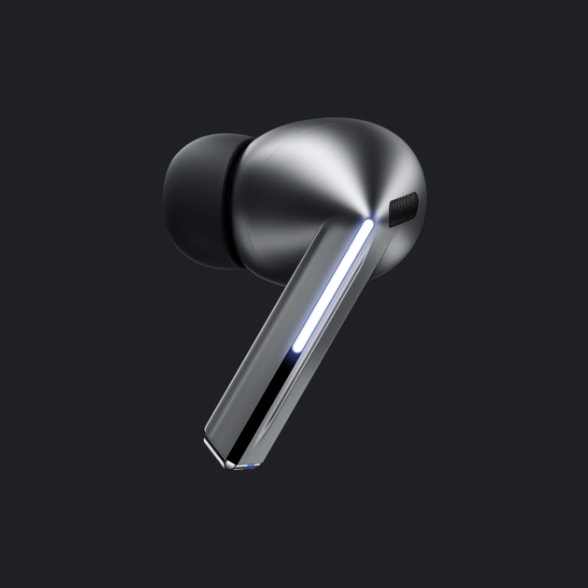
Experience our all-new design engineered for optimal sound. Our re-imagined Galaxy Buds3 Pro feature small, angled heads for a comfortable fit and to streamline your audio experience while accented Blade Lights let you to express yourself. Highlighting the blade design is a sleek case with a transparent cover and delicate curved shape, equipped with USB-C and wireless charging capabilities. , , ,
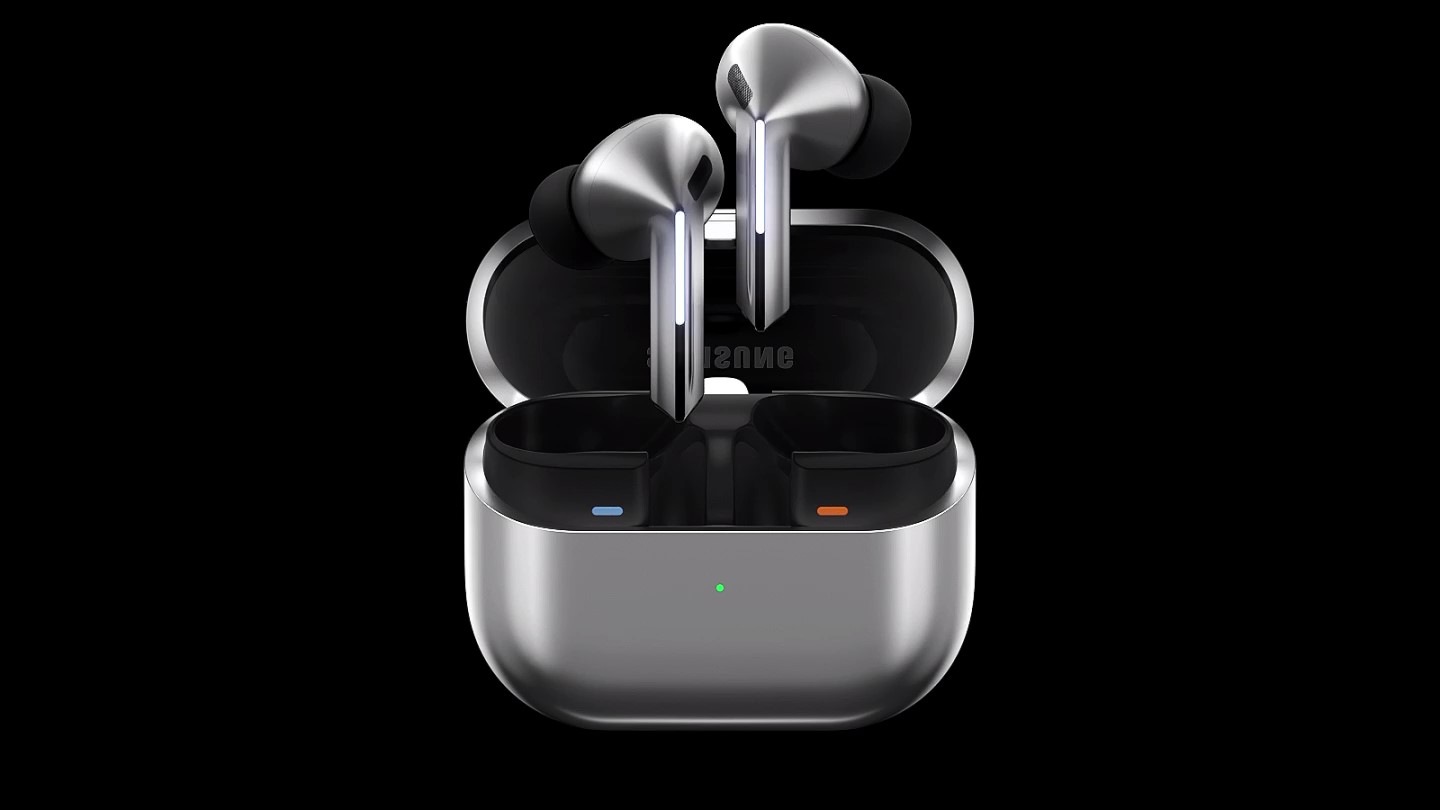
A pair of silver Galaxy Buds3 Pro appear in a closed case which opens up. Once open, the earbuds slide up with the Blade Lights on and hover over the open case.



Flawless control at your fingertips
Leave your phone in your pocket and conveniently control your earbuds by using simple gestures. Even with a swift swipe, rest assured your Galaxy Buds3 Pro stay securely in your ears.


to adjust the volume.

or pinch and hold to launch
your favourite app.
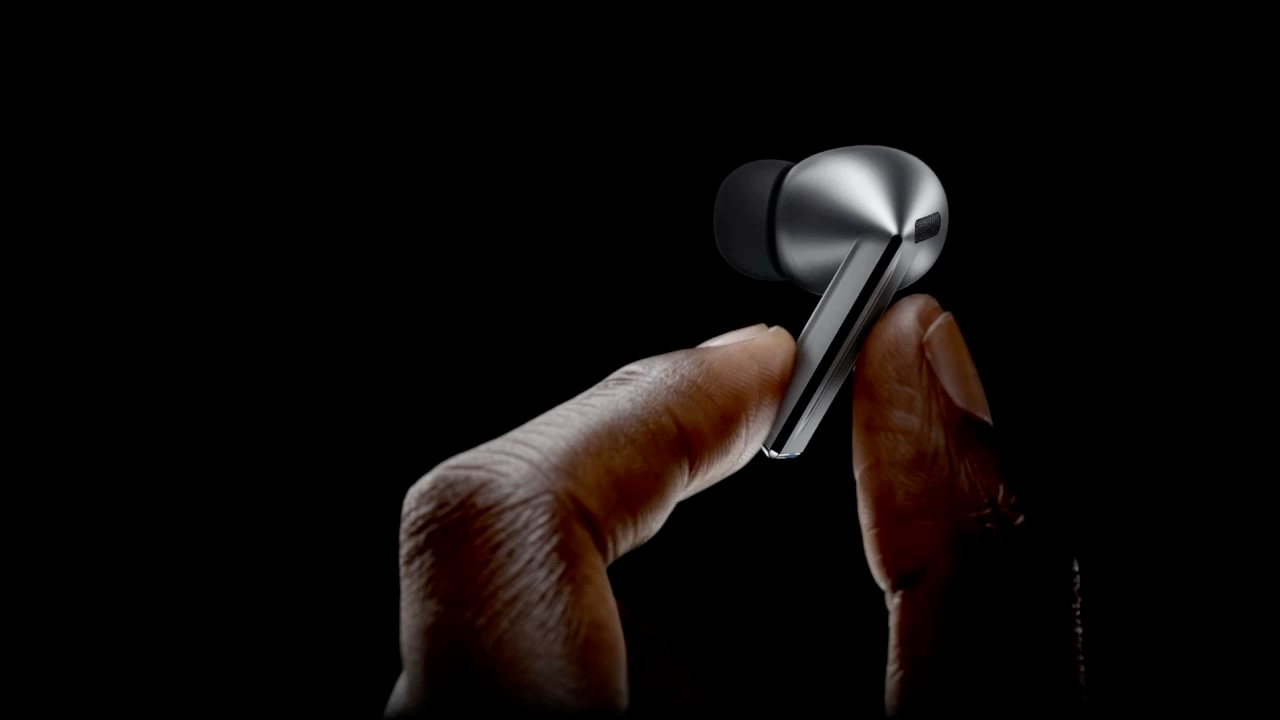
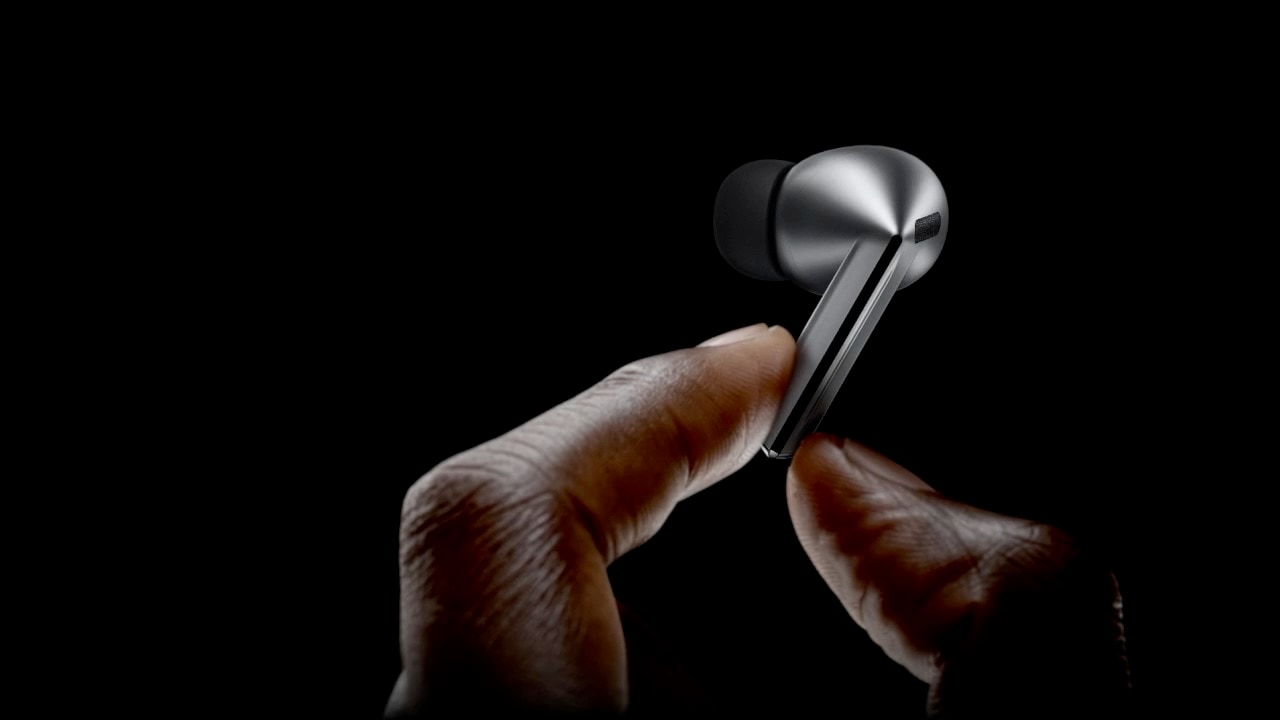
A finger swipes across the blade of a single, Galaxy Buds3 Pro earbud.


Clear-cut sound in each note
Immerse yourself in the elaborate details — from the deep rumble of the bass to the clear, crisp highs of the trebles — with enhanced 2-way speaker. Hear the vibrato of instruments with minimal distortion through our first-ever dual amp.
- Wind Shield
- Blade Lights
- Swipe
- Pinch Control


-
Dual Amplifier
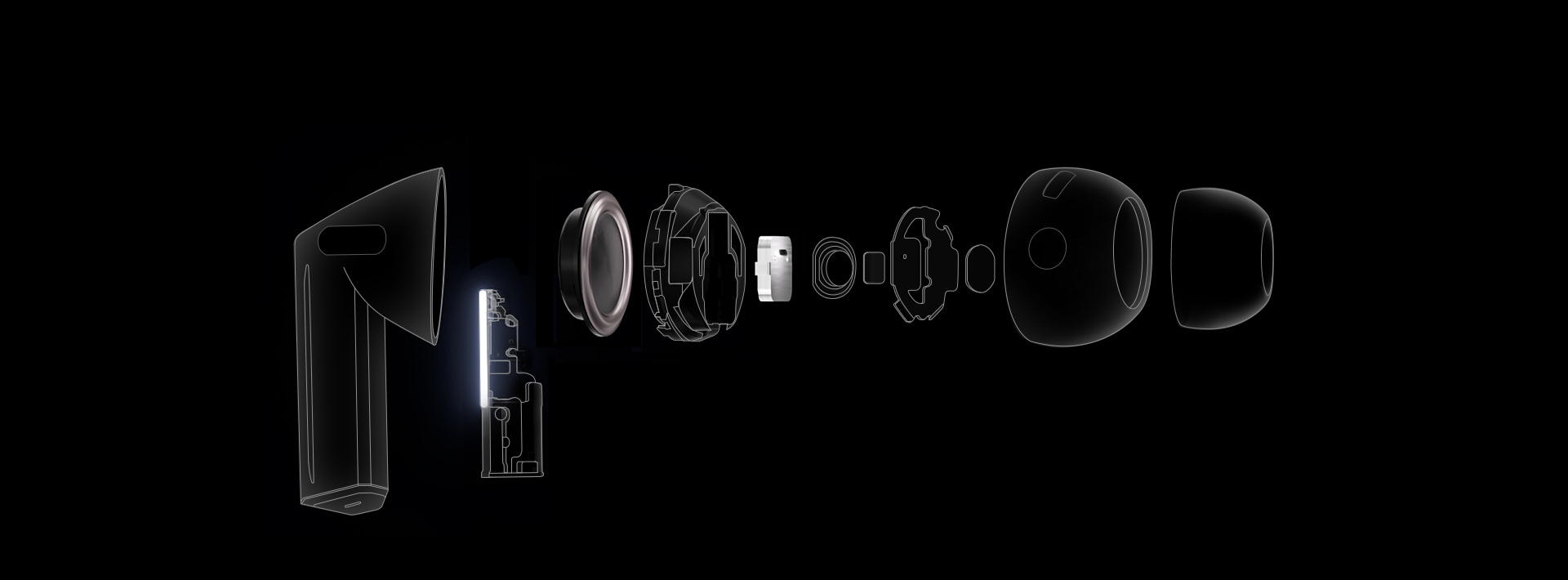
Powered by our first-ever, independently controlled woofer and tweeter, Galaxy Buds3 Pro diminishes interference between speakers — allowing you to experience a broader spectrum of sound and balance across various frequencies. ,
-
Enhanced 2-Way Speaker
Discover an orchestra of sound — the full-bodied bass of the cello from the woofer to the subtle tremble of strings through a planar tweeter — coming together in harmony to evoke waves of emotion and unveil the minute details that would've gone unnoticed. ,

Stunning,
studio-like sound
Retain ultra high quality audio from the recording studio to your Galaxy Buds3 Pro. The Samsung Seamless Codec compresses and encodes up to 24bit / 96kHz audio. Then, decodes on the Galaxy Buds3 Pro, maintaining the 24bit / 96kHz, high-fidelity sound so you can hear the intricate details, just as it was intended. ,


Seamless Codec

Galaxy AI adjusts sound to your fit
Delve into your personal soundscape with Galaxy AI-assisted Adaptive EQ/Adaptive ANC. Based on individual ear shape and wearing habits, our AI-boosted algorithm analyses sound detected through the inner and outer mics in real-time. Then, Galaxy AI optimises your listening experience by adjusting the sound to conform to your fit with pinpoint precision. ,

Adaptive Noise Control. Tune into what matters
Keep your Galaxy Buds3 Pro on and continue to engage with the world around you. Using Galaxy AI, Galaxy Buds3 Pro identifies and prevents unnecessary noise intuitively. Then, it optimises your audio experience by re-adjusting the balance between ANC and Ambient mode to correspond to your surroundings. So you can listen to your favourite tunes, uninterrupted. , , ,


A Galaxy Buds3 Pro earbud in silver is on the middle of the page with large particles moving in a spiral formation toward the earbud. It continues to appear on the right of the earbud sans particles. The particles and spiral vanish, showing the single Galaxy Buds3 Pro earbud with 2 images on each side.
-
 Noise
Noise With Adaptive Noise Control, eliminate unwanted external noise - such as traffic, and enjoy the right mix of ANC and Ambient sound, allowing you to focus on hearing what you want to hear.
- Conversation
Carry on a conversation and Voice Detect will switch the ANC and Ambient sound on/off accordingly — so you can hear loud and clear without needing to take off your Galaxy Buds3 Pro.
- Alarm/Siren
Listen to your playlist in peace with Siren Detect. Galaxy Buds3 Pro blocks off unnecessary external noise, except for alarms and sirens, to warn you to steer clear of harm’s way.


Break language barriers at the blink of an AI
With Galaxy AI, understand the world like never before. See the translation on your Samsung Galaxy smartphone, and simultaneously hear your conversation interpreted in real-time through your Galaxy Buds3 Pro. Discover what it means to be truly free of language barriers. , , , , , ,
 Listening mode
  Conversation mode
  Hola. todos La lección de hoy será sobre la inflación.
 Hello. everyone Today’s lesson will be about inflation.

 Gracias pir su propuesta, la he revisado deternidamente
  Thanks for your proposal, I’ve looked it over carefully.
To access conversation mode, place the phone mic toward the speaker, short press your Galaxy Buds3 Pro and listen to your conversation translated in real-time.
Once the app is open, the Interpreter feature will start up with the mode last used.

PC Auto Switch
keeps the synergy going
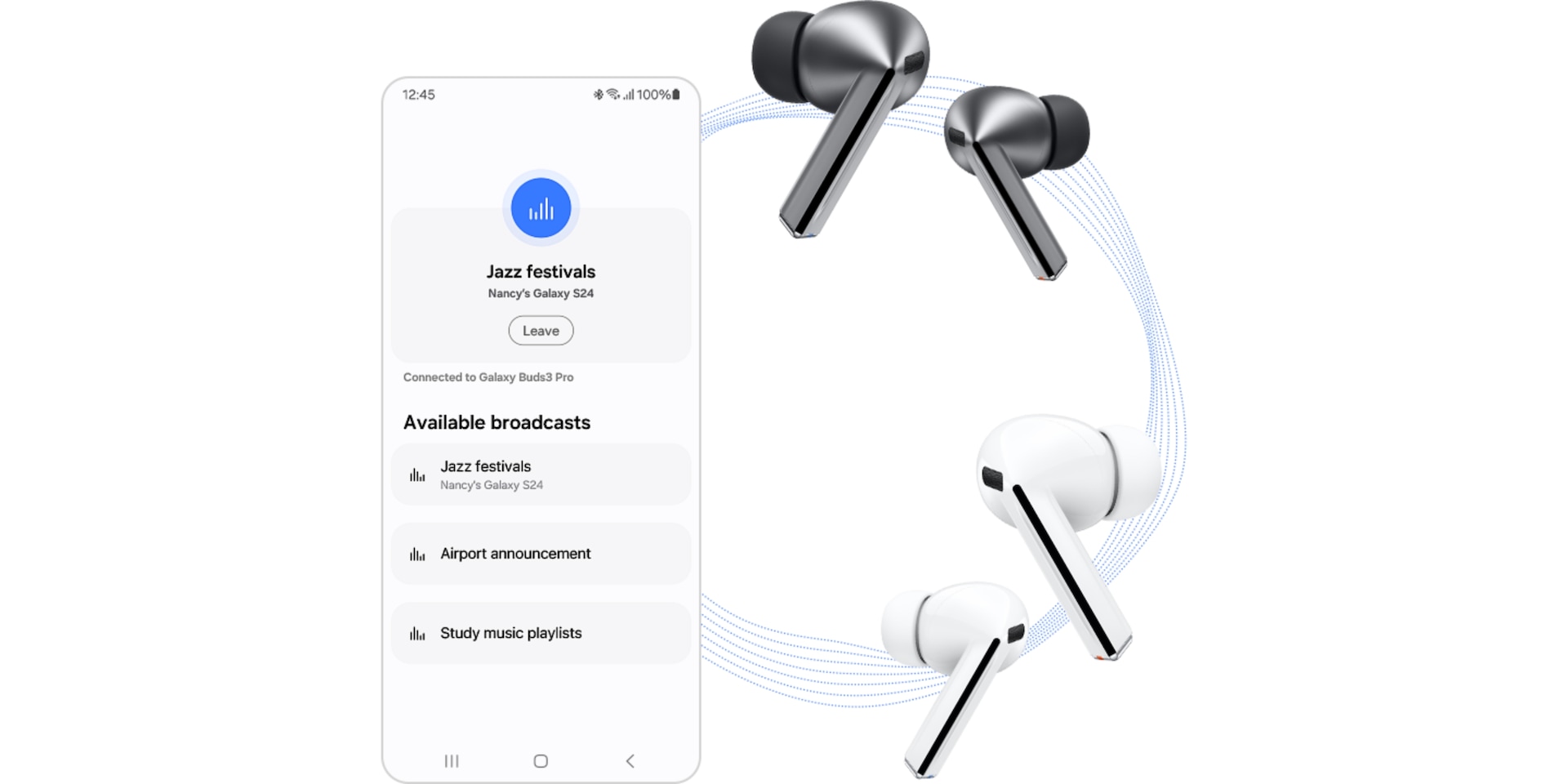
PC Auto Switch on Galaxy Buds3 Pro detects audio activity and transfers the connection to your favourite Samsung Galaxy devices, so you can work and play seamlessly. ,


From left to right is a Samsung Galaxy Book laptop, Galaxy Buds3 Pro and Z Fold6. A call from the Z Fold6 appears on the Samsung Galaxy Book laptop. After answering the call on Z Fold6, PC Auto Switch changes the Galaxy Buds3 Pro audio output from the laptop to the smartphone.

Your personalised sound sanctuary
Mindfulness comes with daily practice. At the press of a button, teleport to a worry-free world of your own with Samsung Health powered by Calm. Alleviate stress with peaceful melodies from nature, improve your focus with white noise or relax with ASMR-related for a happier, healthier you. , ,


Z Fold6 is open with a Galaxy Buds3 Pro earbud on the right and Samsung Health and Calm application icons on the bottom. In the back is an image of an office which changes to 5 images of nature once the Mindfulness application is open. From left to right are trees, a river, raindrops falling, palm trees and a bonfire.


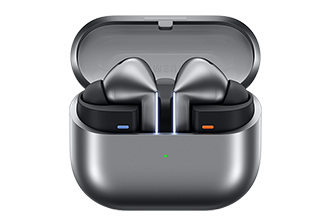
-
Buds3 Pro
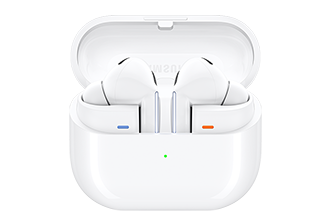
-
Buds3
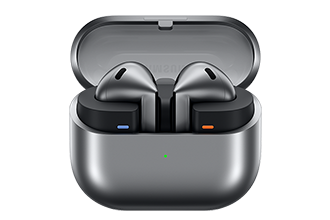
-
Buds FE
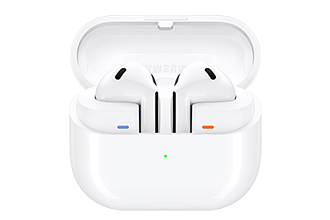
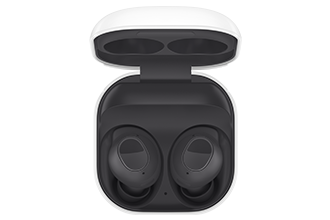
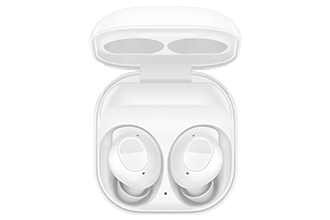

(24bit / 96kHz)

(24bit / 96kHz)
(24bit / 96kHz)


(ANC Off)
Up to 6.0/26hr
(ANC On)
(ANC Off)
Up to 5.0/24hr
(ANC On)
(ANC Off)
Up to 6.0/21hr
(ANC On)


- Images simulated for illustrative purposes
- Interpreter requires Samsung Account login. Certain languages may require language pack download. Service availability may vary by language.
Accuracy of results is not guaranteed. Availability and supported features may vary by country, region or carrier. Availability of supported languages may vary. - Audio interpretation is only available when wearing Buds and connected to a Samsung Galaxy smartphone. Interpreter feature is not directly provided by Buds themselves. If Buds are unavailable, the interpreted content is provided on the screen of your Samsung Galaxy smartphone.
- Blade Lights only available on Samsung Galaxy Buds3 Pro.
- Specific Blade Light modes can be configured under Settings.
- Ultra high quality audio up to 24bit/96kHz’ is available on Galaxy S24 series, S23 series, Z Fold6, Z Flip6, Z Fold5, Z Flip5 and Tab S9 series with One UI 6.1.1 or above.
Additional devices may be supported in the future. - Adaptive Noise Control is off, Voice Detect is off and Siren Detect is off by default, and can be configured in the Galaxy Wearable app.
- The Adaptive Noise Control, Voice Detect and Siren Detect features are only available on Samsung Galaxy Buds3Pro.
- Images simulated for illustrative purposes. Sequences shortened and simulated. Actual UI may be different.
- Galaxy AI features are supported on Galaxy S24 series, Galaxy S23 series, Galaxy Z Fold5 series, Galaxy Z Flip5 series, Galaxy S23 FE, Galaxy S22 series, Galaxy Z Fold4 series and Galaxy Z Flip4 series as of May 2024
- Available colours may vary by country or carrier.
- In-box items include the Galaxy Buds3 Pro, a charging case, three sets of ear tips for the left and right ear (S, M(default), L), a USB cable and a quick start guide.
- Galaxy Buds3 Pro is the first Galaxy Buds with 2-Way Speaker featuring a planar tweeter and Dual Amp.
- Ultra high quality audio up to 24bit/96kHz’ is available on Galaxy S24 series, S23 series ,Z Fold6 , Z Flip6, Z Fold5, Z Flip5 and Tab S9 series with One UI 6.1.1 or above.
Additional devices may be supported in the future. - Samsung Account login may be required to use certain Samsung AI features.
- Samsung does not make any promises, assurances or guarantees as to the accuracy, completeness or reliability of the output provided by AI features.
- Galaxy AI features provided by Samsung are free. Future releases may include features that are offered on a paid basis. Different terms may apply for AI features provided by third parties.
- ANC(Active Noise Canceling) is on by default.
- 'Default setting' refers to the original setting for the Galaxy Buds3 Pro when it was first released, simply with the power turned on.
- Devices sold separately.
- Samsung Galaxy devices may require the latest software update to properly support Galaxy AI features.
- The default setting of the Pinch and Hold gesture is set to Noise Control. In order to change the Interpreter to Listening Mode, the settings must be configured on the Galaxy Wearable app
- 360 Audio is only available on Samsung Galaxy smartphones and Galaxy Tab devices with Android One UI version 3.1 or later, and selected Samsung TV models. Supported Samsung TV models include: Neo QLED 8K (QN900D, QN800D), Neo QLED 4K (QN95D, QN90D, QN87D, QN85D) OLED (S95D, S90D, S85D), QLED (Q80D, Q70D). Support for 360 Audio and head tracking may vary depending on the application and content.
- Direct Multi-channel is available on Samsung Galaxy smartphones and Galaxy Tab devices with Android One UI version 4.1.1 or later.
- Auto Switch feature is only available on Samsung Galaxy Book series with One UI 6.0 or later, Samsung Galaxy smartphones and Galaxy Tab devices with One UI 4.1.1 or later and Galaxy Watch4 series or later. Samsung Galaxy devices must be logged in to Samsung Account to enable the Auto Switch feature. Auto Switch feature for Samsung TV is only available on Samsung TVs launched Feb ’22 or later after getting a firmware update from Jul ’22. Auto Switch with TV is only available for making and receiving phone calls.
- Devices with Auracast Source ability are available only on Samsung Galaxy smartphones, tablets with Android One UI version 6.1 or later, and select TV models. Supported Galaxy smartphone and tablet models include: S24+, S24, S24 Ultra, Galaxy Z Flip6, Galaxy Z Fold6,Galaxy Z Flip5, Galaxy Z Fold5, S23+, S23 (except FE edition), S23 Ultra, Tab S9+, Tab S9+ 5G, Tab S9, Tab S9 Ultra, Tab S9 Ultra 5G, Tab S9 FE+, Tab S9 FE+ 5G, Tab S9 FE, Tab S9 FE 5G and Tab S9 5G. Supported TV models include: 2024 NeoQLED 8K QND800, QND900, 2023 Neo QLED 8K and 2023 MICRO LED models.
- Devices with Auracast Assistant ability are available only on Samsung Galaxy smartphones, tablets with Android One UI version 5.1.1 or later. Supported Galaxy smartphone and tablet models include: S24+, S24, S24 Ultra, S23+, S23, S23 Ultra, Z Fold6, Z Flip6,Z Fold5, Z Flip5, Z Fold4, Z Flip4, A54 5G, A55 5G, M54 5G, Tab S9+, Tab S9+ 5G, Tab S9, Tab S9 Ultra, Tab S9 Ultra 5G, Tab S9 FE+, Tab S9 FE+ 5G, Tab S9 FE, Tab S9 FE 5G, Tab S9 5G and Tab Active 5G.
- Connecting 2 or more devices to Auracast is limited to Samsung Galaxy devices.
- The quality of the Auracast audio stream may vary depending on the application, network connection and other factors.
- Voice Command is limited to fixed commands and is only available in Korean and English.
- Commands continue in the chosen language spec
- Additional language packs may be supported in the future.
- Some content may incur additional charges. Samsung Account log in is required for Samsung Health.
- With ANC on/off, earbuds and case provide up to 30 hours of play time on a full charge. Based on internal testing. Play time tested by pairing a pre-production Galaxy Buds3 Pro to a recently released Galaxy smartphone with default settings. Actual battery life may vary and depend on usage conditions, settings, number of times charged, Bluetooth signal strength, and other factors. 'Play time' refers to when the Galaxy Buds3 Pro are connected to the phone, streaming music. Actual Play time may vary based on settings.
- IP57 is based on laboratory test conditions for submersion in up to 1 meter of fresh water for up to 30 minutes.
- Not advised for beach or pool use. Charging case is not water resistant. If the earbuds are damaged, they are not guaranteed to be water resistant. If the earbuds or your hands are wet, they must be dried thoroughly prior to handling or placing into the charging case. If placed into the charging case without drying, the earbuds may be damaged.
- Provided charging case is to charge the Galaxy Buds3 Pro.
- The Galaxy Wearable application can only be downloaded on smartphones with Android 10.0 or above and minimum 1.5GB Memory.
- Actual battery life may vary and depend on usage conditions, settings, number of times charged, Bluetooth signal strength, and other factors.
- Actual Play time may vary based on settings.
Comfort for wherever you work
Portable and elegant, the Bluetooth Mouse Slim lets you set up and get to work with all-day comfort. The sculpted design supports your hand for a good grip and it's slim enough to slip into your laptop bag so you can keep it on hand.


Pairs up with ease
Pairing the mouse is as easy as following the instructions in the pop-up on your laptop. When you put the mouse in pairing mode, your laptop will discover it, and you can quickly connect and get back on track with wireless comfort.


*Image simulated for illustration purposes. Actual UI may be different.
Powerfully refined
The new Power Adapter boosts your workstation with up to 25W Super Fast Charging for devices compatible with USB Type-C cables.


*Super Fast Charging(SFC) is Samsung's charging method based on Power Delivery 3.0.**SFC is supported for Galaxy Notes (Note10 and higher), Galaxy S Series (S10 5G and higher), and other SFC capable devices.***For optimum results, please use with authentic Samsung cables which can be purchased separately.****Charging cable is included depending on the model.
Compact yet powerful
They're getting smaller and smaller. Your Power Adapter, available in Black and White, is now slimmer and more travel-friendly than its predecessor, thanks to GaN Tech.


*A GaN charger is smaller and more energy-efficient due to its gallium nitride material content instead of silicon.**GaN technology may not be available depending on country or region of purchase.
Save on the stand-by
Not always full-throttle. The Power Adapter minimizes your standby power from 20mW to 5mW, maximizing your energy savings up to 75%. It's also made from a blend of materials that are mindful of the planet, which keeps us attentive in more ways.
*Plastic of Power Adapter was created using recycled materials which has been validated by the UL.**The plastic part of EP-T2510 contains a minimum of 20% recycled content.

As safe as is fast
Nothing's more important. Stay safe from overcurrent, short circuits and high-temperature, low leakages and more.


Compatible with Type-C
Throw it in inside your bag of devices. Up to 25W charging for the workstation and your fleet of Type-C compatible devices, not to mention your Galaxy Family.


*Actual charging speed may also vary depending on the actual usage, charging conditions, connected devices and other factors.**Charging cable is included depending on the model.
Specifications
-
Rear Camera - Resolution
13.0 MP + 8.0 MP
-
Weight (g)
692
-
CPU Speed
3.73GHz, 3.3GHz, 2.4GHz
-
CPU Speed
3.73GHz, 3.3GHz, 2.4GHz
-
CPU Type
Octa-Core
-
Size (Main_Display)
369.9mm (14.6" full rectangle) / 367.2mm (14.5" rounded corners)
-
Resolution (Main Display)
2960 x 1848 (WQXGA+)
-
Technology (Main Display)
Dynamic AMOLED 2X
-
Colour Depth (Main Display)
16M
-
Yes
-
Rear Camera - Resolution
13.0 MP + 8.0 MP
-
Rear Camera - Auto Focus
Yes
-
Front Camera - Resolution
12.0 MP
-
Rear Camera - Flash
Yes
-
Video Recording Resolution
UHD 4K (3840 x 2160)@30fps
-
Memory_(GB)
12
-
Storage (GB)
256
-
Available Storage (GB)
227.9
-
External Storage Support
MicroSD (Up to 2TB)
-
USB Version
USB 3.2 Gen 1
-
Location Technology
GPS, Glonass, Beidou, Galileo, QZSS
-
Earjack
USB Type-C
-
MHL
No
-
Wi-Fi
802.11a/b/g/n/ac/ax/be 2.4GHz+5GHz+6GHz, EHT320, MIMO, 4096-QAM
-
Wi-Fi Direct
Yes
-
Bluetooth Version
Bluetooth v5.4
-
NFC
No
-
Bluetooth Profiles
A2DP, AVRCP, DI, HAP, HFP, HID, HOGP, HSP, OPP, PAN, PBAP, PBP, TMAP
-
PC Sync.
Smart Switch (PC version)
-
Android
-
Form Factor
Tablet
-
Accelerometer, Fingerprint Sensor, Gyro Sensor, Geomagnetic Sensor, Hall Sensor, Light Sensor
-
Dimension (HxWxD, mm)
208.5 x 326.3 x 5.1
-
Weight (g)
692
-
Video Playback Time (Hours, Wireless)
Up to 23
-
Battery Capacity (mAh, Typical)
11600
-
Removable
No
-
Energy Efficiency Class
G
-
Minimum Battery Endurance in Cycles
1200
-
Video Playing Format
MP4, M4V, 3GP, 3G2, AVI, FLV, MKV, WEBM
-
Video Playing Resolution
UHD 8K (7680 x 4320)@60fps
-
Audio Playing Format
MP3, M4A, 3GA, AAC, OGG, OGA, WAV, AMR, AWB, FLAC, MID, MIDI, XMF, MXMF, IMY, RTTTL, RTX, OTA
-
Recycled Content (%)
11.6
-
Weight of Critical Raw Material - Cobalt (g)
20 ≤
-
Weight of Critical Raw Material - Tantalum (g)
0.01 ≤ < 0.1
-
Weight of Critical Raw Material - Neodymium (g)
1 ≤
-
Weight of Critical Raw Material - Gold (g)
0.02 ≤ < 0.1
-
Recyclability (%)
8.9
-
Gear Support
Galaxy Buds Core, Galaxy Buds3 Pro, Galaxy Buds2 Pro, Galaxy Buds Pro, Galaxy Buds Live, Galaxy Buds+, Galaxy Buds3, Galaxy Buds2, Galaxy Buds, Galaxy Buds3 FE, Galaxy Buds FE
-
Mobile TV
No
-
SmartThings Support
Yes
-
Security Update Period (Valid until)
30 September 2032
-
Compatible Models
Galaxy Tab S11 Ultra
-
Packaging Contents
Book Cover Keyboard Slim, Leaflet
-
Interface
POGO
-
Dimension (WxHxD)
210.6 x 326.9 x 13.2 mm
-
Weight
466 g
-
Bluetooth Version
Bluetooth v5.4
-
Sensors
Accelerometer, Gyro Sensor, Hall Sensor, Pressure Sensor, Proximity Sensor, Touch Sensor, VPU(Voice Pickup Unit)
-
Earbud Weight (g)
5.4
-
Number of MIC
6
-
Speaker
Enhanced 2-way
-
Ambient Sound
Yes
-
Adaptive Noise Control
Yes
-
Active Noise Cancellation
Yes
-
Voice Detect
Yes
-
360 Audio
Yes
-
Siren Detect
Yes
-
Audio Codec
AAC, SBC, SSC(Samsung Seamless Codec), SSC-UHQ
-
Adaptive EQ
Yes
-
Adaptive ANC
Yes
-
Super Wide Band
Yes
-
Bluetooth Version
Bluetooth v5.4
-
Bluetooth Profiles
A2DP, AVRCP, HFP, PBP, TMAP
-
LE Audio
Yes
-
Auto Switch
Yes
-
Accelerometer, Gyro Sensor, Hall Sensor, Pressure Sensor, Proximity Sensor, Touch Sensor, VPU(Voice Pickup Unit)
-
Earbud Dimension (HxWxD, mm)
18.1 x 19.8 x 33.2
-
Earbud Weight (g)
5.4
-
Case Dimension (HxWxD, mm)
48.7 x 58.9 x 24.4
-
Case Weight (g)
46.5
-
Durability
IP57
-
Talk Time (Hours, ANC On)
Up to 4.5
-
Total Talk Time (Hours, ANC On)
Up to 20
-
Music Play Time (Hours, ANC On)
Up to 6
-
Total Music Play Time (Hours, ANC On)
Up to 26
-
Talk Time (Hours, ANC Off)
Up to 5
-
Total Talk Time (Hours, ANC Off)
Up to 22
-
Music Play Time (Hours, ANC Off)
Up to 7
-
Total Music Play Time (Hours, ANC Off)
Up to 30
-
Earbud Battery Capacity (mAh, Typical)
53.0
-
Case Battery Capacity (mAh, Typical)
515
-
Samsung Find
Yes
-
Bixby Voice Wake-up
Yes
-
Neck Stretch Reminder
Yes
-
Voice Command
Yes
-
General Features
Alkaline Battery(AA) x 1
-
Color
Black
-
Interface
Bluetooth 5.0
-
Weight
80.26 g
-
Black
-
Battery
Alkaline Battery(AA) x 1
-
Buttons
5 Buttons
-
Interface
Bluetooth 5.0
-
Packaging Contents
Mouse, QSG
-
Resolution
1000 DPI
-
System Requirements
Android 4.1, Windows 7 and higher
-
Warranty
1 Year
-
Bluetooth Mouse
-
Dimension (WxDxH)
62.26 x 106.81 x 26.05 mm
-
Weight
80.26 g
-
Black
-
Compatible Models
Super Fast Charging 25W compatible with Galaxy S10 5G, A80, A70, and future compatible devices
-
Features
Super Fast Charging max. 25W, PD 3.0 PPS max. 25W, Zero Standby Power Consumption( <5mW )
-
Interface
USB Type-C
-
Packaging Contents
Wall Charger,Type-C to Type-C Cable, Leaflet
-
Cable Length
1.0 m
-
Dimension (WxHxD)
49.0 x 27.1 x 68.74 mm
-
Weight
87.7 g
-
Input Voltage
100-240 V
-
Output Voltage (Max, Normal Charge)
5 V
-
Output Voltage (Max, Fast Charge)
PDO : 9 V / PPS : 3.3-5.9 V or 3.3-11.0 V
-
Output Current (Max, Normal Charge)
3 A
-
Output Current (Max, Fast Charge)
PDO : 2.77 A(9 V) / PPS : 3.0 A(3.3-5.9 V) or 2.25 A(3.3-11.0 V)
User manual & Downloads Product information sheet
Solutions & Tips
- I can't unlock my Samsung Galaxy device
- How do I transfer my data from my old Android phone to my new one?
- I smashed my screen and can't use the touchscreen. Is there any way to access my data?
- How do I transfer my data from my iOS device to my new Samsung Galaxy?
- How to start my Galaxy device in Safe mode
- *All specifications and descriptions provided herein may be different from the actual specifications and descriptions for the product. Samsung reserves the right to make changes to this document and the product described herein, at any time, without obligation on Samsung to provide notification of such change. All functionality, features, specifications, GUI and other product information provided in this document including, but not limited to, the benefits, design, pricing, components, performance, availability and capabilities of the product are subject to change without notice or obligation. The contents within the screen are simulated images and are for demonstration purposes only.*Samsung Account login may be required to use certain AI features.*Samsung does not make any promises, assurances or guarantees as to the accuracy, completeness or reliability of the output provided by AI features.*Availability of Galaxy AI features may vary depending on the region/country, OS/One UI version, device model and phone carrier.*Galaxy AI features provided by Samsung are free. Future releases may include features that are offered on a paid basis. Different terms may apply for AI features provided by third parties.*Galaxy AI service may be limited for minors in certain regions with age restrictions over AI usage.
- *Colour and model availability may vary depending on country, region or carrier.
- *Colour and model availability may vary depending on country, region or carrier.
- *Gemini is a trademark of Google LLC. Results for illustrative purposes. Gemini Live feature requires internet connection and Google Account login. Service availability may vary by country, language, device model. Features may differ depending on subscription and results may vary. Compatible with certain features and certain accounts. Currently, you can use a personal Google Account that you manage on your own, or a work or school account for which your administrator has enabled access to Gemini. You must be 13 (or the applicable age in your country) or over to use Gemini with a personal or school Google Account and 18 or over to use Gemini with a work account.
- *Samsung DeX wireless connection is supported with TVs that support Android tablet screen mirroring(Miracast) only.*There may be a difference in performance depending on TV’s specifications and Wi-Fi environment. Recommended to use Samsung Smart TVs launched after '19.*When switching between displays, some apps may restart to adjust to the new screen and certain data in the app may not be saved automatically. Behavior may vary depending on the app and how it handles screen or mode changes.
- *Check the details below about Galaxy Spotlight apps usage.*App availability and the terms of service may vary by country and region.*Clip Studio Paint membership required. Clip Studio Paint app comes pre-installed in select markets. The app can be downloaded from Galaxy Store and comes with a 6-month free trial for first-time users. Once the free trial period ends, paid subscription to a monthly or annual usage plan is required for continuous use. A 20 % discount is available on the first subscription.*Goodnotes app requires a separate download from Galaxy Store and comes with a 1-year free full version. Once the free full version period ends, an additional purchase is required for continuous use. App availability and the terms of service may vary by country and region.*LumaFusion app is preloaded as stub, requiring users to click the icon and complete the purchase from Galaxy Store. All Galaxy device users can get a 66 % discount when purchasing from Galaxy Store and receive a 1-month free Creator Pass subscription. 66 % discount promotion limited until Nov 30, 2026.*Notion app requires a separate download from Galaxy Store and comes with a 1-month free trial of the Notion Plus with AI for one newly created Notion workspace. App availability and the terms of service may vary by country and region.*Noteshelf 3 app requires a separate purchase for a Premium plan upgrade. A 30 % discount on the upgrade is available only via Galaxy Store.*ArcSite app requires a separate download from Galaxy Store and comes with a 1-month free trial for first-time users. Once the free trial period ends, paid subscription to a monthly or annual usage plan is required for continuous use. A 30 % discount is available on the first monthly subscription. App availability and the terms of service may vary by country and region.*Sketchbook and Picsart apps require a separate download from Google Play Store. Additional features may require a separate purchase.
- *Image simulated. Available colours of Galaxy Buds3 Pro may vary by country or carrier. Galaxy Buds3 Pro supports Galaxy AI features such as interpreter and Live Translate when paired with compatible Samsung Galaxy devices. Availability of Galaxy AI features may vary by device model. See samsung.com for details.
-
*Images simulated for illustrative purposes
*Blade Lights only available on Samsung Galaxy Buds3 Pro
*Available colours may vary by country or carrier.
*In-box items include the Galaxy Buds3 Pro, a charging case, three sets of ear tips for the left and right ear (S, M(default), L), a USB cable and a quick start guide. - *Images simulated for illustrative purposes.
-
*Images simulated for illustrative purposes.
*Galaxy Buds3 Pro is the first Galaxy Buds with 2-Way Speaker featuring a planar tweeter and Dual Amp. -
*Images simulated for illustrative purposes.
*Ultra High-Quality Audio up to 24bit / 96kHz is available on Galaxy S24 series, Galaxy S23 series, Galaxy Z Fold6, Galaxy Z Flip6, Galaxy Z Fold5, Galaxy Z Flip5 and Galaxy Tab S9 series with One UI 6.1.1 or above.
Additional devices may be supported in the future. -
*Images simulated for illustrative purposes.
*Adaptive Noise Control is off, Voice Detect is off and Siren Detect is off by default, and can be configured in the Galaxy Wearable app.
*The Adaptive Noise Control, Voice Detect and Siren Detect features are only available on Samsung Galaxy Buds3 Pro.
*'Default setting' refers to the original setting for the Galaxy Buds3 Pro when it was first released, simply with the power turned on.
*Ambient sound turns on automatically when a siren is detected. If the siren is brief or is quieter than the background noise, it may not be detected. While Siren Detect can be helpful in emergency situations, your safety is not guaranteed. -
*Images simulated for illustrative purposes.
*360 Audio is only available on Samsung Galaxy smartphones and Galaxy Tab devices with Android One UI version 3.1 or later, and selected Samsung TV models. Supported Samsung TV models include: Neo QLED 8K (QN900D, QN800D), Neo QLED 4K (QN95D, QN90D, QN87D, QN85D) OLED (S95D, S90D, S85D), QLED (Q80D, Q70D). Support for 360 Audio and head tracking may vary depending on the application and content. Support for specific models may be updated in the future.
*Direct Multi-channel is available on Samsung Galaxy smartphones and Galaxy Tab devices with Android One UI version 4.1.1 or later.
*The TV 360 Audio feature is not supported as of July 2024 for Galaxy Buds3 and Galaxy Buds3 Pro models, but is expected to be available in a feature update. -
*Images simulated for illustrative purposes. Sequences shortened and simulated. Actual UI may be different.
*Devices sold separately.
*Some content may incur additional charges. Samsung Account log in is required for Samsung Health.
*To use the Mindfulness feature in the Galaxy Wearable app, Samsung Health app should be downloaded.
*Service availability may vary by country or region. - 1. *Drawing Assist feature requires a network connection and Samsung Account login. *A visible watermark is overlaid on the image output upon saving in order to indicate that the image is generated by AI. *The accuracy and reliability of the generated output is not guaranteed. Go to feature
- 2. *Writing Assist requires a network connection and Samsung Account login. *Must meet length requirements to activate feature. Service availability may vary by language. *Accuracy of results is not guaranteed. Go to feature
- 3. *Model availability may vary depending on country, region or carrier.*Measured diagonally, Galaxy Tab S11 Ultra's screen size is 14.6" in the full rectangle and 14.5" accounting for the rounded corners. Actual viewable area is less due to the rounded corners and the camera hole.*Galaxy Tab S11 Ultra have maximum brightness of 1600 nits and outdoor brightness of 1000 nits in High Brightness Mode. Go to feature
- 4. *The enhanced performance figures are based on a comparison of Galaxy Tab S11 Ultra to Tab S10 Ultra.*Actual performance will depend on user environment, conditions and pre-installed software and applications. Go to feature
- 5. *Typical value tested under third-party laboratory conditions. Typical value is the estimated average value considering the deviation in battery capacity among the battery samples tested under IEC61960 standard. Rated (minimum) capacity is 11,374 mAh for Galaxy Tab S11 Ultra.*Based on Samsung internal lab test conditions with pre-release version of given model connected to earphone via Bluetooth under default settings over LTE. Estimated against battery capacity and measured current over battery power consumption during video playback (video file resolution 720 p, saved on device), respectively. Actual video playback times vary by network connection, settings, file format, screen brightness, battery condition and many other factors.*Fast Charging speed may vary depending on charging conditions and other factors.*Using the original Samsung data cable is recommended. Go to feature
- 6. *Galaxy Tab S11 Ultra and the included S Pen are rated IP68 under IEC standard 60529. Based on lab test conditions submersion in up to 1.5 meters of freshwater for up to 30 minutes (IP68). Not advised for beach or pool use. Water and dust resistance of device is not permanent and may diminish over time because of normal wear and tear.*Dust resistance rating is tested under lab conditions by a third party: 2 kg of talc powder (max. diameter of 0.05 mm) per cubic meter was blown into a test chamber housing the device (air pressure within device kept below surrounding air) for 2 hours. Rated IP6X. Dust resistance may vary by actual usage conditions. Go to feature
- 7. *Quick tools are available in Samsung Notes and PENUP. UI/UX may vary by app. Go to feature
- 8. *In-box items may vary by country, region, or service provider.*The data cable is available in white only.*Travel Adapter is NOT included. Go to feature
- 9. *Colour availability may vary depending on country or carrier. Go to feature
- 10. *Model availability may vary depending on country, region or carrier.*Measured diagonally, Galaxy Tab S11 Ultra's screen size is 14.6" in the full rectangle and 14.5" accounting for the rounded corners. Actual viewable area is less due to the rounded corners and the camera hole.*Galaxy Tab S11 Ultra have maximum brightness of 1600 nits and outdoor brightness of 1000 nits in High Brightness Mode. Go to feature
- 11. *Gemini is a trademark of Google LLC. Results for illustrative purposes. Gemini Live feature requires internet connection and Google Account login. Service availability may vary by country, language, device model. Features may differ depending on subscription and results may vary. Compatible with certain features and certain accounts. Currently, you can use a personal Google Account that you manage on your own, or a work or school account for which your administrator has enabled access to Gemini. You must be 13 (or the applicable age in your country) or over to use Gemini with a personal or school Google Account and 18 or over to use Gemini with a work account.*Drawing Assist and Writing Assist features require a network connection and Samsung Account login. *A visible watermark is overlaid on the image output upon saving in order to indicate that the image is generated by AI. Go to feature
- 12. *Writing Assist requires a network connection and Samsung Account login. *Must meet length requirements to activate feature. Service availability may vary by language. *Accuracy of results is not guaranteed. Go to feature
- 13. *Accessories sold separately.*Availability and sales of accessories may vary by country or region.*Features and keyboard layout may vary by model or type of language. Go to feature
- 14. *Galaxy Tab S11, Tab S11 Ultra and the included S Pen are rated IP68 under IEC standard 60529. Based on lab test conditions submersion in up to 1.5 meters of freshwater for up to 30 minutes (IP68). Not advised for beach or pool use. Water and dust resistance of device is not permanent and may diminish over time because of normal wear and tear.*Dust resistance rating is tested under lab conditions by a third party: 2 kg of talc powder (max. diameter of 0.05 mm) per cubic meter was blown into a test chamber housing the device (air pressure within device kept below surrounding air) for 2 hours. Rated IP6X. Dust resistance may vary by actual usage conditions. Go to feature
- 15. *Wired transfers from iOS require the receiving device to have Android™ 5.0 or later and the sending device to have iOS 5 or later. Transfers can be completed without a cable through a wireless connection or iCloud. For wireless connections, the receiving device must have Android™ 5.0 or later and the sending device must have iOS 12 or later. iCloud transfers require the receiving device to have Android™ 5.0 or later and the sending device to have iOS 5 or later. Open Smart Switch Mobile in “Settings” on the receiving Galaxy device or download the Smart Switch Mobile app from the Galaxy Store. For wireless transfers, download Smart Switch for iOS from the App Store on your iPhone or iPad. Data, content and apps available for transfer may vary by transmission method. Contacts, gallery, videos, calendars and reminders can be transferred wirelessly from an iOS device. Go to feature
- 16. *Storage options and availability may vary by country, region or carrier.*Actual storage availability may vary depending on pre-installed software.*MicroSD card sold separately. All models support microSD cards with up to 2 TB storage. External memory can be used to store media (photos, video and music files). Availability may vary by country and manufacturer. Go to feature
- 17. *To be eligible for trade in, your qualifying device must meet all trade in Program eligibility requirements. For detailed information, please refer to www.samsung.com/[countrycode]/trade in/.*Terms and conditions apply. Samsung Care+ coverage, service type and promotion details may vary by country/region and deductible (service fee) may apply. To be eligible for Samsung Care+ promotion benefit, registration may be required. For detailed Samsung Care+ information, please visit https://www.samsung.com/samsung-care-plus/. Go to feature
- 18. *Image simulated for illustrative purposes. Go to feature
- 19. *Image simulated for illustrative purposes. Actual UX may be different.*Book Cover Keyboard Slim sold separately and is only compatible with Galaxy Tab S11 Series on One UI 6.1.1 or later.*Book Cover Keyboard Slim layout may vary by model or type of language. A network connection and Samsung/Google Account required to use Bixby or Gemini.*Gemini mobile application availability varies across devices, languages, and countries. Ensure responses for accuracy. Gemini is a registered trademark of Google LLC.*Pressing Alt + AI key provides the option to switch the AI assistant to Bixby or Gemini. To launch Gemini by using Galaxy AI Key, Google Assistant needs to be updated to Gemini. App shortcuts by Galaxy AI Key can be assigned for select apps only. Go to feature
- 20. *Image simulated for illustrative purposes. Go to feature
-
21.
*Images simulated for illustrative purposes.
*ANC(Active Noise Canceling) is on by default. Go to feature -
22.
*Interpreter requires Samsung Account login. May require certain language pack downloads. Service availability varies by language. Results accuracy not guaranteed. Feature availability varies by country, region or carrier. Language availability varies.
*Audio interpretation requires Buds to be worn and connected to a Samsung Galaxy smartphone. Sans Buds, interpreted content is provided on screen. Interpreter not provided by Buds alone.
*Images simulated for illustrative purposes. Actual UI may be different.
*Galaxy AI feature supported Samsung Galaxy smartphone series include: S24, S23, Z Fold5, Z Flip5, S23 FE, S22, Z Fold4 and Z Flip4 as of May 2024.
*Devices sold separately.
*The latest software update for Galaxy AI features may be required.
*Pinch and Hold is set to Noise Control by default. Access settings on the Galaxy Wearable app to change Interpreter to Listening Mode. Go to feature - 23. *Image simulated for illustration purposes. Actual UI may be different. Go to feature
- 24. *Super Fast Charging(SFC) is Samsung's charging method based on Power Delivery 3.0.**SFC is supported for Galaxy Notes (Note10 and higher), Galaxy S Series (S10 5G and higher), and other SFC capable devices.***For optimum results, please use with authentic Samsung cables which can be purchased separately.****Charging cable is included depending on the model. Go to feature
- 25. *A GaN charger is smaller and more energy-efficient due to its gallium nitride material content instead of silicon.**GaN technology may not be available depending on country or region of purchase. Go to feature
- 26. *Plastic of Power Adapter was created using recycled materials which has been validated by the UL.**The plastic part of EP-T2510 contains a minimum of 20% recycled content. Go to feature
- 27. *Actual charging speed may also vary depending on the actual usage, charging conditions, connected devices and other factors.**Charging cable is included depending on the model. Go to feature