


Sorry, no results were found.
Choose other filter options to find a better match for you.
65” OLED S95D 4K Smart AI TV (2024)
AI Vision Inside
28.6 cu.ft.
RF65DG9H0ESREU
Quantum Matrix Technology
Neural Quantum Processor 4K Neural Quantum Processor 4K MAX. 2 Line
Quantum Matrix Technology
Dolby Atmos®
£1,299.00
Seller: Vyper
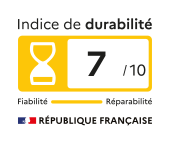
Specs
-
Quantum Matrix Technology
Neural Quantum
Processor 4K -
One Billion Color
Yes
-
HDR (High Dynamic Range)
Neo Quantum HDR
-
HDR 10+
Yes (Adaptive / Gaming)
All About 120Hz Monitors
-
What is a refresh rate?A refresh rate, measured in Hertz (Hz), refers to how many times your monitor updates the image on the screen per second. It plays a big role in how smooth and fluid motion looks, making it especially important for activities like gaming, video editing, or watching fast-paced videos. For example, a 120Hz monitor refreshes 120 times per second. Common refresh rates include 60Hz, 120Hz, 144Hz, 240Hz, and 360Hz. A higher number means smoother transitions and less blurring, especially when displaying fast-moving content.
-
What is variable refresh rate (VRR), and what are its benefits?One of the most exciting advancements in refresh rate technology is Variable Refresh Rate (VRR). Technologies like G-Sync (by NVIDIA) and FreeSync (by AMD) dynamically adjust the monitor’s refresh rate to match the FPS being delivered by the GPU. This helps eliminate screen tearing and stuttering, resulting in smoother gameplay. VRR is particularly beneficial when the frame rate of your content varies, whether due to fluctuating GPU output in games or differences in video frame rates. By aligning the monitor's refresh rate with the frame rate of the content being displayed, VRR ensures a seamless visual experience without visual artifacts like screen tearing or stuttering.
-
What is response time?The response time of a monitor measures how long it takes for a pixel to change color. Faster response times mean the monitor updates its images more quickly, which is super important when playing a fast or competitive game. Response time doesn't matter as much for people doing level browsing or office work. But for gaming, you'll want a computer screen monitor with a fast response time: under 1 ms (milliseconds). That will help keep your image clear from ghosting, trailing effects or blur that can distract you and throw off your aim.
-
What are the benefits of a 120Hz monitor?60Hz is the standard refresh rate for most monitors, suitable for everyday tasks such as web browsing, email, document editing, and causal video streaming. It provides adequate performance for general use. Monitors within the 75Hz to 120Hz range offer smoother motion and can be beneficial for tasks like graphic design and video playback, especially for action-heavy content. The enhanced refresh rate can make interactions feel more responsive.
-
Which refresh rate is right for me?Choosing the right refresh rate depends on individual needs and preferences. For general tasks like document editing or web browsing, a 60Hz or 75Hz monitor suffices. For casual gamers on a budget, a 100Hz to 120Hz monitor can handle simple or less demanding games, offering satisfactory performance for those who play occasionally or prefer less intensive titles. Most gamers will prefer 144-200Hz – this range provides smoother and more responsive gameplay, improving your overall experience across a wide range of genres. Finally, for competitive gamers, or e-athletes, striving for peak performances, monitors with refresh rates starting at 240Hz and reaching 360Hz can provide a game-changing experience.