
85" Neo QLED QN90F 4K Samsung Vision AI Smart TV


Gallery popup


Please scan the QR Code with your mobile device, and place the product image in desired place.
Choose size

{{upgradeResult.displayModelName}}
{{upgradeResult.discountText1}}
{{upgradeResult.description1}}
{{upgradeResult.description2}}
{{offerFinance.title}}
{{offerFinance.learnMoreCta.text}}{{offerFinance.description}}
{{galaxyForeverResult.displayModelName}}
{{galaxyForeverResult.discountText1}}
{{galaxyForeverResult.description1}}
{{galaxyForeverResult.description2}}
Choose your colour
Customisable frames sold separately
Choose your skin colour
Customisable skin sold separately
-
{{item.name}}
Out Of Stock
Modern type
-
{{item.name}}
Out Of Stock
Bevelled type
-
{{item.name}}
Out Of Stock
Skin colour
-
{{item.name}}
Out Of Stock
Customisable frames type

- Modern type
The Frame's customisable frames magnetically click into place. Now, you can switch between styles in a snap.
Customisable frames type

- Bevelled type
The new Bevelled type customisable frame design offers an elegant 45-degree angled inner edge frame.
{{tradeIn.title}}
{{tradeIn.learnMoreCta.text}}{{tradeIn.description}}
{{tradeInResult.displayModelName}}
{{tradeInResult.discountText1}}
{{tradeInResult.discountText2}}
{{tradeInResult.discountText3}}
{{tradeInResult.discountText4}}
{{tradeInResult.discountText5}}
{{tradeInResult.discountText6}}
{{tradeInResult.specialDiscountText}}
{{tradeInResult.description}}
{{tradeInResult.contentText}}
DeleteDealer stock quantity
You can check the stock quantity for each region
Please select city
{{assuredBuyBack.title}}
{{newAssuredBuyBack.title}}
{{newAssuredBuyBack.learnMoreCta.text}}{{newAssuredBuyBack.description}}
Please select Samsung Assured Buyback or no coverage
{{care.title}}
{{care.learnMoreCta.text}}{{care.description}}
Please select Samsung Care+ or No to continue
-
{{item.specialText}}
-
{{warrantyResult.displayModelName}}
{{warrantyResult.discountText1}}
{{warrantyResult.description1}}
{{warrantyVd.title}}
{{warrantyVd.description}}
{{warrantyVdResult.title}}
{{warrantyVdResult.priceDisplay}}
{{delivery.headline}}
{{delivery.errorMessage}}
{{deliveryResult.priorityText}}
{{deliveryResult.mainText}}
{{deliveryResult.subText}}
Standard installation charges may apply.Click here for more details.
{{deliveryResult.decText}}
{{item.disclaimer}}
{{tariffOptionResult.displayModelName}}
{{tariffOptionResult.discountText1}}
{{tariffOptionResult.description}}
{{tariffOptionResult.price}}
{{tariffOptionResult.disclaimer}}
{{embedAddon.title}}
{{embedAddon.description}}
-
{{item.name}}
{{item.modelCode}}
{{item.description}}
{{item.finalPrice}}
{{item.originalPrice}}{{item.savePrice}} Out Of Stock
-
{{item.name}}
{{item.modelCode}}
{{item.description}}
- {{item.dotList1}}
- {{item.dotList2}}
- {{item.dotList3}}
{{item.finalPrice}}
{{item.originalPrice}}{{item.savePrice}} Out Of Stock
{{message.item.tcCTAText}}
{{message.item.periodText}}
Highlights

NQ4 AI Gen3 Processor
Our most advanced AI powered 4K processor*

4K AI Upscaling Pro
Upgrade your content up to 4K with AI*

Quantum Mini LED Pro
Our most advanced Mini LED technology

Glare Free
Uninterrupted immersion, minimal light disturbance

19 Years Global No. 1 TV Brand*
* Source – Omdia, Feb 2025. Based on overall TV market share by manufacturer on an annual unit & revenue basis.

Canstar Innovation Excellence 2025
“Samsung’s Glare Free display technology, validated by UL certification, stands out for its innovation”

2019-2025 Roy Morgan Most Trusted Brand
“Samsung has top-tier products across many categories and are always striving for excellence.”

2025 Finder Award
Highly commended in the Recommended Brand, Love Brand & Trust Brand categories
![[TechRadar] Editor's Choice](http://images.samsung.com/is/image/samsung/p6pim/au/family/540488/award/au-awards-qled-qn90f-550269311)
[TechRadar] Editor's Choice
"It's the new mini LED TV to beat for 2025”
Features
Upscale your experience with Samsung Vision AI


Key features at a glance


Effortless intelligence begins with a chat
Bixby
Just say what’s on your mind. Whether you're curious about an actor, need a new show to watch, or want to dim the lights, your Samsung AI TV understands and responds naturally. Thanks to real-time contextual understanding, your TV responds with relevant, intelligent answers on the big screen—no typing, no menus, just natural conversations.*


* Screen images are simulated for illustrative purposes. The images were generated with the assistance of AI tools.
* Not all accents, dialects and expressions recognised.


Companion that enriches your life

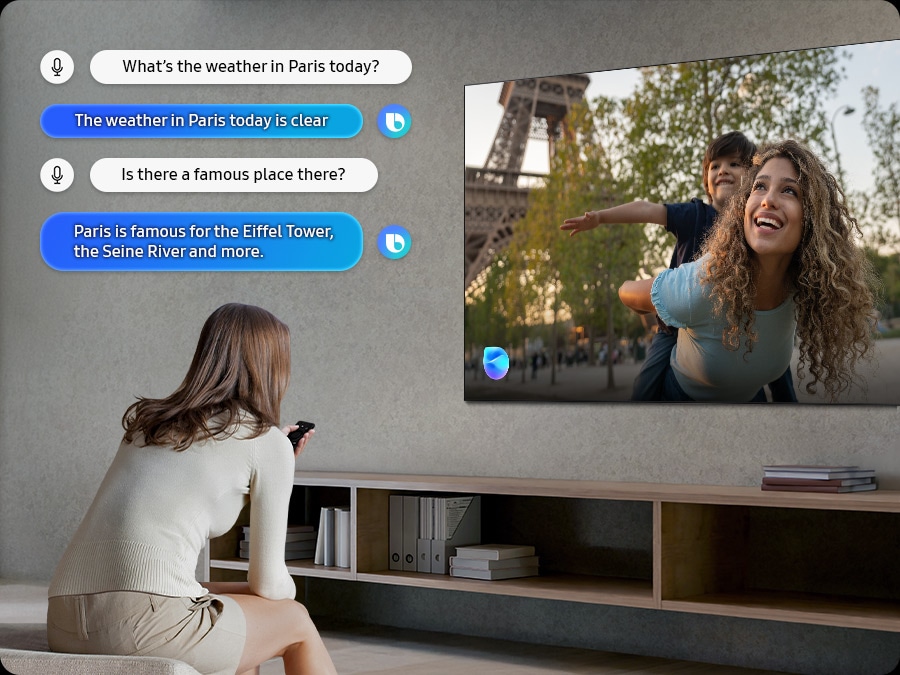
A smart voice assistant
Bixby
With updated intelligence, Bixby in your Samsung AI TV is the center of your AI home. It can process multiple commands at once, and it's better at grasping the wider context. Enjoy smoother conversations, easier searches, more intuitive reactions and seamless device control.*
* Compared to 2024 Bixby feature. Multi turn is supported for 10 languages: US/UK/IN(en)/DE/FR/IT/ES/BR/MX/KR* Not all accents, dialects and expressions recognised.


Settings that intelligently optimise picture and sound
AI Mode
AI Mode offers a quick access menu to adjust adaptive picture and sound settings, intelligently optimising your TV experience to the surroundings and the content you're watching.


Sound that adjusts to your surroundings & content
Adaptive Sound Pro
Experience sound just as the creators intended, with clear voices and vivid, balanced tones. Your TV's AI processor recognises different sounds and optimises them based on characteristics of both the room and audio content, before ultimately refining them with audio remastering technology.*
* Performance may vary depending on installation environment and surroundings.

Make your own AI generated on screen images to match the mood for your day
Generative Wallpaper
Simply choose the keywords that capture the ambiance you want to get, and let the Generative Wallpaper work its magic. The AI will provide stunning images that beautifully fits your selection. Share the joy of making your own visual experience with your loved ones and effortlessly change your home's atmosphere, no matter the occasion.*
* Requires internet connection and Samsung Account. Number of daily attempts may be limited.

Stay connected to your pets while you're away
Pet Care
Use your TV as a pet-sitting assistant when you're outside. Your TV can detect noises like barking through its microphone, and then automatically turn on your pet's favourite content to calm them down.*
* Real time streaming on mobile is supported on (mobile) Android OS 11.0 and higher versions or iOS 16.0 and higher versions, and is available on (TV) 2025 Samsung TVs. It only works when the TV is turned off.* TV must be connected to a power source to use this feature. TV and mobile device must be connected to SmartThings to send and receive notifications.
Our most advanced AI powered 4K processor*
NQ4 AI Gen3 Processor
Powered by 128 AI neural networks, this AI processor enhances your picture and sound to superb heights. Enjoy the best 4K TV experience, whether you're watching streaming services, playing your favourite video games, or watching live sports.*


* Based on internal tests only. Performance results may vary depending on a number of factors.
Upgrade your content up to 4K with AI*
4K AI Upscaling Pro
Our 4K AI Upscaling Pro technology powered by 128 AI neural networks transforms content into a 4K resolution. Our NQ4 AI Gen3 Processor enables sharp and smooth picture quality.


Picture Quality


Quantum Mini LED Pro
Our most advanced Mini LED technology
Experience our most advanced Quantum Mini LED Pro, precisely controlled by Quantum Matrix Technology Plus. At just 1/50 the size of conventional LEDs, Quantum Mini LED Pro in Neo QLED TVs enable accurate ultra-fine light control for great detail in both dark and bright scenes.*


* Conventional LEDs refer to those used in Samsung’s Q7F model. Size comparison is based on height only at 1:50 scale.
Uninterrupted immersion, minimal light disturbance
Glare Free
See real blacks powered by Glare Free, our most advanced anti-glare technology. Designed to reduce reflections to a level that is barely noticeable, Glare Free also minimises discomfort from glare and disability glare — so you can enjoy a clear, comfortable and focused viewing experience in indoor lighting environments.*


* The QN90F has been independently verified as Glare Free: Reflection Glare UGR <10, Discomfort Glare UGR <22, Disability Glare UGR <34 by UL LLC. (UL Solutions), Certificate Number: V166045 – Exp. 31/12/2025.
Exceptional detail unveiled
Neo Quantum HDR+
Enjoy HDR10+ content on your Neo QLED screen. With extraordinary detail in both dark and light scenes, you can experience lifelike colour and deep contrast.*
* The Range of Quantum HDR claims luminance based on internal testing standards and is subject to change according to viewing environment, source content or specific conditions. Neo Quantum HDR+ only applies to 55” and above.

More about
Picture Quality


Intelligently enhanced colour expression
Colour Booster Pro
Colour Booster Pro transforms the way you experience TV by leveraging AI to intelligently enhance colour expression, making each scene more vivid and dynamic.*
* Compared to 2024 Samsung Smart TV.

Sharpens and smooths the motion of objects and text with NQ4 AI Gen3 Processor
AI Motion Enhancer Pro
Our AI Gen3 processor leverages AI to sharpen and smooth out the motion of objects and text. This takes watching live sports and action movies to another level.*
* Viewing experience may vary according to types of content and format. Upscaling may not apply to PC connection and Game Mode.

Transform your content quality
Auto HDR Remastering Pro
Automatically upscale your standard dynamic range (SDR) content into high dynamic range (HDR-like) quality by using AI algorithms scene-by-scene to deliver brighter highlights, more vibrant colours and clearer details.*
* Requires compatible gaming PC supporting 4K resolution, 240Hz motion rate and Variable Refresh Rate. Picture quality will vary depending on quality and resolution of source content.

Enjoy a full range of authentic colours
PANTONE Validated
As a trusted symbol of colour fidelity by industry experts, ‘PANTONE Validated' certifies the accurate expression of 2,140 PANTONE colours and 110 newly-added skin tone shades. So you can be sure that you're getting a rich, true-to-life viewing experience.
* Picture quality may vary depending on quality and resolution of source content and viewing conditions. Screen image simulated for illustrative purposes.Gaming Experience


Easily discover and access your games
from one screen
Gaming Hub
Save time and speed up the game selection process.* Stream over 100 blockbuster games with Xbox Game Pass or access other cloud gaming services – no downloads and console required.** Plus, find your console gaming and standalone apps like YouTube, Spotify, Twitch & Discord all in one place.*


* A controller may be required depending on the specific game being played on the Gaming Hub.
Internet connection, additional gaming service subscriptions and third party apps (depending on game or service) may be required. Content services are subject to change without notice. Requires Samsung Account.
** Xbox Game Pass Ultimate subscription and compatible controller required. Fees apply.
More about
Gaming Experience


Get smooth motion for games up to 165Hz
Motion Xcelerator 165Hz
Level up your gaming experience with exceptional motion enhancements up to 165Hz VRR. Providing crisp visuals at high speeds, unlock peak performance in every round.* HDMI 2.1 compatibility provides access to ultra-high bandwidth for compatible devices, helping you keep ahead of the competition.*
* Requires compatible gaming PC supporting 4K resolution, 165Hz motion rate and Variable Refresh Rate. Picture quality will vary depending on quality and resolution of source content.

Seamless game setting optimisation
AI Auto Game Mode
Let your TV automatically detect your game type and select the optimal settings, for a hassle-free gaming experience.*
* AI Auto Game Mode works for console games only.

Optimise your gaming experience
Game Bar
Easily take control and quickly access and navigate settings that can take your game to the next level from the Game Bar.*
* Super Ultrawide GameView (21:9, 32:9) is available for certain PC and console games supporting ultrawide screens. Screen resolution change from external device may be required. Some game titles may not support this feature. Game Bar's Zoom-in mode is not supported in some refresh rates. Game Bar UI is subject to change without prior notice.

Tear free, stutter free, low latency HDR gaming
FreeSync Premium Pro
Built on AMD FreeSync™ core technology to reduce stutter and screen tearing, FreeSync Premium Pro provides an immersive HDR gaming experience. It produces exceptional high dynamic range visuals while maintaining low latency for effortlessly smooth gameplay.*
* Viewing experience may vary according to types of content and graphics processing unit, as well as network connection speeds and ping levels when gaming on the cloud.

Immersive lighting that syncs with your game
Hue Sync
Create a dynamic atmosphere with smart lights that sync to your content. Samsung TVs can analyse the colours and movements on screen, then signal to Hue lights for matching effect, resulting in an incredibly immersive viewing experience.
* Philips Hue smart light sold separately.* Samsung account required. Additional installation of the Philips Hue Sync app and paid subscription are required.
Sound


An incredible Dolby Atmos experience
Dolby Atmos®
Enjoy incredible sound with Dolby Atmos support to deliver larger-than-life audio experiences.*
* Source content must be Dolby Atmos® enabled for Dolby Atmos® playback.

Synchronised sound from your TV and Soundbar*
Q-Symphony
Immerse yourself in sound from both your Samsung TV and Soundbar* orchestrated in harmony. Q-Symphony allows the speakers in your TV and compatible Samsung Soundbar to work simultaneously for a true surround sound effect without muting the TV speakers.
* Q-Symphony is available only with compatible 2022 Q-Series and S-Series Soundbars and onwards. Soundbar sold separately. Audio effects may vary based on source content, installation and environmental characteristics.

Experience audio in action
Object Tracking Sound+
Enjoy captivating sound that uses eight strategically positioned speakers to track motion on screen, creating a multi-directional audio experience, making you feel like you are in the heart of the action.*
* The quality of sound effects may vary depending on the source content, installation and environmental characteristics.

Catch every word with minimal distractions
Active Voice Amplifier Pro
Enjoy clear dialogue, no matter what's going on. Our AI technology enhances voice clarity by analysing ambient noise and background sounds from your content.*
* Performance may vary depending on installation environment and surroundings.One UI Tizen


Personalise your screen experience
One UI Tizen
Explore endless entertainment with your favourite apps in one place. With automated content curation you can spend less time searching and more time streaming the movies, games and shows you love.* Your experience is also secured by Samsung Knox across SmartThings devices. Plus, One UI Tizen will support Tizen OS upgrades for the next 7 years.*


* Internet connection and Samsung Account required. Data and subscription charges may apply. Apps and UI may be subject to change without notice. Agreement of the Smart Hub Terms and Conditions and Privacy Policy is required before use. Kayo & BINGE not available for use in Very Remote regions of Australia.
* Tizen OS upgrades will be provided for 7 years, starting from release year 2025.
Enjoy 7 years of
new TV experiences
for free


* Agreement to Smart Hub Terms and Conditions and Privacy Policy is required before use.
* Some content and services require registration and subscription.
* Requires Samsung account.
* Tizen OS upgrades will be supported for 7 years starting from 2025, for products released in the year 2025.
* Please note that the upgrade does not cover hardware-related performance, features or durability.
Find world famous galleries in your TV
Art Store
Now expand your art gallery to Neo QLED. Find your favourite piece of artwork from the world’s leading museums and artists. Discover new artwork with relevant and timely art selections chosen by Samsung’s art experts to discover art pieces that complement each season, holiday and mood.*
* Stream complimentary curated art or additional artworks available via subscription. Internet connection required. Offering 30 refreshed artworks monthly through Art Store Streams and over 70 ambient content supported complimentary throughout the year.

More about
One UI Tizen


Access 300+ free channels* including Samsung TV Plus^ channels
Endless Free Content
Enjoy news, sports, movies, entertainment, music, kids’ shows and more. With new content continuously added, there’s always more to explore!
* Channel number including channels provided by Samsung TV Plus and third-party apps counts are current as of May, 2024 for each country. Channels vary by country and are subject to change without notifications.^Samsung TV Plus is a free-ad supported Smart TV video service. Internet connection required and data usage fees may apply. Requires Samsung account. Downloading apps, signing up, and logging in may be required to access channels provided by third-parties.


Free TV channels, with 100+ additional channels
Samsung TV Plus
No need to pay for another subscription, enjoy free live streaming TV with Samsung TV Plus.* Choose from a variety of channels offering news, sports, entertainment and more. All you need is an Internet connection.
* Ad-supported streaming service with content subject to change without notice.

Your privacy. Secured. On Samsung TVs.
Samsung Knox Security
Feel at ease with a multi-layered security solution which helps to shield your data. Even compatible Home IoT devices connected to your Samsung TV are secured. Regular updates further fortify your TV, helping to protect it from future threats .*
* Samsung Knox applies to Samsung TVs powered by Tizen, launched since 2015. Security software update is guaranteed for at least three years from TV product launch. Latest TV software update is required. Evaluated by IT Security and Certification Center, Republic of Korea (Feb 2023, 2024) using the Common Methodology for IT Security Evaluation, Version 3.1 R5 for conformance to the common criteria. Certification No: KECS-CISS-1291-2024.

Daily management for your favourite activities
Samsung Daily+
Easily manage your daily activities from your TV. Access apps and services such as Workspace where you can work from the big screen by connecting your compatible PC, mobile or laptop and the Workout Tracker where you can get fit with your real-time exercise data on screen during your home workout.*
* Content, services and app availability may vary by region and are subject to change without notice.* Workspace HQ is compatible with certain PC and mobile devices. Easy Connection app requires Windows 10 OS. Samsung DeX is supported on selected Galaxy, Note, and Tab devices running Android 6.0 ↑. Requires a compatible keyboard, mouse and Samsung account. Workout Tracker available from March 2024 on Galaxy Watch 4 ↑ Requires Samsung account.


Access useful info throughout the day even when your TV is off
Daily Board
Provide useful information throughout the day even when the TV is turned off. You can customise your Daily Board with loads of widgets such as Weather, Memo, SmartThings, Music, Tips, and more. Daily Board wakes up hands free through voice activation or when you get near your TV.
* Support widgets vary by region.* Requires internet connection and Samsung Account.
SmartThings


Connect and manage your smart home devices, all from your TV
SmartThings
Control your compatible Samsung and third-party devices through your Samsung smart TV. Monitor your electricity usage, control your lighting, be notified when your washing is finished, or view your home cameras from your couch. Designed to make your life easier, more secure, and more connected.*


More about
SmartThings


Gesture to control with your watch
Universal Gesture
Easily control your TV with your smartwatch. Just wear your Galaxy Watch* and use hand gestures, like pinching to select an option, or moving your wrist back and forth for pause and play.
* Universal Gesture supports Galaxy Watch 4 and higher / Wear OS 5 and higher.

Monitor energy consumption with intelligent analysis
AI Energy Mode
Easily monitor your power consumption by activating AI Energy Mode. This feature automatically detects and analyses surrounding light levels and usage behaviours to adjust the brightness if required.
* The SmartThings app is required to utilise AI Energy Mode. Energy consumption rate may vary according to regions, models, sizes, viewing conditions or types of content. Products shipped in Eco Mode have some AI Energy Mode functions enabled by default, so energy consumption level by turning on AI Energy Mode may appear lower than actual. AI Energy Mode does not support Game Mode, Intelligent Mode, Art Mode, Screen Mirroring, Ambient Mode or Retail Mode. Energy consumption may vary depending on content being displayed and surrounding brightness levels.

Control your TV from your mobile phone
Quick Remote
Through your SmartThings mobile app you can access key Samsung Tizen TV features such as media, features, ambient mode and menu. Quick Remote can also act as your TV remote allowing you to change channels, adjust the volume, and much more right from your phone.*
* Push notifications for mobile remotes for TVs are available on (Mobile) Android OS 10.0 and higher versions with (TV) 2020 Samsung TVs and later models, and operates when the mobile device is near the TV.* Samsung Smart TV feature access is available on (TV) 2024 Samsung TVs and later models with (Mobile) Android OS 10.0 and higher versions or iOS 15.0 and higher versions.


Spatial 3D sound with Galaxy Buds
360 Audio Mode
Immerse yourself in the scene with fluid sound from all around. Samsung TVs pair seamlessly with Galaxy Buds to deliver multi-directional 3D audio. With enhanced head tracking, it even syncs the direction of sound with your head movements.*
* Compared to 2024 Samsung TVs. Available models for Galaxy Buds 360 Audio Mode include Galaxy Buds 3 Pro and below.

Transform your TV into a karaoke stage
Karaoke
Have fun with friends and family with the karaoke feature in Samsung Daily+. You can even connect your phone to use as a mic. No need for any separate equipment — your singing setup is already here.*
*Requires SmartThings app to be installed on mobile, connected via the same Wi Fi network as the TV set. Mobile mic is optimised only for Galaxy S23 or later models and iPhone 15 & above. You must download the Karaoke app from Tizen to use the Karaoke function.* An additional paid subscription is required for this service after 6 months of free use. (Users can access 5 songs per day for free without a subscription.)
Design


Elegant profile in modern, sleek silhouette
NeoSlim Design
Designed to deliver a streamlined entertainment setup. This TV boasts an incredibly thin profile without bulky bezels and built-in cable management to help reduce clutter. Enjoy the action with less distraction.


Sustainability


Empowering more people to enjoy TV
Audio Subtitles
Audio Subtitles recognises subtitles and reads them aloud, improving the accessibility of your content. It doesn’t just enhance your entertainment but also makes it more inclusive, especially for viewers with different visual abilities.
* Audio Subtitles can be supported only with an HDMI output from a set-top box or a video streaming service playing content that includes subtitles. Internet connection is required.

Control multiple devices with a remote charged by sunlight and indoor lighting
SolarCell Remote
Keep your coffee table clutter-free with Samsung’s SolarCell One Remote for easy control of your compatible devices.* Powered by sunlight and indoor lighting, you'll never need disposable batteries again.**


** To charge the remote using solar energy, place the TV remote down with the solar panel facing up. It can be positioned in your living room while the lights are turned on, or near a window to absorb natural sunlight. Alternatively, you can charge it using a USB-C cable. To check the remaining the battery level of the remote control, refer to the settings on your TV Menu.


Live & On Demand TV for free
Freeview
Watch, Search & Discover 30+ Channels of Live & On Demand TV. All in the one place. All for FREE! No charges, fees or contracts. Access free Movies, Drama, Sport, Family entertainment & more from Australian free-to-air channels ABC, SBS, 7, 9 & 10 using your Samsung TV remote.* Freeview.com.au↗


* Freeview uses HbbTV technology which combines broadcast and broadband. Internet connection is required. Data usage charges and conditions apply. Available programs are subject to change without notice.
Specifications
-
Product Category
Neo QLED
-
Display
85"
-
Neo QLED
-
Screen Size
85"
-
Native Refresh Rate
100Hz
-
Resolution
4K (3,840 x 2,160)
-
Anti Reflection
Glare Free
-
Picture Engine
NQ4 AI Gen3 Processor
-
HDR (High Dynamic Range)
Neo Quantum HDR+
-
HDR 10+
Yes (ADAPTIVE/ GAMING)
-
Picture Upscale
4K AI Upscaling Pro
-
Contrast
Quantum Matrix Technology Plus
-
Viewing Angle
Wide Viewing Angle
-
Micro Dimming
Ultimate UHD Dimming
-
Contrast Enhancer
Real Depth Enhancer Pro
-
Smart Calibration
Basic/Professional
-
Filmmaker Mode
Yes
-
AI Motion Enhancer
AI Motion Enhancer Pro
-
Supersize Picture Enhancer
Yes
-
HDR Brightness Optimiser
Yes
-
Colour Booster
Colour Booster Pro
-
AI HDR Remastering
Auto HDR Remastering pro
-
EyeComfort Mode
Yes
-
Dolby Atmos
Yes
-
Object Tracking Sound
OTS+
-
Q-Symphony
Yes
-
Sound Output (RMS)
60W
-
Speaker Type
4.2.2CH
-
Active Voice Amplifier
Yes (Active Voice Amplifier Pro)
-
Adaptive Sound
Yes (Adaptive Sound Pro)
-
360 Audio
Yes
-
Operating System
Tizen™ Smart TV
-
Bixby
Yes
-
Far-Field Voice Interaction
Yes
-
Built-in Voice Assistant
Alexa
-
Samsung TV Plus
Yes
-
Web Browser
Yes
-
Works with AI Speaker
Alexa, Google Assistant
-
SmartThings Hub / Matter Hub / IoT-Sensor Functionality / Quick Remote
Yes
-
Multi Device Experience
TV to Mobile, Mobile to TV, TV initiate mirroring, Sound Mirroring, Wireless TV On, Tap View (requires Android 6.0↑ with Screen Cast capabilities or iPhone iOS 11.4↑ with AirPlay 2 support) (Tap View requires Android 8.1↑ with Screen Cast capabilities)
-
Multi-View
Up to 2 videos
-
Apple AirPlay 2
Yes
-
ScreenVitals
Yes
-
Storage Share
Yes
-
Generative Wallpaper
Yes
-
Karaoke Mic
Yes
-
Auto Game Mode (ALLM)
Yes
-
Game Motion Plus
Yes
-
Dynamic Black EQ
Yes
-
VRR
Yes
-
Surround Sound
Yes
-
Ultra Wide Game View
Yes
-
MiniMap Zoom
Yes
-
FreeSync
FreeSync Premium Pro
-
Hue Sync
Yes
-
HGiG
Yes
-
Gaming Hub
Yes (US, CA, KR, BR, UK, FR, DE, IT, ES, MX, AU)
-
AI Auto Game Mode
Yes
-
Digital Broadcasting
DVB-T(T2 Ready)
-
Analog Tuner
Yes
-
Data Broadcasting
HbbTV 2.0.4
-
HDMI
4
-
USB
2 x USB-A
-
HDMI Maximum Input Rate
4K 165Hz (for HDMI 1/2/3/4)
-
Ethernet (LAN)
1
-
Digital Audio Out (Optical)
1
-
RF In (Terrestrial / Cable input / Satellite input)
1/1(Common Use for Terrestrial)/0
-
Wi-Fi
Yes (Wi-Fi 5)
-
Bluetooth
Yes (BT5.3)
-
Anynet+ (HDMI-CEC)
Yes
-
HDMI Audio Return Channel
eARC
-
Design
NeoSlim
-
Bezel Type
4 Bezel-less
-
Front Colour
TITAN BLACK
-
Stand Type
SHARP NECK HEXAGON
-
Stand Colour
TITAN BLACK
-
Art Store
Yes
-
Embeded POP
Yes
-
EPG
Yes
-
Extended PVR
Yes
-
IP Control
Yes
-
OSD Language
Local Languages
-
Voice Guide
AU English, China Chinese, Korean, France French, Italian, German, Spain Spanish, Malay
-
Low Vision Support
Relumino, Magnification, Audio Description, Zoom Menu and Text, High Contrast, SeeColors, Colour Inversion, Grayscale, Auto Picture Off
-
Hearing Impaired Support
Closed Caption (Subtitle), Multi-output Audio, Caption Position, Sign Language Zoom
-
Motor Impaired Support
Slow Button Repeat, Remote Control App. for All
-
Eco Sensor
Yes
-
Power Supply
AC220-240V~ 50/60Hz
-
Power Consumption (Max)
390 W
-
Energy Efficiency Class
5
-
Power Consumption (Stand-by)
0.5 W
-
Power Consumption (Typical)
211.0 W
-
Yearly Power Consumption (EU standard)
773 kWh
-
Auto Power Off
Yes
-
Auto Power Saving
Yes
-
Package Size (WxHxD)
2141 x 1245 x 230 mm
-
Set Size with Stand (WxHxD)
1892.2 x 1143.0 x 321.3 mm
-
Set Size without Stand (WxHxD)
1892.2 x 1081.9 x 27.9 mm
-
Stand (Basic) (WxD)
417.6 x 321.3 mm
-
VESA Spec
600 x 400 mm
-
Package Weight
63.3 kg
-
Set Weight with Stand
49.9 kg
-
Set Weight without Stand
43.5 kg
-
Remote Controller Model
TM2360E
-
Slim Fit Wall-mount Support
Yes
-
User Manual
Yes
-
Full Motion Slim Wall Mount Support
Yes
-
SlimFit Cam Support
Yes
-
Zigbee / Thread Module
Built-In
-
Power Cable
Yes
-
Security Update Period (At least 5 years from launch of product)⊕
31 Dec 2030
Reviews
85" Neo QLED QN90F 4K Samsung Vision AI Smart TV
- Customers praise exceptional picture quality with vibrant colors, deep blacks, and brilliant brightness
- Reviewers highlight the matte screen's ability to eliminate glare for perfect daytime viewing
- Many appreciate smooth motion handling, low input lag, and 120Hz refresh rate for gaming and sports
- Customers find the intuitive Smart Hub and voice control integration convenient and well-executed
- A few note the remote feels cluttered or mention slightly reduced color saturation on matte finish
Filters
Relevancy sort puts the best reviews at the top. We look at things like helpfulness votes, latest review, pictures and other traits that readers look for in their reviews.
Filters
1,673 Reviews
2025-05-06
2026-02-16
Meadville, PA
2026-05-20
2026-10-05
Massachusetts
Samsung Pro
OurFamilyHere, Thank you for sharing your concerns. Samsung’s privacy policies are designed to protect your personal information and ensure it’s handled responsibly. We always request your consent before collecting any data, and we are committed to managing that information with the utmost care and transparency in accordance with our privacy guidelines. If you have any questions about privacy settings or need assistance using your TV, we’re here to help. Please contact Samsung Support at 1-800-SAMSUNG (8AM – 9PM EST Mon – Fri, 8AM – 6PM Sat). LiveChat and additional support resources are also available through the Support link on our website. ~ Samsung Pro
2026-02-28
Scottsville, KY
2025-10-20
Samsung Specialist
Transam2000, We appreciate your input on the picture quality of Samsung’s QN90F TV. If the image isn’t meeting your expectations, there are several adjustments you can make to improve your viewing experience. First, please ensure your TV is running the latest firmware, as updates may include important picture quality enhancements. Go to: Home > Left directional button > Settings > Support > Software Update > Update Now Then, select a Picture Mode that best fits your environment: Home > Home > left directional key > Settings > All Settings > Picture > Picture Mode 1. Standard – Default mode for general viewing 2. Dynamic – Brighter and clearer in well-lit rooms 3. Eco – Optimized for energy saving 4. Movie – Best for watching in dark environments 5. Filmmaker Mode – Preserves content exactly as intended by creators You can also enhance your experience by enabling AI Mode, which automatically adjusts picture and sound based on your surroundings and usage patterns: Settings > All Settings > Advanced Features > AI Mode Settings > AI Mode If these adjustments don’t improve your picture quality, feel free to contact Samsung Customer Support at 1-800-SAMSUNG, available 8AM – 12AM EST, 7 days a week. You can also LiveChat with an agent or find helpful guides by visiting the ‘Support’ section of our website. ~ Samsung Specialist
2026-05-17
2026-03-23
Hershey Pennsylvania
2026-04-08
NY
2026-06-21
Dallas, Tx
Samsung Specialist
We appreciate you taking the time to let us know about your experience. So that we can better troubleshoot this issue and provide steps towards a solution, please contact Samsung Support at 1-800-SAMSUNG (8AM – 9PM EST Mon – Fri, 8AM – 6PM Sat – Sun), or visit our website for LiveChat. ~ Samsung Specialist
2026-02-17
2025-09-05
2025-10-14
2026-08-20
Enfield, Maine
Samsung Specialist
We appreciate you taking the time to let us know about your experience. So that we can better troubleshoot this issue and provide steps towards a solution, please contact Samsung Support at 1-800-SAMSUNG (8AM – 9PM EST Mon – Fri, 8AM – 6PM Sat – Sun), or visit our website for LiveChat. ~ Samsung Specialist
2026-02-17
Charlotte, NC
2026-04-20
PHOENIX, AZ
2026-02-13
New Jersey
2025-10-28
2026-08-17
New Braunfels, Texas
Samsung Pro
Hello, We appreciate your feedback on the picture quality of Samsung’s QN90F TV. If the image doesn’t quite match your preferences, there are several adjustments you can make to better suit your viewing environment and content type. First, please ensure your TV is running the latest firmware, as updates may include important picture quality enhancements. Go to: Home > Top directional button > Settings > Support > Software Update > Update Now To explore picture mode options, navigate to: Home > Top directional button > Settings > All Settings > Picture > Picture Mode. Options include: • Standard – Ideal for general viewing • Dynamic – Brighter and more vibrant for well-lit spaces • Eco – Optimized for energy efficiency • Movie – Best for viewing in low light • Filmmaker Mode – Preserves the content creator’s intent and disables motion smoothing for supported content You can further customize your image by going to: Settings > All Settings > Picture > Expert Settings, where you can adjust Brightness, Contrast, Color Tone, Sharpness, Contrast Enhancer and more. For optimal performance, please ensure your TV is running the latest firmware. You can check this by going to: Home > top directional key > Settings > Support > Software Update To further optimize performance, try running Device Care, which checks memory, clears unused cached data, and closes background apps: Home > top directional key > Settings > Support > Device Care > Start Device Care While your TV may currently default to Samsung TV Plus when powered on, you can customize what your TV does at startup by adjusting the Start Screen Options. To do this, navigate to: Settings > All Settings > Advanced Features > Start Screen Option and choose from the following: 1. Start with Smart Hub Home – Automatically launches Smart Hub when the TV is turned on. You can enable or disable this option based on your preference. 2. Autorun Samsung TV Plus – Automatically launches Samsung TV Plus when the TV is turned on. If this option is turned off, the last used source will be displayed instead. 3. Autorun Multi View Casting – If you cast YouTube content from your mobile device, the TV will automatically display the content using Multi View. 4. Autorun Multi View Mirroring – When you screen mirror your mobile device, Multi View will automatically open to show your device’s screen. 5. Autorun Last App: The last used app is automatically run when you turn on the TV. You can turn this function on or off. Press the Select button at the current menu If you’d like help finding the best picture settings for your preferences or have additional questions, please don’t hesitate to contact Samsung Support at 1-800-SAMSUNG (8AM – 9PM EST Mon – Fri, 8AM – 6PM Sat – Sun). You can also LiveChat with an agent or explore additional resources on our website by clicking the ‘Support’ link. ~ Samsung Pro
2026-02-03
Plano, Tx
2025-05-06
Boynton Beach
2025-04-29
Columbus
2026-04-14
Martinsburg, Wv
2026-04-08
Goodyear AZ
2025-05-06
Samsung Specialist
Hello there, Thank you for sharing your experience with your QN90F TV. Please note that the Installation and Unpacking Guide included in-box with your TV provides you with these specific wall mounting/installation dimensions you're looking for. You can also view & download it from our site here: https://downloadcenter.samsung.com/content/EM/202502/20250222034302001/BN68-20977A-00_IG_QN90D%20QN90F%2043-85inch_ZA_Eng_241224.0.pdf For quick reference of the included/above guide - the 55" QN90F utilizes a VESA pattern of 200mm x 200mm. The distance from the top VESA holes to the top of the TV is 9.4". The distance from the bottom VESA holes to the bottom of the TV is 10.5". Buffering during streaming is typically related to internet speed or signal strength. This can happen when your connection isn’t able to deliver data quickly enough for smooth playback. We recommend the following steps to help improve streaming performance: 1. Use a 5GHz Wi-Fi connection, if available 2. Try a wired LAN connection for more stability 3. Reposition your router to minimize obstacles between it and the TV 4. Make sure your TV is running the latest firmware (Settings > Support > Software Update) 5. Run Device Care to optimize performance: Home > left directional key > Settings > Support > Device Care > Start Device Care If buffering continues, you may want to contact your internet service provider to check your current speed or explore upgrade options. If we can assist further, please call us at 1-800-SAMSUNG (8AM – 12AM EST, 7 days a week), or visit the ‘Support’ section of our website for LiveChat, manuals, and more. ~ Samsung Specialist
2026-04-20
Harrisburg, PA
2026-10-22
Scottsdale, AZ
2026-03-24
2025-12-12
2026-08-20
Miami
2026-08-07
Battle Creek Michigan
2026-02-17
2025-06-26
2025-06-15
North Yorkshire
CX
Excellent to see how much the wonderful QN90F TV has impressed you, Mike! While we love all of our models, this TV benefits from a stunning 4K resolution that puts you right in the middle of the action. It combines beautifully with the Dolby Atmos audio, giving you the perfect immersive viewing experience. It's also great to see that you had such a positive order and delivery experience, and were able to take advantage of one of our awesome discounts. We love treating our customers! If you would like to explore the difference between different models, please reach out to our Support Teams. You can find their contact details and operating times here: https://www.samsung.com/uk/support/contact/ ^SK at Samsung Support
2026-02-14
Kissimme Florida
2026-02-17
Burlington Kansas
2026-02-17
Boston MA
2026-06-01
2026-03-23
2026-07-28
Nashua New Hampshire
2026-06-01
Las Vegas
2026-04-09
Samsung
We’re thrilled to read your thoughts and feedback. Thanks for sharing with us and giving us top marks! ^JH at Samsung Support
2025-04-25
2025-12-19
2025-10-20
Samsung Specialist
Hi cpupro, Thank you for sharing your experience. The screen abnormalities you’re seeing can often be resolved with a quick firmware update, which our team can complete through remote support. Please contact Samsung Support at 1-800-SAMSUNG so we can assist right away. You can also reach us on LiveChat through the ‘Support’ link on our website. We hope to hear from you soon. ~ Samsung Specialist
2026-05-20
Baton Rouge, Louisiana
2025-08-26
Ivana Samsung CS
Hi Tim, Thank you for taking time out of your day to providing us product feedback. We will pass this to our relevant teams. For additional product feature feedback or troubleshooting support, please connect with our experts via Live Chat at https://www.samsung.com/ca/support/live-chat-support Thank you, Samsung Customer Care.
2026-07-27
Samsung Advisor
Hi Aysuh, We appreciate your feedback regarding remote performance. If your SolarCell Remote is unresponsive or slow: 1. Re-pair it – Hold Return and Play/Pause for 5+ seconds within 1 foot of the TV. 2. Check battery level – Home > Settings > All Settings > General & Privacy > Remote Control Charge via sunlight or USB-C cable (Samsung-branded recommended). 3. Update firmware – Settings > Support > Software Update > Update Now 4. Run Device Care to boost performance – Settings > Support > Device Care > Start Device Care If these steps don’t resolve the issue, please contact Samsung Support at 1-800-SAMSUNG (8AM – 9PM EST Mon – Fri, 8AM – 6PM Sat – Sun). LiveChat is also available through the ‘Support’ link on our website. ~ Samsung Advisor
2026-07-28
Buena Park, CA
2025-09-22
2026-09-06
South Carolina, USA
2026-05-11
2025-05-10
East Haven
2026-04-20
Maine
2026-02-17
Los Angeles, CA
2026-01-24
Samsung Specialist
Hi, Thank you for sharing your experience with the internet connection on your Samsung QN90F TV. Whether you're using Wi-Fi or a wired (LAN) connection, there are a few steps you can take to help resolve the issue: 1. Power Cycle Your Equipment. Unplug both your TV and router/modem from the wall outlet. Wait at least 30 seconds, then plug them back in and allow both devices to fully restart. 2. Check the Network Status. On your TV, go to: Home > left directional key > Settings > All Settings > Connection > Network > Network Status. This will help determine if the issue lies with the network or the TV. 3. Try a Different Connection Type. If you're using Wi-Fi, try connecting an Ethernet (LAN) cable directly from your router to the TV to test the connection. If you're using a wired connection, try switching to Wi-Fi to see if the issue persists. 4. Reestablish the Network Connection. Go to: Settings > All Settings > Connection > Network > Open Network Settings, and follow the prompts to reconnect to your Wi-Fi or wired network. 5. Update Firmware. Software updates can often resolve network bugs. To check for the latest version: Settings > Support > Software Update > Update Now If these steps don't resolve the issue, we’d be happy to provide further assistance. Please call Samsung Support at 1-800-SAMSUNG, 8AM - 12AM EST, 7 days a week. LiveChat is also available at the ‘Support’ link on our website. ~ Samsung Specialist
2025-04-23
Spokane, WA
2025-10-22
2026-06-17
South Florida
2026-09-21
Millcreek, UT 84109
2025-12-20
2025-10-17
2025-04-30
Elkhorn City
2026-08-05
Tampa
2025-05-21
2026-10-12
Middleburg,FL
2026-02-23
San Mateo, California
2026-07-06
2026-06-23
2026-01-11
2025-12-30
2026-04-20
2026-09-07
McLeansville, NC
2026-08-04
Great Mills, MD
2026-04-20
2026-05-20
2026-02-12
2026-05-20
2025-08-19
2026-06-01
2026-04-20
Samsung AU
Thank you for such an insightful review! We’re thrilled to hear the TV is delivering breathtaking visuals, vibrant colours, and strong performance for both movies and gaming. It’s great to know it’s ticking all the boxes for your home setup, enjoy!
2026-09-21
Southampton, PA
2026-02-17
Porter Corners New York
2025-12-20
2026-02-18
Clearwater FL
2026-06-23
2025-10-19
2026-02-17
2026-07-05
Baltimore MD
2026-01-05
Samsung Specialist
TxTaz, Thank you for sharing your review. If a menu setting on your TV is grayed out, it typically means the option is not currently available based on the input source, specific feature settings, or connected devices. In many cases, grayed-out settings appear because a streaming app like Netflix or Hulu is running in the background. To resolve this, press and hold the Return button on your remote to fully exit the app. Then return to the settings menu – your options should now be accessible. Here are a few other reasons a function may be unavailable: • Picture Mode may be grayed out if HDR+ is enabled. • Zoom and Position is only available when Picture Size is set to Custom - not 16:9 or 4:3. • Certain options may also be disabled while content is actively playing from a specific source (e.g., HDMI or app). If the image isn’t meeting your expectations, there are several adjustments you can make to improve your viewing experience. First, please ensure your TV is running the latest firmware, as updates may include important picture quality enhancements. Go to: Home > Left directional button > Settings > Support > Software Update > Update Now Then, select a Picture Mode that best fits your environment: Home > Home > left directional key > Settings > All Settings > Picture > Picture Mode 1. Standard – Default mode for general viewing 2. Dynamic – Brighter and clearer in well-lit rooms 3. Eco – Optimized for energy saving 4. Movie – Best for watching in dark environments 5. Filmmaker Mode – Preserves content exactly as intended by creators You can also enhance your experience by enabling AI Mode, which automatically adjusts picture and sound based on your surroundings and usage patterns: Settings > All Settings > Advanced Features > AI Mode Settings > AI Mode If these adjustments don’t improve your picture quality, feel free to contact Samsung Customer Support at 1-800-SAMSUNG, available 8AM – 12AM EST, 7 days a week. You can also LiveChat with an agent or find helpful guides by visiting the ‘Support’ section of our website. ~ Samsung Specialist
2026-02-17
Myrtle beach
2026-10-12
Phoenix, AZ
2026-04-05
Birmingham, AL
2026-01-25
2026-01-05
USA
2025-11-04
2025-09-01
Samsung
We’re pleased to see how much you’re enjoying your 43" Neo QLED QN90F 4K Vision AI Smart TV (2025). While we’re delighted that you’re very happy with the device overall, we also appreciate you sharing your thoughts on areas that could be improved, particularly around the design. Your valuable feedback will be shared with our teams to help us continue improving our future products and technology. In the meantime, we hope you continue enjoying your amazing device. ^CL at Samsung Support
2026-01-13
Tucson Arizona
Samsung Specialist
John, Thank you for sharing your review. If a menu setting on your TV is grayed out, it typically means the option is not currently available based on the input source, specific feature settings, or connected devices. In many cases, grayed-out settings appear because a streaming app like Netflix or Hulu is running in the background. To resolve this, press and hold the Return button on your remote to fully exit the app. Then return to the settings menu – your options should now be accessible. Here are a few other reasons a function may be unavailable: • Picture Mode may be grayed out if HDR+ is enabled. • Zoom and Position is only available when Picture Size is set to Custom - not 16:9 or 4:3. • Certain options may also be disabled while content is actively playing from a specific source (e.g., HDMI or app). If you'd like help adjusting these settings or understanding a specific feature, we're here to help. Please contact Samsung Support at 1-800-SAMSUNG, 8AM – 12AM EST, 7 days a week. LiveChat agents are also available by clicking on the ‘Support’ link on our website. ~ Samsung Specialist
2026-02-21
Sonora, Ca
2025-10-18
These reviews are managed by Bazaarvoice and comply with the Bazaarvoice Authenticity Policy, which is supported by anti-fraud technology and human analysis. Details at
https://www.bazaarvoice.com/trustmark/User manual & downloads
Solutions & Tips
** Delivery available in select areas within Australia. Free delivery in Australia is available for mobile, tablet, wearable, and memory products only. Delivery charges apply to all other products (TV, Soundbar, Home Appliances, and Monitor) for all areas within Australia. Terms & Conditions apply. Visit Samsung.com for further information.
⊕ Certain Samsung products with Wi-Fi or Bluetooth connectivity have been manufactured in compliance with the requirements of Part 1 of Schedule 1 of the Cyber Security (Security Standards for Smart Devices) Rules 2025. For more information, please click here to find out how you can report potential security vulnerabilities found in Samsung products and services.
* Samsung Care Premium will not be available on purchases from 1st of January 2024. Purchases made on or before 31st of December 2023 are still eligible for Samsung Care Premium offerings. Learn more
* Key features may differ from key specifications.
Latitude Finance: Approved customers only. Minimum spend applies. Equal monthly payments required. T&Cs, fees and charges apply. Exclusions may apply. Available on participating Latitude credit cards only. If there is an outstanding balance after the interest free period ends, interest will be charged at the Expired Promotional Purchase Rate currently 29.99% p.a. (subject to change). Account service fee per month applies (subject to change). Interest may also apply to other credit card transactions or if you do not comply with the T&C’s. Conditions of use set out the T&C’s of the Latitude Gem Visa credit card. Credit is provided by Latitude Finance Australia ABN 42 008 583 588 Australian Credit Licence number 392145. Learn more
Afterpay allows you to pay for your purchase over 4 installments due every 2 weeks. For purchases up to $20,000 only. Advertised amount subject to approval by Afterpay. Learn more
PayPal Pay in 4 offers no interest and no late fees. You can divide your eligible purchases between $30 - $2,000 into 4 interest-free instalments. The first payment at checkout, then three repayments, one every two weeks. Learn more
1. Compared to NQ4 AI Gen2 Processor. Picture quality of upscaled content will vary depending on the quality and resolution of source content and may not apply to PC connection and Game Mode.
2. Viewing experience may vary according to types of content and format. Upscaling may not apply to PC connection and Game Mode.
3. Conventional LEDs refer to those used in Samsung’s Q7F model. Size comparison is based on height only at 1:50 scale.
4. The QN90F has been independently verified as Glare Free: Reflection Glare UGR <10, Discomfort Glare UGR <22, Disability Glare UGR <34 by UL LLC. (UL Solutions), Certificate Number: V166045 – Exp. 31/12/2025.
5. Tizen OS upgrades will be supported for 7 years starting from 2025 for products released in 2025. OS Upgrade does not cover hardware-related performance, features or durability.


