Galaxy Book4 Edge


High performance is one thing, outperformance is another.
Learn more about the Snapdragon Processors powering our Galaxy Book4 Edge laptops.


Buying Tool
Device
Not available in this combination
OS
Not available in this combination

Memory
Not available in this combination
Storage
Not available in this combination
Connectivity
Not available in this combination
Colour
Not available in this combination
Screen Size
Not available in this combination
Processor
Not available in this combination
Graphic
Not available in this combination
Trade-in
Choose Between
Pay monthly phone contracts
Choose from a range of networks and inclusive 24-month plans, and pay for your phone and plan in one monthly payment.
Tariff plans lower in value than trade-in are not available.
Pay monthly phone contracts are unavailable with Samsung Flex
Pay monthly phone contracts are unavailable with New Galaxy Club
Sorry, your selected tariff plan is not compatible with your trade-in value. The value of your trade-in can not exceed your upfront tariff cost, please choose a different sim plan.
When opting to trade in your old device, please ensure the tariff’s upfront cost is higher than your trade in value.
New Galaxy Club
Samsung Flex from Samsung Finance
Payment Options
Samsung Care+
Please select Samsung Care+ or No to continue
Trade-in, Samsung Care+, Tariff, Offer are not compatible with Rental option.
Premiums include taxes at the applicable rate. Cosmetic damage not included. Excess payable. Terms and conditions apply.
Samsung
Finance+ EMI
Offer
Samsung.com Advantage
Samsung.com Advantage
Delivery
Please enter your postcode to see available delivery options:
Delivery
Arrives tomorrow, if you order by 7pm
Offer
Reached maximum order quantity for this product.
Fire works video code
Featured Reviews
Click to ExpandRecommended by 85% of customers.
The Overall Rating and the average star scores are made up of incentivised and non-incentivised reviews; as well as in store product demonstrations.
Customers consistently praise the vibrant AMOLED display with 120Hz refresh rates as the best screen available
Most reviewers highlight exceptional battery life, often exceeding 15 hours on a single charge
Many commend the ultralight, slim design paired with powerful Snapdragon X Elite performance
Reviewers appreciate seamless Galaxy AI features and ecosystem integration through Quick Share and DeX
A few report unexpected screen cracks under normal use and occasional ARM processor compatibility issues
AI-generated from customer ratings & reviews, and may include incentivized reviews.
Supported languages
This summary is AI-generated from ratings and reviews across multiple languages.
- English
- German
- French
- Spanish
- Portuguese
- Italian
- Korean
- Chinese
- Japanese
- Arabic
Relevancy sort puts the best reviews at the top. We look at things like helpfulness votes, latest review, pictures and other traits that readers look for in their reviews.
Galaxy automatically stopped working and screen turned black totally in a year and a half.
We're sorry to hear that your Galaxy Book4 Edge has stopped working and the display has gone black, Maghana. This isn't what we'd expect to happen, but we're on hand to get you back up and running again. We'd initially recommended forcing a restart by pressing and holding the Power button for 30 seconds. This can clear any glitches and bring your Galaxy Book4 Edge back to life. If the issue persists, please feel welcome to reach out to our friendly Support Teams who are on hand to further assist. You can find contact details and opening times here: https://www.samsung.com/uk/support/contact/ Thank you for taking the time to share your review, and we hope the above information is helpful. ^EW at Samsung Support
This machine is a pile of tat. It is claimed that it lasts up to 22 hours on one charge. Mine so far has had 2 batteries. The first managed a sad 5 hours of word processing on one charge, the second could only splutter in at 2.5 hours, never more. Samsung in polite terms have told me to shove it right up my Ar** and will do nothing about the problem as it is now out of it's one year warranty. I have now started the process of taking Samsung (As it was bought directly from them) through the small claims court, as what Samsung forgot to tell me is that you have six years to make a claim if something is not as advertised. Another point, if you keep the laptop on the mains constantly it generates such heat you Genuinely cannot touch the keyboard. I look forward to getting my money back in the near future and going to another manufacturer.
We’re sorry to hear about your experience with the Galaxy Book4 Edge. Please don’t hesitate to get in touch if you still need support, and we’ll be ready to help. Our full contact details and operating times can be found here: https://www.samsung.com/uk/support/contact/ ^CL at Samsung Support
Love it! Was due for this new laptop and it’s so thin and light.
I recommended this product.
Hey there Hydi, Thanks for reaching out to share your feedback with us regarding your experience using the Samsung Galaxy Book4 Edge. Your satisfaction motivates us to continue delivering the best quality product to suit your needs. It's awesome to hear that you've been thoroughly enjoying your new Galaxy Book4 Edge so far! If you would like to share more of your thoughts with us or if you would like any additional assistance, please feel free to reach out to Samsung Support at your earliest convenience. We're happy to listen and work toward a better experience for our customers. Thank you for being an integral past of the Samsung community. - Debra Samsung Support smsng.us/Samsung-Support Warranty Information smsng.us/Warranty-Info Facebook Messenger smsng.us/Facebook-Messenger X Messages https://smsng.us/X-Messages Samsung Community smsng.us/Samsung-Community Galaxy Book4 Edge https://www.samsung.com/us/computing/galaxy-books/galaxy-book4-edge/
It's very nice for the opportunity when I get it then I think I can now express my feelings
It's a great laptop. But the other day I was looking to see about upgrading for a newer model. Then I started to read the reviews on this one. People were saying that the screen cracked on their laptop. I looked at the screen on my laptop and it looked perfect. But this morning I opened the laptop up to turn it on, I had it turned to the left and noticed a line going all the way up on the screen. The screen is cracked. Now I'm wondering how long has it been cracked, since when it on I can't see the crack on the screen. You only see it on the black screen before you turn it on and the laptop had to be on an angle to see it. So I guess that Samsung has a Crack gate when it comes to there laptop. I bought my son a laptop also. So I'll have to check to see if he's is cracked also. He's is the Galaxy book 4 ultra. I guess that I'll be staying with this one and not get a new one, since they probably won't give me anything for a Cracked screen. So if you plan on buying one, always have your laptop turned to the right or left when you turn it on, that way you can see if the screen is cracked.
I recommended this product.
Salutations Joe, Thank you for taking the time to share your feedback with us about your experience using the Samsung Galaxy Book4 Edge. We appreciate your constructive input as we improve our product line. Samsung provides a 12-month warranty for manufacturing defects in materials and workmanship. We also offer Samsung Care+ which is similar to an extended warranty and an insurance package combined. It can provide protection beyond the standard manufacturer's warranty. It could cover events like accidental damage, mechanical breakdowns, and potentially theft and loss. Samsung Care+ truly offers you the ultimate peace of mind when it comes to protecting your investment. Our partners at UbreakIfix are also available to assist you with any repair needs you may have. If you would like to share any other feedback with us or if you would like any further assistance, please feel free to contact Support. Thank you for being a valued Samsung customer. - Debra Samsung Support smsng.us/Samsung-Support Warranty Information smsng.us/Warranty-Info Facebook Messenger smsng.us/Facebook-Messenger X Messages https://smsng.us/X-Messages Samsung Community smsng.us/Samsung-Community Samsung Care Plus smsng.us/Samsung-Care-Plus UbreakIfix https://www.ubreakifix.com/ Galaxy Book4 Edge https://www.samsung.com/us/computing/galaxy-books/galaxy-book4-edge-15-6-inch/
Great Laptop with enough power and great battery life
I recommended this product.
Purchased to update from 5yr old Samsung laptop for AI features. Love the, thun profile , light weight ,icy blue color, feel of computer, fingerprint login, ease of working between phone, tablets. Miss the lighted keyboard on older model.
I recommended this product.
Excellent PC. MacBook rival. Great battery life excellent AMOLED display. Super fast processor.
I recommended this product.
We are really happy with the new laptop. It is a gift for my daughter ❤️
I recommended this product.
If you're looking for general use, some light gaming and media consumption, this is a great laptop. The battery last a lot longer than most windows laptops. The screen is nothing short of amazing. Great resolution, colors and true blacks, thanks for AMOLED technology. Biggest problem is that ARM is not fully supported yet, but that will change with time.
I recommended this product.
Very happy with laptop except for sound quality which is seriously degraded by placing the speakers on the bottom of the laptop. What is surprising is that if you cover up the speaker grills on the bottom, the sound improves substantially as it must force up sound through the keyboard. Also, the volume is poor and as noted by others, you have to push the Function key along with the speaker up or down key. Speaker grills on the top of the laptop would appear to be a superior design although Samsung must have its reasons. Also, coming off an HP laptop with top speakers with the B&O (Bang & Olufsen) technology which provides notably superior clarity and volume.

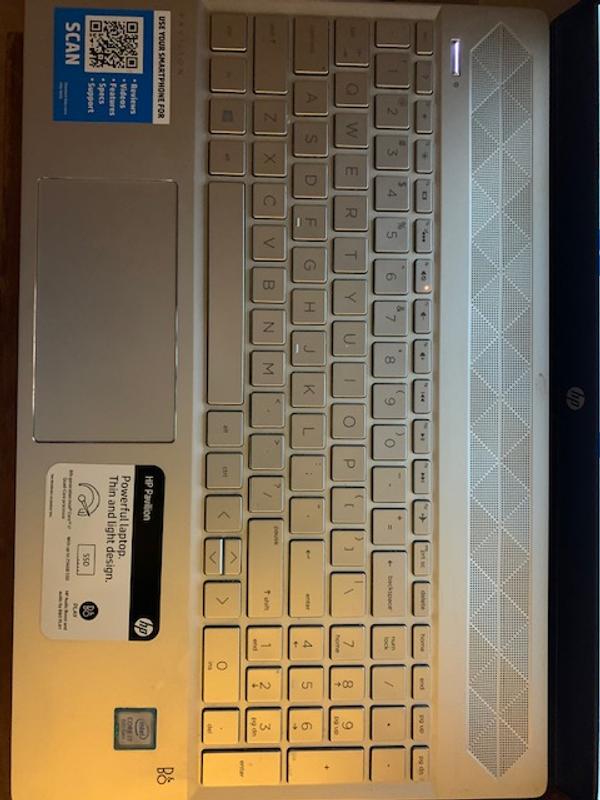
I recommended this product.
Everything about the laptop is great but the battery life is pretty weak. With very light usage, it won't get over 10 hours. Heavy browsing, maybe 5-6 hours, considering I have battery protection on that caps the max charge rate to 80%.
I recommended this product.
Great performance for this form factor. Has a great look and feel. The Samsung software feels a bit disjointed if you're wanting to fully immerse in the ecosystem. For example, it's unclear if I should be using Samsung's Phone app or Microsoft's Phone Link for calls/texts. There is also a major oversight in not having a way to enable Fn-Lock on boot up, a basic option available on every laptop I have ever owned. So far I have encountered only one application (Insta360 Studio) that doesn't run on the ARM processor. Otherwise this is a fantastic machine that I would highly recommend for most users.
I recommended this product.
Amazing computer. Definitely a good purchase. Display is nice along with the speed of the computer. And the battery life is unlike any other. I can't say enough good things about this.
I recommended this product.
Love this laptop bought it for school and works perfectly for that kind of workload. Only thing I dont like is the keyboard isn't backlit so for the price kind of wish it was but other than that recommended this laptop
I recommended this product.
It's still early days but I love the battery life, perfect for someone who doesn't always have access to an outlet. It runs all of the applications pretty fast as well.
I recommended this product.
This is really great notebook on a budget. Its price is on the low side but it still delivers great performance. I mostly use for surfing the web and streaming and works very well for them. I'd recommend this to anyone who doesn't want to spend too much on a notebook.
I recommended this product.
This is my first Samsung laptop. I have been using Samsung Galaxy phones since 2012 and have been pleased. It's been about 1 month since I have been using this Galaxy Book 4. It has been working as expected and so far am very pleased with my purchase. The battery life is better than my prior laptop. I do recommend this product.
Speaker sucks. I bought this computer 6 months ago and it crashed. 2025 and you can talk to anyone for help.


Hey Nick, Thanks for reaching out to share your experience using the Samsung Galaxy Book4 Edge with us. We appreciate your feedback as we continue to make improvements on the performance and functionality of our product line. Samsung provides a 12-month warranty on your PC for manufacturing defects in materials and workmanship. We also offer Samsung Care+ that can be added to eligible devices to provide physical damage protection for your investments. This powerful protection for your Galaxy life covers unlimited drops, spills, and mechanical breakdown. Talk about peace of mind! We would love nothing more than to be able to assist you with what you may be experiencing with your device, however, we need additional details regarding what may be occurring with your PC before we can do so. Please do not hesitate to contact Samsung Support at your earliest convenience if you would like further assistance with troubleshooting your Galaxy Book4 Edge. Thank you for being a loyal Samsung customer. - Debra Samsung Support smsng.us/Samsung-Support Warranty Info smsng.us/Warranty-Info Facebook Messenger smsng.us/Facebook-Messenger X Messages https://smsng.us/X-Messages Samsung Community smsng.us/Samsung-Community Samsung Care Plus smsng.us/Samsung-Care-Plus Galaxy Book4 Edge https://www.samsung.com/us/computing/galaxy-books/galaxy-book4-edge-15-6-inch/
From packaging to unboxed, I love this laptop. I thought it'd be slower than my expectations, but it gives the feeling that you would think it might be slow, but it's actually exceptionally fast and strong. It runs very rich quality videos with ease, and I love the speeds it has. The quality of the device is also quite well. But I do also love the packaging, haha. As for the charger, it's quite nice and simple, and charges fine as it should, and the screen for this laptop is amazing, honestly. I had expectations for it, and it past them without me really noticing it, haha
I recommended this product.
This was my first Samsung laptop ever and I'm sorry but performance against competition is really frustrating and only gets worse over time. I love the look, screen quality, and lightwieght design; this plus extra connection with my Galaxy phone and tablet is the reason why I purchased this product. I have to admit, that if you have used any other brand laptops, such as the more popular brands, you will quickly be disappointed with the Galaxy Books performance, comfort and glitches. The screen goes completely bright white at times for no reason when you first open it, to resolve this you have to close the screen again, then open it up back to normal; so far this works well but I clearly see this as a red flag. Track pad causes your cursor to jump and you then feel insecure about typing afterwards. Number pad takes awhile to get used to but not a dealbreaker. Glitches in perfornance such as unresponsive touchpad, occasionally happens, or keys won't light up, happens rarely but a couple of times since owning it almost a year. Many programs and games are not compatible with Snapdragon processor but I'm not a heavy gamer or program user, so it's not a big issue with me. A major design flaw is lack of air vents on the side of laptop, because gaming causes significant heating, and will shock you if you don't use it on a hard surface because the vent is underneath the laptop only. On my bed, it got seriously hot, shocking me about the lack of ventilation in design.
Hey there Something2025, Thank you for reaching out to share your experience with using the Samsung Galaxy Book4 Edge with us. We appreciate your feedback and critiques as we strive to improve the functionality and performance of our product line. Samsung provides a 12-month warranty on your device for manufacturing defects in materials and workmanship. We understand how frustrating it can be to have a device that may not be preforming as expected. For your review, I have included several resources to help you resolve what you have described to be experiencing with your PC. Feel free to check them out when you can and let us know if you would like any further assistance afterward. We're always here to help in any way that we can! Thank you for being a valued Samsung customer. - Debra Samsung Support smsng.us/Samsung-Support Warranty Information smsng.us/Warranty-Info Facebook Messenger smsng.us/Facebook-Messenger X Messages https://smsng.us/X-Messages Samsung Community smsng.us/Samsung-Community Galaxy Book4 Edge https://www.samsung.com/us/computing/galaxy-books/galaxy-book4-edge-15-6-inch/ Product Manuals https://www.samsung.com/us/support/downloads/ Samsung PC runs slowly or freezes https://www.samsung.com/us/support/troubleshoot/TSG10001509/ Blue or green screen error on Samsung PC https://www.samsung.com/us/support/troubleshoot/TSG10002786/ Touchpad is not working on Samsung PC https://www.samsung.com/us/support/troubleshoot/TSG10001518/ Samsung PC cooling fan noise https://www.samsung.com/us/support/troubleshoot/TSG10001430/
light weight, fast, great screen, great link up to my other Samsung devices. Price was good, just had to wait for a sale, and my military discount.
I recommended this product.
This device offers an excellent user experience, characterized by its lightweight design and premium feel, with responsive performance. While specifications are important, the overall user experience should also be considered when making purchasing decisions, as the design can often enhance functionality. Currently, the device is operating smoothly, and as a first-time user of an ARM-based laptop, I am impressed. I anticipate future innovations from Samsung.


I recommended this product.
Not sure why my review keeps getting deleted. Anyway, this computer has been nothing but an issue. I preordered it and it bricked after the first BIOS update. I got it fixed and now the screen has thin vertical lines on half of it and flickers all the time. It runs extremely hot and the fan is incredibly noisy. Not what I expected.
Good day, Thank you for reaching out to share your experience with using the Samsung Galaxy Book4 Edge. We appreciate your feedback as we improve the functionality and performance of our product line. Samsung offers a 12-month warranty on your device for manufacturing defects in materials and workmanship. If your Windows laptop or tablet PC screen is flickering, displaying dead pixels, or has colored lines, you may need to update your drivers using Windows Update or Samsung Update. You can also try adjusting the screen resolution. Then take a look at, "Samsung PC screen flickers" to help resolve what you have described to be experiencing with your PC. It's normal for the fan to get louder if the PC is working hard, and it should quiet down when your task is complete. Gaming and video rendering are notorious for pushing a computer as well. If the fan is running hard during normal use, there's a few things that can be done. Feel free to reach out to Samsung Support afterward if you have any questions or if you would like any further assistance. Thank you for being a loyal Samsung customer. - Debra Samsung Support smsng.us/Samsung-Support Warranty Information smsng.us/Warranty-Info Facebook Messenger smsng.us/Facebook-Messenger X Messages https://smsng.us/X-Messages Samsung Community smsng.us/Samsung-Community Galaxy Book4 Edge https://www.samsung.com/us/computing/galaxy-books/galaxy-book4-edge/ Samsung PC screen flickers https://www.samsung.com/us/support/troubleshoot/TSG10002787/ Samsung PC cooling fan noise https://www.samsung.com/us/support/troubleshoot/TSG10001430/
Copilot Desktop fails a lot! Each time I wanted to open it just shows a black screen and closes,ans when I wanted to use it with other apps ot just freeze the computer (e.g Zoom or Teams). Another thing that fails is Microsoft edge, I try to watch my watchlist or something else and it starts to fail. The battery does not last as long as it is mentioned in the website as well! So far, I experience a lot of freeze problems and not responding websites.
Howdy Anna, Thanks for taking the available time out of your day to share your thoughts with us about your Samsung Galaxy Book4 Edge. We appreciate your candor as we make every effort to improve the design and functionality of our product line. Samsung provides a 12-month warranty on our products for manufacturing defects in materials and workmanship, linked below. Please take a moment to review, "Samsung PC has a blank or black screen" and "Samsung PC runs slowly or freezes" for some simple troubleshooting steps that you can conduct to help resolve what you have been experiencing with your device. Also, check out "Reduced battery life on Samsung PC" to see what factors may be impacting your battery life. Feel free to reach out afterward if you would like any further assistance with troubleshooting your device further. Thank you for being a valued Samsung customer. - Debra Samsung Support smsng.us/Samsung-Support Warranty Information smsng.us/Warranty-Info Facebook Messenger smsng.us/Facebook-Messenger X Messages https://smsng.us/X-Messages Samsung Community smsng.us/Samsung-Community Samsung PC has a blank or black screen https://www.samsung.com/us/support/troubleshooting/TSG01109614/ Reduced battery life on Samsung PC https://www.samsung.com/us/support/troubleshoot/TSG10001517/ Galaxy Book4 Edge https://www.samsung.com/us/computing/galaxy-books/galaxy-book4-edge/ Samsung PC runs slowly or freezes https://www.samsung.com/us/support/troubleshoot/TSG10001517/
Beautifully responsive and smooth, good battery life, and light and convenient... but still needs work. * The USB-A port stops working after the laptop sleeps, and you need to reboot to get it working again. * The keyboard is slow and if you type too fast then the shift key will hang over too long giving you extra capital letters after you've already let go. * Touchpad filtering when you're trying to type is not reliable, and occasionally causes chaotic mouse movement while typing. I'm also a bit frustrated by the physical layout of the keyboard and touchpad, but that's probably just personal preference. The 16" model has a numeric keypad, which means the keyboard and touchpad both move a couple of inches left, but the divot for opening the laptop stays in the centre; so feeling that divot makes you think you're lined up with the controls but then clicking something always turns out to be a right click. Plug in an external mouse and forget the touchpad? I can't, because the USB-A port stops working after a sleep! Gaah!! Also the Fn and Control keys are the other way around from my other laptop, making the control key harder to reach, and there's no BIOS setting to swap them like in other laptops. So I keep hitting function keys instead of contrtol keys by accident, and that starts up random programs I don't want to use. Most of this could be fixed with firmware updates so I don't want to let this thing go, but I have to wonder if fixes will ever happen.
Howdy PreviouslyAGoodTypist, Thanks for taking the time out of your day to share your thoughts with us about your experience using the Samsung Galaxy Book4 Edge. We value your candor as we make every effort to improve the design and functionality of our product line. Samsung provides a 12-month warranty on our products for manufacturing defects in materials and workmanship, linked below. It looks like Windows has power management settings that can automatically turn off USB devices to save power when your laptop goes to sleep or hibernates. You can access your Power Options through the Control Panel (Windows Key + X). In your power plan's advanced settings, expand "USB settings" and then "USB selective suspend setting". Change this to Disabled and apply. You might need to reconnect your USB device afterward. Due to the limited space on a laptop keyboard, many keys will serve multiple functions. If they don't appear to be working correctly it's likely due to the alternate purposes of the keys being used instead. It's also important to have the language of your keyboard set correctly. Please take a moment to review, "Keyboard not typing correct characters on your Samsung PC" to help resolve what you may be experiencing with your keyboard. If you would like to lock your trackpad on your PC, press and hold the Fn key and then press the F5 key simultaneously to toggle your trackpad between being locked and unlocked. Or feel free to adjust its sensitivity within your Settings. Keep in mind that you can also turn off your Function keys by pressing the Fn Lock button to avoid the launching of unwanted functions to occur. If you would like any further assistance after reviewing the resources shared, please feel free to reach out to Samsung Support. Thank you for being a valued Samsung customer. - Debra Samsung Support smsng.us/Samsung-Support Warranty Info smsng.us/Warranty-Info Facebook Messenger smsng.us/Facebook-Messenger X Messages https://smsng.us/X-Messages Samsung Community smsng.us/Samsung-Community Galaxy Book4 Edge https://www.samsung.com/us/computing/galaxy-books/galaxy-book4-edge/ Keyboard not typing correct characters on your Samsung PC https://www.samsung.com/us/support/troubleshoot/TSG10001501/ Product Manuals https://www.samsung.com/us/support/downloads/
It's super fast. It's what I imagined and expected. I've been buying Samsung products for years. Thank you.
I am very happy with this computer so far. Got a great deal after I traded in my tablet and now I have a device I can actually work from home on. Great work Samsung.
Hey there Caesar0571, Thank you for taking the time to share your thoughts with us about your experience with the Samsung Galaxy Book4 Edge. We appreciate your feedback as we strive to improve the design and functionality of our product line. We're ecstatic to hear that you've been enjoying your purchase so far and that you received such a fabulous deal! on it! If you would care to share any other feedback with us or if you ever need any further assistance, please feel free to reach out to Samsung Support. We'd love to hear more from you! Thanks for choosing Samsung! - Debra Samsung Support smsng.us/Samsung-Support Warranty Info smsng.us/Warranty-Info Facebook Messenger smsng.us/Facebook-Messenger X Messages https://smsng.us/X-Messages Samsung Community smsng.us/Samsung-Community GB4 Edge https://www.samsung.com/us/computing/galaxy-books/galaxy-book4-edge/
I bought this moinths ago. It got bricked by a Windows Update and there seems to be no way to reinstall Windows. Completely unacceptable. You can only recover from inside Windows using a Windows app that you needed to somehow know about and setup before a problem.
Hey BobT, Thank you for finding the time out of your day to share your sentiments with us about your Samsung Galaxy Book4 Edge. Your feedback is invaluable to us as we strive to provide the best products with superior functionality on the market to our customers. Samsung provides a 12-month warranty on our products for manufacturing defects in materials and workmanship, linked below. Software updates are a vital part of keeping your PC running its best. It's important to periodically check for updates since they are released at different intervals. To make things easier, your Samsung PC allows you to quickly check and apply updates. You can even customize the update options, so they'll only happen at times that are convenient for you. Please take a moment to review, "Update software, apps, and drivers on your Samsung PC" and "Secure your Samsung PC with security features" to conduct some simple troubleshooting steps to help resolve what you have described to be experiencing with your PC. Feel free to contact Samsung Support afterward if you have any questions or if you would like any further assistance. Thank you for being a trustworthy Samsung customer. - Debra Samsung Support smsng.us/Samsung-Support Warranty Info smsng.us/Warranty-Info Facebook Messenger smsng.us/Facebook-Messenger X Messages https://smsng.us/X-Messages Samsung Community smsng.us/Samsung-Community Galaxy Book4 Edge https://www.samsung.com/us/computing/galaxy-books/galaxy-book4-edge-15-6-inch/ Update software, apps, and drivers on your Samsung PC https://www.samsung.com/us/support/answer/ANS10001472/ Secure your Samsung PC with security features https://www.samsung.com/us/support/answer/ANS10001428/
This machine is a waste of money and not compatible with many different software.
Easy initialization and transfer of data. Screen is impressive. Keyboard firs my hands and has a numeric section. Light and able to do everything needed.
I recommended this product.
Great computer! It is a very fast and reliable laptop.
I recommended this product.
I am loving this laptop. Coming from Mac book pro, I was nervous to make the switch - but it has been 100% Easy!!
I recommended this product.
Major Cons: 1. Touchpad touches will randomly disappear from you, now you have to play with it or hard press on touchpad for a response. 2. Screen would go blank after time out but won't respond to you attempts to turn back on. 3. Light detection has no affect on screen brightness. Pros: 1. High qualilty screen with some antireflective properties. 2. Decent speakers 3. Nice looking design of hardware. Cons: 1. Somethings are clearly not finished with Samsung and it's software, such as Smart Things. 2. AI functionality works ok but clearly needs more work and polish. 2.


Howdy Keith, Thanks for taking the available time out of your day to share your thoughts with us about your Samsung Galaxy Book4 Edge. We appreciate your candor as we make every effort to improve the design and functionality of our product line. Samsung provides a 12-month warranty on our products for manufacturing defects in materials and workmanship, linked below. If your Samsung PC's touchpad is not working, it may simply be locked or disabled. There is an easy way to unlock it and get the touchpad working again. If that doesn't do the trick, resetting the driver or installing updates could help. If all else fails, try a factory reset. There are many reasons the screen on your PC could go blank or black, but it's quick to run through all the possible reasons and either rule them out or resolve your issues. Please take a moment to review, "Touchpad is not working on Samsung PC" and "Samsung PC has a blank or black screen" to conduct some troubleshooting steps on your device to help resolve what you have described to be experiencing with your Galaxy Book4 Edge. We would be more than happy to assist you further with what you may be experiencing with your PC, however, we need more details about what may be occurring before we can do so. Please feel free to reach out to Samsung Support at your leisure if you would like further assistance with troubleshooting your device at your leisure. Thank you for being a valued Samsung customer. - Debra Samsung Support smsng.us/Samsung-Support Warranty Info smsng.us/Warranty-Info Facebook Messenger smsng.us/Facebook-Messenger X Messages https://smsng.us/X-Messages Samsung Community smsng.us/Samsung-Community "Touchpad is not working on Samsung PC" https://www.samsung.com/us/support/troubleshoot/TSG10001518/ "Samsung PC has a blank or black screen" https://www.samsung.com/us/support/troubleshoot/TSG10003195/ Galaxy Book4 Edge https://www.samsung.com/us/computing/galaxy-books/galaxy-book4-edge/
Amazing laptop .it feels premium and comes with awesome performance.
I recommended this product.
Please read other reviews on different platforms about the Samsung Galaxy Book 4, especially regarding how often the screen cracks without significant physical damage or impact. Yes, this model offers great technical specifications, but once the screen cracks, it's not worth fixing because the repair cost is almost the same as buying a new laptop. This happened to me after just three weeks of use. I opened the lid and noticed a tiny crack on the screen. Unfortunately, this issue seems to be common with this model. I was extremely careful with the laptop, but the crack still appeared, and it was not covered under warranty. My personal advice: do not buy this model.
Hello Lana, Thank you for making the time to share your Samsung Galaxy Book4 Edge experience with us. We understand how frustrating it can be to experience physical damage to your expensive PC. As you are aware, Samsung provides a 12-month warranty on our products for manufacturing defects in materials and workmanship, linked below. We also offer Samsung Care+ that can be added to eligible devices to provide an additional layer of protection for you and your devices. It offers you that ultimate peace of mind for those unanticipated situations in life like leaving your device behind in a coffee shop, spilling your drink on your keyboard, having your device stolen, or dropping and breaking your screen. With over 700 authorized repair locations available nationwide, getting back to what you love most is our top priority. Samsung Support is also here to assist you when it’s most convenient with your schedule. Our partners at UbreakIfix are also available to assist you with any repair needs you may have. Feel free to reach out to Samsung Support if you would like any further assistance or if you would like to share any other feedback with us. We're always here to assist you in any way that we can. Thanks for being a dedicated Samsung customer. - Debra smsng.us/Samsung-Support smsng.us/Warranty-Info smsng.us/Samsung-Care-Plus https://www.ubreakifix.com/ smsng.us/Facebook-Messenger https://smsng.us/X-Messages smsng.us/Samsung-Community
I am so glad i settled on this model & I love my new computer. The seamless connectivity between my Galaxy phone & Galaxy computer is super impressive & handy. Not only does it keep me more productive effortlessly responding to texts & such from my computer while I'm working it makes sharing files insanely easy. I can transfer pictures from job sites on my phone to invoices on my computer by simply selecting quick share & chose the receiving device then like magic it appears on that device full quality ready for use. The touch screen is very responsive & while the big track pad has taken me some time to learn & get used to I'm starting to really like it better. I love the gesture shortcuts i can do on it to easily scroll etc... The picture quality is rich & exactly what I've come to expect & love from Samsung. Most importantly this thing flies. I can multitask between many heavy programs & applications without lag. I typed way too fast for my old computers to keep up but this one keeps up with ease & fixes errors seamlessly & accurately for me as i go without me having to do a thing. The Microsoft 365 i already subscribe to for storage & office apps on my phone allows me to use full versions of all the office programs on my computer for no extra charge. I run my own housekeeping business & i help some of my older clients who are landlords with their secretarial work as well as doing my own. The combination of my galaxy 23 ultra with my new galaxy book edge allow me to run my business on the go, keep track of all of my clients, appointments, invoices etc... in a way that i could've only dreamed of before i had both. It makes my life so much easier, gives me back time with my kids & everything is professionally & beautifully done. My daughter also loves to borrow it to play Sims & other games & I've found the guilty pleasure of playing old school Spyro the dragon on it! Thank you so much Samsung!
Excellent laptop for business use and general use. Not a gaming device.
I recommended this product.
After using a Samsung phone and Tablet, now I am using my new Samsung PC. They all have great screen, and battery life besides a good performance.
I recommended this product.
Really awesome shipping was a bit weird but the product Is amazing
Often I find if you give a Ferrari to someone who only drives Honda civics their entire life, and this person refuses to learn how to properly operate this Ferrari, this person will say "it's a piece of junk" because they can't drive it properly or "it's really slow" because they burned out the clutch, or "its not comfortable" because they wore clothes from a day on the construction site, brought their supplies with them, and a piece of rebar is sticking out of the leather in the seat. Its an awesome piece of technology. Incredibly lightweight and just a beautiful screen. Buying it for its ultraportability, long battery life, and ability to run all windows programs (you can emulate if your program doesn't run on ARM). This laptop is exactly what I was looking for. Really important - This laptop is exactly what I was looking for based on my criteria, if you want a powerhouse that weighs 4 lbs or more, then get a powerhouse that weights 4 lbs or more.
I recommended this product.
fast - reliable - smooth keyboard - long-lasting battery - I love this computer
I recommended this product.
very nice computer packed with latest tech features. It runs very smooth with lightning speed. I am very pleased and impressed with this computer as it meets all of mu needs and it has exceeded all my expectations.
The battery life and design (besides trackpad) are really great. The X elite is fast and quiet. My biggest issue hasnt been with Arm64 support but with adreno support. You can't use this GPU for blender yet and you can't connect an eGPU.
I recommended this product.
Overall, a good productivity laptop. But for no reason one day the screen of laptop cracked, no major force applied, it was under moderate usage of 5 months.
Aloha Enkhe, Thank you for finding the opportunity to share your sentiments with us about your Samsung Galaxy Book4 Edge. We value your feedback as we are committed to constant innovation as we strive to improve the design and functionality of our product line. Our goal is for our customers to feel like they are having the most enlightening experiences while using our products. Samsung provides a 12-month warranty on our products for manufacturing defects in materials and workmanship, linked below. We also offer Samsung Care+ that can be added to eligible devices to provide an additional layer of protection for you and your devices. It offers you that ultimate peace of mind for those unanticipated situations in life like leaving your device behind in a coffee shop, spilling your drink on your keyboard, having your device stolen, or dropping and breaking your screen. With over 700 authorized repair locations available nationwide, getting back to what you love most is our top priority. If you would like to share any other feedback with us or if you would like any further assistance, please feel free to reach out to Samsung Support at your leisure. Thank you for being a staunch Samsung customer. - Debra smsng.us/Samsung-Support smsng.us/Warranty-Info smsng.us/Facebook-Messenger https://smsng.us/X-Messages smsng.us/Samsung-Community smsng.us/Samsung-Care-Plus
I bought this to replace my other brand laptop which was a 2 in one 360 that broke its hinge. For around the same price I could have got that same brand that wasn't 360 but decided to try something else because of the hinge issue. This proved to be a HUGE compromise because I've given up touchscreen which at first I was ok with since I don't use the touch feature very often. After getting the unit I started looking for the key to tun on the keyboard backlight and couldn't find it. Did some research only to find it doesn't exist. I had no idea that backlit keyboards weren't standard in 2024. Also had any descriptions when comparing units on Samsung's website made mention of this that would have likely influenced my decision heavily.
Aloha Maurjul, Thank you for finding the opportunity to share your sentiments with us about your Samsung Galaxy Book4 Edge. We value your feedback as we are committed to constant innovation as we strive to improve the design and functionality of our product line. Our goal is for our customers to feel like they are having the most enlightening experiences while using our products. Samsung provides a 12-month warranty on our products for manufacturing defects in materials and workmanship, linked below. While the Galaxy Book4 Edge (15.6") does not offer a backlit keyboard, our other Galaxy Book4's offer this feature minus the Galaxy Book4. Also, we offer touchscreens with the Galaxy Book4 Edge (14"/16") as well as most of our other Galaxy Book4 series. If you would like any further assistance or if you would like to share any other feedback with us regarding your recent purchase, feel free to reach out to Samsung Support at your leisure. Thank you for being a staunch Samsung customer. - Debra smsng.us/Samsung-Support smsng.us/Warranty-Info smsng.us/Facebook-Messenger https://smsng.us/X-Messages smsng.us/Samsung-Community https://www.samsung.com/us/computing/galaxy-books/compare/
Just too good. Ecxellent run on battery. Very powerful, excellent graphics
The Galaxy Book 4 Edge is a decently made laptop. I have a lot of other Samsung products and the Book 4 Edge is horrible when it comes to connecting with the buds and some of the other integrations. If you're buying it for that, then forget about it. I would get another brand if you can save money on a similar spec laptop, because you'll have the same functionality as a non Samsung brand, even when using other Samsung devices. You can also get a better track pad with other vendors. I would only buy this brand if it's the lowest cost.
Hi there Cpc3, Thanks for taking the time to review your Samsung Galaxy Book4 Edge. We appreciate your honesty as we strive to provide the very best products with superior functionality on the market to our customers while we remain committed to constant innovation. Samsung provides a 12-month warranty on our products for manufacturing defects in materials and workmanship, linked below. Galaxy Buds are versatile, wireless earbuds that can connect to several devices so you can get your audio your way. Whether you want to connect them to a phone, tablet, PC, TV, or even a smart watch, they have you covered. They can be used for streaming music and podcasts as well as making and managing phone calls. You can also switch the connection between other devices in your home using the Galaxy Wearable app or your device’s Bluetooth settings. Feel free to review, "How to connect your Galaxy Buds" to help resolve what you may be experiencing with your Galaxy Book4 Edge's connectivity. If you have any questions for us after reviewing this resource or if you would like any further assistance, do not hesitate to contact Samsung Support. Thank you for being a loyal Samsung customer. - Debra smsng.us/Samsung-Support smsng.us/Warranty-Info smsng.us/Facebook-Messenger https://smsng.us/X-Messages smsng.us/Samsung-Community https://www.samsung.com/us/support/answer/ANS10001319/
This laptop is complete trash , freezes, crash and most times do not load websites, it looked like someone returned it .
Hey there Afam, Thank you for finding the free time out of your busy day to share your thoughts with us about your Samsung Galaxy Book4 Edge. We appreciate your feedback as we strive to be innovative and improve the design and functionality of our products. Our goal is for our customers to feel like they are having the most memorable experiences while using our products. Samsung provides a 12-month warranty on our products for manufacturing defects in materials and workmanship, linked below. If your PC is performing slowly, freezing or locking up there could be a lot of causes. Take a look at, "Samsung PC runs slowly or freezes" to help resolve what you may be experiencing with your Galaxy Book4 Edge. If you have any questions for us or if you would like any further assistance, feel free to contact Samsung Support. Thank you for being a valued Samsung customer. - Debra smsng.us/Samsung-Support smsng.us/Warranty-Info smsng.us/Facebook-Messenger https://smsng.us/X-Messages smsng.us/Samsung-Community https://www.samsung.com/us/support/troubleshooting/TSG01109656/
LOVE this laptop! Light, fast, easy to set up, and beautiful display
I recommended this product.
Excellent performance and endurance. Havent heard fans in over a month after initial setup on day1. Battery life keeps on going and when I don't use it, laptop is just in sleep. No longer have to shut it down. I don't game or photo edit. So if your use case is like mine involving checking emails, browsing web, watching Netflix and doing office work in docs/sheets/PowerPoint nothing can beat this machine in the experience
I recommended this product.
Overall, it was a good experience; the screen was fantastic. Battery life is not as advertised, possibly 5-6 hours.
I recommended this product.
This laptop is fantastic! It's incredibly fast and has a top-notch screen. While a few apps currently require emulation, this is expected to become less of an issue over time.
I recommended this product.
The laptop is fast and energy efficient, but a lot of the programs do not run on the ARM processor which is frustrating.
Hi there Deelite, we appreciate your feedback on your Samsung Galaxy Book4 Edge. We are so happy to hear you are enjoying the speed and capabilities of your new laptop. We would love to help you troubleshoot the software that is causing frustration for you at your convenience. We have provided a link to the Samsung Support Team to help you through chat directly. We appreciate you being a Samsung customer. -Elizabeth Samsung Support smsng.us/Samsung-Support Samsung Community smsng.us/Samsung-Community Facebook smsng.us/Facebook-Messenger X https://smsng.us/X-Messages
This device is so nice, works super fast, and feels super premium. Everything about it is a 5/5 except the compatibility issues. If you’re a person who is looking to use your laptop strictly for Microsoft apps+Google, this will be a perfect device because of the long battery life and beautiful screen. However, there are still some compatibility issues with apps that don’t have a good ARM/x86 emulation, but that’s expected with any new change as big as this. I think within the next year or two, those will become less and less common and this will be the perfect windows device. Would not recommend for gamers though!
I recommended this product.
There is loads of resources to be handled and covered to make me more money I just got 555,000,000 with only 45,000
I recommended this product.
The device hardware and exterior is very nice, almost gorgeous. It's not that light as previous models or competitor's gram, but still light enough. Like the materials, the display. Don't like the shallow keyboard, and noticeable "chin" at the bottom of display (c'mon, it's 2024 already). Dislike the base combination offers 512GB of soldered storage, even though storage is so cheap these days (check how little high-end SSD costs from the very same Samsung). Remember, it's built-in eUFS so can't upgrade. While Windows 11 Arm works fine, there are still many software not yet natively supported by Arm64. Moreover, some of the pre-installed "bloatware" from Samsung is also x64, especially various background services - so go ahead and clean those extra tools.
Hello Pavel, we appreciate your feedback on your Samsung Galaxy Book4 Edge. We are pleased that you are happy with the hardware appearance of your new laptop. If you are finding the storage capacity to be insufficient you can always use additional SD card or external hard drives to expand the capacity and ensure you can keep all of your important documents and data. We have provided a link to the Samsung Support Team and full device manual to help you with the features and help you if you believ eyour device is not operating as intended. We appreciate you being a Samsung customer. -Elizabeth Product Manuals https://www.samsung.com/us/support/downloads/ Samsung Support smsng.us/Samsung-Support Samsung Community smsng.us/Samsung-Community Facebook smsng.us/Facebook-Messenger X https://smsng.us/X-Messages
I bought this laptop a few months ago. Things I really like: - the weight of the laptop is great. I can easily pick this up and carry it around (stepping down from a much heavier 17" laptop). - It's pretty. It has a nice display. Things I find REALLY disappointing: - The battery life is nothing like what was promised. Could I use this all day without a charge Not sure; it would go into battery saving mode long before 8 hours were up. Laptops with conventional processors have better battery life. - The SSD can NOT be removed from the laptop. If it dies, the laptop is toast. I prefer to remove my drive before getting rid of an old computer, and this would not be an option on this laptop. - Have had trouble getting all the software I want to work on an ARM processor. Norton won't install at all, and my institution refused to support installing the Cisco VPN, although I was able to work around that.
Hi Kathy, we appreciate you sharing your experience with your Samsung Galaxy Book4 Edge with us. We completely understand how important specific features and functionality of your laptop are to you every day. We would love to help you maximize your experience. We have provided a link to an article to help you troubleshoot the battery of your laptop, and another to the Samsung Support Team to help you with the different software compatibility and installation. We appreciate you being a Samsung customer. -Elizabeth Reduced battery life on Samsung PC https://www.samsung.com/us/support/troubleshooting/TSG01201702/ Samsung Support smsng.us/Samsung-Support Samsung Community smsng.us/Samsung-Community Facebook smsng.us/Facebook-Messenger X https://smsng.us/X-Messages
I LOVE this laptop. It is sleek and really impressive. No issues with the performance. The screen is brilliant. Sound is good. It all is A+ right now. I had another branded laptop that I paid about the same amount for and just couldn't handle it anymore. It was a definite dud. Constant issues. Overheating, freezing, etc. This is my 4th Samsung laptop, and I am GLAD to have another one.
I recommended this product.
Beautiful laptop! For the price point after trade-in credit, this is an amazing all rounder. The screen quality is simply amazing. Being Windows on arm, there's still quite a bit of compatibility issues, and bugs. Least of all, gaming popular titles will continue to be an issue. But for light tasks, surfing and media consumption, this is the first laptop I've ever owned where I no longer care to keep the device plugged in to a power source the whole time. :)
I recommended this product.
Hi there Visibly Shrouded, we appreciate you sharing your thoughts about your Samsung Galaxy Book4 Edge with us. We are so happy to hear you are pleased with the daily usage and battery life of your new device. We have provided links to the full device manual and the Samsung Support Team if you are interested in assistance with the features that are not aligning to your expectations or needs. We appreciate you being a Samsung customer. -Elizabeth Product Manuals https://www.samsung.com/us/support/downloads/ Samsung Support smsng.us/Samsung-Support Samsung Community smsng.us/Samsung-Community Facebook smsng.us/Facebook-Messenger X https://smsng.us/X-Messages
Overall, a pretty great laptop for the hardware. But the software is a major disappointment, everyday my computer freezes, white screen, Samsung galaxy book apps don't work. Such a big disappointment.
Hi there P wizard, we appreciate your feedback on your Samsung Galaxy Book4 Edge. We understand how important the full functionality of your laptop is to you every day for both work and personal reasons. We have provided a link to an article to help you troubleshoot the freezing you mention occuring. We have also shared links to the Samsung Support Team and full device manual to help you with the Samsung Apps. We appreciate you being a Samsung customer. -Elizabeth Samsung PC runs slowly or freezes https://www.samsung.com/us/support/troubleshooting/TSG01109656/ Product Manuals https://www.samsung.com/us/support/downloads/ Samsung Support smsng.us/Samsung-Support Samsung Community smsng.us/Samsung-Community Facebook smsng.us/Facebook-Messenger X https://smsng.us/X-Messages
I am very pleased with this device so far. The battery life is very good. The ergonomics are good. The weight is low enough. The appearance of the device is attractive. I enjoy using the keyboard. I get many things done, and it feels pleasant to do so. Overall it's a good purchase. At first I felt it was a lot to spend. However, the device does everything that I had hoped it would so far. I would like to know more about applications that work with ARM. I am eager to see what develops with this platform. To be honest, the use of Windows is a concession that I am making for work. I enjoy the idea of using an ARM based processor and hope to discover its capabilities bloom through developer activity. If developer activity does not produce applications that I am interested in, I could sell this device for a lot less than I paid for it, most likely, but I am happy with it. Each experience has been positive, and that's enough to be grateful for. Many people have said that this machine doesn't make a lot of sense, but it does everything I want it to. It has a very nice screen, powerful and fast enough, is the right weight, is efficient with power, and looks very nice. It's a pleasure to use. I want a laptop to be easy to use and to help me get stuff done as quickly, enjoyably, and comfortably as possible. Looking forward to using Microsoft 365 applications on the web for work while I'm at home or on the road. Last, the charger being small is excellent. But I like even more that I don't need to bring it on the road because the machine is power-efficient. I carry two laptops in one bag, one work-issued, and this one. The less stuff I have to bring, the better. Together they are pretty heavy but it's worth it. At least I can carry both of them. Back to back in a light bag, with one of them in a mylar bubble-wrap mailing envelope, they have more tensile strength and protect each other from damage to some degree. The physical fragility of the device is the greatest concern I have, as the price to toughness ratio of this device is pretty high, necessitating care and mindfulness with its transport and use, and vigilance against theft.
I recommended this product.
The laptop is lightweight and easy to set up, making it user-friendly from the start. Its fingerprint login and password features are quick and convenient, providing seamless access and enhanced security.
I recommended this product.
I did not get the laptop I paid for different color
My wife woke me up because her previous laptop died and I immediately had the snapdragon windows laptops in mind. Luckily the Samsung just happened to be on sale that day. Recently I purchased a second hand galaxy s 9 tab ultra that I would recommend so Samsung seemed like a natural brand to go with, especially considering our previous commitments to the ecosystem. If I had any problem with the laptop at all it would be that as a media device it seems to compromise from the tablet. The tablets screen is smaller but slightly more vibrant and the speakers are significantly louder and clearer on the laptop. My expectations were that the laptop would edge the tablet out not the other way around, but a tablet being a dedicated media device makes sense. The keyboard could be slightly more raised according to my wife.
I recommended this product.
Hey there That guy, we appreciate your feedback on your Samsung Galaxy Book4 Edge. We are so happy to hear you are overall pleased with the usage and features of your laptop. We have provided a link to the full device manual to help you adjust the settings of the display and laptop in general to best align to your preferences. We have also shared a link to the Samsung Support Team if you have any questions about your Samsung products. Thank you for being a Samsung customer. -Elizabeth Product Manuals https://www.samsung.com/us/support/downloads/ Samsung Support smsng.us/Samsung-Support Samsung Community smsng.us/Samsung-Community Facebook smsng.us/Facebook-Messenger X https://smsng.us/X-Messages
Better than expected, very light weight and sleek. Nice display and keyboard. Battery life is okay not as advertised for Snapdragon. Not seeing many issues to get the application run on x86 mode, basic everyday application available and working great. Overall happy with the purchase.
I recommended this product.
Hi Ponc, thank you for your feedback on your Samsung Galaxy Book4 Edge. We are so happy to hear you are enjoying the usage of your new laptop. We would love to help you troubleshoot the battery life of your device if you believe it is not operating as intended. We have provided a link to the Samsung Support Team. You can reach them through the chat function for one on one assistance with any questions about your Samsung products. Thank you for being a Samsung customer. -Elizabeth Samsung Support smsng.us/Samsung-Support Samsung Community smsng.us/Samsung-Community Facebook smsng.us/Facebook-Messenger X https://smsng.us/X-Messages
I have had this laptop for about 3 months; I had originally bought it for college. The laptop itself is nice, I just wish they offered more colors. The laptop is really fast; however, the computer does tend to overheat a lot when running bigger apps like excel. I had also seen a review on this computer being able to support casual games, but I tried playing Roblox on it, yet it began overheating badly. When it overheats you can feel it on the bottom part of the laptop which feels like it will burst into flames (it hasn't happened yet). The overheating is the reason I am giving it 3 stars as the apps on the laptop run smoothly, it is also very light so ideal for college.
I recommended this product.
Hey there Ilovesamsungproducts, thank you for your feedback on your Samsung Galaxy Book4 Edge. We are so happy to hear you are pleased with the features and overall functionality of your new laptop. We would love to help you with the temperature of your device. We have provided a link to an article to help you with the temperature of your device. We have also provided a link to the Samsung Support Team to offer additional assistance if this experience continues with your device. Thank you for being a Samsung customer. -Elizabeth Keep your Galaxy device at its normal operating temperature https://www.samsung.com/us/support/answer/ANS00076952/ Samsung Support smsng.us/Samsung-Support Samsung Community smsng.us/Samsung-Community Facebook smsng.us/Facebook-Messenger X https://smsng.us/X-Messages
Got one month ago and it's a gem for real It's a lot to Master And Tyme Is On Your Side the features and what's its capplicable of is Level of it's own
I am happy with the laptop. Nice display and decent battery. Slight compatibility issues, i can still live with it.
I recommended this product.
Fast and efficient laptop thanks to the ARM chip. The sleek design and reliability of the Snapdragon chip makes this laptop a powerhouse.
I recommended this product.
I was looking for a new laptop and I saw this from samsung. For the price, this laptop is the best so far. It is lite, fast, best in quality. I love the laptop performance.
I recommended this product.
Hey there Srikanth, thank you for your feedback on your Samsung Galaxy Book4 Edge. We love hearing you are enjoying the usage of your new laptop and finding it easy to carry around forall of your needs. We have provided a link to the full device manual to help you discover any additional features that can enhance your overall experience. We have also shared a link to the Samsung Support Team if you ever have questions about your Samsung products. Thank you for being a Samsung customer. -Elizabet Product Manuals https://www.samsung.com/us/support/downloads/ Samsung Support smsng.us/Samsung-Support Samsung Community smsng.us/Samsung-Community Facebook smsng.us/Facebook-Messenger X https://smsng.us/X-Messages
Great laptop! I mostly use it to play steam games, and you can't play most but I have a steam deck and I connect it to steam so it doesn't bother me. I like that fingerprints don't transfer onto the screen!
I recommended this product.
I am learning more about apps Datta I have learned there is a deeper filing and coden the software I wond were it goods?may that is something we shout look at.it may be the cause for the milware that is effecting nor security programs..
I’m really impressed with the battery life on the Galaxy Book4 Edge—it lasts a long time, even with the screen brightness turned up, which is fantastic. The screen itself is bright and clear, making it enjoyable to work on, but I do wish the touchpad was a bit more responsive, similar to the feel of a MacBook’s. While the performance is solid, the synergy with other Galaxy devices isn’t as seamless as I’d hoped, which is the only reason I’m giving it 4 stars instead of 5. Overall, it’s a powerful laptop with a lot of great features, especially for battery-conscious users!


I recommended this product.
Hi Mush_Milan, thank you for sharing your thoughts about your Samsung Galaxy Book4 Edge with us. We are so pleased to hear you are enjoying using your new laptop for a range of daily tasks. We have provided a link to the full device manual to help you with the connection with your other Galaxy devices. We have also provided a link to the Samsung Support Team if this feature is not meeting your expectations. Thank you for being a Samsung customer. -Elizabeth Product Manuals https://www.samsung.com/us/support/downloads/ Samsung Support smsng.us/Samsung-Support Samsung Community smsng.us/Samsung-Community Facebook smsng.us/Facebook-Messenger X https://smsng.us/X-Messages
The battery life and smoothness is killing it. I recommend this device
AI feature is good but the performance is somewhat slow and hanging when doing complex algorithms.
Hi there Pardhu, we appreciate your feedback on your Samsung Galaxy Book4 Edge. We love hearing you are enjoying the new Galaxy AI features with your computer. We have provided a link to the Samsung Support Team to assist you with potential options for the speed of your device during your more complicated processes. They can help you depending on the software you are using and other potential factors. Thank you for being a Samsung customer. -Elizabeth Samsung Support smsng.us/Samsung-Support Samsung Community smsng.us/Samsung-Community Facebook smsng.us/Facebook-Messenger X https://smsng.us/X-Messages
I have owned more than 10 laptops and tablets by other companies. This is the first laptop I have owned that I am truly, truly happy with. The color on the screen and the graphics are spectacular. I am so pleased with this laptop purchase. I can not give it enough praise. Thank you Samsung.
"Congratulations on your new Samsung laptop! It's a fantastic choice. The sleek design, impressive performance, and cutting-edge technology make it a standout device. Whether you're working, streaming, or just browsing, this laptop is sure to deliver a top-notch experience. Enjoy your new tech companion!"
Love it! I bought this for work and school, works great. It runs very smoothly! Highly recommend.
I recommended this product.
Amazing laptop with great display with touchscreen and fast processor. Some of the features are not useful as drivers are not available yet
I recommended this product.
This Laptop is the GREATEST. It was easy to set up for my use and is quick. I love it and Samsung products. I will be buying more in the future.
I recommended this product.
Need to be able to install Google Drive and remote desktop
Hi Ok sure, thank you for sharing your thoughts about your Samsung Galaxy Book4 Edge with us. We completely understand how important specific software and functionality are to you every day. We have provided a link to the Samsung Support Team to offer assistancce or answers to resolve this experience with your laptop. We appreciate you being a Samsung customer. -Elizabeth Samsung Support smsng.us/Samsung-Support Samsung Community smsng.us/Samsung-Community Facebook smsng.us/Facebook-Messenger X https://smsng.us/X-Messages
Needed a new PC for school wanted something then and light with long battery life. I have been impressed with this computer the battery life is enough to last all day. It is light enough to just toss in a bag and go you don't even realize it is there. The display is probably the best I have seen on a laptop at this price point. If you need a PC for light productivity and all day battery life you can't go wrong. If you need something with some graphics power in it you will need to look at something else.
I recommended this product.
Awesome fir the pricepoint... Would purchase again...
Love the Book4 very light. Screen bright!! Very thin!!
I recommended this product.
I bought this laptop a few weeks ago and I had high hopes. It's just not ready for primetime. There are many glowing reviews about ARM based systems with stellar battery life. While that may be true of other builds, it's not true of this one. Basic YT videos and browsing drain the battery as fast as any x86 offering (and that's not even on performance mode.) Software compatibility is hit-and-miss (expected) and a full shut down and restart is necessary, if you don't want web pages to hang forever. On performance mode, the battery drains like a juice box on a hot summer day. The laptop also gets quite warm to the touch in performance mode. The second USB drive may or may not recognize your peripherals. Sandisk external drives do not play nice with the secondary USB port but work fine one the main one. There are many small details like this that make the experience less than stellar. I've found the wifi basically operates at 1/2 speed. With an older Dell laptop (2 years), I can get 2 to 2.5X faster connections, at the same spot in the house, or any other location. Some web pages may take up to 10 seconds or more to load. Others seem ok. There are just too many issues to really recommend this version as a go-to device. It's just hit and miss. On the plus side, it is thin and lightweight and easily portable with a good screen. When things do work, they are zippy. I guess I paid the early adopter penalty. You can get more competitive products at this price point based on overall performance.
I traded in first generation Microsoft Pro X to get the Galaxy Book4 Edge 14". I have not been disappointed. Great screen, great keyboard, zippy performance, long-lasting battery, and low heat. I bought this mainly for work, which involves mostly Office applications and Web research. This is the most lap-friendly laptop I've ever owned. It is light, nicely balanced, with backlit keys, and stays cool. The application compatibility of Windows on ARM has improved immensely. I have an Intel computer for my music hobby, but I wanted to test the limits of the Elite X processor. My Pro X couldn't run any of my music applications. I was able to install Roland Zenbeats on the Pro X, but it would not run. The Galaxy Book4 Edge runs Roland Zenbeats, as well as Ableton Live, and most of my plug-ins, including all Arturia plug-ins and Roland Zenology Pro. The only plug-ins I could not install were my Korg plug-ins. I made a Live Set in Ableton Live with six MIDI tracks using Zenology Pro and Arturia plug-ins with no problems. Amazing. Overall, this is a great laptop for most use cases, but you may run into compatibility issues for specialty applications. I would enthusiastically recommend this laptop if you're looking for a laptop specifically for writing.
I recommended this product.
I bought this to use for school work. It is great. I love the screen. It is clear and vibrant. The laptop's response is awesome..
So far very happy with the Galaxy Book4 Edge! I got the 14" and it is beautiful. I do not game or use it for business, but it seems powerful enough if I did. I love how it is so compatible with my Galaxy S23 Ultra phone. I am sure I haven't even touched the surface on everything this laptop can do. Shipping was quick and easy and love how light and thin it is.
I recommended this product.
Loving the snappy performance of x-ellite, excellent battery life and vibrant display
Excellent quality. Would like to utilize Google apps
I recommended this product.
The computer is excellent except for one area. I have poor vision and purchased it because of the excellent display. The problem is that the keyboard is hard to read. Very small letters and colors that while pleasing are difficult to read. Larger letters in a darker color would be better.
Hi there John, thank you for your feedback on your Samsung Galaxy Book4 Edge. We are happy to hear you are pleased with the display quality of your device and overall functionality. We appreciate you sharing your experience with the keyboard of your device as we strive for the best experience to our customers. Please, don't hesitate to reach out to us again any time with additional feedback or questions about your Samsung products. Thank you for being a Samsung customer. -Elizabeth Samsung Support smsng.us/Samsung-Support Samsung Community smsng.us/Samsung-Community Facebook smsng.us/Facebook-Messenger X https://smsng.us/X-Messages
I recently got my hands on the Galaxy Book4 Edge 14", and I must say, I'm thoroughly impressed. This device is incredibly snappy and super lightweight, making it a joy to carry around and use on the go. Despite downgrading from a laptop with 32GB of RAM and a Ryzen 5 3000 series processor, the Galaxy Book4 Edge 14" feels faster. It even handles some of the games I used to play on my old computer, which is a pleasant surprise. While I primarily game on my Steam Deck, having the option to play some games on this laptop is a nice bonus. There have been reports about the audio quality being subpar, but my experience has been quite the opposite. The audio is clear and loud, and I've even noticed the Dolby Atmos effect at very low volumes. The device does get a bit hot, but I use rear foldable plastic risers to improve ventilation and keyboard access, which helps a lot. Speaking of the keyboard, typing on this laptop is an absolute delight. Many people talk about key travel, and I find this keyboard to be one of the best I've ever typed on. As a fluent typist, I appreciate the comfortable and responsive keys. The touchpad is also nice, with gestures and a satisfying feel while swiping. I haven't experienced any accidental touches while typing, which is great. The battery life is another standout feature. I've never had a Windows laptop that lasted more than around 4 hours, but with the Galaxy Book4 Edge 14", I can get through a full 8-hour work shift and still have more than 30% battery left. Overall, the Galaxy Book4 Edge 14" is a fantastic device. It's one of the nicest laptops I've ever used, and I hope to keep it for several years, just like my old laptop.
I recommended this product.
It's a really good and fast laptop. Good for the price too. Excellent screen that gets bright and doesn't glare, battery life lasts long too.
I recommended this product.
For the keypad on the right they need to switch the enter key and period Key. The touchpad also needs to be smaller.
I recommended this product.
Hi there GPAR, we appreciate your feedback on your Samsung Galaxy Book4 Edge. We are happy to hear you are overall pleased with your laptop. We appreciate you sharing your thoughts about the keyboard and touchpad of your laptop to help us moving foward provide the desired experience to our customers. We have provided a link to the Samsung Support Team if you have questions or experience anything out of the ordinary with your Samsung products. Thank you for being a Samsung customer. -Elizabeth Samsung Support smsng.us/Samsung-Support Samsung Community smsng.us/Samsung-Community Facebook smsng.us/Facebook-Messenger X https://smsng.us/X-Messages
Great PC but be aware of the very few programs available for this processor. There is no Google Drive Desktop available. Someday you'll be able to install the same programs as in the regular windows.
Hi there Gabo, thank you for your feedback on your Samsung Galaxy Book4 Edge. We know how important specific software and functionality of your laptop are to you every day. We have provided a link to the Samsung Support Team to offer one on one assistance with your software downloads, and we recommend reaching out to the developers of the software to see if they have any recommendations or troubleshooting steps to resolve this experience. Thank you for being a Samsung customer. -Elizabeth Samsung Support smsng.us/Samsung-Support Samsung Community smsng.us/Samsung-Community Facebook smsng.us/Facebook-Messenger X https://smsng.us/X-Messages
I was looking for an ARM AI PC with a larger screen. This was the only one that I could find. That made me really nervous, not having a choice. But I am very happy with this PC. It’s super fast and easy to use like some other people. I’m not real fond of mouse pad, but I use a Bluetooth mouse anyway so it doesn’t really matter to me. Bottom line if you’re going to get this one, go ahead and pick up that wireless mouse while you’re at it. This computer is super fast and I really love using the AI features. I do not like this version of windows (11), but that’s not Samsung’s fault.
This is a great product, I replaced my surface laptop and felt to be a perfect upgrade. I highly recommended to others.
I recommended this product.
It's been fantastic for me so far! I absolutely love the battery life, and the typing experience is pleasantly responsive. My only gripe is the app compatibility with the ones I use on Windows PCs. Other than that, the screen is bright and vibrant. It can do 95% or more of what most people need 100% of the time. The large 16" screen is a bonus, and if you're in the Samsung ecosystem, it's even better with features like Second Screen and Multi Connect, which let you control your devices (Samsung Tab and Samsung phone), use them as a second screen, and Multi Control allows you to use your Galaxy Book's touchpad to boost productivity. It's a great purchase, don't hesitate.
I initially did not want to adopt the new Copilot + platform this early, however I ran into a situation with my daily driver and needed a replacement. I have been extremely impressed with this laptop. Daily tasks are fast and take up minimal battery life. Depending on how much I push the machine, I'm usually ranging between 8-12 hours on battery. Low intensity activities easily get 16+ hours in real world use. The screen is by far the best in this class, and when I purchased the laptop, so was the price. The computer is large, however for me it is worth it for the number pad, which is comfortable to use. Overall I see myself keeping this computer for a long time, with the only downside being the lack of the windows hello camera. I would purchase again. Pros: Build quality, battery life, keyboard feel, upscaled snapdragon platform, screen, price, ports Ok: Bezels, Webcam Cons: Touchpad size (not an issue functionally, but it is massive)
I recommended this product.
These reviews are managed by Bazaarvoice and comply with the Bazaarvoice Authenticity Policy, which is supported by anti-fraud technology and human analysis. Details at https://www.bazaarvoice.com/trustmark/
Review Gallery popup
I have got the s25 ultra, its absolutely amazing, honestly I was considering the 17pro max, pixel 10 pro xl, and the s25 ultra for over 3 months, and did lots of comparisons, all were good products, but by far the s25 ultra blows everything out of the water, its the king of all phones. Looks amazing, super snappy and powerful with the smpdragon 8 elite Gen 4, the best camera in smartphones, absolutely polished samsung one ui, honestly I am amazed for days, superb AI …functionality, I have been gaming all day it barely gets warm, superb display and battery performance is better because of the more efficient cpu, honestly glad I made the right decision and would do it again.smartphones, absolutely polished samsung one ui, honestly I am amazed for days, superb AI … functionality, I have been gaming all day it barely gets warm, superb display and battery performance is better because of the more efficient cpu, honestly glad I made the right decision and would do it again.
I recommended this product.
We’re thrilled to see how much you are enjoying your S25 Ultra, Rajjdeep! It’s great that after deep research, the incredible capabilities of this model blew you away. The sleek design is perfectly complimented by the rich display and the speedy processor, which works in harmony with the battery to give you life all day. The 200 MP main camera lens captures true to life images, which can be edited easily with Galaxy AI. It’s the ideal device for gaming, work, and play - this model really has your back! ^SK at Samsung Support