

See what people are saying
See what Galaxy customers think
MEET YOUR ALL-NEW FOLD
-
All-new shape
Various lavender objects in a 10 by 16 ratio are seen being held one-by-one in someone’s hand. The last object then transforms to become Galaxy Z Fold8.
-
A field of flowers is displayed clearly on the seamless main screen of an unfolded Galaxy Z Fold8. The device turns to the side to show its thin profile and sways back and forth as the text 201 g appears near the device, followed by the text 4.5 mm.
-
Galaxy Z Fold8's chip is seen on a chipboard with NPU, GPU, CPU. The chip then transforms to say AI. Then, the chip enters the back of a folded Galaxy Z Fold8. Powered by Snapdragon 8 Elite Gen 5 for Galaxy.
-
Photo of someone is being taken in front of a scenic background on Galaxy Z Fold8. The device is folded and being held horizontally. The photo can be seen on the cover screen.
-
A video of people dancing. When editing, the My FanCam button can be pressed after selecting the AI icon. Galaxy AI detects the subjects in the video. The user then taps on someone to track them. A 9 by 16 ratio is selected from the cropping options and the Follow button is pressed. Galaxy AI creates a new video with the selected person as the main subject.
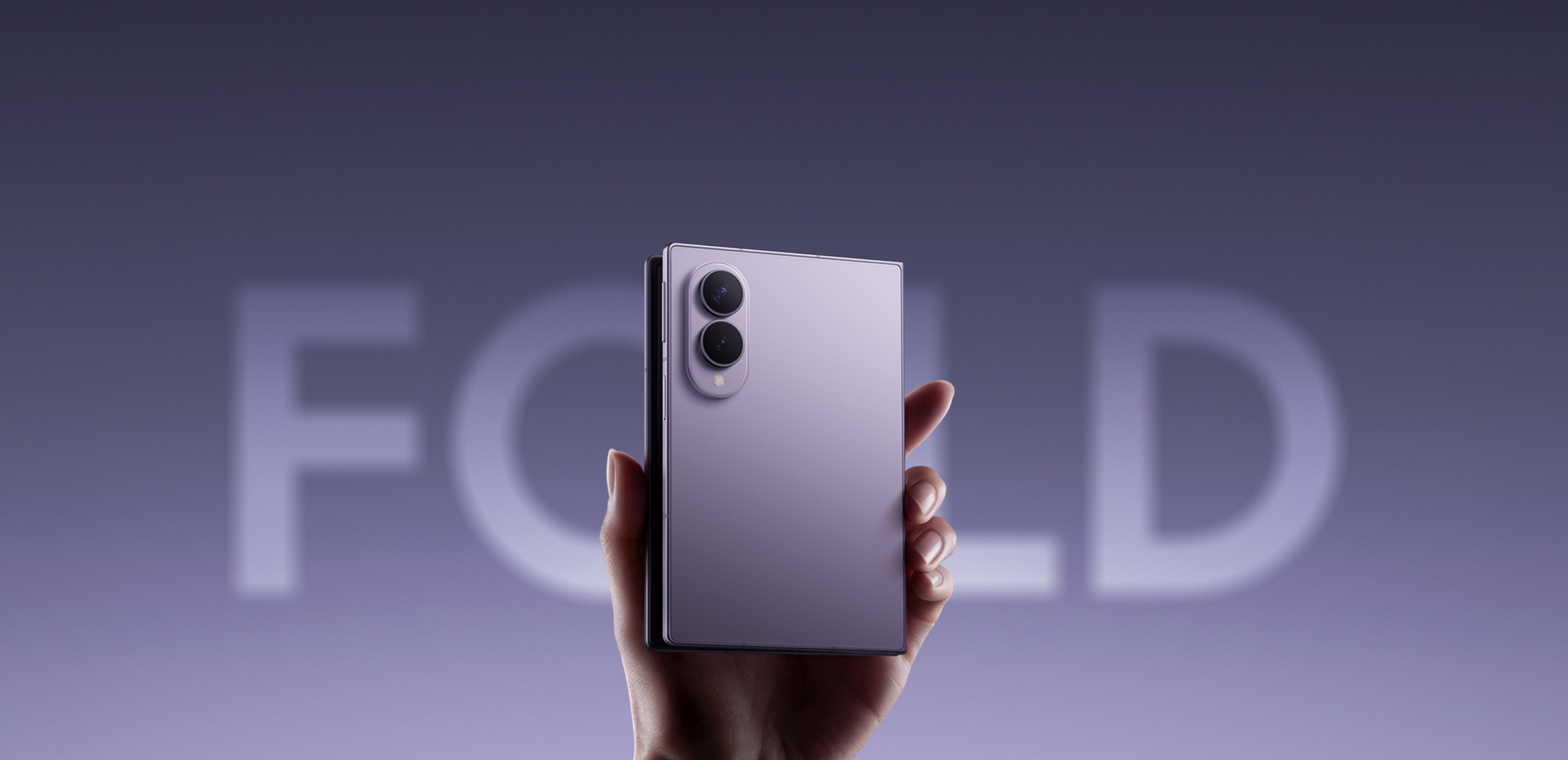
A bigger screen shouldn’t mean more to carry. At just 201 g and 4.5 mm when unfolded, Galaxy Z Fold8 brings immersive viewing to a remarkably light, slim design you can comfortably use throughout the day — perfected over eight generations of foldable innovation. At 201 g and 4.5 mm when unfolded, Galaxy Z Fold8 represents eight generations of refinement and mastery — seamlessly pairing an expansive main display with a featherlight design crafted to be your effortless, all-day companion.
DESIGN SWITCHING FROM iOS
The screen matches your social feed
Galaxy Z Fold8 is being held comfortably in one hand. Social media content is then seen on the cover screen. The device then unfolds to show long-form content being watched on the main screen.
-
-
Galaxy Z Fold8 Ultra
Large main screen perfect for side-by-side productivity.
-
Galaxy Z Flip8
The handiest AI phone in your pocket.
-
-
Galaxy Z Fold8 Ultra
Engineered with a powerful battery for uninterrupted workflows.
-
Galaxy Z Flip8
A battery that keeps up, so you don't have to slow down.
-
Galaxy Z Fold8
A camera that lets you catch every moment as you live it.
-
50 MP
Wide camera
-
Up to 10x
Digital zoom
-
-
Galaxy Z Fold8 Ultra
Pro-level camera effortlessly captures the details.
-
200 MP
Wide camera
-
Up to 30x
Digital zoom
-
-
Switch. Easier
Seamlessly move your data from iOS or Android to your new Galaxy.
DISPLAY
Match the ratio. Max the joy
From uncovering a new brunch cafe or a gallery opening on reels to getting caught up in your favourite series, Galaxy Z Fold8 is ready for scrolling or streaming from the moment you start your day. Trendsetters can get their daily dose of music, food and travel on both the 10:16 cover screen and the immersive 4:3 main screen that have been engineered specifically to offer a comfortable viewing experience.,
Unfolded Galaxy Z Fold8 is seen in a portrait position. A magazine article is seen on the main screen. As the device rotates to a landscape position, the content transforms to a full-screen video.
With these optimised aspect ratios and 3000 nits of brightness on both screens, transition from short-form to long-form content with ease. From inspiring articles to e-books perfectly optimised for portrait mode, whether you're researching your next city getaway or getting lost in a good chapter, everything feels better when you open the flattest fold we've ever made. Plus, anti-reflection on the main screen provides less glare so you can enjoy better clarity whether you're indoors, outdoors or even on the go.
Discover an all-new shape that adds joy to your daily life, featuring a wide yet compact cover screen when folded and immersive entertainment when unfolded. Yes, you can keep your memories with you. Bring all your data over without the hassle, and continue to easily share files with friends, including iOS users. Do it all on a compact foldable designed to suit a variety of content for hours of immersive entertainment, adding joy to your daily life.
PERFORMANCE
Power that empowers you.
Customised for Galaxy
Galaxy Z Fold8 delivers powerful performance to support the way you explore and stay inspired. Fueled by Snapdragon® 8 Elite Gen 5 for Galaxy, which brings together a next-gen CPU, GPU and NPU, it handles anything from immersive reading to seamless streaming without breaking your flow on your long commutes. The advanced NPU powers AI tools that help you shape ideas instantly when engaged in an online masterclass, while the GPU keeps visuals smooth across everything as you watch and explore.,
Galaxy Z Fold8's chip is seen on a chipboard with NPU, GPU, CPU. The chip then transforms to say AI. Then, the chip enters the back of a folded Galaxy Z Fold8. Powered by Snapdragon 8 Elite Gen 5 for Galaxy.
CAMERA
Focus on the moment.
Dual 50 MP does the rest
Get inspired, and capture the best parts of your favourite local spots and trips with friends without having to interrupt the moment. Ideal for any creative, the powerful 50 MP camera lets you document any part of your day just like a point and shoot camera, so every shot feels intentional.
Later, let your masterpiece unfold on the large main screen. Edit or instantly watch with your friends, and see every detail the way it deserves to be seen.,
Photo of someone is being taken in front of a scenic background on Galaxy Z Fold8. The device is folded and being held horizontally. The photo can be seen on the cover screen.
-
Nightography.
Make everything you capture worth sharing. The 50 MP camera delivers rich details, while ProVisual Engine refines each shot with real-time noise reduction. Powered by the advanced AP, it intelligently analyses sensor-specific patterns to deliver sharper, more vibrant videos — even in low light and with every detail seamlessly preserved from Wide to Ultra Wide in 8K. Capture candlelit dinners with friends exactly the way you experience it.,
ProVisual excellence on video

-
Dual Recording.
Show both sides of the story in a single take without editing. Open a vertical split view that can appear on both the cover screen and the main screen for you and your friends to preview at the same time. So when it comes to watching back your shots, reliving the memory is just as easy as capturing it.
The full story from left to right
What makes every shot shine
Galaxy AI.
NOW NUDGE
Nudges what's next. Takes you there right away
Whether you're keeping up with the fast-paced flow of the group chat or researching your next restaurant spot, Now Nudge keeps things moving without pulling you out of the moment.
Helpful prompts are ready to take you to your next action, allowing you to work seamlessly from the cover screen to the main screen. Unfold and press the prompt to move to a split view that gives you the space to do more in one place. Share photos, pin to maps and view locations, all without a single manual app switch.
Main screen of Galaxy Z Fold8 is seen. A text conversation is seen discussing details for an upcoming plan. A friend has asked if the user is free on July 22. A Now Nudge prompt is seen above the device suggesting the user to View Calendar. When the split view icon in the nudge is pressed, the Calendar app opens alongside the messaging app in a multi-window view.
MY FANCAM
Film it all. Frame perfectly later
Get everyone in the shot at an event or a gathering with friends and then put the spotlight on one person later with Galaxy AI. On Galaxy Z Fold8's main screen, change wide-angle shots into subject-centered tracking shots cropped to your choice of aspect ratio for easier, more precise edits right from your Gallery.
A video of people dancing. When editing, the My FanCam button can be pressed after selecting the AI icon. Galaxy AI detects the subjects in the video. The user then taps on someone to track them. A 9 by 16 ratio is selected from the cropping options and the Follow button is pressed. Galaxy AI creates a new video with the selected person as the main subject.
PHOTO ASSIST
Studio-level edits, built in
Get effortless AI photo editing with just a few words. Naturally describe the edits you want to make, and Galaxy AI will enhance the image for you. Watch it come to life in minutes, then easily compare the original and edited image side by side on the large main screen.
A photo is seen in Photo Assist. The user describes what they want to change and the Generate button is pressed. Galaxy AI edits the photo. The show previous button is pressed. The original and the edited version can be viewed side by side on the main screen of Galaxy Z Fold8.
ONE UI 9
One UI fits all
Optimised especially for Galaxy Z Fold8, One UI 9 helps everything flow more smoothly with a customisable home screen and multi-window views. On the unique main screen, run multiple apps side by side for a boost in productivity. The supporting two-way and three-way split view allows you to freely shift between windows with just a tap.
Unfolded Galaxy Z Fold8 is seen from the main screen. Three apps are active around the device. They all get dragged onto the screen one by one and end up in a three-way split view which can be viewed vertically in portrait mode or horizontally in landscape mode.
GEMINI NOTEBOOK
Your sources. Your insights
Meet your research and thinking partner, Gemini Notebook. Bring together photos, documents and more to create tailored content like Infographics, Audio Overviews and more. Easily drag and drop new materials in split view to keep your notebook up to date and add your relevant insights whenever inspiration strikes.
Gemini Notebook app is shown and tapped on the screen. Several sources are shown being dragged and dropped from the Gallery into a notebook. Infographic bar is highlighted. Several sources are shown gathering into the Infographic bar. Gemini Intelligence activates. An infographic related to the sources is generated and shown on the main screen of an unfolded Galaxy Z Fold8.
WHY SWITCH TO GALAXY
Switch. Easier
Why choose first-gen when you can easily switch to a foldable refined over eight generations? Easily transfer your data and content, then enjoy what you love on one of our powerful Galaxy devices.
Learn more-
Switching Experience
With an upgraded switching experience, you can easily transfer data from your old iPhone to your new Galaxy wirelessly by simply scanning a QR code. Learn more
-
Quick Share
Sending to another Galaxy or not, easily move files between devices with Quick Share., Learn more
-
Try Galaxy
Use the Try Galaxy app or trygalaxy.com to give Galaxy a test run before you commit. Learn more
KNOX PRIVACY
Privacy by default. Protected by Knox
-
On-device Protection
-
Tailored Controls
You get to decide how Galaxy AI interacts with your personal data. Choose whether your information gets processed on-device or in the cloud.
-
Connected Security
Our security doesn't just stop at your phone. Knox Matrix Trust Chain technology ensures protection for all your connected Galaxy devices, even allowing them to check on one another and isolate potential threats.
Join Galaxy.
Reap the benefits
-
Trade-In
Receive an instant discount when you trade in your old device. Learn more
-
Samsung Care+
Peace of mind today, lasting value tomorrow. Learn more
-
Software Support
The connected power of Galaxy
-
Galaxy Watch9
Track on Galaxy Watch9 and see the bigger picture on your Galaxy Z Fold8. By connecting to the broader Galaxy ecosystem, you can lock into your wellness journey and uncover deeper insights.
Learn more
-
Samsung Health
Build healthier everyday habits with personalised coaching from Samsung Health.
Go to Samsung Health
Enjoy exclusive services and priority response times and handling for your Galaxy Z Series products.
Discover Premium Plus
FREQUENTLY ASKED QUESTIONS
Got questions? Here is what you're looking for
-
Galaxy Z Fold8 introduces an all-new, content-native shape designed around how you scroll, watch and read throughout your day.
- Made for scrolling. The 10:16 cover screen feels natural for social feeds and everyday browsing.
- Made for immersion. Unfold to the 4:3 main screen for movies, TV series, e-books and other long-form content.
- Ultra-light for every day. At just 201 grams, Galaxy Z Fold8 is the world's lightest fold, making the large-screen experience easier to carry.
- Capture with confidence. Dual 50 MP Wide and Ultra Wide cameras let you move seamlessly from wide to ultra-wide without losing quality.
- Smooth performance throughout your day. Snapdragon® 8 Elite Gen 5 for Galaxy combines advanced NPU, GPU and CPU performance for smoother graphics and responsive experiences.,,,,,
-
Galaxy Z Fold8 comes in a set of premium colour options for you to choose from, depending on your taste.
- Standard colours. These include Lavender, Graphite and Cream.
- Exclusive colour. We also offer a Samsung.com only colour in Pistachio, which is exclusively for customers who purchase on our site.,
-
Galaxy Z Fold8 is fortified with materials that strengthen the device for long-lasting durability.
- Armor Aluminum frame. The frame provides enhanced protection for the device's internal components and exterior edges without adding excessive bulk.
- Chemically strengthened glass formula. Corning® Gorilla® Glass Ceramic 3 and Corning® Gorilla® Glass Victus® 2 have been applied to the front and back of the device, respectively, for impact protection without compromising visual clarity.
- Durable Armor FlexHinge. The hinge is designed to be thin but very rigid, thanks to a highly durable material.
- IP48-rated for water resistance. This helps protect your device against accidental spills and everyday mishaps.,,
-
No, Galaxy Z Fold8 does not support S Pen.
-
For the ideal blend of everyday protection, premium design, and smart functionality, official Samsung accessories are tailored to fit your Galaxy Z Fold8 series perfectly. Choose the best case to match your style and daily routine:
- Carbon Magnet Case. Crafted from durable, scratch-resistant Aramid fiber for an ultra-slim profile, featuring built-in magnets for fast wireless charging and effortless accessory attachment.
- Carbon Standing Case. Features a built-in free-stop kickstand that locks securely at any angle in either portrait or landscape mode, perfect for hands-free video calls, streaming, and multitasking.
- Silicone Magnet Case. Combines a soft-touch, semi-transparent silicone exterior with a secure, comfortable grip and built-in magnetic capabilities for seamless daily convenience.
-
Galaxy Z Fold8 features a newly engineered hinge designed to create a flatter, more immersive main screen experience when fully unfolded.
- Built on eight generations of Samsung foldable expertise. Armor FlexHinge moves smoothly between fully open and fully closed positions while helping the fold area appear noticeably flatter.
- Optimized for the fully unfolded experience. The hinge is designed for the phone to be fully open or fully closed rather than partially folded positions. As part of this design approach, Galaxy Z Fold8 does not support FlexMode.
-
Yes. Galaxy Z Fold8 is the world's lightest book-style foldable smartphone, bringing an expansive screen experience into an ultra-light design.
- Light enough for every day. At just 201 grams, Galaxy Z Fold8 is lighter than any previous Galaxy Z Fold and effortless to carry throughout your day.
- Slim and comfortable in hand. Just 4.5 mm when unfolded, its slim profile makes extended viewing more comfortable.
- Pocketable when folded, expansive when opened. At 9.7 mm when folded, it fits comfortably in a pocket, while unfolding to a spacious 7.6-inch main screen for more room when you need it.
-
Galaxy Z Fold8 is equipped with the latest Snapdragon® 8 Elite Gen 5 for Galaxy processor, which is customised especially for Galaxy and designed to deliver superior CPU, GPU, NPU and AI performance.
- Customized processor. The processor is designed to enhance your streaming experience, camera performance and overall energy efficiency.
- Power-efficient chipset. The powerful chip enhances our built-in mDNIe technology to deliver vibrant and high-quality screen visuals. At the same time, it optimizes power consumption, preserving battery life.
- Advanced GPU and Vulkan integration. Unlock real-time ray tracing for realistic lighting and shadows while gaming.,
-
Galaxy Z Fold8's battery is optimized to provide a long battery life for lasting use.
- 4800 mAh battery. A typical battery capacity of 4800 mAh allows you to comfortably work, play and browse throughout the day without needing to recharge.
- Substantial video playback endurance. Watch your favourites for up to 26 hours.,
-
Galaxy Z Fold8 has three storage options available: 1 TB, 512 GB and 256 GB.
Go to Storage -
Galaxy Z Fold8 pairs 50 MP Wide and 50 MP Ultra Wide cameras so you can capture everyday moments seamlessly from wide to ultra-wide.
- Capture the details. The 50 MP Wide camera and its F1.8 aperture, help deliver brighter, sharper photos in low light.
- Fit more into the frame. The 50 MP Ultra Wide camera paired with its F1.9 aperture is ideal for landscapes, group shots and expansive scenes.
- Dual 50 MP system. Together, they give you flexible, consistent shooting across everyday perspectives.
-
Galaxy Z Fold8 has four different camera sensors that each play an important role depending on your needs.
- 50 MP Wide. Perfect for high-resolution photos and advanced detail.
- 50 MP Ultra Wide. Good for capturing expansive landscapes and group photos.
- 10 MP cover screen. Allows you to take sharp, natural-looking selfies.
- 10 MP main screen camera. The 100-degree field of view allows you to get more people in the shot when taking group selfies.
-
Yes. Galaxy Z Fold8 combines intelligent processing with its camera system to help you capture clearer, more detailed videos after dark.
- Nightography does the work for you. ProVisual Engine automatically enhances low-light videos, so no special settings are required.
- Intelligent noise reduction, stabilization and image processing. These help preserve colour and detail for more confident night shooting.
-
Galaxy Z Fold8 comes with a set of intelligent AI features that are easy to use.
- Get creative with Photo Assist. You can enjoy fast photo editing with your own personalised prompts in Photo Assist. Simply describe the edit you want to make, and Galaxy AI will enhance it.
- Stay one step ahead with Now Nudge. Now Nudge is a new feature that intelligently understands what's on your screen and will provide suggestions, such as viewing your Calendar to add an event. If a suggestion from Now Nudge appears on the main screen, you will be taken to the next action in split view once pressed.,
-
As of July 2026, Galaxy AI's Now Nudge supports 16 languages and Photo Assist supports 41 languages. Full list of languages is below.
- Now Nudge supported languages: Korean, English, French, Spanish, Italian, German, Polish, Portuguese, Japanese, Chinese (Simplified), Thai, Vietnamese, Hindi, Arabic, Indonesian and Russian.
- Photo Assist supported languages: Korean, Arabic, Bengali, Bulgarian, Simplified Chinese, Traditional Chinese, Croatian, Czech, Danish, Dutch, English, Estonian, Finnish, French, German, Greek, Hebrew, Hindi, Hungarian, Indonesian, Italian, Japanese, Latvian, Lithuanian, Norwegian, Polish, Portuguese, Romanian, Russian, Serbian, Slovak, Slovenian, Spanish, Swahili, Swedish, Thai, Turkish, Ukrainian, Vietnamese, Filipino and Gujarati.
-
Using AI on Galaxy Z Fold8 is designed to be safe for privacy-minded users with privacy built in, from how data is processed to how it’s stored and controlled.
- On-device protection. Galaxy AI processes data on your device through the Personal Data Engine and is then encrypted and saved on your device with KEEP and Knox Vault. With on-device processing selected, personal information stays on your phone instead of being sent to external servers.
- Tailored controls. With clear, AI-secure privacy settings in Controls, you have the power to choose which AI features can access personal data. You can decide where it gets processed, either on your device or on the cloud.
- Connected security. Powered by Knox Matrix Trust Chain technology, your entire ecosystem of Samsung devices is protected, which you can control from your Galaxy smartphone.,
-
The right Galaxy Z Fold depends on how you want to use your foldable.
- Galaxy Z Fold8 Ultra. If you prioritize side-by-side productivity, flagship performance and camera versatility, choose Galaxy Z Fold8 Ultra.
- Galaxy Z Fold8. If you prioritize ultra-light portability and content such as social media, movies and e-books, choose Galaxy Z Fold8.
-
Galaxy Z Fold8 is made for people who move naturally between short content and deeper immersion — and want a large-screen experience without the extra weight.
- Scroll comfortably when folded. The 10:16 cover screen is shaped for social feeds and everyday inspiration.
- Dive deeper when unfolded. The wide main screen is ideal for movies, TV series, e-books, articles and magazines.
- Capture inspiration as it happens. With dual 50 MP Wide and Ultra Wide cameras, effortlessly capture everyday moments.
- Keep ideas moving with Galaxy AI. Use features such as Now Nudge, Photo Assist and My FanCam for AI tools that will assist you throughout the day.,,
-
Galaxy Z Fold8 Ultra is the premium evolution of the original Fold experience.
- New form factor. The original name finds new life in the new content-focused shape that is Galaxy Z Fold8.
- Compare your current device. If you want to compare your current Z Fold device with the newest model, use the compare sections on the Galaxy Z Fold8 Ultra page to see how it differs.
-
Galaxy Z Fold8's all-new, content-native shape is designed to make different types of content feel natural — whether you're scrolling, watching or reading.
- Comfortably slim when folded. The 10:16 cover screen sits comfortably in your hand for social feeds and everyday browsing.
- Large, immersive screen when unfolded. The wide main screen gives you more room to enjoy long-form content. Watch movies and TV in landscape, or e-books, articles and magazines in portrait.
- At 201 g, the content-first experience stays ultra-light and easy to carry.
-
Galaxy Z Fold8 has video features that help you effortlessly capture the moment from different perspectives.
- Easy video cropping. You can access My FanCam in the Gallery video editing feature after you have recorded a video. It automatically centers the video on a specific person, creating a subject-focused clip. This makes it easier to share without having to manually crop or adjust the frame.
- Side-by-side videos with Dual Recording. Being able to record two videos side-by-side at once gives you a new way to capture moments. It creates an 18:16 split view by combining two 9:16 videos without cropping the original frames. This ensures your footage remains true to the original composition.
-
Now Nudge is a tool powered by Galaxy AI that helps provide proactive task completion.
- Helpful guidance. Throughout the day, Now Nudge will be there to guide you for any assistance you may need.
- Seamless transitions from the cover screen to the main screen. Simply unfold and press the prompt to continue working in multi-window mode. Perform several actions, such as setting a reminder, saving or viewing locations to a map and viewing or adding calendar events.
- Actionable nudges that appear contextually. While you use apps such as messaging apps, nudges will appear, allowing you to perform the next action in a split view. This helps you manage tasks and access information without switching windows.
-
Yes, Galaxy Z Fold8 has been specifically redesigned for easy opening.
- Reduced flat surfaces. A beveled slope was added to the inner bezel and the edge of the phone.
- Comfort at your fingertips. This new design plays a role in ensuring there's enough of a gap for more comfort when unfolding the device.
- Hinge and magnetic power optimization. Further design updates make opening more effortless.
-
Yes, you can use Photo Assist on Galaxy Z Fold8, which uses Galaxy AI to power intuitive photo editing.
- Effortless photo touch-ups. In Photo Assist, you can move, resize or remove objects or fill in backgrounds.
- Edit in your own words. You can now also use written prompts in the Create section for personalised editing.
- Side-by-side editing. View the original and edited photo side by side to easily see the changes you made.
-
Galaxy Z Fold8 has three storage options available and 12 GB or 16 GB of memory, depending on how you use your phone.
- 1 TB with 16 GB of memory. This is best for power users who record high-resolution videos, play graphics-heavy games or download large apps.
- 512 GB with 12 GB of memory. This gives you more space for regular photo taking, file downloads and using multiple apps.
- 256 GB with 12 GB of memory. This is ideal if you mostly stream content and occasionally take photos or videos.
-
Not at all. Switching to Galaxy is designed to be simple, even when moving from a different operating system like iOS.
- Start your switch in just a few steps. Simply scan the QR code displayed on your Galaxy device with your iPhone camera to get started — no Smart Switch app installation needed on your current phone.
- Bring your content with you, wirelessly. Enjoy the convenience of cable-free transfer with the same supported data as a wired connection.
- Spend less time setting up. You can focus on getting started with Galaxy.,
-
Switching from iPhone to Galaxy is now easier with the upgraded Smart Switch experience on Galaxy Z Fold8 Ultra, Galaxy Z Fold8 and Galaxy Z Flip8.
- No extra app needed on your iPhone. Smart Switch lets you start transferring your data wirelessly without having to install the Smart Switch app on your iPhone, making the move to Galaxy even simpler.
- Bring more of your digital life with you. The types of data you can migrate include: Accessibility Settings, Alarms, Apps, Calendar, Call History, Contacts, Files and Folders, Home Screen, Music, Notes, Message, Passwords and Passkeys, Photos, Videos, Voice Memo, Wallpaper and Wi-Fi.
- Spend less time rebuilding your setup. Smart Switch also helps reduce setup time by identifying compatible apps and guiding you to install Android versions of your existing iPhone apps, minimizing the need for manual searching.,
- Based on internal research as of July 22, 2026, comparing commercially available book-style foldable smartphones globally. Exact weight may vary by model, configuration, and manufacturing process. Weight measured excluding protective cases or accessories.
- Snapdragon branded products are products of Qualcomm Technologies, Inc. and/or its subsidiaries. Snapdragon is a trademark or registered trademark of Qualcomm Incorporated.
- Results may vary depending on light condition and/or shooting conditions including multiple subjects, being out of focus or moving subjects.
- Content shown is simulated for illustrative purposes only and is not captured with Galaxy Z Fold8.
- My FanCam feature requires a Samsung Account login. Availability may vary by video. Not supported if there is no subject to track. Accuracy of results is not guaranteed.
- Colour availability may vary depending on country or carrier.
- Exclusively available on Samsung.com.
- Compared to previous Galaxy Z Fold models.
- Armor Aluminum frame does not include volume and side keys, SIM tray or camera lens barrel.
- Corning® Gorilla® Glass Ceramic 3 is applied to the front of the device and Corning® Gorilla® Glass Victus® 2 is applied to the rear.
- Measured diagonally, Galaxy Z Fold8's Cover Screen size is 5.5” in the full rectangle and 5.4” accounting for the rounded corners. The Main Screen size is 7.6” in the full rectangle and 7.6” accounting for the rounded corners; actual viewable area is smaller due to the rounded corners and camera hole.
- Weight may vary by country or region.
- Measured diagonally, Galaxy Z Fold8 Ultra's Cover Screen size is 6.5” in the full rectangle and 6.5” accounting for the rounded corners. The Main Screen size is 8.0” in the full rectangle and 8.0” accounting for the rounded corners; actual viewable area is smaller due to the rounded corners and camera hole.
- Measured diagonally, Galaxy Z Flip8's Cover Screen size is 4.1” in the full rectangle and 4.0” accounting for the rounded corners. The Main Screen size is 6.9” in the full rectangle and 6.8” accounting for the rounded corners; actual viewable area is smaller due to the rounded corners and camera hole.
- Aspect ratios shown are approximate, based on representative model values.
- Typical value tested under third-party laboratory condition. Typical value is the estimated average value considering the deviation in battery capacity among the battery samples tested under IEC 61960 standard. Rated capacity is 4660 mAh for Galaxy Z Fold8.
- Based on Samsung internal lab test conditions with pre-release version of given model connected to earphone via Bluetooth under default settings over LTE. Estimated against battery capacity and measured current over battery power consumption during video playback (video file resolution 720 p, saved on device) on the main screen. Actual video playback time may vary by network connection, settings, video file format, screen brightness, battery condition and many other factors.
- Storage options and availability may vary by carrier, country or region. Actual storage availability may vary depending on pre-installed software.
- Typical value tested under third-party laboratory condition. Typical value is the estimated average value considering the deviation in battery capacity among the battery samples tested under IEC 61960 standard. Rated capacity is 4854 mAh for Galaxy Z Fold8 Ultra.
- Typical value tested under third-party laboratory condition. Typical value is the estimated average value considering the deviation in battery capacity among the battery samples tested under IEC 61960 standard. Rated capacity is 4174 mAh for Galaxy Z Flip8.
- Optical quality zoom is enabled by the Adaptive Pixel sensor.
- Now Nudge feature requires a Samsung Account login. Available functions and features may vary by country, region and language. Text message prompts available with certain third party messaging apps including Samsung Messages, Google Messages, Google Chat. Split view supported apps may vary. Share photos in Now Nudge works by analyzing available image content. Accuracy of results is not guaranteed.
- Photo Assist may require a network connection and Samsung Account login. Service availability may vary by country, language or device model. Photo Assist may result in a resised photo. A visible watermark is overlaid on the image output upon saving in order to indicate that the image is generated by AI. The accuracy and reliability of the generated output is not guaranteed.
- Gemini is a trademark of Google LLC. Sequences shortened and simulated. Check responses for accuracy. Features and availability vary by region and age.
- Gemini is a trademark of Google LLC. Terms apply. By subscribing, you agree to terms for Google One, YouTube and offers. Offer ends Aug 1, 2027 at 11:59pm PT. Unless cancelled earlier, Google One will charge £18.99/mo after the trial ends. Cancel anytime. Return of purchased device may result in cancellation of subscription. See full terms at https://one.google.com/offer/terms-and-conditions/SamsungAIPro
- Data transfer from iOS to Galaxy through the upgraded method is available when the Galaxy device runs Android™ 17 or later and One UI 9 or later, and the iOS device runs iOS 26.6 or later. Check technical requirements for Smart Switch at https://www.samsung.com/uk/apps/smart-switch/.
- Quick Share feature between Galaxy devices available with the following OS: smartphones and tablets with Android OS version 10.0 (Q) and One UI 2.1 or above, Galaxy Books released in 2020 or later. Requires Samsung Account and Wi-Fi and Bluetooth connection. To share with Apple devices, a Galaxy device with Quick Share app version 13.8.51.27 or later and Google Play services version 26.11.xx or later is required. As of July 2026, “Share with Apple devices” is supported on Galaxy S26 series, Galaxy Z Fold8 Ultra, Galaxy Z Fold8 and Galaxy Z Flip8 and will be expanded to select flagship models in the future. Galaxy S26 series requires a software update.
- Your phone may temporarily disconnect from Wi-Fi networks when searching for or sharing with Apple devices.
- The Personal Data Engine functions under the condition that the Personal Data Intelligence menu is on. Analysed data will be deleted once the Personal Data Intelligence menu is turned off. Personal Data Engine recognizes select languages and certain accents/dialects, including but not limited to Arabic, (Simplified) Chinese, Dutch, English, French, German, Hindi, Indonesian, Italian, Japanese, Korean, Polish, Portuguese, Romanian, Russian, Spanish, Swedish, Thai, Turkish, and Vietnamese. Personal Data Engine currently analyses Samsung native applications and supported app notifications.
- KEEP is available on Galaxy smartphones and tablets with One UI 8 or later.
- To be eligible for trade-in, your qualifying device must meet all Trade-In Program eligibility requirements. For detailed information, please refer to https://www.samsung.com/uk/trade-in/.
- Terms and conditions apply. Samsung Care+ coverage, service type and promotion details may vary by country/region and a deductible (service fee) may apply. To be eligible for Samsung Care+ promotion benefits, registration may be required. For detailed Samsung Care+ information, please visit https://www.samsung.com/samsung-care-plus/. Care at home & abroad: When in need of Samsung Care+ services during your travel, contact the visiting country/region's local customer services center in advance for Samsung Care+ availability.
- Availability and timing of Android OS upgrades and security updates may vary by market, network provider and/or model.
- Galaxy devices each sold separately.
- Based on lab test conditions for submersion in up to 1.5 meters of freshwater for up to 30 minutes. Water resistance of device is not permanent and may diminish over time because of normal wear and tear.
- Availability of eSIM transfer may vary by carrier. A detailed list of available carriers can be found at https://samsung.com/esim-support.
Reviews
Galaxy Z Fold8 256GB
- Customers praise the passport-style form factor as revolutionary, describing it as perfectly sized, lightweight, and easier to hold one-handed than previous models.
- Reviewers highlight the expansive inner display enabling seamless multitasking with multiple apps running simultaneously without lag or cramped layouts.
- Many users report the outer screen performs excellently for daily tasks, with brightness, vibrancy, and sharpness described as outstanding.
- Customers consistently describe the titanium build, smooth performance, and exceptional battery life as delivering a premium, refined experience.
- A few note minor trade-offs with camera zoom performance and button placement, though these are framed as small compromises overall.
Reviews with images & videos
Filters
Relevancy sort puts the best reviews at the top. We look at things like helpfulness votes, latest review, pictures and other traits that readers look for in their reviews.
Filters
449 Reviews
2026-10-28
Samsung
Thank you for sharing your rating of the Z Fold8! If you have any feedback regarding how we could've earned five stars, please feel welcome to update your review. The feedback of our users is very valuable to us, as we are focussed on delivering a flawless experience, every time. ^SK at Samsung Support
2026-10-23
![[D] Alternative Text](https://photos-us.bazaarvoice.com/photo/2/cGhvdG86c2Ftc3VuZy1lbl9nYg/cf5e6ef9-eac7-5845-87d9-cf9e9fe6c08b)
![[D] Alternative Text](https://photos-us.bazaarvoice.com/photo/2/cGhvdG86c2Ftc3VuZy1lbl9nYg/adb66db9-ea3a-5b68-842d-d67d7f46280b)
2026-10-22
2026-10-21
2026-10-20
2026-10-20
![[D] Alternative Text](https://photos-us.bazaarvoice.com/photo/2/cGhvdG86c2Ftc3VuZy1lbl9nYg/d7a09c39-ba3d-59ba-9549-7c3298e2cfb8)
![[D] Alternative Text](https://photos-us.bazaarvoice.com/photo/2/cGhvdG86c2Ftc3VuZy1lbl9nYg/f29479d3-d202-543c-abe1-07ab7a3f80a6)
2026-10-19
2026-10-18
2026-10-18
Samsung
Fantastic to read about how much you are enjoying the Z Fold8, Theunis! The inner screen of this model is perfect for immersing yourself in your favourite content, while the folding design ensures that it remains convenient to carry. It’s a total game changer! ^SK at Samsung Support
2026-10-16
2026-10-15
Evesham UK
Samsung
Thank you for such fantastic feedback! It’s great to hear how much you appreciate the Galaxy Z Fold8’s design, from its compact form and comfortable one-handed use to the immersive experience when unfolded. We love hearing that it’s turning heads, too! Optimised for the Galaxy Z Fold8, One UI 9 helps create a smoother experience, with a customisable home screen and multi-window views that give you plenty of ways to personalise your phone and make it work around your needs. It’s brilliant to know that the combination of thoughtful design, versatility and customisation has made such a strong impression! ^CL at Samsung Support
2026-10-13
Samsung
Knowing that the Galaxy Z Fold8 is the best phone you’ve ever used makes us incredibly happy, Raymond! Designed with convenience and flexibility in mind, this feature-packed device offers plenty to enjoy! ^CL at Samsung Support
2026-10-12
Samsung
We're delighted to hear you're enjoying your Galaxy Z Fold8! The folding display is so convenient, especially for gaming, and the 50 MP Camera captures all your favourite moments with ease. Thank you for taking the time to share your review, and keep enjoying! ^EW at Samsung Support
2026-10-12
CX
We're pleased to see how much you are enjoying your Z Fold8, especially with your apps of choice! With the incredibly vast array of apps at your fingertips, including Kindle and Gemini, the possibilities are endless. It will be impressing you for years to come! ^SK at Samsung Support
2026-10-11
2026-10-10
Walsall
Samsung
Although we're pleased you're happy with the Camera of your Z Fold 8, Nick, we're sorry to hear that you're disappointed with the crease, speaker placement, hinge, and the inner display. We'd welcome the opportunity to look into your concerns and assist further, so please reach out to our Support Teams, who are on hand to help. You can find our contact details and opening times here: https://www.samsung.com/uk/support/contact/ We appreciate you taking the time to share your feedback, and we'll ensure your comments are noted. ^EW at Samsung Support
2026-10-10
Samsung
We’re delighted to hear that you find the Galaxy Z Fold8 a worthy successor to the Galaxy Z Fold7, Allan! With its sleek, lightweight design and refined foldable form factor, the Galaxy Z Fold8 takes your mobile experience to the next level. Combined with One UI 9, it offers a smooth and intuitive experience that makes everyday tasks even easier. Thanks for the great review, and enjoy exploring the future of foldable technology! ^CL at Samsung Support
2026-10-09
Samsung
It’s great to hear that you’re enjoying the Galaxy Z Fold8’s wider screen, easier navigation, lighter design, impressive sound quality and lovely camera, Joseph! The expansive main display makes multitasking and browsing more comfortable, while the advanced camera system helps you capture beautiful, detailed photos. Combined with its powerful performance, our all-new foldable makes everyday tasks and entertainment even more enjoyable. ^CL at Samsung Support
2026-10-02
2026-09-30
London, UK
Samsung
We’re glad to hear that you’re a fan of the super-fast 45W charging speed of the amazing Galaxy Z Fold8, as well as its compact and beautiful design! You can also find out more about the Galaxy Z Fold8 and how to make the most of its features on our official product page here: https://www.samsung.com/uk/smartphones/galaxy-z-fold8/ ^CL at Samsung Support
2026-09-28
Samsung
We are delighted to see that you rated the incredible Galaxy Z Fold8 five stars! ^CL at Samsung Support
2026-09-27
Cheltenham England
Samsung
Congratulations to your wife on the new Galaxy Z Fold8, Sueter. We're sorry to hear that you're feeling disappointed with the initial setup experience, especially as the phone was purchased to celebrate such a special milestone. We appreciate your feedback regarding the setup guidance provided and understand why clearer instructions would have been helpful for you, even as existing Samsung users. To power on your wife's Galaxy Z Fold8, press and hold the Side key until the Samsung logo appears on the screen. Further setup instructions will be displayed on the screen in a step-by-step process. Our Singapore colleagues have put together a really handy guide which should be useful, too: https://www.samsung.com/sg/mobile/mobile-phone-buying-guide/how-to-set-up-galaxy-z-series/ Once the phone has completed the initial setup process, you can find a user guide on the phone itself at Settings > Tips and user guide. If you need any further assistance getting started, our Support Teams are happy to help. You can find our contact details and opening times here: https://www.samsung.com/uk/support/contact/ Thank you for taking the time to share your review, and we wish you and your wife a wonderful 64th wedding anniversary. ^EW at Samsung Support
2026-09-17
Samsung
Thank you for your awesome five-star review of your new Z Fold8! You'll love it for years to come! ^LB at Samsung Support
2026-09-11
Samsung
We're over the moon to see we have given you the five-star feeling with your new Z Fold8! Enjoy! ^LB at Samsung Support
2026-09-09
Prestwick Scotland
![[D] Alternative Text](https://photos-us.bazaarvoice.com/photo/2/cGhvdG86c2Ftc3VuZy1lbl9nYg/9cec6b16-8312-568d-ba54-997e5a605d49)
![[D] Alternative Text](https://photos-us.bazaarvoice.com/photo/2/cGhvdG86c2Ftc3VuZy1lbl9nYg/06317630-26c8-5499-913c-4acfb8616986)
Samsung
Congratulations on your amazing new Galaxy Z Fold8! Our all-new foldable phone seamlessly adapts to the way you watch and enjoy content, with its astounding and versatile form factor making every experience even more immersive! ^CL at Samsung Support
2026-09-05
Liverpool UK
Samsung
Great to see that you are enjoying the size and performance of the Z Fold8! The aspect ratio makes this device perfect for immersing yourself in a good book or film, and the Snapdragon processor ensures that you receive lightening fast operation no matter what you are doing. You can multitask to perfection on the vast 7.6" inner Dynamic AMOLED 2X display, which also boasts incredible resolution! It's a shame to see that your volume button is stuck. Though we make our devices and cases as robust as possible, we can't guarantee that they will remain damage free in all scenarios, we're afraid. Physical damage does void the warranty, and if your device is determined to be out of warranty, all repairs are chargeable. In this scenario, our colleagues would enquire if you have insurance, to ensure that the correct process is followed. When it comes to the camera, this phone is truly magnificent. The 50 MP main lens combines with top-notch image processing to ensure that your photos are steeped in rich detail. Please check out the following link, which will help you get the most out of your phone's camera: https://www.samsung.com/uk/mobile-phone-buying-guide/photography-tips-for-smartphone/ For any further support with your phone, we can assure you that we're here to help. You can find the contact details and operating hours of our Support Teams here: https://www.samsung.com/uk/support/contact/ Once these issues are resolved, we're sure that you will be able to enjoy a five-star experience with this magnificent device. ^SK at Samsung Support
2026-09-01
South Korea
Samsung
It is awesome to see you are loving your new Z Fold8! With the new form factor design, we have unlocked more possibilities than ever before! Great choice! ^LB at Samsung Support
2026-08-29
Cheshire
CX
We're thrilled to see how much you are loving your Z Fold8! This transformative device gives you a phone and a tablet experience all in one, while still remaining convenient to carry. It's packed full of super fun features, and is sure to brighten your day! ^SK at Samsung Support
2026-08-27
Mirfield UK
Samsung
It is awesome to see you are loving everything the new Z Fold8 has to offer! The new form factor design will bring the wow factor to your life, and will enable you to enjoy everything this phone has to offer easier than ever before! From the impressive 5.5" Dynamic AMOLED 2X cover display and 7.6" Dynamic AMOLED 2X main display to the exceptional 50MP Ultra-wide and wide camera lens! Enjoy! ^LB at Samsung Support
2026-08-26
Bristol, UK
Samsung
It is awesome to see you are loving the new form factor design of the Z Fold8! This new unique design will take you to parts of the Galaxy universe that you have yet to explore and thanks to the 7.6" Dynamic AMOLED 2X main display and 5.5" Dynamic AMOLED 2X cover display, the possibilities are endless! Enjoy! ^LB at Samsung Support
2026-08-23
London,UK
Samsung
Congratulations on your new Galaxy Z Fold8! It's fantastic to hear that you're enjoying the significantly thinner and lighter design compared to your previous Galaxy Z Fold2, while still benefiting from the incredible versatility that made you fall in love with foldables in the first place. We're delighted to know that you're impressed by the expansive Dynamic AMOLED 2X display, razor-sharp resolution, reduced glare and advanced Camera system, along with the blazing-fast Snapdragon 8 Elite for Galaxy processor. It's also great to hear that the refined dimensions are making it so comfortable to carry whilst still offering an immersive large-screen experience when unfolded. We appreciate your feedback regarding the S Pen and telephoto Camera, and we'll ensure that your comments are noted. Thank you for taking the time to share your detailed review, and keep enjoying! ^EW at Samsung Support
2026-08-20
London
Samsung
It is awesome to see you are loving the new form factor design of the Z Fold8, Zaffran! This new unique design will take you to parts of the Galaxy universe that you have yet to explore! Enjoy! ^LB at Samsung Support
2026-08-20
Samsung
Fantastic to see that you're loving the brilliant features of the Z Fold8. Thank you for sharing your rating! ^LB at Samsung Support
2026-08-16
London
Samsung
Great to see that you are enjoying your Z Fold8 overall, Sunil! This transformative device allows you to easily carry the incredible 7.6" inner Dynamic AMOLED 2X display in your pocket, making you ready for anything. Not to mention, the 4800 mAh battery keeps you going all day long. When it comes to the camera, we believe that this phone is truly magnificent. The 50 MP main lens combines with top-notch image processing to ensure that your photos are steeped in rich detail. Please check out the following link, which will help you get the most out of your phone's camera: https://www.samsung.com/uk/mobile-phone-buying-guide/photography-tips-for-smartphone/ Thank you for expressing your enthusiasm for enhanced zoom and a telephoto lens, we will certainly take your feedback onboard. We can assure you that we have continued to innovate with our cameras, and we hope that with further usage, this phone will provide you with a five-star experience. ^SK at Samsung Support
2026-08-14
Samsung
We love hearing that we’ve given you that five-star feeling, Rosana. Thanks for sharing your brilliant review! ^LB at Samsung Support
2026-08-11
Norwich
Samsung
Fantastic to see that you're loving the brilliant features of the Z Fold8, Stevie. Thank you for sharing your rating! ^PM at Samsung Support
2026-08-11
Samsung
We love hearing that we’ve given you that five-star feeling. Thanks for sharing your thoughts and feedback! ^EW at Samsung Support
2026-08-09
SCOTLAND
Samsung
We love hearing that we’ve given you that five-star feeling, Audrey. Thanks for sharing your excellent review! ^EW at Samsung Support
2026-08-09
Samsung
It’s made our day to hear that you’re loving your new Galaxy Z Fold8, Kazza. Thank you for taking the time to share your five-star feedback! ^EW at Samsung Support
2026-08-08
Samsung
We love hearing that we’ve given you that five-star feeling. Thanks for sharing your excellent review! ^EW at Samsung Support
2026-08-08
Samsung
It’s made our day to hear that you’re loving your new Z Fold8, Monty. Thank you for taking the time to share your five-star feedback! ^EW at Samsung Support
2026-08-08
Samsung
We’re thrilled to read your thoughts and feedback. Thanks for sharing and giving a big five stars! ^EW at Samsung Support
2026-08-03
Norwich
![[D] Alternative Text](https://photos-us.bazaarvoice.com/photo/2/cGhvdG86c2Ftc3VuZy1lbl9nYg/47a76a76-1954-50d8-8f22-d74acdaeb9fe)
![[D] Alternative Text](https://photos-us.bazaarvoice.com/photo/2/cGhvdG86c2Ftc3VuZy1lbl9nYg/e1502e87-8352-5c0f-9ebf-72389bd73498)
Samsung
It's great to hear that you like the gorgeous Z Fold8 and that you're a big fan of Samsung as a whole. Thanks so much for taking the time to share your excellent review! ^EW at Samsung Support
2026-08-03
Samsung
We are over the moon to see you are loving the new spectacular Z Fold8, Morris! Thanks to the new form factor design, this will feel perfect in your hands and can carry it around easier than ever before! Along with the powerful Snapdragon 8 Elite Gen5 for Galaxy processor and impressive 50MP Ultra-wide and 50MP wide camera with Galaxy AI capabilities, the possibilities are endless! ^LB at Samsung Support
2026-08-02
Samsung
Thanks for sharing your five-star review, Alex. We're pleased to see that you like the Z Fold8. ^EW at Samsung Support
2026-08-01
Samsung
It's made our day to hear that you enjoyed your visit to our Norwich store when you came to see the stunning Z Fold8, Lozza. Thanks for sharing your fantastic feedback! ^EW at Samsung Support
2026-08-01
Samsung
Brilliant to see how much the Z Fold8 is impressing you! The sleek foldable design is at the forefront of technology, opening up a whole new world of possibility. We’re really in the future now! ^SK at Samsung Support
2026-08-01
Samsung
Excellent to read about your experience with the Z Fold8, Ashley! The vast inner screen makes this model a real productivity powerhouse. With this phone in your hand, your potential is limitless! ^LB at Samsung Support
2026-07-29
norwich
![[D] Alternative Text](https://video.api.bazaarvoice.com/891487fa-237c-4032-8236-c69ebfcdc515/thumbnail/image-00001.png)
Samsung
It is awesome to know how much you are loving the new spectacular Z Fold8! Thanks to the powerful Snapdragon 8 Elite Gen5 for Galaxy processor, you'll get the best performance to date, and the striking 7.6" Dynamic AMOLED 2X display will bring everything to life! ^LB at Samsung Support
2026-07-29
CX
We love reading that we’ve given you that five-star feeling. Keep enjoying, Jay! ^SK at Samsung Support
2026-07-28
Samsung
Brilliant to see how much the Galaxy Z Fold8 is impressing you! The sleek foldable design is at the forefront of technology, opening up a whole new world of possibility. We’re really in the future now! ^CL at Samsung Support
2026-07-24
Covent garden
CX
Fantastic to read about how much you are enjoying the Galaxy Z Fold8! The inner screen of this model is perfect for immersing yourself in your favourite content, while the folding design ensures that it remains convenient to carry. It’s a total game changer! ^HB at Samsung Support
2026-07-23
London
Samsung
The Galaxy Z Fold 8 is a brilliant phone, we're delighted you're happy with it! ^JM at Samsung Support
2026-07-23
Mayfair
![[D] Alternative Text](https://photos-us.bazaarvoice.com/photo/2/cGhvdG86c2Ftc3VuZy1lbl9nYg/2f7e0e66-a9a7-5200-bb56-5c071df2d7f5)
![[D] Alternative Text](https://photos-us.bazaarvoice.com/photo/2/cGhvdG86c2Ftc3VuZy1lbl9nYg/68aec521-0a55-5bf5-8aa9-5667f5f06825)
CX
Great to see that you had a stellar experience with the incredible Z Fold8. Treat yourself to this brilliant phone, you deserve it! ^SK at Samsung Support
2026-07-23
Samsung
The Galaxy Z Fold8 is an amazing piece of technology! We're delighted that it has earned your full 5-stars. ^JM at Samsung Support
2026-07-23
Flitwick
CX
It's wonderful to know that the crease on the new and advanced Galaxy Z Fold8 has stood out to you and met your expectations! We're delighted to hear that you're enjoying the innovative design and all the fantastic features it has to offer. ^HB at Samsung Support
2026-07-23
Switzerland
![[D] Alternative Text](https://video.api.bazaarvoice.com/e82d9ddb-83dc-4a8a-8bfb-8d748ecf802b/thumbnail/image-00001.png)
CX
We're thrilled to learn you're enjoying our top-range, high-tech products, and we're excited to see how you're enjoying the fantastic new Galaxy Z Fold8! Its innovative design and impressive features truly make it a remarkable device. Thank you for choosing us, and we hope to have the pleasure of serving you again soon. ^HB at Samsung Support
2026-07-23
London
Samsung
The Galaxy Z Fold 8 features a redesigned springier hinge that significantly reduces the display crease, we're delighted it has earned 5-stars, Bob! ^JM at Samsung Support
2026-07-23
![[D] Alternative Text](https://photos-us.bazaarvoice.com/photo/2/cGhvdG86c2Ftc3VuZy1lbl9nYg/626b479a-e083-5292-8f6e-95f3d0d9122e)
![[D] Alternative Text](https://photos-us.bazaarvoice.com/photo/2/cGhvdG86c2Ftc3VuZy1lbl9nYg/8a1b6e2d-7053-5db9-a15a-eabe99947b11)
Samsung
The Galaxy Z Fold 8 features a virtually crease-free Flex Titanium inner screen, so we're delighted that it has been a 5-star demo experience, Liz! ^JM at Samsung Support
2026-07-23
Samsung
The Galaxy Z Fold8 has undergone a complete redesign! From its new, slimmer form factor, to the redesigned springier hinge that significantly reduces the display crease, we've designed a phone that fits into your pocket, and your daily routine, seamlessly! We're delighted it has earned your 5-stars. ^JM at Samsung Support
2026-07-23
Cambridge
![[D] Alternative Text](https://photos-us.bazaarvoice.com/photo/2/cGhvdG86c2Ftc3VuZy1lbl9nYg/249daae2-0a0e-5167-8479-4daedecd0e05)
![[D] Alternative Text](https://photos-us.bazaarvoice.com/photo/2/cGhvdG86c2Ftc3VuZy1lbl9nYg/5c934e48-9b77-54e6-800a-29e66d76c1a2)
Samsung
We're thrilled the Galaxy Z Fold8 is a convenient and comfortable device - thank you for spreading your 5-star feeling! ^JM at Samsung Support
2026-10-27
Service clients Samsung
Bonjour Fazarb, Nous vous remercions d’avoir partagé votre avis. Nous sommes désolés d'apprendre que votre expérience avec votre Galaxy Z Fold8 n'a pas été aussi satisfaisante que nous l'aurions souhaité. Pour toute suggestion sur la manière dont nous pourrions nous améliorer, n'hésitez pas à partager vos idées sur notre communauté: https://www.samsung.com/fr/apps/samsung-members/ Vos commentaires sont précieux et nous espérons pouvoir vous proposer des innovations plus en phase avec vos besoins à l'avenir. Découvrez les conseils de notre communauté Samsung sur le fonctionnement de votre produit sur: https://www.samsung.com/fr/apps/samsung-members/ Cordialement Charlie, Service clients Samsung
2026-10-27
Service clients Samsung
Bonjour Slyou, Nous vous remercions sincèrement pour votre retour positif ! Nous sommes heureux d'apprendre que notre Galaxy Z Fold8 répond à vos besoins et que vous soyez satisfait de votre appareil. Visitez notre site Samsung pour découvrir les dernières nouveautés de cette année: https://www.samsung.com/fr/ Nous espérons vous revoir très prochainement ! Cordialement Charlie, Service clients Samsung
2026-10-26
Service clients Samsung
Bonjour Cilwang, Merci beaucoup d'avoir choisi un produit Samsung ! Votre satisfaction est notre priorité absolue, merci pour votre confiance renouvelée. Nous sommes heureux d'apprendre que notre Galaxy Z Fold8 répond à vos besoins et que vous soyez satisfait du format de votre nouveau smartphone. N'hésitez pas à faire un tour sur notre site Samsung pour voir les nouveautés de l'année: https://www.samsung.com/fr/ Nous espérons vous revoir très prochainement ! Cordialement Alex, Service clients Samsung
2026-10-25
R&R Team
Hey Big T, thank you for your feedback on your Samsung Galaxy Z Fold8. We couldn't be happier to hear how much you love your new device, and that you are finding it so versatile, and that the battery is keeping up with your usage during the day. We have shared a link to the Samsung Support Team for your convenience if you have questions during your usage. We appreciate you being a Samsung customer. -Elizabeth Samsung Support smsng.us/Samsung-Support Samsung Community smsng.us/Samsung-Community Facebook smsng.us/Facebook-Messenger X https://smsng.us/X-Messages
2026-10-25
Service clients Samsung
Bonjour Natacha B, Un grand merci pour votre avis positif sur notre Galaxy Z Fold8! Nous sommes ravis de lire que vous êtes satisfait(e) de votre expérience. Votre soutien est très apprécié. N'hésitez pas à faire un tour sur notre site pour profitez de nos dernières offres et complétez votre écosystème Samsung: https://www.samsung.com/fr/ Nous espérons vous revoir très prochainement ! Cordialement Alex, Service clients Samsung
2026-10-25
Service clients Samsung
Bonjour Atlyys, Merci beaucoup d'avoir choisi un produit Samsung ! Nous sommes ravis que vous appréciiez notre Galaxy Z Fold8! Nous tenons à vous assurer que vos commentaires sur la qualité photo selphie intérieur ont bien été pris en compte dans notre démarche d'amélioration continue. Nous sommes déterminés à nous améliorer et espérons avoir l'opportunité de vous fournir une expérience plus positive à l'avenir. Découvrez les nouveautés de l'année sur notre site Samsung: https://www.samsung.com/fr/ Cordialement Alex, Service clients Samsung
2026-10-25
Service clients Samsung
Bonjour Nicjm17, Merci beaucoup d'avoir choisi un produit Samsung ! Nous sommes ravis de constater que vous appréciez le format de votre Galaxy Z Fold8 et qu'il corresponde à votre usage. Visitez notre site pour découvrir les dernières nouveautés et complétez votre écosystème Samsung: https://www.samsung.com/fr/ Nous espérons vous revoir très prochainement ! Cordialement Charlie, Service clients Samsung
2026-10-21
Texas
![[D] Alternative Text](https://photos-us.bazaarvoice.com/photo/2/cGhvdG86c2Ftc3VuZw/7d850a96-d400-5fb7-880c-56aeab48fcd0)
![[D] Alternative Text](https://photos-us.bazaarvoice.com/photo/2/cGhvdG86c2Ftc3VuZw/81e3e433-05ce-5236-aa74-1dda679a4a98)
R&R Team
Hi there Frecklecafe, we appreciate you sharing your experience of your Samsung Galaxy Z Fold8. We know how distressing it is when your new device is not functioning as intended or expected. We have provided links to the Samsung Support Team and your warranty information to help you work towards a resolution for this experience. We appreciate you being a Samsung customer. -Elizabeth Samsung Support smsng.us/Samsung-Support Samsung Community smsng.us/Samsung-Community Facebook smsng.us/Facebook-Messenger X https://smsng.us/X-Messages Samsung Warranty smsng.us/Warranty-Info
2026-10-18
Service clients Samsung
Bonjour hngounou, Nous vous remercions d’avoir partagé votre avis. Nous regrettons les problèmes que vous avez rencontrés avec notre Galaxy Z Fold8. Pour que votre lecteur d’empreinte digital fonctionne de manière optimale, vérifiez les points ci-dessous: - De bien utiliser un accessoire de protection homologué Samsung. - Assurez-vous que la zone de reconnaissance des empreintes digitales n’est pas endommagée. - Aussi, si la pulpe de vos doigts est fripée ou en cours de cicatrisation, le capteur d’empreintes peut ne pas la reconnaître. Le lecteur d’empreintes ne reconnaît pas les doigts trop petits ou trop fins. De même pour les peaux trop sèches, tout particulièrement le matin ou à l’extérieur par temps froid. Dans ce même cas, appliquez de la crème hydratante. Le capteur ne peut pas reconnaître les empreintes digitales dans des endroits trop froids, trop chauds ou lorsque vos doigts sont trop humides. Découvrez également les conseils de notre communauté Samsung sur le fonctionnement de votre produit sur: https://www.samsung.com/fr/apps/samsung-members/ Nous espérons avoir l'opportunité de vous fournir une expérience plus positive à l'avenir. Cordialement Charlie, Service clients Samsung
2026-10-14
IN
![[D] Alternative Text](https://photos-us.bazaarvoice.com/photo/2/cGhvdG86c2Ftc3VuZw/4c1433d1-a0ac-5612-b53a-7ce239a48d7e)
![[D] Alternative Text](https://photos-us.bazaarvoice.com/photo/2/cGhvdG86c2Ftc3VuZw/e5a74906-d196-5270-a695-4c87a253c853)
R&R Team
Hi there Raisa Mahmuda, we appreciate you sharing your thoughts about your Samsung Galaxy Z Fold8 with us. We understand how disappointing it can be when your device is not meeting your expectations. We have shared a link to the Samsung Support Team for your convenience if you would like to discuss your experience with the scratches you mention further. We appreciate you being a Samsung customer. -Elizabeth Samsung Support smsng.us/Samsung-Support Samsung Community smsng.us/Samsung-Community Facebook smsng.us/Facebook-Messenger X https://smsng.us/X-Messages
2026-10-12
R&R Team
Hi Trinaleanne, thank you for sharing your feedback on your Samsung Galaxy Z Fold8. We love hearing how thrilled you have been with your device, and how amazed you have been with the versatility of the design. We have provided a link to the Samsung Support Team for your convenience if any questions come up during your usage. We appreciate you being a Samsung customer. -Elizabeth Samsung Support smsng.us/Samsung-Support Samsung Community smsng.us/Samsung-Community Facebook smsng.us/Facebook-Messenger X https://smsng.us/X-Messages
2026-10-12
![[D] Alternative Text](https://photos-us.bazaarvoice.com/photo/2/cGhvdG86c2Ftc3VuZy1mcl9mcg/60bc4693-9360-567d-846e-33977a8edf95)
![[D] Alternative Text](https://photos-us.bazaarvoice.com/photo/2/cGhvdG86c2Ftc3VuZy1mcl9mcg/800637bf-d3fb-5d20-a24b-662671bb8bf3)
Service clients Samsung
Bonjour Hosthon, Samsung vous remercie d'avoir partagé votre avis si complet et détaillé sur notre Galaxy Z Fold8. Votre satisfaction est la plus grande récompense pour nous. Nous prenons chaque commentaire au sérieux dans notre engagement constant envers l'amélioration. Nous sommes déterminés à nous améliorer et espérons avoir l'opportunité de vous fournir une expérience plus positive à l'avenir. N'oubliez pas de profiter des dernière nouveautés de cette année en vous connectant sur notre site Samsung: https://www.samsung.com/fr/ Cordialement Alex, Service clients Samsung
2026-10-12
Service clients Samsung
Bonjour Sylvain Gaïo, Merci beaucoup d'avoir choisi un produit Samsung ! Nous sommes ravis de constater que vous êtes entièrement satisfait de votre Galaxy Z Fold8. Nous vous recommandons de visiter notre site pour découvrir les dernières nouveautés et complétez votre écosystème Samsung: https://www.samsung.com/fr/ Cordialement Alex, Service clients Samsung
2026-10-11
Service clients Samsung
Bonjour Yves75116, Merci beaucoup d'avoir choisi un produit Samsung ! Nous espérons que votre expérience avec notre Galaxy Z Fold8 continuera à vous apporter satisfaction. Visitez notre site pour découvrir les dernières nouveautés et complétez votre écosystème Samsung: https://www.samsung.com/fr/ Cordialement Alex, Service clients Samsung
2026-10-10
2026-10-09
Service clients Samsung
Bonjour LO 52, Merci infiniment pour vos retours positifs sur notre Galaxy Z Fold8! Nous sommes ravis de savoir que vous appréciez ses fonctionnalités. N'hésitez pas à faire un tour sur notre site pour profitez de nos dernières offres et complétez votre écosystème Samsung: https://www.samsung.com/fr/ Nous espérons vous revoir très prochainement ! Cordialement Charlie, Service clients Samsung
2026-10-07
R&R Team
Hey Malonelmaton, thank you for taking time out of your day to share your thoughts about your Samsung Galaxy Z Fold8 with us. We love hearing how much you are enjoying the addition of Galaxy AI to your new device. We have provided a link to the full manual to help you further explore and customize your device at your convenience. We have also provided a link to the Samsung Support Team to assist you further any time you have questions about your device. We appreciate you being a Samsung customer. -Elizabeth Product Manuals https://www.samsung.com/us/support/downloads/ Samsung Support smsng.us/Samsung-Support Samsung Community smsng.us/Samsung-Community Facebook smsng.us/Facebook-Messenger X https://smsng.us/X-Messages
2026-10-05
![[D] Alternative Text](https://photos-us.bazaarvoice.com/photo/2/cGhvdG86c2Ftc3VuZy1mcl9mcg/f6bfb6e4-f408-5e84-8c1f-3f4668185f1f)
![[D] Alternative Text](https://photos-us.bazaarvoice.com/photo/2/cGhvdG86c2Ftc3VuZy1mcl9mcg/e9ca3e87-9202-50b0-b3b4-a7abda28ba4f)
Service clients Samsung
Bonjour richard971, Merci beaucoup d'avoir choisi un produit Samsung ! Nous espérons que votre expérience avec notre Galaxy Z Fold8 continuera à vous apporter satisfaction. N'hésitez pas à faire un tour sur notre site Samsung pour voir les nouveautés de l'année: https://www.samsung.com/fr/ Nous espérons vous revoir très prochainement ! Cordialement Alex, Service clients Samsung
2026-10-05
Service clients Samsung
Bonjour Isatisa, Merci infiniment pour vos retours positifs sur notre Galaxy Z Fold8! Nous sommes ravis de savoir que vous appréciez ses fonctionnalités. Nous vous recommandons de visiter notre site Samsung pour découvrir les nouveautés de cette année: https://www.samsung.com/fr/ Cordialement Charlie, Service clients Samsung
2026-10-04
Service clients Samsung
Bonjour pascal 5146, Merci beaucoup pour vos commentaires positifs, nous sommes heureux que vous soyez satisfait de votre Galaxy Z Fold8. Profitez bien de votre nouvel appareil ! Nous vous recommandons de visiter notre site pour découvrir les dernières nouveautés et complétez votre écosystème Samsung: https://www.samsung.com/fr/ Cordialement Charlie, Service clients Samsung
2026-10-04
Service clients Samsung
Bonjour Maraud, Merci beaucoup pour vos mots positifs! Nous sommes ravis de savoir que votre Galaxy Z Fold8 vous apporte entière satisfaction. N'hésitez pas à faire un tour sur notre site pour profitez de nos dernières offres et complétez votre écosystème Samsung: https://www.samsung.com/fr/ Nous espérons vous revoir très prochainement ! Cordialement Alex, Service clients Samsung
2026-10-04
Service clients Samsung
Bonjour KINGSHARK, Merci beaucoup d'avoir choisi un produit Samsung ! Nous sommes ravis de constater que vous appréciez le format de votre Galaxy Z Fold8. Nous vous recommandons de visiter notre site Samsung pour découvrir les nouveautés de cette année: https://www.samsung.com/fr/ Cordialement Charlie, Service clients Samsung
2026-09-27
Service clients Samsung
Bonjour Leihjir, Merci beaucoup d'avoir choisi un produit Samsung ! Votre satisfaction avec notre Galaxy Z Fold8 est une source de motivation pour toute notre équipe. Nous tenons à vous assurer que vos commentaires sur son indice IP ont bien été pris en compte dans notre démarche d'amélioration continue. Nous sommes déterminés à nous améliorer et espérons avoir l'opportunité de vous fournir une expérience plus positive à l'avenir. Retrouvez les nouveautés de l'année sur notre site Samsung: https://www.samsung.com/fr/ Cordialement Alex, Service clients Samsung
2026-09-27
Service clients Samsung
Bonjour Pinette, Merci beaucoup d'avoir choisi un produit Samsung ! Nous espérons que votre expérience avec notre Galaxy Z Fold8 continuera à vous apporter satisfaction. N'hésitez pas à visiter notre site Samsung pour découvrir les nouveautés de cette année: https://www.samsung.com/fr/ Nous espérons vous revoir très prochainement ! Cordialement Charlie, Service clients Samsung
2026-09-27
Service clients Samsung
Bonjour Suarella, Merci beaucoup pour vos mots positifs! Nous sommes ravis d'apprendre que le format de notre Galaxy Z Fold8 répond à vos besoins. N'oubliez pas de profiter des dernière nouveautés de cette année en vous connectant sur notre site Samsung: https://www.samsung.com/fr/ Nous espérons vous revoir très prochainement ! Cordialement Alex, Service clients Samsung
2026-09-25
Olne
Service clients Samsung
Salut Michtaker, Content de savoir que le Galaxy Z Fold8 répond à toutes vos attentes ! C’est vrai que son format compact, son écran incroyable et la durabilité de la batterie en font un excellent choix pour les vidéos et les jeux. Merci pour vos remarques sur les caméras, elles sont précieuses. Gardez à l'esprit que l'utilisation de la caméra peut varier selon les situations. Nous espérons que vous continuerez d'apprécier votre expérience avec ce smartphone pliable ! 🎉📱
2026-09-23
Tennessee
R&R Team
Hi there Jay7mm, thank you for sharing your experience of your Samsung Galaxy Z Fold8 with us. We completely understand how frustrating it is when your device is not operating as intended or expected, and we would love to assist you. We have provided links to resources to help you with the camera features, battery life, speed, and responsiveness of your device. We have also provided a link to the Samsung Support Team to offer additional assistance if these experiences continue with your device. We appreciate you being a Samsung customer. -Elizabeth Get the most out of your Galaxy phone or tablet battery https://www.samsung.com/us/support/answer/ANS00078987/ Apps are draining battery on Galaxy phone or tablet https://www.samsung.com/us/support/troubleshooting/TSG01001388/ Learn about camera modes and settings on your Samsung Galaxy Z Fold8 https://www.samsung.com/us/support/answer/ANS10013190/ How to adjust refresh rate options on your Galaxy phone or tablet https://www.samsung.com/us/support/answer/ANS10003396/ Galaxy phone or tablet's screen is frozen or responds too slowly https://www.samsung.com/us/support/troubleshooting/TSG01001765/ Samsung Support smsng.us/Samsung-Support Samsung Community smsng.us/Samsung-Community Facebook smsng.us/Facebook-Messenger X https://smsng.us/X-Messages
2026-09-21
Phoenix, AZ
R&R Team
Hey there Luffy8Zolo, thank you for sharing your experience of your Samsung Galaxy Z Fold8 with us. We are pleased to hear that you are overall happy with the usage of your device. We have provided links to troubleshooting guides to help you with the connection and camera of your device at your convenience. We have also provided a link to the Samsung Support Team to assist you if you have questions, or believe your device is not operating as intended. We appreciate you being a Samsung customer. -Elizabeth Learn about camera modes and settings on your Samsung Galaxy Z Fold8 https://www.samsung.com/us/support/answer/ANS10013190/ Samsung phone has poor signal and cannot use data or make calls https://www.samsung.com/us/support/troubleshooting/TSG01001598/ Issues with mobile network connection on Samsung phone or tablet https://www.samsung.com/us/support/troubleshooting/TSG01212956/ Samsung Support smsng.us/Samsung-Support Samsung Community smsng.us/Samsung-Community Facebook smsng.us/Facebook-Messenger X https://smsng.us/X-Messages
2026-09-20
Service clients Samsung
Bonjour AlexQ76, Merci d'avoir choisi Samsung et d'être un client fidèle. Nous sommes honorés de vous compter parmi notre communauté de passionnés. Nous sommes ravis de constater que vous appréciez le format et l'autonomie de votre Galaxy Z Fold8. Continuez à profiter de l'expérience Samsung et n'hésitez pas à partager vos retours avec nous. Nous sommes impatients de continuer à vous satisfaire ! Visitez notre site pour découvrir les dernières nouveautés et complétez votre écosystème Samsung: https://www.samsung.com/fr/ Cordialement Charlie, Service clients Samsung
2026-09-20
Little Ferry, NJ
2026-09-20
Service clients Samsung
Bonjour Neuro, Merci d'avoir partagé votre point de vue sur notre Galaxy Z Fold8. Nous tenons à vous assurer que vos commentaires ont été pris en compte dans notre démarche d'amélioration continue. Nous comprenons l'importance du prix dans votre décision d'achat et nous vous remercions d'avoir partagé vos préoccupations. Notre objectif est de fournir des produits de qualité à un prix équitable, en tenant compte des coûts de fabrication et de développement. Nous espérons que malgré cela, vous apprécierez la performance et la durabilité de votre produit Samsung. Nous sommes déterminés à nous améliorer et espérons avoir l'opportunité de vous fournir une expérience plus positive à l'avenir. Retrouvez les nouveautés de l'année sur notre site Samsung: https://www.samsung.com/fr/ Cordialement Alex, Service clients Samsung
2026-09-20
Service clients Samsung
Bonjour eFennec, Merci pour la confiance que vous portez à la marque Samsung et d'avoir choisi notre nouveau Galaxy Z Fold8 ! Nous sommes ravis de constater que vous appréciez son format et son autonomie. Nous vous recommandons de visiter notre site pour découvrir les dernières nouveautés et complétez votre écosystème Samsung: https://www.samsung.com/fr/ Cordialement Alex, Service clients Samsung
2026-09-20
Service clients Samsung
Bonjour Angelique59, Merci beaucoup d'avoir choisi un produit Samsung ! Nous sommes ravis de constater que vous êtes entièrement satisfait de votre Galaxy Z Fold8. Visitez notre site pour découvrir les dernières nouveautés et complétez votre écosystème Samsung: https://www.samsung.com/fr/ Nous espérons vous revoir très prochainement ! Cordialement Charlie, Service clients Samsung
2026-09-17
Omaha
![[D] Alternative Text](https://photos-us.bazaarvoice.com/photo/2/cGhvdG86c2Ftc3VuZw/3c558390-f202-5426-952a-e4486586ec40)
![[D] Alternative Text](https://photos-us.bazaarvoice.com/photo/2/cGhvdG86c2Ftc3VuZw/4556584c-7d9d-5f76-946e-1f7adc513e12)
R&R Team
Hi there EDav, thank you for sharing your thoughts about your Samsung Galaxy Z Fold8 with us. We are thrilled to hear how much you are loving the new form factor, and that it has felt so perfect in your hand during your usage. We have shared links to resources to help you fully explore your new device, align the settings to your usage, and answer any questions you may have along the way. We appreciate you being a Samsung customer. -Elizabeth Product Manuals https://www.samsung.com/us/support/downloads/ Samsung Support smsng.us/Samsung-Support Samsung Community smsng.us/Samsung-Community Facebook smsng.us/Facebook-Messenger X https://smsng.us/X-Messages
2026-09-14
Service clients Samsung
Bonjour jpgdu75, Merci infiniment pour vos retours positifs sur notre Galaxy Z Fold8! Nous sommes ravis de savoir que vous appréciez ses fonctionnalités. Votre recommandation est très appréciée. N'oubliez pas de profiter des dernière nouveautés de cette année en vous connectant sur notre site Samsung: https://www.samsung.com/fr/ Nous espérons vous revoir très prochainement ! Cordialement Alex, Service clients Samsung
2026-09-13
Service clients Samsung
Bonjour Pullin, Merci d'avoir partagé votre point de vue sur notre Galaxy Z Fold8. Nous tenons à vous assurer que vos commentaires ont été pris en compte dans notre démarche d'amélioration continue. Retrouvez des conseils de notre communauté Samsung sur le fonctionnement de votre produit sur: https://www.samsung.com/fr/apps/samsung-members/ Nous sommes déterminés à nous améliorer et espérons avoir l'opportunité de vous fournir une expérience plus positive à l'avenir. Cordialement Charlie, Service clients Samsung
2026-09-13
Service clients Samsung
Bonjour Nico 17000, Merci pour avoir fait le choix d'un produit Samsung ! Nous sommes enchantés de constater votre satisfaction à l'égard de notre Galaxy Z Fold8! Pour que votre smartphone soit toujours performant et ainsi corriger les bugs que votre appareil peut rencontrer, nous vous recommandons de mettre à jour le logiciel de votre téléphone régulièrement: Paramètres > Mise à jour du logiciel > puis Téléchargement auto via Wi-Fi pour activer la mise à jour automatique, vous serez informé lorsqu'une mise à jour sera disponible pour votre appareil. Découvrez également les conseils de notre communauté Samsung sur le fonctionnement de votre produit sur: https://www.samsung.com/fr/apps/samsung-members/ Cordialement Charlie, Service clients Samsung
2026-09-13
Service clients Samsung
Bonjoru Mimic5_5, Samsung vous remercie de partager vos remarques, vos recommandations. Votre oeil expert est une source précieuse d'inspiration pour nous améliorer constamment et créer des produits qui répondent à vos besoins. Merci de faire partie de notre communauté Samsung ! Nous espérons que votre expérience avec notre Galaxy Z Fold8 continuera à vous apporter satisfaction. Nous vous recommandons de visiter notre site Samsung pour découvrir les nouveautés de cette année: https://www.samsung.com/fr/ Cordialement Alex, Service clients Samsung
2026-09-13
Service clients Samsung
Bonjour Bgby, Samsung vous remercie d'avoir partagé votre avis si complet et détaillé sur notre Galaxy Z Fold8. Nous tenons à vous assurer que vos commentaires ont été pris en compte dans notre démarche d'amélioration continue. Si vous avez d'autres suggestions spécifiques pour améliorer votre expérience, nous vous encourageons à les partager sur notre communauté: https://www.samsung.com/fr/apps/samsung-members/ Nous sommes déterminés à nous améliorer et espérons avoir l'opportunité de vous fournir une expérience plus positive à l'avenir. Cordialement Charlie, Service clients Samsung
These reviews are managed by Bazaarvoice and comply with the Bazaarvoice Authenticity Policy, which is supported by anti-fraud technology and human analysis. Details at
https://www.bazaarvoice.com/trustmark/