Galaxy Tab S11 | Galaxy Tab S11 Ultra
• Get £20 - £280 off when you trade in your old tablet2

Plus get 10% off Galaxy Watches or Buds when bought with any tablet5

Buying Tool
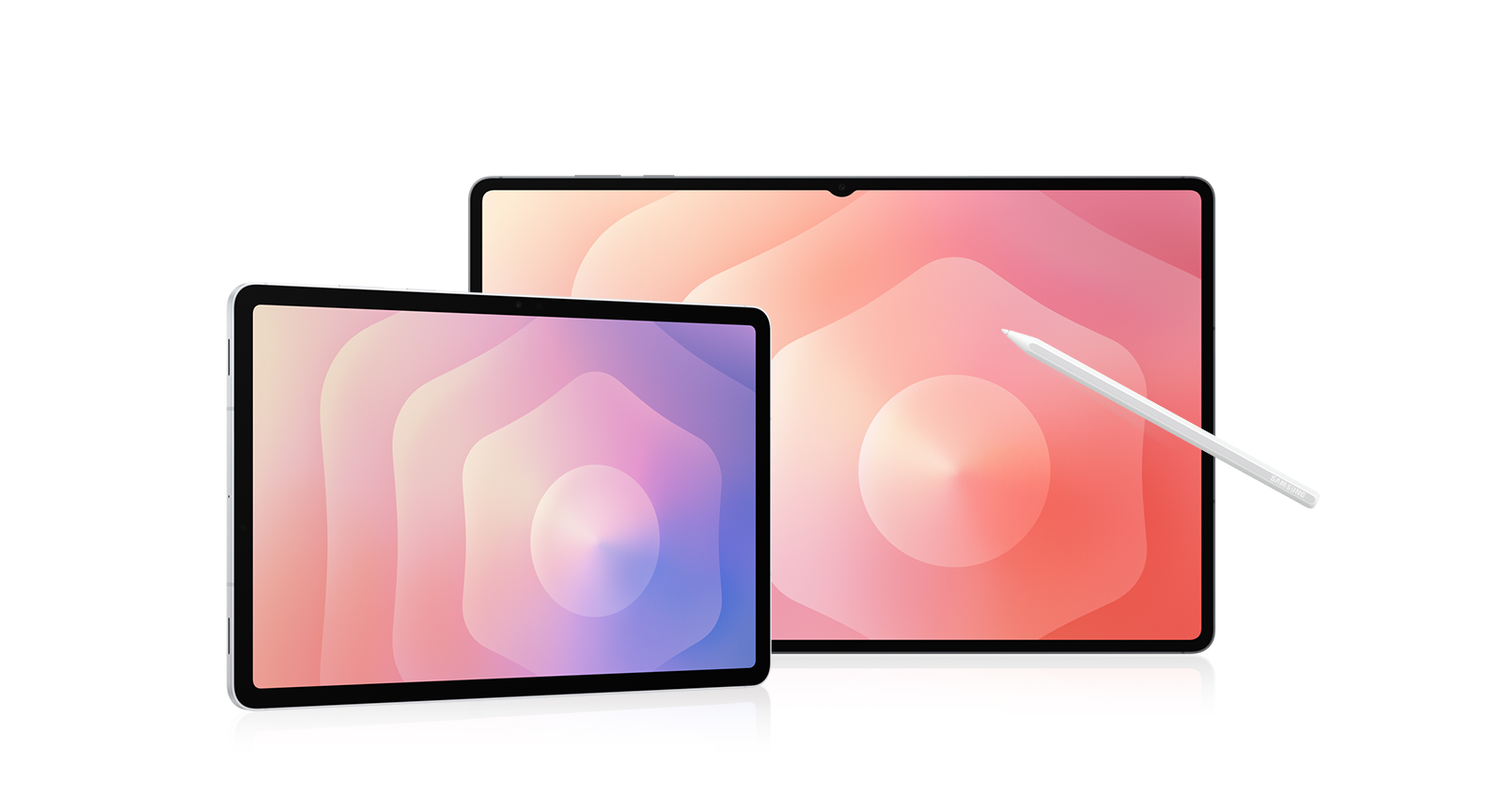

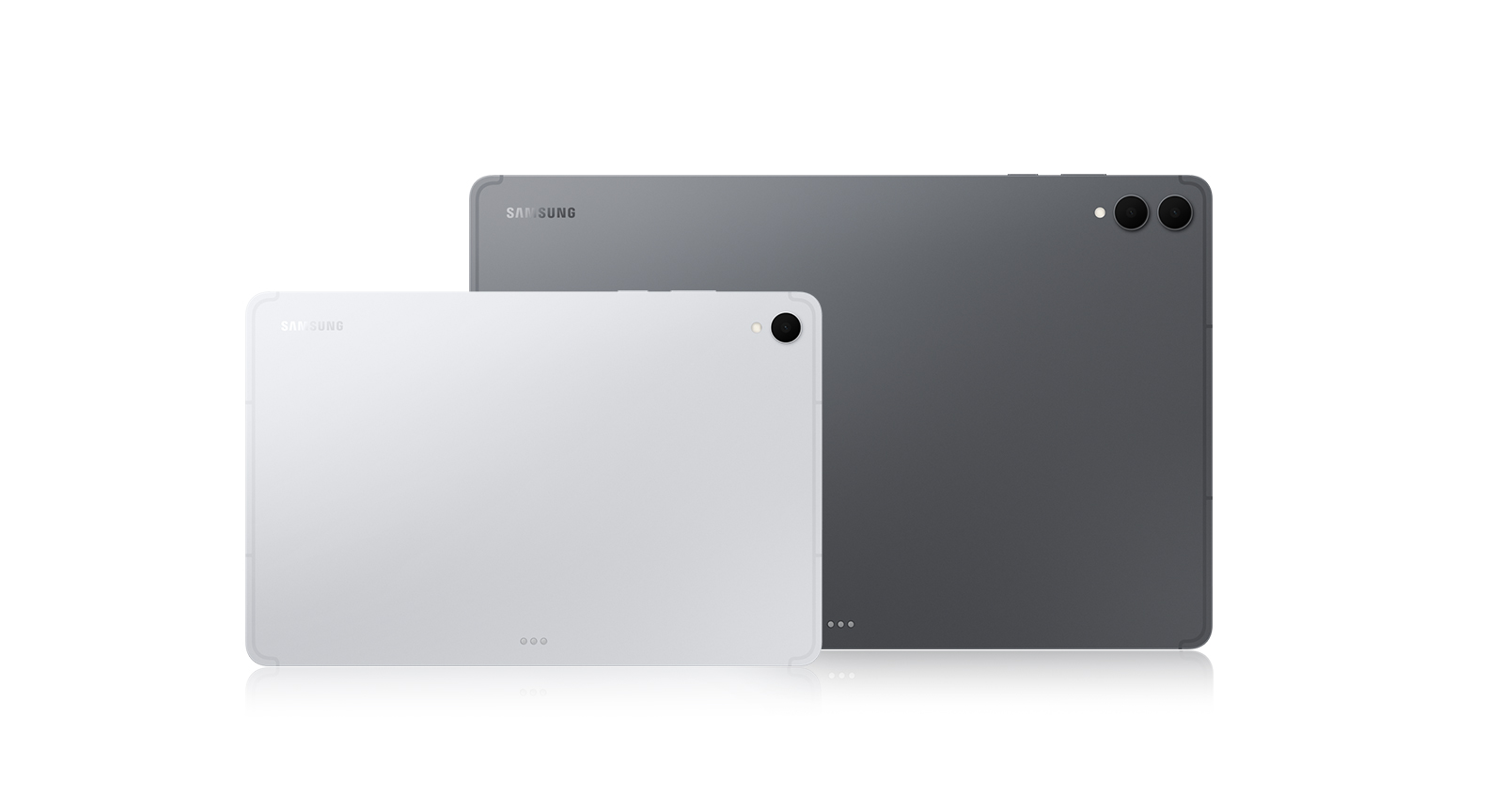


Device
Not available in this combination

Storage
Choose the storage option that fits your needs best
Not available in this combination

Colour
Not available in this combination
Colour
Connectivity
Not available in this combination
Keyboard
Charger
Trade-in
Choose Between
Pay monthly phone contracts
Choose from a range of networks and inclusive 24-month plans, and pay for your phone and plan in one monthly payment.
Tariff plans lower in value than trade-in are not available.
Pay monthly phone contracts are unavailable with Samsung Flex
Pay monthly phone contracts are unavailable with New Galaxy Club
Sorry, your selected tariff plan is not compatible with your trade-in value. The value of your trade-in can not exceed your upfront tariff cost, please choose a different sim plan.
When opting to trade in your old device, please ensure the tariff’s upfront cost is higher than your trade in value.
New Galaxy Club
Samsung Flex from Samsung Finance
Payment Options
Samsung Care+
Please select Samsung Care+ or No to continue
Trade-in, Samsung Care+, Tariff, Offer are not compatible with Rental option.
Premiums include taxes at the applicable rate. Cosmetic damage not included. Excess payable. Terms and conditions apply.
Samsung
Finance+ EMI
Gifts and Savings
Buy direct. Get more.
Buy direct. Get more.
Delivery
Please enter your postcode to see available delivery options:
Delivery
Arrives tomorrow, if you order by 7pm
Gifts and Savings
Reached maximum order quantity for this product.
FAQ
Click to Expand-
A. When you unbox your new Galaxy Tab S11 or Tab S11 Ultra, you’ll find an S Pen for precise note-taking and creative tasks, a quick start guide to get you set up, an ejection pin for the SIM/microSD tray, and a USB Type-C data cable for charging and connecting. *Travel Adapter is NOT included.
-
A. The Galaxy Tab S11 Ultra takes all the same great features as the Tab S11, such as the slim build, powerful processor, incredible display and groundbreaking Galaxy AI features and enhances the experience even further. The Tab S11 Ultra features a larger 14.6-inch display, an additional rear camera in the form of a 8MP Ultra Wide and a longer lasting 11,600mAh battery.
-
A. Galaxy Tab S11 Series offers a range of memory and storage combinations to suit your needs. Galaxy Tab S11 Ultra is available in 16 GB + 1 TB, 12 GB + 512 GB, or 12 GB + 256 GB. Galaxy Tab S11 is available in 12 GB + 512 GB, 12 GB + 256 GB, or 12 GB + 128 GB. If you need more space, both samsung tablets support microSD card (sold separately), so you can easily expand your storage for apps, class notes, creative projects, or media. *Actual storage availability may vary depending on pre-installed software. *MicroSD card sold separately. All models support microSD cards with up to 2 TB storage. External memory can be used to store media (photos, video and music files). Availability may vary by country and manufacturer.
-
A. The Galaxy Tab S11 Series are available in two colours, Grey and Silver.
-
A. No, the Galaxy Tab S11 Series doesn't support wireless charging, however it supports up to 45W fast charging via USB-C.* *45W charger sold separatley
-
A. Yes, the Galaxy Tab S11 Series feature an IP68 rating which means they are dustproof and water resistant.* *Based on lab test conditions for submersion in up to 1.5 metres of freshwater for up to 30 minutes. Not advised for beach or pool use.
-
A. Built for the modern multi-tasker, the Galaxy Tab S11 and Galaxy Tab S11 Ultra helps you stay organised. These versatile tablets are designed to handle work, study, and entertainment. Both models come with an S Pen to take notes, sketch, or solve math problems easily. Galaxy Tab S11 features a compact 11.0-inch display, measures 253.8 × 165.3 × 5.5 mm, and weighs around 469 g, while Galaxy Tab S11 Ultra offers an expansive 14.6-inch display, measures 326.3 × 208.5 × 5.1 mm, and weighs around 692 g. Both are great for reading, attending online classes, or streaming content. With long battery life and smooth performance, both are great choices for everyday tasks and relaxation.
-
A. Yes, from super slim bezels to upgraded brightness, Tab S11’s 11-inch and Tab S11 Ultra’s 14.6-inch Dynamic AMOLED 2X displays deliver incredibly immersive visuals. From streaming to gaming, experience next-level entertainment like never before.
-
A. Yes, Galaxy Tab S11 supports both S Pen and Book Cover Keyboard Slim accessories. S Pen is included in the box and allows for precise writing, sketching, and note-taking. Pair your samsung tablet with Book Cover Keyboard Slim that turns it into a work-ready setup. For added versatility and protection, you can use Book Cover which offers flexible viewing angles, and Anti-Reflecting Screen Protector which helps reduce glare. *Accessories sold separately.
-
A. If you want Galaxy's most powerful tablet experience with AI built for real productivity, Galaxy Tab S11 Series is the one to choose. Its ultra-slim design packs next-level performance and a massive display that's still easy to carry. Galaxy AI supports your day with multi-modal intelligence, helping you undestand content, stay organized, and create faster across apps. Plus, the new DeX offers a more intuitive experience for multitasking, so you can work smarter anytime, anywhere.
-
A. Galaxy Tab S11 Series is eligible for up to 7 generations of Android OS upgrades, along with 7 years of security updates from the date of global launch. This long-term software support helps keep your tablet secure, up to date, and compatible with the latest features over time. *Availability and timing of Android OS upgrades and security updates may vary by device model and market.
-
A. Yes, you can quickly and easily transfer your iOS data to Galaxy Tab S11 Series using Smart Switch. Smart Switch is a tool that simplifies transferring data from one device to another by allowing you to seamlessly move contacts, photos, videos, notes, calendar events and more. You can connect your new Galaxy Tab S11 Series to your old device using a cable or wirelessly using the Smart Switch app. *Wired transfers from iOS require the receiving device to have Android™ 5.0 or later and the sending device to have iOS 5 or later. Transfers can be completed without a cable through a wireless connection or iCloud. For wireless connections, the receiving device must have Android™ 5.0 or later and the sending device must have iOS 12 or later. iCloud transfers require the receiving device to have Android™ 5.0 or later and the sending device to have iOS 5 or later. Open Smart Switch Mobile in “Settings” on the receiving Galaxy device or download the Smart Switch Mobile app from the Galaxy Store. For wireless transfers, download Smart Switch for iOS from the App Store on your iPhone or iPad. Data, content and apps available for transfer may vary by transmission method. Contacts, gallery, videos, calendars and reminders can be transferred wirelessly from an iOS device.
-
A. When you buy from Samsung.com, you get access to exclusive benefits including Trade In and Samsung Care+. If you purchase your Galaxy Tab S11 Series from us, you can receive discounts towards your new smartphone when you trade in almost any device including smartphones, wearables and tablets. Samsung Care+ is coverage for your new device that extends beyond the standard warranty, offering protection against accidental damage and providing more peace of mind to our customers. *To be eligible for trade in, your qualifying device must meet all trade in Program eligibility requirements. For detailed information, please refer to www.samsung.com/uk/trade in/. *Terms and conditions apply. Samsung Care+ coverage, service type and promotion details may vary by country/region and deductible (service fee) may apply. To be eligible for Samsung Care+ promotion benefit, registration may be required. For detailed Samsung Care+ information, please visit https://www.samsung.com/uk/offer/samsung-care-plus/.
Featured Reviews
Click to ExpandRecommended by 81% of customers.
The Overall Rating and the average star scores are made up of incentivised and non-incentivised reviews; as well as in store product demonstrations.
Customers praise exceptional sound clarity, comfortable fit, and effective noise-canceling across both devices
Reviewers highlight bright, smooth display and fast responsive performance ideal for multitasking and entertainment
Many appreciate precision stylus with zero lag for note-taking and document annotation
Customers love seamless ecosystem integration and transformative AI features that boost productivity
Battery easily lasts all day; a few report minor stylus dead-zones or occasional fit issues
AI-generated from customer ratings & reviews, and may include incentivized reviews.
Supported languages
This summary is AI-generated from ratings and reviews across multiple languages.
- English
- German
- French
- Spanish
- Portuguese
- Italian
- Korean
- Chinese
- Japanese
- Arabic
Relevancy sort puts the best reviews at the top. We look at things like helpfulness votes, latest review, pictures and other traits that readers look for in their reviews.
Disappointing to find after upgrading that the s pen is no longer Bluetooth connected, has no suitable mounting location and is a poor design compared to the S8, with the S8 the s pen had a single flat side which was magnetic, the new design is a hexagon meaning there is now a 1 in 6 chance you place it magnet side down to attach it to the tablet. Other things to note are there are no good case options for the S11 compared to the S8 currently making it inconvenient to move the device without closing the case. Besides the better battery life (likely due to it being a lot newer than the S8) which will deteriorate over time and brighter colours, there’s no real improvement from previous models. To me; the S11 is a downgrade from the S8.
We're sorry to hear that your Galaxy Tab S11 has fallen short of expectations, and we appreciate you taking the time to share your feedback regarding the S Pen design and functionality, the available case options, and your experience upgrading from the Tab S8. It's great to hear that you're enjoying the brighter Dynamic AMOLED 2X display and that the larger 8,400 mAh battery is delivering improved battery life compared to your previous Tab S8. However, we're saddened to learn that you don't feel the overall experience represents an improvement. Along with the larger battery and better display technology, the Galaxy Tab S11 also introduces a faster and more efficient 3nm processor with 12GB of RAM, a lighter, thinner, water-resistant design, next-gen Galaxy AI tools for creativity and productivity, and guaranteed software support until 2032. If you're looking for additional protection options, you can browse our range of Tab S11 cases here: https://www.samsung.com/uk/aisearch/?searchvalue=tab%20s11%20case. There is also a wide range of third-party cases available should you prefer to use a different style to what we currently offer. If you'd like any further assistance, our Support Teams are happy to help and can be reached via the contact details and opening times here: https://www.samsung.com/uk/support/contact/ Thank you for taking the time to share your review. ^EW at Samsung Support
I recently upgraded from the Galaxy Tab S8 to the new Galaxy Tab S11, and the differences are immediately noticeable. The display is excellent, offering vibrant colours and plenty of brightness for any environment. Performance-wise, it is incredibly snappy, apps open instantly, and it handles the latest Samsung and Google AI features with ease. The integration with the Samsung ecosystem is flawless, making it the perfect companion to my Galaxy S26 Ultra and Watch Ultra. Another plus is the seven years of OS and security updates, which gives me peace of mind that this investment will last. My only real complaint lies with the included S Pen. I wish it came in a darker color option, and the lack of Bluetooth functionality feels like a step backward. That minor gripe aside, I am incredibly happy with the upgrade. If you are looking for a premium, high-end tablet, the Galaxy Tab S11 is an excellent choice.
I recommended this product.
Thank you for taking the time to share this detailed review of your new Galaxy Tab S11. It makes us very happy to hear that the upgrade from your Galaxy Tab S8 has made such an immediate difference, particularly with the vibrant 11" Dynamic AMOLED 2X display, smooth 120Hz refresh rate and responsive performance. It’s also great to know that you’re enjoying the latest Samsung and Google AI features, as well as how seamlessly the Tab S11 works alongside your Galaxy S26 Ultra and Galaxy Watch Ultra. We’re pleased that the seven years of OS and security updates have also given you confidence in the longevity of your investment. Your feedback on the included S Pen is appreciated too, particularly your preference for a darker colour and your comments regarding the removal of Bluetooth functionality. We’ll make sure your comments are shared with the relevant teams as we continue developing the Galaxy experience. It’s brilliant to hear that you’re so happy with your upgrade and consider the Galaxy Tab S11 an excellent premium tablet! ^CL at Samsung Support
The Samsung Galaxy Tab S11 is my absolute favourite tablet. It's light and portable which makes it unnoticeable in my backpack. The high-quality OLED display is just brilliant for watching videos on. And it also doubles up as a second screen for my laptop. I don't go anywhere without it.
I recommended this product.
We're delighted to read how much you are loving your Tab S11! From the sleek design, to the striking 11" display, we know you'll be loving everything this tablet has to offer for years to come! ^LB at Samsung Support
I bought the S11 to replace an S5e which I've had for 6 years. It's an excellent tablet. My only observation is that the S pen has prioritised aesthetic over function in that the button should be a different colour. It would also help if the colour contrast of the magnetic side was more prominent.
We appreciate the time you’ve taken to share your feedback, Nik, and we’re thrilled to hear you’re enjoying your Tab S11. ^EW at Samsung Support
Works well , fast responsive , good screen expensive
I recommended this product.
It's brilliant to hear that you're enjoying the fast and responsive performance of your Galaxy Tab S11, Rick. The 11 inch Dynamic AMOLED 2X display is stunning, with exceptional outdoor visibility and fluid scrolling and gaming. Thanks for the great review! ^EW at Samsung Support
Slim and lightweight. Good resolution and performance. Fits snugly into cover. Good lasting battery and conectivity.
I recommended this product.
Excellent to see that you are enjoying the sleek design, paired perfectly with your case of choice, and incredible performance of your Tab S11, Steven! At just 469g, this slim Tab is a joy to hold, even through long usage sessions which are made possible by the whopping 8400 mAh battery. The beautifully detailed Dynamic AMOLED 2X screen and flawless connectivity makes this the perfect device for streaming your favourite content. Not to mention, the powerful Octa-Core processor ensures that you always receive smooth and speedy operation, no matter what you throw its way. This model can really do it all! ^SK at Samsung Support
I cant afford this why am I seeing it. Doesn't matter what device i have it's hackked
We’re so sorry to read about your experience with the Galaxy Tab S11, particularly regarding the pricing. Please be assured that we’ll pass this feedback on to the relevant team for internal review as we continue working towards providing our customers with a truly splendid level of customer satisfaction. If you require any assistance in the future, we’d recommend getting in touch with us directly via the link below, where our operating times and contact details are available, and our team will be happy to help: http://www.samsung.com/uk/support/contact/ We truly value your feedback, as it helps us improve our services for our valued customers. ^HB at Samsung Support
So impressed!! The image quality for videos is superb and everything is so fast. Really pleased that I invested in the S11. Would highly recommend to anyone.
We appreciate the time you’ve taken to let us know your wonderful feedback, Geena! You will always get the five-star treatment with us! ^JH at Samsung Support
Starting from obvious disadvantage. Tablet comes with a Pen in the box, but there is nowhere to keep the pen, nowhere to hold it safe, as it used to be in every older generation, where you had cute little holding snug on the back. Now it is gone and there is nowhere to put pen safely. If you do not care about pen, it is amazing tablet as always, screen is phenomnal, battery last forever, just someone not very familiary with ergonomics changed the desing of the case.


I recommended this product.
It's great to hear that you're amazed by the battery and display on the Tab S11, Thomas. However, we're saddened to learn about your concerns for the S Pen. To confirm, the S Pen must be attached to the top-right side of the device when in landscape mode. For optimal attachment, ensure the grey side of the S Pen is in contact with the device. Using any side other than the grey one can compromise the magnetic connection, potentially causing the S Pen to detach unintentionally. For best results, always attach the S Pen by aligning the grey side properly to maintain a strong hold. We are always here for you, and if you ever need anything further, you can find the contact details and operating hours of our Support Teams here: Help & Contact Us | Samsung United Kingdom. ^KA at Samsung Support
Excellent service. Quick and easy to order. Delivery amazing and the S11....mwah! Perfect. Love it.
We're delighted to see how much you are loving your Tab S11 after a seamless ordering and delivery process! This incredible Tab will be wowing you for years to come. ^SK at Samsung Support
This S11 is a fantastic little machine for my everyday needs , Really pleased that I changed from A9+ , Battery is lasting longer,better performance allround, nice clear display ,smaller and lighter, Really Just Great
I recommended this product.
Excellent to see that the Tab S11 has earned five full stars! The Octa-Core processor runs this device like a dream, providing you with seamless performance, and also working with the 8400 mAh battery to give you as much life as possible from each charge. The Dynamic AMOLED 2X 11" display is a great size to immerse yourself in your Tab with crystal clear graphics, and at just 469g, this device is super portable. While the Tab A9+ is a great model, your upgrade has certainly opened up a whole new world of possibility! ^SK at Samsung Support
Sadly this is a downgrade from the S9 in several ways. (1) The screen is even more reflective, which forced me to turn the brightness up. While that looks good it hurts the battery life a lot. (2) There is no vibration motor anymore, something is used regularly for quiet alarms with my S9. (3) Worst of all though is that using fingerprint unlock messes up multi touch. I thought this was a hardware fault but googling the issue, found this is a common problem observed by anyone who upgraded their Galaxy tablet (S9, S10, S11) to OneUI 8.0. The S11 comes with OneUI 8.0 out of the box. (4) Finally, there are no good silicon cases for the S11. Their new book cover case uses a very weird folding design that takes up more space when standing and is quite loose when covering the screen. Overdesigned gimmick.
We are disappointed to see you are not enjoying your Tab S11 compared to your S9, Pat. With the 11" Dynamic AMOLED 2X display, we know you can get the best viewing experience possible on this tablet! Your Tab S11 does indeed still have vibration, and to enable this all you need to do is head to Settings > Sounds and vibration > Tap Vibrate. Once you are in Vibrate mode, your tablet will then begin to vibrate when you receive notifications and when alarms go off. You will need to adjust the alarm accordingly to make sure it vibrates. Your feedback is greatly appreciated, as this helps us improve our products in the future! This will be passed on so we can work harder to bring the best of the best! We'd recommend contacting our Support Teams who will be on hand to get any of your issues resolved swiftly! You can find their contact details and opening hours here: https://www.samsung.com/uk/support/contact/ ^LB at Samsung Support
It works as it was said it would. Love it.. the performance is good and I hope it stays that way.
I recommended this product.
We’re thrilled to read your thoughts and feedback. Thanks for sharing with us and giving us top marks! ^KF at Samsung Support
This thing is an absolute lifesaver! I'm blown away by how quickly it gets everything done. Honestly, tackling multiple tasks simultaneously has never been easier. It's made my workflow so much smoother and less stressful. I'd definitely recommend this gadget to anyone looking to boost their productivity.
I recommended this product.
Thank you for your amazing feedback, Grant! We’re delighted to hear how the Galaxy Tab S11 Ultra is making such a positive impact on your workflow. It’s designed to be a powerhouse for multitasking, creativity, and productivity; and it’s fantastic to know it’s living up to that promise for you! ^CL at Samsung Support Team
I regret "upgrading" a bit, coming from a Tab S9, which was still working well. The S11 has no vibrate, there are no normal case covers available for it, the shinier screen is an absolute fingerprint magnet now and worst of all for me, it keeps failing to detect multi-touch inputs. I can fix that with a restart, but it only lasts a few hours at most before I have the same issue again. Apart from that the fresh battery feels better, performance is slightly better and the screen can be brighter. The camera is the same, I don't care about the S pen, so don't know if that's better.
We are disappointed to see you are not enjoying the spectacular Tab S11. Your feedback is greatly appreciated, and we will take it all on board to help improve our products and services. To put your tablet on Vibrate mode, head to Settings > Sounds and vibration > Vibrate. This will put the tablet into Vibrate mode. Check out this great link to help you resolve your issues with your display: https://www.samsung.com/uk/support/mobile-devices/what-to-do-if-your-touch-screen-is-not-working-properly/ If you need further assistance, our helpful Support Teams are on hand to help. You can find their contact details and opening hours here: https://www.samsung.com/uk/support/contact/ ^LB at Samsung Support
Over all the product is good it's a bit smaller than I'm used to which isn't your fault but my main issue comes from the keyboard case when watching videos the escape key doesn't come out of fullscreen mode like it used to on my old device also there's nowhere to put my s-pen the old keyboard case i was using had the perfect slot to keep it in to prevent mislaying it which technically this isn't a problem with the tablet more the official case you offered with it however another gripe is the s-pen being white with no other options it clashes with the rest of the device
I recommended this product.
We appreciate the time you’ve taken to let us know your wonderful feedback, and we’re thrilled to know you’re loving your Tab S11! Your feedback is greatly appreciated, and we will take this on board to help improve our products and services. If you need further assistance, our helpful Support Teams are on hand to help. You can find their contact details and opening hours here: https://www.samsung.com/uk/support/contact/ ^LB at Samsung Support
My new tab 11 arrived yesterday and I love it. However when I purchased it on 10th there was an offer of a free cover and keyboard that ran until towards the end of October. I wasn't able to claim it then because I didn't have the tablet details. Now it has arrived I can not access the deal!
Many thanks for taking the time to share the review of your gorgeous Galaxy Tab S11. We're so happy to hear that you love your new tablet - it's such a fantastic choice with so many features to enjoy, from the crystal clarity of the Full HD display to the enhanced processor and battery. No need to worry about missing out on the awesome promotion - you still have lots of time! You'll just need to have purchased your Tab S11 from a participating retailer between 25 August 2025 - 28 October 2025 to be eligible, and claims must be submitted within 30 days of the purchase date. You can claim your Book Cover Keyboard Slim right here: https://samsungoffers.claims/sam/tabs2025launchoffer/ We trust this information is helpful to you, and will give you that five-star feeling! ^EW at Samsung Support
At first it felt mush smaller compared to my previous S+ version but a few days later I appreciated how much lighter it feels to hold to work, play and read and easier to carry around it is. Performance is peak, the display as sharp as can be, there is long battery life and seamless connection with the rest of the Galaxy family. It can even receive phone calls and messages inc. WhatsApp when this feature is set up by the user. The new S-Pen is very sleak with it's rectangular design with new AI features for both drawing, note taking and typing. It is also somewhat fragile and can break if forced in a tight slot as happened to me with a £32 badly designed Spigen case. That's why I recommend any of the Samsung own book cover cases that allow the Pen to magnetically stick to the exposed side of theTab where it can both charge and stay attached without losing site of it. Very pleased!


I recommended this product.
We love reading that we’ve given you that five-star feeling. Keep enjoying! ^KF at Samsung Support
he Samsung Galaxy Tab S11 pleasantly surprised me. The tablet feels premium from the very first touch and quickly became my favorite device for both work and entertainment. What I appreciate the most are the intelligent features that make everyday use easier. The stylus is practical and feels natural in the hand, just like a real pencil, which makes writing and drawing very comfortable. The display has beautiful colors and high sharpness, so movies and games look amazing. The sound is clear and powerful, great even for watching videos without headphones. I also value the dust and water resistance, which gives extra confidence while using it. Overall, it’s a modern, fast, and reliable tablet that I can definitely recommend to anyone looking for a combination of performance and high-quality multimedia experience.


I recommended this product.
We appreciate the time you’ve taken to let us know your wonderful feedback, and we’re thrilled to know you’re loving your Tab S11. ^LB at Samsung Support
Huge beautiful screen, amazing processor, very fast and sleek
I recommended this product.
We love reading that we’ve given you that five-star feeling. Keep enjoying, Bismah! ^SK at Samsung Support
An amazing tablet to be honest, the screen is perfect for me.
I recommended this product.
Congratulations on your new Tab S11, what a great decision you made. ^LB at Samsung Support
Amazing screen size, very clear quality and honestly a very good tablet overall.
I recommended this product.
We appreciate the time you’ve taken to let us know your wonderful feedback, and we’re thrilled to know you’re loving your Tab S11! ^LB at Samsung Support
It easy to use, have use the type before, good for typing and save documents
I recommended this product.
We love reading that we’ve given you that five-star feeling. Keep enjoying! ^KF at Samsung Support
Crystal clear picture, amazing tablet with an amazing smooth performance, and affordable.
I recommended this product.
We’re thrilled to read your thoughts and feedback. Thanks for sharing with us and giving us top marks! ^KF at Samsung Support
Tablet is so good, I really like it. So fast and smart.
I recommended this product.
We’re thrilled to read your thoughts and feedback. Thanks for sharing with us and giving us top marks! ^KF at Samsung Support
This tablet has very high performance, works really good


I recommended this product.
Thank you for the love and for sharing your superb experience with us; your words put a smile on our faces. ^KF at Samsung Support
I just bought this device, and it's a really useful and reliable.
I recommended this product.
We love reading that we’ve given you that five-star feeling. Keep enjoying! ^KF at Samsung Support
Thanks for taking the time to leave us a great 5-star review of your amazing Galaxy Tab S11. We hope you continue to enjoy using it! ^KF at Samsung Support
This is probably one of my least favorite Samsung tablets I have ever owned. The Wi-Fi on this tablet is poor and has lousy range. There is something with the software that causes all spell check to stop working completely. Nothing you do will bring it back. Notifying Samsung seems to do nothing because it's still not working and that is a necessity for me. I really regret upgrading my S9 to this tablet. It's also very disappointing that the newest tablets do not come in an 11 inch screen. So I am jumping ship for the first time in probably a decade and purchasing a different brand of tablet to see if I like it better. Sorry Samsung but you're going to lose us if you can't keep simple features working.
Hello there, thank you for sharing your experience of your Samsung Galaxy Tab S11 with us. We completely understand how frustrating it is when your device is not operating as intended or expected. We have provided a link to an article to help you troubleshoot the Wi-Fi connection of your device at your convenience. We have also provided links to the full manual and the Samsung Support Team to help you with the spell check you mention causing frustration, or any additional questions you may have about your device. We appreciate you being a Samsung customer. -Elizabeth Galaxy phone or tablet Wi-Fi connection issues https://www.samsung.com/us/support/troubleshooting/TSG01001559/ Product Manuals https://www.samsung.com/us/support/downloads/ Samsung Support smsng.us/Samsung-Support Samsung Community smsng.us/Samsung-Community Facebook smsng.us/Facebook-Messenger X https://smsng.us/X-Messages
No App to find buds if misplaced! Comfort level is on zero. Falls out of ear frequently. Just not comfortable. Old earbuds use to chrup when finding.
Hi LaNell, thank you for sharing your thoughts about your Samsung Galaxy Buds3 FE with us. We understand that it can be disappointing when your earbuds are not meeting your expectations. We have provided a link to an article to help you with the fit of your earbuds at your convenience. We have also provided a link to the full manual to help you discover all of the capabilities and settings available on your device. Lastly, we have provided a link to the Samsung Support Team to assist you further if you believe your device is not functioning as intended. We appreciate you being a Samsung customer. -Elizabeth How to wear your Samsung Galaxy Buds3 and 3 Pro https://www.samsung.com/us/support/answer/ANS10003519/ Product Manuals https://www.samsung.com/us/support/downloads/ Samsung Support smsng.us/Samsung-Support Samsung Community smsng.us/Samsung-Community Facebook smsng.us/Facebook-Messenger X https://smsng.us/X-Messages
What I'm describing isn't an isolated case. The Tab S11 has poor internal magnet implementation that causes sporadic dead-zones (areas where the S Pen isn't registered) and severe cursor offset that throws off line work. Despite common claims that this distortion is strictly due to third-party magnetic cases, this exact hardware issue occurs on completely naked hardware across multiple separate Tab S11 units back-to-back. Widespread community reports from other digital artists completely mirror this exact pattern. This generation clearly values form over function, treating artistic workflows as an afterthought. It is an inherent hardware oversight. Get another tablet.

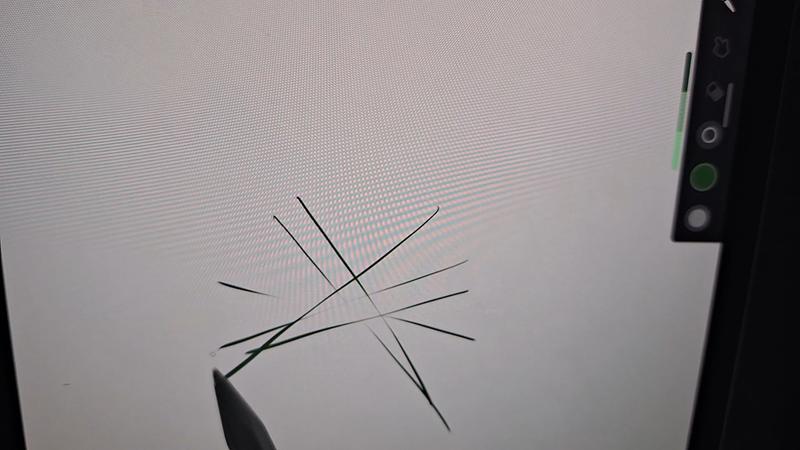
Hello Lily223, thank you for your feedback on your Samsung Galaxy Tab S11. We completely understand how important your artistic expression and practice is to you every day. We have provided a link to an article to help you with the S Pen not being recognized by your device. We have also provided a link to the Samsung Support Team if you are interested in exploring troubleshooting options with your device. We appreciate you being a Samsung customer. -Elizabeth S Pen is not recognized by Galaxy phone or tablet https://www.samsung.com/us/support/troubleshooting/TSG01001457/#:~:text=%5BSolution%5D%20Galaxy%20Note%20S%20Pen%20not%20Recognized%201,and%20may%20help%20the%20S%20Pen...%20See%20More. Samsung Support smsng.us/Samsung-Support Samsung Community smsng.us/Samsung-Community Facebook smsng.us/Facebook-Messenger X https://smsng.us/X-Messages
Parfait,je dois juste acheter le clavier pour compléter la tablette. J'utilisais toujours un laptop et maintenant quand je pars en voyage la tablette est pratique et prends peu de place
Bonjour Kalman, C’est génial de savoir que la Galaxy Tab S11 a amélioré votre expérience de voyage ! Sa compacité et sa fonctionnalité en font un choix idéal pour ceux qui veulent fusionner portabilité et productivité. N’hésitez pas à essayer le S Pen pour prendre des notes ou dessiner — c'est un atout incroyable. Un clavier vous permettra de maximiser votre expérience, surtout pour le travail en déplacement. Profitez bien de votre nouvelle tablette !
Some of the absolute worst quality earbuds I have ever spent money on. The bud 3pros were amazing and when I needed something new I decided to try these and they lasted maybe 2 weeks before having charging and noise canceling/ambient noise issues. Worst purchase Ive made with this company.
Hello AydenS, Thank you for sharing your thoughts on the Galaxy Buds3 FE. Their comfortable fit, audio features, and easy-to-charge design were developed to support music, calls, and daily listening. We understand that dependable charging and consistent sound controls are essential, especially after having a great experience with another Galaxy Buds model. Please be advised Samsung products are warranted against manufacturing defects in material and workmanship for the limited 12-month warranty period specified for each product. We also offer the option to add additional coverage with Samsung Care+ on eligible devices, which offers extended protection and additional support. Additionally, for eligible devices, we offer the option to add extra coverage through Samsung Care+, which provides extended protection and additional support. Please reach out to our Samsung Support Team to further assist. Thank you for choosing Samsung. Samsung Care+ https://www.samsung.com/us/support/samsung-care-plus/ Samsung Warranty https://www.samsung.com/us/support/samsung-care/ -Ty Samsung Support smsng.us/Samsung-Support Samsung Community smsng.us/Samsung-Community Facebook smsng.us/Facebook-Messenger X https://smsng.us/X-Messages
Mines don't work had them for awhile, even got a new phone they haven't worked yet. Never got to use them
Hey there Tanika, Thank you for sharing your experience with your Galaxy Buds3 FE. The Galaxy Buds3 FE deliver clear sound, a comfortable fit, and an easy listening experience for everyday use. If your Galaxy Buds3 FE are not working properly, please contact our Samsung Support Team for further assistance and troubleshooting. We appreciate your feedback and thank you for making Samsung your go-to choice. -Ty Samsung Support smsng.us/Samsung-Support Samsung Community smsng.us/Samsung-Community Facebook smsng.us/Facebook-Messenger X https://smsng.us/X-Messages
First time ear buds buyer. Can't get them to connect with the Samsung app! Can't get them to pass the fit test! Can barely hear them over ambient noise! Not comfortable at all! Worst purchase ever, total failure on all fronts!
Greetings to you Joey, The Galaxy Buds3 FE offer a lightweight fit and rich audio, making them an excellent companion throughout the day. We understand your frustration with the fit test experience, and we appreciate you reaching out to us. To set up your Galaxy Buds3 FE, please go directly to the Bluetooth option in your device's Settings. From there, you can easily enable or disable enhanced features, as well as complete the fit test. If you're experiencing issues with the earbuds not staying securely in your ears, changing the ear tips can often help. The Galaxy Buds3 FE come with different sized ear tips, so it's essential to ensure you have the right size for your ears. Properly fitting ear tips will eliminate gaps between the tip and your ear, which helps prevent sound leaks and ensures optimal audio quality. To change the ear tips, you can refer to our guide specifically for the Buds3 FE. Once you have the correct tips on your earbuds: 1. Check the bottom of the earbuds for directional marks (L for left and R for right). 2. Insert the R bud into your right ear with the R facing toward you. 3. Insert the L bud into your left ear with the L facing toward you. 4. Angle the earbuds slightly so that the microphone on the bottom points towards your mouth instead of straight down. 5. Adjust the buds by rotating them forwards and backwards until the fit feels comfortable. You can also run an earbud fit test to ensure you have the proper fit. For more information, please check out the online article linked below. Thank you for sharing your feedback about the setup process, and thank you for choosing Samsung! How to wear your Samsung Galaxy Buds3, Buds3 Pro, or Buds3 FE https://www.samsung.com/us/support/answer/ANS10003519/ How to connect your Samsung Galaxy earbuds https://www.samsung.com/us/support/answer/ANS10001319/ -Ty Samsung Support smsng.us/Samsung-Support Samsung Community smsng.us/Samsung-Community Facebook smsng.us/Facebook-Messenger X https://smsng.us/X-Messages
Noise canceling is crazy!! I love those earbuds. Their price is very good. Thank you for improving our lifes!!


I recommended this product.
très bonne tablette superbe écran fluidité hors pair autonomie correcte très bon son cette tablette haut de gamme n'a pas beaucoup de concurrents je la conseille à ceux qui veulent une tablette de 11 pouces c'est suffisant pour la transporter 7 ans de mise à jour , tablette de l'année.


I recommended this product.
Bonjour Tal68, Merci beaucoup pour votre retour positif! Votre recommandation est très appréciée. N'hésitez pas à faire un tour sur notre site pour profitez de nos dernières offres et complétez votre écosystème Samsung: https://www.samsung.com/fr/ Nous espérons vous revoir très prochainement ! Cordialement Alex, Service clients Samsung
La tablette respecte ses promesse. La puissance est largement suffisante pour mon usage (application dessins, vidéo, jeux en ligne, chat gpt), la batterie tient bien la journée. Niveau design c’est très confortable, le style magnétique tient bien
I recommended this product.
Bonjour Yann781, Merci beaucoup d'avoir choisi un produit Samsung ! Nous sommes ravis que notre Galaxy Tab S11 Wi-Fi réponde à vos attentes! Nous vous recommandons de visiter notre site Samsung pour découvrir les nouveautés de cette année: https://www.samsung.com/fr/ Cordialement Charlie, Service clients Samsung
Absolutely outstanding tablet! The Galaxy Tab S11 delivers stunning visuals, lightning-fast performance, and incredible versatility. The S Pen is smooth and responsive, making creativity effortless. Battery life is excellent. Perfect for work, entertainment, and everything in between—truly a premium experience that exceeded my expectations in every way.
I recommended this product.
Easy to use. Don't need a laptop. Screen is crisp and bright. S Pen is the only letdown. cheaply built not to last. if you drop it on a hard surface the tip breaks off ruining the pen.
I recommended this product.
These are trash! The design is so inconvenient plus they don't stay in ears at all. I also have stretched ears and cannot use any of the features on the earbuds themselves. Terrible design. I miss the old style and wish I could still purchase those.
Hi there SamsungUser, Thank you for sharing your insights on the Galaxy Buds3 FE. We understand that comfort and usability are key for everyday listening. These earbuds are designed to deliver balanced sound, clear calls, and modern touch controls, all while being lightweight. Your feedback highlights how personal preferences and ear shapes influence the listening experience, and we appreciate your input. The Galaxy Buds3 FE include different-sized ear tips. The first step is to ensure they fit your ears correctly; they should fit snugly without gaps to prevent sound leakage and ensure optimal audio quality. For instructions on changing the tips, refer to our guide linked below for the Buds3 FE tips. After selecting the right tips, check the bottom of the earbuds for directional marks labeled L and R. Insert the R earbud into your right ear with the R facing outward, and the L earbud into your left ear with the L facing outward. Slightly angle the blade so the microphone at the bottom points toward your mouth rather than straight down. Adjust the earbuds by rotating them forward or backward until they feel comfortable. You can also perform an earbud fit test to confirm the proper fit. For more tips on achieving the perfect fit, see our online guide linked below. Thank you for being a valued member of the Samsung community. How to wear your Samsung Galaxy Buds3, Buds3 Pro, or Buds3 FE https://www.samsung.com/us/support/answer/ANS10003519/ How to change the tips on your Galaxy Buds3 Pro or Buds3 FE https://www.samsung.com/us/support/answer/ANS10003496/ -Ty Samsung Support smsng.us/Samsung-Support Samsung Community smsng.us/Samsung-Community Facebook smsng.us/Facebook-Messenger X https://smsng.us/X-Messages
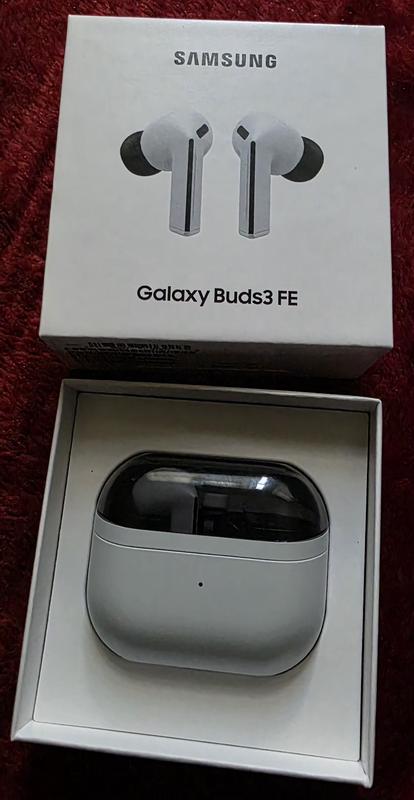
It's no different than the Pro series' seamless connectivity. The battery lasts longer. The sound may not be like the Pro, but the bass is still good with good quality. Noise cancellation is great. I was surprised by the call quality, which is the reason why I bought it. The other party hears less background noise, which feels comfortable.

I recommended this product.
Hey strongnetal, Thank you for sharing your experience with Galaxy Buds3 FE. Designed to provide reliable connectivity, long-lasting battery life, and clear call quality, these earbuds offer a well-balanced listening experience. Your feedback highlights how effective noise control and voice clarity can make everyday conversations feel more natural and comfortable. Insights like this help demonstrate the versatility of Galaxy Buds3 FE across various use cases. Thank you for choosing Samsung. -Ty Samsung Support smsng.us/Samsung-Support Samsung Community smsng.us/Samsung-Community Facebook smsng.us/Facebook-Messenger X https://smsng.us/X-Messages
Earbuds were grear at first but unfortunately they are now just wigging out. The left bud has a high pitched sound at times while also lowering the volume randomly.
Salutations Benpai74, Thank you for sharing your experience with the Galaxy Buds3 FE. These earbuds are designed to deliver clear sound and seamless Galaxy connectivity for daily use. Sound quality is key to enjoyment. When Active Noise Canceling, Adaptive, or Ambient Sound features are active, the sound from the sub-microphone, located on the top outer edge of your earbuds, is adjusted based on the noise control mode and transmitted through the speaker. However, covering or touching the area around the sub-microphone while putting on, removing, or adjusting your earbuds can cause the microphone to pick up sound, resulting in beeping or howling noises. Please make sure the sub-microphone isn't covered when these features are active. Refer to the online article linked below for more information about loopback and feedback, and how to avoid them. Thank you for being part of the Samsung community. Beeping or howling noise when holding the Galaxy Buds https://www.samsung.com/us/support/troubleshoot/TSG10003620/ -Ty Samsung Support smsng.us/Samsung-Support Samsung Community smsng.us/Samsung-Community Facebook smsng.us/Facebook-Messenger X https://smsng.us/X-Messages
This product came without the option of extended external storage limiting my capacity in terms of memory but not only that it didnt even come with a charger?? How am I supposed to charge the device I paid for when it came with one historically. They might as well put a fruit logo in the back and call themselves a cheap company.
Hey Vict, thank you for sharing your thoughts about your Samsung Galaxy Tab S11 with us. We know it can take time to fully discover your device and best align to your preferences. This device does have the option to use a micro SD card for storage expansion on your device if you are finding the installed storage insufficient. We also no longer provide charging adapters and recommend using ones from previous devices to charge your device, and help us reduce electronic waste. We have provided a link to the Samsung Support Team to assist you if you have questions about these features. We appreciate you being a Samsung customer. -Elizabeth Samsung Support smsng.us/Samsung-Support Samsung Community smsng.us/Samsung-Community Facebook smsng.us/Facebook-Messenger X https://smsng.us/X-Messages
I'll start by saying I'm not an audiophile, and while I do want good sound quality from earbuds, it's not one of the more important factors when choosing a set for myself. My most recently set of earbuds before I got these was the OnePlus buds 4. I was blown away with how good they are at everything, especially ANC. I felt confident saying you would be hard pressed to find a better set in the price range. Well, the Samsung Galaxy Buds3 FE competes with them in every category that matters to me. They say in my ears comfortably longer than The OPB4, the battery lasts just as long, if not a little longer, and since I have a galaxy phone it works with my phone like they came packaged together. I work around people who only speak Spanish every so often so the live translation was very interesting to me. I tried it out last week and was pleasantly surprised with the results. Fantastic set of earbuds, especially if you have a galaxy phone

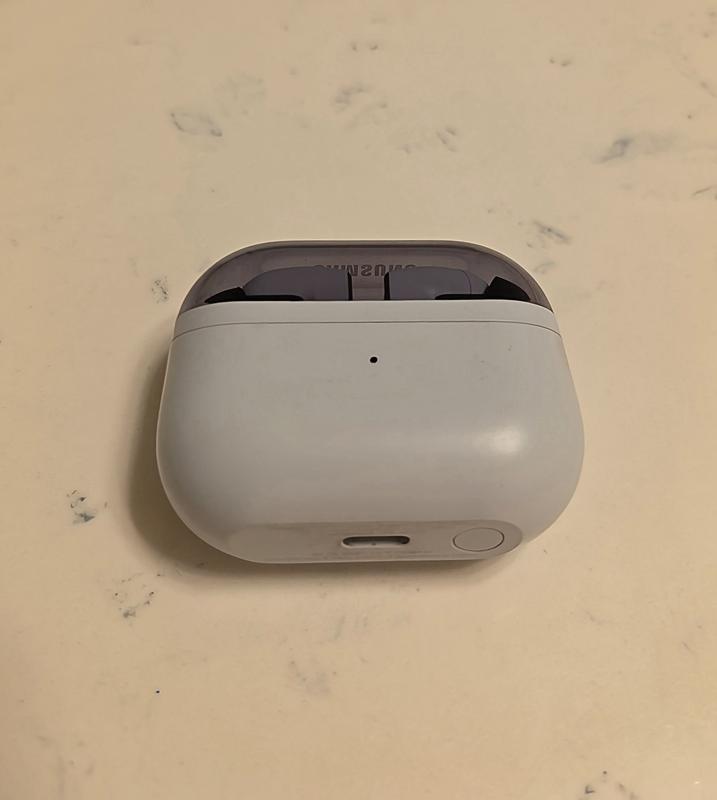
I recommended this product.
Hi there TonyYayo2424, Thank you for offering such a detailed perspective on the Galaxy Buds3 FE. It’s wonderful to learn how comfort, battery life, and Active Noise Cancellation integrate seamlessly into your Galaxy experience. Your insights on Live Translation serve as a practical example of how Galaxy features enhance daily interactions. We genuinely appreciate your feedback and thank you for being part of the Samsung community. -Ty Samsung Support smsng.us/Samsung-Support Samsung Community smsng.us/Samsung-Community Facebook smsng.us/Facebook-Messenger X https://smsng.us/X-Messages
Good product, sounds good the noise cancellation,good battery ,comfort , connectivity
Greetings Brandon, Thank you for sharing your experience with Galaxy Buds3 FE. Reliable connectivity, balanced sound, and comfortable wear contribute to an enjoyable listening experience. We appreciate your feedback and thank you for being part of the Samsung lineup. -Ty Samsung Support smsng.us/Samsung-Support Samsung Community smsng.us/Samsung-Community Facebook smsng.us/Facebook-Messenger X https://smsng.us/X-Messages
Tablet is powerful, but the thermals are terrible. It runs really hot and heats up really quick. I ran the same game at all the same settings on both the Galaxy Tab S9 and the Tab s11. The S9 NEVER dropped frames, never auto dimmed the screen, never thermal throttle or got uncomfortable to hold in almost 2 years of heavy gaming on it. The Tab S11 thermal throttles within a half hour. Drops frames, has random screen glitches that look like GPU overheating symptoms. The screen auto dims under load which is obnoxious. From my reading, Samsung made the non-ultra variant thinner and had to use a subpar vapor chamber. Then underclocked the processor to compensate for thermals. Yet it still can't sustain loads.
Hello there, we appreciate you taking time out of your day to share your thoughts about your Samsung Galaxy Tab S11 with us. We know how important the usage of your tablet is for your more intense activities like your favorite games. We have provided links to resources to help you adjust the refresh rate, maintain the optimal temperature, and adjust the settings for the display to your preferences. We have also shared a link to the Samsung Support Team to offer assistance if you continue to experience frustrations with your device. We appreciate you being a Samsung customer. -Elizabeth How to adjust refresh rate options on your Galaxy phone or tablet https://www.samsung.com/us/support/answer/ANS10003396/ Keep your Galaxy device at its normal operating temperature https://www.samsung.com/us/support/answer/ANS00076952/ Product Manuals https://www.samsung.com/us/support/downloads/ Samsung Support smsng.us/Samsung-Support Samsung Community smsng.us/Samsung-Community Facebook smsng.us/Facebook-Messenger X https://smsng.us/X-Messages
Hi I love my tablet I bought it 2yo ago so I love my tablet so much-loved
Really good sound. The buds don't stay in well. Which for the price I would expect them to. I've tried different size earbud tips, but the earbuds still get loose. Since I always have to push them pack in, music will stop if playing.
Hiya LevelUp, We’re glad you’re enjoying the sound quality of your Galaxy Buds3 FE. For the best experience, proper fit is key; correct placement enhances sound clarity, provides comfort, and prevents earbuds from falling out. Incorrect wearing can cause discomfort, sound leakage, and earbuds falling out, especially during activities like jogging. Make sure you wear them properly. For tips on achieving the perfect fit with your Galaxy Buds FE, check the linked online article below. Your feedback on fit helps our design team improve ergonomic comfort, ensuring your listening experience remains excellent. Thank you for your review and for being part of the Samsung community. How to wear your Samsung Galaxy Buds3, Buds3 Pro, or Buds3 FE https://www.samsung.com/us/support/answer/ANS10003519/ -Ty Samsung Support smsng.us/Samsung-Support Samsung Community smsng.us/Samsung-Community Facebook smsng.us/Facebook-Messenger X https://smsng.us/X-Messages
They dont stay in your ear well. Poor design. If you want to make great products you should contact people like me that use your products 20 hours a day so I could tell you what to improve on. The design is poor not allowing you to push the earbuds in snuggly due to to way they are designed. You earsbud 2 pro fit perfectly but because you tried to copy airpods but designed these in a way you can't get them snuggly I.n your ear they will fall out and its hard to even hear them well. Get product testers for beta testing so if changes need to be made you can do it before mass producing them.

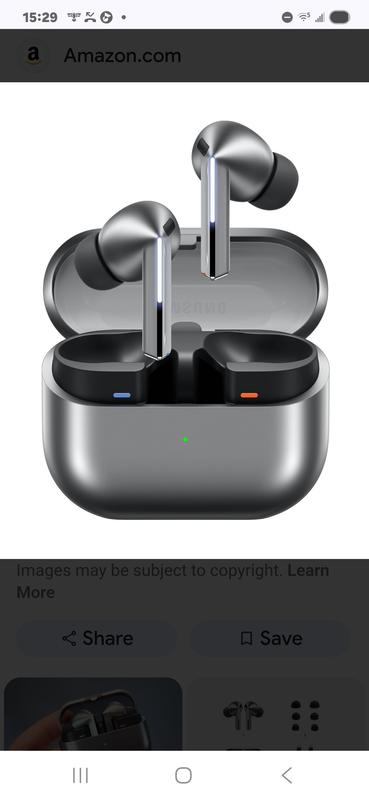
Hi Jamie, Thank you for your insights on the Galaxy Buds3 FE. These earbuds are designed for clear sound and stylish comfort, and your feedback on fit will help improve future designs for secure wear and great sound during all activities. Proper fit is essential for several reasons: it enhances sound quality, increases comfort, and prevents the earbuds from falling out. Improper wearing can cause discomfort, sound leaks, and even loss of an earbud, especially while jogging. Make sure they fit well. The Galaxy Buds3 FE come with different-sized ear tips. First, select the correct size for your ears. They should sit snugly with no gaps, which helps prevent sound leaks and ensures optimal audio quality. For instructions on changing tips, refer to our guide. Also, look for the L and R marks at the bottom of the earbuds. Insert the R earbud into your right ear with the R facing you, and the L into your left ear with the L facing you. Tilt the stem slightly so the microphone points toward your mouth instead of downward. Adjust the buds by rotating them forward or back until they feel comfortable. You can also perform a fit test to confirm you have the right fit. Please find out more about how to achieve a good fit with your Galaxy Buds3 FE by checking out the online resource linked below. Thank you for your feedback and for being part of the Samsung family. How to wear your Samsung Galaxy Buds3, Buds3 Pro, or Buds3 FE https://www.samsung.com/us/support/answer/ANS10003519/ -Ty Samsung Support smsng.us/Samsung-Support Samsung Community smsng.us/Samsung-Community Facebook smsng.us/Facebook-Messenger X https://smsng.us/X-Messages
I was on the fence on what earbuds to purchase this time. I was in desperate need on replacing my old ones. The Galaxy Bud 3 were the worst decision I could have made. They constantly fall out of me ear, they are not comfortable, I am constantly taking them out due to the lack of comfort. I should have went with the newest version of the Samsung Galaxy core. They are much more comfortable. The sound quality is better and they stay on my ear comfortably. I will definitely have to purchase a new pair and will only use the Buds 3 as a backup
Hi there Lewis, We appreciate your feedback on the Galaxy Buds3 FE. This model was designed for clear sound and easy connectivity in a lightweight form. Your comments on fit and comfort help shape our efforts to create even more secure and ergonomic earbud designs for future Galaxy audio products. Thank you for your feedback and for being a Samsung listener. -Ty Samsung Support smsng.us/Samsung-Support Samsung Community smsng.us/Samsung-Community Facebook smsng.us/Facebook-Messenger X https://smsng.us/X-Messages
Probably the worst pair of ear buds ive used. The sound quality is ok, but not near good enough for the price. The controls will not work if you have any type of gloves on. The app sorta works when it wants to. If these werent free with my phone purchase id be returning them. Do yourself a favor, get the pros (which are stupidly priced as well) or get a pair of skullcandys for half the price, with a better app, better continuous connectivity, button and verbal comands that work regardless of what youre wearing or the environment youre in and better battery life. About the only thing the Buds3 do better is ANC works with one headphone or two where as other brands ive used require you to be using both buds for ANC to work. Other than that, way to expensive for a cheap feeling and poor performing overall headphone.
Hey Bedhead, Thanks for sharing your experience with your Galaxy Buds FE. The design focuses on delivering dynamic sound and smart noise control for daily use. Your feedback shows how performance and comfort shape the user experience. With each new release, Samsung improves the design, connectivity, and controls to provide a sound experience that is both advanced and immersive. The Galaxy Buds3 FE and the entire Galaxy Buds series remain central to our goal of making Galaxy audio more versatile and engaging for all users. We value your honest feedback and appreciate you sharing your Samsung experience. Ty Samsung Support smsng.us/Samsung-Support Samsung Community smsng.us/Samsung-Community Facebook smsng.us/Facebook-Messenger X https://smsng.us/X-Messages
Upgraded from Tab S8 to S11 and could say this is the best purchase. Solid performance, the best display out there, outstanding battery life and super fast storage. Best front camera and can't complain about the rear camera as I don't use much. It's very hard to drain the battery out of this tablet. Normal to heavy use for the whole day and still left with around 40 to 50%. Can't stop praising about the multitasking and the DEX features. Yes, the S-Pen is a little downgrade but still reatins 90% of the features from the OG S-Pen. I'm not bothered about the haptics but still unsure why Samsung removed the vibrations. If someone's looking for a compact, ultra light, ultra performance and best battery life- I would strongly recommend this Tablet.
Honestly, I am surprised (in a good way)! I was looking for Galaxy Buds FE, because I used them for a long time and accidentally washed one bud with the laundry (he didn't make it, unfortunately). So I went to the store, hoping to get new pair. But they had only Galaxy Buds3 FE (in same price category). I didn't want to take am because of the design (I have tunnels in my ears, and every step this long shape hitting the jewelry making listening music a nightmare for OCD person, thanks god I don't have it😅). So I bought them as the only option with suitable price. But! I didn't expect that the sound will be much, I mean MUCH better than in my prior pair. I still don't like design, but they fit well in my ear (thanks god) and I barely feel them. Noise cancelation works perfect! They doesn't fall off my ears in any position which is a solid plus! Buttery pretty good (2 hours in gym with max volume and I still have 73% charger, even though it wasn't 100% at the start). Connectivity very pleasant (especially I love the sound when they're connecting 🤤). 10/10


I recommended this product.
I was upgrading from an S9+ to an S11, but am not at all happy with this new device. It is a lot smaller than I thought it would be, and there is no S11+ in the preferred 12.4" size. The keyboard case no longer holds the pen in an enclosed slot, so the pen can only be precariously perched on the side of the machine, easily knocked off. The keyboard is very cramped and difficult to use. The battery isn't an upgrade, and I don't notice the amazingly clear picture that was promised. We are loyal Samsung customers -- TV, soundbar, two mobile phones, two tablets, and this is the first major disappointment. Wish I hadn't "upgraded" as this feels like a downgrade.
Hi there KDEK, we appreciate you sharing your thoughts about your Samsung Galaxy Tab S11 with us. We know how important your tablet is to you for a range of daily tasks, and we would love to help you maximize your experience and troubleshoot the frustrations you mention. We have provided a few links to articles to help you maximize the battery life of your device. We have also shared a link to the complete manual for your tablet to help you adjust the display settings and additional features to your preferences. We have lastly, shared a link to the Samsung Support Team to assist you if continue to experience any frustrations, or have questions about your Samsung products. Thank you for being a Samsung customer. -Elizabeth Get the most out of your Galaxy phone or tablet battery https://www.samsung.com/us/support/answer/ANS00078987/ Apps are draining battery on Galaxy phone or tablet https://www.samsung.com/us/support/troubleshooting/TSG01001388/ Product Manuals https://www.samsung.com/us/support/downloads/ Samsung Support smsng.us/Samsung-Support Samsung Community smsng.us/Samsung-Community Facebook smsng.us/Facebook-Messenger X https://smsng.us/X-Messages
I didn't think I would like it more than my s9 ultra. Especially with the loss of functionality on the penn. Admittedly, I didn't really use the Bluetooth functionality often but it was nice to have. Also like the position of then pen on the ultra 9 vs the ultra 11. But as fast everything else is love this tablet and everybody loves using it around me. It's easy to look at, fast and functional. I stream, do school work, corporate work, pretty much everything. I wish they had a 5g version for the ultra but my 7 does a good job handling that! Highly recommend!
I recommended this product.
Very disappointed. I have the buds for 2 weeks now and I cant return them because I bought through mobile carrier. It falls out of my ear if I bend over. It disconnects so often I have to take it out my ear then put it back in. It has now affected the volume on my phone. I have to the volume so high just to hear. At nights when I am done using the buds the volume for my media is very very very low. It's just ridiculous.I have a S24 and I have to restart the phone so often just to reset it. Noise cancellation does work. Battery lasts about 5 hours and case needs recharging every 48 hours. This is my second time buying a Samsung ear piece and I've wasted my money again. I gave it a 1 star for design.
Greetings Traditionalgirl, Thank you for sharing your experience with the Galaxy Buds3 FE. These earbuds are crafted to provide balanced sound and smooth connectivity within the Galaxy ecosystem. Your comments on fit, connection, and battery life are very helpful in guiding us to improve comfort and dependability in future updates. Samsung products come with a limited 12-month warranty that covers manufacturing defects in materials and workmanship. You can also choose to add extra protection through Samsung Care+ on eligible devices, which offers extended coverage and support. We’re happy to hear that the noise cancellation performed well — it’s one of the features that distinguish Galaxy audio. Thank you for your feedback, and we’re pleased to have you as part of the Samsung community. Samsung Care+ https://www.samsung.com/us/support/samsung-care-plus/ Samsung Warranty https://www.samsung.com/us/support/samsung-care/ -Ty Samsung Support smsng.us/Samsung-Support Samsung Community smsng.us/Samsung-Community Facebook smsng.us/Facebook-Messenger X https://smsng.us/X-Messages
The Galaxy tab s11 is impressive. I love the new dex and the new s pen. One ui 8 over android is amazing, and with 7 years of updates I know this will be a great tablet years from now. The specs may be better for the m3 iPad, but I find I’m reaching for the Samsung most of the time. It just is more intuitive than the iOS 26 for me. That may be because I used the s9 while the m1 iPad collected dust previously and I’m more used to it, but I feel the software is better on the Samsung. The galaxy is a better overall experience to me.

I recommended this product.
I absolutely HATE the pinch feature. I've still got a few weeks to test these out to determine if I'm going to return them, but at this point I prefer charging my Buds2 every day as opposed to pinching the Buds3 FE to pause or skip a song. Why make it more difficult? The tap & double tap was so easy! The pinch is not consistent - it's hard to find where you need to pinch, it doesn't always register, & when I try to double pinch to change the song it only picks up the first pinch & ends up pausing instead. Big thumbs down for that change! On the plus side, the noise cancellation is excellent.

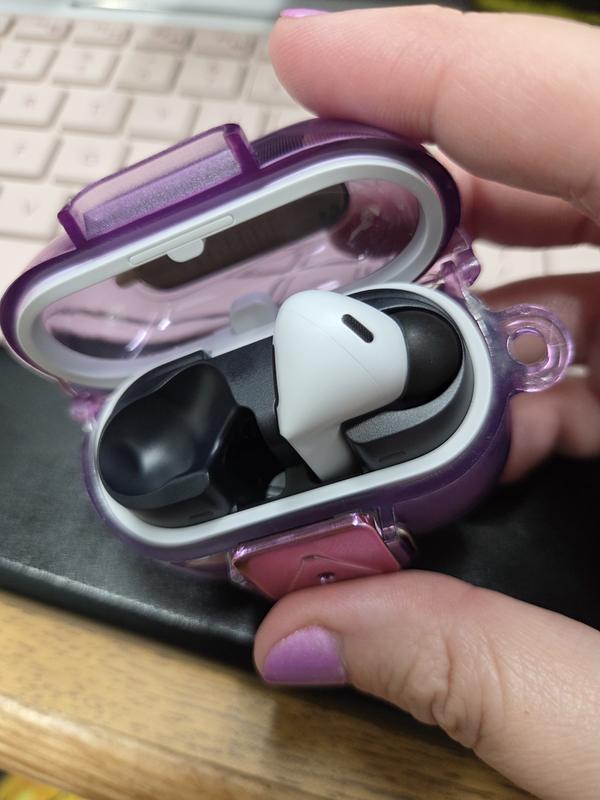
Hey there SamsungUser4Life We're pleased to hear you're enjoying the noise cancellation feature on the Galaxy Buds3 FE, which is always a valuable addition. The Buds3 FE has a distinctive blade design that differentiates them from other Galaxy earbud models. While some users still prefer traditional methods, many are becoming accustomed to the pinch gesture because it is precise and deliberate. We recognize that this may be a change, but we hope it proves useful in your daily routine. For more information on customizing gestures, please refer to the helpful guide titled “Use touchpad commands for your Samsung Galaxy earbuds.” Thank you for your feedback; we're glad to have you as part of the Samsung community. Use touchpad commands for your Samsung Galaxy earbuds https://www.samsung.com/us/support/answer/ANS10001318/ -Ty Samsung Support smsng.us/Samsung-Support Samsung Community smsng.us/Samsung-Community Facebook smsng.us/Facebook-Messenger X https://smsng.us/X-Messages
J'adore magnifique a part le s-pen joli mais sans connexion.
I recommended this product.
Bonjour Dylanmajor59, Merci beaucoup d'avoir choisi un produit Samsung! Nous regrettons que le produit que vous avez reçu ne vous ait pas entièrement satisfait. En effet, le stylet n'a pas de Bluetooth, mais il prend en charge des fonctions telles que l'écriture, le dessin, la prises des notes. Avec la précision exceptionnelle du S Pen vous pouvez écrire et dessiner avec la fluidité d'un crayon sur du papier. Prendre des notes n'a jamais été aussi simple: avec le S Pen à portée de main, notez toutes vos pensées et laissez libre court à votre imagination! Connectez-vous sur notre site pour profiter de nos dernières offres et compléter votre écosystème Samsung: https://www.samsung.com/fr/ Cordialement Alex, Service clients Samsung
The best Buds ever. I love them so much. The sound the way they fit are just perfect
This has easily been one of my favorite tech purchases in a while. I love the smaller size than the ultra which makes it feel like a true tablet and not a toned down laptop. For me the mobility and access without feeling like I'm power lifting a laptop around was important and this fits so well. Even with the book cover I can easily move this around or hold it up in front of me as I draw or sculpt. I've started using more intensive apps like Nomad sculpt and it has handled it with very little problems so far. I did end up getting a paper-like screen protector to get a more natural feel with the pencil, limit glare and remove finger print concerns. The multi window mode is amazing as well. It feels like this is what a tablet should feel like. Far more flexible than my old iPad to let me move around very fluidly.
Taking 'plus' tablet option out of 2025 S11 tablet lineup was disappointing. Currently own S9 + with Samsung cover and was looking to upgrade to S11 and it's matching cover. Unfortunately size difference could not be compensated for by price or improved performance. S11 and S11 Ultra meet needs of those users new to Samsung, wanting a light tablet, lower cost, upgrading from an older tablet with older specs, laptop in a tablet experience, great trade in program and a new pen design, but leave 'plus' customers hoping for model to return next year. S11 size may make viewing more comfortable for those using it in a portrait position vs S9+ tablet, but for others using primarily a landscape position for their tablets, S9+ delivers a larger viewing area option for both positions. S9+ case cover offers a better design to prevent tipping and the pen is secured safely in cover when not in use for portability vs magnetically attached on outside of S11 tablet. 'Plus' market needs might be smaller, but this Samsung customer hopes option of 'plus' model returns in the near future to upgrade her S9+.
I recommended this product.
Great quality for this ear bud and great sound it makes
very great but i put them in the water for 4 minutes and 59 seconds and they stopped working.
Thank you for sharing your experience with the Galaxy Buds3 FE! We’re glad to see you enjoyed them, but we’re disappointed to learn that they stopped working after being in water for nearly 5 minutes. It's important to note that while the Buds3 FE are rated with an IP54 rating, which means they are resistant to dust and can handle fresh water splashes from any direction for up to 5 minutes, we do not recommend submerging them in water. Several factors can affect their performance, including the type of water, temperature, or even chemicals found in pools. To keep your earbuds in the best condition, always be sure to dry them thoroughly if they get wet, and handle them carefully when your hands are wet. We do not recommend using them at the beach or while swimming. If your buds are ever exposed to water, it's best to clean and dry them right away to avoid any damage. We appreciate your feedback and hope to hear more from you in the future. If you have any further questions or need assistance, please don’t hesitate to reach out to us at Samsung Support. -Kelvin smsng.us/Samsung-Support smsng.us/Facebook-Messenger smsng.us/X-Messages smsng.us/Samsung-Community smsng.us/Warranty-Info smsng.us/Samsung-Care-Plus
No reflective coating on screen like the tab S11 ultra, but the S10+ series has reflective coating. Also the existing keyboards at launch don't have trackpads, and I cannot use my older keyboards. Feels like a half baked launch. Such a shame
Hi there Am6897, thank you for sharing your thoughts about your Samsung Galaxy Tab S11. We understand how important specific features are to you, and your feedback is invaluable as we strive to continue innovating our product line and providing devices our customers are excited to use every day. We have provided a link to the Samsung Support Team to offer assistance if you ever have questions about any of your Samsung products. Thank you for being a Samsung customer. -Elizabeth Samsung Support smsng.us/Samsung-Support Samsung Community smsng.us/Samsung-Community Facebook smsng.us/Facebook-Messenger X https://smsng.us/X-Messages
These reviews are managed by Bazaarvoice and comply with the Bazaarvoice Authenticity Policy, which is supported by anti-fraud technology and human analysis. Details at https://www.bazaarvoice.com/trustmark/
Review Gallery popup
I have got the s25 ultra, its absolutely amazing, honestly I was considering the 17pro max, pixel 10 pro xl, and the s25 ultra for over 3 months, and did lots of comparisons, all were good products, but by far the s25 ultra blows everything out of the water, its the king of all phones. Looks amazing, super snappy and powerful with the smpdragon 8 elite Gen 4, the best camera in smartphones, absolutely polished samsung one ui, honestly I am amazed for days, superb AI …functionality, I have been gaming all day it barely gets warm, superb display and battery performance is better because of the more efficient cpu, honestly glad I made the right decision and would do it again.smartphones, absolutely polished samsung one ui, honestly I am amazed for days, superb AI … functionality, I have been gaming all day it barely gets warm, superb display and battery performance is better because of the more efficient cpu, honestly glad I made the right decision and would do it again.
I recommended this product.
We’re thrilled to see how much you are enjoying your S25 Ultra, Rajjdeep! It’s great that after deep research, the incredible capabilities of this model blew you away. The sleek design is perfectly complimented by the rich display and the speedy processor, which works in harmony with the battery to give you life all day. The 200 MP main camera lens captures true to life images, which can be edited easily with Galaxy AI. It’s the ideal device for gaming, work, and play - this model really has your back! ^SK at Samsung Support