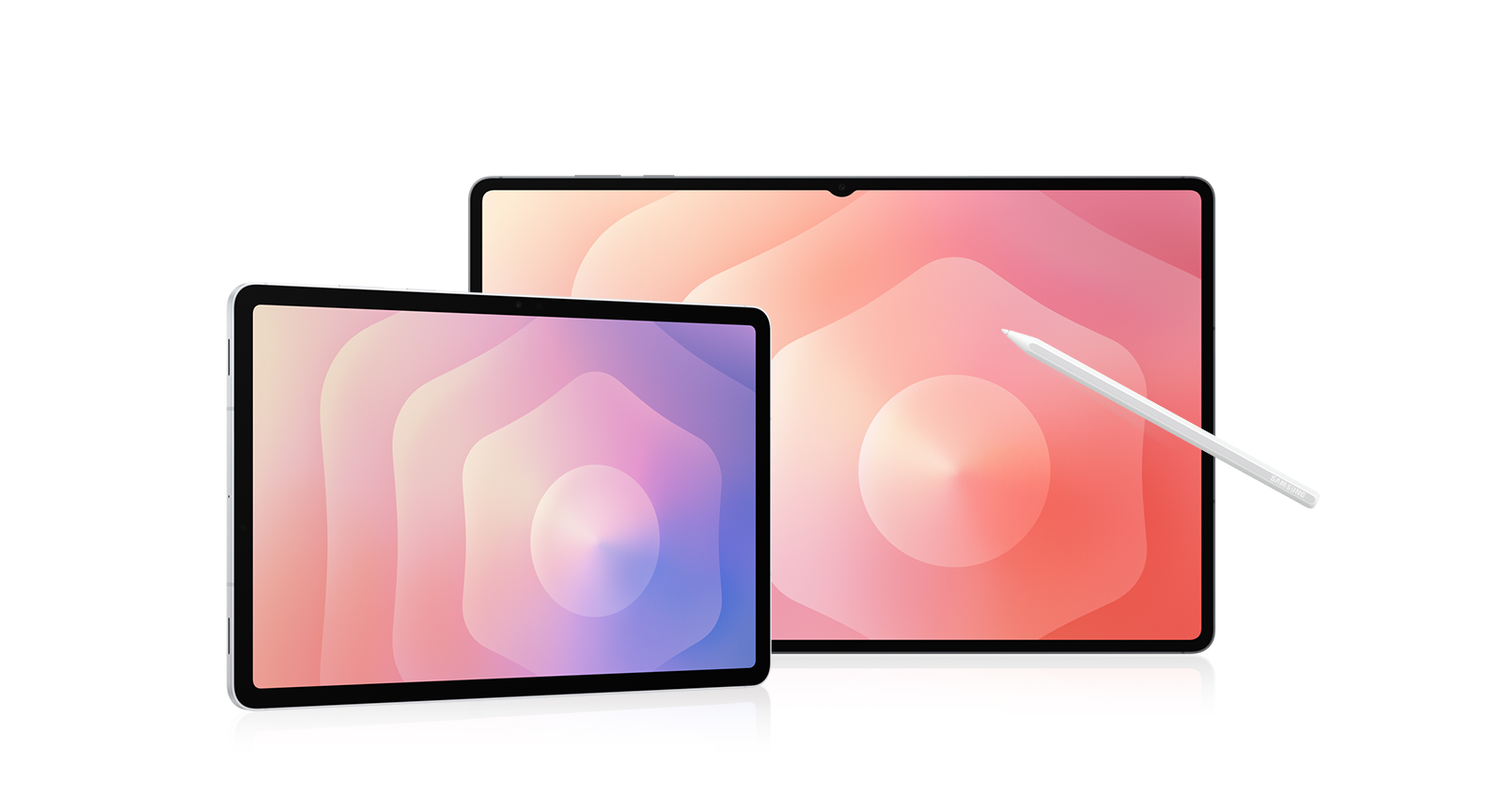
Galaxy Tab S11 | Galaxy Tab S11 Ultra
• Get £20 - £280 off when you trade in your old tablet2

Plus get 10% off Galaxy Watches or Buds when bought with any tablet5

Buying Tool



Device
Not available in this combination

Storage
Choose the storage option that fits your needs best
Not available in this combination

Colour
Not available in this combination
Colour
Connectivity
Not available in this combination
Keyboard
Charger
Trade-in
Choose Between
Pay monthly phone contracts
Choose from a range of networks and inclusive 24-month plans, and pay for your phone and plan in one monthly payment.
Tariff plans lower in value than trade-in are not available.
Pay monthly phone contracts are unavailable with Samsung Flex
Pay monthly phone contracts are unavailable with New Galaxy Club
Sorry, your selected tariff plan is not compatible with your trade-in value. The value of your trade-in can not exceed your upfront tariff cost, please choose a different sim plan.
When opting to trade in your old device, please ensure the tariff’s upfront cost is higher than your trade in value.
New Galaxy Club
Samsung Flex from Samsung Finance
Payment Options
Samsung Care+
Please select Samsung Care+ or No to continue
Trade-in, Samsung Care+, Tariff, Offer are not compatible with Rental option.
Premiums include taxes at the applicable rate. Cosmetic damage not included. Excess payable. Terms and conditions apply.
Samsung
Finance+ EMI
Gifts and Savings
Buy direct. Get more.
Buy direct. Get more.
Delivery
Please enter your postcode to see available delivery options:
Delivery
Arrives tomorrow, if you order by 7pm
Gifts and Savings
Reached maximum order quantity for this product.
FAQ
Click to Expand-
A. When you unbox your new Galaxy Tab S11 or Tab S11 Ultra, you’ll find an S Pen for precise note-taking and creative tasks, a quick start guide to get you set up, an ejection pin for the SIM/microSD tray, and a USB Type-C data cable for charging and connecting. *Travel Adapter is NOT included.
-
A. The Galaxy Tab S11 Ultra takes all the same great features as the Tab S11, such as the slim build, powerful processor, incredible display and groundbreaking Galaxy AI features and enhances the experience even further. The Tab S11 Ultra features a larger 14.6-inch display, an additional rear camera in the form of a 8MP Ultra Wide and a longer lasting 11,600mAh battery.
-
A. Galaxy Tab S11 Series offers a range of memory and storage combinations to suit your needs. Galaxy Tab S11 Ultra is available in 16 GB + 1 TB, 12 GB + 512 GB, or 12 GB + 256 GB. Galaxy Tab S11 is available in 12 GB + 512 GB, 12 GB + 256 GB, or 12 GB + 128 GB. If you need more space, both samsung tablets support microSD card (sold separately), so you can easily expand your storage for apps, class notes, creative projects, or media. *Actual storage availability may vary depending on pre-installed software. *MicroSD card sold separately. All models support microSD cards with up to 2 TB storage. External memory can be used to store media (photos, video and music files). Availability may vary by country and manufacturer.
-
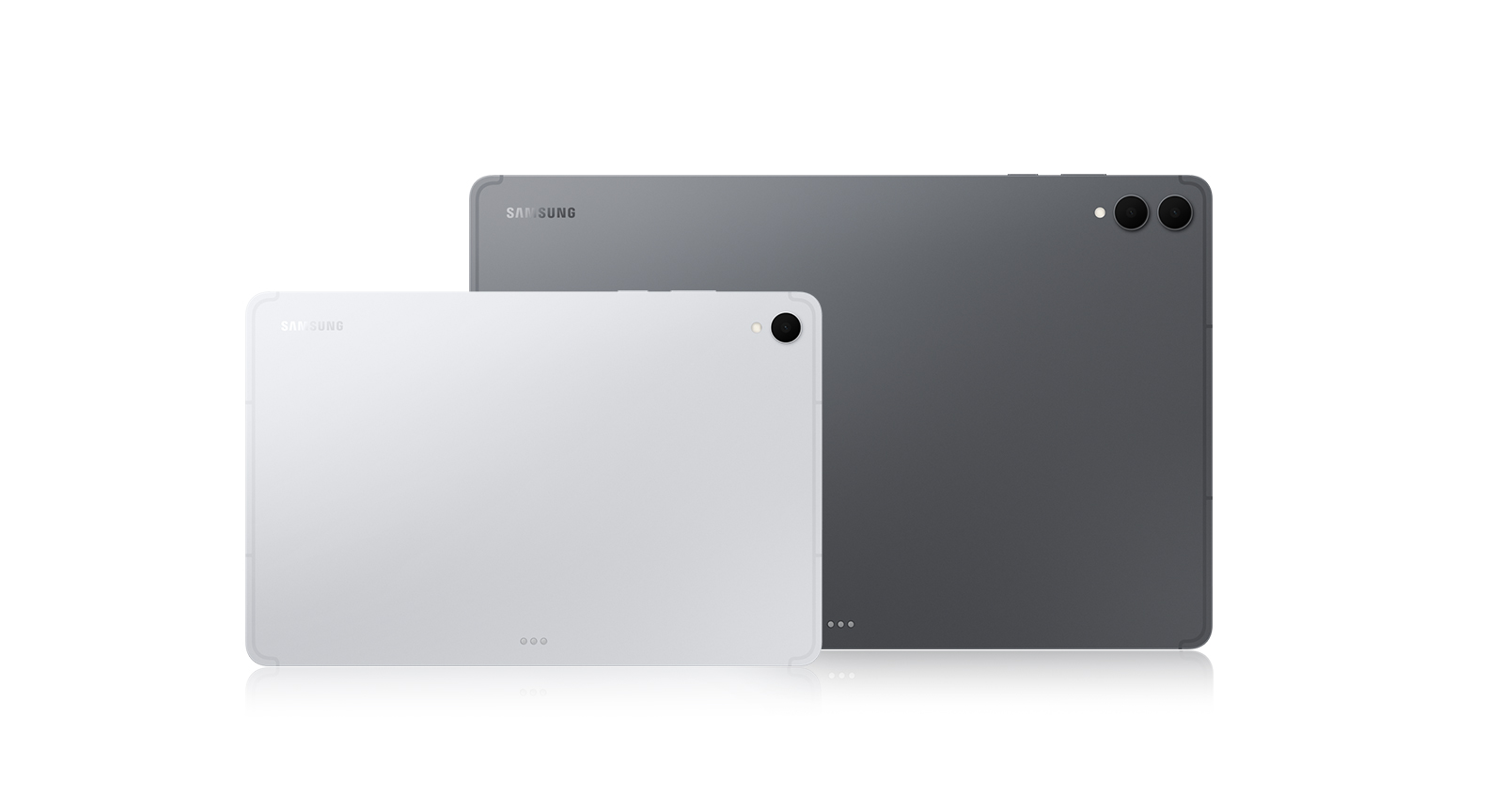
A. The Galaxy Tab S11 Series are available in two colours, Grey and Silver.
-
A. No, the Galaxy Tab S11 Series doesn't support wireless charging, however it supports up to 45W fast charging via USB-C.* *45W charger sold separatley
-
A. Yes, the Galaxy Tab S11 Series feature an IP68 rating which means they are dustproof and water resistant.* *Based on lab test conditions for submersion in up to 1.5 metres of freshwater for up to 30 minutes. Not advised for beach or pool use.
-
A. Built for the modern multi-tasker, the Galaxy Tab S11 and Galaxy Tab S11 Ultra helps you stay organised. These versatile tablets are designed to handle work, study, and entertainment. Both models come with an S Pen to take notes, sketch, or solve math problems easily. Galaxy Tab S11 features a compact 11.0-inch display, measures 253.8 × 165.3 × 5.5 mm, and weighs around 469 g, while Galaxy Tab S11 Ultra offers an expansive 14.6-inch display, measures 326.3 × 208.5 × 5.1 mm, and weighs around 692 g. Both are great for reading, attending online classes, or streaming content. With long battery life and smooth performance, both are great choices for everyday tasks and relaxation.
-
A. Yes, from super slim bezels to upgraded brightness, Tab S11’s 11-inch and Tab S11 Ultra’s 14.6-inch Dynamic AMOLED 2X displays deliver incredibly immersive visuals. From streaming to gaming, experience next-level entertainment like never before.
-
A. Yes, Galaxy Tab S11 supports both S Pen and Book Cover Keyboard Slim accessories. S Pen is included in the box and allows for precise writing, sketching, and note-taking. Pair your samsung tablet with Book Cover Keyboard Slim that turns it into a work-ready setup. For added versatility and protection, you can use Book Cover which offers flexible viewing angles, and Anti-Reflecting Screen Protector which helps reduce glare. *Accessories sold separately.
-
A. If you want Galaxy's most powerful tablet experience with AI built for real productivity, Galaxy Tab S11 Series is the one to choose. Its ultra-slim design packs next-level performance and a massive display that's still easy to carry. Galaxy AI supports your day with multi-modal intelligence, helping you undestand content, stay organized, and create faster across apps. Plus, the new DeX offers a more intuitive experience for multitasking, so you can work smarter anytime, anywhere.
-
A. Galaxy Tab S11 Series is eligible for up to 7 generations of Android OS upgrades, along with 7 years of security updates from the date of global launch. This long-term software support helps keep your tablet secure, up to date, and compatible with the latest features over time. *Availability and timing of Android OS upgrades and security updates may vary by device model and market.
-
A. Yes, you can quickly and easily transfer your iOS data to Galaxy Tab S11 Series using Smart Switch. Smart Switch is a tool that simplifies transferring data from one device to another by allowing you to seamlessly move contacts, photos, videos, notes, calendar events and more. You can connect your new Galaxy Tab S11 Series to your old device using a cable or wirelessly using the Smart Switch app. *Wired transfers from iOS require the receiving device to have Android™ 5.0 or later and the sending device to have iOS 5 or later. Transfers can be completed without a cable through a wireless connection or iCloud. For wireless connections, the receiving device must have Android™ 5.0 or later and the sending device must have iOS 12 or later. iCloud transfers require the receiving device to have Android™ 5.0 or later and the sending device to have iOS 5 or later. Open Smart Switch Mobile in “Settings” on the receiving Galaxy device or download the Smart Switch Mobile app from the Galaxy Store. For wireless transfers, download Smart Switch for iOS from the App Store on your iPhone or iPad. Data, content and apps available for transfer may vary by transmission method. Contacts, gallery, videos, calendars and reminders can be transferred wirelessly from an iOS device.
-
A. When you buy from Samsung.com, you get access to exclusive benefits including Trade In and Samsung Care+. If you purchase your Galaxy Tab S11 Series from us, you can receive discounts towards your new smartphone when you trade in almost any device including smartphones, wearables and tablets. Samsung Care+ is coverage for your new device that extends beyond the standard warranty, offering protection against accidental damage and providing more peace of mind to our customers. *To be eligible for trade in, your qualifying device must meet all trade in Program eligibility requirements. For detailed information, please refer to www.samsung.com/uk/trade in/. *Terms and conditions apply. Samsung Care+ coverage, service type and promotion details may vary by country/region and deductible (service fee) may apply. To be eligible for Samsung Care+ promotion benefit, registration may be required. For detailed Samsung Care+ information, please visit https://www.samsung.com/uk/offer/samsung-care-plus/.
Featured Reviews
Click to ExpandRecommended by 61% of customers.
The Overall Rating and the average star scores are made up of incentivised and non-incentivised reviews; as well as in store product demonstrations.
Customers praise crisp, balanced sound quality and effective noise cancellation for focus and relaxation.
Many credit Galaxy AI with transforming productivity through translation, text editing, and photo enhancement.
Reviewers highlight the stunning Dynamic AMOLED display as excellent for streaming, gaming, and outdoor use.
Most value seamless ecosystem integration with other devices, reinforcing loyalty and repeat purchases.
Several note all-day battery life and premium features deliver strong value for the investment.
AI-generated from customer ratings & reviews, and may include incentivized reviews.
Supported languages
This summary is AI-generated from ratings and reviews across multiple languages.
- English
- German
- French
- Spanish
- Portuguese
- Italian
- Korean
- Chinese
- Japanese
- Arabic
Relevancy sort puts the best reviews at the top. We look at things like helpfulness votes, latest review, pictures and other traits that readers look for in their reviews.
I love this tablet it's larger than my last one I love samsung you never have to worry about anything simple set up i have everything that I need and love that I have pen to use for it as my other one didn't I would always recommend samsung to other technology
I recommended this product.
We appreciate the time you’ve taken to let us know your wonderful feedback about your Tab S11! You will always get the five-star treatment with us! ^JH at Samsung Support
This is my go-to tablet for both business and leisure. The screen size is perfect — comfortable to hold for long periods without feeling tired. The battery life is excellent and easily lasts through long-haul, cross-continent flights. The display is simply stunning; Samsung truly deserves the title “King of Tablet Screens of the Year.” It’s incredibly sharp and vividly colorful.


I recommended this product.
We're delighted to see how much you are loving your Tab S11 5G, Luo! With a crisp yet vivid 11" display, this Tab allows you to open up a whole new world, whether it be immersing yourself in a spreadsheet or your favourite film. The lightweight design makes it incredibly comfortable to hold, and the long lasting battery keeps you going all day. Thank you for sharing such a stellar review, you'll be enjoying this model for years to come! ^SK at Samsung Support
This device is an upgrade from my previous tablet, the Tab S8. That tablet worked really well for 3 years. The Tab S11 has a lot to live up to, and so far it a great upgrade across all areas. I use my tablet for all my work needs on the move. It is performing strong in all areas, display, battery and performance
I recommended this product.
Congratulations on your new Galaxy Tab S11, and thank you for upgrading with Samsung! It's a delight to read your lovely review. Performance is top tier on your Tab S11 thanks to the upgraded and super powerful processor, backed up by the massive 8,400 mAh battery with 45W Super Fast Charging. The display has a bright, crystal clear clarity in any light condition, offering vivid and immersive viewing, whatever the task in hand. Many thanks for taking the time to rate your gorgeous new tablet a perfect five stars! ^EW at Samsung Support
Well at first they were fine now they make a noise it is terrible and one plug you can hear better than than thd other are they exchangable or has insurance to get another pair
This is probably one of my least favorite Samsung tablets I have ever owned. The Wi-Fi on this tablet is poor and has lousy range. There is something with the software that causes all spell check to stop working completely. Nothing you do will bring it back. Notifying Samsung seems to do nothing because it's still not working and that is a necessity for me. I really regret upgrading my S9 to this tablet. It's also very disappointing that the newest tablets do not come in an 11 inch screen. So I am jumping ship for the first time in probably a decade and purchasing a different brand of tablet to see if I like it better. Sorry Samsung but you're going to lose us if you can't keep simple features working.
Hello there, thank you for sharing your experience of your Samsung Galaxy Tab S11 with us. We completely understand how frustrating it is when your device is not operating as intended or expected. We have provided a link to an article to help you troubleshoot the Wi-Fi connection of your device at your convenience. We have also provided links to the full manual and the Samsung Support Team to help you with the spell check you mention causing frustration, or any additional questions you may have about your device. We appreciate you being a Samsung customer. -Elizabeth Galaxy phone or tablet Wi-Fi connection issues https://www.samsung.com/us/support/troubleshooting/TSG01001559/ Product Manuals https://www.samsung.com/us/support/downloads/ Samsung Support smsng.us/Samsung-Support Samsung Community smsng.us/Samsung-Community Facebook smsng.us/Facebook-Messenger X https://smsng.us/X-Messages
No App to find buds if misplaced! Comfort level is on zero. Falls out of ear frequently. Just not comfortable. Old earbuds use to chrup when finding.
Hi LaNell, thank you for sharing your thoughts about your Samsung Galaxy Buds3 FE with us. We understand that it can be disappointing when your earbuds are not meeting your expectations. We have provided a link to an article to help you with the fit of your earbuds at your convenience. We have also provided a link to the full manual to help you discover all of the capabilities and settings available on your device. Lastly, we have provided a link to the Samsung Support Team to assist you further if you believe your device is not functioning as intended. We appreciate you being a Samsung customer. -Elizabeth How to wear your Samsung Galaxy Buds3 and 3 Pro https://www.samsung.com/us/support/answer/ANS10003519/ Product Manuals https://www.samsung.com/us/support/downloads/ Samsung Support smsng.us/Samsung-Support Samsung Community smsng.us/Samsung-Community Facebook smsng.us/Facebook-Messenger X https://smsng.us/X-Messages
What I'm describing isn't an isolated case. The Tab S11 has poor internal magnet implementation that causes sporadic dead-zones (areas where the S Pen isn't registered) and severe cursor offset that throws off line work. Despite common claims that this distortion is strictly due to third-party magnetic cases, this exact hardware issue occurs on completely naked hardware across multiple separate Tab S11 units back-to-back. Widespread community reports from other digital artists completely mirror this exact pattern. This generation clearly values form over function, treating artistic workflows as an afterthought. It is an inherent hardware oversight. Get another tablet.

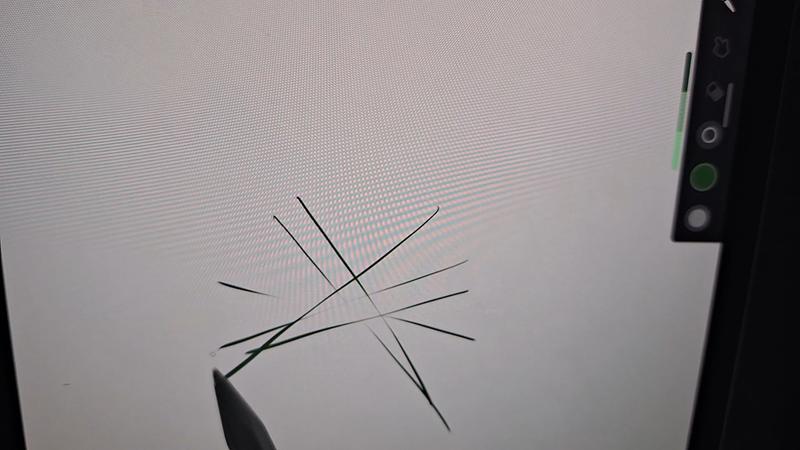
Hello Lily223, thank you for your feedback on your Samsung Galaxy Tab S11. We completely understand how important your artistic expression and practice is to you every day. We have provided a link to an article to help you with the S Pen not being recognized by your device. We have also provided a link to the Samsung Support Team if you are interested in exploring troubleshooting options with your device. We appreciate you being a Samsung customer. -Elizabeth S Pen is not recognized by Galaxy phone or tablet https://www.samsung.com/us/support/troubleshooting/TSG01001457/#:~:text=%5BSolution%5D%20Galaxy%20Note%20S%20Pen%20not%20Recognized%201,and%20may%20help%20the%20S%20Pen...%20See%20More. Samsung Support smsng.us/Samsung-Support Samsung Community smsng.us/Samsung-Community Facebook smsng.us/Facebook-Messenger X https://smsng.us/X-Messages
Some of the absolute worst quality earbuds I have ever spent money on. The bud 3pros were amazing and when I needed something new I decided to try these and they lasted maybe 2 weeks before having charging and noise canceling/ambient noise issues. Worst purchase Ive made with this company.
Hello AydenS, Thank you for sharing your thoughts on the Galaxy Buds3 FE. Their comfortable fit, audio features, and easy-to-charge design were developed to support music, calls, and daily listening. We understand that dependable charging and consistent sound controls are essential, especially after having a great experience with another Galaxy Buds model. Please be advised Samsung products are warranted against manufacturing defects in material and workmanship for the limited 12-month warranty period specified for each product. We also offer the option to add additional coverage with Samsung Care+ on eligible devices, which offers extended protection and additional support. Additionally, for eligible devices, we offer the option to add extra coverage through Samsung Care+, which provides extended protection and additional support. Please reach out to our Samsung Support Team to further assist. Thank you for choosing Samsung. Samsung Care+ https://www.samsung.com/us/support/samsung-care-plus/ Samsung Warranty https://www.samsung.com/us/support/samsung-care/ -Ty Samsung Support smsng.us/Samsung-Support Samsung Community smsng.us/Samsung-Community Facebook smsng.us/Facebook-Messenger X https://smsng.us/X-Messages
Mines don't work had them for awhile, even got a new phone they haven't worked yet. Never got to use them
Hey there Tanika, Thank you for sharing your experience with your Galaxy Buds3 FE. The Galaxy Buds3 FE deliver clear sound, a comfortable fit, and an easy listening experience for everyday use. If your Galaxy Buds3 FE are not working properly, please contact our Samsung Support Team for further assistance and troubleshooting. We appreciate your feedback and thank you for making Samsung your go-to choice. -Ty Samsung Support smsng.us/Samsung-Support Samsung Community smsng.us/Samsung-Community Facebook smsng.us/Facebook-Messenger X https://smsng.us/X-Messages
First time ear buds buyer. Can't get them to connect with the Samsung app! Can't get them to pass the fit test! Can barely hear them over ambient noise! Not comfortable at all! Worst purchase ever, total failure on all fronts!
Greetings to you Joey, The Galaxy Buds3 FE offer a lightweight fit and rich audio, making them an excellent companion throughout the day. We understand your frustration with the fit test experience, and we appreciate you reaching out to us. To set up your Galaxy Buds3 FE, please go directly to the Bluetooth option in your device's Settings. From there, you can easily enable or disable enhanced features, as well as complete the fit test. If you're experiencing issues with the earbuds not staying securely in your ears, changing the ear tips can often help. The Galaxy Buds3 FE come with different sized ear tips, so it's essential to ensure you have the right size for your ears. Properly fitting ear tips will eliminate gaps between the tip and your ear, which helps prevent sound leaks and ensures optimal audio quality. To change the ear tips, you can refer to our guide specifically for the Buds3 FE. Once you have the correct tips on your earbuds: 1. Check the bottom of the earbuds for directional marks (L for left and R for right). 2. Insert the R bud into your right ear with the R facing toward you. 3. Insert the L bud into your left ear with the L facing toward you. 4. Angle the earbuds slightly so that the microphone on the bottom points towards your mouth instead of straight down. 5. Adjust the buds by rotating them forwards and backwards until the fit feels comfortable. You can also run an earbud fit test to ensure you have the proper fit. For more information, please check out the online article linked below. Thank you for sharing your feedback about the setup process, and thank you for choosing Samsung! How to wear your Samsung Galaxy Buds3, Buds3 Pro, or Buds3 FE https://www.samsung.com/us/support/answer/ANS10003519/ How to connect your Samsung Galaxy earbuds https://www.samsung.com/us/support/answer/ANS10001319/ -Ty Samsung Support smsng.us/Samsung-Support Samsung Community smsng.us/Samsung-Community Facebook smsng.us/Facebook-Messenger X https://smsng.us/X-Messages
Noise canceling is crazy!! I love those earbuds. Their price is very good. Thank you for improving our lifes!!


I recommended this product.
Absolutely outstanding tablet! The Galaxy Tab S11 delivers stunning visuals, lightning-fast performance, and incredible versatility. The S Pen is smooth and responsive, making creativity effortless. Battery life is excellent. Perfect for work, entertainment, and everything in between—truly a premium experience that exceeded my expectations in every way.
I recommended this product.
Easy to use. Don't need a laptop. Screen is crisp and bright. S Pen is the only letdown. cheaply built not to last. if you drop it on a hard surface the tip breaks off ruining the pen.
I recommended this product.
These are trash! The design is so inconvenient plus they don't stay in ears at all. I also have stretched ears and cannot use any of the features on the earbuds themselves. Terrible design. I miss the old style and wish I could still purchase those.
Hi there SamsungUser, Thank you for sharing your insights on the Galaxy Buds3 FE. We understand that comfort and usability are key for everyday listening. These earbuds are designed to deliver balanced sound, clear calls, and modern touch controls, all while being lightweight. Your feedback highlights how personal preferences and ear shapes influence the listening experience, and we appreciate your input. The Galaxy Buds3 FE include different-sized ear tips. The first step is to ensure they fit your ears correctly; they should fit snugly without gaps to prevent sound leakage and ensure optimal audio quality. For instructions on changing the tips, refer to our guide linked below for the Buds3 FE tips. After selecting the right tips, check the bottom of the earbuds for directional marks labeled L and R. Insert the R earbud into your right ear with the R facing outward, and the L earbud into your left ear with the L facing outward. Slightly angle the blade so the microphone at the bottom points toward your mouth rather than straight down. Adjust the earbuds by rotating them forward or backward until they feel comfortable. You can also perform an earbud fit test to confirm the proper fit. For more tips on achieving the perfect fit, see our online guide linked below. Thank you for being a valued member of the Samsung community. How to wear your Samsung Galaxy Buds3, Buds3 Pro, or Buds3 FE https://www.samsung.com/us/support/answer/ANS10003519/ How to change the tips on your Galaxy Buds3 Pro or Buds3 FE https://www.samsung.com/us/support/answer/ANS10003496/ -Ty Samsung Support smsng.us/Samsung-Support Samsung Community smsng.us/Samsung-Community Facebook smsng.us/Facebook-Messenger X https://smsng.us/X-Messages
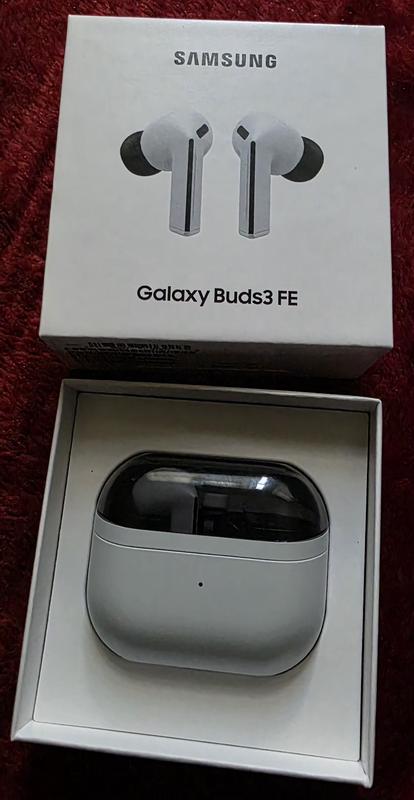
It's no different than the Pro series' seamless connectivity. The battery lasts longer. The sound may not be like the Pro, but the bass is still good with good quality. Noise cancellation is great. I was surprised by the call quality, which is the reason why I bought it. The other party hears less background noise, which feels comfortable.

I recommended this product.
Hey strongnetal, Thank you for sharing your experience with Galaxy Buds3 FE. Designed to provide reliable connectivity, long-lasting battery life, and clear call quality, these earbuds offer a well-balanced listening experience. Your feedback highlights how effective noise control and voice clarity can make everyday conversations feel more natural and comfortable. Insights like this help demonstrate the versatility of Galaxy Buds3 FE across various use cases. Thank you for choosing Samsung. -Ty Samsung Support smsng.us/Samsung-Support Samsung Community smsng.us/Samsung-Community Facebook smsng.us/Facebook-Messenger X https://smsng.us/X-Messages
Earbuds were grear at first but unfortunately they are now just wigging out. The left bud has a high pitched sound at times while also lowering the volume randomly.
Salutations Benpai74, Thank you for sharing your experience with the Galaxy Buds3 FE. These earbuds are designed to deliver clear sound and seamless Galaxy connectivity for daily use. Sound quality is key to enjoyment. When Active Noise Canceling, Adaptive, or Ambient Sound features are active, the sound from the sub-microphone, located on the top outer edge of your earbuds, is adjusted based on the noise control mode and transmitted through the speaker. However, covering or touching the area around the sub-microphone while putting on, removing, or adjusting your earbuds can cause the microphone to pick up sound, resulting in beeping or howling noises. Please make sure the sub-microphone isn't covered when these features are active. Refer to the online article linked below for more information about loopback and feedback, and how to avoid them. Thank you for being part of the Samsung community. Beeping or howling noise when holding the Galaxy Buds https://www.samsung.com/us/support/troubleshoot/TSG10003620/ -Ty Samsung Support smsng.us/Samsung-Support Samsung Community smsng.us/Samsung-Community Facebook smsng.us/Facebook-Messenger X https://smsng.us/X-Messages
This product came without the option of extended external storage limiting my capacity in terms of memory but not only that it didnt even come with a charger?? How am I supposed to charge the device I paid for when it came with one historically. They might as well put a fruit logo in the back and call themselves a cheap company.
Hey Vict, thank you for sharing your thoughts about your Samsung Galaxy Tab S11 with us. We know it can take time to fully discover your device and best align to your preferences. This device does have the option to use a micro SD card for storage expansion on your device if you are finding the installed storage insufficient. We also no longer provide charging adapters and recommend using ones from previous devices to charge your device, and help us reduce electronic waste. We have provided a link to the Samsung Support Team to assist you if you have questions about these features. We appreciate you being a Samsung customer. -Elizabeth Samsung Support smsng.us/Samsung-Support Samsung Community smsng.us/Samsung-Community Facebook smsng.us/Facebook-Messenger X https://smsng.us/X-Messages
I'll start by saying I'm not an audiophile, and while I do want good sound quality from earbuds, it's not one of the more important factors when choosing a set for myself. My most recently set of earbuds before I got these was the OnePlus buds 4. I was blown away with how good they are at everything, especially ANC. I felt confident saying you would be hard pressed to find a better set in the price range. Well, the Samsung Galaxy Buds3 FE competes with them in every category that matters to me. They say in my ears comfortably longer than The OPB4, the battery lasts just as long, if not a little longer, and since I have a galaxy phone it works with my phone like they came packaged together. I work around people who only speak Spanish every so often so the live translation was very interesting to me. I tried it out last week and was pleasantly surprised with the results. Fantastic set of earbuds, especially if you have a galaxy phone

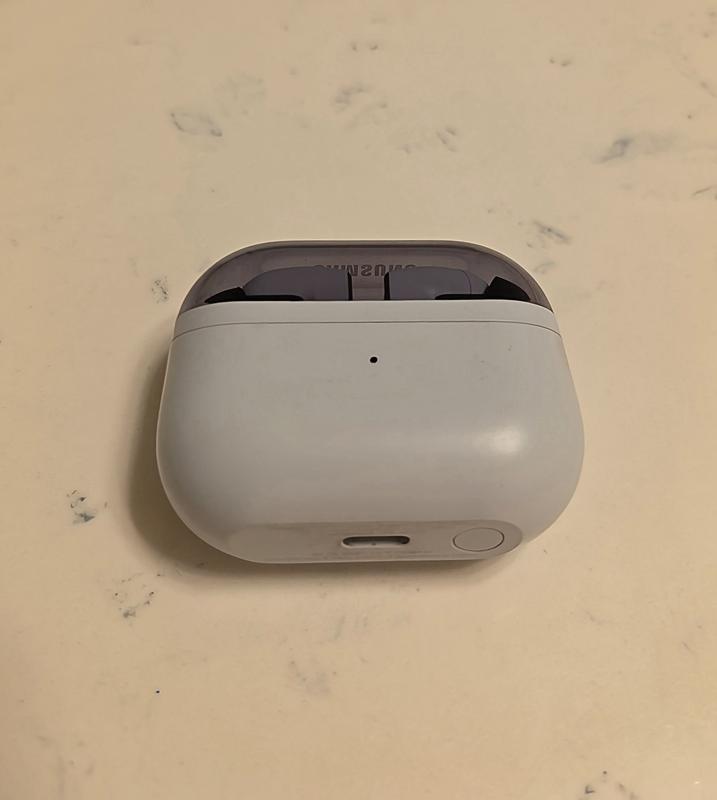
I recommended this product.
Hi there TonyYayo2424, Thank you for offering such a detailed perspective on the Galaxy Buds3 FE. It’s wonderful to learn how comfort, battery life, and Active Noise Cancellation integrate seamlessly into your Galaxy experience. Your insights on Live Translation serve as a practical example of how Galaxy features enhance daily interactions. We genuinely appreciate your feedback and thank you for being part of the Samsung community. -Ty Samsung Support smsng.us/Samsung-Support Samsung Community smsng.us/Samsung-Community Facebook smsng.us/Facebook-Messenger X https://smsng.us/X-Messages
Good product, sounds good the noise cancellation,good battery ,comfort , connectivity
Greetings Brandon, Thank you for sharing your experience with Galaxy Buds3 FE. Reliable connectivity, balanced sound, and comfortable wear contribute to an enjoyable listening experience. We appreciate your feedback and thank you for being part of the Samsung lineup. -Ty Samsung Support smsng.us/Samsung-Support Samsung Community smsng.us/Samsung-Community Facebook smsng.us/Facebook-Messenger X https://smsng.us/X-Messages
Tablet is powerful, but the thermals are terrible. It runs really hot and heats up really quick. I ran the same game at all the same settings on both the Galaxy Tab S9 and the Tab s11. The S9 NEVER dropped frames, never auto dimmed the screen, never thermal throttle or got uncomfortable to hold in almost 2 years of heavy gaming on it. The Tab S11 thermal throttles within a half hour. Drops frames, has random screen glitches that look like GPU overheating symptoms. The screen auto dims under load which is obnoxious. From my reading, Samsung made the non-ultra variant thinner and had to use a subpar vapor chamber. Then underclocked the processor to compensate for thermals. Yet it still can't sustain loads.
Hello there, we appreciate you taking time out of your day to share your thoughts about your Samsung Galaxy Tab S11 with us. We know how important the usage of your tablet is for your more intense activities like your favorite games. We have provided links to resources to help you adjust the refresh rate, maintain the optimal temperature, and adjust the settings for the display to your preferences. We have also shared a link to the Samsung Support Team to offer assistance if you continue to experience frustrations with your device. We appreciate you being a Samsung customer. -Elizabeth How to adjust refresh rate options on your Galaxy phone or tablet https://www.samsung.com/us/support/answer/ANS10003396/ Keep your Galaxy device at its normal operating temperature https://www.samsung.com/us/support/answer/ANS00076952/ Product Manuals https://www.samsung.com/us/support/downloads/ Samsung Support smsng.us/Samsung-Support Samsung Community smsng.us/Samsung-Community Facebook smsng.us/Facebook-Messenger X https://smsng.us/X-Messages
Hi I love my tablet I bought it 2yo ago so I love my tablet so much-loved
Really good sound. The buds don't stay in well. Which for the price I would expect them to. I've tried different size earbud tips, but the earbuds still get loose. Since I always have to push them pack in, music will stop if playing.
Hiya LevelUp, We’re glad you’re enjoying the sound quality of your Galaxy Buds3 FE. For the best experience, proper fit is key; correct placement enhances sound clarity, provides comfort, and prevents earbuds from falling out. Incorrect wearing can cause discomfort, sound leakage, and earbuds falling out, especially during activities like jogging. Make sure you wear them properly. For tips on achieving the perfect fit with your Galaxy Buds FE, check the linked online article below. Your feedback on fit helps our design team improve ergonomic comfort, ensuring your listening experience remains excellent. Thank you for your review and for being part of the Samsung community. How to wear your Samsung Galaxy Buds3, Buds3 Pro, or Buds3 FE https://www.samsung.com/us/support/answer/ANS10003519/ -Ty Samsung Support smsng.us/Samsung-Support Samsung Community smsng.us/Samsung-Community Facebook smsng.us/Facebook-Messenger X https://smsng.us/X-Messages
They dont stay in your ear well. Poor design. If you want to make great products you should contact people like me that use your products 20 hours a day so I could tell you what to improve on. The design is poor not allowing you to push the earbuds in snuggly due to to way they are designed. You earsbud 2 pro fit perfectly but because you tried to copy airpods but designed these in a way you can't get them snuggly I.n your ear they will fall out and its hard to even hear them well. Get product testers for beta testing so if changes need to be made you can do it before mass producing them.

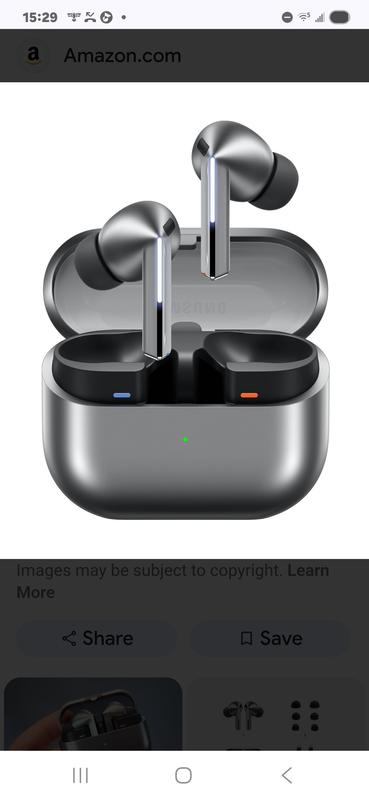
Hi Jamie, Thank you for your insights on the Galaxy Buds3 FE. These earbuds are designed for clear sound and stylish comfort, and your feedback on fit will help improve future designs for secure wear and great sound during all activities. Proper fit is essential for several reasons: it enhances sound quality, increases comfort, and prevents the earbuds from falling out. Improper wearing can cause discomfort, sound leaks, and even loss of an earbud, especially while jogging. Make sure they fit well. The Galaxy Buds3 FE come with different-sized ear tips. First, select the correct size for your ears. They should sit snugly with no gaps, which helps prevent sound leaks and ensures optimal audio quality. For instructions on changing tips, refer to our guide. Also, look for the L and R marks at the bottom of the earbuds. Insert the R earbud into your right ear with the R facing you, and the L into your left ear with the L facing you. Tilt the stem slightly so the microphone points toward your mouth instead of downward. Adjust the buds by rotating them forward or back until they feel comfortable. You can also perform a fit test to confirm you have the right fit. Please find out more about how to achieve a good fit with your Galaxy Buds3 FE by checking out the online resource linked below. Thank you for your feedback and for being part of the Samsung family. How to wear your Samsung Galaxy Buds3, Buds3 Pro, or Buds3 FE https://www.samsung.com/us/support/answer/ANS10003519/ -Ty Samsung Support smsng.us/Samsung-Support Samsung Community smsng.us/Samsung-Community Facebook smsng.us/Facebook-Messenger X https://smsng.us/X-Messages
I was on the fence on what earbuds to purchase this time. I was in desperate need on replacing my old ones. The Galaxy Bud 3 were the worst decision I could have made. They constantly fall out of me ear, they are not comfortable, I am constantly taking them out due to the lack of comfort. I should have went with the newest version of the Samsung Galaxy core. They are much more comfortable. The sound quality is better and they stay on my ear comfortably. I will definitely have to purchase a new pair and will only use the Buds 3 as a backup
Hi there Lewis, We appreciate your feedback on the Galaxy Buds3 FE. This model was designed for clear sound and easy connectivity in a lightweight form. Your comments on fit and comfort help shape our efforts to create even more secure and ergonomic earbud designs for future Galaxy audio products. Thank you for your feedback and for being a Samsung listener. -Ty Samsung Support smsng.us/Samsung-Support Samsung Community smsng.us/Samsung-Community Facebook smsng.us/Facebook-Messenger X https://smsng.us/X-Messages
Probably the worst pair of ear buds ive used. The sound quality is ok, but not near good enough for the price. The controls will not work if you have any type of gloves on. The app sorta works when it wants to. If these werent free with my phone purchase id be returning them. Do yourself a favor, get the pros (which are stupidly priced as well) or get a pair of skullcandys for half the price, with a better app, better continuous connectivity, button and verbal comands that work regardless of what youre wearing or the environment youre in and better battery life. About the only thing the Buds3 do better is ANC works with one headphone or two where as other brands ive used require you to be using both buds for ANC to work. Other than that, way to expensive for a cheap feeling and poor performing overall headphone.
Hey Bedhead, Thanks for sharing your experience with your Galaxy Buds FE. The design focuses on delivering dynamic sound and smart noise control for daily use. Your feedback shows how performance and comfort shape the user experience. With each new release, Samsung improves the design, connectivity, and controls to provide a sound experience that is both advanced and immersive. The Galaxy Buds3 FE and the entire Galaxy Buds series remain central to our goal of making Galaxy audio more versatile and engaging for all users. We value your honest feedback and appreciate you sharing your Samsung experience. Ty Samsung Support smsng.us/Samsung-Support Samsung Community smsng.us/Samsung-Community Facebook smsng.us/Facebook-Messenger X https://smsng.us/X-Messages
Upgraded from Tab S8 to S11 and could say this is the best purchase. Solid performance, the best display out there, outstanding battery life and super fast storage. Best front camera and can't complain about the rear camera as I don't use much. It's very hard to drain the battery out of this tablet. Normal to heavy use for the whole day and still left with around 40 to 50%. Can't stop praising about the multitasking and the DEX features. Yes, the S-Pen is a little downgrade but still reatins 90% of the features from the OG S-Pen. I'm not bothered about the haptics but still unsure why Samsung removed the vibrations. If someone's looking for a compact, ultra light, ultra performance and best battery life- I would strongly recommend this Tablet.
Honestly, I am surprised (in a good way)! I was looking for Galaxy Buds FE, because I used them for a long time and accidentally washed one bud with the laundry (he didn't make it, unfortunately). So I went to the store, hoping to get new pair. But they had only Galaxy Buds3 FE (in same price category). I didn't want to take am because of the design (I have tunnels in my ears, and every step this long shape hitting the jewelry making listening music a nightmare for OCD person, thanks god I don't have it😅). So I bought them as the only option with suitable price. But! I didn't expect that the sound will be much, I mean MUCH better than in my prior pair. I still don't like design, but they fit well in my ear (thanks god) and I barely feel them. Noise cancelation works perfect! They doesn't fall off my ears in any position which is a solid plus! Buttery pretty good (2 hours in gym with max volume and I still have 73% charger, even though it wasn't 100% at the start). Connectivity very pleasant (especially I love the sound when they're connecting 🤤). 10/10


I recommended this product.
I was upgrading from an S9+ to an S11, but am not at all happy with this new device. It is a lot smaller than I thought it would be, and there is no S11+ in the preferred 12.4" size. The keyboard case no longer holds the pen in an enclosed slot, so the pen can only be precariously perched on the side of the machine, easily knocked off. The keyboard is very cramped and difficult to use. The battery isn't an upgrade, and I don't notice the amazingly clear picture that was promised. We are loyal Samsung customers -- TV, soundbar, two mobile phones, two tablets, and this is the first major disappointment. Wish I hadn't "upgraded" as this feels like a downgrade.
Hi there KDEK, we appreciate you sharing your thoughts about your Samsung Galaxy Tab S11 with us. We know how important your tablet is to you for a range of daily tasks, and we would love to help you maximize your experience and troubleshoot the frustrations you mention. We have provided a few links to articles to help you maximize the battery life of your device. We have also shared a link to the complete manual for your tablet to help you adjust the display settings and additional features to your preferences. We have lastly, shared a link to the Samsung Support Team to assist you if continue to experience any frustrations, or have questions about your Samsung products. Thank you for being a Samsung customer. -Elizabeth Get the most out of your Galaxy phone or tablet battery https://www.samsung.com/us/support/answer/ANS00078987/ Apps are draining battery on Galaxy phone or tablet https://www.samsung.com/us/support/troubleshooting/TSG01001388/ Product Manuals https://www.samsung.com/us/support/downloads/ Samsung Support smsng.us/Samsung-Support Samsung Community smsng.us/Samsung-Community Facebook smsng.us/Facebook-Messenger X https://smsng.us/X-Messages
I didn't think I would like it more than my s9 ultra. Especially with the loss of functionality on the penn. Admittedly, I didn't really use the Bluetooth functionality often but it was nice to have. Also like the position of then pen on the ultra 9 vs the ultra 11. But as fast everything else is love this tablet and everybody loves using it around me. It's easy to look at, fast and functional. I stream, do school work, corporate work, pretty much everything. I wish they had a 5g version for the ultra but my 7 does a good job handling that! Highly recommend!
I recommended this product.
Very disappointed. I have the buds for 2 weeks now and I cant return them because I bought through mobile carrier. It falls out of my ear if I bend over. It disconnects so often I have to take it out my ear then put it back in. It has now affected the volume on my phone. I have to the volume so high just to hear. At nights when I am done using the buds the volume for my media is very very very low. It's just ridiculous.I have a S24 and I have to restart the phone so often just to reset it. Noise cancellation does work. Battery lasts about 5 hours and case needs recharging every 48 hours. This is my second time buying a Samsung ear piece and I've wasted my money again. I gave it a 1 star for design.
Greetings Traditionalgirl, Thank you for sharing your experience with the Galaxy Buds3 FE. These earbuds are crafted to provide balanced sound and smooth connectivity within the Galaxy ecosystem. Your comments on fit, connection, and battery life are very helpful in guiding us to improve comfort and dependability in future updates. Samsung products come with a limited 12-month warranty that covers manufacturing defects in materials and workmanship. You can also choose to add extra protection through Samsung Care+ on eligible devices, which offers extended coverage and support. We’re happy to hear that the noise cancellation performed well — it’s one of the features that distinguish Galaxy audio. Thank you for your feedback, and we’re pleased to have you as part of the Samsung community. Samsung Care+ https://www.samsung.com/us/support/samsung-care-plus/ Samsung Warranty https://www.samsung.com/us/support/samsung-care/ -Ty Samsung Support smsng.us/Samsung-Support Samsung Community smsng.us/Samsung-Community Facebook smsng.us/Facebook-Messenger X https://smsng.us/X-Messages
The Galaxy tab s11 is impressive. I love the new dex and the new s pen. One ui 8 over android is amazing, and with 7 years of updates I know this will be a great tablet years from now. The specs may be better for the m3 iPad, but I find I’m reaching for the Samsung most of the time. It just is more intuitive than the iOS 26 for me. That may be because I used the s9 while the m1 iPad collected dust previously and I’m more used to it, but I feel the software is better on the Samsung. The galaxy is a better overall experience to me.

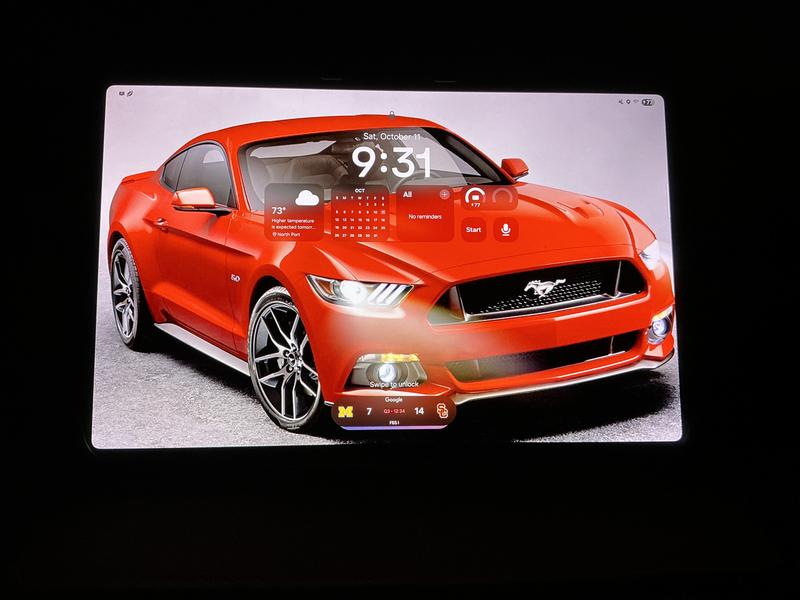
I recommended this product.
I absolutely HATE the pinch feature. I've still got a few weeks to test these out to determine if I'm going to return them, but at this point I prefer charging my Buds2 every day as opposed to pinching the Buds3 FE to pause or skip a song. Why make it more difficult? The tap & double tap was so easy! The pinch is not consistent - it's hard to find where you need to pinch, it doesn't always register, & when I try to double pinch to change the song it only picks up the first pinch & ends up pausing instead. Big thumbs down for that change! On the plus side, the noise cancellation is excellent.

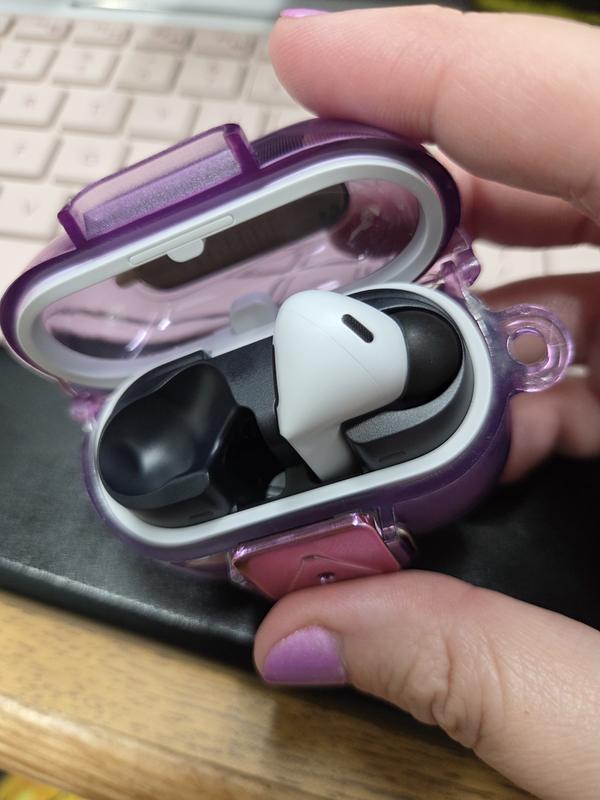
Hey there SamsungUser4Life We're pleased to hear you're enjoying the noise cancellation feature on the Galaxy Buds3 FE, which is always a valuable addition. The Buds3 FE has a distinctive blade design that differentiates them from other Galaxy earbud models. While some users still prefer traditional methods, many are becoming accustomed to the pinch gesture because it is precise and deliberate. We recognize that this may be a change, but we hope it proves useful in your daily routine. For more information on customizing gestures, please refer to the helpful guide titled “Use touchpad commands for your Samsung Galaxy earbuds.” Thank you for your feedback; we're glad to have you as part of the Samsung community. Use touchpad commands for your Samsung Galaxy earbuds https://www.samsung.com/us/support/answer/ANS10001318/ -Ty Samsung Support smsng.us/Samsung-Support Samsung Community smsng.us/Samsung-Community Facebook smsng.us/Facebook-Messenger X https://smsng.us/X-Messages
The best Buds ever. I love them so much. The sound the way they fit are just perfect
This has easily been one of my favorite tech purchases in a while. I love the smaller size than the ultra which makes it feel like a true tablet and not a toned down laptop. For me the mobility and access without feeling like I'm power lifting a laptop around was important and this fits so well. Even with the book cover I can easily move this around or hold it up in front of me as I draw or sculpt. I've started using more intensive apps like Nomad sculpt and it has handled it with very little problems so far. I did end up getting a paper-like screen protector to get a more natural feel with the pencil, limit glare and remove finger print concerns. The multi window mode is amazing as well. It feels like this is what a tablet should feel like. Far more flexible than my old iPad to let me move around very fluidly.
Taking 'plus' tablet option out of 2025 S11 tablet lineup was disappointing. Currently own S9 + with Samsung cover and was looking to upgrade to S11 and it's matching cover. Unfortunately size difference could not be compensated for by price or improved performance. S11 and S11 Ultra meet needs of those users new to Samsung, wanting a light tablet, lower cost, upgrading from an older tablet with older specs, laptop in a tablet experience, great trade in program and a new pen design, but leave 'plus' customers hoping for model to return next year. S11 size may make viewing more comfortable for those using it in a portrait position vs S9+ tablet, but for others using primarily a landscape position for their tablets, S9+ delivers a larger viewing area option for both positions. S9+ case cover offers a better design to prevent tipping and the pen is secured safely in cover when not in use for portability vs magnetically attached on outside of S11 tablet. 'Plus' market needs might be smaller, but this Samsung customer hopes option of 'plus' model returns in the near future to upgrade her S9+.
I recommended this product.
Great quality for this ear bud and great sound it makes
very great but i put them in the water for 4 minutes and 59 seconds and they stopped working.
Thank you for sharing your experience with the Galaxy Buds3 FE! We’re glad to see you enjoyed them, but we’re disappointed to learn that they stopped working after being in water for nearly 5 minutes. It's important to note that while the Buds3 FE are rated with an IP54 rating, which means they are resistant to dust and can handle fresh water splashes from any direction for up to 5 minutes, we do not recommend submerging them in water. Several factors can affect their performance, including the type of water, temperature, or even chemicals found in pools. To keep your earbuds in the best condition, always be sure to dry them thoroughly if they get wet, and handle them carefully when your hands are wet. We do not recommend using them at the beach or while swimming. If your buds are ever exposed to water, it's best to clean and dry them right away to avoid any damage. We appreciate your feedback and hope to hear more from you in the future. If you have any further questions or need assistance, please don’t hesitate to reach out to us at Samsung Support. -Kelvin smsng.us/Samsung-Support smsng.us/Facebook-Messenger smsng.us/X-Messages smsng.us/Samsung-Community smsng.us/Warranty-Info smsng.us/Samsung-Care-Plus
No reflective coating on screen like the tab S11 ultra, but the S10+ series has reflective coating. Also the existing keyboards at launch don't have trackpads, and I cannot use my older keyboards. Feels like a half baked launch. Such a shame
Hi there Am6897, thank you for sharing your thoughts about your Samsung Galaxy Tab S11. We understand how important specific features are to you, and your feedback is invaluable as we strive to continue innovating our product line and providing devices our customers are excited to use every day. We have provided a link to the Samsung Support Team to offer assistance if you ever have questions about any of your Samsung products. Thank you for being a Samsung customer. -Elizabeth Samsung Support smsng.us/Samsung-Support Samsung Community smsng.us/Samsung-Community Facebook smsng.us/Facebook-Messenger X https://smsng.us/X-Messages
These reviews are managed by Bazaarvoice and comply with the Bazaarvoice Authenticity Policy, which is supported by anti-fraud technology and human analysis. Details at https://www.bazaarvoice.com/trustmark/
Review Gallery popup
I have got the s25 ultra, its absolutely amazing, honestly I was considering the 17pro max, pixel 10 pro xl, and the s25 ultra for over 3 months, and did lots of comparisons, all were good products, but by far the s25 ultra blows everything out of the water, its the king of all phones. Looks amazing, super snappy and powerful with the smpdragon 8 elite Gen 4, the best camera in smartphones, absolutely polished samsung one ui, honestly I am amazed for days, superb AI …functionality, I have been gaming all day it barely gets warm, superb display and battery performance is better because of the more efficient cpu, honestly glad I made the right decision and would do it again.smartphones, absolutely polished samsung one ui, honestly I am amazed for days, superb AI … functionality, I have been gaming all day it barely gets warm, superb display and battery performance is better because of the more efficient cpu, honestly glad I made the right decision and would do it again.
I recommended this product.
We’re thrilled to see how much you are enjoying your S25 Ultra, Rajjdeep! It’s great that after deep research, the incredible capabilities of this model blew you away. The sleek design is perfectly complimented by the rich display and the speedy processor, which works in harmony with the battery to give you life all day. The 200 MP main camera lens captures true to life images, which can be edited easily with Galaxy AI. It’s the ideal device for gaming, work, and play - this model really has your back! ^SK at Samsung Support