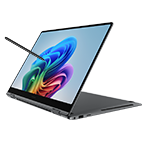
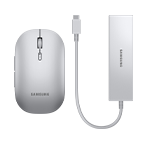
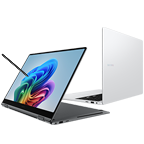
New

Galaxy Book6 (14", Core 5, 8GB)

NP740VJK-KG4UK

{{priceAnchor.priceWrapper.info.noLineOrignal}}

{{priceAnchor.priceWrapper.info.totalPrice}}
{{priceAnchor.priceWrapper.info.totalPriceMonthly}}

{{priceAnchor.priceWrapper.info.ceExchangePrice}}

{{priceAnchor.priceWrapper.info.orignalPriceAddText}}
{{priceAnchor.priceWrapper.info.lowestWasPricetext}}
{{priceAnchor.priceWrapper.info.orignalPrice}}
{{priceAnchor.priceWrapper.info.savePrice}}
{{priceAnchor.priceWrapper.info.disclaimer}}

Engineered for perfection

Galaxy Book6 is engineered for accessibility, delivering everything you need at a price that welcomes you in.Learn smarter and simplify daily tasks with the latest Intel® Core™ Series 3 processor, a long-lasting battery, a comfortable anti-glare display, Galaxy AI and seamless Galaxy connectivity.

Our all-new PC starts here

Everyday performance

Long-lasting power

Symmetrical design

Galaxy AI. Do more on PC

Slim for your bag. Ready for your day

The 14-inch Galaxy Book6 has a thin and light frame that fits easily in your bag — ready for class, a meeting or home. Available in two metallic colors, authentic Gray and the new emotive Violet Silver, the laptop matches your style whether you're working on your next school presentation, hustling on a side project or catching up on your favorite show.

A Galaxy Book6 laptop in Gray faces forward. Galaxy Book6 comes in 14-inch screen sizes. The 14-inch model weighs 1.35kg with an 15.7mm thickness. A Galaxy Book6 laptop in Gray faces forward. Galaxy Book6 comes in 14-inch screen sizes. The 14-inch model weighs 1.35kg with an 15.7mm thickness.
A Galaxy Book6 laptop in Violet Silver faces forward. Galaxy Book6 comes in 14-inch screen sizes. The 14-inch model weighs 1.35kg with an 15.7mm thickness. A Galaxy Book6 laptop in Violet Silver faces forward. Galaxy Book6 comes in 14-inch screen sizes. The 14-inch model weighs 1.35kg with an 15.7mm thickness.

Engineered for everyday performance

Powered by the latest Intel® Core™ Series 3 processor, Galaxy Book6 lets you learn smarter and breeze through daily tasks. From running your favorite apps and browsing multiple tabs to editing schoolwork or casual gaming — do it all with confidence and enjoy AI-enabled experiences with the embedded NPU.1

Long-lasting power for daily to-dos

Galaxy Book6 features a long-lasting battery built for daily multitasking. With up to 25 hours of video playback, you can stay productive through online lectures, catch up on emails at your favorite café or unwind with a movie at home. And Super Fast Charging delivers a quick boost — up to 33 % in just 30 minutes.2

See more. Do more

Galaxy Book6 features an IPS WUXGA display with a new 16:10 ratio, delivering ample vertical space for optimized viewing and high productivity. See more and see clearly when you study, work or enjoy entertainment with 300 nits of brightness on the comfortable screen.3

Crisp visuals with less glare

See the clear, vivid details with less distractions on the screen of Galaxy Book6 thanks to the anti-glare finish. The screen minimizes reflections and unwanted onscreen artifacts to help keep content easy to see in a variety of lighting conditions.4

Ports you need, built right in

Designed to keep things simple, Galaxy Book6 includes a full range of essential ports for everyday connectivity. Plug in external devices viavia HDMI, two USB-C ports, a USB-A port, a headphone/mic jack, and a security slot — so you can stay connected without the need for extra adapters.5

AI Cut out. Clean visuals, made simple

With AI select, easily select any on-screen image or object in simple steps. Then use AI Cut out to remove unwanted background instantly and get clean, ready-to-use visuals you can copy and paste straight into your slides, product listings or creative layouts.6

The seamless integration within Galaxy devices

Storage Share. Access your files across devices

Keep your files at hand across devices with Storage Share. Access and transfer documents, photos, and videos instantly on your Galaxy Book and other Galaxy devices — all without cables or cloud uploads.10

Front view of Galaxy S26 Ultra on the left showing its storage status that it is accessing shared storage from Galaxy Book6. On the right, front view of Galaxy S26 Ultra shows it has access to a file folder on Galaxy Book6. Front view of Galaxy S26 Ultra on the left showing its storage status that it is accessing shared storage from Galaxy Book6. On the right, front view of Galaxy S26 Ultra shows it has access to a file folder on Galaxy Book6.
A folder window on Galaxy Book6 is shown with image thumbnails located on Galaxy S26 Ultra. On the right, front view of Galaxy Book6 shows a folder accessing Galaxy S26 Ultra, highlighting smooth cross-device file access. A folder window on Galaxy Book6 is shown with image thumbnails located on Galaxy S26 Ultra. On the right, front view of Galaxy Book6 shows a folder accessing Galaxy S26 Ultra, highlighting smooth cross-device file access.

Nearby devices. Discover more around you

Nearby devices lets you connect and manage your supported Galaxy devices in an instant. Discover compatible devices around you, then drag and drop to pair and access shared features and seamless connected experiences. 11

Multi Control. Control multiple screens like one

Control your Galaxy devices as one. With Multi Control, use your Galaxy Book's keyboard and mouse to move your cursor, type, and copy and paste files between your smartphone, Galaxy Tab, Samsung TV or Smart monitor. 12

Second Screen. Extend your workspace

Add a second screen to increase your productivity. The Second Screen app lets you extend your PC screen using wired or wireless connections, giving you extra workspace for easier multitasking. 13

Quick Share. Fast, easy sharing

Share photos, videos, documents and other files fast and easy from your Galaxy Book6 to other devices with Quick Share feature. It works with a range of devices — not only with Galaxy and other Android devices but also with PCs from other manufacturers. 14

Frequently Asked Questions

Galaxy Book6 (Intel® Core™ processor) is a new addition to the Galaxy Book6 lineup, rolling out globally in a phased launch.Built for everyday productivity, learning and entertainment, the laptop features the latest Intel® Core™ Series 3 processor, a long-lasting battery with Super Fast Charging, a comfortable 14-inch display and Galaxy AI features — all in one PC at an accessible price. It's available in two metallic colors, authentic Gray and the new emotive Violet Silver, for a fresh look.Galaxy Book6 (Intel® Core™ processor) does not support Copilot+ PC features.15

Yes, the 14-inch Galaxy Book6 (Intel® Core™ processor) is designed for learning, daily productivity and multitasking, making it ideal for students — at an accessible price.• At just 1.35 kg and 15.7 mm thin, it fits easily into your bag — portable enough to carry to the classroom, library or nearby café.• Powered by the latest Intel® Core™ Series 3 processor, the laptop handles research, coursework and everyday tasks with ease.• With up to 25 hours of video playback, it stays powered through long study sessions and tops up in minutes with Super Fast Charging.16

The 14-inch model weighs 1.35 kg and measures 15.7 mm in thickness, offering a slim and lightweight design that's easy to carry on the go.

Galaxy Book6 (Intel® Core™ processor) runs on the latest Intel® Core™ Series 3 processor. It delivers fast and reliable CPU performance for everyday users who value productivity and need a laptop for daily task management, web browsing, video meetings, entertainment and casual gaming, as well as students who use it for learning, research, preparing presentations and coursework. The embedded NPU handles daily multitasking and lets you enjoy intelligent Galaxy AI features.Galaxy Book6 (Intel® Core™ processor) runs on Windows 11 and is ready to use right out of the box.17

Galaxy Book6 (Intel® Core™ processor) supports configurations with up to 16 GB of memory. The memory itself cannot be upgraded after purchase. For storage, you can choose from options up to 1 TB. This gives you plenty of room to handle large academic projects, lecture materials and presentations, media files and professional workloads with confidence.18

Galaxy Book6 (Intel® Core™ processor) can offer up to 25 hours of video playback, giving you long-lasting power for studying, daily productivity, web browsing and entertainment — whether you're a student attending classes, taking notes and summarizing content, a professional working from a café or coworking space, or an everyday user managing daily tasks and enjoying content at home.With Super Fast Charging, the laptop can reach up to 33% in just 30 minutes, so you can quickly top up and get back to your task without waiting.19

The 14-inch IPS display on Galaxy Book6 (Intel® Core™ processor) delivers crisp and clear visuals, making it ideal for reviewing lecture notes, joining video meetings or enjoying your favorite series at home. The anti-glare coating minimizes reflections in various lighting conditions for comfortable viewing wherever you study, work or unwind. The new 16:10 screen ratio delivers ample vertical space for optimized viewing and productivity.Galaxy Book6 (Intel® Core™ processor) 14-inch model does not support touch control on the display.

No. Galaxy Book6 (Intel® Core™ processor) features essential built-in ports, reducing the need for separate adapters. The practical layout integrates:• HDMI: Connect directly to compatible projectors or monitors to expand your workspace.• Two USB-C & a USB-A: Plug in external drives or a compatible mouse to amp up productivity.• HP/Mic jack & Security slot: Added convenience and security for everyday use.Whether you're attending class, studying at a café, managing daily tasks from home or enjoying your content, the laptop supports reliable connections out of the box.20

Galaxy Book6 (Intel® Core™ processor) includes a wide range of Galaxy AI features that boost daily productivity.• With AI select, highlight the screen and use AI Cut out to remove backgrounds instantly, making clean cutouts for presentations.• Use Note Assist to generate a summary of the main points from a note, making complex topics easy to understand and review — whether you're preparing for exams, meetings or doing research.• From translating text to opening a selected website or starting an email using your default mail app, Galaxy AI makes it all easy and fast.21

Yes. Galaxy Book6 (Intel® Core™ processor) connects seamlessly with other Galaxy devices, making it easy to work across devices.• Storage Share — access documents, photos and videos on another device without a cable or cloud uploads.• Nearby devices — see nearby Galaxy devices and connect with drag & drop.• Multi Control — move your cursor, type, and copy or paste files across your Galaxy Book, smartphone, Tab or TV with one keyboard and mouse.• Second Screen — extend your workspace.• Quick Share — send files between devices in seconds.22

Galaxy Book6 (Intel® Core™ processor) delivers the right balance between a premium Samsung laptop experience and accessible price, ideal for students and everyday users looking for a reliable daily PC with fast performance.Equipped with the latest Intel® Core™ Series 3 processor, the laptop brings reliable performance to a slim, light and well-crafted design. With Galaxy AI features, device connectivity across the Galaxy ecosystem and two metallic color options, Gray and the new Violet Silver, this laptop is ideal for a range of everyday users, at a price that makes sense.23

Galaxy Book6 (Intel® Core™ processor) is a new addition to the Galaxy Book6 lineup, rolling out globally in a phased launch.Built for everyday productivity, learning and entertainment, the laptop features the latest Intel® Core™ Series 3 processor, a long-lasting battery with Super Fast Charging, a comfortable 14-inch display and Galaxy AI features — all in one PC at an accessible price. It's available in two metallic colors, authentic Gray and the new emotive Violet Silver, for a fresh look.Galaxy Book6 (Intel® Core™ processor) does not support Copilot+ PC features.24

Yes, the 14-inch Galaxy Book6 (Intel® Core™ processor) is designed for learning, daily productivity and multitasking, making it ideal for students — at an accessible price.• At just 1.35 kg and 15.7 mm thin, it fits easily into your bag — portable enough to carry to the classroom, library or nearby café.• Powered by the latest Intel® Core™ Series 3 processor, the laptop handles research, coursework and everyday tasks with ease.• With up to 25 hours of video playback, it stays powered through long study sessions and tops up in minutes with Super Fast Charging.25

The 14-inch model weighs 1.35 kg and measures 15.7 mm in thickness, offering a slim and lightweight design that's easy to carry on the go.

Galaxy Book6 (Intel® Core™ processor) runs on the latest Intel® Core™ Series 3 processor. It delivers fast and reliable CPU performance for everyday users who value productivity and need a laptop for daily task management, web browsing, video meetings, entertainment and casual gaming, as well as students who use it for learning, research, preparing presentations and coursework. The embedded NPU handles daily multitasking and lets you enjoy intelligent Galaxy AI features.Galaxy Book6 (Intel® Core™ processor) runs on Windows 11 and is ready to use right out of the box.26

Galaxy Book6 (Intel® Core™ processor) supports configurations with up to 16 GB of memory. The memory itself cannot be upgraded after purchase. For storage, you can choose from options up to 1 TB. This gives you plenty of room to handle large academic projects, lecture materials and presentations, media files and professional workloads with confidence.27

Galaxy Book6 (Intel® Core™ processor) can offer up to 25 hours of video playback, giving you long-lasting power for studying, daily productivity, web browsing and entertainment — whether you're a student attending classes, taking notes and summarizing content, a professional working from a café or coworking space, or an everyday user managing daily tasks and enjoying content at home.With Super Fast Charging, the laptop can reach up to 33% in just 30 minutes, so you can quickly top up and get back to your task without waiting.28

The 14-inch IPS display on Galaxy Book6 (Intel® Core™ processor) delivers crisp and clear visuals, making it ideal for reviewing lecture notes, joining video meetings or enjoying your favorite series at home. The anti-glare coating minimizes reflections in various lighting conditions for comfortable viewing wherever you study, work or unwind. The new 16:10 screen ratio delivers ample vertical space for optimized viewing and productivity.Galaxy Book6 (Intel® Core™ processor) 14-inch model does not support touch control on the display.

No. Galaxy Book6 (Intel® Core™ processor) features essential built-in ports, reducing the need for separate adapters. The practical layout integrates:• HDMI: Connect directly to compatible projectors or monitors to expand your workspace.• Two USB-C & a USB-A: Plug in external drives or a compatible mouse to amp up productivity.• HP/Mic jack & Security slot: Added convenience and security for everyday use.Whether you're attending class, studying at a café, managing daily tasks from home or enjoying your content, the laptop supports reliable connections out of the box.29

Galaxy Book6 (Intel® Core™ processor) includes a wide range of Galaxy AI features that boost daily productivity.• With AI select, highlight the screen and use AI Cut out to remove backgrounds instantly, making clean cutouts for presentations.• Use Note Assist to generate a summary of the main points from a note, making complex topics easy to understand and review — whether you're preparing for exams, meetings or doing research.• From translating text to opening a selected website or starting an email using your default mail app, Galaxy AI makes it all easy and fast.30

Yes. Galaxy Book6 (Intel® Core™ processor) connects seamlessly with other Galaxy devices, making it easy to work across devices.• Storage Share — access documents, photos and videos on another device without a cable or cloud uploads.• Nearby devices — see nearby Galaxy devices and connect with drag & drop.• Multi Control — move your cursor, type, and copy or paste files across your Galaxy Book, smartphone, Tab or TV with one keyboard and mouse.• Second Screen — extend your workspace.• Quick Share — send files between devices in seconds.31

Galaxy Book6 (Intel® Core™ processor) delivers the right balance between a premium Samsung laptop experience and accessible price, ideal for students and everyday users looking for a reliable daily PC with fast performance.Equipped with the latest Intel® Core™ Series 3 processor, the laptop brings reliable performance to a slim, light and well-crafted design. With Galaxy AI features, device connectivity across the Galaxy ecosystem and two metallic color options, Gray and the new Violet Silver, this laptop is ideal for a range of everyday users, at a price that makes sense.32

Specifications

  • Windows 11 Home

  • CPU

    Intel® Core™ 5 processor 315

  • GPU

    Intel® Graphics

  • GPU Type

    Shared

  • NPU

    Intel® NPU

  • Size (inch)

    14.0"

  • Resolution

    1920 x 1200 (WUXGA)

  • Type

    IPS, Anti-Glare

  • Memory Capacity

    8 GB

  • Memory Type

    LPDDR5X (On Board)

  • Storage Capacity

    256 GB

  • Storage Type

    NVMe SSD

  • Number of Storage Slots

    1

  • Colour

    Gray

  • Form Factor

    Laptop

  • Speaker

    Stereo Speakers

  • Sound Effect

    Dolby Atmos®

  • Mic

    Dual Array Digital Mic

  • Camera

    2.0 MP

  • Wi-Fi

    Wi-Fi 6E, 802.11 a/b/g/n/ac/ax 2.4GHz+5GHz+6GHz, MIMO, HE160, 1024-QAM

  • Bluetooth Version

    Bluetooth v5.4

  • HDMI

    1 HDMI

  • USB

    2 USB Type-C, 1 USB3.2

  • Earjack

    1 Headphone out/Mic-in Combo

  • Keyboard

    Pro keyboard

  • Touchpad

    Clickpad

  • Security Slot

    Yes

  • TPM

    Yes

  • FingerPrint Reader

    Yes

  • Battery Chemistry

    Lithium-Ion

  • Battery Capacity (Wh, Typical)

    61.2

  • USB PD Support

    Yes

  • Power Required for Charging (Min / Max, W)

    40 | 45

  • Dimension (WxDxH, mm)

    313.0 x 221.0 x 15.7 mm (12.32" x 8.70" x 0.62")

  • Weight (kg)

    1.35 kg (2.98 lbs)

  • Hall Sensor

  • SmartThings Support

    Yes

User manual & Downloads

User Manual(Windows 11)

ver 1.2 | 0.88 MB

07.08.2026

ENGLISH

Product Support

Find answers to the questions you have about our products

Product Support

Get the most from Samsung device and services.

Live Chat

See how products work and get advice on which models fit your needs.

  • *Image simulated. Product specifications may vary by country, region, and model.*Image simulated for illustrative purposes. Actual UX/UI may be different.*Service availability may vary by country, region or language. Certain languages may not be available*Samsung account login may be required for certain AI features. Visit samsung.com for details.*Galaxy AI service may be limited for minors in certain regions with age restrictions over AI usage.*Galaxy AI basic features provided by Samsung are free. Future releases may include enhanced features or new services that are offered on a paid basis. Different terms may apply for AI features provided by third parties. Galaxy AI basic features are those services listed under "Advanced intelligence" in the current Samsung Services Terms and Conditions. [[For details, visit (LOCAL T&C link)]]
  • *Keyboard layout may vary by model or type of language.*Thickness, weight and color availability may vary by model, configuration and country.
  • *Keyboard layout may vary by model or type of language.*Thickness, weight and color availability may vary by model, configuration and country.
  • 1. *CPU specifications may vary depending on model, country or region.*CPU performance may differ based on the processor type. Go to feature
  • 2. *Keyboard layout may vary by model or type of language.*Using the original Samsung data cable and charger is recommended.*Battery capacity, video runtime on a full charge and amount of charge that can be charged in 30 minutes vary by model and configuration. Galaxy Book6 model features a 61.2 Wh (typical) battery, supports up to 25 hours of video runtime on a full charge and can be charged with up to 33 % charge in 30 minutes.*For details regarding internal lab testing on battery capacity and video runtime, check the FAQ section under "How long does Galaxy Book6 (Intel® Core™ processor)'s battery last and recharge?".*Image simulated for illustrative purposes. Go to feature
  • 3. *Screen image simulated for illustrative purposes. Go to feature
  • 4. *Screen image simulated for illustrative purposes. Go to feature
  • 5. *Port layout may vary by model.*Actual speed of USB may vary depending on user environment.*Image simulated for illustrative purposes. Go to feature
  • 6. *Images simulated at the recommended display scaling of 100 %. Results for illustrative purposes only. Actual UI/UX may be different.*Requires internet connection and Samsung Account login.*Service availability may vary by country, language or device model. Availability of supported languages may vary. Certain languages may require language pack download. *Galaxy AI select download and installation may be required when launching the app for the first time.*Contains an AI-generated image with edits. Go to feature
  • 7. *Supported languages: English, Arabic, German, Spanish, Spanish (Mexico), Spanish (USA), French, French (Canada), Hindi, Indonesian, Italian, Korean, Dutch, Polish, Portuguese, Portuguese (Brazil), Romanian, Russian, Swedish, Thai, Turkish, Simplified Chinese, Chinese (Hong Kong), Chinese (Taiwan), Japanese, Vietnamese.*Availability of supported languages and services may vary by country, region or language. Certain languages may not be available for translation.*Contains an AI-generated image with edits. Go to feature
  • 8. *Contains an AI-generated image with edits. Go to feature
  • 9. *Contains an AI-generated image with edits. Go to feature
  • 10. *Each device must be signed in to the same Samsung account and must have both Wi-Fi and Bluetooth turned on. Requires updated Galaxy smartphones and tablets with One UI 7 or higher and kernel version 5.15 or higher and Galaxy Book2 or later(Intel) and Galaxy Book4 or later(Arm). Feature availability may vary by region and device model.*Feature availability may vary by region and device model.*Contains an AI-generated image with edits. Go to feature
  • 11. *To use Nearby devices, the following conditions must be met.*Feature availability: Your phone, tablet, or PC must be signed in to your same Samsung account and must have both Wi-Fi and Bluetooth turned on. Galaxy phones and tablets require One UI 7 or higher. Galaxy Books with Nearby devices app needs to be installed from the Microsoft Store, and the software versions below are required. Samsung Settings 6.0 or higher (Arm), Samsung Continuity Service 1.13 or higher.*Discoverable devices : Conditions may vary by device. Devices that meet the conditions will appear when you tap the Nearby devices button in the quick panel. Watches, bands and rings aren't discoverable on Galaxy Books or tablet. For details, see FAQ "Can Galaxy Book6 (Intel® Core™ processor) connect with other Galaxy devices?" for Discoverable devices of Nearby devices. Go to feature
  • 12. *Each device must be registered with a single Samsung Account and connected to the same Wi-Fi network.*Multi control requires updated Galaxy phones and tablets with One UI 5.1.1 or above and Galaxy Book series devices released in 2021 or later with Samsung Settings v1.5(Intel) or Samsung Settings v3.3(ARM) and Samsung TVs or Smart monitors released in 2024 or later.*Some functions(such as Copy & Paste or Drag & Drop) may not be available when using certain device models and apps.*Feature availability may vary by region.*Screen image simulated for illustrative purposes. Actual UX/UI may be different. Go to feature
  • 13. *For a better experience, both devices must be signed in to the same Samsung account.*Available on select Samsung Galaxy Tab models only, including Galaxy Tab S11, Tab S11 Ultra, Tab S10+, Tab S10 Ultra, Tab S9, Tab S9+, Tab S9 Ultra, Tab S9 FE, Tab S9 FE+, Tab S8, Tab S8+, Tab S8 Ultra and Tab Active4 Pro with One UI 5.1.1 or later versions installed.*Available on Samsung Galaxy Book series devices with Windows 11 OS or later version installed. Some additional functions are supported only on Samsung Galaxy Book series devices.*Some apps may not support this feature for content protection purposes. Go to feature
  • 14. *Available on devices with One UI 2.1 or above and Android OS 10 (Q OS) version or higher installed. Supported PCs include Galaxy Books, including Qualcomm-based PCs released in 2020 or later. Bluetooth and Wi-Fi connection are required for Quick Share. The number of devices Quick Share can share to at the same time may vary depending on the Wi-Fi chip hardware of the sharing device. Actual speed may vary depending on device, network condition and user environment. For file sharing with QR codes and contacts, a maximum of 1,000 files can be transferred at a time. There is a size limitation of 10 GB per file and 10 GB per day that can be transferred. The link will expire after two days. Sender's device requires a Samsung account, and both sender and receiver devices require Internet connection. Go to feature
  • 15. *Thickness, weight and color availability may vary by model, configuration and country.*CPU specifications may vary depending on model, country or region.*If you need to use Copilot+ PC features, the Galaxy Book6 models equipped with an Intel® Core™ Ultra Series 3 processor support that option. See the product page for each model for more details. Go to feature
  • 16. *Thickness, weight and color availability may vary by model, configuration and country.*CPU specifications may vary depending on model, country or region.*CPU performance may differ based on the processor type.*Using the original Samsung data cable and charger is recommended.*Battery capacity, video runtime on a full charge and amount of charge that can be charged in 30 minutes vary by model and configuration.*For details regarding internal lab testing on battery capacity and video runtime, check the FAQ section under "How long does Galaxy Book6 (Intel® Core™ processor)'s battery last and recharge?". Go to feature
  • 17. *CPU specifications may vary depending on model, country or region.*CPU performance may differ based on the processor type.*Samsung account login may be required for certain AI features. Visit samsung.com for details.*Windows 11 edition may vary by model, country or region. Go to feature
  • 18. *Memory and storage options/availability may vary depending on model, country or region. Go to feature
  • 19. *Typical value of battery capacity tested under third-party laboratory condition. Typical value is the estimated average value considering the deviation in battery capacity among the battery samples tested under IEC 61960 standard. Rated (minimum) capacity is 59.1 Wh.*Based on results from internal lab tests for local video playback time conducted by Samsung. Tested with results from a pre-release version of the device using inbox 45 W charger under settings (1080p video playback from video files stored on the device's local storage, player-Windows video players (Media Player, Movies & TV, Films & TV) with full screen, brightness-150 nits, wired earphone with default volume, airplane mode on, keyboard backlight off) without connection to Wi-Fi or mobile network, measuring the time until the device is discharged to 2 %. Battery life varies significantly depending on settings, network environment, usage patterns and other factors. Actual charging speed may also vary depending on the actual usage, charging conditions and other factors.*Battery capacity, video runtime on a full charge and amount of charge that can be charged in 30 minutes vary by model and configuration.*The inbox charger and data cable are USB Type-C.*Compact charger inbox availability may vary by country or region. Go to feature
  • 20. *Port layout may vary by model.*Actual USB speed may vary by user environment.*Compatibility of external devices may vary. Go to feature
  • 21. *Supported languages of Translate: English, Arabic, German, Spanish, Spanish - Mexico, Spanish - USA, French - France, French - Canada, Hindi, Indonesian, Italian, Korean, Dutch, Polish, Portuguese (Brazil), Portuguese, Romanian, Russian, Swedish, Thai, Turkish, Simplified Chinese, Chinese (Hong Kong), Chinese (Taiwan), Japanese, Vietnamese. Service availability may vary by country, region or language. Certain languages may not be available.*Samsung account login may be required for certain AI features. Visit samsung.com for details. Go to feature
  • 22. *To use Nearby devices, the following conditions must be met.*Feature availability: Your phone, tablet, or PC must be signed in to your same Samsung account and must have both Wi-Fi and Bluetooth turned on. Galaxy phones and tablets require One UI 7 or higher. Galaxy Books with Nearby devices app needs to be installed from the Microsoft Store, and the software versions below are required. Samsung Settings 6.0 or higher (Arm), Samsung Continuity Service 1.13 or higher.*Discoverable devices: Devices that meet the conditions below will appear when you tap the Nearby devices button in the quick panel. Galaxy phones and tablets: Must be signed in to the same Samsung account and Bluetooth must be turned on. One UI 7 or higher is required to use all features. Limited features are available if your phone or tablet has One UI 4.1.1 or higher and Continuity Service 1.2.27 or higher. Galaxy Book must be signed in to the same Samsung account and Bluetooth must be turned on and requires Samsung Settings 6.0 or higher (Arm), Samsung Continuity Service 1.13 or higher. Samsung TVs and Smart monitors, and projectors must be turned on and must have connected to this phone/tablet at least once using Smart View or DeX. Only TVs released in 2016 or later are supported. Not discoverable on Galaxy Books. Galaxy Buds, watches, fitness bands, and rings must be paired with this phone using Bluetooth. Bluetooth must be turned on. Galaxy Buds must be removed from case or case must be opened. Galaxy Watch4 and above are supported. Watches, bands, and rings aren't discoverable on Galaxy Books or tablet. Go to feature
  • 23. *Thickness, weight and color availability may vary by model, configuration and country.*CPU specifications may vary depending on model, country or region.*Samsung account login may be required for certain AI features. Visit samsung.com for details. Go to feature
  • 24. *Thickness, weight and color availability may vary by model, configuration and country.*CPU specifications may vary depending on model, country or region.*If you need to use Copilot+ PC features, the Galaxy Book6 models equipped with an Intel® Core™ Ultra Series 3 processor support that option. See the product page for each model for more details. Go to feature
  • 25. *Thickness, weight and color availability may vary by model, configuration and country.*CPU specifications may vary depending on model, country or region.*CPU performance may differ based on the processor type.*Using the original Samsung data cable and charger is recommended.*Battery capacity, video runtime on a full charge and amount of charge that can be charged in 30 minutes vary by model and configuration.*For details regarding internal lab testing on battery capacity and video runtime, check the FAQ section under "How long does Galaxy Book6 (Intel® Core™ processor)'s battery last and recharge?". Go to feature
  • 26. *CPU specifications may vary depending on model, country or region.*CPU performance may differ based on the processor type.*Samsung account login may be required for certain AI features. Visit samsung.com for details.*Windows 11 edition may vary by model, country or region. Go to feature
  • 27. *Memory and storage options/availability may vary depending on model, country or region. Go to feature
  • 28. *Typical value of battery capacity tested under third-party laboratory condition. Typical value is the estimated average value considering the deviation in battery capacity among the battery samples tested under IEC 61960 standard. Rated (minimum) capacity is 59.1 Wh.*Based on results from internal lab tests for local video playback time conducted by Samsung. Tested with results from a pre-release version of the device using inbox 45 W charger under settings (1080p video playback from video files stored on the device's local storage, player-Windows video players (Media Player, Movies & TV, Films & TV) with full screen, brightness-150 nits, wired earphone with default volume, airplane mode on, keyboard backlight off) without connection to Wi-Fi or mobile network, measuring the time until the device is discharged to 2 %. Battery life varies significantly depending on settings, network environment, usage patterns and other factors. Actual charging speed may also vary depending on the actual usage, charging conditions and other factors.*Battery capacity, video runtime on a full charge and amount of charge that can be charged in 30 minutes vary by model and configuration.*The inbox charger and data cable are USB Type-C.*Compact charger inbox availability may vary by country or region. Go to feature
  • 29. *Port layout may vary by model.*Actual USB speed may vary by user environment.*Compatibility of external devices may vary. Go to feature
  • 30. *Supported languages of Translate: English, Arabic, German, Spanish, Spanish - Mexico, Spanish - USA, French - France, French - Canada, Hindi, Indonesian, Italian, Korean, Dutch, Polish, Portuguese (Brazil), Portuguese, Romanian, Russian, Swedish, Thai, Turkish, Simplified Chinese, Chinese (Hong Kong), Chinese (Taiwan), Japanese, Vietnamese. Service availability may vary by country, region or language. Certain languages may not be available.*Samsung account login may be required for certain AI features. Visit samsung.com for details. Go to feature
  • 31. *To use Nearby devices, the following conditions must be met.*Feature availability: Your phone, tablet, or PC must be signed in to your same Samsung account and must have both Wi-Fi and Bluetooth turned on. Galaxy phones and tablets require One UI 7 or higher. Galaxy Books with Nearby devices app needs to be installed from the Microsoft Store, and the software versions below are required. Samsung Settings 6.0 or higher (Arm), Samsung Continuity Service 1.13 or higher.*Discoverable devices: Devices that meet the conditions below will appear when you tap the Nearby devices button in the quick panel. Galaxy phones and tablets: Must be signed in to the same Samsung account and Bluetooth must be turned on. One UI 7 or higher is required to use all features. Limited features are available if your phone or tablet has One UI 4.1.1 or higher and Continuity Service 1.2.27 or higher. Galaxy Book must be signed in to the same Samsung account and Bluetooth must be turned on and requires Samsung Settings 6.0 or higher (Arm), Samsung Continuity Service 1.13 or higher. Samsung TVs and Smart monitors, and projectors must be turned on and must have connected to this phone/tablet at least once using Smart View or DeX. Only TVs released in 2016 or later are supported. Not discoverable on Galaxy Books. Galaxy Buds, watches, fitness bands, and rings must be paired with this phone using Bluetooth. Bluetooth must be turned on. Galaxy Buds must be removed from case or case must be opened. Galaxy Watch4 and above are supported. Watches, bands, and rings aren't discoverable on Galaxy Books or tablet. Go to feature
  • 32. *Thickness, weight and color availability may vary by model, configuration and country.*CPU specifications may vary depending on model, country or region.*Samsung account login may be required for certain AI features. Visit samsung.com for details. Go to feature