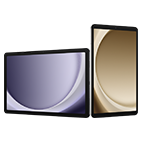
Galaxy Tab S10+ (12.4", 5G)

{{priceAnchor.priceWrapper.info.noLineOrignal}}

{{priceAnchor.priceWrapper.info.totalPrice}}
{{priceAnchor.priceWrapper.info.totalPriceMonthly}}

{{priceAnchor.priceWrapper.info.ceExchangePrice}}

{{priceAnchor.priceWrapper.info.orignalPriceAddText}}
{{priceAnchor.priceWrapper.info.lowestWasPricetext}}
{{priceAnchor.priceWrapper.info.orignalPrice}}
{{priceAnchor.priceWrapper.info.savePrice}}
{{priceAnchor.priceWrapper.info.disclaimer}}

For the first time ever Tab S10 Series is pre-equipped with Galaxy AI — putting a massive, AI-powered studio canvas in your hands.

See the Highlights

AI-enhanced Note-taking

Sketch to Image

Galaxy AI Key

Anti-reflection tech

Side view of Galaxy Tab S10+ lying face up with the display on. The device shifts to stand in landscape mode. Galaxy Tab S10 Ultra appears behind it, highlighting the size difference between the two tablets. Side view of Galaxy Tab S10+ lying face up with the display on. The device shifts to stand in landscape mode. Galaxy Tab S10 Ultra appears behind it, highlighting the size difference between the two tablets.

Iconic design. Iconic feel

There's a touch of innovation in every detail — with all new design accents on the S pen, charging area and camera deco. And each one feels amazing to the touch.

Pick from two bold colourways

Choose between Moonstone Grey and Platinum Silver — each with a matching S Pen and available for Tab S10+ or the massive Tab S10 Ultra.

Two Galaxy Tab S10 Series devices in Moonstone Gray stand in landscape mode. The front device is facing back to reveal its S Pen and camera layout, while the device in the back is slightly extended to show its screen. Two Galaxy Tab S10 Series devices in Moonstone Gray stand in landscape mode. The front device is facing back to reveal its S Pen and camera layout, while the device in the back is slightly extended to show its screen.
*Colour availability may vary depending on country or carrier.
Two Galaxy Tab S10 Series devices in Platinum Silver stand in landscape mode. The front device is facing back to reveal its S Pen and camera layout, while the device in the back is slightly extended to show its screen. Two Galaxy Tab S10 Series devices in Platinum Silver stand in landscape mode. The front device is facing back to reveal its S Pen and camera layout, while the device in the back is slightly extended to show its screen.
*Colour availability may vary depending on country or carrier.

Galaxy AI optimised for the big screen

You've seen Galaxy AI, but not like this. This massive screen brings Galaxy AI features to life in a big way to maximise your productivity and fun.

*All specifications and descriptions provided herein may be different from the actual specifications and descriptions for the product. Samsung reserves the right to make changes to this document and the product described herein, at anytime, without obligation on Samsung to provide notification of such change. All functionality, features, specifications, GUI and other product information provided in this document including, but not limited to, the benefits, design, pricing, components, performance, availability and capabilities of the product are subject to change without notice or obligation. The contents within the screen are simulated images and are for demonstration purposes only.**Samsung Account login and a network connection may be required to use certain Samsung AI features. Users may need to update Android and Google app to the latest version.***Samsung does not make any promises, assurances or guarantees as to the accuracy, completeness or reliability of the output provided by AI features.*****Galaxy AI features provided by Samsung are free. Future releases may include features that are offered on a paid basis. Different terms may apply for AI features provided by third parties. Availability may vary depending on the region/country, OS/One UI version, device model, and phone carrier.******Galaxy AI service may be limited for minors in certain regions with age restrictions over AI usage.*******Certain languages may require language pack download to use Interpreter. Service availability may vary by language.********Summary feature for Note Assist is activated when a certain number of characters is met and is under the character limit. Audio files must be under 3 hours in duration to be processed.*********Editing with Sketch to Image may result in a resized photo up to 12MP. A visible watermark is overlaid on the image output upon saving in order to indicate that the image is generated by AI.

Your personal note-taking assistant

Get meeting notes while staying completely engaged in the meeting — just record the meeting then transcribe audio to text. Galaxy AI can then format and summarise those notes, making note-taking effortlessly easy.

Galaxy Tab S10 Series device screen with Note Assist open. It zooms in to show an S Pen tapping the more options icon in the top right corner. The S Pen clicks voice recording, initiating audio capture. The S Pen taps the summary button, and a summary of the recorded audio appears on the right side of the screen. Galaxy Tab S10 Series device screen with Note Assist open. It zooms in to show an S Pen tapping the more options icon in the top right corner. The S Pen clicks voice recording, initiating audio capture. The S Pen taps the summary button, and a summary of the recorded audio appears on the right side of the screen.

*Summary feature for Note Assist requires a network connection and Samsung Account login. Service availability may vary by language. Summary feature for Note Assist is activated when a certain number of characters is met and is under the character limit. Voice recording feature for Note Assist may not be supported in some countries. Audio files must be under 3 hours in duration to be processed. Accuracy of results is not guaranteed.**Sequences shortened and simulated.

Edit in Split View

Formatting your notes gets even easier in Split View — helping you format while keeping track of the original.

*This feature requires a network connection and Samsung Account login. This feature is activated when a certain number of characters is met. Service availability may vary by language. Accuracy of results is not guaranteed.

*This feature requires a network connection and Samsung Account login. This feature is activated when a certain number of characters is met. Service availability may vary by language. Accuracy of results is not guaranteed.

Translate whole PDFs

Need to read a PDF in a language you don't know? Now you can. Get instant translations in an easy-to-read overlay.

Step 1: Tap the Galaxy AI icon

Use your S Pen or finger to tap the Galaxy AI icon to open the menu.

Step 2: Tap Translate

Then, tap the Translate option.

Step 3: Read

AI will assist your very own easy-to-read overlay translation.

  • *This feature requires a network connection and Samsung Account login. This feature is activated when a certain number of characters is met. Service availability may vary by language. Accuracy of results is not guaranteed.

Rocket science just got easier

Solve Math makes calculation a cinch — automatically calculating complex formulas. And with Handwriting Help, it can even decipher your handwriting.

*Image simulated for illustrative purposes. Actual UI may be different.**Solve Math feature runs on-device and does not require an internet connection, but requires Samsung Account login. Incorrect handwriting recognition may lead to inaccurate calculations. Available only on S Pen-supported devices.***Solve Math feature not available at launch. Expected to be supported after the App update.

*Image simulated for illustrative purposes. Actual UI may be different.**Solve Math feature runs on-device and does not require an internet connection, but requires Samsung Account login. Incorrect handwriting recognition may lead to inaccurate calculations. Available only on S Pen-supported devices.***Solve Math feature not available at launch. Expected to be supported after the App update.

Circle to Search with Google on the big screen

Experience the power of Circle to Search with Google on a larger screen. Just circle, highlight, or tap an image or text to get Google Search results. You can even get instant translations.

*Sequences shortened and simulated. Results for illustrative purposes only. Service availability may vary by country, language, device model. Requires internet connection. Users may need to update Android and Google app to the latest version. Works on compatible apps and surfaces. Results may vary depending on visual matches. Accuracy of results is not guaranteed.

Dream it. Draw it. Done

Use Sketch to Image to turn your rough sketches and doodles into artwork with the help of AI and S Pen wizardry. Drawing is more powerful than ever.

An S Pen sketches a cat's face on a Galaxy Tab S10 Series device. After tapping the Generate button, the sketch transforms into various AI-generated images that slide to the left on the screen. An S Pen sketches a cat's face on a Galaxy Tab S10 Series device. After tapping the Generate button, the sketch transforms into various AI-generated images that slide to the left on the screen.

*S Pen included.**Sketch to Image feature requires a network connection and Samsung Account login. Editing with Sketch to Image may result in a resized photo up to 12MP. A visible watermark is overlaid on the image output upon saving in order to indicate that the image is generated by AI. Sequences shortened and simulated. The accuracy and reliability of the generated output is not guaranteed.***The inbox S Pen for the Galaxy Tab S10 Series is water and dust-resistant S Pen with an IP68 rating. Based on lab test conditions for submersion in up to 1.5 meters of freshwater for up to 30 minutes. Not advised for beach or pool use. Water and dust resistance of the S Pen is not permanent and may diminish over time because of normal wear and tear.****Dust resistance rating is tested under lab conditions by a third party: 2kg of talc powder (max. diameter of 0.05mm) per cubic meter was blown into a test chamber housing the device (air pressure within device kept below surrounding air) for 2 hours. Rated IP6X. Dust-resistance may vary by actual usage conditions.*****Remove any excess water from the S Pen with a dry cloth or towel before using or attaching it to tablet.

Launch AI with a single tap

Press the Galaxy AI Key to unleash Galaxy AI to search what you want. Your keyboard is now highkey amazing.

*Book Cover Keyboard Slim sold separately. The product is available for Galaxy Tab S10 Series.**Features and keyboard layout may vary by country, language and device model. Backlit feature available only on Galaxy Tab S10 Ultra Book Cover Keyboard by pressing Fn + F12.***App shortcuts can be assigned for select apps only.****Pressing Alt + Galaxy AI Key provides the option to switch the AI assistant to Bixby or Gemini.*****A network connection is required to use Bixby or Gemini. To launch Gemini using the Galaxy AI Key, Google Assistant needs to be updated to Gemini.

*Book Cover Keyboard Slim sold separately. The product is available for Galaxy Tab S10 Series.**Features and keyboard layout may vary by country, language and device model. Backlit feature available only on Galaxy Tab S10 Ultra Book Cover Keyboard by pressing Fn + F12.***App shortcuts can be assigned for select apps only.****Pressing Alt + Galaxy AI Key provides the option to switch the AI assistant to Bixby or Gemini.*****A network connection is required to use Bixby or Gemini. To launch Gemini using the Galaxy AI Key, Google Assistant needs to be updated to Gemini.

The power of Galaxy AI across devices

Your Galaxy AI arsenal only grows the more Galaxy AI products you own. Plus, all the Galaxy AI features you love on other Galaxy devices are also here on Tab S10 Series.

The power of Galaxy AI across devices

Your Galaxy AI arsenal only grows the more Galaxy AI products you own. Plus, all the Galaxy AI features you love on other Galaxy devices are also here on Tab S10 Series.

  • *Products sold separately.**Image simulated for illustrative purposes. Actual UI may be different.***Galaxy AI features for Galaxy S24 series, Galaxy S23 series, Galaxy S22 series, Galaxy Z Fold6 | Z Flip6, Galaxy Z Fold5 | Z Flip5, Galaxy Z Fold4 | Z Flip4, Galaxy Tab S9 | S9+ | S9 Ultra and Galaxy Tab S8 | S8+ | S8 Ultra are available from One UI 6.1 or later versions.

Go large or ultra large

Dive in to deeper colours and truer blacks all optimised for the Dynamic AMOLED 2X display. Immerse yourself in a cinematic experience with incredible resolution and ultra smooth interactions on what many consider the ultimate display.

*Image simulated for illustrative purposes. Actual UI may be different.**Measured diagonally, Galaxy Tab S10 Ultra's screen size is 14.6" in the full rectangle and 14.5" accounting for the rounded corners. Galaxy Tab S10+'s screen size is 12.4" in the full rectangle and 12.4" accounting for the rounded corners. Actual viewable area is less due to the rounded corners and the camera hole.***The Dynamic AMOLED 2X display on Galaxy Tab S10 Series. Galaxy Tab S10 Ultra has a peak brightness of 930 nits and Galaxy Tab S10+ has a peak brightness of 650 nits. The displays are adaptive, adjusting brightness level automatically based on the environment. In an area of 5,000 lux or higher, High Brightness Mode and Vision Booster will be activated.

Less glare everywhere

Reduce glare from and improve visibility with anti-reflection technology and the powerful Vision Booster.

Tablet screen shows a video recording of three women posing happily. There are some reflections and glare onscreen, causing the image displayed on the screen to appear unclear. Tablet screen shows a video recording of three women posing happily. There are some reflections and glare onscreen, causing the image displayed on the screen to appear unclear.
Tablet screen shows a video recording of three women posing happily. There is hardly any reflection or glare onscreen thanks to anti-reflection coating. Tablet screen shows a video recording of three women posing happily. There is hardly any reflection or glare onscreen thanks to anti-reflection coating.
*Compared to Galaxy Tab S9 Series**Screen image simulated for illustrative purposes.***Display features an anti-reflection coating. Previous series models did not feature an anti-reflection coating.

Keeps cool when gaming heats up

Rev up the excitement with an ultra fast, powerful processor. When the action really heats up, it keeps cool with the larger Vapor Chamber cooling system — built to more efficiently cool the longer you game, or binge videos.

*Screen image simulated for illustrative purposes.**The enhanced performance figures are based on a comparison of Galaxy Tab S10 Ultra to Tab S9 Ultra. When comparing Tab S10+ to Tab S9+, the CPU performance is 16% improved, GPU is 27% improved, and NPU is 13% improved.

*Screen image simulated for illustrative purposes.**The enhanced performance figures are based on a comparison of Galaxy Tab S10 Ultra to Tab S9 Ultra. When comparing Tab S10+ to Tab S9+, the CPU performance is 16% improved, GPU is 27% improved, and NPU is 13% improved.

Save more of what you love

Store more. From creative projects, to movies, to games to even just photos with tons of available internal storage.

*MicroSD card sold separately.**Availability of internal storage option may vary depending on country, region or carrier and actual storage availability may vary depending on pre-installed software. Memory and storage options vary by model: Galaxy Tab S10 Ultra — 16GB memory and 1TB storage, 12GB memory and 512GB storage, 12GB memory and 256GB storage; Galaxy Tab S10+ — 12GB memory and 512GB storage, 12GB memory and 256GB storage.

Busts dust. Withstands water

A little water won't hurt you. In fact, you're in the clear in up to 1.5 meters of fresh water for up to 30 mins.

*Galaxy Tab S10+, Tab S10 Ultra and the included S Pen are rated IP68 under IEC standard 60529. Based on lab test conditions submersion in up to 1.5 meters of freshwater for up to 30 minutes (IP68). Not advised for beach or pool use. Water and dust resistance of device is not permanent and may diminish over time because of normal wear and tear.**Dust resistance rating is tested under lab conditions by a third party: 2kg of talc powder (max. diameter of 0.05mm) per cubic meter was blown into a test chamber housing the device (air pressure within device kept below surrounding air) for 2 hours. Rated IP6X. Dust-resistance may vary by actual usage conditions.

*Galaxy Tab S10+, Tab S10 Ultra and the included S Pen are rated IP68 under IEC standard 60529. Based on lab test conditions submersion in up to 1.5 meters of freshwater for up to 30 minutes (IP68). Not advised for beach or pool use. Water and dust resistance of device is not permanent and may diminish over time because of normal wear and tear.**Dust resistance rating is tested under lab conditions by a third party: 2kg of talc powder (max. diameter of 0.05mm) per cubic meter was blown into a test chamber housing the device (air pressure within device kept below surrounding air) for 2 hours. Rated IP6X. Dust-resistance may vary by actual usage conditions.

Durability that can't be beat

The Enhanced Armor Aluminum frame is more durable than ever and ready to take all kinds of drops.

*Compared to Galaxy Tab S9 Series**Armor Aluminum frame is applied to the frame and rear of the device excluding Cam Deco, Pen Deco, side keys and the SIM tray.

*Compared to Galaxy Tab S9 Series**Armor Aluminum frame is applied to the frame and rear of the device excluding Cam Deco, Pen Deco, side keys and the SIM tray.

More battery. More games. More video

Put all that battery life to good use. Game for hours and hours, binge your favorite shows, then Super Fast Charge back to 100% just like that.

*Typical value tested under third-party laboratory conditions. Typical value is the estimated average value considering the deviation in battery capacity among the battery samples tested under IEC 62133 standard. Typical capacity is 11,200 mAh for Galaxy Tab S10 Ultra and 10,090 mAh for Galaxy Tab S10+. Rated (minimum) capacity is 10,880 mAh for Galaxy Tab S10 Ultra and 9,800 mAh for Galaxy Tab S10+. Actual battery life may vary depending on network environment, usage patterns and other factors.**Fast Charging speed may vary depending on charging conditions and other factors.***Using the original Samsung data cable is recommended.

An ultra-wide camera to capture more of your world

The Ultra Wide front-facing camera ensures your video calls keep you framed up to perfection. On the flip side, capture stunning HD video and photos you can edit right on your Tab S10 Series.

*The image depicts features of Galaxy Tab S10 Ultra.**Galaxy Tab S10 Ultra features 13MP and 8MP Ultra Wide rear camera and 12MP and 12MP Ultra Wide front camera. Compared to Tab S10+ features 13MP and 8MP Ultra Wide rear camera and 12MP Ultra Wide front camera.

Amazing alone. Better together

Get the most out of your Tab S10 Series by pairing with other Galaxy products. They work seamlessly together, so whatever you’re doing simply flows naturally.

*Products sold separately.**Image simulated for illustrative purposes. Actual UI may be different.

*Products sold separately.**Image simulated for illustrative purposes. Actual UI may be different.

Pro-grade apps optimised for Galaxy

Awesome apps like LumaFusion and Clip Studio Paint come preloaded to kickstart your creativity, but it’s easy to download more including: PicsArt, Sketchbook, Noteshelf3 and Wall Street Journal.

*App availability and the terms of service may vary by country and region.**Clip Studio Paint membership required. Clip Studio Paint app comes pre-installed in select markets. The app can be downloaded from Galaxy Store and comes with a 6-month free trial for first-time users. Once the free trial period ends, paid subscription to a monthly or annual usage plan is required for continuous use. A 20% discount is available on the first subscription.***LumaFusion app is preloaded as stub, requiring users to click the icon and complete the purchase from Galaxy Store. All Galaxy device users can get a 50% discount when purchasing from Galaxy Store and receive a 1-month free Storyblocks subscription.****Noteshelf3 app requires a separate purchase for a Premium plan upgrade. A 30% discount on the upgrade is available only via Galaxy Store. *****PicsArt, Sketchbook app requires a separate download from Google Play Store. Additional features may require a separate purchase.******A paid subscription to the Wall Street Journal is required to access articles through its app.

Specifications

  • Processor

    3.4GHz, 2.8GHz, 2GHz

  • Rear Camera - Resolution

    13.0 MP + 8.0 MP

  • Weight (g)

    576

  • CPU Speed

    3.4GHz, 2.8GHz, 2GHz

  • CPU Type

    Octa-Core

  • Size (Main_Display)

    315.0mm (12.4" full rectangle) / 314.7mm (12.4" rounded corners)

  • Resolution (Main Display)

    2800 x 1752 (WQXGA+)

  • Technology (Main Display)

    Dynamic AMOLED 2X

  • Colour Depth (Main Display)

    16M

  • Yes (Gesture/Remote Control)

  • Rear Camera - Resolution

    13.0 MP + 8.0 MP

  • Rear Camera - Auto Focus

    Yes

  • Front Camera - Resolution

    12.0 MP

  • Rear Camera - Flash

    Yes

  • Video Recording Resolution

    UHD 4K (3840 x 2160)@30fps

  • Memory_(GB)

    12

  • Storage (GB)

    256

  • Available Storage (GB)

    225.0

  • External Storage Support

    MicroSD (Up to 1.5TB)

  • Number of SIM

    Dual-SIM

  • SIM Slot Type

    SIM 1 + Embedded SIM + MicroSD

  • 3G UMTS

    B1(2100), B2(1900), B4(AWS), B5(850), B8(900)

  • 4G FDD LTE

    B1(2100), B2(1900), B3(1800), B4(AWS), B5(850), B7(2600), B8(900), B12(700), B13(700), B17(700), B20(800), B25(1900), B26(850), B28(700), B32(1500), B66(AWS-3)

  • 4G TDD LTE

    B38(2600), B39(1900), B40(2300), B41(2500)

  • 5G FDD Sub6

    N1(2100), N2(1900), N3(1800), N5(850), N7(2600), N8(900), N12(700), N20(800), N25(1900), N26(850), N28(700), N66(AWS-3)

  • 5G TDD Sub6

    N38(2600), N40(2300), N41(2500), N77(3700), N78(3500)

  • USB Version

    USB 3.2 Gen 1

  • Location Technology

    GPS, Glonass, Beidou, Galileo, QZSS

  • Earjack

    USB Type-C

  • MHL

    No

  • Wi-Fi

    802.11a/b/g/n/ac/ax 2.4GHz+5GHz+6GHz, HE160, MIMO, 1024-QAM

  • Wi-Fi Direct

    Yes

  • Bluetooth Version

    Bluetooth v5.3

  • NFC

    No

  • Bluetooth Profiles

    A2DP, AVRCP, DI, HFP, HID, HOGP, HSP, MAP, OPP, PAN, PBAP, PBP, TMAP

  • PC Sync.

    Smart Switch (PC version)

  • Android

  • Form Factor

    Tablet

  • Accelerometer, Fingerprint Sensor, Gyro Sensor, Geomagnetic Sensor, Hall Sensor, RGB Light Sensor

  • Dimension (HxWxD, mm)

    185.4 x 285.4 x 5.6

  • Weight (g)

    576

  • Video Playback Time (Hours, Wireless)

    Up to 16

  • Battery Capacity (mAh, Typical)

    10090

  • Removable

    No

  • Energy Efficiency Class

    G

  • Minimum Battery Endurance in Cycles

    73.73

  • Video Playing Format

    MP4, M4V, 3GP, 3G2, AVI, FLV, MKV, WEBM

  • Video Playing Resolution

    UHD 8K (7680 x 4320)@60fps

  • Audio Playing Format

    MP3, M4A, 3GA, AAC, OGG, OGA, WAV, AMR, AWB, FLAC, MID, MIDI, XMF, MXMF, IMY, RTTTL, RTX, OTA

  • Recycled Content (%)

    3.75

  • Weight of Critical Raw Material - Cobalt (g)

    20 ≤

  • Weight of Critical Raw Material - Tantalum (g)

    < 0.01

  • Weight of Critical Raw Material - Neodymium (g)

    1 ≤

  • Weight of Critical Raw Material - Gold (g)

    0.02 ≤ < 0.1

  • Recyclability (%)

    11.1

  • Gear Support

    Galaxy Buds3 Pro, Galaxy Buds2 Pro, Galaxy Buds Pro, Galaxy Buds Live, Galaxy Buds+, Galaxy Buds3, Galaxy Buds2, Galaxy Buds, Galaxy Buds FE

  • Mobile TV

    No

  • SmartThings Support

    Yes

  • Security Update Period (Valid until)

    31 October 2031

Reviews

Galaxy Tab S10+ (12.4", 5G)

4.5

Recommended by 100% of customers.

Write a review

The Overall Rating and the average star scores are made up of incentivised and non-incentivised reviews; as well as in store product demonstrations.

5 stars 78%
4 stars 8%
3 stars 8%
2 stars 8%
1 stars 0%
Features 4.7
Performance 4.6
Design 4.5
Value 4.1

Filters

Relevancy sort puts the best reviews at the top. We look at things like helpfulness votes, latest review, pictures and other traits that readers look for in their reviews.

Sort

Filters

12 Reviews

bhfz
5 (9,999)

2025-06-19

London

Storage : 256 GB | Colour : Moonstone Grey
5 (9,999)
Fantastic Samsung display as always, getting good performance and battery life out of it. I've had it for about a month so far so great!!

Features

5 (9,999)

Performance

5 (9,999)

Design

5 (9,999)

Value

5 (9,999)
Response from Samsung:
2025-06-19

CX

Brilliant to see how much you are loving your Tab S10+! The stunning Dynamic AMOLED 2X screen allows you to see every detail, and beautifully displays the speedy performance of the Octa-Core processor. The 10090 mAh battery has you covered throughout the day and more, so you can always count on your Tab. With further use, it will only continue to blow you away! ^SK at Samsung Support

Mumofmany
3 (9,999)

2024-12-03

Storage : 256 GB | Colour : Moonstone Grey
3 (9,999)
I love the tablet the charging port that has been nothing short of a nightmare however not so impressed with i have only ever used Samsung devices my whole life. I have never had a charging port issue. Ever... now both my devices have the same charging port issue...

Features

5 (9,999)

Performance

4 (9,999)

Design

2 (9,999)

Value

4 (9,999)
Response from Samsung:
2024-12-05

CX

Thank you for taking the time to share your experience with us. We are very sorry to read that you are having issues with the charging port on your new Tab S10+ along with another device. To ensure you get the best support possible, please get in touch with our Technical Support Team directly and share more details about the problem you're facing. You can find all our contact methods and their operating hours here: https://spr.ly/6428Q8CbM ^CR at Samsung Support

JSM1
5 (9,999)

2025-03-12

Aberdeen

Storage : 256 GB | Colour : Moonstone Grey
5 (9,999)
The battery lasts well, it connects to everything I want it to connect to and the display is sublime. It is a much faster machine than my Galaxy Tab S7 and Galaxy tab and overall is a great replacement for my Galaxy Tab S7.

Features

5 (9,999)

Performance

5 (9,999)

Design

5 (9,999)

Value

4 (9,999)
Response from Samsung:
2025-03-26

CX

We are thrilled to see you are enjoying your sleek Tab S10+! Thanks to the impressive 10,090 mAh battery and the striking 12.4" Dynamic AMOLED 2X display, you will get the ultimate experience, and your favourite films will be brought to life! With the powerful MT6989 processor, you will have unbelievable speeds! ^LB at Samsung Support

Dale2268
5 (9,999)

2025-04-28

Bristol uk

Storage : 256 GB | Colour : Moonstone Grey
5 (9,999)
Love the display and quality of the tablet got the s10+ which I use for my TV production locations, The AI is very handy too.

Features

5 (9,999)

Performance

5 (9,999)

Design

4 (9,999)

Value

4 (9,999)
Response from Samsung:
2025-05-01

CX

We’re thrilled that the Galaxy Tab S10+ is delivering the quality and display you need for your TV production locations, Dale. Its AI-powered features are designed to make tasks more efficient, and it’s fantastic to hear that they’re proving useful for you. We appreciate your support and hope your tablet continues to enhance your workflow! Many thanks for the five stars! ^CH at Samsung Support

tag8
5 (9,999)

2025-10-07

Bishop's Stortford, Hertfordshire

Storage : 256 GB | Colour : Moonstone Grey
5 (9,999)
Speedy performance and gorgeous display. Battery is long lasting. Very impressed overall

Features

5 (9,999)

Performance

5 (9,999)

Design

5 (9,999)

Value

4 (9,999)
Response from Samsung:
2025-10-08

CX

We’re thrilled to read your thoughts and feedback. Thanks for sharing with us and giving us top marks! From the striking 12.4" Dynamic AMOLED 2X display, huge 10,090 mAh battery and epic processor, you'll get the ultimate performance to last a lifetime! Enjoy! ^LB at Samsung Support

Pt00756
2 (9,999)

2024-11-11

Storage : 512 GB | Colour : Moonstone Grey
2 (9,999)
I can't use it for the desired purposes. I planning to trade it in soon. The kick stand is very flimsy and fragile and the device often topples over backwards with the unbalanced weight I can't use quick share from my Surface ProX due to an error msg/problem

Features

2 (9,999)

Performance

2 (9,999)

Design

2 (9,999)

Value

2 (9,999)
Response from Samsung:
2024-11-12

CX

Thank you for taking the time to share your feedback with us. We are sorry to read that you are having issues with your Galaxy Tab S10+. We are keen to speak with you regarding the kick stand and the problem you are having sharing files with your Surface ProX. Please get in touch with our Technical Support Team directly, who will be happy to help. You can find all our contact methods and their operating hours here: https://spr.ly/6426SCRzA ^CR at Samsung Support

Boomj
4 (9,999)

2025-03-21

London

Storage : 512 GB | Colour : Moonstone Grey
4 (9,999)
It's slightly too big for my needs. I had the s4 tablet b4 which was more manageable. The keyboard and cover don't feel strong and protective. I keep expecting one or the other to break when opening it. I love the device itself but it's hard to get to a different tab or to switch between the pen and keyboard on the screen. Colours are stunning. Battery life not so great.

Features

4 (9,999)

Performance

4 (9,999)

Design

5 (9,999)

Value

3 (9,999)
Response from Samsung:
2025-03-21

CX

We are pleased to read that you think the Galaxy Tab S10+ is a top tablet overall, especially thanks to its colourful and vibrant display. We also appreciate that you wished for the keyboard and cover to feel stronger and more protective, as well as for the tablet to be more similar in size compared to your previous Galaxy Tab S4. Additionally, it is our understanding that the battery life does not quite meet your expectations. We are confident it is only a matter of time before you get used to the enhanced experience offered by this superb device, which boasts top-quality materials, powerful specs and advanced features to boost your productivity and creativity to the next level. In the meantime, we will certainly make sure to pass this feedback along, and we would like to share with you this link to keep the battery always optimised to last longer than ever: How to save battery of both smartphones and tablets - https://www.samsung.com/uk/support/mobile-devices/how-can-i-optimise-and-extend-the-battery-life-on-my-samsung-galaxy-smartphone/?srsltid=AfmBOooygSHxCF7mxp_ahYVLUERSv7hzDWwZkAOiqfpO2tAVzsmdHkKb ^CL at Samsung Support

JagsSwags
5 (9,999)

2025-01-03

South West

Storage : 256 GB | Colour : Moonstone Grey
5 (9,999)
The sound of tablet is banging. It's a heavy tablet but feels quality. Love the ai features although not explored all yet. Got 0% finance with KLARNA over 24 months with 10% deposit, only a tenner a week. Bought mainly for playing games on and so far so good. Love the fact this tablet gets updates until 2031.

Features

5 (9,999)

Performance

5 (9,999)

Design

5 (9,999)

Value

5 (9,999)
Response from Samsung:
2025-01-16

CX

Thank you so much for your review! It is an absolute pleasure to see how pleased you are with your new Tab S10+! Our Galaxy AI will enhance your day-to-day life with features such as Live Translate, Browsing Assist, Note Assist, Sketch to Image, Circle to Search and so much more! The stunning, 12.4-inch display and incredible sound quality will provide you with a truly immersive gaming experience, that we know you're going to enjoy for years to come! We are also pleased to see that took advantage of the payment plans available, allowing you to spread the cost but begin enjoying your new tablet right away! ^CR at Samsung Support

Doddie
5 (9,999)

2025-04-05

Morayshire Scotland

Storage : 512 GB | Colour : Moonstone Grey
5 (9,999)
Very happy with the Tab S10+. Was looking for an upgrade and it certainly proved to be that

Features

5 (9,999)

Performance

5 (9,999)

Design

5 (9,999)

Value

5 (9,999)
Tricky123
5 (9,999)

2024-10-28

Storage : 512 GB | Colour : Moonstone Grey
5 (9,999)
Features, screen are absolutely fabulous. Battery life also very impressi5

Features

5 (9,999)

Performance

5 (9,999)

Design

5 (9,999)

Value

4 (9,999)
Ronald1990
5 (9,999)

2025-05-18

Wiltshire

Storage : 256 GB | Colour : Moonstone Grey
5 (9,999)
Great performance for working on the go. Battery live is brilliant.

Features

5 (9,999)

Performance

5 (9,999)

Design

5 (9,999)

Value

3 (9,999)
Response from Samsung:
2025-05-19

CX

We are thrilled to see you are enjoying your incredible Tab S10+, Ronald! Thanks to MT6989 processor and massive 10,090 mAh battery, you will get the ultimate performance! ^LB at Samsung Support

Sarah74
5 (9,999)

2024-11-11

West Yorkshire

Storage : 256 GB | Colour : Moonstone Grey
5 (9,999)
Love everything about it and it's a good size and weight....

Features

5 (9,999)

Performance

5 (9,999)

Design

5 (9,999)

Value

5 (9,999)
Response from Samsung:
2024-11-13

CX

We are delighted to see you are loving the epic Tab S10+, Sarah! The spectacular 12.4" Dynamic AMOLED 2X display is a certain wow factor, giving you more space to do all the things you love. Thanks to the huge screen, formatting your notes is even easier, with the epic Split View, enabling you to express yourself! Weighing only at 576g, taking this on the go has never been easier! The possibilities are endless, and we cannot wait for you to adore this for years to come! ^LB at Samsung Support

User manual & Downloads Product information sheet

User Manual (Android 16)

ver 1.0 | 4.18 MB

02.10.2025

ENGLISH

Safety Guide

ver 3.0.0 | 6.84 MB

07.08.2025

ENGLISH, ALBANIAN, BASQUE, BULGARIAN, CATALAN, CROATIAN, CZECH, DANISH, DUTCH, ESTONIAN, FINNISH, FRENCH, GALICIAN, GERMAN, GREEK, HUNGARIAN, ITALIAN, KAZAKH, LATVIAN, LITHUANIAN, MACEDONIAN, MONGOLIAN, NORWEGIAN, POLISH, PORTUGUESE, ROMANIAN, RUSSIAN, SERBIAN, SLOVAK, SLOVENIAN, SPANISH, SWEDISH, TURKISH, UKRAINIAN, UZBEK

User Manual (Android 15 (V))

ver 1.1 | 3.92 MB

22.06.2025

ENGLISH

User Manual (Android 14)

ver 1.0 | 7.46 MB

27.09.2024

ENGLISH

Product Support

Find answers to the questions you have about our products

Product Support

Get the most from Samsung device and services.

Live Chat

See how products work and get advice on which models fit your needs.