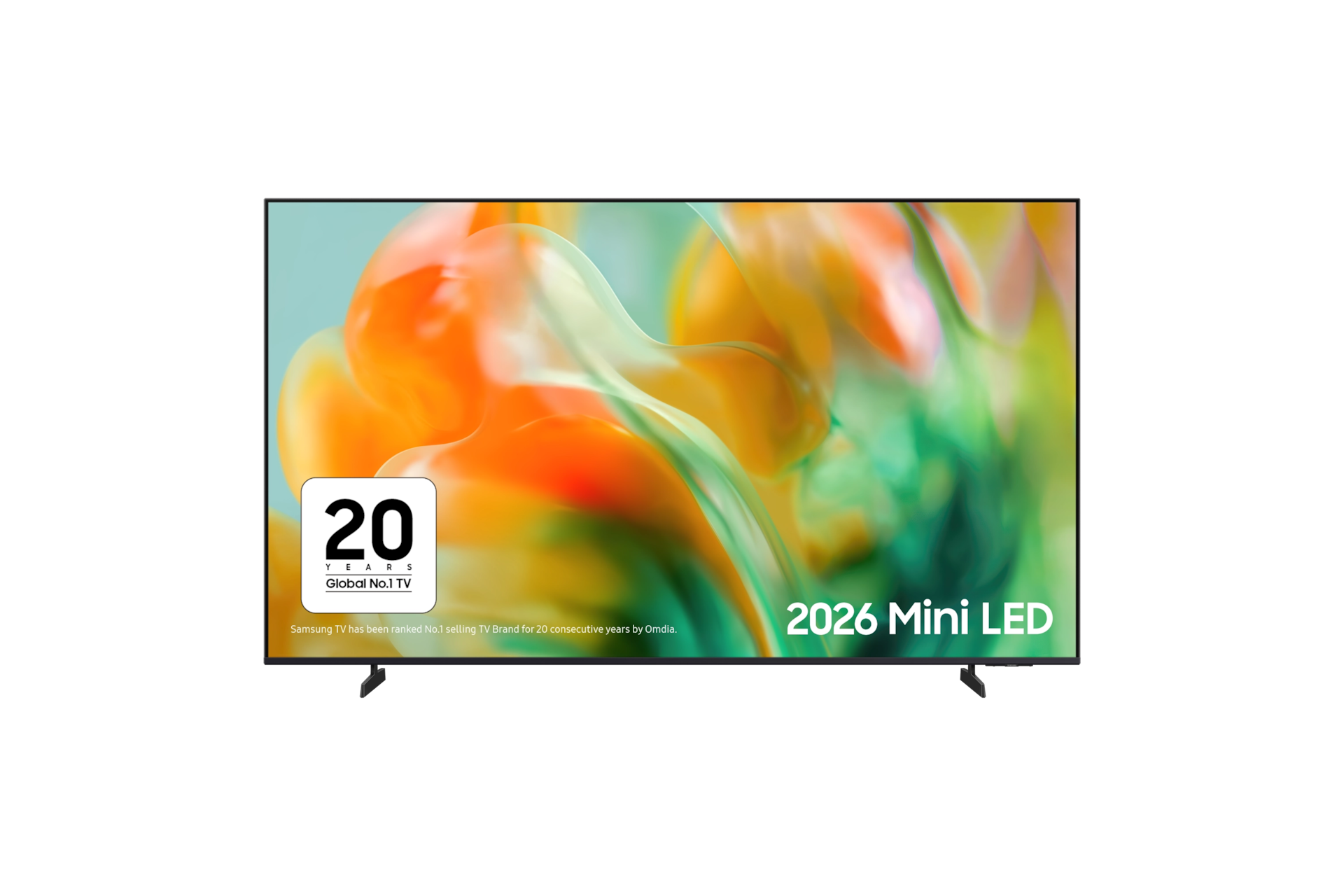
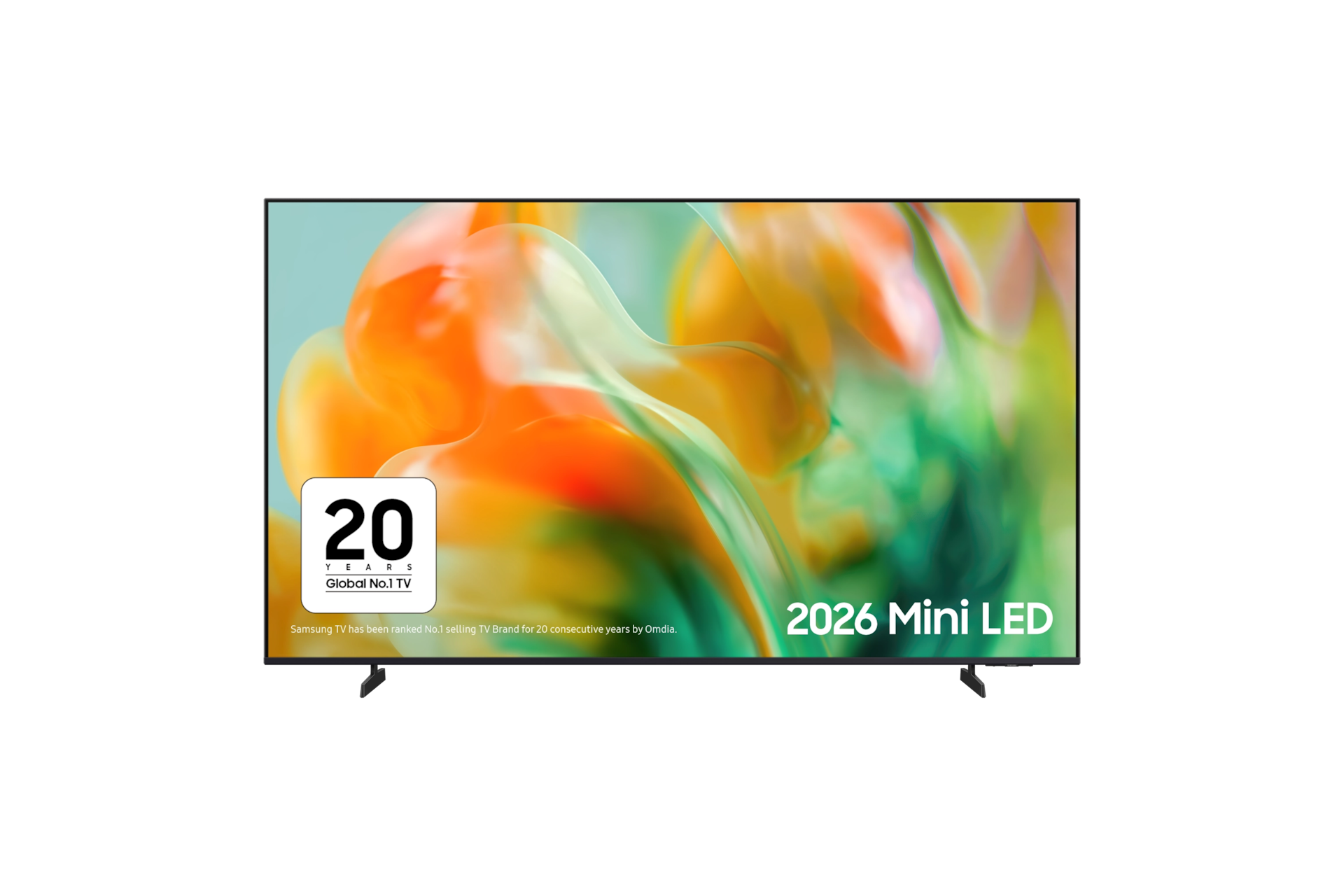
65" Mini LED M80H 4K Samsung Vision AI Smart TV (2026)

{{priceAnchor.priceWrapper.info.noLineOrignal}}

{{priceAnchor.priceWrapper.info.totalPrice}}
{{priceAnchor.priceWrapper.info.totalPriceMonthly}}

{{priceAnchor.priceWrapper.info.ceExchangePrice}}

{{priceAnchor.priceWrapper.info.orignalPriceAddText}}
{{priceAnchor.priceWrapper.info.lowestWasPricetext}}
{{priceAnchor.priceWrapper.info.orignalPrice}}
{{priceAnchor.priceWrapper.info.savePrice}}
{{priceAnchor.priceWrapper.info.disclaimer}}

Choose your size

65" Mini LED M80H 4K Samsung Vision AI Smart TV (2026)
65

{{item.name}}

{{item.summaryPrice}}

Samsung Reward points

{{rewards.formatted.totalPoint}}

{{rewards.rewardsDescription}}

{{price.priceWrapper.info.totalPrice}} {{price.priceWrapper.info.vatText}}

{{price.priceWrapper.info.orignalPriceAddText}}

{{price.priceWrapper.info.lowestWasPricetext}}

{{price.priceWrapper.info.orignalPrice}} {{price.priceWrapper.info.savePrice}}

Earn 5% back in rewards

{{price.priceWrapper.info.walkoutQtyText}}

{{price.priceWrapper.info.homeDeliveryQtyText}}

{{price.priceWrapper.info.salesPitch}}

{{price.priceWrapper.info.text}}

{{price.priceWrapper.info.text2}}

{{price.priceWrapper.info.text3}}

{{price.priceWrapper.info.shippingOrBack}}

{{price.priceWrapper.info.taxPriceDisplay}}

{{upgrade.title}}

{{upgrade.learnMoreCta.text}}

{{upgrade.description}}

{{upgradeResult.displayModelName}}

{{upgradeResult.discountText1}}

{{upgradeResult.description1}}

{{upgradeResult.description2}}

{{offerFinance.title}}

{{offerFinance.learnMoreCta.text}}

{{offerFinance.description}}

{{galaxyForever.title}}

{{galaxyForever.learnMoreCta.text}}

{{galaxyForever.description}}

{{galaxyForeverResult.displayModelName}}

{{galaxyForeverResult.discountText1}}

{{galaxyForeverResult.description1}}

{{galaxyForeverResult.description2}}

Choose your free bezel

Purchase from Samsung by 27/03/27. Discount will be automatically applied when eligible products are added to basket.

Choose your Freestyle colour

Customisable covers sold separately

  • {{item.name}}

    Out of stock

Modern type

  • {{item.name}}

    Out of stock

Beveled type

  • {{item.name}}

    Out of stock

Additional colours

  • {{item.name}}

    Out of stock

{{shippingOrBack.shippingOrBack}}
{{deliveryMessage.deliveryMessage}}

{{tradeIn.title}}

{{tradeIn.learnMoreCta.text}}

{{tradeIn.description}}

You have maximum number of Trade-in in cart already. If you wish to add in Trade-in, please remove from cart.

{{tradeInResult.displayModelName}}

{{tradeInResult.discountText1}}

{{tradeInResult.discountText2}}

{{tradeInResult.discountText3}}

{{tradeInResult.discountText4}}

{{tradeInResult.discountText5}}

{{tradeInResult.discountText6}}

{{tradeInResult.specialDiscountText}}

{{tradeInResult.description}}

{{tradeInResult.contentText}}

Dealer stock quantity

You can check the stock quantity for each region

Please select city

Only {0} left in stock.

Sorry, this product is not currently available in selected city.

{{assuredBuyBack.title}}

{{newAssuredBuyBack.title}}

{{newAssuredBuyBack.learnMoreCta.text}}

{{newAssuredBuyBack.description}}

Please select Samsung Assured Buyback or no coverage

{{care.title}}

{{care.learnMoreCta.text}}

{{care.description}}

Please select Samsung Care+ or No to continue

  • {{item.specialText}}

Premiums include taxes at the applicable rate. Cosmetic damage not included. Excess payable. Terms and conditions apply.

{{warranty.title}}

{{warranty.learnMoreCta.text}}

{{warranty.description}}

{{warrantyResult.displayModelName}}

{{warrantyResult.discountText1}}

{{warrantyResult.description1}}

{{warrantyVd.description}}

{{warrantyVdResult.title}}

{{warrantyVdResult.priceDisplay}}

{{delivery.headline}}

{{delivery.errorMessage}}

Choose a plan

{{deliveryResult.priorityText}}

{{deliveryResult.mainText}}

{{deliveryResult.subText}}
Standard installation charges may apply.Click here for more details.

{{deliveryResult.decText}}

{{item.disclaimer}}

{{tariffOption.headline}}

Learn more

{{tariffOption.description}}

{{tariffOptionResult.displayModelName}}

{{tariffOptionResult.discountText1}}

{{tariffOptionResult.description1}}

{{tariffOptionResult.description2}}

{{tariffOptionResult.description}}

{{tariffOptionResult.price}}

{{tariffOptionResult.disclaimer}}

{{embedAddon.title}}

{{embedAddon.description}}

  • {{item.imgAlt}} {{item.imgAlt}}
    {{item.iconTitle}}

    {{item.name}}

    {{item.modelCode}}

    {{item.description}}

    {{item.finalPrice}}

    {{item.originalPrice}} {{item.savePrice}} Out of stock
  • {{item.imgAlt}} {{item.imgAlt}}
    {{item.iconTitle}}

    {{item.name}}

    {{item.modelCode}}

    {{item.description}}

    • {{item.dotList1}}
    • {{item.dotList2}}
    • {{item.dotList3}}

    {{item.finalPrice}}

    {{item.originalPrice}} {{item.savePrice}} Out of stock
{{message.item.offerTitle}}

{{message.item.offerTooltip}}

{{message.item.linkText}}

{{message.item.tcCTAText}}

{{message.item.periodText}}

{{finance.item.emiText}} {{finance.item.emiText}}

{{finance.item.offerTooltip}}

{{finance.item.cta.label}}

Highlights

Samsung TV playing football scene. Around it, examples of what Vision AI Companion can do including icons for Copilot by Microsoft, Generative Wallpaper, Perplexity and AI Mode, user questions, and suggestions for Related Content and Top 10 Player Highlights.

Samsung Vision AI Companion

Ask anything and get instant answers​

Man watches football on Samsung TV at night. Soundwaves emanate from TV's side and front. He speaks into remote control ‘Bixby, AI Football Mode ON’. AI Football Mode turns on, soundwaves show balanced crowd and commentator sound, and the field looks more crisp and vibrant than when it's off.

AI Football Mode

Follow every pass. Catch every goal

A Samsung TV screen is positioned between a LED backlighting and a Mini LED backlighting diode. When the  LED backlighting diode lights up, the screen shows a dim close-up of water molecules with limited contrast. As the Mini LED backlighting diode lights up, the image becomes noticeably brighter, with deeper contrast and sharply defined details revealed across the screen. Scene then zooms into the shining Mini LED backlighting diode.

Mini LED

Our advanced Mini LED Technology

2 race cars are racing on a track. 1 looks clearer than the other and is going faster. 144Hz is on display.

Motion Xcelerator 144Hz

Watch or play with ultra smooth motion​

Features

Small lights, big impact.​

The words Samsung Vision AI is accompanied by the Samsung AI logo. Nearby, a TV turns on to display abstract visuals. The words Samsung Vision AI is accompanied by the Samsung AI logo. Nearby, a TV turns on to display abstract visuals.

Key features at a glance

Ask your TV anything and get instant answers

Samsung Vision AI Companion

Need outfit ideas? Looking for dinner nearby? Discovering your next favourite show? Vision AI Companion helps with questions big and small using multiple AI agents, giving you instant answers with videos and images that match your search. It’s a more visual, personalised way to discover, right from your TV.1

Samsung TV playing football scene. Around it, examples of what Vision AI Companion can do including icons for Copilot by Microsoft, Generative Wallpaper, Perplexity and AI Mode, user questions, and suggestions for Related Content and Top 10 Player Highlights. Samsung TV playing football scene. Around it, examples of what Vision AI Companion can do including icons for Copilot by Microsoft, Generative Wallpaper, Perplexity and AI Mode, user questions, and suggestions for Related Content and Top 10 Player Highlights.

Follow every pass. Catch every goal.

AI Football Mode

Quick passes, surprise goals, and fast movement all need focus. This mode enhances contrast and colour in real time, helping the ball stay clear and easy to follow. From the first whistle to the last, it brings more energy and clarity to every match.2

Man watches football on Samsung TV at night. Soundwaves emanate from TV's side and front. He speaks into remote control ‘Bixby, AI Football Mode ON’. AI Football Mode turns on, soundwaves show balanced crowd and commentator sound, and the field looks more crisp and vibrant than when it's off. Man watches football on Samsung TV at night. Soundwaves emanate from TV's side and front. He speaks into remote control ‘Bixby, AI Football Mode ON’. AI Football Mode turns on, soundwaves show balanced crowd and commentator sound, and the field looks more crisp and vibrant than when it's off.

More about
Samsung Vision AI

You’re in control of the conversation​

AI Sound Controller

AI Sound Controller separates voices from effects so you can adjust each to match what you are watching. From action scenes to dialogue rich dramas, find the balance that works for you using the on screen menu or voice commands for clearer, more personal sound.​ 3

One-of-a-kind visuals that match your mood

Generative Wallpaper

Create visuals that match your mood. Whether you're hosting, unwinding or relaxing, our AI- powered wallpaper creates stunning one-of-a-kind visuals that transform your space.

Picture Quality

Powerful AI. Exceptional picture.​

NQ4 AI Gen2 Processor

Our powerful 4K AI processor upgrades everything you watch, with intelligent enhancements to your 4K entertainment. Powered by 20 neural networks, enjoy optimised brightness, depth, contrast, motion, sound and resolution - for an exceptional 4K experience.​4

Samsung NQ4 AI Gen2 Processor chip descends on the TV's main board and lights up with waves of power surging from the chip to the rest of the TV. Samsung NQ4 AI Gen2 Processor chip descends on the TV's main board and lights up with waves of power surging from the chip to the rest of the TV.
Compared to 2026 Neo QLED 4K TVs with NQ4 AI Processor​

Precise light. Bold detail.

Mini LED

Tiny LEDs behind the screen bring precise control over brightness and contrast. Dark areas look deeper, bright scenes shine, and fine details stand out. From shadowy streets to bright skies, every frame feels more balanced and immersive.

A Samsung TV screen is positioned between a LED backlighting and a Mini LED backlighting diode. When the  LED backlighting diode lights up, the screen shows a dim close-up of water molecules with limited contrast. As the Mini LED backlighting diode lights up, the image becomes noticeably brighter, with deeper contrast and sharply defined details revealed across the screen. Scene then zooms into the shining Mini LED backlighting diode. A Samsung TV screen is positioned between a LED backlighting and a Mini LED backlighting diode. When the  LED backlighting diode lights up, the screen shows a dim close-up of water molecules with limited contrast. As the Mini LED backlighting diode lights up, the image becomes noticeably brighter, with deeper contrast and sharply defined details revealed across the screen. Scene then zooms into the shining Mini LED backlighting diode.
Precise light, true colour​ Precise light, true colour​

Precise light, true colour​

Pure Spectrum Colour​

Pure Spectrum Colour uses Samsung’s Mini LED backlight to control light and colour, bringing natural, rich hues and sharp detail to every scene. Colours stay true, and every moment feels balanced and lifelike.

A vivid sunset over the ocean with bright highlights and deep shadows, showcasing Samsung Mini LED HDR’s enhanced contrast, brightness and fine detail across the scene. A vivid sunset over the ocean with bright highlights and deep shadows, showcasing Samsung Mini LED HDR’s enhanced contrast, brightness and fine detail across the scene.

Details shaped to feel more alive​

Mini LED HDR

Enjoy powerful detail and striking contrast that makes every image feel more alive. The picture adapts scene by scene to deepen blacks, boost colour and ensure nothing gets lost, creating bold, vibrant visuals across films and series.

More about
Picture Quality

Breathing New Life into Dull Colours​

Colour Booster Pro​

Our smart AI Colour Booster intelligently adjusts and enhances colour levels scene-by-scene. From the darkest night shots to the brightest landscapes, enjoy consistently high and accurate levels of colour for a bold viewing experience whatever you're watching.​

Transform SDR content into HDR-like picture quality​

Auto HDR Remastering

Enjoy HDR-like picture quality, even with SDR content. Using AI, your TV learns the difference between SDR and HDR content and transforms it into vibrant HDR-like visuals. Experience brighter highlights, more vibrant colours and clearer details. ​

Give your watchlist the 4K treatment​

4K AI Upscaling

Our powerful 4K AI processor gets to work on whatever you're watching to give your visuals boosted clarity. From classic movies to the latest releases, watch in automatically upscaled 4K glory for a sharper picture and fuller colour.​ 5

Automatically adjusts to you​

AI Customisation Mode​

Our advanced AI processor automatically detects whether you are watching sports, movies, or general content, and auto- adjusts the picture settings based on your preferences. With AI content recognition, you no longer have to tweak the settings every time you watch something new.

See depth, just like real life​

Real Depth Enhancer

By enhancing contrast where the eye naturally focuses, Real Depth Enhancer adds realistic depth to every scene. Foreground details stand out naturally, creating a more immersive and three dimensional viewing experience.​

Gaming Experience

Game on glitch-free with ultra-smooth gameplay and perfect visuals​

Motion Xcelerator 144Hz

Enjoy ultra-smooth gameplay on Xbox, PS5 and all your favourite next-gen consoles and PC games with Motion Xcelerator technology. Make the most of lag-free gaming with ultra- responsive motion, perfect for fast-paced games on your TV with smooth, clear visuals.6

Jump into games instantly. No console required.​

Gaming Hub

Samsung Gaming Hub brings Xbox, Amazon Luna, GeForce NOW, Blacknut and more together in one seamless destination. Play instantly with no downloads, no storage limits and no console required, just switch on your TV and jump into world class gaming.7

More about
Gaming Experience

Adapts to your game​

AI Gaming Optimiser​

Whether you’re deep in strategy or racing to the finish line,every game needs something different. AI Gaming Optimiser recognises the genre in real time and fine-tunes the settings for you, no menus, no guesswork. Just instant adjustments to help you stay focused on the win.​

Effortless control for game-changing moves​

Game Bar

The advanced Game Bar puts you in command, so you can optimise your gameplay with ease. Switch between wide 21:9 or ultrawide 32:9 aspect ratios, check input lag, activate virtual aim point or minimap zoom, and more.​ 8

Game without screen tearing and stuttering ​

FreeSync Premium

Set yourself up for victory with effortlessly smooth gameplay. AMD FreeSync Premium works with your next gen console to give you an exceptional gaming experience with reduced screen tearing and stuttering.​ 9

Sound

Tailored sound, in real-time​

AI Sound​

Experience sound that adapts to what you're watching, and where you're watching it. From Adaptive Sound that adjusts to your room and content, to Active Voice Amplifier that enhances dialogue to combat background noise and distractions. Enjoy perfectly balanced audio, every time. ​

Sound that tracks the action on-screen​

Object Tracking Sound Lite

Hear onscreen action amplified from left- to-right as your entertainment unfolds. So you can hear a car fly along your screen or the crowd cheering all around you.​

TV and soundbar, perfectly in sync​

Q-Symphony

Why choose between your TV speakers and a soundbar?With Q-Symphony, you don’t have to. Working together, they create bigger, more immersive sound, with added height and depth for a truly cinematic experience.

One UI Tizen

Tailored recommendations from your favourite apps​

Smart TV powered by Tizen OS​

Spend less time searching and more time watching. With Netflix, Disney+, YouTube, Xbox and more, get personalised recommendations and instant access to the latest shows and movies on the best streaming apps. Plus access to 1,000s of extra TV Shows and Movies on Samsung TV Plus - all for free.​10

Enjoy 7 years of new TV experiences11

TV you know and love. Just watch.​

Samsung TV Plus

Watch channels, live events, and on-demand movies and series. No subscriptions, logins or fees. The best part? You already have it. It’s TV with you in mind.​12

More about
One UI Tizen

A gallery at home. A mood for every moment.​

Art Store

Transform your screen into your curated gallery. Art Store gives you access to over 4,000 iconic works, from legendary artists and world-class museums, to modern collections that evolve with the seasons. Whether it’s classic, contemporary or something new, there’s always art that fits your moment.​ 13

Your day, on display​

Now Brief

Stay informed all day long, even when your Smart TV is off. Personalise your Daily Board with useful widgets like Weather, Memo, SmartThings, Music, and Tips. It wakes up hands-free with voice activation or as you approach, delivering the info you need effortlessly - helping you stay organised and connected throughout your day.​

Keeping your private information private​

Samsung Knox Security

With today's TVs holding your passwords and private payment information, Samsung Knox Security keeps your data protected with multi-layered security, constant system monitoring and updates and the automatic blocking of harmful attacks. Stay secured, stay entertained. 14

SmartThings

One place. All your smart devices.​

SmartThings

Connect and control all your smart devices from your TV and phone. Program your smart heating, set your smart washer, get alerts when your food is ready, monitor your video doorbell! Make life easier for all your smart device routines with the simplicity of the SmartThings app.​15

A modern living room with a wall-mounted Samsung TV displaying the SmartThings dashboard, showing connected devices across different rooms. Icons around the space represent lights, air conditioning, blinds, appliances and a robot vacuum, all controlled from a single screen. The view zooms into the TV to reveal the SmartThings interface in detail. The stand-light icon is selected, and when its power button is activated, the floor lamp in the living room turns on. The interface then transitions to the blinds icon, and when its power button is activated, the living room curtains open. The view zooms back out to the full living room, now showing all connected devices active and working together. SmartThings logo, matter logo. A modern living room with a wall-mounted Samsung TV displaying the SmartThings dashboard, showing connected devices across different rooms. Icons around the space represent lights, air conditioning, blinds, appliances and a robot vacuum, all controlled from a single screen. The view zooms into the TV to reveal the SmartThings interface in detail. The stand-light icon is selected, and when its power button is activated, the floor lamp in the living room turns on. The interface then transitions to the blinds icon, and when its power button is activated, the living room curtains open. The view zooms back out to the full living room, now showing all connected devices active and working together. SmartThings logo, matter logo.

Design

Slim in style, tidy in set-up​

MetalStream Design

Our MetalStream Design takes inspiration from aircraft engineering, using a single sheet of metal to create a slim, seamless and modern aesthetic. With a smooth back and clutter-free cabling, it looks great from all angles.​

Specifications

  • LED

  • Screen Size

    65"

  • Resolution

    3840 x 2160

  • Refresh Rate

    144 Hz VRR (100 Hz Native)

  • DLG

    240 Hz

  • Processor

    NQ4 AI Gen2 Processor

  • HDR (High Dynamic Range)

    Mini LED HDR

  • HDR 10+

    Support

  • AI HDR Remastering

    Auto HDR Remastering

  • Contrast

    Mini LED

  • Micro Dimming

    Supreme Mini LED Dimming

  • Contrast Enhancer

    Real Depth Enhancer

  • Motion Technology

    Motion Xcelerator 144 Hz

  • Smart Calibration

    Basic

  • AI Picture

    AI Customization

  • Upscaling

    4K AI Upscaling

  • HDR Brightness Optimizer

    Yes

  • Color Booster

    Color Booster Pro

  • Filmmaker Mode (FMM)

    Yes

  • Object Tracking Sound

    OTS Lite

  • Samsung Q-Symphony

    Yes

  • Audio Pre-selection Descriptor

    Yes

  • Sound Output (RMS)

    20 W

  • Speaker Type

    2ch

  • Active Voice Amplifier

    Active Voice Amplifier

  • Adaptive Sound

    Adaptive Sound+

  • AI Sound Controller

    AI Sound Controller

  • Operating System (OS)

    Tizen™ Smart TV

  • Bixby

    Yes

  • Far-Field Voice Interaction

    Yes

  • Built-in Voice Assistant

    Alexa (GB, DE, FR, IT, ES, AT, IE)

  • Works with AI Speaker

    Alexa (GB, DE, FR, IT, ES, AT, IE), Google Assistant (GB, FR, DE, IT, ES, CH, AT, NL, SE, NO, DK, FI, PT, IE, BE, LU)

  • Samsung TV Plus

    Yes (GB, FR, DE, IT, ES, CH, AT, NL, SE, NO, DK, FI, PT, IE, BE, LU)

  • Web Browser

    Yes

  • SmartThings Hub / Matter Hub / IoT-Sensor Functionality / Quick Remote

    Yes

  • Samsung Health

    Yes (GB,IE Only)

  • Universal Browse & Play

    Yes (GB, FR, DE, IT, ES)

  • Multi Device Experience

    Mobile to TV, TV initiate mirroring, Sound Mirroring, Wireless TV On

  • Multi-View

    up to 2 Videos

  • Apple AirPlay

    Yes (w/o Aland Islands, Faroe Islands, Netherlands Antilles, San Marino)

  • Now brief

    Voice / User Detection

  • Storage Share

    Yes

  • Live Translate

    Yes (DE, GB, FR, ES, IT)

  • Vision AI Companion

    Yes (DE, IT, FR, ES, SE, DK, NO, FI, IS, NL, BE, LU, PL, RO, BG, CH, AT, GB)

  • Generative Wallpaper

    Yes

  • Karaoke Mic

    Yes

  • Google Cast

    Yes (w/o Aland Islands, Faroe Islands, Netherlands Antilles, San Marino)

  • Soccer Mode

    AI Soccer / Football Mode

  • Auto Game Mode (ALLM)

    Yes

  • Game Motion Plus

    Yes

  • VRR

    Yes

  • Dynamic Black EQ

    Yes

  • Surround Sound

    Yes

  • Super Ultra Wide Game View

    Yes

  • Game Bar

    Yes

  • Mini Map Zoom

    Yes

  • Light-sync

    Yes (AT, BE, BG, HR, CZ, DK, EE, FI, FR, DE, HU, IE, IT, LV, LT, LU, NL, NO, PL, PT, RO, SK, SI, ES, SE, CH, GB)

  • FreeSync

    FreeSync Premium

  • HGiG

    Yes

  • Gaming Hub

    Yes (KR, US, CA, BR, GB, FR, DE, IT, ES, MX, AU)

  • AI Auto Game Mode

    Yes

  • AI Gaming Optimizer

    Yes

  • Digital Broadcasting

    DVB-T2CS2

  • Analog Tuner

    Yes

  • CI (Common Interface)

    CI + (1.4) / CI+ (1.4 ECP) (IT Only)

  • Data Broadcasting

    HbbTV 2.0.4 (IT,GB,DE,CZ,SK,ES,PL,AT,FR,FI,EE,GR,SI,HR,BE,NL,LU,HU,CH,PT,DK,ME)

  • TV Key Support

    Yes

  • Wi-Fi

    Yes (Wi-Fi 5)

  • Bluetooth

    Yes (5.3)

  • HDMI

    3

  • HDMI (High Frame Rate)

    4K 144 Hz (for HDMI 1/2/3)

  • HDMI Audio Return Channel

    eARC

  • Anynet+ (HDMI-CEC)

    Yes

  • USB

    1 x USB-A

  • Ethernet (LAN)

    1

  • RF In (Terrestrial / Cable input)

    1 / 1(Common Use for Terrestrial) / 1

  • CI Slot

    1

  • Design

    Metal Stream

  • Bezel Type

    3 Bezel-less

  • Front Colour

    Titan Black

  • Stand Type

    Basic Feet

  • Stand Colour

    Black

  • Art Store

    Yes

  • Embeded POP

    Yes

  • EPG

    Yes

  • Extended PVR

    Yes (Belgium, Netherlands, Luxemburg, UK, Ireland, Spain, Portugal, Andorro, Sweden, Denmark, Norway, Finland, Iceland, France, Germany, Austria, Swiss)

  • IP Control

    Yes

  • OSD Language

    27 European Languages + Russian (only when connecting to Network in EE,LV,LT)

  • Accessibillity - Voice Guide

    Czech (Czech Republic),Danish (Denmark),Dutch (Netherlands),English (UK),Finnish (Finland),French (France),German (Germany),Greek (Greece),Hungarian (Hungary),Italian (Italy),Korean (Korea),Norwegian (Norway),Polish (Poland),Portuguese (Portugal),Romanian (Romania),Russian (Russia),Slovak (Slovakia),Spanish (Spain),Swedish (Sweden)

  • Audio Description

    Yes

  • High Contrast

    Yes

  • Zoom Menu and Text

    Yes

  • SeeColors

    Yes

  • Colors Inversion

    Yes

  • Grayscale

    Yes

  • Auto Picture Off

    Yes

  • Magnification

    Yes

  • Relumino

    Yes

  • Audio Subtitles

    Yes

  • Audio Phone Number

    Yes

  • Closed Caption (Subtitle)

    Yes

  • Multi-output Audio

    Yes

  • Sign Language Zoom

    Yes

  • Slow Button Repeat

    Yes

  • Accessibility Remote

    Yes

  • Learn TV Remote

    Yes

  • Learn Menu Screen

    Yes

  • Accessibility Shortcuts Edit

    Yes

  • Auto Menu Sort

    Yes

  • Power Consumption (Max)

    170 W

  • Power Supply

    AC220-240 V~ 50/60 Hz

  • Power Consumption (Stand-by)

    0.50 W

  • Power Consumption (Typical)

    65.0 W

  • Yearly Power Consumption (EU standard)

    90 kWh

  • Eco Sensor

    Yes

  • Auto Power Saving

    Yes

  • Energy Efficiency Class

    D

  • Auto Power Off

    Yes

  • Package Size (WxHxD)

    1578 x 930 x 142 mm

  • Set Size with Stand (WxHxD)

    1444.1 x 882.2 x 222 mm

  • Set Size without Stand (WxHxD)

    1444.1 x 831.2 x 76.8 mm

  • Stand (Basic) (WxD)

    1004.6 x 222 mm

  • VESA Spec

    200 x 200 mm

  • Package Weight

    19.8 kg

  • Set Weight with Stand

    14.3 kg

  • Set Weight without Stand

    14.0 kg

  • Full Motion Slim Wall Mount Support (Y22)

    Yes

  • Webcam Support

    Yes

  • Zigbee / Thread Module

    Dongle Support

  • User Manual

    Yes

  • Power Cable

    Yes

  • Security Update Period (At least 5 years from launch of product)

    31 December 2031

Reviews

65" Mini LED M80H 4K Samsung Vision AI Smart TV (2026)

4.7

Recommended by 93% of customers.

Write a review

The Overall Rating and the average star scores are made up of incentivised and non-incentivised reviews; as well as in store product demonstrations.

5.0 85%
4.0 8%
3.0 5%
2.0 0%
1.0 2%
Features 4.7
Performance 4.7
Design 4.8
Value 4.8
AI Soccer Mode 5.0
AI Sound 5.0
AI Upscaling 5.0
Vision AI Companion 5.0
AI review summary
  • Customers praise vibrant colors, deep blacks, and exceptional brightness from Mini LED technology
  • Reviewers highlight smooth motion handling, low input lag, and responsive performance for gaming and sports
  • Many commend the fast, intuitive smart interface with quick app loading and seamless streaming
  • Several appreciate the sleek, modern design and powerful, immersive built-in speakers
  • A few report occasional screen blackouts or find remote navigation less intuitive than desired
AI-generated from customer ratings & reviews, and may include incentivized reviews.

Filters

Relevancy sort puts the best reviews at the top. We look at things like helpfulness votes, latest review, pictures and other traits that readers look for in their reviews.

Sort

Filters

30 Reviews

CBrutto
5 (9,999)

2026-08-30

Mi

size : 65
5 (9,999)
This TV is great, picture is beautiful, easy to setup, has tons of features to set up the picture the way you like.
[D] Alternative Text [D] Alternative Text

Features

5 (9,999)

Performance

5 (9,999)

Design

5 (9,999)

Value

5 (9,999)

AI Functionality

5 (9,999)
Bestbuyindebted
5 (9,999)

2026-08-25

Staten Island

size : 65
5 (9,999)
Love it bright big sound system is ok contrast on Netflix is ok motion very good no complaints so far huge upgrade since 5 yeara
[D] Alternative Text [D] Alternative Text

Features

5 (9,999)

Performance

5 (9,999)

Design

5 (9,999)

Value

5 (9,999)

AI Functionality

5 (9,999)
Hex2077
5 (9,999)

2026-08-22

size : 65
5 (9,999)
Great picture quality The 4K picture looks sharp and vibrant, and the Mini LED display gives everything great contrast. Really nice TV for movies, shows, and gaming.

Features

4 (9,999)

Performance

5 (9,999)

Design

4 (9,999)

Value

3 (9,999)

AI Functionality

4 (9,999)
Bethie
5 (9,999)

2026-08-21

Charleston

size : 65
5 (9,999)
Loving my 55" Samsung TV. Great picture, easy to navigate the menu and set-up the apps. This was an upgrade from an older Samsung 50" that stopped working.

Features

5 (9,999)

Performance

5 (9,999)

Design

5 (9,999)

Value

5 (9,999)

AI Functionality

5 (9,999)
Jarby
3 (9,999)

2026-08-21

size : 65
3 (9,999)
The website describes this Samsung TV as having vibrant colors, but it’s no better than my Amazon Fire TV at one third the price. The remote control is pathetic…there is no way to fast-forward or backward. The motion is very good without any skipping. If there were some way to improve the color, the brightness and a better remote, it would be a much better TV and maybe worth the cost.
Response from Samsung:
2026-08-24

Samsung Advisor

Hi Jarby, We’re sorry to hear you’re not fully satisfied with the picture quality on your Samsung M80H TV. If the image appears too dark, we suggest disabling certain energy-saving features, which can automatically adjust brightness and affect how the screen looks. Go to: Settings > All Settings > General & Privacy > Power and Energy Saving, then turn off Brightness Optimization, Energy Saving Solution, Motion Lighting, and/or Contrast Enhancer. You can also adjust the Picture Mode to better suit your environment: Settings > All Settings > Picture > Picture Mode • Standard – Default mode for general viewing • Dynamic – Brighter and clearer, ideal for well-lit rooms • Movie – Best for dark room viewing • Eco – Energy-saving mode • Filmmaker Mode – Preserves content as intended by creators To fine-tune brightness, go to: Home > left directional key > Settings > All Settings > Picture > Expert Settings, then adjust the Brightness level (0–50) to your preference. Lastly, please make sure your TV is running the latest firmware: Home > Home > left directional key > Settings > Support > Software Update > Update Now We hope these tips help improve your viewing experience. If you need further support, feel free to contact us at 1-800-SAMSUNG (8AM – 9PM EST Mon – Fri, 8AM – 6PM Sat – Sun). LiveChat is also available via the ‘Support’ link on our website. ~ Samsung Advisor

Chrisu
4 (9,999)

2026-08-21

North Carolina

size : 65
4 (9,999)
I like the different picture options, great sound and image. However the AI feature sometimes doesn't hear the right words, I think an update can fix that. Other than that I had a great deal and delivery service from Samsung. My son and I enjoy a lot watching action movies.
[D] Alternative Text [D] Alternative Text

Features

4 (9,999)

Performance

4 (9,999)

Design

5 (9,999)

Value

5 (9,999)

AI Functionality

3 (9,999)
Buck
5 (9,999)

2026-08-20

St. Louis Mo

size : 65
5 (9,999)
Extremely clear and crisp picture with great color. Easy to setup. Great tv

Features

5 (9,999)

Performance

5 (9,999)

Design

5 (9,999)

Value

5 (9,999)

AI Functionality

5 (9,999)
Drlav
5 (9,999)

2026-08-20

Boston, MA

size : 65
5 (9,999)
Just purchased tgis TV and have used it for about a week. First impressions are very good. My other TV is a QLED so was worried this may not be sharp but was pleased the see the resolution coming through. It seemed bright initially but had to play around the picture settings and sound settings and got it to the point it looks and sounds great. Happy with the decision so far!

Features

4 (9,999)

Performance

4 (9,999)

Design

4 (9,999)

Value

5 (9,999)

AI Functionality

4 (9,999)
Baltimore Gal
5 (9,999)

2026-08-20

Baltimore Md

size : 65
5 (9,999)
I love my new Samsung TV. The picture is fabulous and I love how it instantly turns on without apps appearing. I highly recommend it. Price was also comparable to other TVs

Features

5 (9,999)

Performance

5 (9,999)

Design

5 (9,999)

Value

5 (9,999)

AI Functionality

3 (9,999)
GlitchBug
5 (9,999)

2026-08-20

size : 65
5 (9,999)
the brightness is perfect when I'm gaming the motion is smooth and the frame rate is great . It also upscales lower quality pictures the responsiveness is great contrast is just right.
[D] Alternative Text [D] Alternative Text

Features

5 (9,999)

Performance

5 (9,999)

Design

5 (9,999)

Value

5 (9,999)

AI Functionality

4 (9,999)
Debo
5 (9,999)

2026-08-20

Texas

size : 65
5 (9,999)
Wish i had purchased this TV a long time ago! The clarity is unmatched and user friendly.

Features

5 (9,999)

Performance

5 (9,999)

Design

5 (9,999)

Value

5 (9,999)

AI Functionality

5 (9,999)
Kevin
5 (9,999)

2026-08-20

size : 65
5 (9,999)
Wonderful picture that is very responsive. Clarity and colors are amazing. Couldn't be happier with my new TV
Faithful Customer
3 (9,999)

2026-08-20

Houston, Texas

size : 65
3 (9,999)
Really love the TV but am continually annoyed that the screen blacks out for a few seconds while watching a show.

Features

5 (9,999)

Performance

3 (9,999)

Design

5 (9,999)

Value

5 (9,999)

AI Functionality

5 (9,999)
Response from Samsung:
2026-08-20

Samsung Advisor

Hi Faithful Customer, Thanks for reaching out about the intermittent black screen issue. If you're not using any external devices and the TV randomly cuts to black, it’s usually related to settings, signal, or internal software. Here are a few steps to help narrow it down and get things stable again. 1. Start with Power & Source Checks • Confirm the source: Even without external devices, it's worth confirming the TV is on the correct internal source (like TV/Live TV or a streaming app). Go to: Home > Left directional key > Connected Devices > Sources • Power cycle the TV: Unplug the TV from the power outlet for at least 60 seconds, then plug it back in. This can help reset any temporary glitches. • Check the power outlet: If you're using a power strip or surge protector, try plugging the TV directly into the wall to rule out inconsistent power delivery. 2. Update Your TV Software: Software updates often resolve bugs that can cause screen flickers or blackouts • Make sure the TV has the latest firmware version installed: Home > Left directional key > Settings > Support > Software Update 3. Run Built-In Diagnostics • Perform a Picture Test: Home > Left directional key > Settings > Support > Device Care > Self Diagnosis > Picture Test. This helps determine if the issue is hardware- or software-related. • Run the HDMI Test (optional): Even without HDMI devices connected, this can help verify that internal ports are functioning properly: Home > Left directional key > Settings > Support > Device Care > Self Diagnosis > HDMI Test 4. Review Energy & Picture Settings • Turn off Power Saving Mode or Eco Solution settings—they can dim or turn off the screen during periods of inactivity: Settings > All Settings > General & Privacy > Power & Energy Saving • Turn off Auto Power Off (if enabled): Settings > All Settings > General & Privacy > System Manager > Auto Power Off • Adjust Picture Mode settings: If the current mode is overly dynamic (like “Dynamic” or “Vivid”), try switching to “Standard” or “Movie” and observe if the screen behavior changes. 5. Factory Reset (if needed): If the problem persists after all checks, consider resetting the TV to default settings. (Heads-up: this will erase your installed apps and personal settings.) If none of these steps resolve the intermittent blackout, please reach out to Samsung Support for further troubleshooting or possible service options at 1-800-SAMSUNG (8AM – 9PM EST Mon – Fri, 8AM – 6PM Sat – Sun), or reach us via text anytime. You can also visit ‘Support’ on our website for:. You can also chat with one of our agents by clicking the ‘Support’ link on our website for: • Live Chat • Manuals, Software, & Warranty Info ~ Samsung Advisor

MrFun1
5 (9,999)

2026-08-20

size : 65
5 (9,999)
A little more comprehensive user guide on how to mirror other devices, along with the ability to download new apps, would be perfect.

Features

3 (9,999)

Performance

5 (9,999)

Design

5 (9,999)

Value

5 (9,999)

AI Functionality

5 (9,999)
JessicaHamptonKY
5 (9,999)

2026-08-20

size : 65
5 (9,999)
This TV was priced well for the updated technology it offers. My teenage boys and I are enjoying the crisp picture and the ease of setup along with the Samsung TV are great!
HolyTerr
5 (9,999)

2026-08-19

Tacoma,WA

size : 65
5 (9,999)
Yet another amazing Samsung TV! That's all I buy now. This latest is my main living room TV, and I have 3 other Samsung TVs in the bedrooms too! No other brands can hold a candle to the picture quality. I'd never seen nor heard anything about "mini LED" screens before buying this one, so I was a little worried. I didn't know what that meant! Everything of Samsung's I'd owned so far, including phones,tablets, and laptops too, have always been OLED, AMOLED, or Super AMOLED. I didn't really know what that meant either, just knew I was guaranteed a beautiful picture quality! Well not only did this TV not disappoint, actually turned out to be even better, but now I understand why, and what all that stuff means! The screens prior to this had a single backlight. The mini LEDs like mine, and now their new "Neo" stuff, instead have thousands of tiny LEDs instead! That, along with the quantum dot technology, (QLED) and the dynamic range, (this one is 4k) gives the screen ultra precise control over the detail clarity, the range of colors, and the brightness and contrast to every tiny pixel on for screen. The settings available also allow you to control how it's done, so you get the best picture for your environment - if the room is darker or brighter, or your eyes have certain sensitivities, or if whatever you're viewing has a certain way it's meant to be displayed. If you're gaming, you want super fast response for movement and detail clarity; if watching a movie in the dark, you'll want to see it a the creator intended, while not straining your eyes. No matter what, the picture is just perfect! I honestly can't imagine it could be better than this, even though I know there are available options like 8k, Neo, and their newest micro RGB out there, but of course those will come with a much higher price tag. While I'm sure those are great, I am perfectly happy with this one, and absolutely do not feel like I'm missing out on anything! It's got all the smart features, is super easy to set up and control, compatible with everything, and I'll say it again, has the best picture quality you could possibly imagine! HIGHLY recommend this TV!

Features

5 (9,999)

Performance

5 (9,999)

Design

5 (9,999)

Value

5 (9,999)

AI Functionality

5 (9,999)
Jeff
5 (9,999)

2026-08-16

size : 65
5 (9,999)
I upscale from Crystal to mini led. Very bright picture. Very nice view of auto racing. I have the 55 inch.
Sageking
5 (9,999)

2026-08-16

Riverview, FL

size : 65
5 (9,999)
I love how the brightness adjust itself, I love the responsiveness of the motion on screen. The contrast between the dark and light colors really make a big difference.
[D] Alternative Text [D] Alternative Text

Features

5 (9,999)

Performance

5 (9,999)

Design

5 (9,999)

Value

5 (9,999)

AI Functionality

5 (9,999)
Ryder252
5 (9,999)

2026-08-12

High Point nc

size : 65
5 (9,999)
This has been really great so far its very easy to set up and t I use everyday .Definitely I wasn't expecting anything this great

Features

5 (9,999)

Performance

5 (9,999)

Design

5 (9,999)

Value

5 (9,999)

AI Functionality

5 (9,999)
Pete
5 (9,999)

2026-08-11

size : 65
5 (9,999)
This product has been the best thing I've ever seen. It works smoothly and glitch free. The sleek feel of the device is superb.

Features

5 (9,999)

Performance

4 (9,999)

Design

5 (9,999)

Value

5 (9,999)

AI Functionality

3 (9,999)
YannF
1 (9,999)

2026-08-08

size : 65
1 (9,999)
la télé est plutôt bien par contre la navigation à partir de l'écran d'accueil est nulle : par exemple impossible de mettre les icones de mes chaines ou mes applis favorites si elles ne sont pas déjà proposées sur l'écran, et je n'ai trouvé aucun manuel d'aide !
Response from Samsung:
2026-08-10

Service clients Samsung

Bonjour YannF, Nous vous remercions d’avoir partagé votre avis. Nous avons pris note des difficultés que vous avez rencontrées avec votre 65" Mini LED M80H 4K Samsung Vision AI Smart TV (2026). Afin de vous aider dans la prise en mains de votre téléviseur, nous partageons avec vous le lien vers le guide de l'utilisateur disposnible sur: https://downloadcenter.samsung.com/content/UM/202605/20260517034055001/BN81-28760C-140_EUG_ROPDVBEUH_EU_FRA_260317.0.pdf Découvrez également les conseils de notre communauté Samsung sur le fonctionnement de votre produit sur: https://www.samsung.com/fr/apps/samsung-members/ Si le problème persiste, nous vous invitons à contacter l’un de nos collaborateurs afin de trouver une solution adaptée à votre situation: https://www.samsung.com/fr/support/contact . Nous restons à votre disposition. Cordialement Charlie, Service clients Samsung

Derek M
5 (9,999)

2026-08-05

Saylorsburg, PA

size : 65
5 (9,999)
Super crisp, easy to use, feels and looks high quality. Just wish the remote had more buttons on it like a Source button.

Features

4 (9,999)

Performance

5 (9,999)

Design

5 (9,999)

Value

5 (9,999)

AI Functionality

3 (9,999)
Jamie54
5 (9,999)

2026-08-05

size : 65
5 (9,999)
It’s an outdoor TV I have it on my back porch, it works great love it.

Features

5 (9,999)

Performance

5 (9,999)

Design

5 (9,999)

Value

5 (9,999)

AI Functionality

5 (9,999)
Samsung forever
5 (9,999)

2026-08-05

BEDFORD, NH

size : 65
5 (9,999)
Hands down a great tv for money. I own 4 samsung tv's and 3 phones and 1 watch. Love the brand ,they just do it right the first time. On this model the mini led brings out the brightness, contrast and clarity of the 4 k. The tv is replacing an old samsung hd that we had for 9 years. Upscaling is and better motion together is a plus.

Features

5 (9,999)

Performance

5 (9,999)

Design

5 (9,999)

Value

5 (9,999)

AI Functionality

5 (9,999)
Drewin jax
3 (9,999)

2026-08-05

Jacksonville, FL

size : 65
3 (9,999)
Contrast and color depth could be improved to help a great depth on the screen.
[D] Alternative Text [D] Alternative Text

Features

4 (9,999)

Performance

3 (9,999)

Design

5 (9,999)

Value

4 (9,999)

AI Functionality

2 (9,999)
Response from Samsung:
2026-08-05

Samsung Advisor

Hi Drewin jax, Thank you for sharing your feedback on the picture quality of your Samsung M80H TV. AI Mode is designed to adapt your TV’s image based on ambient lighting, content type, and your personal viewing habits. To adjust these features, navigate to: Settings > All Settings > Advanced Features > AI Mode Settings > AI Mode Features that can help with picture quality include: • Adaptive Picture > AI Optimized: Automatically adjusts picture settings based on lighting and what you're watching. • EyeComfort Mode: Reduces brightness and adds warmer tones based on time of day and room lighting. • AI Customization Mode: Allows the TV to recognize content types (like sports or movies) and apply your preferred picture settings for each. If you need additional assistance, we're here for you. Please call Samsung Support at 1-800-SAMSUNG (8AM – 9PM EST Mon – Fri, 8AM – 6PM Sat – Sun). You can also LiveChat with an agent or find helpful guides by visiting the ‘Support’ section of our website. ~ Samsung Advisor

Jadex
3 (9,999)

2026-08-05

size : 65
3 (9,999)
Pain in the neck voice talks every time I touch the remote blocking the beginning of every show and when I pause a show. I can't find any instructions on how to mute the voice. The picture quality is nearly excellent. The extremely high price is a big turn off and I will definitely look for less expensive manufacturers in the future. I expect this one to last at least 25 years.

Features

1 (9,999)

Performance

3 (9,999)

Design

1 (9,999)

Value

2 (9,999)
Response from Samsung:
2026-08-05

Samsung Advisor

Hi Jadex, Thank you for sharing your concerns. If your TV is announcing everything you do, the Voice Guide feature is likely turned on. This is an accessibility function designed to assist users who are visually impaired, and it may have been activated accidentally by holding down the Volume button on your remote. To turn off Voice Guide, go to: Home > left directional key > Settings > All Settings > General & Privacy > Accessibility > Voice Guide Settings > Voice Guide = OFF If there's anything else we can assist with, please don't hesitate to contact us at 1-800-SAMSUNG (8AM – 9PM EST Mon – Fri, 8AM – 6PM Sat – Sun). LiveChat agents are also available through the ‘Support’ link on our website. ~ Samsung Advisor

Jd12
4 (9,999)

2026-08-05

LONGWOOD, FL

size : 65
4 (9,999)
I like the picture quality but there is a flaw. Sometimes when I turn it on , the entire screen is a green background including the images. I have to shur it off and turn it back on

Features

4 (9,999)

Performance

4 (9,999)

Design

5 (9,999)

Value

5 (9,999)

AI Functionality

3 (9,999)
Carp Boss
5 (9,999)

2026-08-05

California

size : 65
5 (9,999)
Awesome TV works amazing in our crew room for our shop meetings and training!

Features

5 (9,999)

Performance

5 (9,999)

Design

5 (9,999)

Value

5 (9,999)

AI Functionality

5 (9,999)
GssP
1 (9,999)

2026-05-30

size : 65
1 (9,999)
this TV's picture in brightness was terrible I returned it the very next day I got a TCL and it's great. The 80h is not a true mini led....only around edges...gotbthebtcl qm7k....amazing

Features

1 (9,999)

Performance

1 (9,999)

Design

1 (9,999)

Value

1 (9,999)
Response from Samsung:
2026-06-01

Samsung Advisor

Hi GssP, We're sorry to hear that the M80H TV did not meet your expectations. Please know that we are always here to help, and we would have been happy to assist you with adjusting the picture settings or with any necessary troubleshooting. Should you give Samsung another look in the future, we’d be glad to assist with setup, settings, or features. You can contact us at 1-800-SAMSUNG (8AM – 9PM EST Mon – Fri, 8AM – 6PM Sat – Sun) or LiveChat with a representative at the ‘Support’ link on our website. ~Samsung Advisor

GIJane2001
5 (9,999)

2026-05-07

North Carolina

size : 65
5 (9,999)
We purchased this TV one week ago today. We have it in our living room mounted above our fireplace in a room with five windows that has a lot of natural light. After doing a little research and utilizing custom settings to control brightness, contrast, sharpness, and color it looks incredible. We paired it with a new Samsung soundbar and enjoy an immersive viewing and sound experience. I look forward to having this TV as long as we have had our other Samsung TV’s. This TV is replacing a 60” Samsung TV we purchased back in 2014. We can’t wait for the 2026-2027 NFL season to watch our favorite team on our new TV!
[D] Alternative Text [D] Alternative Text

Features

5 (9,999)

Performance

5 (9,999)

Design

5 (9,999)

Value

5 (9,999)

User manual & Downloads Product information sheet

User Manual

ver 2608280 | 4.34 MB

03.09.2026

ENGLISH

Remote control Guide

ver 2608140 | 0.28 MB

25.08.2026

ENGLISH

Simple User Guide

ver 2607140 | 0.21 MB

24.07.2026

ENGLISH

Installation Guide

ver 2512300 | 0.82 MB

01.03.2026

ENGLISH

Product Support

Find answers to the questions you have about our products

Product Support

Get the most from Samsung device and services.

Live Chat

See how products work and get advice on which models fit your needs.

  • Image simulated for illustration purposes. Any changes in appearance and design specifications that do not affect product performance may occur without prior notice. UI, content and services may vary by region and are subject to change without notice. This page may include images or videos created using AI.
  • 1. Vision AI Companion: Information based on current viewing is only available on Samsung TV Plus channels. Provides AI created content, with accuracy not guaranteed. Remote may vary by model. Go to feature
  • 2. Support and performance may vary depending on viewing content and apps. Go to feature
  • 3. AI Sound Controller: Support and performance may vary depending on viewing content and apps.​ Go to feature
  • 4. NQ4 AI Gen2 Processor: Upscaling may not apply to PC connection and Game Mode. Go to feature
  • 5. 4K AI Upscaling: Upscaling may not apply to PC connection and Game Mode. ​ Go to feature
  • 6. Motion Xcelerator 144Hz: Motion Xcelerator 144Hz not applicable to 50". 4K 144Hz is only available with PC connected content. Supports VRR/4K@120Hz. Go to feature
  • 7. Gaming Hub: Samsung account, internet connection, additional gaming service subscription and compatible controller required. Gaming Hub not available in Republic of Ireland. Go to feature
  • 8. Game Bar: Applicable to console and PC Gaming only.​ Go to feature
  • 9. FreeSync Premium: Compatible games and consoles only.​ Go to feature
  • 10. Smart TV powered by Tizen OS: Samsung account required to access our network-based smart services and apps. Subscriptions required. Some apps may not be available at launch. 3rd party content providers may remove apps from the Smart TV platform or stop updating them at any time. Go to feature
  • 11. 7 Years OS Upgrade: Content and services are subject to change without notice. Agreement to Smart Hub Terms and Conditions and Privacy Policy is required before use. Some content and services require registration and subscription. Requires Samsung account. Tizen OS upgrades will be supported for up to 7 years starting from 2026, for products released in the year 2026. Please note that the upgrade does not cover hardware-related performance, features or durability.​ Go to feature
  • 12. Samsung TV Plus: Samsung account and internet connection required. Go to feature
  • 13. Art Store: Subscription required to access full art collection.​ Go to feature
  • 14. Secured by Knox: Applies to Samsung TVs powered by Tizen®, launched since 2015. Security software update is guaranteed for at least three years from product launch. Latest software update is required. Compatible devices must be connected to Samsung TV via SmartThings. Go to feature
  • 15. SmartThings: Requires
    Samsung Account,
    SmartThings app, Internet
    connection, and SmartThings
    enabled devices.​ Go to feature